Where this fits
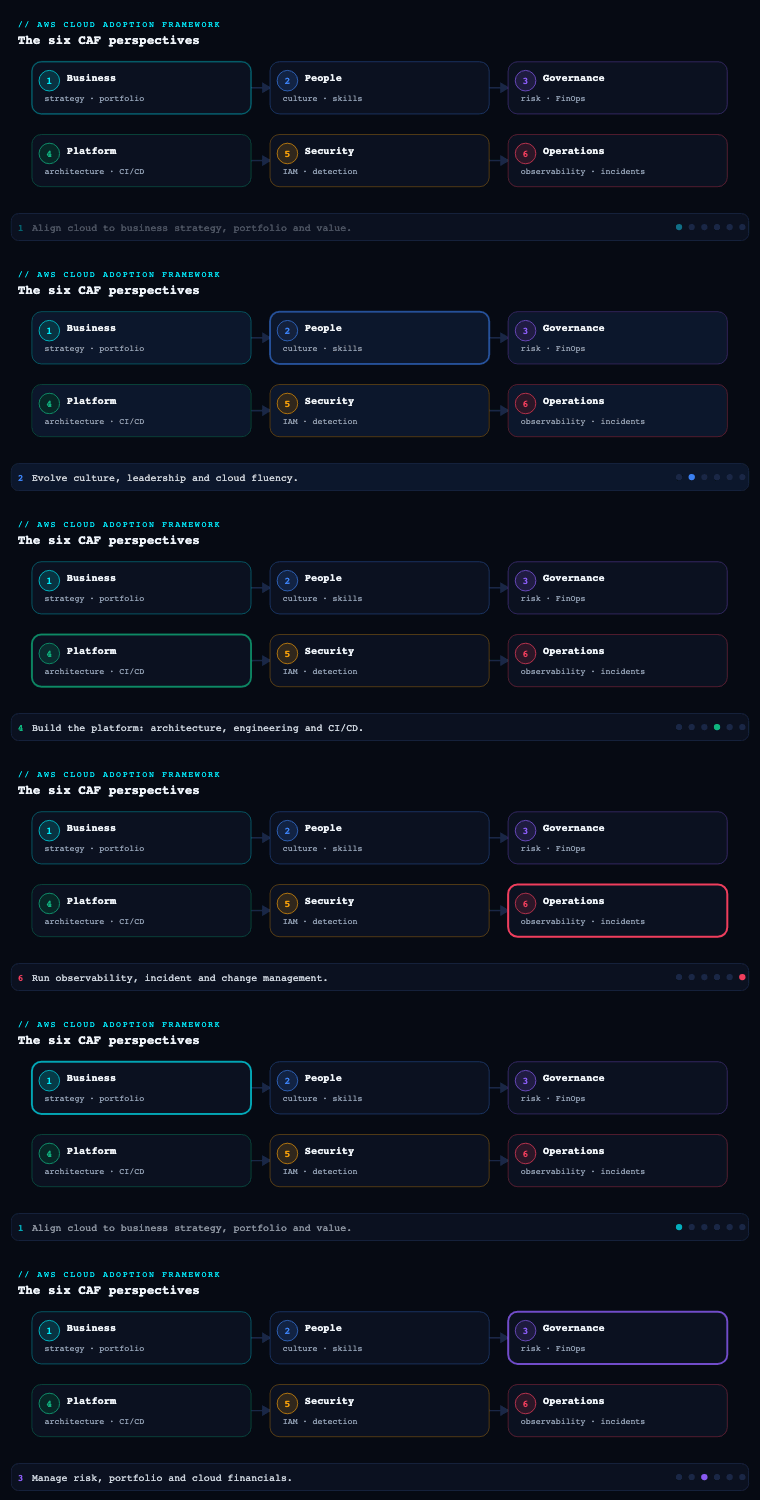
The AWS Cloud Adoption Framework organizes cloud transformation into six perspectives — Business, People, Governance, Platform, Security, and Operations — and the Operations perspective is the one that ensures cloud services are delivered at a level that meets the needs of your business. Where Platform builds the landing zone and the workloads, Operations is what keeps them running, observable, and recoverable in production; its stakeholders are the infrastructure and operations leaders, site-reliability engineers, IT service managers, and the platform/SRE teams who carry the pager. This is part 7 of the series, and it goes deep on seven of the Operations capabilities — observability, event management (AIOps), incident and problem management, change/release/configuration management, performance and capacity management, availability and continuity, and patch management — the disciplines that turn “we deployed it” into “we operate it to an SLO.” Operations is also where the abstract promise of operational resilience from the Business perspective becomes a measured, defended number, and where the Well-Architected Operational Excellence and Reliability pillars become day-2 practice rather than a design review checkbox.
Observability
What it is. Observability is the capability of gaining visibility into the state and behaviour of your workloads — not just whether a host is up, but whether the user-facing service is healthy and why it is or is not. AWS frames it around the three classic telemetry signals — metrics, logs, and traces — plus the curation of dashboards, service-level objectives (SLOs), and synthetic checks that turn raw signal into operational truth. The distinction from plain monitoring matters: monitoring answers known questions (“is CPU above 80%?”); observability lets you ask new questions of a system you did not anticipate (“why are only checkout requests from the EU edge slow, and only since the 14:05 deploy?”).
Why it matters. Every other capability in this perspective depends on it. You cannot manage an incident you cannot see, set a capacity threshold you cannot measure, or prove an availability SLO you do not instrument. Observability is also the single biggest determinant of MTTD (mean time to detect) and a major lever on MTTR (mean time to resolve) — and in a distributed, microservice, event-driven AWS estate, the failure modes are emergent and partial, so host-up/host-down monitoring is actively misleading. The goal is to detect degradation from the customer’s viewpoint before a customer reports it.
How to do it well. Standardize on structured, correlated telemetry and adopt OpenTelemetry so instrumentation is vendor-portable. Concretely:
- Metrics — emit application and business metrics as CloudWatch metrics (custom + Embedded Metric Format so a single structured log line publishes high-cardinality metrics without throttling
PutMetricData). Use CloudWatch Metric Math and anomaly detection bands rather than static thresholds where load is seasonal. - Logs — centralize in CloudWatch Logs, query with Logs Insights, and ship a curated subset to Amazon OpenSearch Service or a security/data lake when you need long-retention full-text search. Enforce a structured (JSON) logging standard with a correlation/trace ID on every line.
- Traces — instrument with AWS X-Ray (or OTel exporting to X-Ray) so you get a service map and per-segment latency; this is what isolates “the slow EU checkout” to a single downstream dependency.
- SLOs — define SLIs (availability, latency p99, error rate) and error budgets per service; CloudWatch Application Signals now provides first-class SLO objects and burn-rate alarms on top of auto-instrumented services.
- Synthetics & RUM — run CloudWatch Synthetics canaries against critical user journeys from outside the system, and use CloudWatch RUM for real-user front-end performance.
- Curation — publish a service health dashboard per workload (golden signals + dependencies) and a roll-up; Amazon Managed Grafana and Amazon Managed Service for Prometheus (AMP) are the standard for container/Kubernetes-heavy estates.
Artifacts, decisions, and AWS tooling.
| Telemetry signal | What you produce | Primary AWS service |
|---|---|---|
| Metrics | Golden-signal + business metrics, anomaly bands | Amazon CloudWatch, CloudWatch EMF, AMP/Prometheus |
| Logs | Structured JSON logs with correlation IDs, Logs Insights queries | CloudWatch Logs, OpenSearch Service |
| Traces | Service map, p99 segment latency | AWS X-Ray, AWS Distro for OpenTelemetry (ADOT) |
| SLOs / SLIs | Per-service SLO objects, error budgets, burn-rate alarms | CloudWatch Application Signals |
| Synthetic / RUM | Canaries on critical journeys, real-user metrics | CloudWatch Synthetics, CloudWatch RUM |
| Dashboards | Service health + roll-up dashboards | CloudWatch Dashboards, Amazon Managed Grafana |
The decisions to make explicit: your telemetry standard (OTel + structured logs + mandatory correlation ID), your retention/cost tiers (hot in CloudWatch, warm in OpenSearch, cold in S3 — observability cost is real and runs away silently), and what an SLO actually is for each tier-1 service, because that number anchors incident severity, change risk, and capacity planning downstream.
Event management (AIOps)
What it is. Event management is detecting events, assessing their potential impact, and determining the appropriate control action — and at scale this becomes AIOps: using machine learning to reduce the operational noise that a large AWS estate generates so humans only see signal. An event is any observable change of state (an alarm firing, a config drift, a deployment, a quota breach); event management is the pipeline that ingests, deduplicates, correlates, enriches, prioritizes, and routes those events — and ideally auto-remediates the well-understood ones.
Why it matters. A mature account structure emits a torrent of events. Without correlation you drown: one root cause (a saturated NAT gateway) fans out into forty downstream CloudWatch alarms across ten services, and the on-call engineer pages on the symptoms, not the cause. AIOps attacks alert fatigue and shrinks MTTD/MTTR by collapsing that storm into a single, root-cause-tagged, actionable event. It is also the bridge between observability (which produces signal) and incident management (which responds to it).
How to do it well. Build an event-driven pipeline and apply ML where it earns its keep:
- Ingest and route — make Amazon EventBridge the event bus. AWS service events, CloudWatch alarms (via EventBridge), Health events, Config rule evaluations, and GuardDuty findings all land here and route by rule to the right target.
- Correlate with ML — Amazon DevOps Guru ingests CloudWatch, X-Ray, and Config data and uses ML to surface operational insights with likely root cause and related anomalies, dramatically cutting the correlation work; DevOps Guru for RDS adds database-specific detection. CloudWatch anomaly detection and Contributor Insights find the top-N talkers behind a spike.
- Enrich — attach context (which deployment, which change ticket, owning team, runbook link) so an event is actionable on arrival.
- Auto-remediate the known-knowns — wire EventBridge → Systems Manager Automation runbooks or Lambda for deterministic responses (restart a task, clear a queue, scale out, fail over a read replica). AWS Config auto-remediation handles drift (re-encrypt a bucket, re-attach an SG).
- Stay ahead with proactive events — AWS Health (and the Health API/EventBridge integration) tells you about scheduled maintenance, deprecations, and account-impacting issues before they bite; Trusted Advisor flags service-limit and resilience risks.
Artifacts, decisions, and AWS tooling.
| Stage | What it does | AWS service |
|---|---|---|
| Event bus | Ingest and route all operational events | Amazon EventBridge |
| ML correlation | Root-cause insights, anomaly + related-event grouping | Amazon DevOps Guru, CloudWatch anomaly detection |
| Enrichment | Add change/owner/runbook context | EventBridge input transformer, Lambda |
| Auto-remediation | Deterministic fixes for known events | SSM Automation runbooks, AWS Config remediation, Lambda |
| Proactive | Maintenance, deprecation, limits, resilience | AWS Health, AWS Trusted Advisor |
Key decisions: which events are auto-remediated vs paged (start conservative, promote to auto only after the runbook is proven), your deduplication/correlation strategy (DevOps Guru insight as the primary alert unit, not the raw alarm), and a noise budget — track alert-to-action ratio and treat a low ratio as a defect to fix, not background hum.
Incident and problem management
What it is. Two distinct disciplines AWS deliberately separates. Incident management restores service operation as quickly as possible (it is about recovery and is time-bounded by an SLA). Problem management identifies and addresses the root causes of incidents to prevent recurrence (it is about learning and is not time-bounded). One asks “how do we make it work again now?”; the other asks “why did it break, and how do we make sure it never breaks that way again?”
Why it matters. Conflating them is the classic operations failure: teams firefight the same incident monthly because the post-incident “problem” work never happens. Separating them lets you optimize incident response for speed (clear severities, defined on-call, a war room, a single incident commander) while running a parallel, blameless learning loop that permanently retires recurring failure classes — the only thing that bends the long-run incident curve downward.
How to do it well.
- Define severities and SLAs up front — a Sev-1/2/3/4 matrix tied to SLO/error-budget impact, each with a response-time target, an escalation path, and a communications cadence.
- Operationalize on-call — AWS Systems Manager Incident Manager provides response plans, engagement/escalation schedules and contacts, runbooks (SSM Automation) that execute during an incident, and a structured incident timeline. It integrates with CloudWatch alarms and EventBridge so a Sev-1 alarm auto-creates the incident, pages the on-call rotation, opens the chat war room (via AWS Chatbot to Slack/Microsoft Teams), and starts the timeline.
- Run the incident with roles — incident commander, comms lead, ops lead; Incident Manager’s timeline captures actions and decisions for the post-incident analysis automatically.
- Close the loop with problem management — every Sev-1/2 triggers a blameless post-incident review (PIR/COE) producing root cause, contributing factors, and corrective actions with owners and due dates that go on the backlog as first-class work. Track recurrence and time-to-close on corrective actions as KPIs.
- Curate runbooks — maintain versioned SSM Automation runbooks and human runbooks in AWS Systems Manager Documents; the goal is that the response to a known incident is “run this,” not “improvise.”
Artifacts, decisions, and AWS tooling.
| Artifact | What it captures | AWS service |
|---|---|---|
| Severity matrix + SLAs | Sev levels, response targets, escalation, comms | Documented standard; tied to CloudWatch SLOs |
| Response plans | Auto-create incident, page, runbooks, chat | SSM Incident Manager + EventBridge + AWS Chatbot |
| On-call schedule | Rotations, contacts, escalation | Incident Manager engagement/escalation |
| Incident timeline | Auto-captured actions, decisions | Incident Manager |
| PIR / COE | Root cause, corrective actions, owners, dates | Documented; backlog-tracked |
| Runbook library | Versioned automation + human runbooks | SSM Automation / SSM Documents |
The decisions that matter: the severity definition (anchor it to customer/SLO impact, not internal opinion), who can declare a Sev-1 (anyone, no permission needed — false alarms are cheaper than delayed response), and a hard rule that problem-management corrective actions are sprint-committed work, not a wiki page nobody reads.
Change, release, and configuration management
What it is. Three intertwined capabilities. Change management introduces, modifies, or removes anything that could affect production in a controlled way. Release management plans, schedules, and controls the build, test, and deployment of changes into production. Configuration management maintains an accurate record of the configuration of your resources and their relationships (your CMDB). Together they answer “what is allowed to change, how do we ship it safely, and do we know exactly what is running right now?”
Why it matters. In the cloud, the temptation is to swing between two failure modes: heavyweight ITIL change-advisory-board gates that throttle deployment frequency (and push people to make changes out-of-band), or a free-for-all where undocumented console changes cause drift, surprise outages, and an estate nobody can describe to an auditor. The mature answer is deployment safety through automation and progressive delivery — make the safe path the easy path — plus everything-as-code so the configuration record is the deployment mechanism, not a stale spreadsheet maintained by hand.
How to do it well.
- Infrastructure and config as code — define resources in AWS CloudFormation, the AWS CDK, or Terraform; the repo is the source of truth, and drift is detected (CloudFormation drift detection) rather than discovered. Standardize approved patterns via AWS Service Catalog and enforce guardrails with Control Tower and AWS Organizations SCPs.
- Pipelines with progressive delivery — ship through AWS CodePipeline / CodeBuild / CodeDeploy (or your CI of choice) with automated tests, manual approval actions as the lightweight “change gate,” and canary or blue/green deployment (CodeDeploy traffic shifting, Lambda/ALB weighted routing) so blast radius is bounded and automatic rollback on CloudWatch alarms is the default.
- Configuration record (CMDB) — AWS Config continuously records resource configuration and relationships, gives you a point-in-time configuration timeline, evaluates Config rules/conformance packs for compliance, and (with the aggregator) gives an org-wide view. AWS Systems Manager Inventory captures in-guest software/OS config across the fleet.
- Standard vs normal vs emergency changes — pre-approve standard changes (well-understood, automated, low-risk) so they need no per-change approval; reserve human review for normal (higher-risk) and define an emergency path with after-the-fact review. Track change success rate and change failure rate (a DORA metric) so the process is data-driven, not ceremonial.
Artifacts, decisions, and AWS tooling.
| Discipline | Artifact | AWS service |
|---|---|---|
| Change | Change policy (standard/normal/emergency), approval gates | CodePipeline approvals, Service Catalog, SCPs |
| Release | Pipelines, canary/blue-green, auto-rollback | CodePipeline, CodeDeploy, CodeBuild |
| Configuration (IaC) | CloudFormation/CDK/Terraform repos, drift detection | CloudFormation, CDK, drift detection |
| Configuration record | Resource config + relationships, timeline, compliance | AWS Config, Config aggregator, conformance packs |
| In-guest inventory | OS/app/patch inventory across fleet | SSM Inventory |
DORA’s four metrics — deployment frequency, lead time for changes, change failure rate, time to restore — are the scoreboard here; AWS exposes the pipeline data to compute them. The decision to make: define your standard-change catalogue aggressively, because every change you can safely auto-approve is a change that ships faster and is fully recorded.
Performance and capacity management
What it is. Performance management ensures cloud services meet performance expectations (latency, throughput, the SLIs you committed to), while capacity management ensures sufficient capacity is available to meet demand — neither starving the service (breaching SLOs) nor over-provisioning (burning money). In the cloud the two are deeply linked because capacity is elastic and priced per-second, so the question is rarely “do we own enough servers?” and almost always “are we scaling the right resource on the right signal at the right cost?”
Why it matters. Get capacity wrong upward and you waste a fortune on idle reserved fleet; get it wrong downward and you breach your latency SLO during the exact peak (sale, launch, quarter-end) that matters most. Performance management is also where you catch the slow regression — the deploy that quietly added 40ms to p99 — before it compounds into an incident. And capacity in AWS has a non-obvious dimension: service quotas and account limits, which silently cap you long before your code does.
How to do it well.
- Scale on demand, on the right signal — EC2 Auto Scaling with target-tracking / predictive scaling, Application Auto Scaling for ECS/DynamoDB/Aurora, Kubernetes HPA/KEDA + Karpenter for EKS, and serverless (Lambda, Fargate, Aurora Serverless v2, DynamoDB on-demand) where you want capacity management to disappear into the platform.
- Right-size continuously — AWS Compute Optimizer recommends instance/Lambda/EBS/Auto-Scaling-group right-sizing from real utilization; Cost Explorer right-sizing and rightsizing recommendations close the loop with finance.
- Load test and find limits — performance-test critical paths before peak (AWS Distributed Load Testing solution / Fault Injection); use CloudWatch Application Signals and X-Ray to attribute latency, and DevOps Guru to flag proactive resource-exhaustion risks (e.g., a table approaching throughput limits).
- Manage quotas as capacity — track and raise Service Quotas ahead of demand, watch limit-approach with Trusted Advisor, and use EC2 On-Demand Capacity Reservations (or Capacity Blocks for ML/GPU) when you must guarantee capacity for a known peak.
- Forecast — turn historical CloudWatch metrics and business-event calendars (sale dates, marketing pushes) into a capacity forecast, and pre-warm/pre-provision for known spikes rather than relying on cold-start autoscaling at T-zero.
Artifacts, decisions, and AWS tooling.
| Concern | What you produce | AWS service |
|---|---|---|
| Elastic scaling | Scaling policies (target-tracking/predictive) | EC2 Auto Scaling, Application Auto Scaling, Karpenter/KEDA |
| Right-sizing | Utilization-based resize recommendations | AWS Compute Optimizer, Cost Explorer |
| Load/perf testing | Pre-peak load test results, latency budgets | Distributed Load Testing, AWS FIS, X-Ray, App Signals |
| Quota/capacity | Quota dashboard, capacity reservations for peaks | Service Quotas, On-Demand Capacity Reservations, Capacity Blocks |
| Forecast | Capacity forecast tied to business calendar | CloudWatch metrics + business-event calendar |
The decisions worth pinning: the scaling signal per service (CPU is often the wrong one — scale on queue depth, concurrency, or p99 latency), the headroom target (how much spare capacity above forecast peak you carry), and where you deliberately trade cost for guaranteed capacity (Capacity Reservations) versus accept autoscaling risk.
Availability and continuity
What it is. Availability management ensures cloud services are available as needed (designing and operating to meet an availability/SLO target), and continuity management ensures business operations continue during and after a disruption — disaster recovery and business continuity. This is where you commit to numbers: an availability target (e.g., 99.95%), a Recovery Time Objective (RTO), and a Recovery Point Objective (RPO), and then architect and prove you meet them.
Why it matters. Availability and continuity are the operational expression of the Well-Architected Reliability pillar and the entire reason the Operations perspective exists — “delivered at a level that meets the needs of the business” is an availability commitment. The trap is treating DR as a binder that is never tested; an untested DR plan is a hypothesis, and you discover during the real outage that the runbook is stale, the backups don’t restore, or the failover region was missing a quota. Continuity is only real if it is rehearsed.
How to do it well.
- Design for it — Multi-AZ by default for every stateful tier (RDS/Aurora Multi-AZ, ElastiCache, MSK), spread compute across AZs, and front with Elastic Load Balancing + Auto Scaling so an AZ loss is a non-event. Use Route 53 health checks + failover/latency routing and the Application Recovery Controller (ARC) with readiness checks and routing controls for deliberate, audited regional failover.
- Pick a DR strategy by RTO/RPO and cost — AWS’s four canonical patterns, in increasing cost and decreasing RTO/RPO:
| DR strategy | RTO / RPO | What runs in the recovery region | Typical use |
|---|---|---|---|
| Backup & restore | Hours / hours | Nothing; restore from backups | Tier-3 workloads, cost-sensitive |
| Pilot light | 10s of minutes / minutes | Core data replicated, servers off | Tier-2 workloads |
| Warm standby | Minutes / seconds | Scaled-down full stack, always on | Tier-1 business apps |
| Multi-site active/active | Near-zero / near-zero | Full stack live in 2+ regions | Tier-0, can’t-go-down |
- Back up centrally — AWS Backup for policy-based, cross-account and cross-region backups with a backup vault, Vault Lock (immutability) against ransomware, and restore testing. Aurora/DynamoDB global tables and S3 Cross-Region Replication handle data-layer continuity for higher tiers.
- Prove it with game days — run chaos engineering with AWS Fault Injection Service (FIS) (kill an AZ, inject latency, throttle an API) and scheduled DR game days that actually fail over and measure achieved RTO/RPO against target. Resilience Hub assesses a workload against its RTO/RPO policy, finds gaps, and tracks resilience score over time.
Artifacts, decisions, and AWS tooling.
| Artifact | What it captures | AWS service |
|---|---|---|
| Availability/SLO targets | Per-tier availability %, error budget | CloudWatch Application Signals |
| RTO/RPO + DR strategy | Per-workload tier → DR pattern | AWS Resilience Hub (policy + score) |
| HA architecture | Multi-AZ, ELB, failover routing | Route 53 ARC, ELB, Auto Scaling |
| Backup policy | Schedules, retention, cross-region, immutability | AWS Backup, Backup Vault Lock |
| Replication | Cross-region data continuity | Aurora/DynamoDB global tables, S3 CRR |
| Resilience testing | Game-day results, chaos experiments, achieved RTO/RPO | AWS FIS, DR game days |
The core decisions: a workload-to-tier-to-DR-pattern map (not everything needs active/active — match the pattern to the business cost of downtime), the immutability/ransomware posture on backups (Vault Lock is non-negotiable for tier-1), and a mandatory DR test cadence with achieved-vs-target RTO/RPO as a reported KPI.
Patch management
What it is. Patch management is distributing and applying software updates — OS and application patches, AMI refreshes, and runtime/dependency updates — to keep the estate secure, compliant, and stable. It sits in Operations (delivery and stability) but is joined at the hip with the Security perspective’s vulnerability management; an unpatched fleet is both an availability risk (known crash bugs) and the most common breach vector.
Why it matters. Patching is where good intentions go to die at scale: a handful of servers is trivial, but a few thousand instances across dozens of accounts, with maintenance windows, blast-radius concerns, and “we can’t reboot the payments host during business hours” constraints, is a genuine operational program. Drift here is silent and cumulative — six months of skipped patches is how a single CVE turns into a ransomware event. The mature posture is automated, reported, exception-managed patching with immutable replacement preferred over in-place patching wherever the architecture allows.
How to do it well.
- Automate in-place patching — AWS Systems Manager Patch Manager with patch baselines (per-OS approval rules, auto-approve after N days, explicit allow/deny CVEs), patch groups (tag-based: dev patches before prod), and maintenance windows so patching happens in approved, low-traffic windows. State Manager keeps configuration converged; Fleet Manager gives a fleet-wide view.
- Prefer immutable replacement — for autoscaled and container workloads, don’t patch the running host: bake a new golden AMI with EC2 Image Builder (which can run on a schedule, patch, test, and distribute AMIs across accounts/regions), or rebuild the container image, then roll it out through the deployment pipeline (blue/green). The instance/task is cattle, not a pet — replace, don’t repair.
- Patch what isn’t an OS — containers via base-image rebuilds, Lambda runtimes (track deprecations via AWS Health), managed-service engine versions (RDS/Aurora/ElastiCache/EKS version upgrades on a planned cadence), and application dependencies via Amazon Inspector, which continuously scans EC2, ECR images, and Lambda for vulnerable packages and feeds the priority list.
- Report and manage exceptions — compliance reporting in Patch Manager / AWS Config rules / Security Hub shows percent-compliant by account and patch group; treat any host that can’t be patched on schedule as a tracked exception with a compensating control and an expiry, not a permanent blind spot. Drive a patch SLA (e.g., critical CVEs remediated within 7 days, high within 30).
Artifacts, decisions, and AWS tooling.
| Concern | What you produce | AWS service |
|---|---|---|
| In-place patching | Baselines, patch groups, maintenance windows | SSM Patch Manager, State Manager, Fleet Manager |
| Immutable patching | Scheduled golden-AMI / image rebuild + roll-out | EC2 Image Builder + deployment pipeline |
| Vulnerability feed | Continuous CVE scan of EC2/ECR/Lambda | Amazon Inspector |
| Managed-service patching | Planned engine-version upgrade calendar | RDS/Aurora/EKS/ElastiCache version upgrades |
| Compliance & exceptions | % compliant, exception register with expiry, patch SLA | Patch Manager compliance, AWS Config, Security Hub |
The decisions: in-place vs immutable per workload class (immutable for everything autoscaled/containerized; in-place only for true pets), your patch SLA by severity (tie it to Inspector’s scoring and your Security perspective’s vuln-management policy), and the maintenance-window strategy that respects business-critical hours while still hitting the SLA.
Real-world enterprise scenario
Aurelius Health Systems is a fictional pan-India digital-health provider: ~₹9,400 crore revenue, a patient-facing app and clinician portal, a telemedicine platform, and a claims/billing back office, all on AWS across 42 accounts under a Control Tower landing zone, organized into a Patient Apps OU, a Clinical Platform OU, and a Corporate/Claims OU. The platform/SRE org runs roughly 2,600 EC2 instances, 180 ECS/EKS services, and a mix of Aurora, DynamoDB, and OpenSearch. The VP of Engineering sponsors an Operations-perspective uplift after a 3-hour telemedicine outage (a saturated NAT gateway that took 90 minutes just to diagnose) breached their patient-facing SLA. Here is how each capability plays out.
- Observability. They standardize on ADOT/OpenTelemetry, mandate structured JSON logs with a
correlation_id, and adopt CloudWatch Application Signals to define SLOs: telemedicine session-start availability 99.95%, p99 latency 800ms, with error budgets and burn-rate alarms. X-Ray service maps cover all 180 services; Synthetics canaries run the “book a consult → join call” journey from three regions every minute; tier-1 service-health dashboards live in Amazon Managed Grafana. Artifact: a telemetry standard + per-service SLO catalogue. - Event management (AIOps). EventBridge becomes the single operational bus; DevOps Guru (and DevOps Guru for RDS) ingests CloudWatch/X-Ray/Config. The NAT-saturation pattern that caused the outage now surfaces as one DevOps Guru insight with likely root cause instead of forty downstream alarms. Deterministic responses (scale ECS, fail over an Aurora reader) are wired EventBridge → SSM Automation. Artifact: an event pipeline with a documented auto-remediate-vs-page list and a tracked alert-to-action ratio (baseline 6%, target >40%).
- Incident and problem management. They stand up Systems Manager Incident Manager: a Sev-1 SLO-breach alarm now auto-creates an incident, pages the rotation, opens a Slack war room via AWS Chatbot, and starts the timeline within 60 seconds. A Sev-1/Sev-2 severity matrix is tied to error-budget burn. Every Sev-1/2 yields a blameless COE with corrective actions sprint-committed. Artifact: a severity matrix, response plans, on-call schedule, and a COE process with recurrence tracking.
- Change/release/configuration. All infra moves to CDK; Service Catalog + SCPs enforce approved patterns; pipelines (CodePipeline/CodeDeploy) deploy tier-1 services blue/green with automatic rollback on CloudWatch alarms. A standard-change catalogue auto-approves ~70% of changes. AWS Config (with an org aggregator and conformance packs) is the CMDB; SSM Inventory captures in-guest state. They start reporting DORA metrics; baseline change-failure-rate is 19%. Artifact: a change policy, IaC repos, and a Config-backed configuration record.
- Performance and capacity management. Scaling moves off CPU to queue-depth and p99-latency target-tracking; Karpenter handles EKS; Compute Optimizer drives a right-sizing pass that trims 14% off compute spend. Before flu-season peak they run Distributed Load Testing and reserve capacity with On-Demand Capacity Reservations for the telemedicine fleet, and raise Service Quotas ahead of demand. Artifact: a scaling-signal map, right-sizing report, and a capacity forecast tied to the seasonal calendar.
- Availability and continuity. Workloads are tiered: telemedicine and clinician portal = Tier-1 warm standby in a second region (RTO 15 min / RPO 1 min) via Aurora global database and Route 53 ARC routing controls; claims/billing = Tier-2 pilot light; internal tools = backup & restore. AWS Backup runs cross-region with Vault Lock immutability (a hard requirement given health data and ransomware risk). Resilience Hub scores each workload against its RTO/RPO policy; quarterly FIS game days fail over for real. Artifact: a workload→tier→DR map, backup policy, and game-day results with achieved-vs-target RTO/RPO.
- Patch management. Autoscaled and container fleets go immutable: EC2 Image Builder bakes weekly golden AMIs (patched, tested, distributed across 42 accounts) that roll out via the pipeline; Amazon Inspector continuously scans EC2/ECR/Lambda. True pets (a few legacy claims hosts) use Patch Manager baselines + maintenance windows. Patch SLA: critical CVEs ≤7 days, high ≤30; compliance reported in Security Hub, exceptions tracked with expiry. Artifact: a patch policy (immutable-first), Inspector-driven priority list, and a compliance/exception register.
Measurable outcome (9 months in): MTTD on the NAT-class failure dropped from 90 minutes to under 5 (single DevOps Guru insight + correlation IDs); telemedicine availability moved from 99.7% to 99.96%, inside SLO; change-failure-rate fell from 19% to 7% via blue/green + auto-rollback; a Q3 DR game day hit RTO 12 min against a 15-min target; compute spend dropped 14% from right-sizing; and patch compliance for critical CVEs reached 98% within the 7-day SLA. The 3-hour outage class has not recurred — the corrective action (NAT-gateway autoscaling + a DevOps Guru insight + a proven runbook) permanently retired it.
Deliverables & checklist
Common pitfalls
- Monitoring instead of observing. Host-up dashboards miss the partial, customer-visible failures that dominate distributed AWS estates. Avoid it by defining SLIs/SLOs from the user’s viewpoint, instrumenting traces (X-Ray/ADOT), and putting a correlation ID on every log line.
- Alert storms and alert fatigue. Forty alarms for one root cause trains on-call to ignore the pager. Avoid it by making the DevOps Guru insight (not the raw alarm) the alert unit, tracking alert-to-action ratio, and treating a low ratio as a defect.
- Firefighting without problem management. Restoring service but never doing the root-cause work means the same incident recurs monthly. Avoid it by separating incident from problem management and making blameless-COE corrective actions sprint-committed, owned, and recurrence-tracked.
- Change control that throttles or that’s absent. Heavy CABs push people to make undocumented out-of-band changes; no control causes drift and surprise outages. Avoid it with a wide standard-change catalogue, progressive delivery with auto-rollback, and AWS Config as the always-current record.
- DR as an untested binder. A plan you’ve never executed is a hypothesis; the real failover finds the stale runbook and the missing quota. Avoid it with Resilience Hub scoring and mandatory FIS/DR game days reporting achieved-vs-target RTO/RPO.
- Patching that drifts silently at scale. A few thousand instances quietly fall behind until one CVE becomes a breach. Avoid it with immutable-first patching (EC2 Image Builder), Inspector-driven prioritization, a severity-based patch SLA, and exception-with-expiry tracking — never a permanent blind spot.
What’s next
This is the final perspective in the series — with Operations covered alongside Business, People, Governance, Platform, and Security, the next part returns to the Envision–Align–Launch–Scale loop to assemble these capabilities into a single, sequenced transformation roadmap and CAF Action Plan.