Where this fits
Part 1 of AWS Landing Zone & Control Tower established the raw substrate: AWS Organizations, the management (payer) account, organizational units (OUs), Service Control Policies (SCPs), and consolidated billing — the multi-account chassis you could assemble by hand. This part is about the managed service that orchestrates that chassis into a governed, opinionated foundation so you don’t have to wire it yourself: AWS Control Tower. Control Tower is not a replacement for Organizations — it sits on top of it, and everything it does (creating the Security OU, deploying centralized logging, applying guardrails, vending accounts) ultimately manifests as Organizations, CloudFormation StackSets, AWS Config, and SCP/RCP primitives you can still see and reason about. The four sub-components below are the load-bearing pieces of a Control Tower deployment: the landing zone it stands up, the Account Factory that mass-produces governed accounts, the controls library that keeps them compliant, and the two customization frameworks — Customizations for Control Tower (CfCT) and Account Factory for Terraform (AFT) — that extend the managed baseline to your enterprise’s real requirements. Get these right and you have a paved road; get them wrong and Control Tower becomes a box you fight against rather than build on.
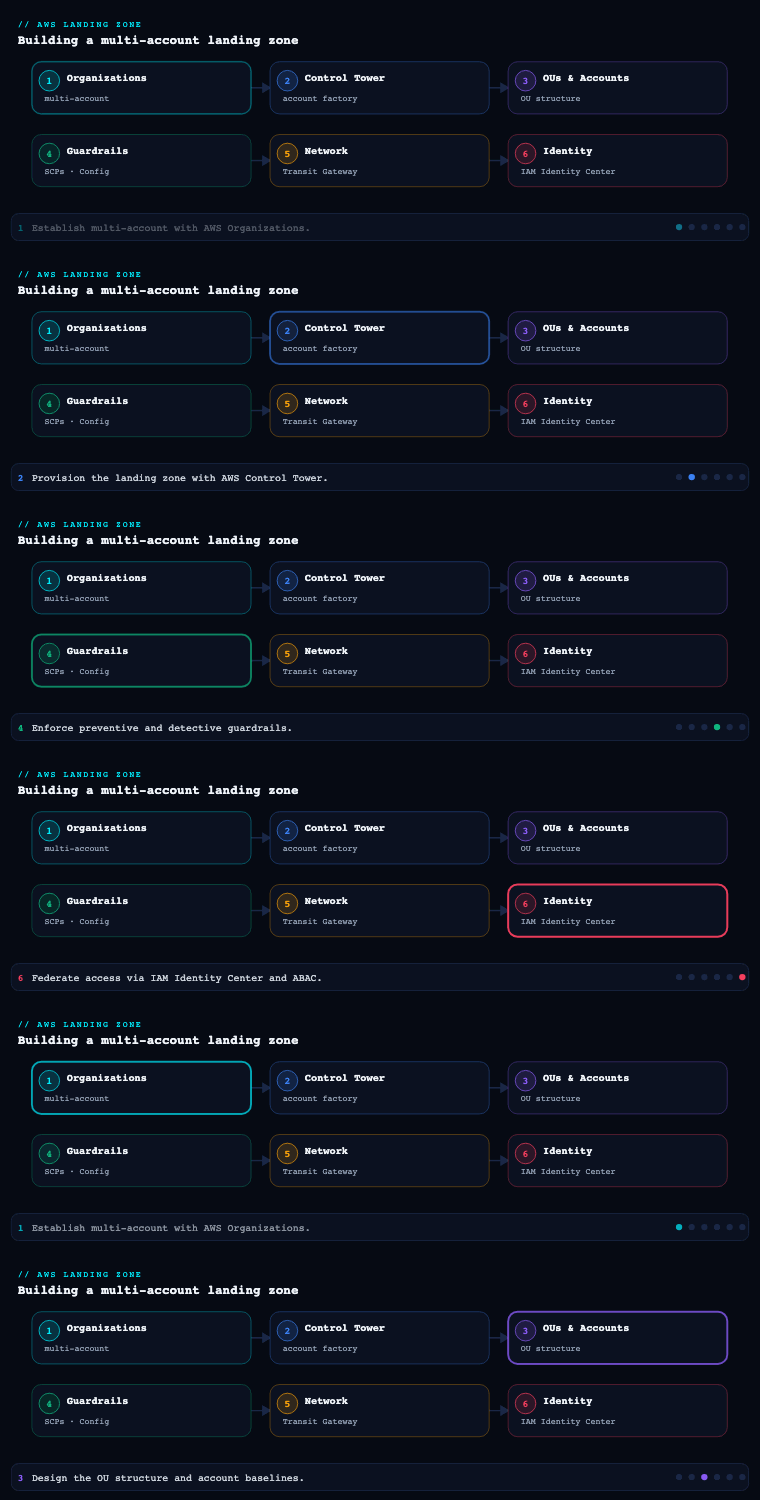
The Control Tower landing zone
What it is. The landing zone is the well-architected, multi-account environment that Control Tower provisions and manages on your behalf when you “set up” the service from the management account. It is a concrete, named set of artifacts, not an abstraction: a management account (where Control Tower runs), a Log Archive account and an Audit account (the two “shared accounts” created automatically inside a Security OU), a default Sandbox OU, an organization-wide CloudTrail trail, centralized AWS Config with an aggregator in the Audit account, an IAM Identity Center (formerly AWS SSO) directory for human access, and a landing-zone version that Control Tower tracks so it can tell you when the baseline drifts or needs updating. Under the hood, Control Tower realizes all of this through CloudFormation StackSets deployed from the management account into member accounts, plus service-managed Organizations features.
Why it matters. The landing zone is the difference between “we have an AWS Organization” and “we have a governed AWS foundation.” Three things make it valuable. First, centralized, tamper-resistant audit: every account’s CloudTrail and Config data flows to a dedicated Log Archive account that workload teams can’t reach, satisfying the separation-of-duties expectation that auditors look for. Second, a versioned baseline: because Control Tower knows what “correct” looks like, it can detect drift (someone deleted a guardrail’s Config rule, moved an account out of an OU, or hand-edited the organization trail) and offer repair / re-register / landing-zone update actions to bring things back to known-good. Third, a home region and a governed-region set: you pick a home Region at setup (effectively permanent — changing it means rebuilding) and an explicit list of Regions Control Tower governs, which bounds where guardrails apply and where new account baselines deploy.
How to do it well. A few decisions made at setup are expensive to reverse, so treat day-0 as architecture, not clicking a wizard:
- Choose the home Region deliberately. It anchors the landing zone, the StackSet admin, and the management-account footprint. Pick your primary operating Region; you cannot move it later without a teardown.
- Govern only the Regions you actually use — but govern all of them. Each governed Region multiplies the StackSets and Config recorders deployed. Leaving a Region ungoverned but in use is worse: workloads there escape guardrails. Use an SCP (a
DenyAllOutsideApprovedRegions-style region-restriction control) to block unused Regions outright. - Don’t pollute the management account. Run nothing but Control Tower, Organizations, billing, and the bare minimum of org-level automation there. No workloads, no shared services. The management account cannot have most guardrails applied to it and is the highest-value target in the org.
- Decide your IAM Identity Center posture early. Control Tower stands up Identity Center in the home Region by default; if you federate to an external IdP (Entra ID, Okta, Ping), plan the SAML/SCIM integration and permission-set catalog now, because retrofitting identity after teams onboard is disruptive.
- Plan for the landing-zone lifecycle. New Control Tower features and Config-rule updates arrive as landing-zone versions; budget for periodic update and repair operations as standing operational work, not a one-off.
Artifacts, decisions, and AWS tooling.
| Artifact / decision | What it captures | AWS mechanism |
|---|---|---|
| Management account | Where Control Tower, Organizations, billing run | AWS Organizations root / payer |
| Log Archive account | Immutable, central store for CloudTrail + Config logs | StackSet-deployed S3 buckets, org trail |
| Audit (Security) account | Cross-account read/security tooling, Config aggregator | StackSet-deployed roles + SNS, Config aggregator |
| Security OU | Houses the two shared accounts under strong guardrails | Organizations OU + SCPs |
| Home Region (permanent) | Anchor Region for the landing zone | Control Tower setting |
| Governed Regions list | Where guardrails + baselines apply | Control Tower setting + StackSets |
| Landing-zone version | The known-good baseline + drift target | Control Tower landing-zone version |
| Identity directory | Human access model | IAM Identity Center (+ external IdP) |
The decision that comes out of this sub-component is a deployed, versioned landing zone with separation-of-duties accounts, a permanent home Region, an explicit governed-Region set, and an identity model — the foundation everything else attaches to.
Account Factory
What it is. Account Factory is Control Tower’s account-provisioning capability — the mechanism that creates new member accounts already enrolled in the landing zone, with the baseline (CloudTrail enrollment, Config recorder, the OU’s guardrails, IAM Identity Center access, and an AWSControlTowerExecution cross-account role) applied automatically at birth. It is surfaced as an AWS Service Catalog product (the “AWS Control Tower Account Factory” product) so that account creation is a governed, repeatable launch rather than an ad-hoc CreateAccount call. Account Factory also covers enrolling existing accounts (bringing an already-created Organizations account under Control Tower governance) and account lifecycle actions like updating or un-enrolling. The settings you configure on Account Factory — default VPC parameters, the allowed list of OUs accounts can be placed in, and (optionally) account-level network defaults — define the “shape” every vended account takes.
Why it matters. The whole point of a landing zone is to scale governed accounts to the hundreds without governance degrading. Account Factory is what makes the account the unit of isolation cheap to issue and impossible to issue wrong: a team requesting a new account gets one that is already logging to Log Archive, already under the correct OU’s SCPs and controls, and already wired into your access model — instead of a blank account that someone forgets to onboard, which becomes the un-governed gap an attacker finds. It also turns provisioning into something you can delegate and automate: because it’s a Service Catalog product, you can grant a platform team (or a pipeline) the ability to vend accounts without handing them management-account admin.
How to do it well. Account Factory’s built-in console flow is fine for a handful of accounts but does not scale to enterprise demand or auditability — that is exactly why the two customization frameworks below exist. The discipline:
- Treat the default Account Factory VPC with suspicion. The Account Factory network settings can create a default VPC in each account/Region. In most enterprises with a Transit Gateway / centralized-egress design, you want no Account Factory VPC at all (set the CIDR/Region options to create none) and instead inject networking via CfCT/AFT customizations, so accounts don’t ship with an unmanaged default VPC.
- Constrain the OU allow-list. Limit which OUs Account Factory can place accounts into, so vending can’t drop an account into an OU with the wrong guardrail posture.
- Standardize naming, email, and tagging. Each account needs a unique root email (plan a
+alias@or distribution-list scheme) and a consistent name/tag convention (cost-center, owner, environment, data-classification) so accounts are attributable from day one. - Don’t drive production vending from the console. Move to AFT (GitOps, Terraform) or CfCT for scale, approval, and audit trails — the console product is the manual fallback, not the operating model.
- Use enroll existing account for brownfield. When absorbing accounts created before Control Tower, enroll them through Account Factory rather than recreating them, then remediate to the baseline.
Provisioning-path comparison.
| Path | Best for | Trade-off |
|---|---|---|
| Account Factory console (Service Catalog product) | First few accounts, ad-hoc, demos | Manual, no native approval/audit, doesn’t scale |
| Enroll existing account | Brownfield accounts predating Control Tower | Requires remediation to baseline post-enroll |
| AFT (Account Factory for Terraform) | Enterprise scale, GitOps, per-account customization | Stands up its own pipeline + state to operate |
| CfCT (Customizations for Control Tower) | Org-wide baseline resources alongside vending | CloudFormation/StackSet-centric, less per-account nuance |
The artifact here is a defined account-vending standard — naming/email/tagging schema, the OU allow-list, an explicit “no default VPC” (or controlled-VPC) decision, and the chosen automation path — that every new account flows through.
The controls library
What it is. The controls library (Control Tower calls individual controls controls, and historically guardrails) is the catalog of pre-built, named governance rules you enable against OUs to enforce policy. Every control has a guidance level — Mandatory (always on, can’t disable), Strongly Recommended, or Elective — and, more importantly, a behavior that tells you how it enforces:
- Preventive controls — implemented as SCPs (and, for resource-policy enforcement, Resource Control Policies / RCPs). They stop a non-compliant action before it happens (e.g., disallow deletion of the org CloudTrail, disallow public read access to log-archive buckets). Status is Enforced or Not enabled.
- Detective controls — implemented as AWS Config rules (often backed by Lambda). They evaluate deployed resources and report Compliant / Non-compliant (e.g., detect whether EBS volumes are encrypted, detect public RDS snapshots). They don’t block; they flag.
- Proactive controls — implemented via AWS CloudFormation Hooks. They check resources before they’re provisioned by CloudFormation, blocking a non-compliant resource at deploy time (e.g., ensure an S3 bucket has encryption configured before it’s created). These bridge the gap between “prevent the API call” and “detect after the fact.”
Controls are organized by category and aligned to frameworks; Control Tower also offers Comprehensive controls management and control objectives (mapped to standards like CIS, PCI DSS, NIST) so you can reason about coverage in terms of objectives, not just individual rules.
Why it matters. This library is the reason to use Control Tower over rolling your own Organizations setup: it gives you a curated, AWS-maintained set of guardrails that you turn on against an OU and inherit across every account beneath, with a single console (or API) view of compliance posture. The three behaviors map cleanly onto a defense-in-depth strategy: preventive for the things that must never happen (deny the action), proactive for catching misconfiguration at deploy time before resources exist, and detective for continuous assurance and the long tail you can’t pre-empt. Because controls attach at the OU level, you express policy by governance intent (this OU is for regulated prod; this one is sandbox) rather than per-account toil.
How to do it well.
- Lead with the Mandatory + Strongly Recommended baseline, then layer Elective by OU. Don’t enable hundreds of controls everywhere on day one — start with the always-on mandatory set, add strongly-recommended, and apply electives to the OUs whose risk posture warrants them (e.g., PCI/NIST control objectives on a
Workloads/Prod-RegulatedOU). - Prefer preventive (SCP/RCP) for hard “never” rules; use proactive Hooks to shift left; use detective for assurance. A region-restriction or “don’t disable logging” rule belongs in an SCP. “Buckets must be encrypted” is better as a proactive CloudFormation Hook (blocked before creation) and a detective Config rule (catches resources created outside CloudFormation).
- Watch the AWS Config cost lever. Detective controls run on AWS Config; broad recording across many accounts/Regions is a real, recurring cost. Scope the Config recorder thoughtfully and disable governance in Regions you’ve region-restricted anyway.
- Map controls to objectives, not vibes. Use Control Tower’s control objectives / framework mappings (CIS, PCI DSS, NIST 800-53) to show auditors which controls satisfy which requirement, and to find coverage gaps.
- Author custom controls where the library stops. Anything Control Tower doesn’t ship you can add as your own SCP/RCP (preventive), Config rule / conformance pack (detective), or CloudFormation Hook (proactive) — typically delivered via CfCT so they’re versioned and applied org-wide.
Control-behavior comparison.
| Behavior | Implemented with | When it acts | Result | Typical use |
|---|---|---|---|---|
| Preventive | SCP / RCP | Before the API call | Action denied (Enforced) | “Never disable CloudTrail”, region restriction |
| Proactive | CloudFormation Hook | Before resource is provisioned | Deployment blocked | “S3 bucket must be encrypted” at deploy time |
| Detective | AWS Config rule | After resource exists | Compliant / Non-compliant flag | “EBS volumes are encrypted” continuous check |
The artifact is a guardrail catalog: the enabled controls per OU, their behavior and guidance level, the objective/framework each maps to, and a list of any custom controls you authored — ideally version-controlled rather than living only in the console.
Customization with Customizations for Control Tower (CfCT) and Account Factory for Terraform (AFT)
What they are. The managed baseline gets you a governed foundation, but no two enterprises’ requirements are identical. AWS ships two officially-supported customization frameworks that extend Control Tower without breaking its management of the landing zone:
-
Customizations for Control Tower (CfCT) is an AWS Solutions implementation that lets you deploy your own CloudFormation resources and SCPs across accounts and OUs, triggered by Control Tower lifecycle events (e.g., when a new account is enrolled). You define resources in a
manifest.yamlplus CloudFormation templates and SCP JSON, store them in CodeCommit (or an S3 bucket), and a CodePipeline orchestrates CloudFormation StackSets to apply them to the OUs/accounts you target. CfCT is CloudFormation-native and org-/OU-scoped — its sweet spot is “every account in this OU should also get these baseline resources / these extra SCPs,” applied automatically as accounts come and go. -
Account Factory for Terraform (AFT) is an AWS-provided framework that turns account vending into a Terraform + GitOps pipeline. You request an account by adding/merging an entry (the account request) in a Git repo; AFT then provisions the account through Control Tower’s Account Factory and runs four customization stages against it: AFT global customizations (applied to every AFT-vended account), AFT account customizations (per-account Terraform), and supporting account-provisioning and account-request logic. AFT manages its own pipeline, state, and a dedicated AFT-management account, and it can use Terraform, OpenTofu, or Terraform Cloud/Enterprise as the engine. Its sweet spot is “vend accounts at scale with rich, per-account, Terraform-defined configuration and a full Git audit trail.”
Why it matters. Without a customization framework, you either (a) under-customize — every team manually configures networking, logging exporters, IAM roles, and tooling in each new account, which is exactly the inconsistency the landing zone was meant to kill — or (b) over-customize the management account with bespoke scripts that drift and become un-ownable. CfCT and AFT are the supported, repeatable way to say “a governed account isn’t done until it also has our standard VPC/TGW attachment, our centralized-logging subscription, our break-glass roles, our security agents, and our baseline budgets.” They convert the landing zone from a static setup into a product with versioned, GitOps-driven configuration — which is the difference between a landing zone that ages into drift and one that improves release over release.
How to do it well.
- Pick the right tool for the job — and you can run both. Many enterprises use AFT for account vending + per-account Terraform and CfCT for org-wide CloudFormation/SCP baselines. If your org is Terraform-centric and wants rich per-account logic and a merge-request vending workflow, lead with AFT. If you’re CloudFormation/StackSet-centric and mostly need “apply these resources/SCPs to these OUs,” CfCT is lighter.
- Don’t customize the management account; customize the vended accounts. Keep bespoke logic in CfCT templates / AFT customizations targeting member accounts and OUs, not as scripts in the payer.
- Keep AFT’s customization stages clean. Put truly-universal config (logging subscriptions, baseline IAM, security agents, tag/budget defaults) in global customizations; put workload-/team-specific config in account customizations. Resist the temptation to fork global customizations per team.
- Version everything and gate it. Both frameworks are pipeline-driven — route changes through pull requests with reviews, plan/preview, and approvals so “governance as code” is real, not theater. Pin the AFT/CfCT versions and update deliberately.
- Mind the operational surface. AFT stands up its own management account, pipelines, state backend (S3/DynamoDB or Terraform Cloud), and supporting Lambda/Step Functions — that infrastructure is yours to operate and patch. Budget for it.
- Order matters: baseline before workloads. Customizations should land the network, logging, and identity scaffolding before a team starts deploying, so they never see a half-governed account.
CfCT vs. AFT comparison.
| Dimension | CfCT (Customizations for Control Tower) | AFT (Account Factory for Terraform) |
|---|---|---|
| Primary purpose | Apply CloudFormation resources + SCPs org-/OU-wide | Vend accounts via GitOps + per-account Terraform |
| IaC engine | CloudFormation StackSets + SCP JSON | Terraform / OpenTofu / Terraform Cloud/Enterprise |
| Trigger | Control Tower lifecycle events; pipeline run | Account-request merge in Git; lifecycle events |
| Scope of customization | Targeted OUs / accounts (broad baseline) | Per-account (global + account stages) |
| Source / pipeline | CodeCommit/S3 + CodePipeline + StackSets | Git repos + AFT pipeline + dedicated AFT account |
| Best when | CloudFormation-centric, org-wide baselines | Terraform-centric, scale vending, rich per-account config |
| Operational footprint | Lighter (pipeline + StackSets) | Heavier (own account, state, pipelines to operate) |
The artifacts are a customization repository (CfCT manifest.yaml + templates + SCPs, and/or AFT account-request and global/account customization repos), the pipelines that deploy them, and a documented decision on which framework owns which concern.
Real-world enterprise scenario
Aurelia Health Systems is a fictional INR 14,000-crore hospital and health-insurance group: ~22,000 staff, a regulated estate (HIPAA-equivalent + PCI DSS for its payments arm), and a newly-funded 30-person platform team. They have completed Part 1 — an AWS Organization with a management account and consolidated billing — and now stand up AWS Control Tower to turn that raw org into a governed landing zone before migrating 140 applications and onboarding 18 product teams. Their North-Star metric: time from “team requests an account” to “team can deploy into a fully-governed, network-attached, logging-enabled account” under 1 day, with 100% of accounts audit-clean.
Landing zone. Aurelia sets the home Region to ap-south-1 (Mumbai) for data-residency, governs ap-south-1 and ap-southeast-1 only, and region-restricts everything else with a preventive control. Control Tower creates the Log Archive and Audit accounts under the Security OU; the management account is locked down to billing + Control Tower + org automation only. They extend the OU tree beyond the defaults to: Security, Infrastructure (shared networking, shared services), Workloads/Prod-Regulated, Workloads/Prod-General, Workloads/NonProd, and Sandbox. Identity federates their existing Entra ID into IAM Identity Center via SAML + SCIM, with a permission-set catalog (PlatformAdmin, WorkloadDeployer, SecurityAudit, Billing, ReadOnly). Artifacts: a deployed, versioned landing zone; a 6-OU hierarchy; an Identity Center permission-set catalog.
Account Factory. They make a deliberate call: Account Factory creates no default VPC (centralized networking is injected later via AFT), and the OU allow-list is constrained so vending can only target the workload/sandbox OUs. Account root emails follow aws+<accountname>@aurelia.example distribution lists; a mandatory tag schema (cost-center, owner, environment, data-classification) is enforced. The console product is reserved for break-glass; routine vending moves to AFT. Artifacts: an account-vending standard (naming/email/tagging), OU allow-list, “no default VPC” decision.
Controls library. Aurelia enables the full Mandatory + Strongly Recommended baseline org-wide, then layers electives by OU. On Workloads/Prod-Regulated they enable PCI DSS and NIST 800-53 control objectives; preventive SCPs/RCPs enforce “never disable the org CloudTrail,” “no public access to Log Archive buckets,” and the region restriction; proactive CloudFormation Hooks block unencrypted S3/EBS/RDS at deploy time; detective Config rules provide continuous assurance and feed Security Hub. They author three custom controls the library doesn’t ship (a tag-enforcement RCP, an “approved-AMI-only” Config rule, and a “no public ENI in regulated OU” Hook), delivered via CfCT. Artifact: a guardrail catalog mapping each enabled control to its behavior, guidance level, and the PCI/NIST objective it satisfies.
Customization (CfCT + AFT). They run both. AFT owns account vending: a product team opens a merge request adding an account request; AFT provisions through Account Factory and applies global customizations (centralized-logging subscription, baseline IAM/break-glass roles, security agents, default budgets, mandatory tags) to every account, plus account customizations (Transit Gateway attachment with the team’s allocated /22 from IPAM, environment-specific config) per account — all in Terraform with a full Git history. CfCT owns org-wide CloudFormation baselines and the three custom SCPs/Hooks, applied automatically to the right OUs as accounts are enrolled. Both run through gated CodePipelines with PR review and plan/preview. Artifacts: an AFT account-request repo + global/account customization repos; a CfCT manifest.yaml + templates + SCPs; two gated pipelines.
Measurable outcome (9 months in): account provisioning-to-deployable dropped from ~3 weeks of manual setup to under 6 hours end-to-end via AFT; 64 of 140 apps migrated into governed accounts; 100% of accounts pass Control Tower drift checks and Security Hub conformance; PCI DSS and NIST coverage is demonstrable per-control to auditors; and a landing-zone drift introduced by a misconfigured team was auto-detected and repaired before it reached an audit.
Deliverables & checklist
Common pitfalls
- Choosing the home Region (or governed-Region set) carelessly. The home Region is effectively permanent, and an ungoverned Region that workloads actually use silently escapes every guardrail. Avoid it: pick the home Region for residency/primary-ops on purpose, govern exactly the Regions you use, and region-restrict the rest with a preventive SCP.
- Putting workloads or shared services in the management account. It can’t take most guardrails, it’s the org’s highest-value target, and it tangles billing/governance with runtime. Avoid it: keep the payer to Control Tower, Organizations, billing, and minimal org automation; everything else lives in member accounts.
- Shipping the default Account Factory VPC into every account. In a Transit Gateway / centralized-egress design, an auto-created default VPC is unmanaged, often non-compliant networking you didn’t ask for. Avoid it: configure Account Factory to create no VPC and inject networking via AFT/CfCT customizations.
- Enabling hundreds of controls everywhere on day one. It spikes AWS Config cost, floods you with non-compliance noise, and obscures which controls satisfy which requirement. Avoid it: start with Mandatory + Strongly Recommended, layer Electives by OU, map controls to objectives, and scope the Config recorder.
- Driving production account vending from the console. The manual Service Catalog flow has no native approval, audit trail, or per-account customization, and doesn’t scale. Avoid it: move routine vending to AFT (GitOps, Terraform) and/or CfCT, reserving the console product for break-glass.
- Treating the landing zone and customizations as a one-time setup. Control Tower deployed once and never updated drifts and ages; un-versioned customization scripts in the management account become un-ownable. Avoid it: run a landing-zone update/repair cadence, version CfCT/AFT in Git behind gated pipelines, and own the AFT/CfCT operational footprint (account, state, pipelines) as standing work.
What’s next
Part 3 of AWS Landing Zone & Control Tower builds the shared network foundation on top of this governed account structure — Transit Gateway hub-and-spoke, centralized egress with AWS Network Firewall, IPAM-driven address planning, and how those resources are injected into every account through the AFT/CfCT customizations established here.