Where this fits
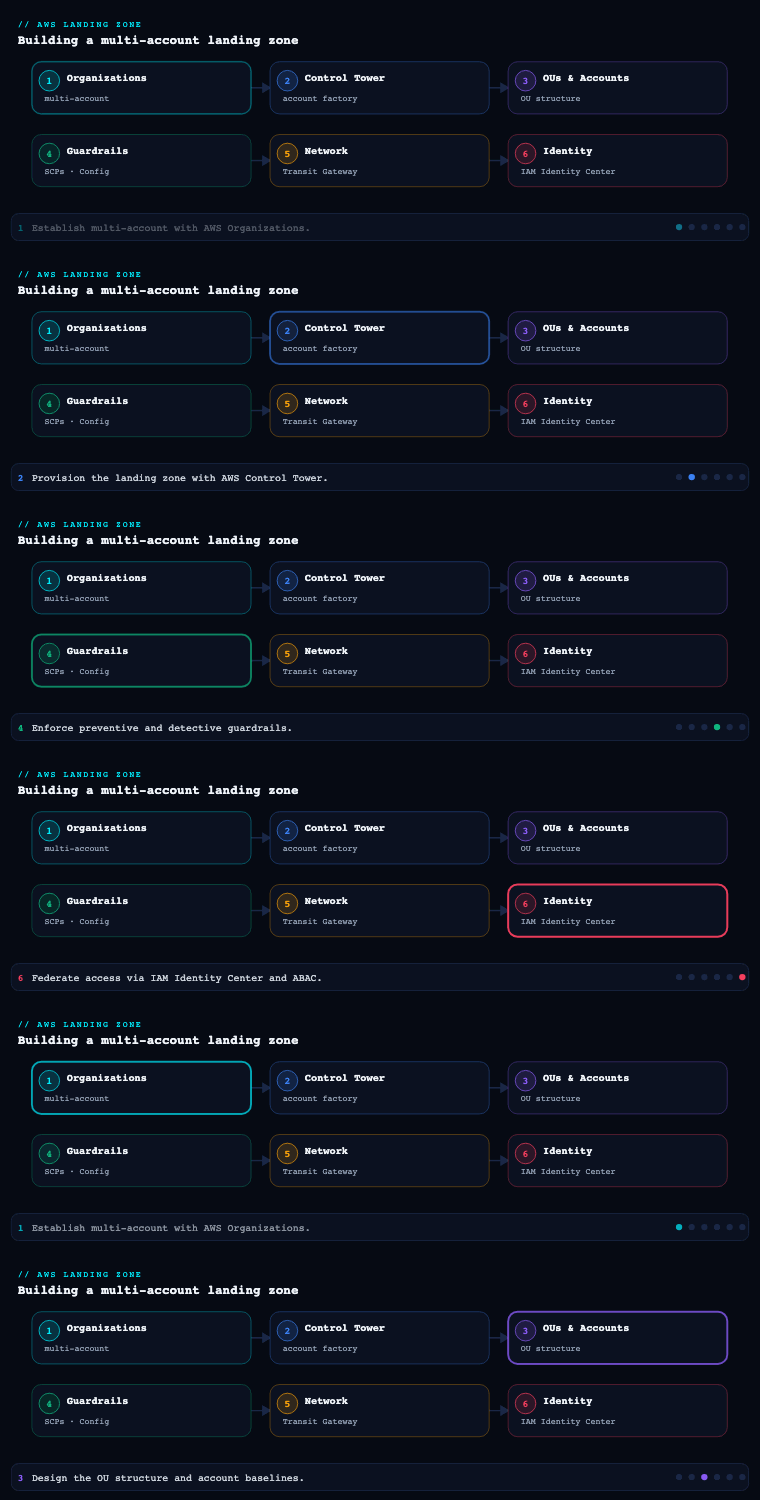
Parts 1–2 of AWS Landing Zone & Control Tower built the multi-account chassis (AWS Organizations, the management/Log-Archive/Audit accounts, account vending) and the managed orchestration on top of it (Control Tower’s landing zone, Account Factory, the controls library); the network and governance parts then gave those accounts connectivity and guardrails. This is part 6, and it answers the question every one of those accounts immediately raises: how do humans actually get in? The wrong answer — IAM users with long-lived access keys minted account-by-account — is the single most common way a beautifully-governed landing zone rots into an ungovernable sprawl of credentials. The right answer is AWS IAM Identity Center (the service formerly called AWS SSO) as the single front door to every account in the org, federated to your corporate identity provider, handing out short-lived, role-based, least-privilege access through permission sets, scoped by attribute-based access control (ABAC). Identity Center is, in fact, one of the artifacts Control Tower stands up for you at landing-zone setup — this part is about designing it deliberately rather than accepting the default and walking away.
IAM Identity Center (SSO)
What it is
AWS IAM Identity Center is the AWS-managed service that provides workforce single sign-on across your entire AWS Organization and to SAML-/OIDC-enabled business applications. It replaced “AWS SSO” in name in 2022 but the concept is the same: a central place where a human authenticates once and is then presented with a portal of every AWS account and role they’re entitled to, plus any cloud apps you’ve wired in. Mechanically, Identity Center is an org-level service — you enable it from the management account (or, better, delegate its administration to a member account), it is anchored in a single home Region, and it sits on top of AWS Organizations so it can see and grant access into every member account at once.
It has three load-bearing concepts that the rest of this article builds on:
- An identity source — where users and groups come from. This is either the built-in Identity Center directory (Identity Center is its own small IdP), an external IdP federated via SAML 2.0 + SCIM (Microsoft Entra ID, Okta, Ping, Google Workspace, etc.), or AWS Managed Microsoft AD / AD Connector. You pick exactly one.
- Permission sets — named, reusable bundles of IAM policy that define what an assigned identity can do in an account. (Its own deep section below.)
- Assignments — the three-way binding of (user or group) × (permission set) × (AWS account) that grants access. Identity Center realizes each assignment by provisioning an IAM role named
AWSReservedSSO_<permission-set>_<hash>into the target account and managing its trust and policies for you.
When a user signs in to the AWS access portal and picks an account+role, Identity Center performs an sts:AssumeRoleWithSAML-style federation behind the scenes and drops them into the console with temporary credentials; the CLI/SDK path is aws sso login backed by the IAM Identity Center OIDC token flow. No IAM user, no access key, ever.
Why it matters
Identity Center is the layer where least privilege either becomes real across hundreds of accounts or quietly dies. Before it (and the old pattern many estates are still digging out of), human access meant one of two bad things: an IAM user per person per account (an explosion of credentials, no central off-boarding, long-lived keys that leak — see this site’s own history of leaked DB credentials for why that matters), or a single “jump” account with a forest of cross-account IAM roles that every team hand-maintained. Identity Center collapses both into one model:
| Property | IAM users (the anti-pattern) | IAM Identity Center |
|---|---|---|
| Credentials | Long-lived passwords + access keys per account | Short-lived (1–12 h) session tokens, no stored keys |
| Off-boarding | Delete the user in N accounts (always missed somewhere) | Deactivate once in the IdP; SCIM removes access org-wide |
| MFA | Configured (or not) per account | Enforced centrally; IdP MFA / Conditional Access flows through |
| Auditing | CloudTrail per account, no identity correlation | One identity (the IdP user) correlated across every account |
| Onboarding a new account | Re-create users/roles by hand | Assign a permission set to a group — done |
| Where policy lives | Scattered IAM, per account | Centralized, reusable permission sets |
The deeper reason it matters in a landing zone specifically: account vending (Part 1/2) produces accounts continuously, and Identity Center is the only sane way to grant the right humans access to a brand-new account at the moment it’s vended — AFT/Control Tower assigns a permission set to a group and the role materializes automatically. Identity is the human-facing twin of account vending.
How to do it well
- Delegate Identity Center administration out of the management account. Just as you push GuardDuty/Security Hub to the Audit account, register a member account (often a dedicated Identity or shared-services account) as the delegated administrator for Identity Center, so day-to-day permission-set and assignment work doesn’t require management-account access. A short list of tasks (e.g., changing the identity source, management-account assignments themselves) still must happen in the management account — know which.
- Pick the home Region on purpose and don’t move it. Identity Center is single-Region for its configuration; changing it means recreating all permission sets and assignments. Anchor it in your primary operating/residency Region (for an India estate,
ap-south-1). - Federate to your existing corporate IdP — don’t run a parallel directory of humans. The built-in directory is fine for a tiny org or a break-glass path, but for an enterprise your source of truth for who works here is already Entra ID / Okta. Federate (next section) so joiners/leavers are handled once, by HR-driven processes, and flow in via SCIM.
- Keep a break-glass path that does not depend on the IdP. If your SAML federation or the external IdP is down, you still need in. Maintain one or two emergency users in the built-in Identity Center directory (or a vaulted management-account root with MFA) with a high-privilege permission set, excluded from normal flows, credentials split and sealed, and a CloudTrail/EventBridge alarm that fires the instant they’re used.
- Turn on session controls. Set permission-set session duration to the shortest workable value, and enable Identity Center sign-in / sign-out logging to CloudTrail. Long 12-hour sessions on an admin permission set are a standing risk.
Concrete artifacts, decisions, and AWS tools
- Artifacts: an Identity Center deployment with a chosen identity source; the delegated-administrator registration; a documented home Region; the break-glass user/runbook; the access-portal URL distributed to staff; session-duration standards per permission-set tier.
- Decisions: identity source (external IdP vs AWS Managed AD vs built-in); which account is the Identity Center delegated admin; home Region; break-glass mechanism; default and maximum session durations.
- Tools/services: AWS IAM Identity Center, AWS Organizations (the substrate it grants across), AWS STS (the temporary-credential engine under every sign-in), AWS CloudTrail (sign-in and assignment audit), and AWS Control Tower (which enables Identity Center as part of the landing zone).
Permission sets
What it is
A permission set is a named, account-agnostic template of IAM permissions that Identity Center materializes as an IAM role in each account you assign it to. It is the unit of “what can this person do here.” A permission set bundles up to four things:
- one or more AWS-managed policies (e.g.,
ReadOnlyAccess,PowerUserAccess, job-function policies likeBilling), - customer-managed policies by name (the policy of that name must already exist in each target account — a deliberate design that lets you reference account-local policies),
- an inline policy (JSON embedded directly in the permission set), and
- a permissions boundary (an IAM managed policy that caps the maximum effective permissions of the generated role, regardless of what the attached policies grant).
It also carries a session duration (1–12 hours) and an optional relay state (a deep-link landing page in the console after sign-in). When you assign permission-set × group × account, Identity Center creates/updates the AWSReservedSSO_<name>_<hash> role in that account with exactly those policies and a trust policy that only Identity Center’s federation can assume. Edit the permission set once and Identity Center re-provisions the role in every account it’s assigned to — that fan-out is the whole point.
Why it matters
Permission sets are where the principle of least privilege gets encoded as reusable, version-controllable artifacts instead of bespoke per-account IAM that nobody can audit. The failure modes they prevent are concrete: handing everyone AdministratorAccess everywhere “to unblock them,” or hand-crafting a slightly-different admin role in each of 80 accounts so effective permissions are unknowable. Because a permission set is defined once and projected into many accounts, it gives you a single place to tighten a permission and have it propagate, and a single name that shows up consistently in CloudTrail across the estate (AWSReservedSSO_PlatformAdmin_…), which makes “who can do what, where” answerable.
Permission sets are also the natural tiering mechanism: you design a small catalog of roles by job function and bind them to OUs/accounts by environment, so a Workload Deployer in non-prod is a different (more permissive) thing than the same human’s access in prod.
How to do it well
- Design a small, named catalog — not a permission set per team. A workable enterprise baseline is on the order of 6–10 permission sets, e.g.:
| Permission set | Backed by | Typical scope | Session |
|---|---|---|---|
Billing |
Billing managed policy |
Management/billing account, read in others | 1 h |
ReadOnly |
ReadOnlyAccess |
Every account (auditors, support) | 4 h |
SecurityAudit |
SecurityAudit + custom |
Audit account, read across org | 4 h |
WorkloadDeployer |
PowerUserAccess + boundary |
Non-prod workload accounts | 8 h |
WorkloadOperator |
scoped inline (no IAM write) | Prod workload accounts | 4 h |
NetworkAdmin |
scoped to VPC/TGW/Route53 | Networking account | 4 h |
PlatformAdmin |
AdministratorAccess + boundary |
Platform team, governed OUs | 2 h |
BreakGlassAdmin |
AdministratorAccess |
Emergency only, alerted | 1 h |
- Always attach a permissions boundary to the privileged sets. A boundary on
PlatformAdmin/WorkloadDeployer(e.g., deny IAM user creation, deny leaving the org, deny touching the org CloudTrail/KMS keys, deny non-approved Regions) means even an “admin” permission set can’t undermine the landing zone. The boundary is the intersection that survives careless inline policy edits. - Prefer scoped inline/customer-managed policies over
PowerUserAccess/AdministratorAccesswherever you can. Start from the job-function policies and least privilege, not from “admin minus a few denies.”WorkloadOperatorin prod, for instance, should grant deploy/operate actions but not IAM or KMS-key administration. - Use customer-managed policies (by name) for things that must differ per account — referenced in the permission set, defined locally in each account by your baseline (CfCT/AFT). This keeps the permission set portable while letting the actual policy vary (e.g., an account-local KMS key ARN).
- Differentiate prod from non-prod by which permission set is assigned, not by trust. The same engineer gets
WorkloadDeployerinpayments-devand onlyWorkloadOperatorinpayments-prod. Promotion of access is a separate, reviewed assignment. - Manage permission sets as code. Define them in Terraform (
aws_ssoadmin_permission_set+ policy attachments) or CloudFormation so the catalog is reviewed, diffed, and versioned — never click-built and forgotten. Short session durations and boundaries become enforceable standards in the module. - Re-provision after edits. Editing a permission set marks accounts as needing provisioning; ensure your pipeline (or the console “provision to all accounts”) actually pushes the change so the IAM roles don’t drift from the definition.
Concrete artifacts, decisions, and AWS tools
- Artifacts: the permission-set catalog as IaC; the permissions-boundary policy attached to privileged sets; the customer-managed policy templates baselined into accounts; a permission-set-to-OU/account assignment matrix; session-duration standards.
- Decisions: the catalog (names, backing policies, session durations); which sets get boundaries and what the boundary denies; inline/customer-managed vs managed-policy backing per set; per-environment permissiveness (deployer vs operator in prod).
- Tools/services: IAM Identity Center permission sets, AWS IAM (managed/customer-managed policies, permissions boundaries — the generated
AWSReservedSSO_*roles), AWS STS (session duration), and Terraform/CloudFormation to manage them as code.
External identity-provider federation
What it is
External IdP federation makes your corporate identity provider — Microsoft Entra ID, Okta, Ping, Google Workspace, etc. — the identity source for Identity Center, so the humans in AWS are the same humans HR already manages, with the same MFA and the same lifecycle. It is two protocols working together:
- SAML 2.0 handles authentication (sign-in): the IdP is the SAML Identity Provider, Identity Center is the Service Provider; you exchange metadata (entity IDs, the IdP’s signing certificate, the ACS URL) to establish trust. When a user opens the AWS access portal, they’re redirected to the IdP, authenticate there (subject to the IdP’s Conditional Access / MFA), and are returned with a signed SAML assertion.
- SCIM 2.0 handles provisioning (the directory): the IdP pushes users and groups into Identity Center automatically — creating them on hire, updating attributes, and deactivating them on termination — so Identity Center’s view of “who exists” stays in lock-step with the IdP without manual CSV imports.
You enable “external identity provider” as the source, upload metadata both ways, turn on automatic provisioning (SCIM) with the generated endpoint + bearer token, and configure the IdP’s AWS Identity Center enterprise app to provision the right users and groups.
Why it matters
This is the difference between an identity system that is governed by your existing joiner-mover-leaver process and one that drifts. With SCIM, an employee who leaves loses all AWS access org-wide the moment HR disables them in Entra/Okta — no orphaned IAM users, no “we forgot account 47.” With SAML, your MFA, phishing-resistant authenticators, and Conditional Access (device compliance, network location, risk-based step-up) are enforced at the IdP and apply to AWS automatically — you don’t rebuild any of it in AWS. And because groups flow in via SCIM, you assign permission sets to IdP groups (e.g., aws-payments-prod-operators), making access a function of group membership your IAM/HR systems already control. The alternative — maintaining a separate roster of humans inside Identity Center’s built-in directory — duplicates governance, fragments MFA, and re-creates the off-boarding gap you were trying to close.
A second mechanism worth naming: even without Identity Center, AWS supports direct SAML federation to IAM (an IAM SAML identity provider + roles assumed via AssumeRoleWithSAML). That still exists and is occasionally the right tool (e.g., a workload-specific federation), but for workforce access across a landing zone, Identity Center federation is the recommended path because it centralizes the role catalog (permission sets) and the cross-account fan-out that raw IAM SAML makes you build by hand per account.
How to do it well
| Decision | Recommendation | Why |
|---|---|---|
| Authentication source | External IdP via SAML 2.0 | Reuse corporate MFA + Conditional Access |
| Provisioning | Automatic (SCIM 2.0), not manual | Joiner/leaver lifecycle stays in sync; instant off-boarding |
| What you assign to | IdP-synced groups, never individuals | Access = group membership your HR/IAM already governs |
| MFA / step-up | Enforce at the IdP (Conditional Access / Okta policies) | Single place; phishing-resistant (FIDO2) flows through |
| Attributes for ABAC | Map IdP attributes (dept, cost-center, team) into the SAML assertion + SCIM | Powers attribute-based access control (next section) |
| Break-glass | Keep a non-federated path (built-in directory user / root) | Survive an IdP or federation outage |
- Provision groups, not just users, over SCIM — and keep the set of synced groups deliberate; syncing your entire corporate group catalog (thousands of groups) into Identity Center is noise. Sync the
aws-*access groups you actually assign. - Map the attributes you’ll need for ABAC at the same time you set up SAML/SCIM (see below) — retrofitting attribute flow after the fact means reconfiguring the IdP app and re-testing every assertion.
- Test the round-trip in a non-prod IdP/tenant first. SAML metadata, claim transformations, and SCIM mappings are fiddly; a bad assertion locks users out. Validate sign-in and a hire/terminate provisioning cycle before cutover.
- Decide guest/B2B handling explicitly. If contractors come in as Entra B2B guests, confirm how their attributes (and UPNs) arrive — guest UPNs can be mangled, which breaks attribute matching if you don’t account for it.
Concrete artifacts, decisions, and AWS tools
- Artifacts: the SAML trust (exchanged metadata, signing cert, entity IDs); the SCIM endpoint + token and the IdP enterprise-app provisioning config; the list of synced
aws-*groups; the attribute-mapping document (IdP claim → Identity Center attribute); the break-glass non-federated account. - Decisions: which IdP; SAML-only vs SAML+SCIM (always choose +SCIM for workforce); which groups to sync; which attributes to pass for ABAC; MFA/Conditional-Access posture at the IdP.
- Tools/services: IAM Identity Center external IdP / SCIM, Microsoft Entra ID (or Okta/Ping/Google) as the SAML IdP + SCIM provisioner, AWS STS (
AssumeRoleWithSAMLunder the hood), and optionally an IAM SAML identity provider for any direct-to-IAM federation edge cases.
Cross-account access
What it is
Cross-account access is how a principal in one account operates in another account. In a landing zone there are two distinct flavors, and conflating them is a classic mistake:
-
Human cross-account access is what Identity Center is: a user assigned a permission set in many accounts can switch between them in the access portal, each switch being a fresh, short-lived federated session into that account’s
AWSReservedSSO_*role. The human never “owns” a credential in the target account; STS issues a temporary one per session. This is the path for people. -
Workload/automation cross-account access is
sts:AssumeRolebetween IAM roles: a role (or service, or pipeline) in account A assumes a role in account B because B’s role trust policy names A’s principal as trusted, and A’s identity policy allowssts:AssumeRoleon B’s role ARN. Both sides must agree — trust policy on the resource (the role being assumed) and permission on the caller. This is the path for software: a central CI/CD account deploying into workload accounts, a security tooling account reading across the org, a logging pipeline writing to the Log Archive bucket.
The landing zone is full of pre-built cross-account roles you’ve already met: Control Tower’s AWSControlTowerExecution role (lets the management/CT plane act in each member account), the Audit account’s cross-account audit/response roles into every account, AFT’s execution roles, and the OrganizationAccountAccessRole that CreateAccount drops into new accounts. ABAC and aws:PrincipalOrgID conditions are what keep all of these scoped.
Why it matters
Cross-account access is simultaneously the thing that makes a multi-account estate usable (otherwise every account is an island) and the thing that, done sloppily, re-creates the blast radius the account boundary was supposed to give you. The discipline is to make every cross-account trust explicit, least-privilege, and org-scoped:
- For humans, Identity Center already does this correctly — temporary creds, central audit, no standing access. The win is simply using it instead of hand-built jump roles.
- For workloads, the danger is an over-broad trust policy — a role in a workload account that trusts
arn:aws:iam::<ci-account>:root(i.e., any principal in the CI account) withAdministratorAccess, or worse, a role trusting"AWS": "*". The fix is precise trust (a specific role ARN, not:rootwhen you can avoid it), anExternalIdfor any third-party trust, aaws:PrincipalOrgIDcondition so only principals in your org can assume it, and a tightly-scoped identity policy on the assumed role.
Getting this right is also what lets your security account reach in and your workload accounts not reach back — the asymmetry that keeps the audit/forensics path trustworthy.
How to do it well
- Humans go through Identity Center, full stop. No standing IAM users with cross-account
AssumeRolefor people. If a human needs another account, they get a permission set there. - Scope every workload trust policy precisely. Trust the specific role ARN that should assume, not the whole account
:root, when the source is known. AddConditionkeys:aws:PrincipalOrgID(= your org) to forbid out-of-org assumption,aws:PrincipalTag/*for ABAC, andsts:ExternalIdfor any cross-org/third-party (SaaS) trust to defeat the confused-deputy problem. - Prefer Identity Center / role assumption over any long-lived key sharing. Never copy access keys between accounts; that’s exactly the leaked-credential failure mode. Cross-account is always a trust relationship, never a shared secret.
- For CI/CD into many accounts, standardize a deployment role. A single, consistently-named
<org>-deployrole baselined into every account (via CfCT/AFT) with a trust policy that only your pipeline’s role + your org can assume, scoped to what deployment needs. The pipeline assumes it per target account. - For third-party SaaS (monitoring, FinOps, CSPM tools) always require an
ExternalIdand trust only the vendor’s documented principal — and review what they actually need rather than grantingReadOnlyAccessreflexively. - Use IAM Access Analyzer (delegated to the Audit account, Part 1) to surface roles that can be assumed from outside the org or have unused cross-account trust, and prune them.
- Govern with RCPs/SCPs at the perimeter. A Resource Control Policy can enforce that role trust across the org always carries
aws:PrincipalOrgID(a data-perimeter guardrail), so an over-broad trust policy is denied org-wide regardless of who wrote it.
| Cross-account need | Right mechanism | Key guardrail |
|---|---|---|
| A person works in many accounts | IAM Identity Center permission set | Short session, central audit, no standing creds |
| CI/CD deploys into workload accounts | sts:AssumeRole into a baselined deploy role |
Trust the pipeline role + aws:PrincipalOrgID; least-privilege policy |
| Security account reads/responds org-wide | Audit-account cross-account roles | Asymmetric trust; workloads can’t reach back |
| Third-party SaaS reads your accounts | AssumeRole with ExternalId |
ExternalId + vendor principal only; scoped policy |
| Control Tower / AFT acts in members | AWSControlTowerExecution / AFT roles |
Managed trust; don’t hand-edit |
Concrete artifacts, decisions, and AWS tools
- Artifacts: the standardized deploy-role definition (baselined into every account); the trust-policy standard (specific ARNs +
aws:PrincipalOrgID+ExternalIdwhere applicable); an inventory of cross-account roles; IAM Access Analyzer findings and remediation; the perimeter RCP/SCP enforcing org-scoped trust. - Decisions: which automation roles exist and their trust/permission scope;
ExternalIdpolicy for third parties; whether to enforceaws:PrincipalOrgIDvia RCP; the asymmetry rules for the security account. - Tools/services: AWS STS (
AssumeRole,AssumeRoleWithSAML,ExternalId), AWS IAM (role trust + identity policies,OrganizationAccountAccessRole), IAM Identity Center (human path), IAM Access Analyzer, AWS Organizations RCPs/SCPs (aws:PrincipalOrgIDperimeter), AWS Control Tower / AFT (the managed cross-account roles).
Attribute-based access control (ABAC)
What it is
Attribute-based access control (ABAC) is an authorization strategy where access is decided by attributes (tags) on the principal and on the resource, rather than by enumerating principal-to-resource grants. In AWS, the principal’s attributes arrive as session tags — aws:PrincipalTag/<key> — and resources carry resource tags — aws:ResourceTag/<key>; an IAM/permission-set policy then says, in effect, “allow this action when aws:PrincipalTag/team equals aws:ResourceTag/team.” One policy expresses “you may act on the resources of your own team” without ever naming a team.
Identity Center has first-class ABAC support: in Attributes for access control, you map identity attributes (from the external IdP’s SAML assertion, or from the directory) onto session tags that are attached to every Identity Center session. So costCenter, department, team, or project flowing in from Entra ID/Okta becomes aws:PrincipalTag/costCenter on the federated session — and your permission-set policies (and resource tags) can key off it.
Why it matters
ABAC is how identity scales without the policy/role count exploding. The role-based alternative (RBAC) needs a new permission set or assignment for every (team × environment × resource-scope) combination — for 70 teams that’s an unmanageable matrix. With ABAC, a single WorkloadOperator permission set can serve all 70 teams, because the policy self-scopes to whatever team tag the signed-in user carries, against resources tagged with the same team. It is the natural partner to a tag-disciplined estate: if your accounts and resources are already tagged (and they must be, for cost and governance — earlier parts of this series), ABAC turns those tags into the access boundary too.
Concretely, ABAC delivers:
- Fewer policies and permission sets — attributes do the segmenting, not enumeration.
- Self-service that stays governed — a new team needs only the right attribute and correctly-tagged resources; no new IAM artifact.
- Permissions that track reorganizations — move a person to a new team in the IdP, their
teamsession tag changes, and their effective access follows automatically. - Cleaner audit — CloudTrail shows the attributes that authorized the action.
How to do it well
- Decide the attribute taxonomy first and govern its source. Pick a small set of stable, meaningful attributes (
team/businessUnit,costCenter,project, maybeenvironment) that already exist authoritatively in your HR/IdP. ABAC is only as trustworthy as the attribute source — if anyone can self-set theirteam, ABAC is theater. Attributes must come from the IdP (HR-governed), not be user-editable. - Wire the attributes end-to-end: map them in the IdP’s SAML claim configuration, ensure they flow via SCIM, and enable them in Identity Center Attributes for access control so they become session tags. Then enforce tag-on-create (via SCPs/Config or a proactive Hook) so resources actually get the matching tags — ABAC fails open if resources are untagged and your policy only checks
ResourceTag. - Write the policy as an equality between principal and resource tags, e.g. permit the action only when
aws:ResourceTag/teamStringEqualsaws:PrincipalTag/team. Combine ABACConditions with RBAC permission sets (RBAC sets the verbs a role may use; ABAC scopes them to the right resources) — the two are complementary, not either/or. - Mind the gaps. ABAC doesn’t fit everything: not all services support tag-based authorization or
ResourceTagconditions uniformly, and some actions (e.g.,Describe*/List*) can’t be tag-scoped. Use ABAC for the resource-scoping it’s good at and fall back to scoped RBAC where services don’t support tags. - Protect the tags themselves. Since tags now grant access, control who can set/modify the controlling tags — use a permissions boundary / SCP so a principal can’t re-tag a resource (or its own session) to widen access. Tag mutation becomes a privileged action.
- Roll out on a pilot. Start ABAC on one or two well-tagged workload OUs, validate that the equality policies behave (and audit denied/allowed in CloudTrail) before making it the org-wide default scoping model.
| Concept | RBAC (role-based) | ABAC (attribute-based) |
|---|---|---|
| Access decided by | Which role/permission set you hold | Tags on principal vs tags on resource |
| Scales with | New role per (team × env × scope) — combinatorial | One policy; attributes segment — flat |
| New team onboarding | New permission set / assignment | Correct attribute + correctly-tagged resources |
| Reorg handling | Re-assign roles | Attribute changes in IdP; access follows |
| Best for | Coarse “what verbs” (deploy vs read) | Fine “which resources” (your team’s only) |
| Failure mode | Role explosion | Untrusted/missing tags → fails open/shut |
Concrete artifacts, decisions, and AWS tools
- Artifacts: the attribute taxonomy + its authoritative IdP source; the IdP SAML claim + SCIM attribute mappings; Identity Center Attributes for access control configuration; ABAC permission-set policies (principal-tag = resource-tag); tag-enforcement SCPs/Config rules/Hooks; the tag-mutation guardrail.
- Decisions: which attributes drive access and where they come from; which permission sets become ABAC-scoped vs stay RBAC; tag-on-create enforcement mechanism; who may mutate controlling tags; the pilot scope.
- Tools/services: IAM Identity Center (Attributes for access control → session tags), AWS IAM (
aws:PrincipalTag/aws:ResourceTagconditions, permissions boundaries), the external IdP (attribute source via SAML/SCIM), AWS Organizations (tag policies + SCPs to enforce tagging), and AWS Config / CloudFormation Hooks (tag-on-create assurance).
Real-world enterprise scenario
Meridian Logistics — the fictional pan-India 3PL from Part 1 (~2,100 employees, ~70 application teams, RBI/PCI exposure on payments and COD reconciliation, data-localization obligations, ~52 governed accounts vended via AFT) — reaches the identity phase. Their entire estate is governed but, until now, humans have been getting in through a patchwork of IAM users left over from the old single-account world. The CCoE’s North-Star for this phase: zero standing IAM users for humans across the org, instant org-wide off-boarding, and a single sign-on front door — with one operator permission set serving all 70 teams via ABAC.
IAM Identity Center (SSO). Control Tower had already enabled Identity Center in the home Region ap-south-1. Meridian delegates Identity Center administration to their identity shared-services account so the platform team manages permission sets without management-account access. They set the access portal URL (https://meridian.awsapps.com/start), define session-duration standards (admin sets 1–2 h, operator 4 h, read 4 h), and create two break-glass users in the built-in Identity Center directory holding a BreakGlassAdmin set, credentials split across two sealed safes, with an EventBridge → SNS alarm to the SOC on any use. Artifacts: delegated-admin registration, portal URL, session standards, break-glass runbook.
Permission sets. They author a 9-set catalog as Terraform (aws_ssoadmin_permission_set): Billing, ReadOnly, SecurityAudit, NetworkAdmin, WorkloadDeployer, WorkloadOperator, PlatformAdmin, DataEngineer, BreakGlassAdmin. Every privileged set (PlatformAdmin, WorkloadDeployer, NetworkAdmin) carries a permissions boundary that denies IAM-user creation, denies leaving the org, denies touching the org CloudTrail and central KMS keys, and denies non-approved Regions (ap-south-1/ap-south-2 only). Crucially, in prod workload accounts teams receive only WorkloadOperator (deploy/operate, no IAM/KMS-key write); the more-permissive WorkloadDeployer is assigned only in non-prod. Artifact: the permission-set catalog in Git + a boundary policy + an assignment matrix.
External IdP federation. Meridian’s source of truth is Microsoft Entra ID. They switch Identity Center’s identity source to external IdP, exchange SAML 2.0 metadata, and enable SCIM 2.0 so Entra pushes the aws-* access groups and users — a terminated employee now loses all AWS access the moment HR disables them in Entra. MFA and Conditional Access (device-compliant + FIDO2) are enforced at Entra and flow straight through. They map Entra attributes costCenter, team, and department into the SAML assertion and SCIM. Contractors arriving as Entra B2B guests had mangled UPNs; the team accounts for the de-mangling so attribute matching holds. Artifacts: SAML trust, SCIM config, synced-group list, attribute-mapping doc.
Cross-account access. Humans now exclusively use Identity Center — the legacy human IAM users are deleted. For automation, AFT baselines a standardized meridian-deploy role into every account whose trust policy names only the CI/CD pipeline’s role ARN and carries aws:PrincipalOrgID = o-merid…; the pipeline assumes it per target account. A perimeter RCP enforces that all role trust across the org includes aws:PrincipalOrgID, so no one can author an out-of-org trust. Their two SaaS tools (a FinOps platform and a CSPM scanner) are trusted only with ExternalId and a scoped read role. IAM Access Analyzer (delegated to the Audit account) runs continuously and flagged three legacy roles with :root trust, which they tightened. Artifacts: the deploy-role module, the trust-policy standard, the org-trust RCP, Access Analyzer findings.
ABAC. This is the lever that lets one WorkloadOperator set serve all 70 teams. They enable Identity Center Attributes for access control, mapping the team and costCenter claims to session tags (aws:PrincipalTag/team, aws:PrincipalTag/costCenter). AFT already enforces a mandatory team/costCenter tag-on-create (via SCP + a proactive CloudFormation Hook) so resources are tagged. The WorkloadOperator policy permits operate actions only where aws:ResourceTag/team StringEquals aws:PrincipalTag/team, so an engineer can act on their team’s resources and no other team’s — with no per-team permission set. A boundary prevents anyone re-tagging a resource to widen access. They piloted on the Workloads/NonProd OU, watched CloudTrail allow/deny for two weeks, then promoted ABAC to the org-wide scoping model. Artifact: the attribute taxonomy + mappings + ABAC policies + tag-enforcement controls.
Measurable outcome after one quarter: standing human IAM users dropped from ~1,400 across the estate to 0 (only the 2 break-glass Identity Center users remain outside the IdP); off-boarding latency fell from “ad-hoc, frequently-missed, per-account” to under 5 minutes org-wide (Entra disable → SCIM deprovision); the permission-set catalog stayed at 9 sets while serving 70 teams thanks to ABAC (the RBAC-only design would have needed 200+); 100% of human sessions are short-lived federated credentials with no access keys; Access Analyzer external-trust findings went to 0; and a quarterly access review that used to take the security team three weeks of per-account spelunking now reads off one Identity Center assignment report plus the IdP group memberships.
Deliverables & checklist
Common pitfalls
- Falling back to IAM users with access keys for humans. The moment someone creates a “service” IAM user for a person “just to unblock them,” you’ve reintroduced long-lived, leakable credentials and broken central off-boarding. Avoid it: make Identity Center the only human path, retire standing human IAM users, and use an SCP/permissions boundary that denies IAM-user creation in workload accounts.
- SAML without SCIM (manual provisioning). Sign-in works, but nobody is deprovisioned automatically — terminated staff linger, and you’re back to the off-boarding gap. Avoid it: always pair SAML (auth) with SCIM (provisioning) so the joiner/leaver lifecycle is HR-driven and instant.
- A permission set per team (RBAC explosion). Enumerating (team × environment × scope) produces hundreds of permission sets and assignments nobody can reason about. Avoid it: keep a small job-function catalog and use ABAC (principal-tag = resource-tag) to self-scope a single operator set across all teams.
- Over-broad cross-account trust. A role that trusts an entire account (
:root) — or"AWS":"*"— withAdministratorAccess, or a third-party trust with noExternalId, hands away the isolation the account boundary gave you. Avoid it: trust specific role ARNs, addaws:PrincipalOrgID(enforced org-wide via RCP), requireExternalIdfor SaaS, and run IAM Access Analyzer to catch external/unused trust. - ABAC on untrusted or missing tags. If principals can self-set the controlling attribute, or resources are created untagged, ABAC either grants too much or silently denies. Avoid it: source attributes from the IdP (HR-governed, not user-editable), enforce tag-on-create with SCP/Config/Hooks, and make tag mutation a privileged, boundary-gated action.
- Running everything from the management account / 12-hour admin sessions. Managing Identity Center and permission sets from the payer, with long sessions on
AdministratorAccess, maximizes blast radius. Avoid it: delegate Identity Center administration to a member account, attach boundaries to admin permission sets, and set short session durations with sign-in logging to CloudTrail.
What’s next
With the human-access layer federated, least-privilege, and attribute-scoped, part 7 of the AWS Landing Zone & Control Tower series turns to centralized security operations — wiring GuardDuty, Security Hub, AWS Config, Detective, and Macie through the Audit account so the identities you just governed are continuously monitored and any anomalous access is detected and responded to org-wide.