Where this fits
An AWS landing zone is a well-architected, multi-account AWS environment that is secure, governed, and scalable from day one — and every layer of it (the network, the identity, the guardrails, the logging) hangs off one foundational decision: how you carve the business into AWS accounts and arrange them under AWS Organizations. This is part 1 of the AWS Landing Zone & Control Tower series, and it is deliberately the foundation, because the account structure is the load-bearing wall: it is the boundary at which IAM, billing, Service Control Policies, and blast-radius isolation all apply. AWS calls the canonical version of this the foundational or landing zone foundation, and whether you build it by hand, with the open-source AWS Landing Zone solution / Customizations for Control Tower (CfCT), or via the managed AWS Control Tower (covered later in this series), the multi-account organization underneath is identical in concept. Get this layer right and Control Tower, IAM Identity Center, networking, and your governance all snap into place on top of it; get it wrong and every later phase inherits the debt.
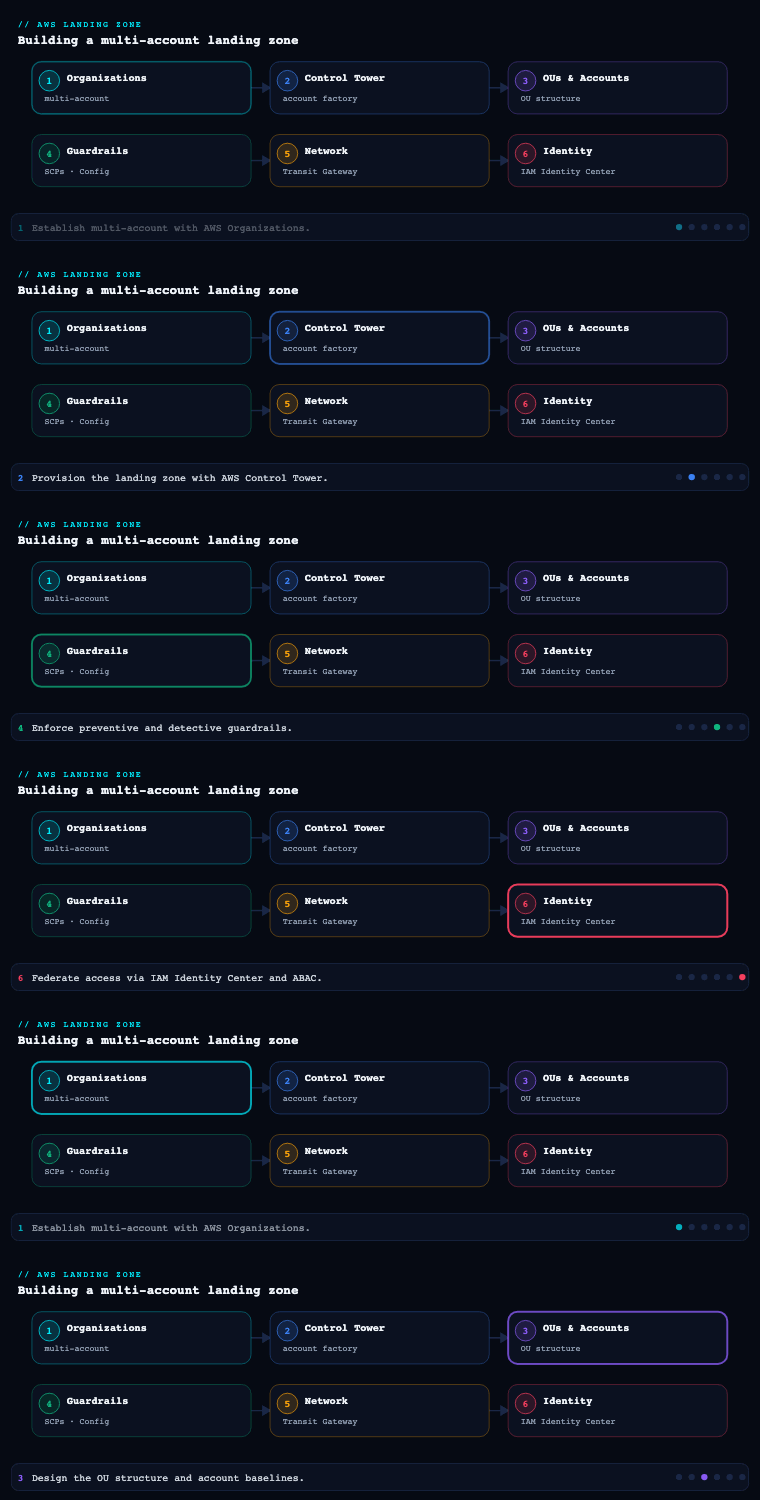
Why multi-account
What it is
A multi-account strategy is the deliberate decision to run workloads, environments, and teams across many AWS accounts rather than packing everything into one. An AWS account is not a billing line item to be minimized — it is the strongest isolation boundary AWS provides. It is a hard wall for IAM (principals and resource policies are account-scoped), for most service quotas (limits are per-account-per-Region), for blast radius (a compromised credential or a runaway automation is contained), and for cost (each account is a clean cost-allocation unit). The opposite — the “one giant account with everything in it” — is the single most common and most expensive landing-zone anti-pattern, because it conflates dev and prod, security and workload, and every team into one IAM and quota namespace.
Why it matters
The account boundary is qualitatively stronger than anything you can build inside an account with IAM, VPCs, or tags:
| Dimension | What an account boundary gives you | What you get if you stay single-account |
|---|---|---|
| Security blast radius | A breach or misconfiguration is contained to one account; SCPs cap what even an admin can do | One mistake (a wildcard IAM policy, a public S3 bucket) can expose the whole estate |
| Service quotas / limits | Quotas are per-account-per-Region, so one team’s Lambda concurrency or VPC count can’t starve another | Teams contend for the same quotas; a noisy workload throttles everyone |
| Cost allocation | Each account is a clean unit in Cost Explorer / CUR; chargeback is unambiguous | Costs are tangled; tag hygiene is the only (fragile) way to attribute spend |
| IAM simplicity | Policies stay small and scoped; cross-account access is explicit and auditable | One sprawling IAM surface, hundreds of policies, hard to reason about |
| Compliance / data isolation | Regulated data sits in its own account with its own controls and auditors | Mixed data classifications share a trust boundary |
| Operational autonomy | Teams own their accounts and move independently | Central team is a bottleneck for every change |
The mental model AWS pushes is: use accounts as the primary unit of separation, then group accounts with Organizational Units (OUs) so policy lands on the group, not the individual account. Accounts are cheap (you pay only for what you consume in them, and there’s no per-account fee), so you should be willing to create many. The governing principle for how many and along what lines comes straight from the AWS multi-account guidance: separate by what changes independently — environment lifecycle (prod vs non-prod), security/trust level, billing/ownership, and regulatory regime are the four axes that justify a new account.
How to do it well
- Group by function, not by org chart. OUs (and the accounts in them) should reflect what a workload needs — its guardrails, its connectivity, its compliance regime — not which department signs the timesheet. Reorgs happen constantly; your account structure shouldn’t churn every time they do. AWS’s prescriptive OU model groups by function (Security, Infrastructure, Workloads, Sandbox) precisely for this reason.
- Separate prod from non-prod at the account level, not just with a tag or a VPC. Different accounts mean different SCPs, different IAM, different blast radius, and clean cost split between stages.
- Don’t over-fragment either. An account per microservice is sprawl. The mainstream pattern is one account per workload per environment (e.g.
payments-prod,payments-staging,payments-dev), which gives clean isolation without an unmanageable account count. - Keep foundational concerns out of workload accounts. Logging, security tooling, networking, and shared services each belong in their own dedicated accounts so a workload team can never (accidentally or maliciously) tamper with them.
Concrete artifacts, decisions, and AWS tools
- Artifacts: an account-strategy decision record (the four axes above, applied to your business); an OU/account topology diagram; an account-naming and email convention (every account needs a unique root email — use a plus-addressed or distribution-list scheme like
aws+payments-prod@kloudvin.com). - Decisions: the separation axes you’ll honour; per-workload-per-environment vs per-team granularity; root-email naming scheme; which Region(s) are your home/Regions and which you’ll deny outright.
- Tools/services: AWS Organizations (the container for all of this), the AWS multi-account strategy guidance and Organizing Your AWS Environment Using Multiple Accounts whitepaper, AWS Control Tower (which implements the prescriptive structure for you), and AWS Cost Explorer / Cost and Usage Report (CUR) which consume the account boundary as the natural cost unit.
AWS Organizations
What it is
AWS Organizations is the AWS service that lets you centrally create, group, and govern many AWS accounts as a single tree. It has three load-bearing concepts:
- The management account (formerly “master/payer account”) — the single account that creates the organization, sits at the root, owns consolidated billing, and is the only place from which you can administer the organization (create accounts, attach policies, enable services).
- Organizational Units (OUs) — containers that group accounts (and can nest other OUs) so that policies attach to the group. You can nest OUs up to five levels deep under the root.
- Organization policies — chiefly Service Control Policies (SCPs) and Resource Control Policies (RCPs), plus management policies like tag policies, backup policies, and AI services opt-out policies, all of which attach to the root, an OU, or an account and inherit downward.
Organizations also gives you consolidated billing (one bill across all accounts, with volume pricing tiers and Reserved Instance / Savings Plans sharing pooled across the org), and trusted access / delegated administration, which lets you nominate a member account (not the management account) as the administrator for an AWS service org-wide — the mechanism that keeps day-to-day security and operations out of the management account.
Why it matters — SCPs and the inheritance model
The reason Organizations is the spine of the landing zone is the SCP inheritance model. An SCP is a guardrail, not a grant: it defines the maximum set of permissions available to principals (IAM users and roles) in the accounts it applies to. SCPs never grant access — they only filter what IAM in the account can do. The effective permission for any action is the intersection of every SCP in the path (root → OU → nested OU → account) and the account’s own IAM policies. Two critical consequences:
- A child can only ever be more restricted than its parent, never less. If an SCP at the root denies
ec2:*inap-south-2, no OU, account, or IAM admin beneath it can re-enable it. - The management account is special and dangerous: SCPs do not affect the management account at all. This is exactly why you must not run workloads in it — there is no guardrail you can place on yourself there.
Two FullAWSAccess-style behaviours to internalise:
| Strategy | How it works | When to use |
|---|---|---|
| Deny list (default) | The AWS-managed FullAWSAccess SCP is attached everywhere (allow *), and you attach explicit Deny SCPs for the few things you forbid (e.g. deny leaving the org, deny disabling CloudTrail, deny non-approved Regions) |
Most enterprises — additive, low-friction, denies are absolute |
| Allow list | You detach FullAWSAccess and attach SCPs that explicitly allow only sanctioned services |
High-security/regulated estates that want a tight, enumerated service catalogue (operationally heavier — every new service needs an SCP edit) |
How to do it well
- Enable “all features”, not just consolidated billing. All-features mode is what unlocks SCPs, tag policies, and trusted access — consolidated-billing-only mode is a dead end for a real landing zone.
- Never put workloads or human day-to-day activity in the management account. Treat it as a thin control plane: it creates accounts and attaches policies, and that’s nearly all. Use delegated administrator to push the actual administration of GuardDuty, Security Hub, Config, IAM Access Analyzer, etc. into dedicated security accounts.
- Attach SCPs at the OU level, not per-account, so the guardrail scales as you add accounts to the OU. Reserve account-level SCPs for genuine exceptions.
- Start every SCP design with a small set of universal “absolute” denies: deny
organizations:LeaveOrganization, deny disabling/deleting the org CloudTrail trail and the central S3 log bucket/Config recorder, deny actions outside approved Regions, deny disabling default EBS encryption, and protect the IAM roles your landing-zone automation uses. - Test SCPs in a sandbox OU first. Because SCPs are absolute denies, a careless one can lock out an entire OU; roll them out OU-by-OU and watch CloudTrail for unexpected
AccessDenied.
Concrete artifacts, decisions, and AWS tools
- Artifacts: the organization itself (in all-features mode); the OU tree; the SCP set as JSON, version-controlled in a repo and deployed via IaC; a delegated-administrator registration list; a tag policy and (optionally) backup/AI-opt-out policies.
- Decisions: deny-list vs allow-list strategy; the universal “absolute deny” SCP contents; approved Region list; which services get delegated admin and to which account; whether RCPs (data-perimeter resource-side guardrails) are in scope.
- Tools/services: AWS Organizations (OUs, SCPs, RCPs, tag/backup policies, delegated admin, trusted access), AWS Control Tower (which manages an Organizations tree and translates many guardrails into SCPs/Config rules for you), AWS CloudFormation StackSets (org-wide deployment driven from the management/delegated-admin account), and AWS IAM in each account (the other half of the permission intersection).
The management, log-archive, and audit core accounts
This is the heart of the foundation. AWS’s prescriptive landing zone — and AWS Control Tower out of the box — stands up a small set of core (shared) accounts that exist purely to govern the rest of the org. The three that matter most are the management account, the Log Archive account, and the Audit (a.k.a. Security Tooling) account. Control Tower groups the latter two under a dedicated Security OU.
The management account
What it is. The account that created the organization. It owns the org root, consolidated billing, the ability to create member accounts, and the ability to attach SCPs and enable trusted access. In Control Tower it is also where the Control Tower service itself is set up.
Why it matters / how to do it well. Its power is total and SCPs can’t constrain it, so the entire discipline is minimise what lives here:
- No workloads. No application IAM users. No data. It is a control plane, full stop.
- Lock down root: a hardware or virtual MFA on the root user, the root credentials sealed as break-glass (vaulted, dual-control), no access keys on root, and contact/billing details set correctly. AWS Organizations now supports centralized root access management so you can even remove root credentials from member accounts and perform privileged root tasks centrally.
- Use delegated administration aggressively to move GuardDuty, Security Hub, AWS Config aggregation, IAM Access Analyzer, Firewall Manager, and CloudFormation StackSets administration out of the management account and into the Audit/security account, shrinking the management account’s day-to-day blast radius to nearly zero.
- Billing & cost tooling (Cost Explorer, Budgets, CUR export, RI/Savings Plans management) legitimately lives here because consolidated billing is a management-account function.
Artifacts & tools: the org-creation record; root break-glass runbook; MFA + contact configuration; the delegated-admin registrations; Budgets and a CUR delivery to the Log Archive bucket. Services: AWS Organizations, AWS Billing/Cost Management, AWS Control Tower setup.
The Log Archive account
What it is. A dedicated, locked-down account whose only job is to be the immutable, centralized destination for log data from the entire organization — primarily the organization CloudTrail trail, AWS Config configuration history and snapshots, and typically VPC Flow Logs, S3 access logs, and other security telemetry. Control Tower provisions it automatically and points the org-wide CloudTrail and Config there.
Why it matters. Putting logs in their own account is what makes them trustworthy. If an attacker compromises a workload account, the evidence of what they did is in a different account they don’t control, behind a different IAM boundary. The Log Archive account is the foundation of audit, forensics, and compliance (PCI/SOC/HIPAA/RBI all require tamper-evident logging).
How to do it well.
- Centralize the organization trail. Use an organization-level CloudTrail (created in the management account, applies to every member account automatically, including future ones) delivering to a single S3 bucket in Log Archive. Members can read their own activity but cannot alter or delete the central trail.
- Make the log store immutable. Enable S3 Object Lock (WORM) and/or a retention policy on the log bucket, enable CloudTrail log-file validation (digest files that prove logs weren’t tampered with), enable MFA Delete, and apply a bucket policy + SCP that denies anyone — including admins — from deleting objects or disabling versioning.
- Restrict access to a tiny set of principals. Only the security/audit function and pipelines read from here; nobody “works” in this account.
- Set lifecycle and retention to your compliance floor (e.g. 1 year hot in S3, 7 years in Glacier) and tier to S3 Glacier / Deep Archive for cost.
Artifacts & tools: the central log S3 bucket(s) with Object Lock + bucket policy; the organization CloudTrail definition; the Config delivery channel/aggregation target; lifecycle rules; KMS keys for log encryption. Services: AWS CloudTrail (organization trail), AWS Config, Amazon S3 (Object Lock, lifecycle, replication), AWS KMS.
The Audit / Security Tooling account
What it is. The account from which security and compliance is operated across the org — the delegated administrator for the security services and the read/notify counterpart to Log Archive’s write-only store. Control Tower calls this the Audit account and places it (with Log Archive) in the Security OU.
Why it matters / how to do it well. Separating “where logs are stored” (Log Archive) from “where security is operated” (Audit) is deliberate: it keeps the immutable evidence store untouchable while giving the security team an account with the cross-account reach to investigate and respond. The Audit account is configured with cross-account roles that grant the security team read (audit) and limited write (respond) access into every other account, and it is the delegated administrator for the org-wide security plane:
| Service delegated to the Audit account | What it does org-wide |
|---|---|
| AWS Security Hub | Aggregates findings from all accounts/Regions into one console; runs CIS/AWS FSBP standards |
| Amazon GuardDuty | Org-wide threat detection; auto-enrolls new accounts |
| AWS Config (aggregator) | Multi-account, multi-Region configuration compliance view and conformance packs |
| IAM Access Analyzer | Org-wide external-access and unused-access findings |
| AWS Firewall Manager | Centrally manage WAF/Network Firewall/security-group policies across accounts |
| Amazon Detective / Macie (optional) | Investigation graphs; sensitive-data discovery in S3 |
Control Tower pre-creates two cross-account roles here — an audit (read-only) role and an admin role assumable for response — wired so the Audit account can reach into managed accounts but workload accounts cannot reach back.
Artifacts & tools: the delegated-admin registrations (Security Hub/GuardDuty/Config/Access Analyzer/Firewall Manager); cross-account audit & response roles; SNS topics/EventBridge rules for security notifications; conformance packs. Services: AWS Security Hub, Amazon GuardDuty, AWS Config, IAM Access Analyzer, AWS Firewall Manager, Amazon EventBridge/SNS.
How the three relate
Management account  ── creates accounts, attaches SCPs, owns billing (thin control plane)
        │  delegates security administration to ↓
   Security OU
   ├── Log Archive account   ── WRITE-only, immutable S3 store: org CloudTrail + Config + flow logs
   └── Audit account         ── OPERATE security: delegated admin for GuardDuty/Security Hub/Config,
                                cross-account read+respond roles into every account
Account vending and the foundational structure
What it is
Account vending is the productized, automated process of creating a new, fully-governed AWS account on demand — placed in the right OU, with baseline guardrails, networking, IAM, logging, and budgets already wired — so application teams self-serve instead of waiting on a central team to hand-build accounts. In Control Tower this is the Account Factory; in the original AWS Landing Zone solution it was the Account Vending Machine (AVM); the open-source modern equivalents are Account Factory for Terraform (AFT) and Customizations for Control Tower (CfCT). The “foundational structure” is the OU layout those new accounts land in.
The foundational OU structure
AWS’s prescriptive (and Control Tower’s default) OU model is intentionally functional:
| OU | Purpose | Representative accounts |
|---|---|---|
| Security | The control plane for the whole org’s security & logging | Log Archive, Audit (created by Control Tower) |
| Infrastructure (Shared Services) | Org-wide shared platform services | Networking (Transit Gateway, central egress, Route 53 resolver), shared CI/CD, golden-AMI/image-builder, directory |
| Workloads (often split Prod / Non-Prod OUs or SDLC OUs) | Where application accounts live | payments-prod, payments-staging, web-prod, … one account per workload per environment |
| Sandbox | Loose-guardrail experimentation, detached from prod connectivity | Individual developer/innovation accounts with budget caps |
| Policy Staging / Suspended | Test SCPs before broad rollout; hold accounts pending closure | Quarantine/decommission accounts |
| (management account) | Sits at the root, not inside a workload OU | — |
Guardrails (SCPs) get richer the deeper and more sensitive the OU: a baseline “absolute deny” set at the root, stronger denies on Workloads/Prod (e.g. deny destructive actions outside change windows, enforce encryption), a near-empty deny set on Sandbox plus budget caps and network isolation.
How account vending works (Control Tower Account Factory / AFT)
- Request with metadata. A team submits an account request — a ServiceCatalog provisioned product, a Git pull request (AFT/CfCT), or a Service Catalog form — carrying app name, owner, cost center, environment, target OU, network CIDR, and budget.
- Provision + enroll. The pipeline creates the account (
organizations:CreateAccount), places it in the correct OU so it inherits SCPs the instant it exists, and enrolls it under Control Tower so all mandatory controls (guardrails) and baselines apply. - Baseline the account. It applies the landing-zone baseline: centralized CloudTrail/Config (already org-wide), an IAM Identity Center permission-set assignment so the right humans get SSO access, a baseline VPC or (better) a no-default-VPC + Transit-Gateway-attached network, KMS keys, AWS Budgets with alerts, GuardDuty/Security Hub auto-enrolled via delegated admin, and any org-mandated tags.
- Customizations. AFT runs global and per-account customizations (Terraform/CloudFormation) — e.g. a security-team module, a networking module, a logging module — so every vended account is identical and compliant by construction, not by hope.
- Hand over. The team receives a ready-to-use, compliant account accessed via IAM Identity Center (SSO) with no standing access to the management account.
| Vending tool | What it is | Best when |
|---|---|---|
| Control Tower Account Factory | GUI/Service-Catalog account provisioning built into Control Tower | You want the managed, click-or-Service-Catalog path |
| Account Factory for Terraform (AFT) | GitOps pipeline that vends + customizes accounts as code on top of Control Tower | You want accounts-as-code with per-account customization modules |
| Customizations for Control Tower (CfCT) | CloudFormation/StackSet + SCP deployment framework layered on Control Tower | You want to deploy org-wide resources/SCPs declaratively |
| AWS Organizations APIs + StackSets (DIY) | Hand-rolled vending without Control Tower | You have bespoke needs Control Tower can’t meet (rare) |
Concrete artifacts, decisions, and AWS tools
- Artifacts: the OU topology + account-to-OU mapping; the account-request intake schema; the vending pipeline (Account Factory / AFT repo) with global + per-account customization modules; the per-account baseline (Identity Center permission sets, VPC/TGW attachment, KMS, Budgets, tags); the SCP-per-OU matrix.
- Decisions: vending tool (Account Factory vs AFT vs CfCT); per-workload-per-environment account granularity; default budget thresholds and alert recipients; networking baseline (default VPC vs TGW-attached); which Identity Center permission sets app teams receive and at what scope.
- Tools/services: AWS Control Tower (Account Factory, controls, landing zone), Account Factory for Terraform (AFT) / Customizations for Control Tower (CfCT), AWS Organizations (account creation + OU placement), AWS Service Catalog (the provisioning interface for Account Factory), AWS IAM Identity Center (SSO into vended accounts), CloudFormation StackSets (org-wide baseline deployment), AWS Budgets.
Real-world enterprise scenario
Meridian Logistics is a fictional pan-India third-party-logistics (3PL) company — ~2,100 employees, ~70 application teams, RBI/PCI exposure on its payments and COD-reconciliation systems, and a data-localization obligation. It is migrating off a single sprawling “everything” AWS account (the textbook anti-pattern) into a governed landing zone, and its newly-formed Cloud Center of Excellence (CCoE) adopts AWS Control Tower plus Account Factory for Terraform (AFT) to work the Multi-Account & Organizations foundation end to end.
Why multi-account. The CCoE writes a one-page decision record applying the four separation axes. It concludes: separate prod from non-prod at the account level (auditors love it), put PCI/payments workloads in their own accounts under a dedicated OU, give each workload-environment its own account (so payments-prod and payments-staging are different accounts), and keep all foundational concerns (logging, security, networking) in dedicated accounts no workload team can touch. Account root emails follow aws+<workload>-<env>@meridian.example via a distribution-list scheme.
AWS Organizations. They enable Organizations in all-features mode and adopt a deny-list SCP strategy: AWS-managed FullAWSAccess everywhere plus a version-controlled “absolute deny” SCP at the root — deny organizations:LeaveOrganization, deny disabling/deleting the org CloudTrail trail and the central log bucket, deny config:DeleteConfigurationRecorder, deny actions outside ap-south-1 and ap-south-2 (their two Indian Regions, satisfying data localization), and deny disabling default EBS encryption. The Prod OU gets a stronger SCP (deny destructive S3/RDS deletes without an MFA condition, deny IAM user creation — humans come via SSO only). SCPs live as JSON in a Git repo and deploy via CfCT. All security services are pushed to the Audit account via delegated administrator, so the management account holds zero day-to-day operations.
The three core accounts. Control Tower stands up the management account (thin: org root, consolidated billing, Budgets, CUR export, break-glass root sealed with virtual MFA under dual control), and a Security OU holding Log Archive and Audit. Log Archive receives the organization CloudTrail and Config history into an S3 bucket with Object Lock (WORM), versioning, MFA Delete, and a deny-all-deletes bucket policy, lifecycled to Glacier Deep Archive after 1 year with 7-year retention for PCI. The Audit account is the delegated admin for Security Hub, GuardDuty, Config aggregation, and IAM Access Analyzer, with cross-account read+respond roles into all 70+ workload accounts, and EventBridge → SNS routing GuardDuty highs to the SOC.
Account vending & foundational structure. The OU tree is root → {Security, Infrastructure, Workloads {Prod, NonProd, PCI}, Sandbox, Policy-Staging}. The Infrastructure OU holds a Networking account (a Transit Gateway, central egress firewall, and Route 53 Resolver) and a Shared-Services account (CI/CD, golden AMIs). They wire AFT: a team opens a PR to an aft-account-requests repo with a small block (account_name, cost_center, environment, ou, vpc_cidr, budget). AFT creates the account, drops it into the right OU (so SCPs apply instantly), enrolls it in Control Tower, runs the global customizations (a security baseline + a TGW-attachment networking module + a logging module), assigns the team an IAM Identity Center permission set scoped to their account only, and sets a ₹-denominated AWS Budget with alerts at 60/90/100%. A previously 2-to-3-week, ticket-driven account request collapses to ~25 minutes, fully compliant, with zero standing access to the management account.
Measurable outcome after one quarter: 52 governed accounts vended via AFT (target 45); 100% of accounts enrolled in Control Tower with the org CloudTrail and GuardDuty enabled by construction; the management account carries zero workloads and zero standing human access; first clean per-business-unit chargeback produced from consolidated billing + CUR; zero Region-policy violations because the deny-non-approved-Region SCP is pinned at the root and inherited everywhere; and mean time to a new compliant account down ~99% (≈2.5 weeks → 25 min).
Deliverables & checklist
Common pitfalls
- Running workloads (or even daily admin) in the management account. SCPs cannot constrain the management account, so anything there is ungoverned and maximally dangerous. Keep it a thin control plane: create accounts, attach SCPs, own billing — and use delegated administrator to move all security/ops elsewhere.
- Mirroring the org chart in your OUs. Departments reorganize; your account structure shouldn’t. Group OUs by function and guardrail need (Security, Infrastructure, Workloads, Sandbox) — not by reporting lines — or every reorg triggers an account migration.
- Single giant account, or per-microservice sprawl — both extremes. One account conflates blast radius, quotas, and cost; an account per microservice is unmanageable. The sweet spot is one account per workload per environment.
- Treating SCPs as if they grant access. SCPs only filter; effective permission is the intersection of every SCP in the path and the account’s IAM. A new service quietly fails until you allow it (allow-list) or you forget a deny lets something through (deny-list). Test SCPs in a staging OU and watch CloudTrail
AccessDeniedbefore broad rollout. - Mutable or co-located logs. If logs live in a workload account or in a deletable bucket, a single compromise erases your evidence. Centralize the organization CloudTrail + Config into the Log Archive account with Object Lock/WORM, MFA Delete, and a deny-delete policy, separate from the Audit account that operates security.
- Manual, ticket-driven account creation. Hand-building accounts is slow, inconsistent, and breeds shadow IT. Productize it with Account Factory / AFT so teams self-serve compliant accounts in minutes, governed by SCPs and controls they can’t remove.
What’s next
With the multi-account foundation and AWS Organizations in place, part 2 of the AWS Landing Zone & Control Tower series turns to AWS Control Tower itself — how its landing zone, controls (guardrails), Account Factory, and dashboards operationalise and continuously enforce the exact OU and account structure you just built.