Where this fits
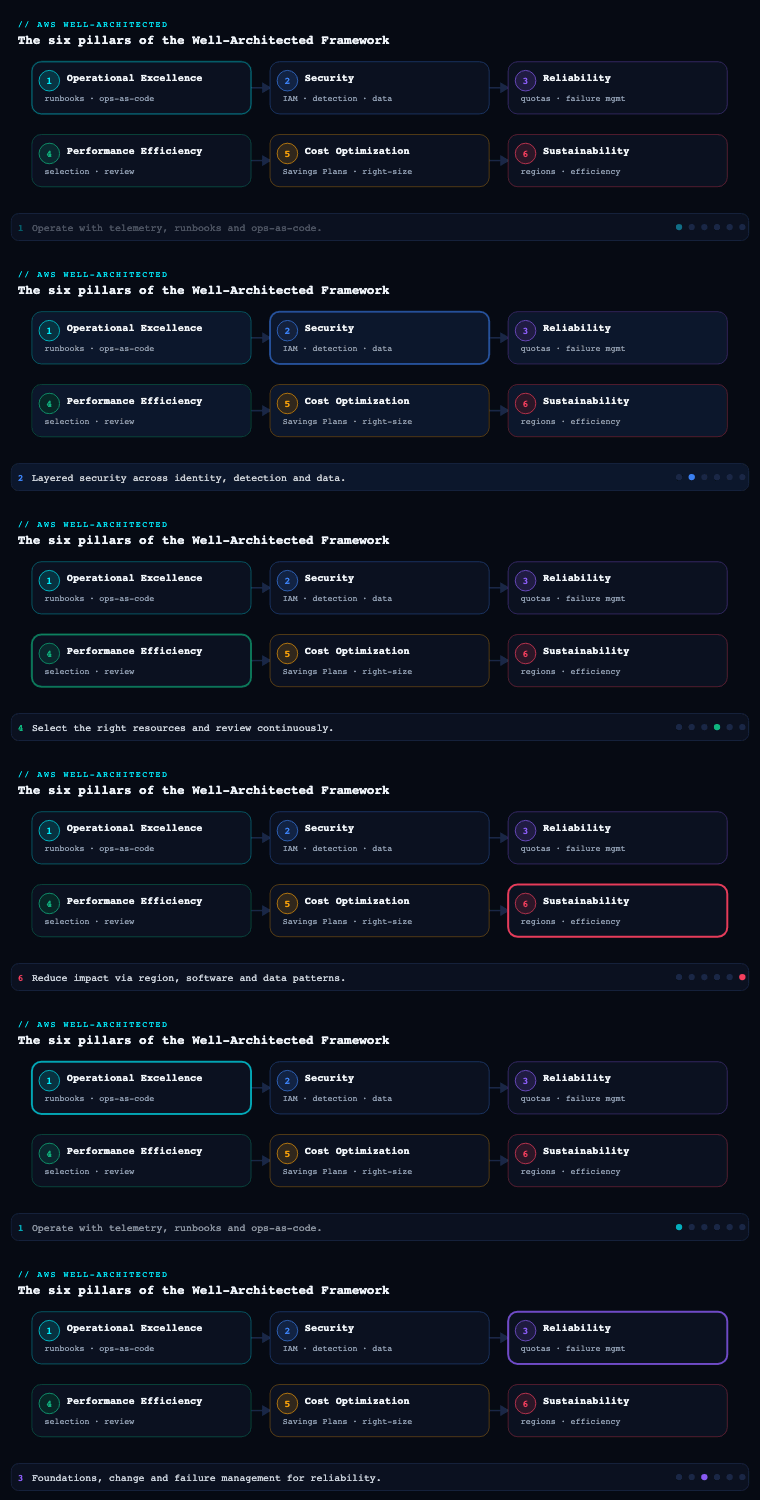
Cost Optimization is the fifth of the six pillars in the AWS Well-Architected Framework (after Operational Excellence, Security, Reliability, and Performance Efficiency, and before Sustainability). Its design principles set the tone for everything below — implement Cloud Financial Management, adopt a consumption model, measure overall efficiency, stop spending money on undifferentiated heavy lifting, and analyse and attribute expenditure — and its goal is explicitly not “spend the least”; it is to deliver the maximum business value for the lowest price point, which sometimes means spending more on a revenue-driving workload and ruthlessly cutting an idle one. The pillar decomposes into five best-practice areas — practice Cloud Financial Management, expenditure and usage awareness, cost-effective resources, manage demand and supply resources, and optimize over time — and the Framework expresses its expectations as numbered best-practice questions (COST 1 through COST 11). This article walks each area as you would actually implement it in a multi-account AWS organization, naming the concrete services, artifacts, and trade-offs.
Practice Cloud Financial Management (COST 1)
What it is. Cloud Financial Management (CFM) is the operating model for cost — the people, process, and culture that make cost a first-class, continuously-managed property of your workloads rather than a monthly invoice surprise. It maps to COST 1 (“How do you implement cloud financial management?”) and is the AWS framing of what the industry calls FinOps. It establishes a function (often a Cloud Cost Center of Excellence), a partnership between finance, engineering, and the business, and a cadence that runs the optimization flywheel as normal operations.
Why it matters. Cloud spend is variable, self-service, and post-paid — any engineer can launch a GPU instance at 2 a.m. and finance learns about it 30 days later on the bill. No tool saves an organization where nobody owns that dynamic. The single biggest predictor of cloud cost outcomes is not which Savings Plans you bought; it is whether the engineers who provision resources can see, and are accountable for, what those resources cost. CFM is the area that creates that accountability, and it deliberately frames the objective as value, not minimization — the recurring question is “is this spend earning its keep?”, the only framing that lets you increase spend where it pays off and cut where it does not.
How to do it well.
- Establish a function and a partnership. Stand up a small central Cloud Cost Center of Excellence (CCoE / FinOps team) that owns tooling, commitment purchasing, and standards, while workload teams own their own usage and budgets — central buys rate, the edge controls usage. Make finance, engineering, procurement, and product co-owners, not adversaries.
- Adopt the FinOps lifecycle. Run the Inform → Optimize → Operate phases from the FinOps Foundation: give engineers visibility and allocation (Inform), drive rate and usage improvements (Optimize), and embed accountability into day-to-day operations (Operate).
- Make spend visible to the people who cause it. Publish per-team cost dashboards and put the bill in front of engineers in the tools they already use, so cost is a real-time engineering signal, not a quarterly finance read-out.
- Run a regular review cadence. Hold a recurring (monthly is typical) cost review covering Trusted Advisor / Compute Optimizer recommendations, Savings Plans and Reserved Instance utilization and coverage, anomaly investigations, the unit-cost trend, and the top movers — with actions and owners, like any operational review.
- Account for personnel time and toil. Automating teardown, right-sizing, and reporting is itself a cost optimization; treat engineer hours as a real cost line and invest in self-service guardrails so teams move fast without finance-by-ticket.
| CFM discipline | What it establishes | Primary AWS mechanism |
|---|---|---|
| Function & accountability | A CCoE plus federated team ownership | Org structure, named cost owners, RACI |
| Visibility (Inform) | Engineers see their own spend | Cost Explorer, AWS Budgets, dashboards |
| Optimize | Rate + usage improvement backlog | Compute Optimizer, Cost Optimization Hub, Trusted Advisor |
| Operate | Continuous cadence & forecasting | Monthly cost review, Budgets forecasts |
| Toil reduction | Automated, self-service guardrails | IaC, scheduled cleanup, Service Catalog |
Artifacts and decisions. A FinOps/CFM charter (mission, roles, cadence); a RACI for cost roles; a cost-review meeting series with a standing agenda; a central-vs-federated operating model decision; and a KPI scorecard (unit cost, coverage, utilization, % allocable spend, forecast accuracy). The key decision is the operating model: fully centralized cost control throttles teams and breeds resentment; fully federated control yields no economies of scale on commitments — the durable answer is a thin central function that buys rate and sets standards, with usage owned at the edge.
Expenditure and usage awareness (COST 2, COST 3, COST 4)
What it is. Awareness is your ability to govern, monitor, and attribute cloud spend — to know who is spending what, on which workload, against which budget, and to stop runaway or unapproved spend before it lands on the invoice. It spans three best-practice questions: governing usage (COST 2 — policies, account structure, guardrails), monitoring usage and cost (COST 3 — the data and tooling to see spend), and decommissioning resources (COST 4 — finding and removing what you no longer need).
Why it matters. You cannot optimize, budget, or even discuss what you cannot see and cannot attribute. A bill that is 30% “untagged / unallocable” is a bill no team is accountable for. And because cloud is self-service, governance (what is allowed) and monitoring (what is happening) are the two halves of keeping spend inside the envelope — governance is preventive, monitoring is detective, and the awareness area is where you build both so an anomaly is caught in minutes rather than discovered a month later.
How to do it well — govern. Use AWS Organizations with a sane OU and account structure so spend is naturally segmented by team, environment, and workload — the account is the cleanest cost-allocation boundary AWS gives you. Apply service control policies (SCPs) to deny expensive or unapproved choices (GPU instance families outside a data-science OU, disallowed Regions, public resources). Enforce a cost-allocation tagging taxonomy (CostCenter, Owner, Environment, Application, Project) and require it with AWS Organizations tag policies; activate those keys as cost allocation tags in the billing console so they appear in your cost data. Where account/tag boundaries don’t match how finance reports, group spend with AWS Cost Categories (rules that roll resources up into business dimensions like business unit or product line).
How to do it well — monitor. Use AWS Cost Explorer for interactive analysis (filter and group by service, account, tag, or Cost Category; view amortized vs unblended cost; forecast). For the source-of-truth, granular data, export the Cost and Usage Report (CUR 2.0) via AWS Data Exports to S3 and query it with Amazon Athena or load it into Amazon QuickSight for executive dashboards. Set AWS Budgets at every meaningful scope (account, OU via Cost Categories, tag) with actual and forecasted thresholds, and wire AWS Budgets Actions to act — apply a restrictive SCP/IAM policy or stop EC2/RDS instances when a non-prod budget is breached. Turn on AWS Cost Anomaly Detection (ML-based) so a sudden spike — a runaway loop, a leaked key mining crypto, a misconfigured autoscale — is caught independently of any threshold. The AWS Billing and Cost Management console and AWS Cost Optimization Hub consolidate the recommendation surface.
How to do it well — decommission. Idle resources bill forever. Find and remove unattached EBS volumes, unassociated Elastic IPs, idle load balancers, old snapshots, orphaned NAT gateways, and stale dev resources using Trusted Advisor cost checks, AWS Config rules, and scheduled queries. Codify teardown so environments don’t linger past their purpose.
| Awareness capability | What it answers | AWS service |
|---|---|---|
| Governance / account boundary | Who is allowed to spend, and where | AWS Organizations, OUs, SCPs |
| Cost allocation | Whose spend is this? | Cost allocation tags, tag policies, Cost Categories |
| Interactive analysis | Where is the money going? | AWS Cost Explorer |
| Granular source of truth | The line-item detail for any question | CUR 2.0 via Data Exports → Athena / QuickSight |
| Budgeting & enforcement | Are we inside the envelope (and act if not) | AWS Budgets + Budgets Actions |
| Anomaly detection | Did something spike unexpectedly? | AWS Cost Anomaly Detection |
| Decommissioning | What can we safely delete? | Trusted Advisor, AWS Config, scheduled cleanup |
Artifacts and decisions. A tagging standard enforced by tag policy with an allocability KPI; a Cost Categories definition mapping accounts/tags to business units; a budget hierarchy with owners and actions; a CUR 2.0 + Athena/QuickSight reporting pipeline; an anomaly-detection configuration with a triage owner; and a recurring orphaned-resource report. Key decisions: how to model cost allocation (by account, by tag, or by Cost Category — usually all three at different scopes), and whether to use AWS Billing Conductor for custom chargeback/showback rate cards when internal pricing differs from AWS list pricing.
Cost-effective resources (COST 5, COST 6, COST 7, COST 8)
What it is. This is the heart of the pillar: choosing the right service, the right resource type and size, and the right pricing model, and accounting for data-transfer cost. It spans evaluating cost when selecting services (COST 5), matching resource type and size to need — right-sizing (COST 6), choosing the best pricing model — Savings Plans, Reserved Instances, Spot, On-Demand (COST 7), and planning for data-transfer charges (COST 8). It is where the two genuinely different cost levers live: paying a lower rate for a unit of capacity (pricing models) versus picking the right shape and size of resource (service selection and right-sizing).
Why it matters. On-Demand is the most expensive way to run a stable baseline — you pay a premium for the right to walk away at any second, a right you never exercise on a database that runs 24/7. Pricing-model optimization recovers that premium and, on a seven-figure compute bill, is frequently the single largest lever available, requiring no code change. Right-sizing eliminates waste at the full rate and compounds with rate optimization, because right-sizing shrinks the baseline you then commit to. And data transfer is the line item teams forget until the invoice arrives — cross-AZ, cross-Region, and NAT-gateway egress can quietly dominate.
How to do it well — service selection (COST 5). The biggest cost win is often changing the shape: prefer managed and serverless services over self-managed IaaS so you stop paying for idle and for undifferentiated heavy lifting — AWS Lambda, AWS Fargate, Amazon Aurora Serverless v2, Amazon DynamoDB on-demand, Amazon S3 with Intelligent-Tiering. Price competing designs against the same usage assumptions with the AWS Pricing Calculator before you build.
How to do it well — right-sizing (COST 6). Resize from telemetry, not guesswork. Use AWS Compute Optimizer (it analyses CloudWatch metrics across EC2, EC2 Auto Scaling groups, EBS, Lambda, ECS-on-Fargate, RDS, and recommends a better instance type/size or memory setting) and Trusted Advisor to find under-utilized resources. Move to Graviton (Arm) instances where supported for a strong price/performance step-change. Re-run on a cadence — right-sizing is never one-and-done.
How to do it well — pricing models (COST 7). Choose the instrument that matches each workload’s commitment risk profile, and never commit to waste:
- Savings Plans — commit to a fixed $/hour of compute spend for 1 or 3 years. Compute Savings Plans are the flexible default (apply across EC2, Fargate, and Lambda, any Region/family/size, up to ~66% off). EC2 Instance Savings Plans trade flexibility for a deeper discount (up to ~72%) within a chosen instance family and Region. There are also SageMaker Savings Plans.
- Reserved Instances / capacity reservations — still relevant for services not covered by Savings Plans (e.g., RDS, ElastiCache, Redshift, OpenSearch Reserved Instances, DynamoDB reserved capacity).
- Spot Instances — bid on spare capacity at up to ~90% off for interruptible, stateless, fault-tolerant work (batch, CI/CD, big-data, rendering, and horizontally-scalable web tiers that tolerate a 2-minute interruption notice). Use EC2 Auto Scaling mixed instances, Spot Fleet, and Karpenter / EKS managed node groups with Spot to blend an On-Demand floor with a Spot burst layer.
- On-Demand — the right choice only for short-lived, spiky, or unpredictable workloads that can’t be committed or interrupted.
How to do it well — data transfer (COST 8). Design to keep traffic cheap: use VPC endpoints / PrivateLink so service traffic avoids NAT-gateway and internet egress charges; keep chatty components in the same AZ to avoid cross-AZ data charges; put Amazon CloudFront in front of S3/origins so egress is served at CDN rates; and model egress explicitly in the cost model.
| Instrument | Discount vs On-Demand (illustrative) | Commitment | Flexibility | Best for |
|---|---|---|---|---|
| Compute Savings Plan | up to ~66% | $/hr compute, 1 or 3 yr | High (EC2, Fargate, Lambda; any family/Region) | Fluid compute that changes shape |
| EC2 Instance Savings Plan | up to ~72% | $/hr, family + Region, term | Medium (size/OS flex within family) | Stable EC2 fleets in a known family |
| Reserved Instances | up to ~72% | Specific service/term | Low–Medium | RDS, ElastiCache, Redshift, OpenSearch |
| Spot Instances | up to ~90% | None | High, but interruptible (2-min notice) | Batch, CI, stateless burst, Spot node pools |
| On-Demand | baseline | None | Highest | Short-lived, spiky, uncommittable work |
The instruments stack: a Savings-Plan-covered baseline, Graviton + right-sized instances under it, and Spot for the burst layer is the canonical low-cost composition. The correct order is usage first, then rate — right-size and consolidate, settle the baseline, then buy commitments against it, or you simply lock in oversized waste at a discount.
Artifacts and decisions. A service-selection / pricing comparison for major components (from the Pricing Calculator); a right-sizing backlog sourced from Compute Optimizer; a commitment plan (baseline to cover, Compute vs EC2 Instance Savings Plan mix, 1-yr vs 3-yr split, target coverage %); a Spot adoption design (which tiers, interruption handling); and a data-transfer map. Key decisions: Compute (flexible) vs EC2 Instance (deeper) Savings Plans; 1-year (safer) vs 3-year (cheaper) terms given workload volatility; and how aggressively to push Spot given each tier’s interruption tolerance.
Manage demand and supply resources (COST 9)
What it is. Matching supply (provisioned capacity) to demand (actual load) so you neither over-provision for a peak that rarely occurs nor under-provision and breach your SLOs. It maps to COST 9 (“How do you manage demand and supply resources?”) and covers two complementary techniques: supply-side management (scale capacity to track demand) and demand-side management (shape, throttle, buffer, or defer demand so you need less peak capacity).
Why it matters. Provisioning for peak means paying for idle capacity the rest of the time; the gap between peak and average is pure waste. Conversely, naive under-provisioning trades cost for outages. This area is where Cost Optimization and Performance Efficiency meet: the same telemetry that proves a tier can scale in safely is the telemetry that proves it was over-provisioned. Done well, you pay for roughly the capacity you use, minute by minute.
How to do it well — supply side. Use demand-based scaling with Amazon EC2 Auto Scaling (target-tracking, step, and predictive policies), Application Auto Scaling for ECS/Fargate, DynamoDB, and Aurora, Karpenter / Cluster Autoscaler for EKS, and Aurora Serverless v2 to scale database capacity to load. Add time-based scaling (scheduled scaling) for predictable diurnal or weekly patterns — scale up before the business day, down after. For non-prod, stop/start on a schedule with AWS Instance Scheduler so dev/test environments aren’t billing nights and weekends (a dev environment running 45 of 168 weekly hours costs ~27% of an always-on one).
How to do it well — demand side. Reduce the peak you must serve at all. Buffer spiky workloads through Amazon SQS / EventBridge so a backend can process at a steady rate instead of scaling to the spike. Throttle and protect with Amazon API Gateway usage plans and rate limits. Cache aggressively — CloudFront, ElastiCache, DAX, and API Gateway caching — so a large fraction of demand never reaches (and never has to be provisioned at) the origin. Each of these lets you provision for a smoothed load rather than the raw peak.
| Technique | Lever | AWS service | Saving driver |
|---|---|---|---|
| Demand-based scaling | Track load with metrics | EC2 Auto Scaling, Application Auto Scaling, Karpenter | Peak-to-average gap |
| Predictive scaling | Pre-scale to forecast | EC2 Auto Scaling predictive policy | Cold-start over-provisioning |
| Time-based scaling | Scale to schedule | Scheduled scaling, AWS Instance Scheduler | Predictable diurnal idle |
| Non-prod stop/start | Off when not in use | AWS Instance Scheduler | Nights/weekends idle |
| Buffering | Absorb spikes asynchronously | Amazon SQS, EventBridge | Avoids scaling to raw peak |
| Throttling | Cap demand | API Gateway usage plans | Bounds worst-case capacity |
| Caching | Serve without hitting origin | CloudFront, ElastiCache, DAX | Offloads origin capacity |
Artifacts and decisions. Auto Scaling policy definitions (metric, target, min/max) per tier; scheduled-scaling and Instance Scheduler configs for predictable and non-prod workloads; a buffering/throttling/caching design for spiky entry points; and the scaling-bounds decisions (min capacity for resilience vs cost). Key decision: how much headroom (min capacity and scale-out aggressiveness) to keep — too little risks SLO breaches and cold starts during spikes; too much reintroduces the idle you were trying to remove.
Optimize over time (COST 10, COST 11)
What it is. Cost optimization is a flywheel, not a project — you continuously re-evaluate whether new services and features could lower cost (COST 10), and you automate cost management so optimization happens without standing manual toil (COST 11). It is the recognition that AWS ships new instance families, pricing models, and managed services constantly, your traffic shape shifts, and commitments expire — so a design that was optimal last year is leaving money on the table this year.
Why it matters. A one-off “cost sprint” saves money once, then the estate re-bloats because nothing changed operationally and no one revisits the architecture. Two forces specifically erode a frozen design: AWS innovation (Graviton generations, new Savings Plan terms, serverless options, S3 storage classes) means the cost-optimal implementation moves underneath you; and commitment drift means Savings Plans and RIs expire and fall out of fit as workloads evolve, turning unused commitment into pure loss. Optimizing over time keeps the gains compounding.
How to do it well — keep evaluating (COST 10). Make “could a newer service do this cheaper?” a standing agenda item in the monthly cost review and in every architecture review (use the Cost Optimization Pillar design-review questions and the AWS Well-Architected Tool, which now surfaces Trusted Advisor checks). Watch the What’s New and pricing announcements for migrations worth doing — moving a fleet to Graviton, a database to Aurora Serverless v2, logs to a cheaper retention tier, or workloads to a new-generation instance family. Re-run Compute Optimizer and review Savings Plans/RI utilization and coverage so the commitment portfolio is re-sized to current usage and renewed before it lapses.
How to do it well — automate (COST 11). Push optimization into the platform so it doesn’t depend on heroics. Schedule non-prod stop/start (Instance Scheduler) and orphan cleanup (Config rules / Lambda) by default. Bake right-sizing recommendations from AWS Cost Optimization Hub (which consolidates Compute Optimizer, idle-resource, RI/SP, and Graviton recommendations with estimated savings) into the team backlog. Use S3 Lifecycle policies and S3 Intelligent-Tiering so storage moves to cheaper classes automatically. Enforce cost guardrails as code (SCPs, tag policies, cfn-guard / Checkov in CI), embed AWS Budgets Actions for automated responses, and provide a guardrailed self-service path (Service Catalog / paved-road templates) so engineers move fast without re-introducing waste. Treat the toil you remove (manual teardown, manual right-sizing, manual reporting) as a measured cost saving in its own right.
| Over-time discipline | What it counters | AWS mechanism |
|---|---|---|
| Periodic re-evaluation | AWS innovation outpacing your design | Well-Architected Tool, monthly review, What’s New |
| Commitment portfolio review | RI/SP drift and lapse | Cost Explorer SP/RI utilization & coverage, Cost Optimization Hub |
| Recommendation pipeline | Manual right-sizing toil | Cost Optimization Hub, Compute Optimizer |
| Automated lifecycle | Stale storage and orphans | S3 Lifecycle / Intelligent-Tiering, Config + Lambda |
| Automated guardrails | Re-bloat after cleanup | SCPs, tag policies, Budgets Actions, Service Catalog |
Artifacts and decisions. A continuous-improvement cadence (review schedule, owners) tied to the CFM function; a commitment renewal calendar; an automation backlog for cost (stop/start, cleanup, lifecycle, self-service); and a Well-Architected review record for the Cost pillar. Key decision: how much to automate outright (auto-stop, auto-tier, auto-cleanup) versus gate behind human approval — over-aggressive automation (e.g., deleting a “stale” snapshot that was someone’s recovery point) causes its own incidents, so destructive actions usually warrant a tag-based opt-out and a grace period.
Real-world enterprise scenario
Helios Streaming is a fictional video-on-demand company (~900 engineers, ₹-denominated, serving 12 million subscribers across India and Southeast Asia) running on AWS across a Control Tower landing zone: ~50 accounts, EKS for the streaming control plane and APIs, Aurora PostgreSQL for the subscriber and billing data, DynamoDB for the playback catalog, Lambda + EventBridge for entitlement events, S3 + CloudFront for media delivery, and a large analytics estate on EMR and Redshift. Their AWS bill has reached ₹6.5 crore/month and is rising faster than subscriber growth. The CTO charters a FinOps initiative led by a principal architect, working the Cost Optimization pillar end to end.
Practice Cloud Financial Management. The architect stands up a five-person Cloud Cost CoE that owns tooling and Savings Plan purchasing, while each of the ten product teams gets a named cost owner. They adopt the Inform → Optimize → Operate lifecycle, publish per-team QuickSight dashboards weekly, and institute a monthly cost review with a standing agenda (recommendations, coverage/utilization, anomalies, unit-cost trend). The headline unit metric is defined as ₹ per 1,000 streaming hours, found to have crept from ₹71 to ₹94 over a year — proof the spend growth is partly waste, not just subscribers.
Expenditure and usage awareness. A mandatory tag taxonomy (CostCenter, Owner, Environment, Application) is enforced via Organizations tag policies and activated as cost allocation tags; Cost Categories roll accounts and tags into the four business lines for finance. AWS Budgets are created at every account and per-CostCenter tag with 80%/100% actual and 100%-forecast thresholds; non-prod budgets get a Budgets Action that stops EC2/RDS on breach. Cost Anomaly Detection is enabled org-wide and pays for itself in week two by catching a misconfigured EMR autoscale that had spiked ₹11 lakh in three days. The CUR 2.0 is exported via Data Exports to S3 and queried in Athena for the source-of-truth detail. Trusted Advisor and a scheduled Lambda find and remove 900+ unattached EBS volumes and 70 idle Elastic IPs.
Cost-effective resources. Sequenced usage-first, then rate, the team runs Compute Optimizer to right-size 240 over-provisioned EC2 instances and migrate the stateless API tier to Graviton, then settles the baseline and buys 3-year Compute Savings Plans sized from 30-day usage to cover the steady EKS/Lambda/Fargate compute, plus RDS Reserved Instances for the always-on Aurora. The transcoding farm and all CI/CD move to EC2 Spot (via Karpenter with an On-Demand floor); media egress is already fronted by CloudFront, and VPC endpoints are added to cut NAT-gateway data charges. Target Savings-Plan + RI coverage of the eligible baseline is set at 80%.
Manage demand and supply resources. The API and control-plane tiers move to target-tracking and predictive EC2 Auto Scaling; EKS uses Karpenter to consolidate nodes; non-prod runs on a strict AWS Instance Scheduler stop/start (nights and weekends off). On the demand side, entitlement spikes during big launches are buffered through SQS so the billing backend processes at a steady rate instead of scaling to the spike, and API Gateway usage plans throttle a noisy partner integration. Non-prod runtime drops to ~30% of always-on.
Optimize over time. A commitment renewal calendar prevents lapses; Cost Optimization Hub feeds a recurring right-sizing and Graviton-migration backlog into each team; S3 Lifecycle + Intelligent-Tiering move cold media and logs to cheaper classes automatically; and the Cost pillar is reviewed quarterly in the AWS Well-Architected Tool. Cost guardrails (SCPs denying GPU families outside the ML account, mandatory tags, Budgets Actions) are codified so the estate cannot re-bloat, and self-service provisioning ships via Service Catalog with cost estimation in PRs.
Measurable outcome. Over two quarters the monthly bill falls from ₹6.5 crore to ₹4.6 crore (~29%) while subscribers grow 16% — so the real win shows in the unit metric: ₹ per 1,000 streaming hours drops from ₹94 to ₹58 (~38%). Savings-Plan + RI coverage reaches 82% at 97% utilization, 100% of spend becomes tag-allocable, anomaly detection cuts mean-time-to-detect a cost spike from ~30 days to under 24 hours, and Budgets forecast accuracy lands within ±4%. The CFO now reads a unit-cost trend, not a raw rupee scare.
Deliverables & checklist
Common pitfalls
- Buying Savings Plans before right-sizing. A 3-year commitment against an over-provisioned fleet locks in waste at a discount. Avoid it: always run the usage track (right-size, consolidate, settle the baseline) before the rate track, and size commitments from 30/60-day Compute Optimizer data, not last year’s peak.
- Budgets that only email an inbox. A budget with no action at 100% is documentation, not a guardrail. Avoid it: use forecasted thresholds for early warning and wire at least the non-prod breach to a Budgets Action (apply a restrictive policy or stop instances) so the system reacts in minutes.
- Measuring dollars instead of unit cost. A bill that rose because subscribers tripled looks identical to runaway waste if you only watch the total. Avoid it: headline a unit-economics KPI (₹ per stream-hour / order / transaction) so growth and waste are distinguishable and you can defend increasing spend that earns its keep.
- Untagged, unallocable spend. If 30% of the bill has no owner, no team is accountable and showback is fiction. Avoid it: enforce the tag taxonomy with Organizations tag policies and Cost Categories, and treat allocation coverage as a tracked KPI.
- Set-and-forget commitments. Savings Plans and RIs expire and drift out of fit as workloads change; unused commitment is pure loss. Avoid it: review utilization and coverage monthly in Cost Explorer, keep a renewal calendar, and re-size from current usage before terms lapse.
- One-off cost sprints. A single cleanup saves money once, then the estate re-bloats because nothing changed operationally. Avoid it: stand up the CFM cadence (monthly review, owners, automated toil reduction) and codify guardrails so optimization is continuous, per the optimize over time best practice.
What’s next
Part 6 of the AWS Well-Architected Framework series closes the pillars with Sustainability — measuring and reducing the carbon and resource footprint of your workloads through region selection, demand alignment, efficient hardware (Graviton), and right-sizing the software and data you run.