Where this fits
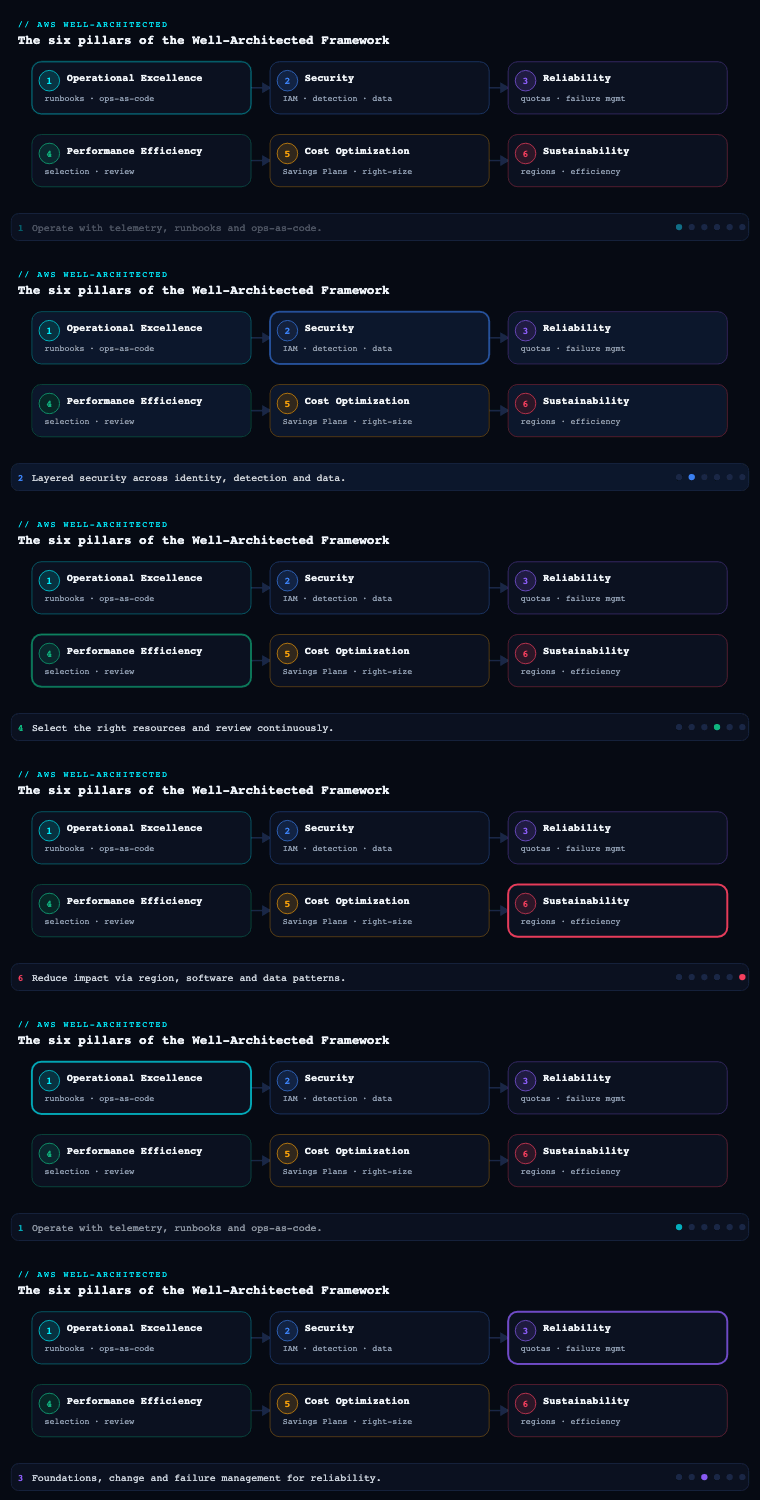
The AWS Well-Architected Framework (AWS WAF) is Amazon’s set of architectural best practices organized into six pillars — Operational Excellence, Security, Reliability, Performance Efficiency, Cost Optimization, and Sustainability — and Operational Excellence is the pillar AWS lists first for a reason: it is the one that governs how the team supports, observes, and continually improves the workload across its whole lifecycle. Where Reliability asks “will it stay up?” and Security asks “is it defensible?”, Operational Excellence asks “can your organization understand its workloads’ health, respond to events as a practiced discipline, and get better every iteration without being told?” Its currency is not a clever topology but codified procedures, telemetry, and feedback loops. This article — part 1 of the series — goes deep on the four best-practice areas AWS uses to structure the pillar (Organization, Prepare, Operate, Evolve), three cross-cutting capabilities that the OPS questions hammer on (telemetry, runbooks and playbooks, operations as code), and the connective tissue that ties it all together: the design principles and the Well-Architected Framework Review process.
A note on terminology before we start: in the official Operational Excellence pillar whitepaper, the best practices are grouped under four areas — Organization (how you set up to succeed), Prepare (designing for and readying operations before go-live), Operate (running the workload and understanding its health day to day), and Evolve (learning and improving over time). These map to the OPS questions (OPS 1 through OPS 11). The cross-cutting topics — telemetry, runbooks/playbooks, operations as code — are not separate areas but threads woven through Prepare and Operate; I have pulled them out as their own sections below because they are where most teams have the largest gaps, and because the AWS exam, the WAFR, and real incidents all turn on them.
Organization
What it is. Organization is the first best-practice area and it covers everything before you write a line of operational tooling: understanding your business and customer priorities, defining how teams are structured, agreeing how responsibilities are shared, and establishing the governance and culture in which operations happen. In OPS terms it answers OPS 1 (“How do you determine what your priorities are?”), OPS 2 (“How do you structure your organization to support your business outcomes?”), and OPS 3 (“How does your organizational culture support your business outcomes?”).
Why it matters. Tooling cannot rescue a broken operating model. If the people who build a service never carry its pager, they optimize for “passes review”, not “is operable”. The classic failure is the over-the-wall handoff to a separate ops team that lacks the context to debug what it is running. AWS is deliberately agnostic about the exact operating model — it does not mandate “you build it, you run it” — but it insists you choose consciously and that every team understands its role in the shared business outcome. Without that, you get the two failure modes the pillar exists to prevent: unclear ownership during an incident (everyone assumes someone else is handling it) and misaligned priorities (the team polishes a feature the business never asked for while a known operational risk goes unfunded).
How to do it well.
- Evaluate and prioritize against business and compliance needs. Make a prioritized list of operational tasks and threats. AWS calls out evaluating governance, internal/external compliance, and threat landscape as inputs. Priorities are revisited as the business changes — they are not a one-time exercise.
- Choose an operations model deliberately. AWS describes several along a spectrum: fully separated (a central operations team), fully separated with a centralized platform team (a platform/landing-zone team provides paved roads), and fully integrated (“you build it, you run it”). Most enterprises land on a hybrid: a central platform/Cloud Center of Excellence team owns guardrails and shared tooling, while product teams own their workloads’ operations on top.
- Make responsibilities explicit. Capture ownership in writing. AWS recommends that team members know their responsibilities, know how to escalate, and that the relationships between teams (who provides what to whom) are documented and understood.
- Build a supportive culture. Executives set the tone; teams are empowered to act; people are encouraged to experiment within safe-to-fail boundaries; and you provide the time, resources, and psychological safety for blameless learning.
Artifacts, decisions, and AWS tooling.
| Concern | Artifact / decision | AWS service that supports it |
|---|---|---|
| Business priorities | Prioritized operational-task and threat list; mapping of features to outcomes | — (governance process) |
| Org structure | Operating-model decision; RACI; escalation paths | AWS Organizations (account structure mirrors team boundaries) |
| Guardrails / paved road | Account-vending and baseline controls | AWS Control Tower, Service Control Policies (SCPs), AWS Organizations |
| Ownership & cost accountability | Tagging standard, per-team accounts | AWS Organizations, cost allocation tags, AWS Budgets |
| Shared knowledge | Living standards, runbooks, escalation docs | AWS Systems Manager Documents, repo-resident Markdown |
The most consequential structural decision is your AWS Organizations and account layout — multi-account, with workloads isolated into separate accounts grouped by Organizational Units (OUs), deployed and governed through AWS Control Tower. The account boundary is the cleanest way to encode ownership: it gives each team a blast-radius-limited environment, its own cost view, and SCP-enforced guardrails it cannot escape. Get the org chart and the account chart to agree and most ownership ambiguity disappears before it can cause an incident.
Prepare
What it is. Prepare is the best-practice area that covers everything you do to be ready for operations before — and as — a workload goes live: designing the workload (and its operations) for understandability, ensuring it emits telemetry, reducing defects through engineering practices, mitigating deployment risk, and getting your people and procedures ready to support it. It answers OPS 4 (“How do you implement observability?”), OPS 5 (“How do you reduce defects, ease remediation, and improve flow into production?”), OPS 6 (“How do you mitigate deployment risks?”), and OPS 7 (“How do you know that you are ready to support a workload?”).
Why it matters. Operability is a design property, not something you bolt on after the fact. A workload that ships with no instrumentation, no health endpoints, no runbooks, and no defined “are we ready?” gate becomes an operational liability the moment it sees real traffic — every incident is then a first-time exploration instead of a practiced response. Prepare is where you pay the operability cost deliberately and early, so that day-two operations are a known quantity. The OPS 7 “operational readiness” gate, in particular, is the thing that stops a team from launching a workload that nobody is actually ready to run at 3 a.m.
How to do it well.
- Design for observability up front (OPS 4). Decide what telemetry the workload must emit — application metrics, business KPIs, logs, traces, and health checks — and make emitting it a Definition-of-Done item, not a follow-up ticket. (Covered in depth in the Telemetry section below.)
- Improve flow and reduce defects (OPS 5). Use version control for everything (app and infrastructure), test and validate changes in CI, build software-and-config in a managed, repeatable build process, and integrate quality gates (unit/integration tests, static analysis, security scanning) into the pipeline so defects are caught before production.
- Mitigate deployment risk (OPS 6). Plan for safe, reversible change: make deployments small and frequent, automate them, prefer immutable infrastructure, and use progressive deployment strategies (canary, linear, blue/green) so a bad change affects a fraction of traffic and can be rolled back automatically on a CloudWatch alarm.
- Validate operational readiness (OPS 7). Use an Operational Readiness Review (ORR) — a structured checklist, ideally encoded — to confirm that dashboards, alarms, runbooks, on-call rotation, escalation paths, and capacity plans all exist before go-live. Use game days to rehearse failure and confirm the team and tooling actually work.
Artifacts, decisions, and AWS tooling.
| Prepare activity | Artifact produced | AWS services |
|---|---|---|
| Source control & build | Repos, build specs, pipeline definitions | AWS CodePipeline, CodeBuild, CodeArtifact, Git (CodeCommit/GitHub) |
| Quality gates | Test reports, SAST/dependency scan results | CodeBuild, Amazon Inspector, CodeGuru |
| Safe deployment | Deployment configuration (canary/blue-green) with rollback alarms | AWS CodeDeploy, AWS AppConfig (feature flags + safe config rollout) |
| Observability design | Telemetry plan; instrumented code; dashboards | CloudWatch, AWS X-Ray, Application Signals, OpenTelemetry (ADOT) |
| Operational readiness | ORR checklist, game-day reports, runbook inventory | Well-Architected Tool custom lenses, Systems Manager |
A crucial Prepare decision is how you flag and roll out change separately from deploying code. AWS AppConfig lets you ship a feature behind a flag and turn it on progressively with a deployment strategy and a CloudWatch-alarm-based automatic rollback — decoupling “deployed” from “released” and shrinking the blast radius of a bad change to a tunable percentage.
Operate
What it is. Operate is the best-practice area for running the workload day to day: understanding the health of both your workload and your operations, and responding to events — whether expected (a scaling event, a deploy) or unexpected (an incident) — in a planned, repeatable way. It answers OPS 8 (“How do you understand the health of your workload?”), OPS 9 (“How do you understand the health of your operations?”), and OPS 10 (“How do you manage workload and operations events?”).
Why it matters. This is where the rubber meets the road. A workload that is well-designed but poorly operated still fails its users: alerts that nobody tuned create fatigue and get ignored; incidents without a defined response become heroics that depend on one person who happens to know the system; and “health” measured only as “is the box up?” misses the customer experience entirely. Operate is the discipline of knowing what good looks like (so you can detect deviation), and having a practiced, often-automated response so that events are handled the same way every time regardless of who is on call.
How to do it well.
- Define workload health by outcomes, not just resources (OPS 8). Identify Key Performance Indicators (KPIs) that reflect the customer/business outcome (orders/min, checkout success rate, p99 latency) and the workload metrics that drive them. Build dashboards that distinguish business health from infrastructure health, and set alarms on KPIs with meaningful thresholds.
- Measure your operations, not just your workload (OPS 9). Track operational health metrics — MTTD, MTTR, MTBF, change failure rate, deployment frequency, lead time for changes (the DORA four), and toil — so you can tell whether your operations practice is improving, not just the system.
- Respond to events as a discipline (OPS 10). Have a defined process for every routine event and a structured incident response process for the unexpected ones: alerts route to the right responder, severity drives the response, runbooks and playbooks guide action, and post-incident analysis is mandatory. Automate the routine responses so humans handle only what genuinely needs judgment.
Operate KPIs and what they tell you.
| Metric | What it measures | Why it matters | AWS source |
|---|---|---|---|
| MTTD (mean time to detect) | Detection latency from fault to alert | Are you finding problems before customers do? | CloudWatch alarms, DevOps Guru |
| MTTR (mean time to recover) | Time from detection to restoration | The number customers actually feel | Incident Manager, runbook automation |
| Change failure rate | % of deployments causing a failure | Quality of your delivery pipeline | CodeDeploy + CloudWatch |
| Deployment frequency | How often you ship to prod | Flow and small-batch discipline | CodePipeline metrics |
| Toil % | Time on manual, repetitive ops work | Where automation should be invested | Operations tracking |
Artifacts, decisions, and AWS tooling. The Operate toolchain centers on Amazon CloudWatch (metrics, logs via CloudWatch Logs and Logs Insights, dashboards, alarms, composite alarms, synthetics canaries, and Real-User Monitoring) and Amazon CloudWatch Application Signals for application-level SLOs. For understanding operations health and surfacing anomalies, Amazon DevOps Guru uses ML to flag operational issues and likely causes. For event response, AWS Systems Manager Incident Manager orchestrates incidents (engagement, runbook execution, post-incident analysis), Amazon EventBridge routes events to automated responders, and Systems Manager Automation executes the actual remediation. Artifacts: a workload health dashboard, an operations health dashboard, an alarm catalog with owners and thresholds, an incident response plan, and severity definitions with escalation paths.
Evolve
What it is. Evolve is the best-practice area for continuous improvement: dedicating time and resources to learning from operational events and metrics, sharing those lessons across teams, and making incremental improvements to the workload and to the operations practice itself. It answers OPS 11 (“How do you evolve operations?”) and it is the feedback loop that closes the whole PDCA-style cycle of the pillar.
Why it matters. A team that never sets aside time to improve accumulates operational debt: the same incident recurs, the same toil persists, the same brittle runbook is followed by rote. Evolve is the deliberate counter-force — it treats getting better as scheduled, funded work rather than something that happens “when there’s time” (which is never). It is also where lessons stop being trapped in one team’s heads and become organizational knowledge: a fix one team discovers should not have to be rediscovered by every other team.
How to do it well.
- Learn from every operational event. Run blameless post-incident analyses (PIRs / correction-of-error) for incidents and near-misses; the goal is to fix the system and process, not assign blame. Drive each to documented, owned, time-boxed action items and actually track them to completion.
- Make improvement scheduled work. Allocate capacity each iteration to act on the lessons — pay down operational debt, automate toil, tighten alarms, harden runbooks. AWS explicitly recommends dedicating time/resources for incremental improvement.
- Validate insights and share them. Analyze trends across operations metrics to find systemic issues (not just one-off incidents), and share lessons learned across teams so improvements compound organization-wide.
- Feed lessons back into the design. Improvements should flow into your standards, your IaC modules, and your golden paths so the fix is inherited by everyone, not reapplied manually.
Artifacts, decisions, and AWS tooling.
| Evolve activity | Artifact | AWS / tooling |
|---|---|---|
| Post-incident learning | PIR / Correction-of-Error (COE) documents with action items | Systems Manager Incident Manager (built-in post-incident analysis) |
| Trend analysis | Operations metrics review; recurring-issue reports | CloudWatch dashboards, DevOps Guru insights, QuickSight |
| Improvement backlog | Prioritized operational-debt and toil backlog | Issue tracker; reviewed each iteration |
| Re-assessment | Periodic Well-Architected re-review with improvement plan | AWS Well-Architected Tool (milestones) |
| Knowledge sharing | Lessons-learned library, updated golden paths | Wiki, Systems Manager Documents |
The Well-Architected Tool’s milestones feature is the natural home for Evolve at the architecture level: you snapshot a review, work the improvement plan, then take a new milestone and measure the delta. That turns “we should improve” into an auditable trajectory.
Telemetry
What it is. Telemetry is the data your workload and operations emit so you can understand them: metrics (numeric time series), logs (event records), traces (the path of a request across services), and events (state changes). Implementing observability — turning that telemetry into the ability to ask new questions of your system — is the substance of OPS 4 and the prerequisite for everything in Operate and Evolve.
Why it matters. You cannot operate, alarm on, troubleshoot, or improve what you cannot see. Crucially, AWS draws a line between monitoring (pre-defined dashboards/alarms answering known questions) and observability (rich, high-cardinality telemetry that lets you answer unknown questions during a novel incident). The deepest 3 a.m. outages are precisely the ones you did not anticipate — so telemetry must be rich enough to debug a failure mode you never imagined, not just light up a dashboard you already built.
How to do it well.
- Instrument across all three signals. Emit application and business metrics (not just CPU/memory), structured logs, and distributed traces. For metrics that matter, prefer high-resolution and consider embedded metric format (EMF) so you can extract custom metrics from structured logs.
- Standardize on OpenTelemetry. Use the AWS Distro for OpenTelemetry (ADOT) so instrumentation is portable and vendor-neutral; route to CloudWatch and/or X-Ray.
- Tie telemetry to user experience. Add synthetic canaries (CloudWatch Synthetics) to catch problems before users do, and Real-User Monitoring (CloudWatch RUM) to see the actual client experience.
- Define SLOs. Use CloudWatch Application Signals to set Service Level Objectives and burn-rate alarms on the golden signals (latency, errors, throughput, saturation), so alerting is tied to the customer promise rather than arbitrary resource thresholds.
- Make telemetry actionable. Aggregate and query at scale (Logs Insights), correlate signals on a single pane, and let ML surface anomalies (DevOps Guru, CloudWatch anomaly detection).
The AWS telemetry stack at a glance.
| Signal | Primary AWS service | Notes |
|---|---|---|
| Metrics | Amazon CloudWatch (+ Managed Service for Prometheus for Prometheus-native) | High-res, custom, EMF, anomaly detection |
| Logs | CloudWatch Logs + Logs Insights | Centralized query; EMF for metrics-from-logs |
| Traces | AWS X-Ray (+ ADOT) | Service maps, latency analysis across services |
| Dashboards/visualization | CloudWatch dashboards, Amazon Managed Grafana | Single pane; Grafana for multi-source |
| Synthetic / real-user | CloudWatch Synthetics, CloudWatch RUM | Proactive + actual UX |
| SLOs & golden signals | CloudWatch Application Signals | App-level SLOs and service health |
Artifacts: an instrumentation/telemetry standard (what every service must emit), a metrics and logging library baked into the paved road, dashboards per workload, and a defined set of SLOs with burn-rate alarms.
Runbooks and playbooks
What it is. AWS makes a precise distinction the WAFR (and the exam) expect you to know. A runbook is a documented procedure to achieve a known outcome — the steps for a routine or expected operation (deploy a release, fail over a database, rotate a credential, scale a fleet). A playbook is a documented process to investigate an issue whose cause is not yet known — the steps to diagnose and identify the root cause of an unexpected event so you can decide how to respond. Put simply: runbooks are for the known (“do X”); playbooks are for the unknown (“figure out what’s wrong”).
Why it matters. Without them, every operational action depends on tribal knowledge and improvisation under pressure — the slowest, most error-prone, least repeatable possible mode. Runbooks make routine operations consistent and safe to delegate (and to automate); playbooks make incident diagnosis systematic so a responder works the problem methodically instead of flailing. Both are what let a less-experienced on-call engineer perform like an expert, and both are the seed of automation: a mature runbook is just code that hasn’t been written yet.
How to do it well.
- Write them as code, store them in version control, and keep them current. A stale runbook is worse than none. Review and update them as the system changes, and after every incident that exposed a gap.
- Automate runbooks progressively. Encode them as Systems Manager Automation documents (runbooks) so the procedure becomes executable. AWS describes a maturity path: manual → partially automated (human triggers an automated step) → fully automated. Aim to climb it deliberately.
- Make playbooks investigative and branching. A good playbook lists the symptoms, the telemetry to check first, the likely hypotheses, and the diagnostic steps for each — pointing at the exact dashboards, log groups, and queries to run.
- Trigger and orchestrate them from your event flow. Wire EventBridge rules and CloudWatch alarms to invoke Automation runbooks; orchestrate human + automated incident steps through Incident Manager (which can auto-launch response plans and attach runbooks).
- Test them. Exercise runbooks and playbooks in game days so you find the broken step before a real incident does.
| Runbook | Playbook | |
|---|---|---|
| Purpose | Achieve a known outcome | Investigate an unknown issue |
| Trigger | Routine/expected operation | Unexpected event / incident |
| Form | Ordered, deterministic steps | Branching diagnostic guide |
| Automation target | High — becomes SSM Automation | Partial — steps may auto-gather telemetry |
| AWS home | SSM Automation documents | Docs + Incident Manager + dashboards |
Artifacts: a runbook library (versioned, increasingly as SSM Automation documents), a playbook library indexed by symptom/alert, and an alarm-to-runbook mapping so every actionable alarm names the procedure that addresses it.
Operations as code
What it is. Operations as code is the first and most foundational OE design principle: define your entire workload — infrastructure and the operations procedures that run it — as code, so both can be version-controlled, peer-reviewed, tested, and executed automatically rather than performed by hand. It extends “infrastructure as code” to cover operations: not just what you build, but how you run, patch, respond, and remediate.
Why it matters. Manual (“click-ops”) operations are the root cause of the two most expensive day-two problems: configuration drift (production no longer matches any known-good definition, so nobody can confidently reproduce or recover it) and inconsistent, unrepeatable response (the fix worked last time because a specific person remembered a specific sequence). Operations as code makes operations repeatable, reviewable, and testable: you can apply the same procedure identically every time, limit human error, code your response to events so it triggers automatically, and review an operational change in a pull request exactly like application code. It is also the prerequisite for the safe-deployment and runbook-automation practices above — they all assume the procedure is code.
How to do it well.
- Codify infrastructure declaratively. Define environments with AWS CloudFormation or the AWS CDK (or Terraform); modularize, parameterize per environment, and deploy through a pipeline — never the console for production.
- Codify operations procedures. Turn runbooks into Systems Manager Automation documents; manage patching with Patch Manager, configuration/inventory with State Manager, and ad-hoc fleet operations with Run Command — all declarative and auditable.
- Code your responses to events. Use EventBridge to trigger Lambda or SSM Automation so responses to operational events are automatic and consistent.
- Enforce guardrails as code. Use AWS Config (with conformance packs and auto-remediation), SCPs, and Control Tower controls so policy is executable and drift is detected and corrected automatically.
- Apply the same engineering rigor to ops code as app code. Version control, code review, automated tests (e.g., cfn-lint, cfn-guard policy-as-code, CDK assertions), and CI/CD for the operations tooling itself.
The operations-as-code toolchain.
| Layer | What you codify | AWS service |
|---|---|---|
| Infrastructure | Networks, accounts, resources | CloudFormation, CDK, Terraform |
| Account guardrails | Baselines, OUs, controls | Control Tower, SCPs |
| Compliance/config | Desired config + auto-remediation | AWS Config (conformance packs) |
| Operational procedures | Runbooks, patching, inventory | Systems Manager (Automation, Patch Manager, State Manager, Run Command) |
| Event-driven response | Automated remediation | EventBridge + Lambda / SSM Automation |
| Config/feature rollout | Safe, gradual config changes | AWS AppConfig |
Artifacts: an IaC repository with a reusable module library and per-environment parameters, a library of SSM Automation runbooks, AWS Config conformance packs with remediation, and pipelines that deploy both the infrastructure and the operations tooling.
The design principles and review process
What it is. Underneath the four best-practice areas, Operational Excellence is anchored by a short list of design principles, and the whole framework is operationalized through the Well-Architected Framework Review (WAFR) conducted with the AWS Well-Architected Tool. The five OE design principles are:
- Perform operations as code — define workload and operations procedures as code (the subject of the previous section).
- Make frequent, small, reversible changes — design workloads so components can be updated regularly in small increments that can be reversed if they fail, limiting blast radius.
- Refine operations procedures frequently — as you evolve the workload, evolve the procedures with it; use game days to validate that procedures (and the team) are effective and current.
- Anticipate failure — perform “pre-mortems” to identify potential failure sources, test failure scenarios, and validate your understanding of their impact (e.g., game days, fault injection).
- Learn from all operational events and metrics — drive improvement through lessons learned from all events, both successes and failures, and share what is learned across teams.
Why it matters. The principles are the why behind the practices — they are how you decide between two reasonable-looking options when the checklist is silent. The review process is what turns the framework from a document you read once into a recurring, evidence-based health check on a specific workload: a structured conversation, anchored by the OPS questions, that surfaces high- and medium-risk items, produces an improvement plan, and (via milestones) measures whether you actually improved. Without a review cadence, “well-architected” decays the moment the system changes.
How to do it well.
- Run the WAFR with the Well-Architected Tool, per workload. Define the workload, answer the OPS (and other pillar) questions, and let the tool identify High-Risk Issues (HRIs) and Medium-Risk Issues (MRIs) against the current best practices.
- Treat the output as a backlog, not a grade. The deliverable is a prioritized improvement plan, owned and time-boxed — exactly the input to the Evolve loop above.
- Use milestones to show a trajectory. Save a milestone, work the plan, re-review, save another, and report the delta. This is how Operational Excellence becomes measurable.
- Apply lenses where relevant. Use the appropriate Well-Architected Lens (e.g., Serverless, SaaS, Container) and consider a custom lens to encode your own ORR checklist so organizational standards are reviewed alongside AWS best practices.
- Schedule reviews around change. Re-review at major milestones and after significant architectural change — not once at launch and never again. The companion AWS Well-Architected Framework body of guidance and AWS Trusted Advisor checks feed continuous signal between formal reviews.
Artifacts. A defined workload in the Well-Architected Tool, a completed OPS questionnaire, an HRI/MRI list, a prioritized improvement plan, milestones that track progress, and (optionally) a custom lens encoding your ORR.
Real-world enterprise scenario
Northwind Logistics is a fictional mid-size freight-and-parcel company running Northwind Track, a customer-facing shipment-tracking and dispatch platform on AWS: ~120 microservices on Amazon EKS, an event backbone on Amazon EventBridge and Amazon MSK, Aurora PostgreSQL and DynamoDB for data, fronted by CloudFront and API Gateway. Peak load is the pre-holiday surge, when tracking lookups spike 6x. Today they are bleeding: their last “click-ops” config change caused a 90-minute outage during a surge, alerts are so noisy on-call ignores them, and a single senior engineer is the only person who can fail over Aurora. They commission a six-month Operational Excellence uplift.
Organization. Northwind first fixes ownership. They restructure into an AWS Organizations layout with Control Tower: a Platform OU (a 9-person Platform Engineering team owning the paved road, guardrails, and shared observability), Workloads-Prod and Workloads-NonProd OUs with one account per bounded context (14 product squads), and a Security OU. SCPs deny console-based production changes and lock regions to us-east-1/eu-west-1. Each squad now owns its workload end to end (“you build it, you run it”), backed by the platform team’s tooling. They write a prioritized operational-task and threat list and a RACI, and the CTO mandates blameless post-incident reviews. Artifact: operating-model decision record, account/OU map, RACI, SCP set.
Prepare. Every service must now meet a Definition of Done that includes “operable”: emits the standard telemetry, has a dashboard, has alarms, and ships with at least one runbook. Delivery moves onto CodePipeline + CodeBuild with mandatory quality gates (unit/integration tests, Amazon Inspector image scans, cfn-guard policy checks). Deployments to EKS go canary via Argo Rollouts wired to CloudWatch alarms, and risky behavior changes ship behind AWS AppConfig feature flags with automatic alarm-based rollback. Before any service launches, it must pass an Operational Readiness Review encoded as a custom lens in the Well-Architected Tool. Artifact: ORR custom lens, pipeline definitions, AppConfig profiles, canary deployment configs.
Telemetry. The platform team ships a golden instrumentation library built on the AWS Distro for OpenTelemetry, exporting metrics and traces to CloudWatch and X-Ray. They stand up CloudWatch Application Signals with SLOs on the four critical journeys (tracking lookup p99 < 400 ms, dispatch-create success ≥ 99.9%), CloudWatch Synthetics canaries on the public tracking API, and RUM on the web app. DevOps Guru is enabled across prod accounts. Artifact: telemetry standard, per-workload dashboards, defined SLOs with burn-rate alarms.
Runbooks and playbooks. The single-engineer Aurora failover is the first thing codified: it becomes a Systems Manager Automation runbook, tested in a game day, and reduced from a 40-minute tribal procedure to a 4-minute, one-approval automated execution any on-call engineer can run. They build a playbook library indexed by alert — e.g., “tracking-lookup latency SLO burn” lists the X-Ray service map to open, the Logs Insights query to run, and the three likeliest causes. Every actionable alarm is mapped to either a runbook or a playbook. Artifact: SSM Automation runbook library, symptom-indexed playbooks, alarm-to-runbook map.
Operate. Alarms are rebuilt around KPIs and composite alarms to kill the noise; EventBridge routes events to SSM Automation for routine responses (e.g., auto-scale, auto-restart, auto-failover) so humans see only judgment calls. Systems Manager Incident Manager now orchestrates every Sev1/Sev2 — engaging the right responder, auto-attaching the relevant runbook, and capturing the timeline. They begin tracking MTTD, MTTR, change failure rate, and deployment frequency on an operations-health dashboard. Artifact: operations-health dashboard, severity definitions, Incident Manager response plans.
Evolve. Every incident and near-miss now produces a Correction-of-Error document with owned, time-boxed action items, tracked to completion; the platform team reserves 20% of each sprint for operational-debt paydown and toil automation. They run a quarterly WAFR in the Well-Architected Tool, working the HRI/MRI improvement plan and snapshotting milestones to prove the trajectory. Lessons feed back into the golden library and IaC modules so every squad inherits each fix. Artifact: COE library, operational-debt backlog, quarterly WAFR milestones.
Outcome (measured over the six months):
| Metric | Before | After |
|---|---|---|
| MTTR (Sev1) | ~95 min | ~18 min |
| Change failure rate | 19% | 4% |
| Deployment frequency | ~3/week | ~40/week |
| Aurora failover time | ~40 min (1 person) | ~4 min (any on-call) |
| Surge-window outages (peak season) | 3 | 0 |
| Open WAFR High-Risk Issues (OPS) | 11 | 1 |
The decisive shift was cultural and structural — account-per-squad ownership plus operations-as-code — but it was the telemetry + runbook pairing that turned a fragile, hero-dependent operation into a practiced discipline, and the WAFR milestones that made the improvement provable to the board.
Deliverables & checklist
By the end of an Operational Excellence engagement you should be able to point at:
Common pitfalls
- Treating Operational Excellence as a tooling problem. Buying CloudWatch dashboards without fixing ownership and culture just produces prettier graphs nobody acts on. Fix the operating model and the Definition of Done first; tooling amplifies a healthy practice, it does not create one.
- Monitoring instead of observing. Teams build dashboards for the failures they already understand and are then blind during the novel incident that actually takes them down. Invest in rich, high-cardinality telemetry (traces, structured logs, EMF) so you can debug the failure you didn’t anticipate — not just the one you did.
- Confusing runbooks and playbooks (and writing neither). The WAFR will catch this, but the real cost is on-call: routine operations get improvised and incidents get flailed. Codify known procedures as runbooks (and automate them via SSM Automation); write investigative playbooks for the unknowns. Keep both in version control and current.
- Alert fatigue from un-tuned, resource-level alarms. Alarming on CPU instead of customer outcomes buries real signals in noise until on-call mutes everything. Alarm on SLOs and KPIs with composite alarms, and route automatable events to automated responders so humans see only what needs judgment.
- Post-incident reviews with no follow-through (or with blame). A PIR that assigns blame kills the honesty that makes it useful; one without tracked, time-boxed action items changes nothing and the incident recurs. Make reviews blameless, drive every one to owned action items, and reserve sprint capacity to actually do them.
- Doing the WAFR once and shelving it. A single launch-time review decays the moment the architecture changes. Schedule recurring reviews around change, treat the output as a backlog not a grade, and use milestones to prove you closed the High-Risk Issues.
What’s next
Part 2 of the AWS Well-Architected Framework series moves from running the workload to defending it — the Security pillar: identity and access management, detective controls, infrastructure and data protection, and incident response on AWS.