Where this fits
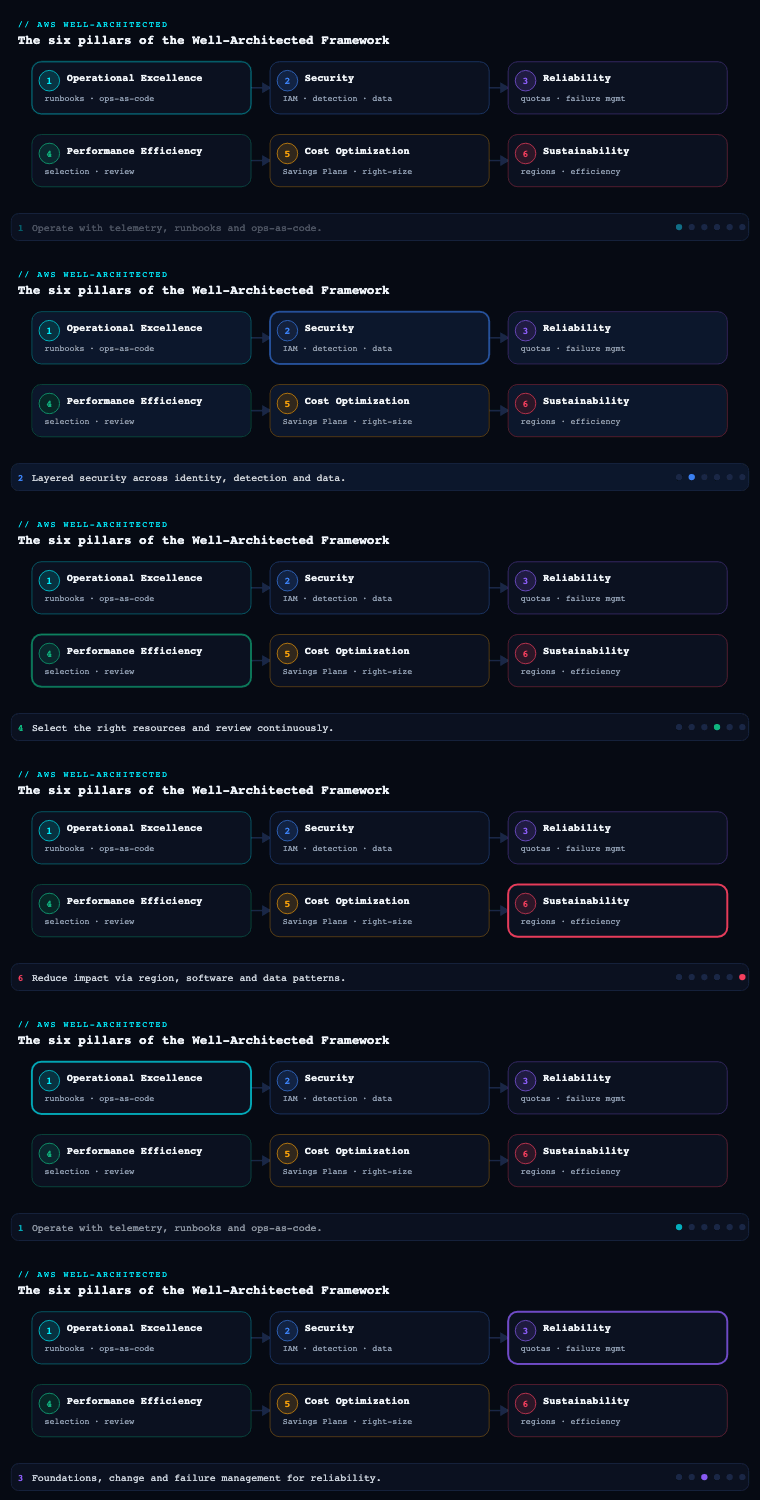
Performance Efficiency is the fourth of the six pillars in the AWS Well-Architected Framework (after Operational Excellence, Security, and Reliability, and before Cost Optimization and Sustainability). Its definition is deceptively simple — use computing resources efficiently to meet requirements, and maintain that efficiency as demand changes and technologies evolve — but it is the pillar where architectural laziness costs you the most, because the cloud removes the old excuses (you can no longer claim you were stuck with the hardware procurement gave you). Its five design principles are: democratize advanced technologies (consume them as managed services rather than building them), go global in minutes, use serverless architectures, experiment more often, and consider mechanical sympathy (choose the technology that best aligns to how your workload actually behaves). The Framework expresses its expectations as five numbered best-practice questions — PERF 1 (architecture selection), PERF 2 (compute), PERF 3 (data management/storage and database), PERF 4 (networking), and PERF 5 (process and culture: review, monitoring, and trade-offs). This article walks each sub-component as you would actually implement it, naming the concrete services, artifacts, benchmarks, and trade-offs.
Architecture selection — compute, storage, database, network (PERF 1–4)
What it is. Architecture selection is the discipline of choosing, for each component of a workload, the resource type and configuration that best fits the workload’s access pattern, data shape, and performance goals — and doing so with evidence rather than habit. In a Well-Architected sense this is PERF 1 (“How do you select the appropriate cloud resources and architecture for your workload?”) decomposed across the four dimensions the cloud gives you near-infinite choice in: compute, storage, database, and network. The principle that ties them together is mechanical sympathy — matching the technology to the physics and behaviour of the workload, not to what the team last used.
Why it matters. Every other pillar inherits these choices. A latency-sensitive API placed on a throughput-optimized instance family, a random-access dataset on a throughput-optimized HDD volume, a key-value workload bolted onto a relational engine with a JOIN it was never designed for — each is a structural performance ceiling no amount of scaling or caching fully papers over. AWS publishes hundreds of instance types, half a dozen EBS volume types, multiple S3 storage classes, and more than fifteen purpose-built database engines precisely because no single resource is right for every job. Selecting well is the single highest-leverage performance decision you make, and it is cheapest to make at design time.
Compute (PERF 2)
How to do it well. Decide first which compute paradigm the workload wants — instances, containers, or functions — then optimize within it.
- Serverless first for event-driven and spiky work. AWS Lambda (with Graviton/
arm64, tuned memory, SnapStart for Java/.NET cold starts, and Provisioned Concurrency only where p99 cold-start matters) removes capacity planning entirely. Fargate gives you containers without managing nodes. Reach for these before you reach for a fleet. - Containers for steady, packable services. Amazon ECS or EKS on EC2 when you need bin-packing density, GPUs, DaemonSets, or per-second-billing nuance Fargate can’t express. Use Karpenter on EKS for just-in-time, right-sized node provisioning across many instance types.
- Instances when you need the metal. Choose the family by bottleneck: general-purpose
M, compute-optimizedC, memory-optimizedR/X, storage-optimizedI/Im4gn(NVMe), acceleratedP/G/Inf/Trn. Prefer Graviton (g-suffixed) instances — typically meaningfully better price-performance for most workloads — and validate with a benchmark rather than assuming x86 parity. - Let data choose the size. Use AWS Compute Optimizer (driven by CloudWatch + memory metrics from the agent) to surface over/under-provisioned instances, Lambda memory, ECS tasks, and EBS volumes. Treat its recommendations as a hypothesis to test, not a command.
| Workload shape | Well-suited compute | Why |
|---|---|---|
| Spiky / event-driven / unpredictable | Lambda (Graviton, SnapStart) | No idle cost, instant scale, zero capacity planning |
| Steady microservices, need density | ECS/EKS on EC2 + Karpenter | Bin-packing, fast right-sized nodes, broad instance choice |
| Stateless containers, ops-light | AWS Fargate | No node management, per-second billing |
| CPU-bound batch / encoding | C-family (Graviton c7g) + Spot |
Best compute price-performance, fault-tolerant |
| In-memory caches, big JVMs, analytics | R/X-family | High memory-to-vCPU ratio |
| ML training / inference | Trn/Inf (Neuron) or P/G (GPU) | Purpose-built accelerators beat general CPU |
Storage (PERF 3, data management)
How to do it well. Match the storage service and tier to the access pattern — sequential vs. random, latency vs. throughput, hot vs. cold, shared vs. attached.
- Object (S3). Default for static assets, data lakes, backups, and media. Choose the storage class by access frequency: S3 Standard (hot), S3 Intelligent-Tiering (unknown/changing patterns — it moves objects automatically), Standard-IA / One Zone-IA (infrequent), Glacier Instant/Flexible/Deep Archive (archival). Use S3 Transfer Acceleration or multipart uploads for large/distant transfers, and S3 Express One Zone for single-digit-millisecond, high-RPS access to hot prefixes.
- Block (EBS). For instance-attached, low-latency block storage. Default to gp3 (you provision IOPS and throughput independently of size — gp2 ties them together and is almost always the wrong default now). Use io2 Block Express for sustained high-IOPS, latency-sensitive databases; st1 (throughput HDD) for big sequential scans; never sc1 for anything random.
- File (EFS / FSx). EFS for shared POSIX access across many instances (with Infrequent Access lifecycle tiering and One Zone for cost); FSx for Lustre for HPC/ML scratch and S3-linked high-throughput; FSx for NetApp ONTAP / Windows File Server / OpenZFS for protocol-specific needs.
- Edge caching. Front S3 and APIs with Amazon CloudFront so reads are served from a Point of Presence near the user, not your origin.
| Storage need | Service / tier | Note |
|---|---|---|
| Static assets, data lake, backups | S3 (class by access) | Intelligent-Tiering when pattern is unknown |
| General DB / boot / app volume | EBS gp3 | Decouple IOPS+throughput from capacity |
| High-IOPS, latency-critical DB | EBS io2 Block Express | Sub-millisecond, consistent IOPS |
| Large sequential scans (logs, big data) | EBS st1 | Throughput-optimized HDD, not for random |
| Shared POSIX across fleet | EFS (+ IA tiering) | Elastic, multi-AZ; One Zone to save cost |
| HPC/ML high-throughput scratch | FSx for Lustre | Links to S3, hundreds of GB/s |
| Ultra-low-latency hot objects | S3 Express One Zone | Single-digit-ms, high request rate |
Database (PERF 3, data management)
How to do it well. Embrace purpose-built databases — pick the engine by data model and query pattern, not by what the org happens to standardize on. Forcing every dataset into one relational engine is the most common and most expensive Performance Efficiency anti-pattern.
- Relational: Amazon Aurora (MySQL/PostgreSQL-compatible, with Aurora Serverless v2 for variable load and Aurora I/O-Optimized for I/O-heavy workloads) or RDS. Offload reads to read replicas; for global read-locality and DR, Aurora Global Database. RDS Proxy pools connections so Lambda/serverless front-ends don’t exhaust the database.
- Key-value / document at scale: Amazon DynamoDB — single-digit-millisecond at any scale, on-demand capacity for unpredictable load, DAX for microsecond reads, and Global Tables for multi-Region active-active. Design the partition key to avoid hot partitions.
- In-memory: ElastiCache (Redis OSS / Valkey / Memcached) or MemoryDB (durable Redis) for caching and microsecond data structures.
- Search / analytics / time-series / ledger / graph: OpenSearch Service (search and log analytics), Redshift (columnar MPP warehouse, with Serverless and Spectrum over S3), Timestream (time-series/IoT), Neptune (graph), QLDB/Aurora for ledger patterns.
- Caching is an architecture choice, not an afterthought. Decide explicitly where to cache: at the edge (CloudFront), in front of the DB (DAX/ElastiCache), and in the application — and define invalidation strategy up front.
| Data / query pattern | Purpose-built service | Why |
|---|---|---|
| Transactional relational, joins | Aurora / RDS (Serverless v2, I/O-Optimized) | ACID, SQL, read replicas, managed |
| Massive key-value, predictable single-digit ms | DynamoDB (+ DAX) | Horizontal scale, on-demand, microsecond cache |
| Hot read cache / sessions | ElastiCache / MemoryDB | In-memory microsecond latency |
| Full-text search, log analytics | OpenSearch Service | Inverted index, aggregations |
| BI / data warehouse | Redshift (Serverless, Spectrum) | Columnar MPP over large datasets + S3 |
| Time-series / IoT telemetry | Timestream | Built-in tiering, time-series functions |
| Connected/graph data | Neptune | Native graph traversal |
Network (PERF 4)
How to do it well. Network choices govern latency, throughput, and jitter — often the dominant term in user-perceived performance.
- Place compute near users and data. Use multiple Regions, multiple Availability Zones, Local Zones for single-digit-millisecond metro latency, Wavelength for 5G/edge, and placement groups (cluster) for low-latency, high-bandwidth inter-node traffic (HPC, distributed training).
- Pick the right instance networking. Enable Enhanced Networking (ENA), use ENA Express (SRD) for higher single-flow throughput and lower tail latency, and EFA for HPC/ML collective communication. Match the instance’s network bandwidth ceiling to the workload.
- Optimize the front door and the path. CloudFront terminates TLS at the edge and caches; AWS Global Accelerator uses the AWS backbone and anycast IPs to cut internet jitter for non-cacheable/TCP/UDP traffic; Route 53 latency- and geolocation-based routing steers users to the nearest healthy endpoint. VPC endpoints / PrivateLink keep traffic off the public internet, and Transit Gateway simplifies high-throughput inter-VPC paths.
- Choose protocols deliberately. HTTP/2 and HTTP/3 (QUIC) on CloudFront, gRPC for internal services, and connection reuse/keep-alive to amortize handshakes.
| Goal | Service / feature | Effect |
|---|---|---|
| Serve users from nearby PoP | CloudFront | Edge caching + TLS termination, lower RTT |
| Reduce jitter for dynamic/TCP/UDP | Global Accelerator | AWS backbone + anycast, faster failover |
| Route to nearest healthy endpoint | Route 53 latency/geo routing | Lower latency, regional steering |
| Metro-low-latency compute | Local Zones / Wavelength | Single-digit-ms to end users |
| High inter-node bandwidth/low tail latency | Cluster placement group + ENA Express/EFA | Tight, fast east-west traffic |
| Private, high-throughput service access | PrivateLink / VPC endpoints / TGW | Off-internet, predictable performance |
Artifacts and decisions. A documented architecture decision record (ADR) per major component capturing the chosen resource, the alternatives considered, and the data/criteria behind the choice; a benchmark harness and results (instance families, volume types, DB engines tested against the real access pattern, not a synthetic one); a caching strategy document; and a load-test report establishing baseline throughput and latency at target load. The recurring decision is evidence over inertia: run a one-day experiment (the cloud makes this nearly free) before committing a workload to a resource for years.
Performance review (PERF 5)
What it is. Performance review is the cultural and procedural mechanism for periodically re-examining your architecture against newer AWS capabilities and your own evolving requirements, then re-validating choices with benchmarks and load tests. It is the answer to “the right choice in 2024 may be the wrong choice in 2026” — AWS ships new instance families, storage tiers, and managed services constantly, and your traffic shape changes underneath you. This is the review half of PERF 5 (“How do you evolve your workload to take advantage of new releases?”).
Why it matters. Performance is not a property you set once; it is a property you sustain. Without a deliberate review cadence, workloads quietly drift into the past: still on gp2, still on x86 when Graviton would be 20–40% cheaper and faster, still on a self-managed cache that a managed service now does better. The gap compounds silently because nothing breaks — the system just costs more and runs slower than it should.
How to do it well. Run review on two clocks. A scheduled cadence (e.g., quarterly) where you conduct an AWS Well-Architected Framework Review (WAFR) using the AWS Well-Architected Tool, focused on the Performance Efficiency pillar, and triage the high-risk items (HRIs) it surfaces. And an event-driven trigger: subscribe to AWS What’s New / release notes and the Personal Health Dashboard, and when a relevant release lands (new instance generation, a new storage class, Aurora feature) you open an experiment. Make the review empirical: maintain a repeatable benchmark and load-test harness so re-validation is a button-press, not a project. Use AWS Compute Optimizer and Trusted Advisor performance checks as standing inputs, and infrastructure as code so that adopting a new instance family is a one-line, reversible change you can canary.
| Review mechanism | Tool / input | Output |
|---|---|---|
| Pillar self-assessment | Well-Architected Tool (WAFR) | Prioritized HRIs + improvement plan |
| Right-sizing signal | Compute Optimizer, Trusted Advisor | Over/under-provisioned findings |
| New-capability awareness | AWS What’s New, release notes, PHD | Candidate experiments |
| Empirical re-validation | Load-test (Distributed Load Testing on AWS) + benchmark harness | Pass/fail vs. SLO at target load |
| Pre-prod safety net | CI/CD canary + IaC | Reversible, measured rollout |
Artifacts and decisions. A completed Well-Architected Tool workload report and its improvement plan; a performance review calendar with owners; a benchmark baseline that every review re-runs; a backlog of adoption experiments tied to specific AWS releases; and an evidence trail (load-test results, before/after metrics) attached to every architecture change. The decision each cycle: which one or two changes have a high enough expected performance/cost return to justify an experiment this quarter.
Monitoring (PERF 5)
What it is. Monitoring is the continuous instrumentation that tells you whether the workload is meeting its performance goals right now, that alerts you before customers feel a regression, and that gives you the evidence to drive every other sub-component. The Framework is explicit: you should monitor performance with active (synthetic) and passive (real-user) telemetry, set thresholds tied to business goals, alarm proactively, and feed the data back into review.
Why it matters. You cannot improve, review, or make a trade-off about what you cannot see. Architecture selection without monitoring is a guess; performance review without monitoring has nothing to review. Crucially, averages lie — a healthy mean latency hides a painful p99. Monitoring at percentiles, end to end (including the network path the customer actually traverses), is what turns “it feels slow” into a precise, actionable signal.
How to do it well. Build a layered observability stack and tie every metric to a goal.
- Metrics. Amazon CloudWatch for service and custom metrics; the CloudWatch agent for memory/disk (which EC2 doesn’t emit by default); Container Insights (EKS/ECS) and Lambda Insights for the compute layer. Watch at percentiles (p50/p90/p99), not just averages, and alarm on anomaly detection rather than only static thresholds.
- Tracing. AWS X-Ray (and CloudWatch / Application Signals, OpenTelemetry-based) to find where latency accrues across distributed calls — the slow database query, the chatty downstream, the cold start.
- Synthetic (active) monitoring. CloudWatch Synthetics canaries continuously exercise critical user journeys and API endpoints from the outside, catching regressions before real users do.
- Real-user (passive) monitoring. CloudWatch RUM captures actual client-side performance (page load, Core Web Vitals) by geography and device.
- SLOs and alarms. Use CloudWatch Application Signals to define SLOs against latency/availability and burn alarms when error budget depletes. Route alarms via EventBridge/SNS to the on-call and, where safe, to auto-remediation.
- Network-layer visibility. VPC Flow Logs, ELB access logs, CloudFront logs, and Global Accelerator metrics to see the path, not just the endpoints.
| Telemetry type | AWS tool | Answers |
|---|---|---|
| Service & custom metrics | CloudWatch (+ agent) | Is each component within its threshold? |
| Compute deep metrics | Container/Lambda Insights | Where is CPU/memory/throttle pressure? |
| Distributed tracing | X-Ray / Application Signals | Which hop is adding latency? |
| Synthetic (active) | CloudWatch Synthetics canaries | Is the journey fast from the outside? |
| Real-user (passive) | CloudWatch RUM | What do real users in each region see? |
| SLO / error budget | Application Signals SLOs | Are we meeting the promise to users? |
Artifacts and decisions. A KPI / SLO catalog mapping each user-facing goal to a metric, threshold, and owner; a set of CloudWatch dashboards per service and an executive latency view; an alarm and escalation runbook; canary and RUM coverage of the top user journeys; and a performance baseline captured under known load that future comparisons measure against. The core decision is what “good” means numerically — e.g., “checkout API p99 < 300 ms at 5,000 RPS” — because an unquantified goal cannot be monitored or defended.
Trade-offs and continuous improvement (PERF 5)
What it is. This sub-component is the explicit, documented practice of acknowledging that performance is never free or absolute: you constantly trade it against consistency, durability, cost, latency, space, and time — and you keep iterating as data and technology change. The Framework calls out classic trade-offs (consistency, durability, space vs. time, latency) and pairs them with the experiment more often and evolve your workload principles. It is the synthesis of the other three: selection sets the starting point, monitoring tells you the truth, review schedules the re-think, and trade-off analysis is how you actually decide.
Why it matters. Naive “make it faster” thinking optimizes one axis and silently degrades another. Adding a cache improves latency but introduces a consistency/invalidation problem. Choosing DynamoDB eventual-consistent reads doubles read throughput per cost but may show stale data. Multi-AZ synchronous replication boosts durability but adds write latency. Precomputation trades storage for speed. A team that doesn’t make these trade-offs explicit makes them accidentally — and is then surprised when “the performance fix” causes a correctness incident.
How to do it well. Treat each trade-off as a decision with stated acceptance criteria, measured both before and after.
- Latency vs. consistency: caches (CloudFront, DAX, ElastiCache), read replicas, and eventual-consistent reads. Decide the staleness budget explicitly and document invalidation.
- Space vs. time (precompute vs. recompute): materialized views, denormalization in DynamoDB, pre-rendered/pre-aggregated data. You pay storage to buy speed — quantify both.
- Durability vs. latency: synchronous vs. asynchronous replication, write quorum settings,
fsyncbehaviour. Pick the weakest durability the use case truly tolerates, no weaker. - Cost vs. performance: Provisioned Concurrency, io2 vs. gp3, over-provisioning headroom. Set a price-performance target, not just a latency target — the cheapest way to hit an SLO usually beats the fastest-at-any-price option.
- Experiment to decide, don’t argue. Use A/B and canary deployments (CodeDeploy, feature flags), game days under synthetic load (Distributed Load Testing on AWS / Fault Injection Service for stress), and the Well-Architected Tool to track the improvement backlog. Every change carries before/after evidence from the monitoring stack.
| Trade-off axis | You gain | You give up | AWS lever |
|---|---|---|---|
| Latency vs. consistency | Speed, read scale | Freshness of data | CloudFront/DAX/ElastiCache, read replicas, eventual reads |
| Space vs. time | Faster reads/queries | Storage + write cost | Materialized views, denormalization, precompute |
| Durability vs. latency | Faster writes | Recovery guarantees | Async replication, relaxed write quorum |
| Cost vs. performance | Lower spend | Headroom / peak speed | gp3 vs io2, on-demand vs provisioned, Graviton, Spot |
| Throughput vs. ordering | Parallelism | Strict ordering | More partitions/shards (Kinesis, DynamoDB, SQS) |
Artifacts and decisions. A trade-off register (each decision: axis, choice, accepted cost, acceptance criteria, evidence); A/B / canary results; an improvement backlog in the Well-Architected Tool ranked by expected return; and a post-change performance comparison for every shipped optimization. The discipline: nothing labelled a “performance improvement” merges without naming what it trades away and proving the net result against the SLO.
Real-world enterprise scenario
StreamForge Media is a fictional video-streaming and live-events platform (~450 engineers, 18 million monthly active users across India, the EU, and the US) whose flagship app is suffering: catalog browse p99 has crept to 1.4 s, live-event start-up stalls during traffic spikes, and the analytics warehouse can’t keep up. Their VP of Engineering commissions a Performance Efficiency review aligned to the AWS Well-Architected Framework, to be delivered over two quarters. Here is what they do for each sub-component.
Architecture selection — compute. A WAFR plus Compute Optimizer reveals a fleet of over-provisioned x86 m5 instances at ~22% average CPU. They migrate stateless services to Graviton m7g/c7g on EKS with Karpenter for just-in-time right-sizing, move the spiky live-event ingest webhooks to Lambda on arm64 (with SnapStart for their Java functions), and shift fault-tolerant transcoding batch to C-family Spot. Average utilization rises to ~58%; cold-start p99 on the webhook path drops from 1.8 s to 240 ms.
Architecture selection — storage. Catalog artwork and HLS segments move to S3 with Intelligent-Tiering; the hot “now playing” segment prefixes go to S3 Express One Zone. Every gp2 volume is converted to gp3 (independently provisioning 6,000 IOPS where needed) and the metadata database moves to io2 Block Express. Origin reads drop sharply once CloudFront (HTTP/3) fronts S3 — origin egress falls ~70%.
Architecture selection — database. The “one big PostgreSQL” is decomposed by access pattern: the user session and viewing-progress store moves to DynamoDB on-demand with DAX (read p99 from 40 ms to under 2 ms) and Global Tables for multi-Region; the transactional billing core moves to Aurora PostgreSQL Serverless v2 (I/O-Optimized) with RDS Proxy in front of Lambda; catalog search moves to OpenSearch Service; and the BI workload moves to Redshift Serverless with Spectrum over the S3 data lake. ElastiCache (Valkey) caches the catalog browse response.
Architecture selection — network. Live-event and API traffic is fronted by AWS Global Accelerator (anycast over the AWS backbone) to cut jitter for non-cacheable streams; Route 53 latency-based routing steers users to the nearest of three Regions; Local Zones in Mumbai and Frankfurt shave metro latency; and inter-service east-west traffic uses PrivateLink plus a cluster placement group with ENA Express for the transcoding pipeline.
Performance review. They establish a quarterly WAFR in the Well-Architected Tool (Performance Efficiency pillar) with named HRI owners, subscribe the platform team to AWS What’s New, and stand up a repeatable load-test harness using Distributed Load Testing on AWS. Compute Optimizer and Trusted Advisor feed a standing right-sizing backlog. Adopting a new instance generation is now a one-line IaC change behind a canary.
Monitoring. They define an SLO catalog (“browse API p99 < 300 ms at 8,000 RPS”, “live start-up p95 < 2 s”) in CloudWatch Application Signals, instrument distributed tracing with X-Ray, add Container Insights and Lambda Insights, deploy CloudWatch Synthetics canaries for the top five journeys, and turn on CloudWatch RUM to see real Core Web Vitals by region. Alarms use anomaly detection and route through EventBridge to PagerDuty.
Trade-offs and continuous improvement. They keep a trade-off register: the catalog cache accepts a 60-second staleness budget (documented invalidation on publish); viewing-progress uses DynamoDB eventual-consistent reads (accepting brief staleness for 2x read throughput) but strong reads on the resume-playback call; billing keeps synchronous Aurora replication (durability over a few ms of write latency). Each optimization ships behind a canary with before/after CloudWatch evidence, and the backlog is ranked by price-performance return in the Well-Architected Tool.
Measurable outcome. Within two quarters: catalog browse p99 falls from 1.4 s to 220 ms; live-event start-up p95 from 4.1 s to 1.6 s; session-store read p99 from 40 ms to under 2 ms (DAX); fleet CPU utilization from 22% to ~58%; and compute price-performance improves roughly 35% on the Graviton-migrated tier — all while the Well-Architected Tool’s Performance Efficiency high-risk items drop from 14 to 1.
Deliverables & checklist
Common pitfalls
- Defaulting to the family you always use. Running everything on general-purpose x86 instances (or one relational engine) ignores the price-performance and fit gains of Graviton, purpose-built databases, and serverless. Fix: select by bottleneck and data shape, and validate the choice with a one-day benchmark before committing.
- Optimizing on averages, then being blindsided by p99. A healthy mean latency routinely hides a tail that drives churn. Fix: define and alarm on percentile-based SLOs (p90/p99), and add synthetic + real-user monitoring so you see the outside-in experience.
- Treating storage tier and volume type as set-and-forget. Leftover
gp2volumes, S3 Standard for cold data, and uncached read paths quietly cost speed and money. Fix: standardize on gp3, use S3 Intelligent-Tiering for unknown patterns, and front read-heavy paths with CloudFront/DAX/ElastiCache. - Adding a cache without owning invalidation. Bolting on a cache to “make it faster” introduces a consistency bug if staleness and invalidation aren’t designed. Fix: record the staleness budget and invalidation strategy in the trade-off register, and use strong reads only where correctness demands them.
- Selecting once and never reviewing. The cloud ships better options constantly; a workload that’s never re-evaluated drifts into the slow, expensive past. Fix: run a quarterly Well-Architected review, subscribe to AWS releases, and keep adoption a reversible, IaC-driven experiment.
- Calling something a “performance improvement” with no evidence. Changes shipped on intuition can regress cost, durability, or a different latency path. Fix: require before/after monitoring data and a named trade-off for every optimization, validated behind a canary.
What’s next
Part 5 of the AWS Well-Architected Framework series turns to the Cost Optimization pillar — practicing cloud financial management, expenditure and usage awareness, selecting cost-effective resources, managing supply against demand, and optimizing over time.