Where this fits
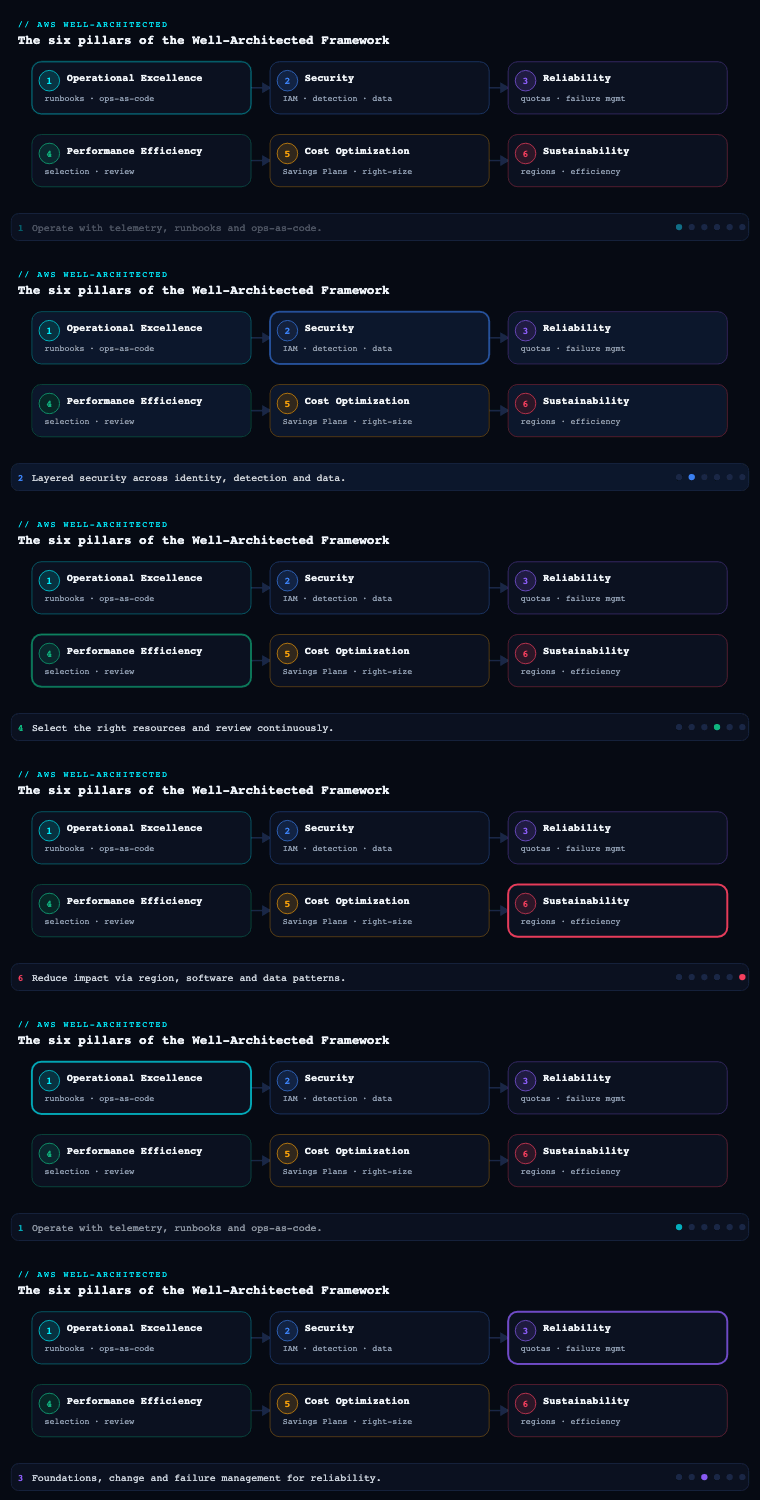
Sustainability is the sixth and newest pillar of the AWS Well-Architected Framework (added in late 2021, after Operational Excellence, Security, Reliability, Performance Efficiency, and Cost Optimization). Its single design goal is to maximize the useful work done per unit of resource consumed so that the carbon, energy, water, and embodied-material footprint of a workload falls over time. AWS frames this through the shared responsibility model for sustainability: AWS is responsible for sustainability of the cloud (efficient data centers, renewable-energy procurement, custom silicon, the path to net-zero), while you are responsible for sustainability in the cloud — the architecture, code, and data choices that govern how much of that infrastructure your workload actually draws on. The pillar decomposes into six improvement areas, each expressed as a numbered best-practice question (SUS 1 through SUS 6): Region selection, alignment to demand (user-behavior patterns), software and architecture patterns, data patterns, hardware patterns, and development and deployment process patterns. This article walks each area as you would implement it in a real AWS estate, naming the concrete metrics, artifacts, and services involved.
Before the six areas, internalize the pillar’s working method, because it is unusual: sustainability is hard to measure directly, so the Framework tells you to establish proxy metrics — energy, or more usefully a business-output-normalized metric such as “watt-hours per 1,000 requests,” “gCO₂e per active user,” or “vCPU-hours per transaction.” You set improvement targets against those proxies, evaluate every change for whether it raises useful work per resource, and treat the sustainability of your demand, data, and deployment as a continuous optimization — not a one-off audit. Keep that “maximize utilization, minimize total provisioned resources, normalize per unit of business value” lens active through every section below.
Region selection (SUS 1)
What it is. Region selection is the decision of where on the planet your workload physically runs, evaluated through a sustainability lens rather than only latency and cost. It maps to SUS 1 (“How do you select Regions for your workload?”). Two Regions running identical infrastructure can have very different carbon footprints because the local electricity grid has a different fuel mix, and because AWS’s renewable-energy matching varies by location.
Why it matters. Region choice is often the single highest-leverage sustainability decision you make, and it is essentially free to get right at design time and painful to change later. The grid carbon intensity of the bulk-power grid that feeds a data center can vary by an order of magnitude between a hydro- or nuclear-heavy grid and a coal-heavy one. Choosing the cleaner Region for a new, latency-insensitive workload can cut its operational emissions dramatically with zero code change.
How to do it well. Start from your hard constraints — data-residency and compliance, the latency your users can tolerate, and which services the workload needs (not every service is in every Region). Within the set of Regions that satisfy those constraints, prefer the one with the lowest grid carbon intensity and the strongest renewable matching. AWS publishes which Regions are powered by a high share of renewable energy and reports on its progress toward powering operations with 100% renewable energy; combine that with public grid-intensity data (e.g., the kind surfaced by Electricity Maps / WattTime) to rank candidates. For new, non-latency-critical work — batch analytics, ML training, async pipelines, dev/test — deliberately place it in a low-carbon Region even if it is not the closest one, since the user-facing latency penalty is irrelevant for asynchronous work. Keep latency-sensitive interactive traffic close to users, but push everything else toward the cleanest viable Region. Re-evaluate periodically: AWS continually brings new renewable projects online, so a Region’s profile improves over time, and your placement assumptions should be revisited.
| Decision input | Where it comes from | How it shapes Region choice |
|---|---|---|
| Data residency / compliance | Legal, GDPR/sovereignty rules | Hard filter — eliminates non-compliant Regions first |
| User latency budget | RUM / synthetic latency tests | Interactive traffic stays near users; async does not |
| Service & feature availability | AWS Regional Services List | Filters Regions lacking required services |
| Grid carbon intensity | Electricity Maps / WattTime, AWS renewable reporting | Rank survivors by gCO₂e/kWh; prefer the cleanest |
| Renewable matching status | AWS Sustainability site, CCFT trend | Prefer Regions AWS reports as renewable-powered |
Artifacts and decisions. A documented Region-selection decision record per workload (constraints considered, candidate Regions, the carbon ranking, and the final choice with rationale); a workload-placement map distinguishing latency-critical from latency-tolerant components; and a policy that new asynchronous/batch workloads default to a designated low-carbon Region. The recurring decision is the trade-off between proximity and grid cleanliness — resolve it by component, not by workload: it is entirely legitimate to serve the API from a near Region while running nightly training jobs in a far, clean one.
Alignment to demand — user-behavior patterns (SUS 2)
What it is. This area is about scaling the resources you provision to match real demand as tightly as possible, and about influencing user and consumer behavior so that demand itself becomes more efficient. It maps to SUS 2 (“How do you take advantage of user-behavior patterns to support your sustainability goals?”). The core insight: every idle resource is pure waste — it consumes energy and embodied carbon while doing zero useful work.
Why it matters. Most environments are provisioned for peak (or peak-times-a-safety-factor) and then run far below that peak the vast majority of the time. The gap between provisioned and used capacity is the largest, most reliably recoverable source of wasted energy in a typical estate. Shrinking it directly raises the “useful work per resource” ratio the whole pillar optimizes for.
How to do it well. Eliminate the idle gap from both sides — supply and demand.
- Match supply to demand dynamically. Use EC2 Auto Scaling (target-tracking and predictive scaling), Application Auto Scaling for ECS/DynamoDB/Aurora, and Karpenter or the Cluster Autoscaler on EKS so capacity tracks load minute by minute instead of sitting at a static high-water mark. Adopt serverless where it fits — Lambda, Fargate, DynamoDB on-demand, Aurora Serverless v2 — so that with no requests there is (close to) no running compute, which is the ideal “scale to zero” behavior for sustainability.
- Stop paying for nights and weekends. Use AWS Instance Scheduler to stop non-production EC2/RDS outside business hours; a dev fleet that runs 50 hours a week instead of 168 cuts its energy roughly 70%.
- Shape the demand, not just serve it. Convert synchronous, always-on patterns into asynchronous, buffered ones: put work behind Amazon SQS / EventBridge and process it in batches, which lets you run fewer, better-utilized instances and shift work to off-peak (and lower-carbon) windows. Apply back-off, retry, and rate-limiting so misbehaving clients don’t generate wasteful load. Reduce the work that ever reaches your origin at all with caching — CloudFront and ElastiCache — and right-size the device experience (don’t push a 4K asset to a phone).
- Decommission ruthlessly. Track utilization with CloudWatch and Compute Optimizer; anything chronically near-idle is a candidate to consolidate, downsize, schedule, or delete.
| Lever | Mechanism | AWS service | Effect on the idle gap |
|---|---|---|---|
| Dynamic scaling | Target-tracking / predictive | EC2 Auto Scaling, Karpenter | Tracks load instead of static peak |
| Scale to zero | Serverless / on-demand | Lambda, Fargate, DynamoDB, Aurora Serverless v2 | Near-zero resource when idle |
| Time-based off | Stop non-prod off-hours | AWS Instance Scheduler | Removes nights/weekends (~70% of week) |
| Demand shaping | Queue + batch + off-peak | SQS, EventBridge, Batch | Fewer, fuller instances; shift to clean hours |
| Demand reduction | Caching, right-sized payloads | CloudFront, ElastiCache | Less origin work per user request |
Artifacts and decisions. A scaling policy per service (metric, target, min/max); a non-production scheduling calendar; a demand-shaping design that names which flows are async and buffered; and a utilization baseline that defines your “idle” threshold. The key decision is your minimum-capacity floor: set it too high and you re-create the idle gap; set it too low and you risk cold-start or scaling lag on real spikes — tune it against measured traffic, not guesses.
Software and architecture patterns (SUS 3)
What it is. This area covers the software-design and architecture choices that determine how much compute, memory, and network a workload needs to deliver a given outcome. It maps to SUS 3 (“How do you take advantage of software and architecture patterns to support your sustainability goals?”). It is the difference between two systems that do the same thing where one needs half the fleet.
Why it matters. Inefficient software taxes every resource underneath it forever. A hot loop that wastes CPU, a chatty service mesh, or an event handler that polls instead of reacts multiplies energy use across every instance and every hour the workload runs. Architecture is where you bank the largest structural efficiency gains — the ones that compound with scale.
How to do it well. Favor event-driven and asynchronous architectures over busy-wait and constant polling: an EventBridge/SQS-triggered Lambda consumes resources only when there is work, whereas a service polling every second burns CPU around the clock for nothing. Decompose monoliths so each component can be scaled and optimized independently — the right-sizing and scale-to-zero levers above only work cleanly on well-separated components. Move work off the synchronous request path: defer, batch, and queue anything the user doesn’t need to wait for. Choose efficient runtimes and algorithms — a workload’s language, framework, and data structures materially change its CPU and memory draw; offload heavy lifting to managed services (let Amazon handle the always-on plumbing of a database, queue, or search cluster at fleet-wide efficiency you can’t match per-workload). Right-size aggressively using AWS Compute Optimizer recommendations, and re-architect chronically over-provisioned services. Where it suits the workload, edge and on-device placement (CloudFront Functions, Lambda@Edge) cuts the round trips and origin compute per request.
| Anti-pattern | Why it wastes | Well-Architected pattern |
|---|---|---|
| Constant polling / busy-wait | Burns CPU with no work to do | Event-driven (EventBridge, SQS, Lambda) |
| Monolith scaled as one block | Must over-provision the whole to satisfy one hot part | Decoupled components scaled independently |
| Synchronous everything | Holds resources while the user waits | Async/queued for anything off the critical path |
| Self-managed always-on infra | Per-workload idle plumbing | Managed services at fleet-wide efficiency |
| Static, over-sized instances | Pays energy for headroom never used | Compute Optimizer-driven right-sizing |
Artifacts and decisions. An architecture decision record per major component justifying the synchronous-vs-async and managed-vs-self-managed choices on efficiency grounds; a Compute Optimizer right-sizing backlog; and a list of identified hot paths with their optimization status. The central decision is where to spend complexity: event-driven and decoupled designs are more efficient but harder to operate, so apply them where the resource savings (and scale) justify the added moving parts.
Data patterns (SUS 4)
What it is. This area covers how you classify, store, move, and retain data so that you keep the minimum data on the minimum-footprint medium for the minimum necessary time. It maps to SUS 4 (“How do you take advantage of data access and usage patterns to support your sustainability goals?”). Storage looks cheap and inert, but every byte you keep occupies a spinning disk or flash cell, gets replicated, gets backed up, and gets copied across networks — all of which consume energy indefinitely.
Why it matters. Data is the silent, ever-growing footprint. Unlike compute, which scales down when idle, stored data keeps consuming until you actively remove or demote it. Untiered logs, forgotten snapshots, duplicate datasets, and over-replicated archives quietly accumulate into one of the largest avoidable footprints in a mature estate.
How to do it well. Treat data lifecycle as a first-class sustainability control.
- Tier automatically by access pattern. Use S3 Lifecycle policies and S3 Intelligent-Tiering to move objects from Standard to Infrequent Access to Glacier Instant/Flexible Retrieval to Glacier Deep Archive as they cool. Colder tiers sit on lower-energy media, so matching the tier to real access frequency cuts the footprint of the same data.
- Set retention and actually delete. Define retention per data class and enforce it — S3 Lifecycle expiration, CloudWatch Logs and CloudTrail retention windows, DynamoDB TTL, and scheduled cleanup of orphaned EBS/RDS snapshots and unattached EBS volumes. Deleting data you are not required to keep is the cleanest possible win.
- Don’t move or duplicate more than you must. Minimize cross-Region replication and redundant copies to only what reliability and compliance genuinely require — every replica is a second full footprint. Use compression and efficient formats (columnar Parquet/ORC for analytics) so the same information occupies fewer bytes on disk and on the wire, and so query engines like Athena scan less data per query.
- Right-size durability and protection to the data’s value. Not everything needs maximum-redundancy storage or daily backups; align replication and backup frequency (managed via AWS Backup) to each dataset’s actual criticality.
- Find what you’ve forgotten. Use Storage Lens to surface cold, stale, and non-current-version data across the estate, and act on it.
| Data class | Access pattern | Target medium | Sustainability lever |
|---|---|---|---|
| Hot transactional | Frequent, low-latency | S3 Standard / DynamoDB / SSD | Keep small, cache, compress |
| Warm / occasional | Periodic | S3 IA / Intelligent-Tiering | Auto-tier on access frequency |
| Cold archive | Rare, recovery-only | Glacier Flexible / Deep Archive | Lowest-energy medium |
| Logs / telemetry | Decaying value | CloudWatch Logs + S3 + expiry | Retention + delete, don’t hoard |
| Analytics | Scan-heavy | Parquet/ORC in S3 + Athena | Columnar + compression = less scanned |
Artifacts and decisions. A data classification and retention matrix mapping each class to a storage tier and a deletion rule; lifecycle policies as code; a Storage Lens dashboard with a recurring cold-data review; and a replication/backup policy justified per dataset. The key decision is retention duration — anchor it to the actual legal/business requirement, not to “keep everything forever just in case,” because the default of infinite retention is the most expensive sustainability anti-pattern in storage.
Hardware patterns (SUS 5)
What it is. This area is about choosing the most efficient underlying hardware for the work and using the least of it — picking instance types and accelerators whose performance-per-watt is highest, and minimizing the total devices you provision. It maps to SUS 5 (“How do your hardware management and usage practices support your sustainability goals?”). It also accounts for embodied carbon — the emissions baked into manufacturing the hardware — which you amortize better by using fewer devices at higher utilization.
Why it matters. The same workload on a more efficient processor draws materially less energy for the same result, and AWS’s custom silicon offers some of the best performance-per-watt available. Beyond energy, minimizing the count of physical devices reduces the embodied-carbon share of your footprint, since manufacturing emissions are fixed per device and only get amortized through high utilization and long, effective use.
How to do it well. Migrate compute to AWS Graviton (Arm-based) instances wherever the workload supports it — Graviton consistently delivers better performance-per-watt (AWS cites large energy-efficiency gains versus comparable x86 instances), and most managed services (Lambda, Fargate, RDS, ElastiCache, OpenSearch, EMR) offer a Graviton option, so the migration is frequently a configuration change plus a recompile/test pass. For ML, use purpose-built accelerators — AWS Trainium for training and AWS Inferentia for inference — which are designed for far higher throughput-per-watt than running the same models on general-purpose GPUs, and which let you do more ML work for the same energy. Use the newest instance generation for a given family, since each generation typically improves efficiency. Maximize utilization through bin-packing (consolidate workloads onto fewer, fuller hosts with ECS/EKS and Karpenter, which actively consolidates underutilized nodes), and prefer managed services so AWS runs the hardware at fleet-wide utilization you cannot reach in a single-tenant fleet. Use Spot capacity for fault-tolerant work to consume otherwise-idle pooled capacity efficiently. Right-size with Compute Optimizer, including its recommendations to move to Graviton.
| Workload | Less efficient default | Efficient hardware choice | Why it’s better |
|---|---|---|---|
| General compute / web / microservices | x86 (Intel/AMD) | AWS Graviton (Arm) | Higher performance-per-watt; lower energy per request |
| ML training | General-purpose GPU | AWS Trainium | Purpose-built throughput-per-watt for training |
| ML inference | General-purpose GPU | AWS Inferentia | Far better inferences-per-watt at scale |
| Fragmented small instances | Many under-used hosts | Bin-pack via Karpenter / ECS | Fewer devices; better embodied-carbon amortization |
| Fault-tolerant batch | On-demand only | Spot | Uses pooled idle capacity efficiently |
Artifacts and decisions. A hardware-migration plan (which services move to Graviton, in what order, with the compatibility/test gate); an ML accelerator decision for training vs inference; a utilization target per cluster with a bin-packing strategy; and a “newest-generation by default” instance policy. The core decision is the Graviton migration trade-off: the efficiency win is large, but it requires validating Arm compatibility for native dependencies — prioritize the high-volume, long-running services where the per-watt savings compound, and stage the migration behind tests.
Development and deployment process patterns (SUS 6)
What it is. This area covers the process by which you build, test, and operate the workload — keeping development and operational overhead lean, adopting efficiency improvements quickly, and measuring the sustainability impact of changes. It maps to SUS 6 (“How do your development and deployment processes support your sustainability goals?”). The principle: the pipeline, the test estate, and the unused features are part of the footprint too.
Why it matters. A surprising share of cloud energy goes to non-production — sprawling dev/test/staging environments, build farms that idle between commits, redundant pre-production copies, and stale resources nobody owns. And the speed at which you can ship matters for sustainability: if adopting a more efficient instance type, runtime, or service takes six months of manual change, you forgo months of savings. Automation and a tight feedback loop turn efficiency from a project into a habit.
How to do it well. Keep non-production small and ephemeral — spin environments up on demand and tear them down after use (Infrastructure as Code with CloudFormation/AWS CDK/Terraform, ephemeral preview environments, Instance Scheduler on what must persist) rather than running full-time clones of production. Build on managed CI/CD (CodePipeline / CodeBuild or your platform) so the build fleet itself scales to demand instead of idling. Adopt new efficient technologies fast by keeping the path to change short: automated tests, canary/blue-green deploys, and IaC let you roll out a Graviton move or a runtime upgrade safely and quickly. Measure the impact of changes against your proxy metrics, and crucially, use the AWS Customer Carbon Footprint Tool (CCFT) in the Billing console to track your estate’s estimated emissions over time and validate that your optimizations actually move the number — close the loop so sustainability decisions are evidence-based, not assumed. Reduce unused surface area: retire features, environments, and resources that no longer earn their footprint, and feed utilization data (CloudWatch, Compute Optimizer, Storage Lens) back into the backlog as recurring sustainability work.
| Process lever | Anti-pattern | Well-Architected pattern | AWS support |
|---|---|---|---|
| Non-prod environments | Full-time prod clones | Ephemeral, on-demand, scheduled-off | IaC (CDK/CFN), Instance Scheduler |
| Build infrastructure | Always-on build servers | Demand-scaled managed CI/CD | CodeBuild / CodePipeline |
| Adopting efficiency gains | Slow, manual, risky rollouts | Fast, tested, canary/blue-green | Deploy pipelines, automated tests |
| Knowing if it worked | Assume savings | Measure emissions trend | Customer Carbon Footprint Tool |
| Unused surface area | Accumulates silently | Periodic retirement of stale resources | CloudWatch, Compute Optimizer, Storage Lens |
Artifacts and decisions. An IaC standard mandating ephemeral non-production; a CCFT-based emissions trend report reviewed on a regular cadence; a sustainability backlog fed by utilization/right-sizing findings; and a definition-of-done that includes the proxy-metric impact of significant changes. The key decision is what to measure as your business-output proxy — pick a normalized KPI (e.g., gCO₂e or watt-hours per 1,000 requests or per active user) that ties resource use to value delivered, so growth in usage doesn’t masquerade as a sustainability regression.
Real-world enterprise scenario
StreamForge Media is a fictional ad-supported video-streaming company: ~12 million monthly active users, a 60-engineer platform org across four teams, and a workload that includes a customer-facing API, a video-transcoding pipeline, a recommendations ML system, and a large analytics/data-lake estate. They run primarily in us-east-1 for historical reasons, with everything (prod, staging, dev, and the build farm) provisioned for peak and running 24/7. A board-level ESG commitment to cut operational emissions per active user by 40% within a year forces them to apply the Sustainability pillar end to end. They begin by enabling the Customer Carbon Footprint Tool to set a baseline and defining a proxy KPI: gCO₂e per 1,000 minutes streamed.
Region selection. They keep the latency-sensitive streaming API and CDN origin near users, but audit their asynchronous workloads — nightly transcoding, recommendation-model training, and the analytics batch layer — none of which are latency-critical. Cross-referencing AWS renewable-Region reporting with grid-intensity data, they relocate transcoding, ML training, and the data-lake batch jobs to a lower-carbon Region, capturing a large operational-emissions cut on those components with no user-facing latency change. They record a Region-selection decision per workload and set a policy that new async/batch services default to the clean Region.
Alignment to demand (user-behavior). Their fleet was sized for prime-time peak and ran flat all day. They move the API to EC2 Auto Scaling with predictive scaling, put the transcoding workers on AWS Batch with Spot, and schedule all non-production with AWS Instance Scheduler (dev/staging now run ~50 hrs/week, not 168). They convert transcoding from synchronous-on-upload to SQS-buffered batch processed in off-peak, lower-carbon windows, and push more delivery to CloudFront to cut origin work. Idle gap on the API fleet drops from roughly 65% to under 20%.
Software and architecture. A profiling pass finds a recommendations service polling a feature store every second; they re-architect it to EventBridge-driven updates, eliminating constant idle CPU. They decompose the transcoding monolith so each stage scales independently and offload session/state to managed ElastiCache and DynamoDB instead of self-managed always-on instances. Compute Optimizer drives a right-sizing pass across 40+ over-provisioned services.
Data patterns. The data lake had years of un-tiered logs and orphaned snapshots. They apply S3 Intelligent-Tiering and Lifecycle rules (Standard → IA → Glacier Deep Archive), set CloudWatch Logs and CloudTrail retention windows, add DynamoDB TTL on ephemeral tables, and script cleanup of unattached EBS volumes and stale RDS snapshots. They convert analytics datasets to Parquet so Athena scans far less per query. Storage Lens surfaces 300+ TB of cold, non-current data they expire. Total stored footprint falls sharply.
Hardware patterns. They migrate the API, ElastiCache, RDS, and Lambda functions to AWS Graviton, validated behind their test suite, for a substantial per-request energy reduction. ML training moves to AWS Trainium and inference to AWS Inferentia, doing the same ML work at far better throughput-per-watt. Karpenter bin-packs the EKS fleet onto fewer, fuller Graviton nodes, improving embodied-carbon amortization, and a “newest-generation by default” policy is adopted.
Development and deployment. Non-production becomes ephemeral: PR preview environments spin up via AWS CDK and tear down on merge, replacing three full-time staging clones. Builds move to demand-scaled CodeBuild. Blue-green pipelines let them roll out the Graviton and runtime changes in weeks, not quarters. The Customer Carbon Footprint Tool trend, reviewed monthly, confirms the savings are real, and right-sizing findings feed a standing sustainability backlog.
Measurable outcome. Within the year: gCO₂e per 1,000 minutes streamed falls 47% (beating the 40% target); API fleet idle drops from ~65% to <20%; ~60% of compute now runs on Graviton/Trainium/Inferentia; stored data footprint down ~35% after expiring 300+ TB of cold data and tiering the rest; non-production energy down ~70% from scheduling and ephemeral environments; and — a co-benefit — the AWS bill falls by a low-seven-figure annual sum, since nearly every sustainability move (less idle, fewer/efficient instances, less stored data) is also a cost move.
Deliverables & checklist
Common pitfalls
- Optimizing everything except Region. Teams tune code and instances while ignoring the single highest-leverage choice — where the workload runs. Fix: at design time, place every latency-tolerant component in the cleanest viable Region; it is free carbon savings you can never recover as cheaply later.
- Provisioning for peak and leaving it there. A fleet sized for prime-time that runs flat 24/7 wastes most of its energy on idle headroom. Fix: dynamic scaling, scale-to-zero serverless, and off-hours scheduling so capacity tracks real demand — the largest reliably recoverable footprint in any estate.
- Treating storage as free and infinite. “Keep everything forever just in case” silently grows into one of the biggest avoidable footprints. Fix: a classification + retention matrix, automatic tiering to Glacier, real deletion rules, and a recurring Storage Lens cold-data sweep.
- Mistaking cost for the only signal. Cost and carbon usually move together, but not always (a clean far Region may cost more than a dirty near one). Fix: measure emissions explicitly with the Customer Carbon Footprint Tool against a normalized KPI, so sustainability is decided on its own evidence — not assumed from the bill.
- Forgetting non-production and pipelines. Full-time staging clones and always-on build farms are pure overhead that no user ever touches. Fix: ephemeral IaC environments, demand-scaled CI/CD, and scheduling — non-production should be a fraction of production’s footprint, not a mirror of it.
- Skipping the Graviton/accelerator migration as “too much effort.” Staying on general-purpose x86/GPU forgoes the largest per-watt hardware wins available. Fix: stage a tested migration to Graviton for high-volume services and to Trainium/Inferentia for ML, prioritizing the long-running workloads where per-watt savings compound.
What’s next
This concludes the AWS Well-Architected Framework series: with Sustainability covered alongside Operational Excellence, Security, Reliability, Performance Efficiency, and Cost Optimization, the next step is to run the AWS Well-Architected Tool review across all six pillars to turn these practices into a prioritized, tracked improvement plan for your own workloads.