Migration ends with a victory email; operations begins the morning after, and never stops. Once workloads are live in your landing zones, the question stops being can we move it and becomes can we keep it healthy, recoverable, compliant, and on-budget — at 3 a.m., on a public holiday, while two unrelated changes are in flight. The Cloud Adoption Framework’s Manage methodology is the answer to that question. It is the discipline that turns a pile of running resources into an operated estate: one with a defined floor of operational quality applied to everything (the management baseline), explicit promises to the business graded by how much each workload matters (business commitments), and a deliberate, maturing operating model that knows exactly which problems belong to the central platform team and which belong to the people who own each app (platform vs workload operations). This article goes deep on how Manage actually works in practice, and on the Azure services — Azure Monitor, Azure Policy, Update Manager, Backup, Site Recovery, and the Azure Monitor Baseline Alerts (AMBA) accelerator — that make it real at enterprise scale.
Where this fits
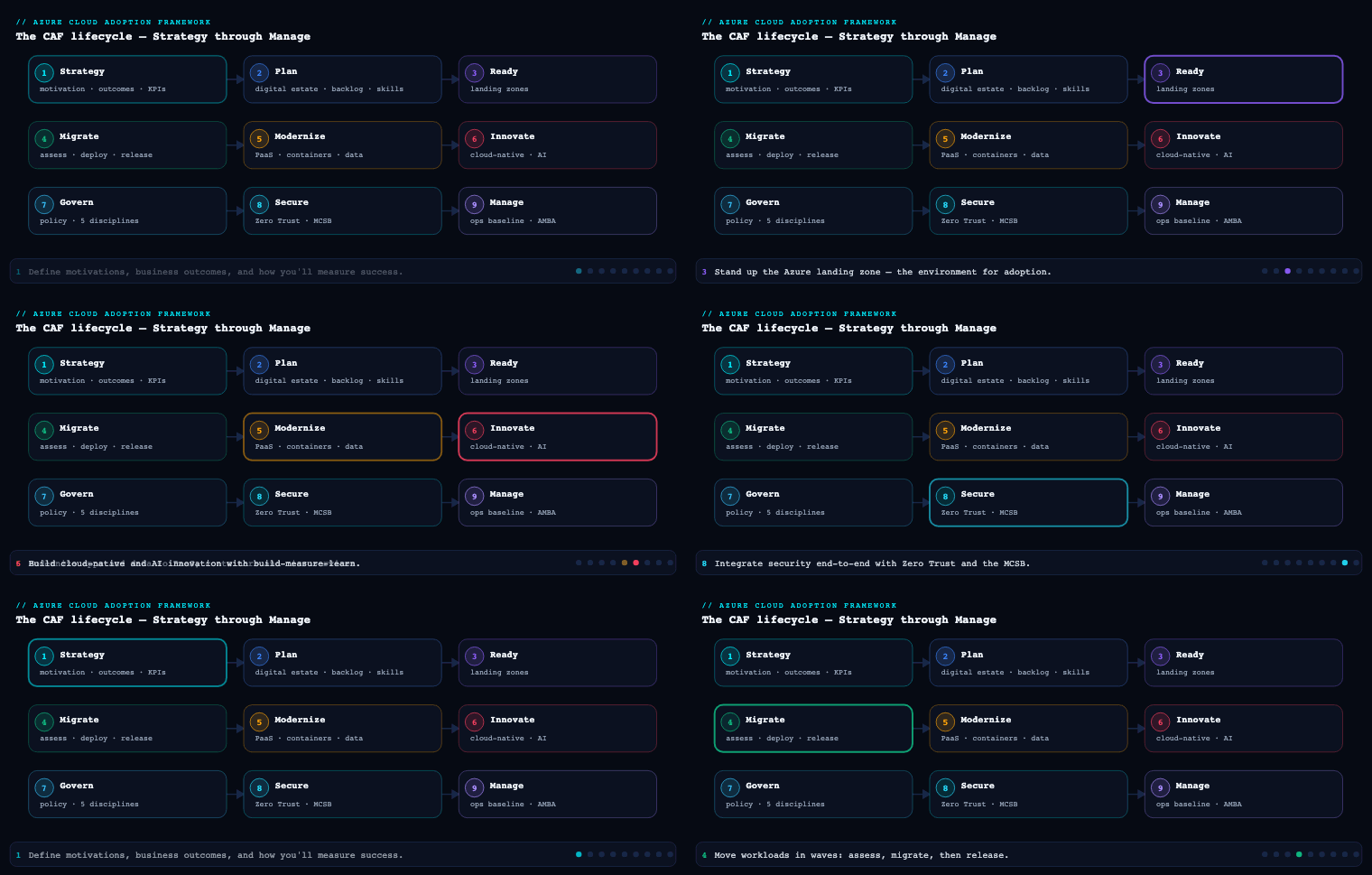
Manage is the operational methodology of the Cloud Adoption Framework, sitting after Migrate/Innovate (you have workloads in production) and running in a permanent loop alongside Govern and Secure for the entire life of the estate — Govern sets the guardrails, Secure defends the perimeter, and Manage keeps the lights on, the data recoverable, and the business’s reliability promises honoured. Microsoft organises Manage around the RAMP model — Ready your operations, Administer the estate, Monitor its health, and Protect it from disruption — and this article works through that model with the lens the prompt demands: the baseline you apply everywhere, the commitments you grade by criticality, the maturity you grow into, the AMBA accelerator that operationalises monitoring, and the platform/workload split that decides who owns what.
The management baseline
The management baseline is the single most load-bearing idea in Manage. It is the minimum set of operational tooling, configuration, and process applied to every resource in the estate by default — the floor of operational quality below which nothing is allowed to run in production. A workload can ask for more (a tier-1 trading system will), but it can never run with less. The baseline exists so that operational quality is a property of the platform, not a heroic act performed per workload by whoever happened to deploy it. Without it, every team reinvents backup, patching, and alerting at a different level of competence, and your weakest team sets your real risk profile.
CAF expresses the management baseline as three disciplines, each answering a different operational failure mode. They map cleanly onto Azure services, and the whole point is that they are enforced centrally — via Azure Policy at the management-group level — rather than left to good intentions.
| Discipline | The failure it prevents | Core question | Primary Azure services |
|---|---|---|---|
| Inventory & visibility | “We didn’t know that resource existed / was unhealthy.” | What do we have, and is it healthy right now? | Azure Monitor, Log Analytics workspace, Azure Resource Graph, Azure Service Health, Azure Resource Health, Change Tracking & Inventory, Azure Arc |
| Operational compliance | “It drifted / it was unpatched / it was misconfigured.” | Is every resource patched and in its desired state? | Azure Update Manager, Azure Machine Configuration, Azure Policy, Change Analysis |
| Protect & recover | “We lost data / couldn’t recover when it failed.” | If this dies, can we get it back inside the agreed window? | Azure Backup, Azure Site Recovery, Microsoft Defender for Cloud, native PaaS backup/replication |
Inventory and visibility is the bedrock — you cannot operate what you cannot see. The concrete pattern is one (or a small number of) Log Analytics workspace(s) as the central telemetry store, fed by diagnostic settings and data collection rules (DCRs) that route platform logs, resource logs, and metrics from every subscription. You enforce collection with Azure Policy (DeployIfNotExists policies that turn on diagnostics and install the Azure Monitor Agent on every VM), you query the live estate with Azure Resource Graph, you watch the platform underneath you with Azure Service Health and individual resources with Azure Resource Health, and you reach non-Azure machines (on-prem, other clouds, edge) by projecting them into Azure with Azure Arc so they land in the same workspace and the same alerts. The artifact here is a documented Log Analytics workspace design (how many workspaces, in which regions, with what retention and access boundaries — driven by data residency, RBAC, and SecOps requirements).
Operational compliance keeps resources in their intended state over time. The two enemies are missing patches and configuration drift. For patching you standardise on Azure Update Manager (the successor to the retired Automation Update Management) to assess and schedule OS updates across Azure and Arc-enabled servers on maintenance windows. For desired-state configuration you use Azure Machine Configuration (formerly Guest Configuration) to audit or enforce in-guest OS settings as code. For drift at the resource level you lean on Azure Policy (Audit, Deny, DenyAction, auditIfNotExists) plus Change Analysis to detect what changed and why. The baseline decision is which of these run in audit-only mode versus enforce mode, and on which management-group scopes.
Protect and recover is the discipline that earns its keep on your worst day. The baseline mandates a default protection posture: Azure Backup for IaaS VMs and on-prem data, native backup for PaaS (Azure SQL Database point-in-time restore, Cosmos DB continuous backup, Blob soft-delete + versioning), Azure Site Recovery for VM-based BCDR, and Microsoft Defender for Cloud to baseline secure configuration. Crucially, the level of protection here is the floor — it gets ratcheted up by the business commitments we define next. The artifact is a protection standard: every VM is backed up by default with a defined retention; every datastore has soft-delete; nothing reaches production without a recovery path.
The deliverable of this whole section is a written management baseline plus the Azure Policy initiative(s) that enforce it, assigned at the right management-group scope so that enrolment is automatic — a new subscription inherits backup, patching, diagnostics, and alerting the moment it joins the hierarchy, with zero per-team effort.
Defining business commitments by criticality and impact
A management baseline gives every workload a uniform floor. But a payroll run, a marketing microsite, and a real-time payments gateway do not deserve the same operational investment — and pretending they do either bankrupts you (gold-plating the microsite) or burns you (under-protecting payments). Business commitments are the mechanism that grades operational investment to business value: you classify each workload by criticality and impact, then translate that classification into concrete, measurable reliability and recovery promises — SLO, RTO, RPO — that drive architecture and cost. This is the conversation that converts “the business wants 100% uptime” (which nobody will fund) into “this workload is medium priority, so 99.9% / 43 minutes a month / active-passive across two regions, and here’s what that costs.”
The starting move is a criticality classification for every workload, agreed with the business — not assigned by engineers guessing. CAF’s reliability guidance crystallises this into priority tiers; the practical enterprise pattern (used by Azure Mission-Critical and most large estates) is a small, named ladder so people stop arguing about adjectives:
| Criticality class | Business impact if down | Typical uptime SLO | Architecture implication |
|---|---|---|---|
| Mission-critical (High) | Immediate, severe hit to revenue or reputation; regulatory or safety exposure | 99.99% | Multi-region, active-active, multiple AZs, synchronous cross-region replication |
| Business-critical / Unit-critical | Significant impact to a business unit; measurable revenue/reputation effect | 99.9% | Multi-region active-passive, multiple AZs, async replication |
| Medium (default) | Noticeable but bounded impact; the sensible default for most line-of-business apps | 99.9% | Zone-redundant single region, async backups |
| Low | Negligible impact; extended downtime tolerable | 99% | Single region, zone redundancy, restore-from-backup |
| Unsupported / Dev-test | No production impact | None / best effort | Single instance, no DR commitment |
Two business-value inputs sharpen the classification beyond a gut feel. Cost of downtime quantifies what an hour of outage costs in lost revenue, SLA penalties, and remediation labour — it justifies (or refuses) the spend on redundancy. Importance of data loss quantifies the pain of losing the last N minutes of writes — it drives RPO and backup frequency. A workload can be cheap to lose for an hour (low cost of downtime → relaxed RTO) but catastrophic to lose data from (high importance of loss → tight RPO); the two dimensions are independent and you size each separately.
You then translate criticality into the three numbers that actually shape the build:
- SLO (Service-Level Objective) — the target availability you commit to (e.g., 99.99%). This is your internal target; it should be stricter than any external SLA you publish so you have headroom. It dictates redundancy, region count, and load-balancing topology.
- RTO (Recovery Time Objective) — the maximum time a workload can be down. CAF gives a concrete method: take your annual downtime allowance, estimate failures per year, and divide. A 99.99% SLO allows ~52 minutes of downtime per year; if you expect four failures a year, your RTO must be 13 minutes or less (52 ÷ 4), and you must test that you actually recover that fast.
- RPO (Recovery Point Objective) — the maximum data you can lose, expressed in time (e.g., 5 minutes). It sets replication mode and backup cadence: a 5-minute RPO needs near-continuous replication, not nightly backups.
The exact downtime budgets are worth committing to memory, because business stakeholders consistently underestimate how little “a few nines” buys you, and how steep the cost curve gets near the top:
| Uptime SLO | Max downtime / month | Max downtime / year | Typical redundancy & cost posture |
|---|---|---|---|
| 99% | ~7.2 hours | ~3.65 days | Single region, AZ redundancy — low cost |
| 99.9% | ~43.2 minutes | ~8.76 hours | Two regions active-passive, async replication |
| 99.95% | ~21.6 minutes | ~4.38 hours | Active-passive with faster failover |
| 99.99% | ~4.32 minutes | ~52.6 minutes | Multi-region active-active, synchronous replication — high cost |
A subtlety teams miss: your SLO is only credible if your architecture’s composite SLA can meet it. CAF makes you calculate it. Multiply the SLAs of every service on the critical path (N = S1 × S2 × S3 …); use the independent-path formula where a component can fail without taking the workload down (S1 × (1 − [(1 − S2) × (1 − S3)])); and for multi-region, M = 1 − (1 − N)^R. If the maths falls short of the SLO, you either raise service tiers (some SKUs carry higher SLAs and AZ-aware SLAs) or add redundancy — and recalculate. Promising 99.99% on a single-region stack whose composite SLA is 99.9% is writing a cheque the architecture can’t cash.
The deliverables of this section are a workload criticality register (every workload tagged with its class, cost-of-downtime, and importance-of-loss), a reliability requirements matrix (SLO/RTO/RPO per workload), and the composite-SLA calculations that prove each architecture can meet its commitment — all of which feed directly into how aggressively you turn up the management baseline’s protect-and-recover settings for that workload.
The operations baseline and operations maturity
If the management baseline is the floor of tooling and configuration, the operations baseline is the floor of practice — the people, processes, and documented procedures that turn telemetry and tooling into reliable day-to-day operation. It is the answer to “we have all the dashboards and policies, but who looks at them, who responds, and how?” CAF’s RAMP “Ready” stage is largely about standing this up: defining the operating model, assigning responsibilities, and documenting operations so a crisis at 3 a.m. is met with a runbook rather than improvisation.
The operations baseline has a few non-negotiable components:
- A cloud operating model, chosen deliberately: centralized (one team does everything — fine for a small footprint), shared management (a central platform team owns cross-cutting concerns; workload teams own their apps — the enterprise default), or decentralized (autonomous teams — high maturity, high autonomy). The choice drives everything downstream.
- Documented operational procedures — the overarching processes for change management (change is the leading cause of cloud incidents, so a risk-tiered request/approval/rollback process is mandatory), release management (standardised, IaC-driven deployments and environment promotion), and disaster recovery / business continuity (tested failover and failback plans matched to each workload’s RTO/RPO).
- Operational guides — runbooks and playbooks — step-by-step procedures for recurring tasks (high-CPU scale-up, failover/failback, blue-green deployment, backup restoration), stored in a central repository accessible to on-call engineers, with IaC embedded so the fix is reproducible.
- Continuous support and automation — 24×7 coverage (follow-the-sun or on-call rotations), automated alerting wired to the right people, and aggressive automation of repetitive toil (Azure Logic Apps to auto-approve low-risk changes or auto-remediate, ITSM integration so Azure Monitor and Service Health auto-raise tickets).
Where this gets strategic is operations maturity — the recognition that you do not arrive at full operational excellence on day one, and you shouldn’t try to. Maturity is a deliberate progression, and a useful way to frame it (consistent with CAF’s “improve operations” guidance and the Well-Architected Operational Excellence pillar) is a ladder you climb workload by workload and capability by capability:
| Maturity level | Posture | Characteristics | Typical tooling state |
|---|---|---|---|
| Reactive | Fight fires | No baseline; alerts are noise or absent; recovery is ad-hoc; tribal knowledge | Portal-clicked resources, scattered or no diagnostics |
| Standardized (baseline) | Floor in place | Management baseline enforced via policy; backup/patch/diagnostics by default; documented runbooks | Central Log Analytics, AMBA alerts, Update Manager, Azure Backup |
| Proactive | Catch before customers do | SLO/RTO/RPO defined and measured; dynamic-threshold and predictive alerting; weekly ops reviews; drift detection | SLIs tracked, dashboards/workbooks, Change Analysis, dynamic thresholds |
| Optimized | Self-healing & continuously improving | Auto-remediation, chaos testing, error budgets driving change velocity, tech-debt actively retired | Logic Apps remediation, Chaos Studio, health modelling, full IaC |
Two principles keep maturity honest. First, maturity is uneven by design — your payments gateway should be Optimized while an internal wiki sits happily at Standardized; spending Optimized-level effort on a Low-criticality app is waste. Maturity investment is graded by the same criticality classification from the business-commitments section. Second, maturity is measured and reviewed: weekly operational reviews discuss key metrics, recent incidents, deployed changes, and upcoming risks; you actively hunt resource sprawl and technical debt; and you feed lessons from every incident back into the runbooks. The deliverables are a documented operating model, a runbook/playbook library, a RACI for operational responsibilities, and a maturity assessment that says, per workload, where you are and where you’re going.
Azure Monitor Baseline Alerts (AMBA)
A management baseline that says “alert on the important things” is worthless until someone defines which metrics, at what thresholds, on which resource types — across hundreds of subscriptions. Hand-building that is the operational equivalent of hand-copying a book: slow, inconsistent, and obsolete the moment a new subscription appears. Azure Monitor Baseline Alerts (AMBA) is Microsoft’s open-source answer. It is a curated, Microsoft-recommended catalogue of metric, log, activity-log, and resource-health alerts — with baseline thresholds already chosen — for the resource types commonly found in Azure landing zones, plus the machinery to deploy them at scale via Azure Policy. It is the reference implementation of the inventory-and-visibility discipline’s alerting layer, and it is the fastest way to go from “no alerts” to “a defensible, opinionated alerting baseline” across the whole estate.
The flagship is the AMBA-ALZ pattern, designed to drop onto the Azure Landing Zone management-group hierarchy. Its mechanics are what make it powerful, and they are worth understanding rather than treating as a black box:
- Policy-driven deployment. AMBA-ALZ ships alerts as Azure Policy initiatives built from
DeployIfNotExistspolicies. You assign an initiative at a management-group scope; the policy engine then creates the alert rules on in-scope (and future) resources automatically. Because it is policy, coverage is continuous — a new VM or Key Vault deployed next month inherits its alerts without anyone touching it. You apply alerts to existing resources by running remediation tasks. - Initiatives aligned to the ALZ hierarchy. The alerts are bundled into initiatives that map to the landing-zone management groups: a Connectivity initiative (ExpressRoute circuits/gateways/ports, Azure Firewall, Application Gateway, Load Balancer, VPN gateways, VNets, Private DNS zones) assigned to the Connectivity MG; an Identity initiative; a Management initiative (Log Analytics workspace, backup, automation); a Service Health initiative; a VM/compute initiative (VMs and VM Scale Sets); and a dedicated Notification Assets initiative that deploys the alert-routing plumbing.
- Action groups and alert processing rules, deployed by policy. A generic action group and an alert processing rule (APR) are deployed to every in-scope subscription via policy, so every alert has somewhere to go. The destination email is supplied through the
_ALZMonitorActionGroupEmailtag on the relevant management group — set the tag, and the policy wires notifications to that address. Service Health alerts get their own secondary action group. This keeps routing declarative and consistent instead of hand-configured per resource. - Multiple deployment methods. AMBA-ALZ is delivered via the Azure Portal (a guided UI deployment), Bicep, and Terraform (using Azure Verified Modules), as well as Azure CLI/PowerShell and CI/CD (Azure Pipelines, GitHub Actions) — so it slots into whatever IaC pipeline your platform team already runs from the Ready phase.
| AMBA initiative (ALZ pattern) | Assigned to MG | Representative alert coverage |
|---|---|---|
| Connectivity | Connectivity | ExpressRoute, Azure Firewall, App Gateway, Load Balancer, VPN Gateway, VNet, Private DNS |
| Identity | Identity | Identity-tier platform resources |
| Management | Management | Log Analytics workspace, Azure Backup, Automation |
| Service Health | Intermediate root / per-MG | Service issues, planned maintenance, health advisories, security advisories |
| VM / compute | Landing zones (Corp/Online) | VM CPU, available memory, OS disk, data disk, network, VM availability; VMSS |
| Notification Assets | Intermediate root | Primary action group + alert processing rule (the routing plumbing) |
What AMBA gives you, concretely, is a defensible default — you are no longer guessing whether “80% CPU for 15 minutes” is the right threshold for a firewall or a VM; Microsoft has chosen sensible baselines, and you tune from there rather than starting from a blank page. It is explicitly a starting point: you adjust thresholds, enable the resource types that are disabled by default (Storage Accounts, NSGs, Route Tables ship outside the initiatives or disabled), and layer dynamic-threshold metric alerts where static numbers don’t fit. The deliverable is AMBA-ALZ deployed via your IaC pipeline, the _ALZMonitorActionGroupEmail tags set per management group, remediation tasks run against existing resources, and a documented list of the threshold deviations you made and why. It is the single highest-leverage action in operationalising the monitoring half of the management baseline.
Platform vs workload operations
Every preceding section quietly depends on one organising decision: who owns what. CAF is emphatic that effective Azure management spans two layers of accountability — central (platform) responsibilities that apply across the entire estate, and workload responsibilities that live with each application team. Get this split wrong and you get one of two failure modes: a central team that becomes a bottleneck (every app waiting on the platform team to configure its alerts and pipelines), or a free-for-all where every workload team reinvents — at wildly varying quality — the cross-cutting concerns that should have been solved once. The shared-management operating model exists precisely to draw this line cleanly.
The dividing principle is simple: the platform team owns the things that must be consistent across the estate and benefit from centralisation; workload teams own the things specific to their application. The platform team builds and operates the paved road — the landing zones, the management baseline, the policy enforcement, the central monitoring, the shared networking, the reference IaC templates and CI/CD framework, the security operations and identity plane. Workload teams drive on it — they design their app to meet its reliability requirements, consume the central pipeline and templates, monitor their own application telemetry, respond to their own app-level incidents, and optimise their own cost.
CAF lays this out as a responsibility matrix; here is the operationally important slice of it:
| Cloud management area | Central (platform) owns | Workload team owns |
|---|---|---|
| Compliance | Define operational procedures; enforce governance policies; monitor & remediate/escalate org-wide compliance | Follow procedures; align design with governance policy |
| Security | Org-wide SecOps; identity in Microsoft Entra ID; grant subscription access; security baselines via Azure Policy + Defender for Cloud; threat response in Sentinel | Secure workload design; respond to workload-specific alerts; assess workload vulnerabilities |
| Resource management | Resource hierarchy (management groups); create subscriptions on request; naming/tagging strategy; network topology & shared networking; monitor subscription limits/quotas | Manage delegated subscriptions/resource groups; apply naming & tagging; keep within quotas |
| Deployment | Standardise & govern CI/CD (Azure DevOps, GitHub Actions); reference IaC templates (Bicep/Terraform/ARM); central pipeline-security practice | Use the central CI/CD framework & templates; implement app-specific deploy steps; adapt templates within guardrails |
| Monitoring | Plan monitoring strategy; alert on centralized responsibilities; provide common dashboards (this is where AMBA lives) | Monitor the workload; extend/tune central alerts for app-specific conditions; investigate app incidents |
| Cost | Allocate budgets; org-wide spend reporting; cost allocation to BUs via tags | Cost-optimise the workload design; respect budget |
| Reliability | Define reliability requirements (SLO/RPO/RTO) per priority; BCDR guidance; central DR solutions; major-incident management | Design the workload to meet its reliability targets |
A few practical consequences fall out of this table. Monitoring is shared, not centralised — the platform team provides the substrate (central Log Analytics, AMBA baseline alerts, common dashboards, action-group routing) but each workload team owns its Application Insights instrumentation, its app-specific SLIs, and the tuning of alerts to its own critical flows. Reliability is a hand-off — the platform team defines the requirement (this workload is mission-critical, so 99.99%/RTO 13 min) and provides BCDR tooling and guidance, but the workload team designs the architecture that meets it. Subscriptions are the unit of delegation — in shared management, workload teams get autonomy to operate their own subscriptions within the policy guardrails the platform team enforces from above.
The artifacts here are an explicit platform-vs-workload RACI derived from CAF’s matrix, a central platform team with a skills matrix covering the central column, workload teams equipped with the Well-Architected Operational Excellence pillar for the workload column, and clearly named owners for every operational responsibility so nothing falls into the gap between “I thought platform had it” and “I thought the app team had it.”
Real-world enterprise scenario
Meridian Health Systems is a fictional but representative regional healthcare-and-insurance group running ~90 production workloads across three Azure landing zones (a Corp management group for internal clinical and back-office systems, an Online MG for member-facing portals, and a regulated PHI MG). Coming out of their Migrate and Innovate phases they had everything running but were operating reactively: alerting was a patchwork of hand-built rules on a few VIP apps, backups were configured “wherever someone remembered,” three workload teams each ran their own Log Analytics workspace, and the on-call rota was two senior engineers and a shared mobile number. A near-miss — a Patient Access portal outage that went undetected for 40 minutes because nobody owned its alerts — triggered a formal Manage initiative. A six-person platform operations team plus a Microsoft partner architect were chartered to stand up RAMP properly.
Management baseline. They authored a written baseline and enforced it through a single Azure Policy initiative assigned at the intermediate-root management group, so all three landing zones and every future subscription inherit it. Inventory & visibility: consolidated to two Log Analytics workspaces — one general, one isolated for the PHI MG to satisfy data-residency and SecOps separation — with DeployIfNotExists policies enforcing diagnostic settings and the Azure Monitor Agent everywhere, and Azure Arc projecting 22 still-on-prem clinical servers into the same workspaces. Operational compliance: Azure Update Manager assessing and patching all Azure and Arc servers on Tuesday 02:00 maintenance windows, Azure Machine Configuration auditing OS hardening, and Azure Policy in enforce mode for tagging and allowed-locations, audit mode for the rest. Protect & recover: Azure Backup on by default for every VM (35-day retention floor), native point-in-time restore on every Azure SQL DB, Blob soft-delete + versioning mandatory, and Microsoft Defender for Cloud enabled across all subscriptions.
Business commitments by criticality. Working with the business, they classified all 90 workloads onto a five-rung ladder and built a reliability matrix. Three came out mission-critical — the real-time Claims Adjudication engine, the Patient Access portal, and the e-prescribing integration — each committed to 99.99% / RTO 15 min / RPO 5 min, multi-region active-passive with synchronous-where-possible replication. About 30 landed business-critical at 99.9%, the long tail sat at medium/low, and a dozen dev-test workloads got no DR commitment by design. For Claims Adjudication they ran the composite-SLA maths: the single-region stack computed to 99.93% — short of 99.99% — so they added a second region (M = 1 − (1 − 0.9993)² ≈ 99.99995%) and upgraded the database tier to clear the bar. Cost-of-downtime analysis (≈ ₹18 lakh/hour for Claims, dominated by regulatory penalties and provider SLA breaches) justified the second-region spend that finance had previously resisted; importance-of-loss analysis set the 5-minute RPO that drove continuous replication rather than the nightly backups the app had been limping along on.
Operations baseline & maturity. They adopted a shared-management operating model, wrote the change-management, release, and BCDR procedures, and built a runbook library in a Git repo (portal-RBAC escalation, regional failover, backup restore, scale-up) accessible to on-call. They mapped each workload onto the maturity ladder: the three mission-critical apps were driven to Proactive immediately (SLIs measured against SLOs, dynamic-threshold alerts, weekly ops reviews) with a roadmap to Optimized (Logic Apps auto-remediation and quarterly Azure Chaos Studio failover drills), while medium/low apps were declared “good at Standardized” and explicitly not over-invested.
Azure Monitor Baseline Alerts (AMBA). Instead of hand-building alert rules, they deployed the AMBA-ALZ pattern via Terraform (Azure Verified Modules) through their existing platform pipeline. The Connectivity initiative landed on the Connectivity MG (ExpressRoute, Azure Firewall, App Gateway, VPN), the VM/compute initiative on the Corp and Online MGs, the Management and Service Health initiatives at the intermediate root, and the Notification Assets initiative deployed the action group and alert processing rule to every subscription. They set the _ALZMonitorActionGroupEmail tag per MG to route to the right on-call distribution lists, ran remediation tasks to apply alerts to all existing resources, then tuned: they raised the App Gateway latency threshold for two chatty internal apps, enabled the disabled-by-default Storage Account alerts for the PHI workspace, and layered dynamic-threshold CPU alerts on the Claims VMSS. In one afternoon, 90 workloads went from patchy to a consistent, Microsoft-recommended alerting baseline — the exact gap that had caused the 40-minute portal blackout.
Platform vs workload operations. They published a RACI from CAF’s responsibility matrix. The platform team took the central column — the two workspaces, the policy initiative, AMBA, shared networking, the reference Bicep templates and GitHub Actions framework, Entra ID, and Sentinel-based SecOps. Workload teams took their column — Application Insights instrumentation, app-specific SLIs and alert tuning, app-level incident response, and workload cost optimisation against the budgets finance allocated by tag. Each of the three mission-critical apps got a named workload owner accountable for meeting its reliability commitment.
Measurable outcome. Within one quarter, mean time to detect incidents dropped from 28 minutes (the reactive baseline) to under 3 minutes, driven almost entirely by AMBA coverage and Service Health alerting. Unprotected production VMs went from 23 to zero. The three mission-critical workloads were independently validated against their RTO/RPO in a Chaos Studio failover drill — Claims Adjudication recovered in 11 minutes against a 15-minute RTO. Backup and patching compliance, previously unmeasured, reached 100% of in-scope resources via policy. And the platform/workload split removed the bottleneck: workload teams shipped against the paved road without waiting on the platform team, while the platform team stopped fighting per-app fires it never should have owned.
Deliverables & checklist
By the end of (and continuously throughout) the Manage phase you should have produced and be maintaining:
Common pitfalls
- Treating the management baseline as documentation, not enforcement. A baseline that lives in a wiki but isn’t enforced by Azure Policy is fiction — your weakest team’s habits become your real risk profile. Express the baseline as
DeployIfNotExistsandDeny/Auditinitiatives assigned at the management-group level so new subscriptions inherit backup, patching, diagnostics, and alerting automatically, with no per-team effort. - Setting reliability commitments without the business — or without the maths. Letting engineers guess criticality produces both gold-plated microsites and under-protected payment systems. Classify with the business using cost-of-downtime and importance-of-loss, then prove the architecture can meet the SLO with composite-SLA calculations. Promising 99.99% on a stack that computes to 99.9% is a cheque the architecture can’t cash.
- Hand-building alerts instead of deploying AMBA. Manually authoring metric thresholds across hundreds of resources is slow, inconsistent, and stale the moment a new subscription appears. Deploy AMBA-ALZ via policy so coverage is continuous and the thresholds are Microsoft-recommended defaults; then tune from that baseline rather than starting from a blank page — and remember to run remediation tasks against existing resources, or your already-deployed estate stays uncovered.
- Forgetting alert routing — alerts that fire into the void. AMBA (and any alerting) is useless if notifications go nowhere. Ensure an action group and alert processing rule exist in every subscription and that the
_ALZMonitorActionGroupEmailtag (or your equivalent) routes to a monitored on-call channel. The Meridian 40-minute blackout was an unowned alert, not a missing one. - Blurring the platform/workload line — bottleneck or free-for-all. If the central team configures every app’s alerts and pipelines, it becomes the bottleneck; if workload teams each reinvent backup and monitoring, quality scatters. Draw the line from CAF’s responsibility matrix, give workload teams delegated subscriptions and the paved road (central pipeline, AMBA, reference IaC), and name an owner for every responsibility so nothing falls in the gap.
- Chasing uniform maturity. Driving an internal wiki to the same Optimized posture as a payments gateway is waste; leaving a mission-critical app at Reactive is negligence. Grade maturity investment by the same criticality classification you use for reliability commitments — Proactive/Optimized for the tier-1 workloads, “good at Standardized” for the long tail — and review it, don’t set it once and forget.
What’s next
Part 10 of the Azure Cloud Adoption Framework series turns to the Govern methodology — establishing the policy, cost, security, and compliance guardrails that constrain the estate from above while the Manage practices in this article keep it healthy from within.