Migration is where the Cloud Adoption Framework stops being a slide deck and starts touching production. The Strategy, Plan, and Ready methodologies told you why you are moving, what you are moving, and where it lands. Migrate is the methodology that physically transfers running workloads — VMs, databases, files, the dependencies that bind them — from a datacentre or another cloud into your Azure landing zones without losing data, breaking integrations, or eroding the trust of the business owners who signed off. Done badly, it is a series of heroic weekend cutovers that each reinvent the process. Done well, it is a migration factory: a repeatable assess → deploy → release loop that turns a 1,200-server estate into a predictable, auditable production line. This article goes deep on how that factory actually works.
Where this fits
Migrate is the fourth methodology in the Cloud Adoption Framework lifecycle, sitting between Ready (your landing zones already exist and are governed) and Govern/Manage (you operate what you moved). It assumes you have completed the digital estate rationalisation in Plan — every workload tagged with an owner, a criticality, and a target disposition (one of the 6 Rs: rehost, refactor, rearchitect, rebuild, replace, retire/retain). Migrate takes that backlog and executes it iteratively through the official five-step process — Plan migration → Prepare workloads → Execute migration → Optimize in cloud → Decommission source — running the same disciplined loop over each migration wave until the source datacentre is empty.
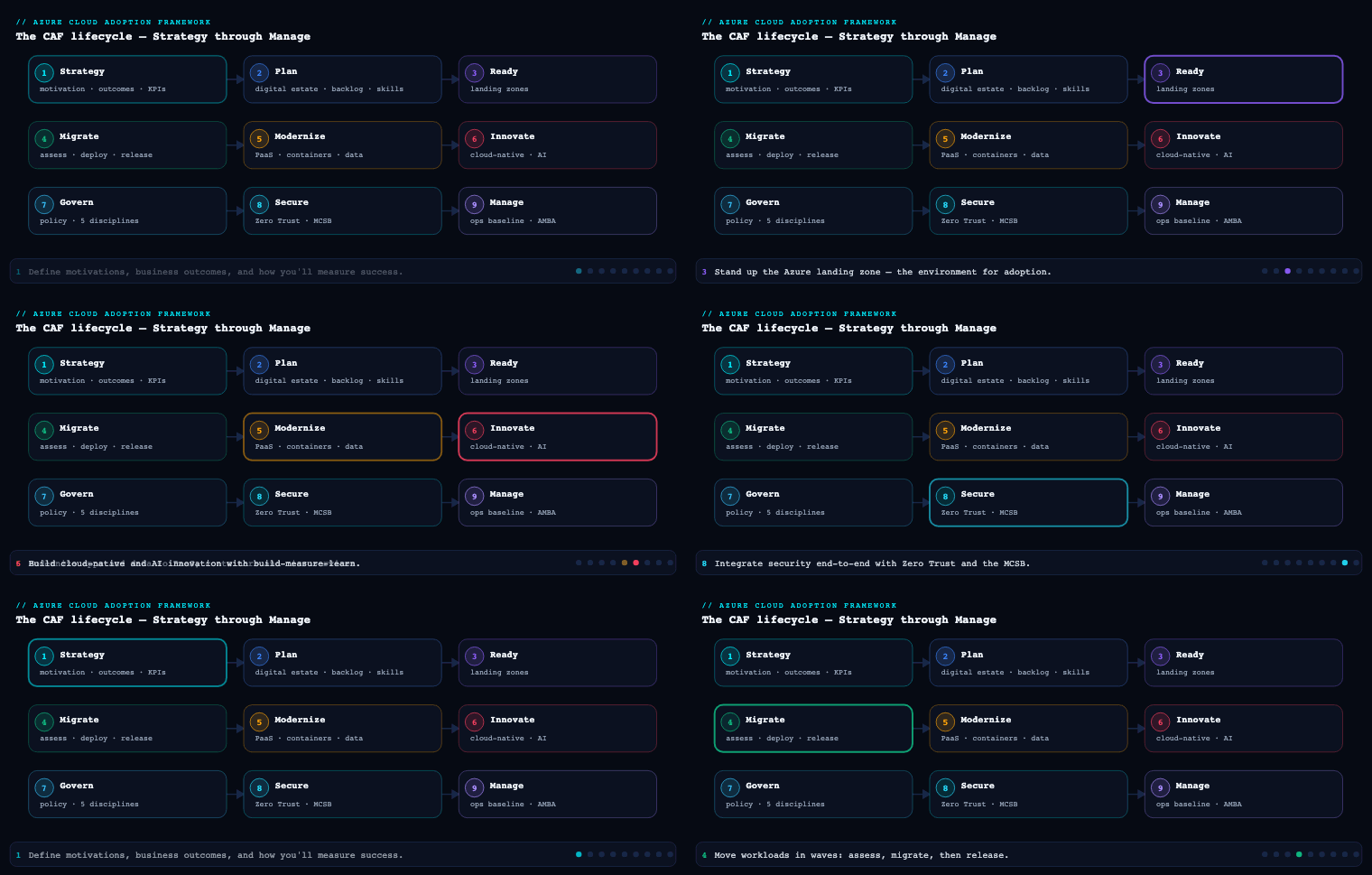
The assess / deploy / release methodology
The heart of Migrate is a three-stage loop applied to every workload, not the whole estate at once. Microsoft frames the per-workload journey as assess → deploy → release (sometimes called assess/migrate/optimize). The discipline is that a workload never jumps straight from inventory to production cutover; it passes through each gate, and the gate produces an artifact that the next stage consumes.
Assess is workload-level due diligence. Estate-wide rationalisation in Plan gave you a coarse disposition; assess produces the architecture-accurate detail you need to actually move one thing: a current-state architecture diagram, baseline performance metrics (CPU, memory, disk IOPS, network throughput, peak concurrency), an internal/external dependency map, a compatibility/remediation list, and the confirmed migration method (downtime vs. near-zero downtime) and target SKU. The output is an Azure Migrate assessment with a readiness verdict, a right-sized target, and a monthly cost estimate carrying a confidence rating.
Deploy is the build and staged migration. You stand up the production target with infrastructure-as-code (Bicep, ARM, or Terraform) inside the landing zone, configure replication from source to target, let the initial seed complete, and run the workload in a staged (non-cutover) state where you can test it against real data while production traffic still flows to the source. Nothing user-facing has changed yet — this is the rehearsal.
Release is cutover and stabilisation. You freeze changes on the source, do the final delta sync, validate data integrity, repoint DNS and load balancers to Azure, and then run an enhanced-support stabilisation window before declaring success. The source is retained as a fallback until you are confident, then decommissioned in the final step.
| Stage | Goal | Key activities | Primary artifact |
|---|---|---|---|
| Assess | Know exactly what moves and where | Architecture review, performance baseline, dependency mapping, compatibility scan, SKU + method selection | Azure Migrate assessment, dependency map, remediation list |
| Deploy | Build target, replicate, rehearse | IaC provisioning, replication setup, seed sync, test-migration / staging validation | Provisioned landing-zone resources, healthy replication, test-migration report |
| Release | Cut over safely and stabilise | Change freeze, delta sync, integrity checks, DNS/LB cutover, hypercare | Cutover runbook, validation evidence, go/no-go sign-off |
Why this matters: the loop is what makes migration auditable and repeatable. Each workload carries the same artifact set, so a reviewer can answer “is this one ready to cut over?” with evidence rather than vibes, and the team gets faster every iteration because the steps don’t change — only the workload does.
Azure Migrate and dependency analysis
Azure Migrate is the central hub for the assess stage. It is not a single tool but a project that aggregates discovery, assessment, and (for many scenarios) the replication engine, plus first- and third-party tools that plug into the same inventory.
Discovery. You deploy the Azure Migrate appliance — a lightweight VM (for VMware and Hyper-V) or installed agent (for physical servers and other clouds) — that continuously discovers your estate and pushes inventory and performance telemetry to the project. It catalogues VMs, OS versions, installed software, SQL Server instances, and ASP.NET/Java web apps. Crucially it captures performance-based data over time, so right-sizing reflects how the workload actually runs rather than how it was provisioned (the on-prem 16-vCPU box that idles at 8% becomes a far smaller, cheaper Azure SKU). Azure Migrate also discovers AWS EC2/RDS and Google Cloud Compute Engine instances for cross-cloud moves.
Dependency analysis is the part teams most often skip and most often regret. It answers the make-or-break question for wave planning: what talks to what? Azure Migrate offers two modes:
- Agentless dependency analysis — pulls TCP connection data via the appliance using vCenter integration, with no software installed on guests. Lower friction, broad coverage, captures connections over a rolling window. Ideal for first-pass mapping across hundreds of servers.
- Agent-based dependency analysis — installs the Microsoft Monitoring Agent / Dependency agent on each guest and feeds a Log Analytics workspace, giving process-level visibility (which process opened which connection) and finer granularity. Use it on the handful of complex, poorly-documented workloads where you need to be sure.
| Agentless | Agent-based | |
|---|---|---|
| Setup friction | Low — no guest install | High — agent per server |
| Granularity | Server-to-server TCP connections | Process-to-process, port-level |
| Best for | Estate-wide first pass | Critical / opaque workloads |
| Backing store | Azure Migrate project | Log Analytics workspace |
The output you care about is the dependency map — a visualisation and exportable connection list that reveals the chatty database every app quietly depends on, the licence server in the corner, the hard-coded IP nobody documented. You distinguish direct dependencies (low-latency, must move together), indirect dependencies (occasional, can tolerate hybrid operation), and business dependencies (reporting systems that should move with the workloads they report on). This map is the raw input to wave grouping, and you validate it with workload-owner interviews because tools miss informal integrations — the nightly script, the analyst’s ODBC pull — every time.
Assessment. With inventory and dependencies in hand, you create an assessment that produces: an Azure readiness verdict per server (ready / ready with conditions / not ready, with the blocking reason), a recommended target SKU (VM size or Azure SQL target via the SQL assessment), a monthly cost estimate that can factor Azure Hybrid Benefit and reserved-instance pricing, and a confidence rating (one to five stars) that drops when performance history is thin — a direct signal to let the appliance collect more data before you trust the sizing. For applications, GitHub Copilot app modernization (which incorporates AppCAT’s analysis) assesses .NET and Java code for compatibility and modernisation opportunities, while tools like CAST Highlight cover other languages.
Migration waves and the migration factory
You do not migrate an estate; you migrate waves. A migration wave is a small, dependency-complete batch of workloads moved together. Wave planning exists because a single big-bang migration concentrates all risk into one weekend and learns nothing along the way, whereas iterative waves create learning cycles — each wave makes the next one faster, cheaper, and safer.
Composition rule: dependencies define the wave. The non-negotiable constraint is that directly-dependent components ship in the same wave. An app server and the database it calls on every request cannot be split across waves without either breaking the app or accepting a slow, risky split-environment operation where traffic hairpins between Azure and the source over ExpressRoute. When in doubt about a dependency’s criticality, group conservatively — you can always separate later.
Sequencing rule: climb the risk ladder. Within those grouping constraints, you order waves to build competence before you spend it:
| Wave band | Typical contents | Purpose |
|---|---|---|
| Wave 0 (pilot) | Internal tools, standalone low-usage apps, non-prod environments | Prove the factory end-to-end; train ops; shake out landing-zone gaps |
| Early waves | Quick wins (high value / low effort), dev-staging-QA of target apps | Build momentum and a track record before touching prod |
| Mid waves | Multi-tier apps, database-dependent systems, 1–2 representative complex workloads each | Expose mission-critical patterns early, under lower stakes |
| Late waves | Tier-1 production, strict-SLA and regulated workloads | Execute with proven capability, extra safeguards, extended testing |
A deliberate move is seeding even early waves with one or two representative complex workloads so the hard problems (clustered SQL, sticky sessions, third-party licence binding) surface while the team still has slack, not during the tier-1 finale.
The migration factory is what this becomes once the loop is industrialised. It is a standing capability — people, process, and tooling — that consumes waves off the backlog as a production line: a discovery/assessment lane feeding a build lane feeding a cutover lane, with each workload tracked through identical gates. In practice you run it on Azure Boards (or equivalent) with a fixed work-item taxonomy so every workload’s state is visible and the same checklist applies to all of them:
| Work item | Purpose | Example |
|---|---|---|
| Epic | Programme scope | Datacentre exit to Azure |
| Feature | Major component | Digital estate assessment |
| Product backlog item | Per-workload deliverable | Migrate Wave 3 — Orders API |
| Task | Action | Configure replication for SQL node 2 |
| Test case | Validation gate | Row-count + checksum parity passes |
The factory is the difference between 40 servers migrated by exhausting a hero and 1,200 servers migrated by a team that improves its throughput and defect rate every fortnight. While one wave executes cutovers, the next wave is being assessed and the one after that is being scoped — parallelism that keeps momentum without overcommitting to plans built on incomplete information.
Remediation, replication and cutover
This is the mechanical core of deploy and release. Three distinct activities, each with its own failure modes.
Remediation is fixing the blockers the assessment surfaced before you attempt to move. The remediation list from assess is triaged into migration blockers (must fix first — an unsupported OS version, a deprecated framework, a TLS configuration Azure won’t accept, a hard-coded source IP) and post-migration items (can be deferred — a cosmetic config, a modernisation you’ll do later). A key CAF principle here: don’t gold-plate. If an app runs on Azure App Service with minimal change, ship it there now and defer the containerisation to a later optimise phase — migrate sooner, modernise later, rather than blocking a rehost on a rearchitecture. You also pre-build the target in deploy using IaC so the production environment is consistent and reviewable: NSGs locked to least-privilege, firewall rules, identity and RBAC, the target database provisioned at the right version with accounts and replication permissions in place.
Replication is how data gets to Azure with the source still running. The path and tool depend on the workload:
| Workload type | Mechanism | Tool |
|---|---|---|
| Servers / VMs | Block-level replication to managed disks, then test-migrate | Azure Migrate: Server Migration |
| Databases (online) | Continuous logical replication, minimal downtime | Azure Database Migration Service (DMS) |
| Unstructured data / files | Bulk copy ahead of cutover | AzCopy, Azure Storage tooling |
| Very large datasets / poor bandwidth | Offline ship-the-disks | Azure Data Box |
For server migration, the engine performs an initial seed replication then keeps the target in continuous sync via delta replication. The decisive capability of the deploy stage is the test migration: Azure Migrate spins up the replicated VM in an isolated test subnet in Azure — production keeps running on-prem, untouched — so you can boot the machine, log in, validate the app against real data, and confirm sizing, all before committing. You run this rehearsal as many times as needed and only proceed when it’s clean. The data path itself (ExpressRoute for private/fast, VPN for secure-without-ExpressRoute, Data Box for offline-bulk, public internet as last resort) is chosen in planning, because replicating terabytes over an undersized link is the classic schedule killer.
Cutover is the irreversible (without rollback) moment of release. For near-zero-downtime migrations the sequence is precise:
- Confirm replication lag is zero — do not proceed otherwise.
- Copy remaining unstructured data/files while replication is stable.
- Pause writes / enable read-only on the source during a planned low-traffic window — skipping this risks data loss.
- Complete the final delta sync of anything changed after the write-pause (AzCopy or the replication engine), confirm no pending source transactions.
- Validate data integrity — row counts for a quick check, checksums/hash (MD5 for files: count, size, timestamp) for the real verification.
- Repoint DNS records and load balancers to the Azure workload.
- Run post-cutover validation and watch health/error rates for the first 24–48 hours.
For planned-downtime migrations the path is simpler: stop writes, migrate all data (Azure Migrate / DMS / AzCopy), validate integrity, test the app end-to-end in Azure, repoint traffic, confirm with owners. Either way, you schedule the cutover in an agreed maintenance window aligned to business cycles — never during financial close, a product launch, or peak season.
Testing and rollback
Every cutover is a deployment, and an undeployable change is a tested one with a way back. CAF is explicit that you define rollback criteria and procedures before you start any migration — never improvise them mid-incident.
Define “failed deployment” up front. Collaborate with business owners, workload owners, and operations to decide — in numbers — what constitutes failure: failed health checks, response time over a threshold, error rate above X%, CPU pinned beyond a limit, a security finding, or a missed success metric. These thresholds become explicit go/no-go triggers in the cutover runbook so the call is consistent under pressure, not a judgement made by whoever is most tired at 2 a.m.
Test before you trust. Validation runs at two layers. The test migration (above) validates the build — does the workload boot, perform, and function correctly in Azure with real data, in isolation, before cutover. Rollback testing validates the escape hatch — you simulate a failed deployment in staging and confirm the rollback actually returns the system to a known-good state, exposing gaps in automation, permissions, or dependencies before they bite in production. A rollback plan that has never been executed is a hope, not a plan.
Make rollback fast and workload-specific. Generic “restore from backup” is too slow for a tier-1 cutover. The practical rollback for a well-run migration is: keep the source environment as a live fallback (do not decommission on cutover day), and reverse the cheap, reversible thing — the DNS / load-balancer repoint — to send traffic back to the still-running source. Because you paused writes during cutover, the source is consistent and rollback is near-instant. Beyond that, write rollback steps matched to the workload type and attach the assets that execute them:
| Deployment type | Rollback action | Pre-staged asset |
|---|---|---|
| Traffic cutover | Revert DNS / LB to source | Source kept live as fallback |
| IaC infrastructure | Reapply previous template version | Versioned Bicep/ARM/Terraform |
| Application release | Redeploy prior container image / build | Tagged image, pipeline rollback stage |
| Data | Restore from pre-cutover snapshot | Snapshot taken before write-pause |
Automate it. Wire rollback into the pipeline (Azure Pipelines or GitHub Actions) so a redeploy of the prior version triggers on a failed health check rather than waiting on a manual scramble. Then stabilise: run enhanced-support hypercare with tighter SLAs for the first window after release, validate user access and performance, get explicit sign-off from application owners and business stakeholders — announce success only after that validation — update the CMDB, and only then proceed to decommission the source.
Real-world enterprise scenario
Northwind Logistics is a fictional but representative European third-party-logistics provider running ~1,200 servers across two leased datacentres in Frankfurt, with a lease expiry forcing a hard exit deadline 11 months out. Their estate: a VMware vSphere farm, a clustered SQL Server 2016 backend for the Transport Management System (TMS), an ASP.NET shipment-tracking portal, a fleet-telematics ingestion service, a SAP-integrated billing system, and a long tail of internal tools. The cloud platform team (six engineers plus two Microsoft partner consultants) had landing zones live from the Ready phase but had migrated nothing at scale.
Assess / Azure Migrate & dependencies. They deployed two Azure Migrate appliances (one per datacentre) integrated with vCenter and ran agentless dependency analysis across the whole estate for three weeks to collect peak-cycle performance, then switched to agent-based analysis on the TMS cluster and the billing system — the two opaque, mission-critical workloads — to get process-level connection data into a Log Analytics workspace. The dependency map exposed two surprises: the shipment portal made synchronous calls to the TMS SQL cluster on every page load (a hard direct dependency), and a forgotten on-prem licence server bound the telematics service. Performance-based assessment right-sized the VMware farm down ~38% (most VMs were grossly over-provisioned), and the cost estimate with Azure Hybrid Benefit applied came back with a four-star confidence rating after the appliance had enough history.
Waves / migration factory. They stood up the factory on Azure Boards with the standard Epic→Feature→PBI→Task→Test-case taxonomy and sequenced four wave bands:
| Wave | Contents | Method | Outcome |
|---|---|---|---|
| Wave 0 (pilot) | Internal wiki, two standalone tools, all non-prod | Downtime | Factory proven; landing-zone NSG gap found and fixed |
| Waves 1–2 | Shipment-tracking portal (rehost to App Service), low-risk APIs | Near-zero downtime | First production win; ops team trained on cutover |
| Waves 3–4 | TMS app tier + clustered SQL (moved together) | Near-zero downtime | Direct dependency honoured; zero broken integrations |
| Waves 5–6 | SAP-integrated billing, telematics + licence server | Near-zero / split-env | Licence server moved with telematics; billing last |
The TMS SQL cluster and portal were grouped into the same wave band specifically because the dependency map proved they could not be split without hairpinning traffic across ExpressRoute.
Remediation / replication / cutover. Two SQL nodes ran an unsupported cumulative update (a blocker) — remediated in staging before any replication. They built each target with Terraform in the landing zone, replicated VMs with Azure Migrate: Server Migration and the TMS databases online with Azure Database Migration Service over a 1 Gbps ExpressRoute circuit, and bulk-copied 14 TB of historical shipment documents with AzCopy ahead of time. Every workload got at least one test migration into an isolated subnet; the TMS got three before it passed clean. Cutovers ran in a Sunday 02:00 CET maintenance window: confirm zero replication lag, write-pause, final delta sync, checksum parity on databases and MD5 on the document store, then repoint Azure Traffic Manager / DNS.
Testing / rollback. Failure was defined numerically — portal p95 latency > 800 ms, error rate > 2%, or any data-integrity mismatch triggered rollback. They rehearsed rollback in staging for the TMS wave and kept the Frankfurt source live as a fallback for 14 days post-cutover; the reversible action was a Traffic Manager repoint back to source, near-instant because writes had been paused. One real rollback fired — a Wave 4 telematics cutover breached the error-rate threshold due to a missed firewall rule; DNS reverted in under five minutes, the rule was fixed, and the workload cut over cleanly the following window.
Measurable outcome. Northwind exited both datacentres six weeks ahead of lease expiry. 1,200 servers migrated across six wave bands; right-sizing plus Azure Hybrid Benefit landed steady-state compute 31% below the lift-and-shift estimate; one rollback in the entire programme, with zero data loss; and mean time to migrate a workload dropped from 9 engineer-days in Wave 0 to 3 by Wave 5 as the factory matured.
Deliverables & checklist
By the end of the Migrate phase you should have produced and retained:
Common pitfalls
- Skipping or rushing dependency analysis. The single most expensive mistake. Cut over an app without its chatty database in the same wave and you either break it or accept months of fragile split-environment hairpinning. Run dependency analysis long enough to catch peak-cycle connections, and validate with owners — tools miss the nightly script every time.
- Trusting low-confidence sizing. Acting on a one- or two-star Azure Migrate assessment over-provisions (burning the savings the business was promised) or under-provisions (a performance incident on day one). Let the appliance gather sufficient performance history before you commit to SKUs; the star rating is telling you something.
- Never running — or never testing — the rollback. A rollback plan that exists only on paper is a hope. Define failure in numbers up front and rehearse the rollback in staging so you discover the missing permission or firewall rule before cutover night, not during it.
- Cutting over with non-zero replication lag or without a write-pause. Both are direct routes to data loss. Confirm lag is zero, pause writes during the final window, do the delta sync, and verify with checksums — row counts alone are a smoke test, not proof.
- Gold-plating during migration. Blocking a straightforward rehost on a rearchitecture stalls the whole wave. Migrate sooner, modernise later — get it running on Azure with minimal change and defer the containerisation/refactor to the Optimize phase.
- No migration factory — every cutover is bespoke. Without a fixed loop and work-item taxonomy, throughput never improves and there’s no audit trail. Industrialise the assess→deploy→release loop so wave N+1 is faster than wave N and any reviewer can see each workload’s state and evidence.
What’s next
Part 5 of the Azure Cloud Adoption Framework series moves into the Govern methodology — establishing the policy, cost, security, and compliance guardrails that keep the estate you just migrated under control as it scales.