Most teams treat the cloud journey as finished the moment the last VM lands in Azure. It isn’t. A lift-and-shift fleet running on infrastructure-as-a-service inherits every operational scar of the data centre — the patch cadence, the snowflake configs, the 3 a.m. failovers — only now you rent the hypervisor instead of owning it. Modernize is the CAF methodology that turns “it runs in Azure” into “it earns its keep in Azure”: you take workloads that already live in the cloud and re-shape them to current business goals, cloud-native services, and Well-Architected best practices — without bolting on new features. This article goes deep on the three things that actually move the needle — application, data, and DevOps modernization — and on the decision that frames all of it: when to modernize versus when to simply migrate.
Where this fits
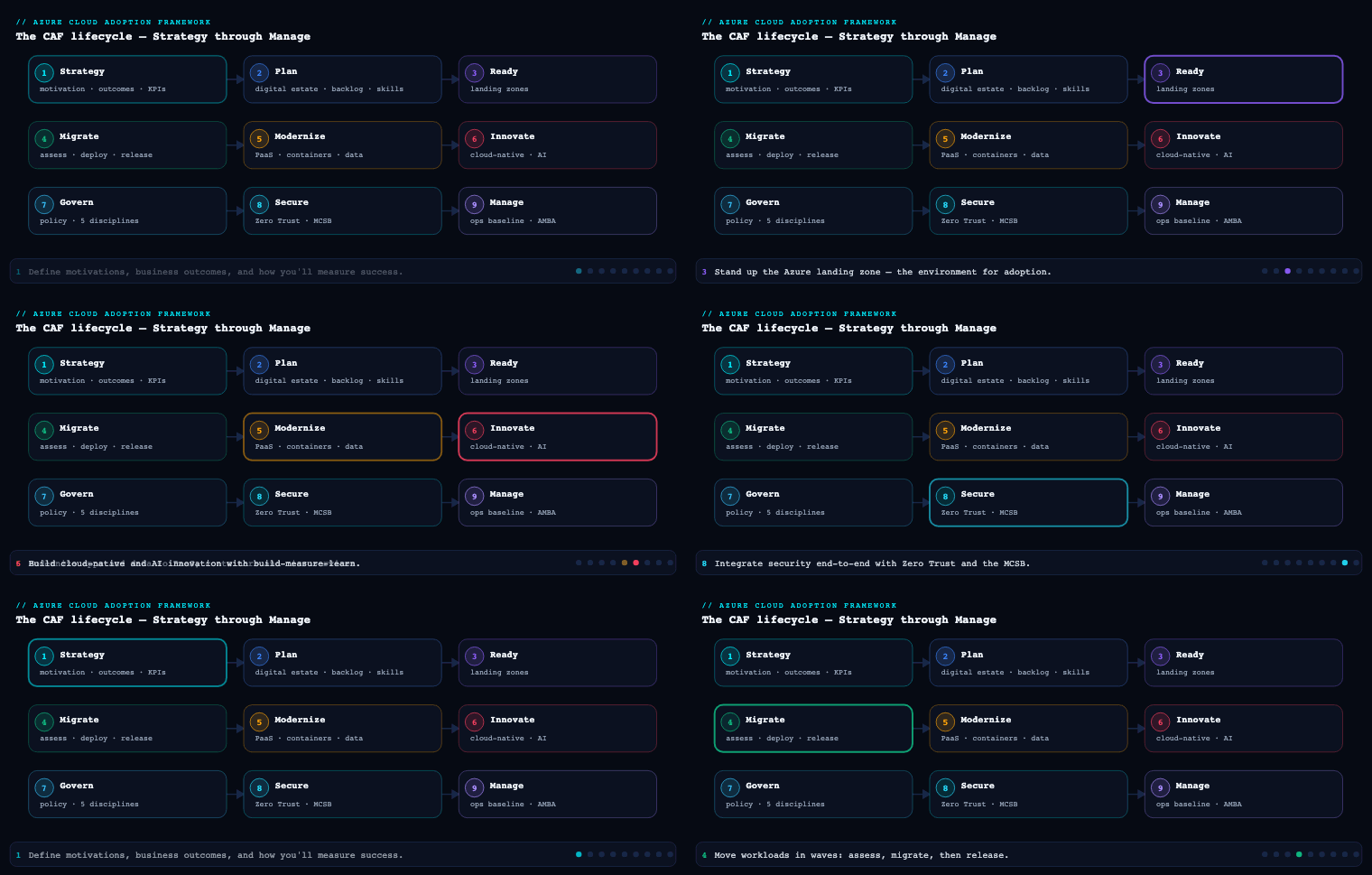
In the Azure Cloud Adoption Framework, Modernize is the methodology that follows Migrate in the adoption lifecycle (Strategy → Plan → Ready → Migrate/Innovate → and across all of it, Govern, Secure, Manage). Where Migrate answers “how do I get this workload into Azure with the least disruption,” Modernize answers “now that it’s here — or about to be — how do I improve it so it aligns with cloud best practices?” Microsoft frames Modernize as a four-step loop — Prepare → Plan → Execute → Optimize — built on three core technical strategies: replatform, refactor, and rearchitect. Everything below maps your application, data, and DevOps work onto that loop and those three strategies.
The three core strategies (the vocabulary of Modernize)
Before the sub-components, internalise the three strategies — every modernization decision you make is “which of these, for which component.” They sit on a continuum of rising cost, risk, and value, and a real workload almost always uses a blend.
| Strategy | What it is | When to use | Typical Azure landing place |
|---|---|---|---|
| Replatform | Move components to PaaS with minimal code changes (IaaS → PaaS). | Code works, but ops burden/reliability is the problem. | App Service, Azure SQL Managed Instance, Azure Container Apps |
| Refactor | Modify code to improve maintainability, performance, security — same functionality. | Technical debt is throttling velocity; code isn’t cloud-optimized. | Same hosting, better code: managed identity, Key Vault, async, caching |
| Rearchitect | Redesign the architecture using cloud-native patterns (microservices, serverless, event-driven). | Current design caps scalability or blocks innovation. | AKS, Azure Functions, Service Bus / Event Grid, Cosmos DB |
The governing discipline, drilled into every CAF Modernize page, is do not over-modernize. New tech is seductive; every strategy choice must be grounded in business value. A backend batch job with no scale pressure does not need to become twelve microservices. Match the strategy to the component, not to the conference talk you just watched.
Mental model I use with clients: replatform changes where the code runs, refactor changes how the code is written, rearchitect changes what the system is. Cost and risk climb left-to-right. Start as far left as the business goal allows.
Application modernization — containerize, move to PaaS, microservices
What it is. Reshaping the compute and architecture of an application that already runs in Azure (typically on VMs) so it uses managed platforms and cloud-native patterns. In CAF strategy terms this is where all three strategies show up most visibly: replatform a web tier off VMs onto App Service; refactor the code to remove cloud anti-patterns; rearchitect a monolith into independently deployable services.
Why it matters. A VM-hosted app makes you responsible for the OS, the runtime patching, the scaling logic, and the HA topology. Moving the same app to PaaS shifts that boundary of the shared-responsibility model toward Microsoft: autoscale, zone redundancy, managed TLS, and platform patching come “in the box.” The CAF business-case guidance cites typical ranges of 20–40% annual infrastructure/licensing savings and 50–80% improvement in deployment frequency / resolution time when you get this right — not from magic, but from deleting toil.
How to do it well — the three moves, in order of increasing ambition.
-
Move to PaaS (replatform). This is the highest-ROI, lowest-risk move and where most app modernization should start. Decision: which PaaS target fits the runtime and the operational profile?
Workload shape Azure target Why Stateless web app / API, standard runtime (.NET, Java, Node, Python) Azure App Service Deployment slots, autoscale, managed certs, zero infra Containerized microservices, scale-to-zero, event/HTTP driven Azure Container Apps (built on AKS + KEDA, Dapr-ready) Serverless containers, traffic-split revisions, no cluster ops Large, regulated, multi-team container estate needing full control Azure Kubernetes Service (AKS) Full k8s API, node pools, network policy, mesh Event-driven, bursty, glue/logic Azure Functions Consumption billing, true scale-to-zero Use Azure Migrate’s App Containerization tool and the App Service Migration Assistant to assess and lift web apps; both surface compatibility blockers (in-process COM, GAC dependencies, write-to-local-disk patterns) before you commit.
-
Containerize (replatform → enables refactor/rearchitect). Packaging the app into an OCI image is the pivot that unlocks portability and consistent deploys. The pragmatic ladder: VM → container on Azure Container Apps → (only if you need it) AKS. Containerizing first, then deciding the orchestrator, keeps you from buying a Kubernetes operations burden you don’t yet need. Store images in Azure Container Registry with content trust and Microsoft Defender for Containers scanning enabled.
-
Decompose to microservices (rearchitect). The highest cost and risk — reserve it for the monoliths where a single deployment unit is the actual bottleneck (one team blocks another, one hot path can’t scale independently). Do it incrementally with the Strangler Fig pattern: stand the new service beside the monolith, route a slice of traffic to it (App Service slots, Container Apps revision traffic-splitting, or AKS canary), and peel off bounded contexts one at a time. Wire inter-service communication with Azure Service Bus (commands/queues) and Event Grid (events), front it with API Management or Application Gateway, and lean on the Reliable web app and Modern web app patterns in the Azure Architecture Center as your reference designs. The CAF caution stands: most workloads need a few services, not a swarm.
Concrete artifacts & decisions: a per-app strategy decision (replatform/refactor/rearchitect per component); an App Service / Container Apps / AKS target decision with SKU and zone-redundancy choice; a containerization assessment from Azure Migrate; an updated architecture diagram; a Strangler Fig sequencing plan; managed-identity and Key Vault adoption (the most common refactor — get secrets out of config). Validate the result with a Well-Architected Review and Azure Advisor.
Data modernization
What it is. Moving the data tier off self-managed engines (SQL Server on a VM, an on-prem Oracle/MySQL/PostgreSQL box) onto Azure managed data platforms, and where warranted, changing the data architecture itself (polyglot persistence, analytical separation). It’s both a replatform act (“same schema, managed engine”) and, at the deep end, a rearchitect act (“different data model for the access pattern”).
Why it matters. The database is usually the riskiest, most state-laden, highest-value component — and frequently the urgent trigger for modernization. SQL Server 2012/2014 and older are out of extended support; running them is a live compliance and security exposure. Managed data platforms also remove the operational tax (patching, backup orchestration, HA configuration) and unlock features — automatic tuning, point-in-time restore, built-in HA — you’d otherwise hand-build.
How to do it well — pick the right target, then migrate safely.
| Source / need | Azure target | Notes |
|---|---|---|
| SQL Server, want highest engine compatibility, minimal code change | Azure SQL Managed Instance | Near-100% surface area back to SQL Server 2008-era features (SQL Agent, cross-DB queries, CLR); the default replatform target |
| New or refactor-friendly app, want fully managed PaaS | Azure SQL Database | Single DB / elastic pools; Hyperscale scales storage to 100+ TB with fast backup/restore |
| Must stay on SQL VM (OS-level deps, specific build) | SQL Server on Azure VM | IaaS — last resort for data, with SQL IaaS Agent extension |
| Open-source engines | Azure Database for PostgreSQL / MySQL (Flexible Server) | Managed OSS with zone-redundant HA |
| Globally distributed, low-latency, schema-flexible (rearchitect) | Azure Cosmos DB | Multi-model, multi-region writes; the polyglot-persistence choice |
| Analytics / warehouse separation | Microsoft Fabric / Azure Synapse Analytics | Decouple OLTP from OLAP; lakehouse and warehouse |
The migration mechanics. Assess first with the Azure Migrate data tooling and the Data Migration Assistant (DMA) — DMA flags compatibility issues and feature parity gaps before you move. For the cutover, Azure Database Migration Service (DMS) runs online (continuous replication, near-zero-downtime) or offline migrations from SQL Server, Oracle, MySQL, and PostgreSQL into the targets above. This is precisely where CAF’s parallel deployment strategy earns its keep: stand up the Azure target, establish native replication, drive replication lag to zero, briefly quiesce writes, do a final sync, then cut over — and keep the old database as a hot standby for 24–72 hours. Validate with checksum/hash comparison between source and target.
Concrete artifacts & decisions: a target-engine decision per database; a DMA compatibility report; an online-vs-offline DMS plan; a cutover runbook with a zero-data-loss procedure and rollback; a backward-compatible schema-change strategy (add columns/tables, don’t drop until cutover succeeds) so canary releases of the app tier can run against both versions; updated CMDB/asset inventory.
DevOps modernization
What it is. Modernizing how the workload is built, deployed, and operated, not just where it runs. In the CAF readiness assessment, “DevOps and CI/CD” and “Monitoring and automation” are two of the four explicit skill areas — modern application and data require modern delivery, or you’ve just made a faster-moving thing harder to operate by hand.
Why it matters. Modernization “doesn’t add features,” so the win is almost entirely operational: more frequent, safer deployments and faster recovery. You cannot do CAF’s prescribed safe-deployment techniques — canary, progressive traffic shifting, blue-green, automated rollback — without a real pipeline underneath them. DevOps modernization is the enabler that makes application and data modernization survivable in production.
How to do it well — the disciplines.
| Discipline | What “modern” looks like | Azure tooling |
|---|---|---|
| Source control | Everything in Git: app code and infrastructure, PR-reviewed | GitHub or Azure Repos |
| CI | Build + full test suite (unit/integration) on every commit | GitHub Actions, Azure Pipelines |
| CD | Same pipeline promotes through dev→test→prod; prod uses the identical pipeline as test | GitHub Actions / Azure Pipelines environments |
| Infrastructure as Code | Environments are codified and reproducible from nothing | Bicep, Terraform, ARM templates |
| Progressive delivery | Canary / slot swaps / weighted routing with auto-rollback | App Service deployment slots, Container Apps traffic splitting, AKS canary |
| Secrets | No secrets in config; pulled at deploy/runtime | Azure Key Vault, managed identities |
| Observability | Instrumented app + infra metrics, alerting, dashboards | Application Insights, Azure Monitor, Log Analytics |
| Security in the pipeline | Image/code scanning, misconfiguration checks as gates | Microsoft Defender for Cloud, container image scanning |
The mechanics CAF prescribes. Build and test in prod-like non-production environments first, so the prod deploy is a verified configuration. Codify the proven test environment as parameterized IaC (same templates, different sizes/names per stage), store it in version control, and prove it end-to-end by deploying the whole stack from scratch in a throwaway subscription — including the rollback path. For deployment, drive progressive traffic routing (1% → 5% → 15% → 50% → 100%) with automated rollback triggers wired to error-rate and latency thresholds, and run a hypercare window (24–48 hours, war-room for major go-lives) afterward. Apply Well-Architected Framework principles throughout and use Azure Advisor to validate design decisions as you build.
Concrete artifacts & decisions: a CI/CD pipeline definition (YAML) per workload; parameterized IaC modules in Git; a deployment-strategy decision (in-place vs parallel) per phase; rollback runbooks written alongside the deploy steps; a change-freeze schedule integrated with the CAB or a modernization review board; quality gates (no Sev-1 bugs, all tests pass, zero critical vulns from the security scan); Application Insights dashboards and Azure Monitor alert rules.
The modernization decision guide — when to modernize vs migrate
What it is. The structured method CAF gives you in the Prepare and Plan steps to decide whether a workload should be modernized at all, which strategy to apply, and when to simply migrate (or do nothing). This is the most consequential decision in the methodology, because the cardinal sin is over-modernizing things that don’t need it and starving the ones that do.
Why it matters. Modernization is expensive and risky relative to a straight migration. “Not every workload should be modernized” is stated outright in the CAF readiness guidance. Spend the effort where business value and technical risk are both high; lift-and-shift (or leave alone) everything else.
How to decide — the CAF priority matrix. Score each candidate workload on business value (revenue/mission-critical, customer experience, compliance, broad internal dependency) and technical risk (technical debt, outdated/end-of-support tech, high maintenance effort, performance/scalability limits), then place it:
| Business value | Technical risk | Priority | Action |
|---|---|---|---|
| High | High | Top priority | Modernize now — strong ROI |
| High | Low | Monitor | Don’t modernize unless a specific benefit appears |
| Low | High | Case-by-case | Only if there’s a clear benefit; often migrate as-is |
| Low | Low | Do nothing | Effort not justified |
Urgent triggers override the matrix. Even a “monitor” workload jumps the queue on: a security vulnerability in a legacy component, an end-of-support deadline within ~12 months, business-growth demand exceeding capacity, or chronic reliability failures. The Well-Architected Review is your data source — its gaps against the five pillars (Reliability, Security, Cost Optimization, Operational Excellence, Performance Efficiency) are the modernization to-do list; more/larger gaps mean more pressing need.
Modernize vs Migrate — the explicit call.
| Choose Migrate (the Migrate methodology) when… | Choose Modernize when… |
|---|---|
| Speed/exit-the-datacentre is the goal (lease expiry, end-of-support hardware) | The workload already runs in Azure and now needs to align with best practices |
| The app is stable, low technical-risk, and lift-and-shift meets the need | Operational burden, reliability, scalability, or compliance is the actual pain |
| Budget/skills for redevelopment aren’t there yet | Business value and technical risk are both high (top of the matrix) |
| You’ll modernize later, post-migration, as a separate effort | A WAF review surfaces material gaps you can quantify and fix |
The honest pattern: migrate first to get out of the data centre, then modernize the workloads the matrix flags — the two methodologies are sequential, not competing. Phase the modernization itself (by component/layer, by priority/complexity, or by business function), start with a low-risk high-value Phase 1 you can finish in a month or two to build stakeholder confidence, define exit criteria per phase to kill scope creep, and adapt the plan between phases.
Real-world enterprise scenario
Meridian Components Ltd. is a UK-based industrial parts distributor: ~£480M revenue, 14 operating sites, an IT org of 90. Two years ago they ran a Migrate wave — a rehost of 220 VMs into a CAF landing zone (covered in Part 4 of this series). The fleet runs, but the flagship Orders & Fulfilment platform is a .NET Framework 4.7 monolith on four IIS VMs fronting a SQL Server 2014 instance on an oversized VM. Patch nights need a maintenance window, Black Friday peaks force manual VM scale-out, and deploys are a Friday-night PowerShell ritual. SQL Server 2014 just hit end of extended support — the urgent trigger that forces the decision.
Prepare — the decision guide. The cloud platform team and the Orders product team score the portfolio on the CAF matrix. Orders is High business value / High technical risk → Top priority: modernize now. A reporting datamart (Low/Low) is parked (“do nothing”); an internal HR app (High/Low) is set to “monitor.” A WAF review of Orders returns 23 findings, weighted to Reliability and Operational Excellence. The team’s gap is real: a skills assessment shows weak CI/CD maturity and no microservices experience, so they enrol two engineers in AZ-204 and bring in a Microsoft partner for architecture validation.
Plan — phasing and strategy. They refuse a big-bang rewrite. Three phases, sliced by component:
- Phase 1 (low-risk, high-value): data modernization — get off the unsupported engine first.
- Phase 2: replatform the web/API tier off IIS VMs onto PaaS.
- Phase 3: rearchitect the one genuine bottleneck — the inventory-reservation hot path.
Exit criteria are explicit per phase (e.g., “DB on Azure with zero data loss, performance within 10% of baseline; no Sev-1 bugs; within 5% of budget”).
Execute — decisions per sub-component.
- Data modernization. DMA flags two compatibility items, both fixable. Target chosen: Azure SQL Managed Instance (Business Critical, zone-redundant) for near-100% engine compatibility — SQL Agent jobs and cross-database queries the monolith relies on come across untouched. Cutover via Azure Database Migration Service online mode: replication established, lag driven to zero, writes briefly quiesced over a Saturday window, final sync, cutover, checksum validation, old instance kept as hot standby for 72 hours. Parallel deployment.
- Application modernization. The web/API tier is containerized with Azure Migrate’s App Containerization tool, images pushed to Azure Container Registry, and replatformed to Azure Container Apps (zone-redundant, KEDA autoscale, scale-to-zero on the internal admin app). The most valuable refactor lands here too: secrets ripped out of
web.configinto Azure Key Vault, accessed via managed identity. No microservices yet — deliberately. - DevOps modernization. Everything moves to Azure Repos + Azure Pipelines; infrastructure codified in Bicep, parameterized per stage and proven by a from-scratch deploy into a sandbox subscription. Production rollout uses Container Apps revision traffic-splitting at 1% → 5% → 15% → 50% → 100% with automated rollback wired to Application Insights error-rate thresholds. Application Insights and Azure Monitor dashboards replace tribal knowledge.
- Rearchitect (Phase 3). Only the inventory-reservation path — the single thing that couldn’t scale independently at peak — is peeled out via the Strangler Fig pattern into an Azure Functions service backed by Azure Service Bus for reservation commands. The rest of the monolith stays.
Outcome (measured against baseline). Deploy frequency went from monthly Friday-night releases to on-demand, multiple times per week; mean deploy-related downtime dropped from ~45 min to near zero via canary + slots. Black Friday peak now autoscales with no manual intervention and absorbed 2.1× prior peak load. The SQL Server 2014 compliance exposure is closed. Infrastructure + SQL licensing fell ~31% year-on-year, comfortably inside CAF’s 20–40% range — and Meridian deliberately stopped there rather than chasing microservices they didn’t need.
Deliverables & checklist
Common pitfalls
- Over-modernizing — rearchitecting things that needed a replatform. Turning a stable monolith into microservices “because cloud-native” burns budget and adds operational surface for zero business value. Avoid: start as far left on replatform→refactor→rearchitect as the business goal allows; reserve microservices for components where independent scaling/deployment is the actual, demonstrated bottleneck.
- Modernizing the app while leaving delivery in the Stone Age. A containerized app with manual, Friday-night PowerShell deploys is more dangerous, not less — you’ve made a faster-moving thing harder to operate by hand. Avoid: treat DevOps modernization (CI/CD, IaC, progressive delivery, observability) as a prerequisite, not an afterthought.
- Big-bang cutover with no rollback path. Migrating a production database in one offline shot with no hot standby is how you turn a maintenance window into a business-continuity incident. Avoid: CAF parallel deployment — native replication, zero-lag verification, final sync, canary cutover, 24–72h hot standby, checksum validation, and a written rollback runbook.
- Scope creep mid-modernization. “While we’re in here, let’s also add feature X” quietly doubles the timeline and the risk. Avoid: per-phase exit criteria, a formal change-approval workflow through the CAB or a modernization review board, and a parked backlog so good ideas aren’t lost — they’re just not now.
- Skipping the readiness/skills assessment. A team learning microservices, Kubernetes, and a new pipeline during a production modernization will make expensive mistakes. Avoid: assess the four CAF skill areas up front; train, hire, or bring in a Microsoft partner before execution, not during the incident.
- No measurable baseline. Without before-and-after numbers you can’t prove value, defend the spend, or know when to stop. Avoid: capture baseline cost, deploy frequency, downtime, and key SLAs first; define target improvement ranges; report against them every phase.
What’s next
Part 6 of the Azure Cloud Adoption Framework series moves from Modernize to Innovate — turning the modernized, well-instrumented platform into a foundation for net-new products and data-and-AI-driven capabilities.