Strategy answered why you are moving to the cloud. Plan answers the much harder question every executive eventually asks: which workloads, in what order, with which people, by when, and how do we know we are on track? This is the phase where motivations and business outcomes get converted into a quantified inventory, a prioritized backlog, an accountable team, and an honest assessment of the skills gap standing between the team and the outcome. Done well, Plan produces a plan you can actually defend in a steering committee. Done badly, it produces a slide that says “migrate everything by Q4” and a migration program that quietly slips for eighteen months. Here is how I run Plan in the field.
Where this fits
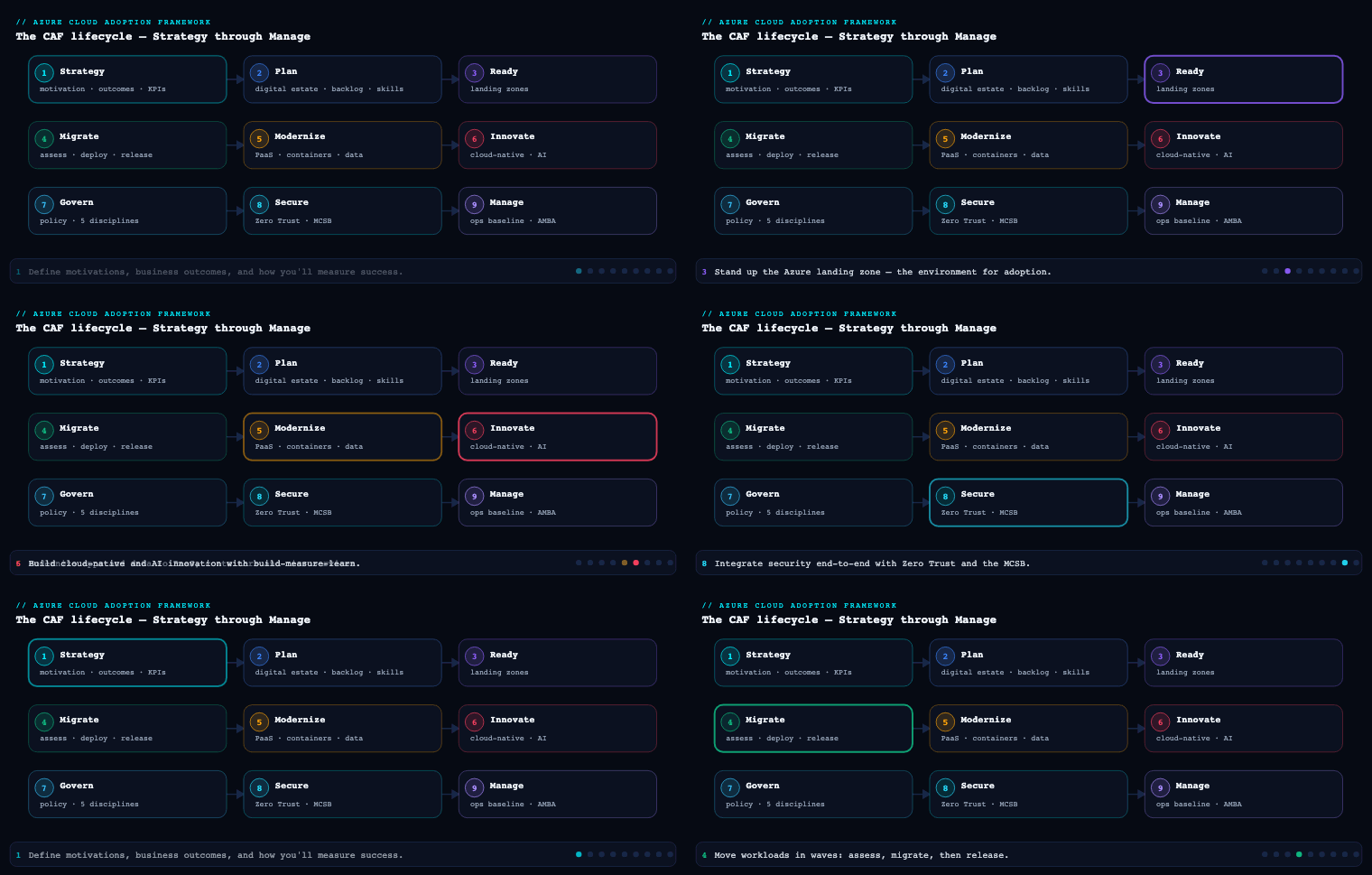
In the Azure Cloud Adoption Framework (CAF), the lifecycle runs Strategy → Plan → Ready → Adopt (Migrate / Innovate) → Govern → Manage → Secure, and Plan is the bridge that turns the strategy’s motivations and business outcomes into an actionable, time-bound program. This is part 2 of the Azure Cloud Adoption Framework series; it assumes you have already defined motivations, outcomes, and a business justification in Strategy (part 1), and it stops short of building the Azure landing zone, which is the job of Ready (part 3). Plan has four pillars that must be built more or less in parallel: a rationalized digital estate, a cloud adoption plan and backlog, an aligned organization anchored by a Cloud Center of Excellence (CCoE), and a skills readiness plan. Get all four and the migration runs itself; skip any one and you will feel it within the first sprint.
Rationalizing the digital estate with the 5 Rs
What it is
The digital estate is the complete, quantified inventory of everything you might move or modernize: VMs, databases, applications, data stores, and the dependencies that bind them together. Rationalization is the act of evaluating each asset against the business outcomes from Strategy and assigning it a disposition — a decision about what you will do with it. CAF frames those dispositions as the 5 Rs: Rehost, Refactor, Rearchitect, Rebuild, and Replace (with Retire and Retain as the implicit “no-Rs” that fall out of the same exercise). The output is not a spreadsheet of servers; it is a spreadsheet of decisions, each tied to an owner, an effort estimate, and a target Azure service.
Why it matters
Two failure modes make rationalization the highest-leverage activity in Plan. The first is “rationalize everything up front” — teams spend six months deep-diving all 3,000 servers, the analysis goes stale before it is finished, and nothing ships. The second is “rehost everything blindly” — the team lifts-and-shifts the entire estate, including the 30% that should have been retired and the 15% that should have been replaced by SaaS, and ends up paying Azure to run dead weight. CAF’s guidance is deliberately pragmatic: do an incremental rationalization. Quantitatively analyze the whole estate cheaply (automated discovery), then do the expensive qualitative per-asset rationalization just in time, one release wave at a time. You make precise decisions only for the workloads you are about to touch.
The 5 Rs in practice
Each R is a fundamentally different amount of effort, cost, and risk, and a different Azure target. This table is the one I put in front of application owners to force a decision:
| Disposition | What you change | Typical Azure target | Effort / risk | When to choose it |
|---|---|---|---|---|
| Rehost (lift-and-shift) | Nothing in the app; only the host | Azure VMs, VMSS | Low / low | Speed-driven exits (datacenter lease end), commodity apps, ISV workloads you can’t change |
| Refactor (repackage) | Minimal code/config; new platform | App Service, Azure SQL DB/MI, AKS containers | Low–medium / medium | Apps that fit PaaS with small tweaks; you want to shed OS patching |
| Rearchitect | Material code changes to the design | AKS, Functions, Cosmos DB, Event-driven PaaS | High / medium–high | Monoliths hitting scale/agility limits but with reusable business logic |
| Rebuild | Rewrite the app from scratch | Cloud-native PaaS, serverless, low-code | Highest / high | Legacy so brittle that change cost exceeds rewrite cost |
| Replace | Drop the app; buy a capability | SaaS (e.g. Dynamics 365, M365), ISV offering | Low build / process risk | Commodity capability (CRM, email, ITSM) where SaaS beats bespoke |
| Retire | Decommission | — | Trivial | Asset has no consumers (discovery reveals ~10–20% of estates are zombies) |
| Retain | Leave on-premises (for now) | — | None | Compliance, latency, or unfinished depreciation; revisit later |
A few field rules I apply when assigning Rs:
- Default to Rehost for speed, default to Refactor for value. If the motivation from Strategy is “exit the datacenter by a date,” lean Rehost and modernize after you land. If the motivation is agility/innovation, push toward Refactor and Rearchitect even at higher effort.
- Retire is found money. Always run the retire pass first. Discovery routinely surfaces 10–20% of servers with zero inbound connections. Killing them before migration removes the cost and the risk of moving them.
- Replace is a TCO conversation, not a tech one. Moving a bespoke CRM to Dynamics 365 is rarely an architecture decision; it’s a process-change decision owned by the business.
- One R per workload, decided at the workload boundary — not per server. A three-tier app is one disposition, even if it spans six VMs.
Artifacts, decisions, and Azure tooling
The rationalization is fed by discovery and assessment, and Azure gives you a purpose-built toolchain:
- Azure Migrate is the hub. Its Discovery and assessment tool deploys a lightweight appliance into VMware, Hyper-V, or physical environments to collect inventory, configuration, and performance data (CPU, memory, disk IOPS/throughput, network). It then produces Azure VM, Azure VMware Solution, Azure SQL, and App Service assessments with right-sized SKU recommendations, monthly cost estimates, and Azure readiness flags. Crucially, Dependency analysis (agentless or agent-based via the connected appliance) maps the TCP connections between machines so you can group an application’s servers into a single migration wave — this is what turns a flat server list into workload-shaped units of work.
- Azure Migrate: Business case generates a side-by-side TCO/ROI comparison (on-premises run-rate vs. Azure, including Azure Hybrid Benefit and reserved-instance savings), which feeds straight back into the Strategy business justification.
- Azure Migrate application and code assessment (and tools like .NET upgrade assistant) supports the Refactor/Rearchitect decisions for .NET and Java apps by flagging code-level cloud-readiness issues.
- The rationalization record itself is the durable artifact: a register where every workload has an owner, a current-state profile (from Azure Migrate), a chosen R, a target Azure service, a rough order-of-magnitude effort, a wave assignment, and any compliance constraints. Keep it small, keep it living, and only fill in the qualitative columns for the next one or two waves.
The decision that comes out of this section is concrete: for each workload in the next wave, which of the 5 Rs, targeting which Azure service, at what estimated cost and effort. That decision is the raw material for the backlog.
The cloud adoption plan and backlog (Azure Boards template)
What it is
The cloud adoption plan converts the rationalized estate into an actionable project plan — work broken into iterations, assigned to people, with dependencies and timelines. CAF ships a ready-made starting point: the Azure DevOps demo generator has a Cloud Adoption Plan template that provisions an Azure Boards project pre-populated with the CAF-aligned epics, features, user stories, and tasks for a typical migration. You import it, then prune and reshape it to match your rationalization output rather than building the backlog from a blank page.
Why it matters
A migration without a real backlog drifts. Effort gets tracked in email, “done” means different things to different teams, and leadership has no burndown to point at. Putting the adoption plan into Azure Boards gives you three things that a slide cannot: a single prioritized queue that maps directly to the rationalized workloads, work-item linkage from business outcome down to individual task so you can trace why any task exists, and native reporting (sprint burndown, cumulative flow, velocity) that turns “are we on track?” into a dashboard instead of a debate.
The CAF work-item hierarchy
The template lays out a hierarchy that mirrors the way migration work actually decomposes. The mapping I use:
| Azure Boards work item | CAF concept | Example |
|---|---|---|
| Epic | A migration wave / major outcome | “Migrate Datacenter A workloads to Azure” |
| Feature | A single workload (one rationalized app) | “Migrate Order Management app (Rehost)” |
| User story | A migratable unit of effort | “Replicate and test-migrate the OMS database server” |
| Task | The atomic action | “Configure Azure Migrate replication for VM oms-sql-01” |
The template seeds the Plan, Ready, Adopt, Govern, and Manage activities as work items too, so the backlog covers not just the migrations but the surrounding program work (build the landing zone, set up governance, train staff). You delete what doesn’t apply, add a Feature per real workload from your rationalization register, and set iteration paths to your wave schedule.
How to do it well
- Backlog item == rationalization row. Every Feature in Boards should trace back to exactly one workload in the digital-estate register, carrying its chosen R as a tag. If a workload exists in the register but not the backlog, it isn’t planned; if it exists in the backlog but not the register, you skipped rationalization.
- Size by wave, plan by sprint. Use Epics for waves and iterations for two-week sprints. Don’t try to estimate wave 9 in detail — incremental rationalization means waves 3+ are placeholders until you get close.
- Make dependencies explicit. Use work-item links (predecessor/successor) to encode “the landing zone Feature must finish before any Adopt Feature in its wave starts.” This is where dependency analysis from Azure Migrate pays off a second time.
- Track the leading indicators. Wire up Azure Boards dashboards and Delivery Plans so the steering committee sees velocity and forecast, not status text. The KPIs I publish weekly:
| KPI | What it tells you | Source |
|---|---|---|
| Workloads rationalized vs. total | Is the assessment keeping ahead of migration? | Digital-estate register |
| Workloads migrated vs. planned (this wave) | Are we hitting the wave? | Azure Boards burndown |
| Migration velocity (workloads/sprint) | Forecast completion date | Boards velocity |
| Retired count & reclaimed cost | Found-money realized | Register + cost estimates |
| Blocked Features (and reason) | Where the program is stuck | Boards |
Artifacts and tooling
The durable artifact is the Azure DevOps project itself — the populated Boards backlog, the iteration/area paths reflecting waves, the dashboards, and the Delivery Plan timeline. Supporting artifacts: a one-page adoption plan summary (waves, dates, owners) for executives, and the release plan that sequences waves against the rationalization. The toolchain is Azure DevOps (Boards, Dashboards, Delivery Plans) seeded by the Azure DevOps demo generator Cloud Adoption Plan template, and optionally GitHub Issues/Projects if the org standardizes there instead.
Initial organizational alignment and the Cloud Center of Excellence (CCoE)
What it is
CAF treats who does the work as a first-class deliverable. Organizational alignment in Plan means standing up two functions: the Cloud Strategy Team (sponsor-level, owns outcomes and removes blockers) and one or two delivery teams. CAF defines two delivery models:
- The Cloud Adoption Team — does the hands-on migration/innovation work.
- The Cloud Platform / Cloud Governance / Cloud Operations teams — and, as the organization matures, these consolidate into a Cloud Center of Excellence (CCoE): a small, cross-functional team that builds and operates the platform and guardrails so adoption teams can self-serve safely at speed.
The CCoE is the cloud equivalent of a platform engineering team. Its product is not a migrated app; its product is a paved road — landing zones, policies, blueprints, reference architectures, and automation that let application teams move fast within guardrails instead of waiting on a central queue.
Why it matters
Without organizational alignment you get the two classic anti-patterns. Central bottleneck: every subscription, every firewall rule, every policy exemption routes through one overloaded team and the migration grinds. Wild west: every app team builds its own landing zone, and two years later you have 200 inconsistent subscriptions, no cost governance, and a security audit that fails. The CCoE resolves the tension by standardizing the platform centrally and decentralizing the consumption. It is explicitly a speed enabler, not a control board — its mandate is to make the secure path the easy path.
CCoE disciplines and the role split
The CCoE is built from three CAF capabilities working together. I make the role split explicit so nobody assumes “someone else owns guardrails”:
| CCoE function | Owns | Key Azure tooling | Example deliverable |
|---|---|---|---|
| Cloud Platform | Landing zones, identity, network, IaC | Azure Landing Zones, Bicep/Terraform, Subscription vending | A deployable landing-zone module + subscription-request pipeline |
| Cloud Governance | Policy, cost, security baselines, tagging | Azure Policy, Management Groups, Microsoft Defender for Cloud, Microsoft Cost Management | Policy initiatives assigned at the management-group root |
| Cloud Operations | Reliability, monitoring, patching, support | Azure Monitor, Azure Update Manager, Azure Backup/Site Recovery | A standard observability + backup baseline applied to every LZ |
Surrounding these, the Cloud Strategy Team (business + finance + sponsor) owns outcomes and the business case, and the Cloud Adoption Team(s) consume the CCoE’s platform to land workloads. CAF provides downloadable RACI templates and team role descriptions to seed this — I use them verbatim in the first workshop, then tailor.
How to do it well
- Start with two-pizza teams, not an org chart. A CCoE of 3–6 people who can build a working landing zone beats a 20-person committee that produces standards documents. Maturity comes by accretion.
- Treat the platform as a product. The CCoE has a backlog (in the same Azure Boards project), versioned IaC in a repo, and adoption teams as its customers. “Landing zone v2 with private DNS zones” is a release, not a ticket.
- Define the engagement contract. Document how an app team requests a subscription, what they get by default, what is self-service vs. CCoE-approved, and the SLA. This is the single most important artifact for avoiding the bottleneck.
- Align RACI before the first wave. Decide now who approves a policy exemption, who owns a shared firewall rule, who is on call for the platform. Ambiguity here surfaces as a production incident later.
Artifacts and tooling
Concrete outputs: the org/operating-model design (which teams, reporting lines, two-pizza sizing), the RACI matrix across Strategy/Adoption/Platform/Governance/Operations, the CCoE charter and engagement model (the self-service contract), and the seed of the platform backlog. The Azure context for these decisions is Microsoft Entra ID groups/PIM for the team’s access model, management groups for the governance scope each function owns, and the Azure Landing Zones reference as the CCoE’s first product target — the build of which belongs to the Ready phase.
Skills readiness plan
What it is
The skills readiness plan is an honest, role-by-role gap analysis between the skills the team has and the skills the migration needs, plus a funded, time-boxed plan to close the gap before — not during — the work that requires it. CAF positions this as a planning deliverable precisely because skills are the most commonly underestimated dependency in a cloud program.
Why it matters
Every other Plan artifact assumes a team that can execute it. Rationalization assumes people who can read an Azure Migrate assessment; the backlog assumes engineers who can configure replication; the CCoE assumes a platform team fluent in Bicep, Azure Policy, and Entra ID. If those skills aren’t present, the plan is fiction. A skills gap doesn’t announce itself as “we lack skills” — it shows up as missed sprints, insecure shortcuts, and over-reliance on one hero engineer. Planning skills explicitly converts an invisible risk into a tracked work item.
How to do it well
Run it as a small, structured exercise:
- Map roles to required competencies. For each role in the operating model, list the Azure competencies the upcoming waves demand.
- Assess current state honestly. A simple self-rating plus a lead’s calibration is enough; you are looking for gaps, not certifications.
- Pick the closure path per gap — and match the path to the urgency and depth required:
| Closure path | Best for | Azure-specific resources |
|---|---|---|
| Self-paced learning | Foundational breadth, fast | Microsoft Learn paths, CAF docs, Cloud Adoption Framework ready-made guidance |
| Instructor-led / cohort | Deep skills on a deadline | Microsoft official courses, Microsoft Applied Skills, partner-led bootcamps |
| Certification milestones | Proof + structured goal | AZ-104 (Administrator), AZ-305 (Solutions Architect Expert), AZ-700 (Network), AZ-500 (Security), DP-203/AZ-204 for data/dev |
| Hands-on enablement | Muscle memory | Sandbox subscriptions, Microsoft Learn sandbox, a pilot/proof-of-concept wave |
| Augment / partner / FastTrack | Skills you can’t build in time | A Microsoft partner, staff augmentation, Azure Migrate and Modernize / FastTrack for Azure engagements |
- Sequence learning against the backlog. The platform team’s Bicep and Azure Policy training must complete before the landing-zone Feature; migration engineers’ Azure Migrate enablement must precede wave 1. Put these as work items in Azure Boards with the dependency links, so training is scheduled, not hoped for.
- Build vs. borrow explicitly. Decide which skills are core (keep and grow in-house, e.g. the CCoE platform skills) and which are transient (borrow via partner for a single wave, e.g. a niche mainframe-adjacent migration).
Artifacts and tooling
Outputs: a skills gap matrix (role × competency × current vs. required × closure path × target date), a learning plan mapped to Microsoft Learn collections and certification milestones, and Boards work items that make enablement trackable and time-boxed. Reach for Microsoft Learn (and its org-level Learn for Organizations/tracking), Microsoft Applied Skills/Certifications, and Microsoft-funded programs (Azure Migrate and Modernize, FastTrack for Azure) to subsidize and accelerate closure.
Real-world enterprise scenario
Meridian Logistics, a fictional ₹9,000-crore freight and warehousing firm with ~3,400 servers across two leased datacenters, has a hard motivation from Strategy: DC-North’s lease expires in 14 months and will not be renewed. The Strategy phase fixed the business outcome — exit DC-North on time, reduce run-rate by 25%, and unlock a new real-time tracking product — and approved a high-level business case. Here is how Meridian’s program runs Plan across all four pillars.
Rationalizing the digital estate. The CCoE-in-formation deploys two Azure Migrate appliances (one per datacenter) and runs four weeks of performance-based discovery with dependency analysis enabled. Discovery returns 3,412 VMs. The first pass is the retire pass: dependency analysis shows 511 servers with zero inbound connections over 30 days — old test rigs and decommissioned-but-still-running boxes. These are tagged Retire, removing ~15% of the estate before a single migration. They then run incremental rationalization for wave 1 (DC-North’s 9 most time-critical apps) only, using Azure Migrate Azure VM and Azure SQL assessments plus a Business case report. The wave-1 dispositions land as:
| Workload | Disposition | Azure target | Rationale |
|---|---|---|---|
| Warehouse Management (WMS) | Rehost | Azure VMs (Hybrid Benefit) | ISV app, can’t change; lease deadline rules |
| Order Management (OMS) | Refactor | App Service + Azure SQL MI | Fits PaaS with config tweaks; sheds OS patching |
| Legacy CRM | Replace | Dynamics 365 | Commodity capability; bespoke build no longer justified |
| Tracking ingestion (new) | Rebuild | Functions + Event Hubs + Cosmos DB | The new real-time product; greenfield cloud-native |
| Billing engine | Rearchitect | AKS | Monolith hitting scale limits; logic is reusable |
| 4 commodity internal apps | Rehost | Azure VMs | Speed over value for low-importance apps |
The artifact is a living rationalization register in SharePoint with the qualitative columns filled only for wave 1; waves 2–6 carry quantitative data and a provisional R.
The cloud adoption plan and backlog. Meridian imports the Cloud Adoption Plan template via the Azure DevOps demo generator into a project called meridian-cloud. They model DC-North exit as Epic 1 with six iteration paths (waves) over 12 months, create one Feature per wave-1 workload tagged with its R, and add the platform/governance/training work as their own Features. Predecessor links force the Build landing zone Feature to complete before any Adopt Feature. A Boards dashboard publishes weekly KPIs to the steering committee — at the end of sprint 3 it reads: 9/9 wave-1 workloads rationalized, 2/9 migrated, velocity 1.5 workloads/sprint, 511 servers retired (~₹40 lakh/yr reclaimed), 1 Feature blocked (Dynamics 365 data migration awaiting business sign-off).
Organizational alignment and the CCoE. Meridian stands up a Cloud Strategy Team (CFO delegate + VP Ops + the cloud architect as sponsor proxy) and a 6-person CCoE split across the three functions: 2 on Cloud Platform (landing zones + Bicep + subscription vending), 2 on Cloud Governance (Azure Policy initiatives at the management-group root, Microsoft Cost Management budgets, Defender for Cloud baseline), and 2 on Cloud Operations (Azure Monitor + Backup baselines). Two Cloud Adoption pods (4 engineers each) consume the platform. They publish a RACI and a one-page engagement model: an app team raises a subscription request, gets a policy-compliant landing zone within 2 business days, owns its workload, and escalates exemptions to Governance. This contract is what lets the CCoE avoid becoming the bottleneck for a 12-month, multi-wave program.
Skills readiness plan. The gap analysis is blunt: the platform pair are strong on VMware but new to Bicep and Azure Policy; the adoption pods have never used Azure Migrate; nobody holds AZ-305. The plan, sequenced against the backlog: platform team completes Microsoft Learn Bicep + Azure Policy paths and targets AZ-104/AZ-305 as a predecessor to the landing-zone Feature; adoption pods do hands-on Azure Migrate enablement before wave 1; the new tracking product’s Rebuild is augmented with a Microsoft partner under an Azure Migrate and Modernize engagement rather than waiting to build serverless skills in-house. Each item is a Boards work item with a due date ahead of the dependent migration.
Measurable outcome. Twelve months later Meridian exits DC-North on schedule, having retired 511 zombies, rehosted/refactored the remainder, replaced CRM with Dynamics 365, and shipped the real-time tracking product on Functions + Cosmos DB. Azure run-rate lands 27% below the old datacenter (beating the 25% target, helped by Hybrid Benefit and the retire pass), and the CCoE’s paved road means waves 2–6 ran with no central bottleneck — adoption velocity rose from 1.5 to 4 workloads/sprint once the landing zone and skills were in place.
Deliverables & checklist
By the end of Plan you should be able to point to every one of these:
Common pitfalls
- Boiling the ocean during rationalization. Trying to deep-dive all 3,000 assets up front stalls the program and produces stale analysis. Avoid it by doing incremental rationalization: cheap quantitative discovery for the whole estate, expensive qualitative R-decisions only for the next wave.
- Skipping the Retire pass. Migrating zombies wastes money and effort and inflates risk. Avoid it by running dependency analysis and tagging zero-connection servers Retire before anyone assigns a migration target.
- Rehosting everything by reflex. Lift-and-shift is the right default only when speed is the motivation; applied universally it locks in technical debt and forfeits PaaS savings. Avoid it by tying the default R to the Strategy motivation per workload, and revisiting Rehosted assets for modernization after landing.
- A plan that lives in slides, not Boards. Without a real backlog there is no burndown, no traceability, and no honest forecast. Avoid it by seeding Azure Boards from the CAF template and making every Feature trace to a rationalization row.
- A CCoE that becomes a bottleneck (or never forms). A central control board slows everyone; no platform team means a wild-west of inconsistent subscriptions. Avoid it by chartering a small CCoE that ships a self-service paved road, with the engagement model and RACI written down before wave 1.
- Treating skills as a runtime surprise. Unplanned skill gaps surface as missed sprints and insecure shortcuts. Avoid it by building a skills gap matrix and scheduling enablement as dependency-linked Boards work items ahead of the work that needs it.
What’s next
With a rationalized estate, a backlog, an aligned CCoE, and a funded skills plan in hand, part 3 of the Azure Cloud Adoption Framework series moves into Ready — designing and deploying the Azure landing zone that the CCoE will operate and the adoption pods will land their workloads into.