Where this fits
The Azure Landing Zone (ALZ) — the conceptual architecture and reference implementation that Microsoft publishes under the Cloud Adoption Framework’s Ready methodology — is described through eight design areas, split into environment design (Azure billing & Microsoft Entra tenant, identity & access management, resource organization) and compute & network topology (network topology & connectivity, security, management, governance, platform automation & DevOps). Billing & Microsoft Entra tenant is the very first design area, and for good reason: it decides the two roots that everything else hangs from — the billing/agreement root that meters and pays for every resource you will ever deploy, and the Microsoft Entra tenant that is the trust boundary for every identity that will ever touch them. These are the two decisions that are hardest to reverse: you cannot move a subscription’s lineage of cost data to a new agreement without losing history, and you cannot migrate a populated tenant without a forklift. Get these right and the other seven design areas have stable ground to build on; get them wrong and you are re-platforming identity or re-papering commercial agreements two years in.
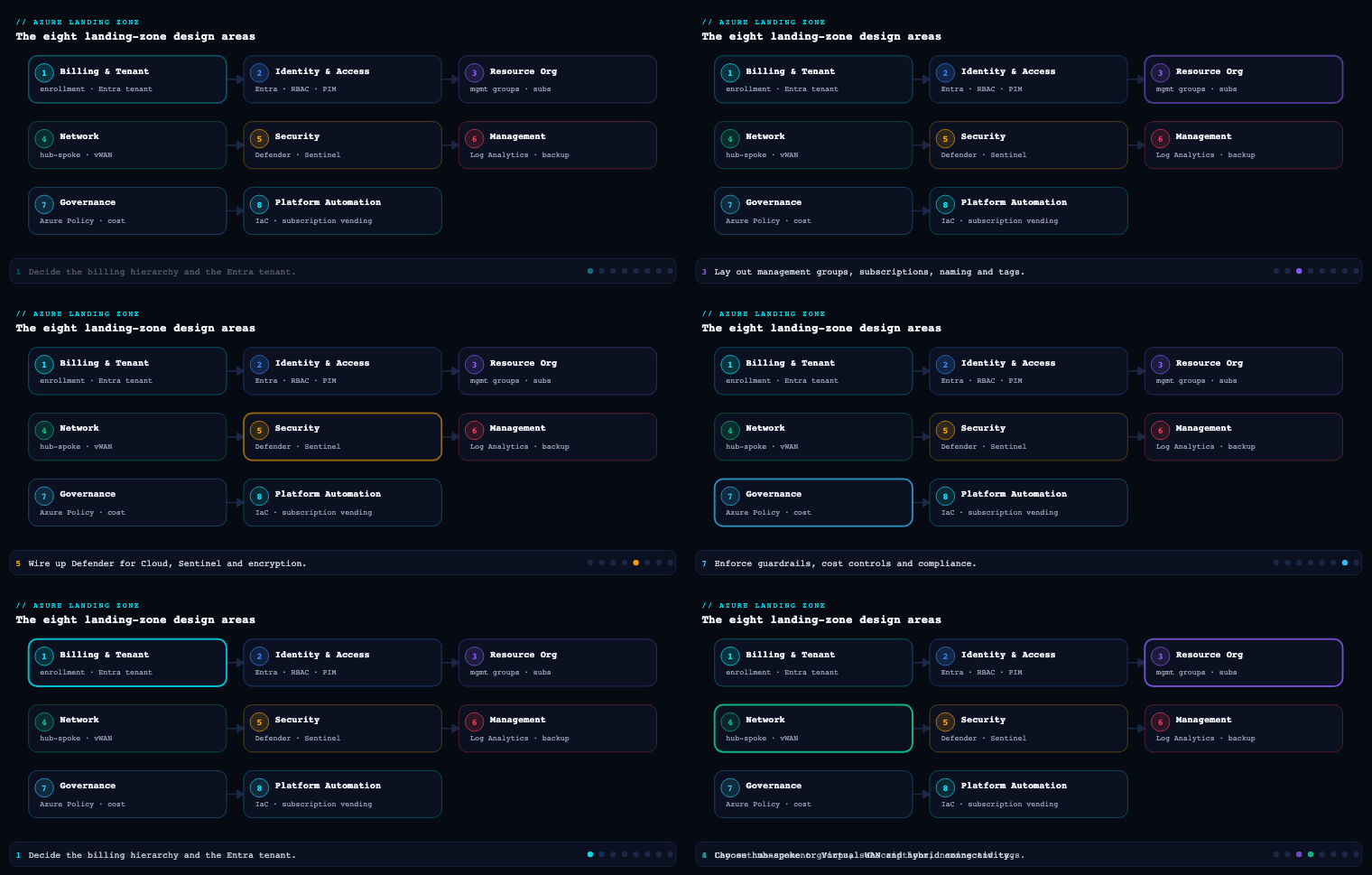
The billing and enrollment hierarchy
What it is. Before a single subscription exists, Azure needs to know who pays and under what commercial vehicle. That vehicle is the billing account, and its internal shape — the enrollment / billing hierarchy — is a tree of administrative and cost-rollup nodes that sit above your subscriptions and outside the Azure Resource Manager (ARM) management-group tree. The two hierarchies are commonly confused but are entirely separate: management groups govern control plane (RBAC, Azure Policy); the billing hierarchy governs who is invoiced and how costs roll up. A subscription is the single object that exists in both trees at once — it is the join point.
The exact node names depend on your agreement type:
| Agreement type | Billing root | Mid-level rollup | Cost/ownership leaf | Subscription attaches to |
|---|---|---|---|---|
| Enterprise Agreement (EA) | Enrollment (billing account) | Department | Account (owned by an Account Owner) | Account |
| Microsoft Customer Agreement (MCA) | Billing account | Billing profile (one invoice each) | Invoice section | Invoice section |
| Microsoft Partner Agreement (MPA / CSP) | Billing account (partner) | Customer | — | Customer (partner-managed) |
Why it matters. This tree is where chargeback and showback become possible or impossible. Each node is an aggregation boundary for cost and a delegation boundary for billing roles. Under MCA, every billing profile produces its own invoice, payment method, and currency — so if Finance needs separate invoices for “Retail” and “Wholesale” business units, that is a billing profile decision made here, not something you can bolt on later with tags. Under EA, the department / account split is how you give a business unit an Account Owner who can create subscriptions without seeing the whole enrollment’s spend. If you flatten this tree — one EA account for everything, or one MCA invoice section — you lose the native financial rollup and are forced to reconstruct it entirely from tags and Cost Management views, which works but is fragile and depends on tagging discipline you do not yet have on day one.
How to do it well. Design the hierarchy to mirror how Finance actually wants to see and pay invoices, not how Engineering wants to organize workloads (that is what the management-group tree is for). Concretely:
- Decide currency and invoice boundaries first — under MCA these are immutable per billing profile, so a billing profile per legal entity / per required currency is the safe default.
- Keep the tree shallow and stable. Departments/invoice sections map to durable cost owners (business units, legal entities), not to projects or environments — those churn.
- Reserve the billing root identities for a tiny set of people. The Enterprise Administrator (EA) or Billing account owner (MCA) is effectively the commercial root of trust; treat it like a break-glass account.
- Plan for subscription vending from here: the agreement is the source from which automation (Bicep/Terraform
Microsoft.Subscription/aliases) will mint new subscriptions, so the team or service principal that runs vending must hold the right billing role (EA Account Owner, or MCAAzure subscription creatoron an invoice section).
Artifacts, decisions, and tools.
- Decisions: agreement type; number and meaning of departments/billing profiles/invoice sections; currency per invoice; who holds each billing role; whether subscription creation is centralized (platform team) or delegated (per department).
- Artifacts: a billing-hierarchy diagram, a RACI for billing roles, a subscription-vending policy that names which invoice section / EA account new subscriptions land in.
- Azure tools/services: Microsoft Cost Management + Billing (the portal blade and
Microsoft.Billing/Microsoft.ConsumptionAPIs), EA portal /ea.azure.comAPIs for EA enrollments, budgets and cost alerts scoped at the billing-account or subscription level, Azure Reservations and Savings Plans (whose scope — shared vs single-subscription — is decided against this hierarchy), and subscription aliases for programmatic creation.
The Microsoft Entra tenant decision and tenant isolation
What it is. A Microsoft Entra tenant (formerly Azure AD tenant) is a dedicated, isolated instance of the Entra directory service — it holds your users, groups, service principals, app registrations, Conditional Access policies, and the trust root for authentication. Crucially, every Azure subscription trusts exactly one Entra tenant for authentication and RBAC at any given moment, and a tenant has exactly one tenantId (a GUID) and at least one verified domain. The core decision of this design area is deceptively simple to state and consequential to answer: how many tenants do you operate, and where does your production Azure landing zone live?
The default and strongly recommended answer is one corporate Entra tenant that is the same tenant as your Microsoft 365 / Office 365 identity, with all of production Azure trusting it. The single-tenant model is preferred because identity governance — Conditional Access, Privileged Identity Management (PIM), Identity Protection, entitlement management, lifecycle workflows — is tenant-scoped, so a second tenant means a second, parallel copy of every one of those controls to build, staff, and keep in sync.
Why it matters — and when a second tenant is justified. Tenant boundaries are the hardest isolation boundary Azure offers. You cross-charge, you peer networks, you share management groups within a tenant; across tenants you get none of that for free. So a second tenant is a deliberate, expensive choice you make only when an isolation requirement genuinely cannot be met inside one tenant:
| Driver for a separate tenant | Is it really necessary? | Better-fit alternative inside one tenant |
|---|---|---|
| “Dev/test should be isolated from prod” | Almost never | Separate management group + subscriptions; RBAC + Policy isolation |
| Sovereignty / national cloud (e.g. Azure Government, Microsoft Cloud for Sovereignty boundary) | Often yes | — (the sovereign cloud is a distinct tenant instance by design) |
| Hard regulatory/contractual data-and-identity separation (defense, classified) | Yes | — |
| ISV building SaaS — separation of corporate identity from customer-facing app identity | Frequently yes | Dedicated tenant for the multi-tenant app’s home; or use external identity |
| M&A — acquired company’s existing tenant | Temporarily yes | Plan tenant-to-tenant migration or B2B federation |
| “Different team wants their own admin control” | No | Delegated admin via PIM-eligible roles + scoped management groups |
Tenant isolation — once you do operate more than one tenant — is the discipline of keeping those trust boundaries clean and intentional. Two distinct controls do most of the work:
- Microsoft Entra restricted-management / tenant restrictions (Cross-tenant access settings, with Tenant Restrictions v2): controls which external tenants your users may sign in to from your network/devices, and which external identities may access your resources — preventing data exfiltration into an attacker- or personal-controlled foreign tenant.
- Conditional Access + token issuance scoping: because each tenant issues its own tokens, cross-tenant access settings (inbound/outbound trust) decide whether you trust the MFA and device-compliance claims asserted by a partner tenant, or force re-verification in yours.
How to do it well.
- Default to one tenant. Make “second tenant” a decision that requires sign-off, with the isolation requirement written down. Most “we need a separate tenant” requests are actually “we need a separate management group / subscription,” which is the Resource Organization design area, not this one.
- Co-locate Azure with M365 identity in the corporate tenant so SSO, Conditional Access, and PIM apply uniformly. Avoid the anti-pattern of a standalone “Azure-only” tenant separate from where your people actually log in.
- If you run non-production validation of identity changes (e.g., testing a risky Conditional Access or app-registration change before it hits everyone), use a small dedicated dev/test/sandbox tenant for that purpose — but never put production workloads or production data in it.
- Verify and own your custom domains early (
kloudvin.com), set the right UPN suffixes, and decide your authentication topology (cloud-only vs hybrid via Microsoft Entra Connect / cloud sync) — this is foundational input the Identity & Access Management design area (Part 2) will build on.
Artifacts, decisions, and tools.
- Decisions: number of tenants and the written justification; which tenant hosts production ALZ; cloud-only vs hybrid identity; custom domains and UPN suffixes; cross-tenant access posture.
- Artifacts: a tenant inventory (tenantId, purpose, owner), a tenant-isolation policy, an identity-topology diagram.
- Azure tools/services: Microsoft Entra ID (tenant +
tenantId), Cross-tenant access settings and Tenant Restrictions v2, Microsoft Entra Connect / Connect cloud sync for hybrid, Conditional Access, Privileged Identity Management (PIM), Microsoft Entra ID Protection. Note that one Azure subscription can be transferred between tenants (Change directory) — a heavy operation that drops all RBAC assignments — which is exactly why the tenant decision is treated as load-bearing.
Enterprise Agreement (EA) vs Microsoft Customer Agreement (MCA)
What it is. The agreement is the legal and commercial contract under which you consume Azure — it determines the billing-account type, the role model, the API surface for billing, and increasingly whether new capabilities are even available to you. The two enterprise-relevant options are the Enterprise Agreement (EA) — the legacy three-year volume-licensing vehicle administered through the EA portal — and the Microsoft Customer Agreement (MCA) — Microsoft’s modern, evergreen digital agreement that you sign once and that does not expire. (For partner-led purchases the equivalent is the Microsoft Partner Agreement / CSP; for very small spend there is also Pay-As-You-Go / MOSP, generally out of scope for a landing zone.)
This matters for a landing zone because the agreement is the billing root discussed above, and the choice is not merely cosmetic — Microsoft is actively transitioning customers from EA to MCA, and several newer constructs and a cleaner role/RBAC model live on MCA.
EA vs MCA — the decision table.
| Dimension | Enterprise Agreement (EA) | Microsoft Customer Agreement (MCA) |
|---|---|---|
| Contract term | Fixed term (typically 3 years), must be renewed | Evergreen — signed once, does not expire |
| Billing hierarchy | Enrollment → Department → Account → Subscription | Billing account → Billing profile → Invoice section → Subscription |
| Invoice model | One invoice for the enrollment | One invoice per billing profile (multi-invoice native) |
| Currency | Single per enrollment | Per billing profile (multi-currency native) |
| Admin / role model | EA roles (Enterprise Admin, Dept Admin, Account Owner) — portal-centric, not Azure RBAC | Billing Azure RBAC-style roles (Billing account owner/contributor, Invoice section owner) — managed in the Azure portal |
| Billing roles surfaced in ARM | Limited; separate EA portal | Yes — billing roles are first-class in Microsoft.Billing RBAC |
| Subscription creation API | Supported via EA Account + alias | Supported via invoice-section scope + alias (preferred path going forward) |
| Direction of travel | Being migrated away from | The strategic default for new and renewing customers |
Why it matters. Three concrete consequences:
- Financial structure is baked in at signing. If you need multiple invoices or currencies (multiple legal entities, multi-country), MCA gives you that natively via billing profiles; on EA you would run multiple enrollments or reconstruct the split with tagging. Choosing the wrong vehicle forces a re-paper later.
- The role model differs, and so does your IAM design for billing. On MCA, billing roles are RBAC-style and assignable in the Azure portal, which lets you delegate “create subscriptions in this invoice section” cleanly to a platform team’s service principal — a much better fit for subscription vending than the EA Account Owner model. Your platform-automation design (a later design area) depends on which you have.
- Feature and lifecycle parity. EA enrollments expire and must be renewed (an operational event with a hard date); MCA does not. New billing/cost features increasingly land on MCA first. For a new landing zone in 2026, MCA is the default recommendation unless an existing in-term EA makes staying put cheaper for now.
How to do it well.
- For greenfield, start on MCA; design billing profiles per legal-entity/currency boundary up front.
- For an existing EA, do not panic-migrate mid-term — but plan the EA-to-MCA transition as a known future event, and design tags and Cost Management views so cost continuity survives the cut-over (cost history does not automatically migrate, so capture exports first).
- Whichever you choose, scope Reservations and Savings Plans deliberately against the hierarchy (shared scope across the billing account vs single-subscription) and centralize their purchase under a FinOps owner who holds the right billing role.
Artifacts, decisions, and tools.
- Decisions: EA vs MCA (vs CSP); billing-profile/department layout; reservation scope; migration plan if currently EA.
- Artifacts: signed agreement record, billing-role RACI, cost-export configuration, a reservation/savings-plan strategy doc.
- Azure tools/services: Cost Management + Billing,
Microsoft.BillingRBAC, Cost exports to a storage account (for history continuity), Azure Reservations / Savings Plans, budgets & anomaly alerts.
B2B and multi-tenant considerations
What it is. Even with a single corporate tenant, you rarely operate in true isolation: partners, vendors, contractors, and acquired companies have their own Entra tenants, and you must let some of their identities into yours (or yours into theirs) without minting fully-managed internal accounts. Microsoft Entra External ID provides two models for this: B2B collaboration (invite an external user as a guest into your tenant — they keep their home credentials and MFA, you grant them access to your resources) and B2B direct connect (a tenant-to-tenant trust used by Microsoft Teams shared channels). Separately, multi-tenant also describes the application shape — an app registration marked multi-tenant that users from other tenants can consent to and sign in to (the foundation of SaaS).
For the landing zone, the question is: how do external identities and external tenants interact with our environment, and how do we keep that controlled?
Why it matters. Guests are the most common quiet erosion of a tenant’s security boundary. By default a B2B guest can be invited by many users, can enumerate parts of the directory, and — if you blindly trust the partner tenant’s claims — can ride in on an MFA that you did not enforce. Multiplied across hundreds of partners, ungoverned B2B becomes the single largest population of identities you do not directly manage but are responsible for. And on the application side, marking an app multi-tenant without an explicit allow-list of which tenants may consent is how SaaS apps end up consented-to by tenants you never intended to serve.
How to do it well — the concrete controls.
| Concern | Control / setting | What you decide |
|---|---|---|
| Who may invite guests | External collaboration settings → guest invite restrictions | Restrict invitations to specific admin roles or block self-service |
| What guests can see | Guest user access level (Restricted / Limited / Same as member) | Default to most-restricted directory visibility |
| Which partner tenants are allowed | Cross-tenant access settings (inbound/outbound) + B2B allow/deny list | Allow-list trusted partner tenants; block the rest |
| Trusting partner MFA/device claims | Inbound trust settings in cross-tenant access | Decide per partner whether to accept their MFA & compliant-device claims or re-challenge in yours |
| Guest lifecycle / sprawl | Access reviews (Entra ID Governance) + entitlement management access packages | Periodic recertification; auto-expire stale guests |
| Just-in-time external access | Entitlement management with connected organizations | Time-boxed access packages instead of standing RBAC |
| Multi-tenant app exposure | App registration audience + admin consent / publisher verification | Restrict who can consent; verify the publisher; explicit tenant allow-list where applicable |
| Data exfiltration to foreign tenants | Tenant Restrictions v2 | Stop corp users/devices from signing into untrusted external tenants |
B2B vs creating internal accounts vs B2C/CIAM — the right tool.
- B2B collaboration: for partners and contractors who have their own corporate Entra identity. They authenticate at home; you authorize. This is the default for business-to-business.
- Internal (member) account: only for people you truly employ/manage — full lifecycle responsibility sits with you.
- External ID for customers (CIAM / formerly Azure AD B2C): for consumer/customer-facing sign-in to your applications at scale — a different directory model, deliberately separated from your corporate tenant so end-customer identities never mingle with employees.
Multi-tenant (M&A) reality. When you acquire a company that already has a tenant, you have three sequenced options, and you should write down which one and the target date: (1) B2B federate the two tenants for day-one collaboration (fast, reversible); (2) tenant-to-tenant migration to consolidate into the corporate tenant (the strategic end-state, heavy); or (3) run dual tenants indefinitely (only if a hard isolation requirement justifies the permanent cost). Most enterprises do (1) then (2).
Artifacts, decisions, and tools.
- Decisions: external collaboration posture; which partner tenants are allow-listed; trust-of-partner-MFA per relationship; guest review cadence; multi-tenant app consent policy; M&A tenant strategy.
- Artifacts: an external-identity policy, a connected-organizations register, access-package definitions, an access-review schedule.
- Azure tools/services: Microsoft Entra External ID (B2B collaboration, B2B direct connect, External ID for customers/CIAM), Cross-tenant access settings, Tenant Restrictions v2, Microsoft Entra ID Governance (access reviews, entitlement management, connected organizations), app registrations with admin-consent workflow and publisher verification.
Real-world enterprise scenario
Context. Nordhaven Logistics AG is a Zurich-headquartered freight and supply-chain company, ~9,400 employees, operating legal entities in Switzerland (CHF), Germany (EUR), and a recently acquired UK parcel startup, Pellworm Parcel Ltd (GBP, ~140 staff, already on its own Entra tenant). Nordhaven runs Microsoft 365 for all staff in a single corporate tenant, nordhaven.onmicrosoft.com (verified domain nordhaven.ch). They are standing up their first Azure Landing Zone and must complete the Billing & Microsoft Entra Tenant design area before anything else.
Decisions, by sub-component.
Billing & enrollment hierarchy and EA vs MCA. Nordhaven’s old EA enrollment expires in 11 months. Rather than renew, the FinOps lead and Procurement sign a Microsoft Customer Agreement. Because Group Finance requires separate invoices per legal entity and per statutory currency, they create three billing profiles: Nordhaven-CH (CHF), Nordhaven-DE (EUR), and Pellworm-UK (GBP). Within Nordhaven-CH they create two invoice sections — Platform (shared services) and Workloads — so platform run-cost is invoiced distinctly from business workloads. The platform team’s service principal is granted the MCA Azure subscription creator role on the Platform and Workloads invoice sections, enabling automated subscription vending via Microsoft.Subscription/aliases. Cost exports from the expiring EA are configured to a locked storage account first, preserving 26 months of history before any migration. Reservations are purchased at shared scope under a single FinOps owner.
Entra tenant decision and isolation. After a one-page justification review, Nordhaven confirms a single corporate tenant hosts all production Azure — co-located with M365 so Conditional Access and PIM apply once. They reject a separate “Azure-only” tenant. They do stand up a small nordhaven-id-sandbox tenant strictly for rehearsing risky Conditional Access and app-registration changes — no production data. Tenant Restrictions v2 is enabled to stop corporate devices from authenticating into unmanaged external tenants.
B2B and multi-tenant. For the Pellworm acquisition, day-one collaboration is delivered by B2B-federating Pellworm’s tenant into Nordhaven’s via cross-tenant access settings, with inbound trust configured to accept Pellworm’s MFA claims (their MFA posture was assessed and accepted). A tenant-to-tenant migration of Pellworm into the corporate tenant is scheduled for month 9; until then Pellworm-UK remains its own billing profile. External freight partners (customs brokers, carriers) are admitted strictly as B2B guests, invitable only by the IT-admin role, with quarterly access reviews and time-boxed entitlement-management access packages instead of standing RBAC. Their customer-facing shipment-tracking portal is built on External ID for customers (CIAM) in a separate directory so 2M+ consumer identities never touch the corporate tenant.
Artifacts produced. A billing-hierarchy diagram (3 billing profiles, invoice sections); a billing-role RACI; a subscription-vending policy; a tenant inventory (2 tenants + 1 CIAM directory, each with owner and justification); a tenant-isolation/Tenant-Restrictions policy; an external-identity policy with the partner allow-list; a connected-organizations register; an access-review schedule; an EA-to-MCA migration runbook with cost-export evidence.
Measurable outcome. Within the first quarter: 100% of new subscriptions minted through vending land in the correct invoice section with zero manual billing tickets; Finance receives 3 clean per-entity invoices in native currency (CHF/EUR/GBP) with no tag-based cost reconstruction; 0 production workloads sit outside the corporate tenant; stale-guest count drops ~40% after the first access-review cycle; and the Pellworm teams are collaborating day-one over B2B while the consolidation migration proceeds on schedule.
Deliverables & checklist
Common pitfalls
- Conflating the billing hierarchy with the management-group tree. They are separate trees joined only at the subscription. Designing one to satisfy the other’s requirements (e.g., creating billing profiles per environment instead of per cost owner) produces a structure Finance can’t invoice from and Engineering can’t govern with. Design each tree for its own purpose.
- Standing up an “Azure-only” tenant separate from M365 identity. This duplicates Conditional Access, PIM, and Identity Protection into a second silo you must keep in sync forever, and breaks seamless SSO. Default to one corporate tenant; make a second tenant a justified exception, not a starting assumption.
- Treating “we need isolation” as “we need a tenant.” Most isolation needs (dev vs prod, team-level admin autonomy) are satisfied by management groups + subscriptions + PIM-eligible scoped roles — a Resource Organization concern — not by a new tenant. Reserve new tenants for sovereignty, hard regulatory separation, or genuine multi-tenant-app needs.
- Ungoverned B2B guest sprawl. Leaving self-service invites open, granting guests member-level directory visibility, and blindly trusting partner MFA turns guests into your largest unmanaged identity population. Restrict who can invite, default to restricted visibility, set inbound-trust per partner, and run recurring access reviews.
- Renewing an EA on autopilot — or panic-migrating to MCA mid-term. Both are avoidable. For greenfield choose MCA; for an in-term EA, plan the transition with cost-export evidence captured first (cost history does not auto-migrate), and time the cut-over rather than reacting to an expiry date.
- Marking an application multi-tenant with no consent control. A multi-tenant app registration without an admin-consent policy, publisher verification, or tenant allow-list can be consented-to by tenants you never intended to serve. Constrain the audience and the consent path before you publish.
What’s next
Part 2 of Azure Landing Zone Design Areas moves from the tenant and billing roots into Identity & Access Management — hybrid vs cloud-only identity, the privileged-access model with PIM, RBAC role design, and Conditional Access as the platform’s front door.