Where this fits
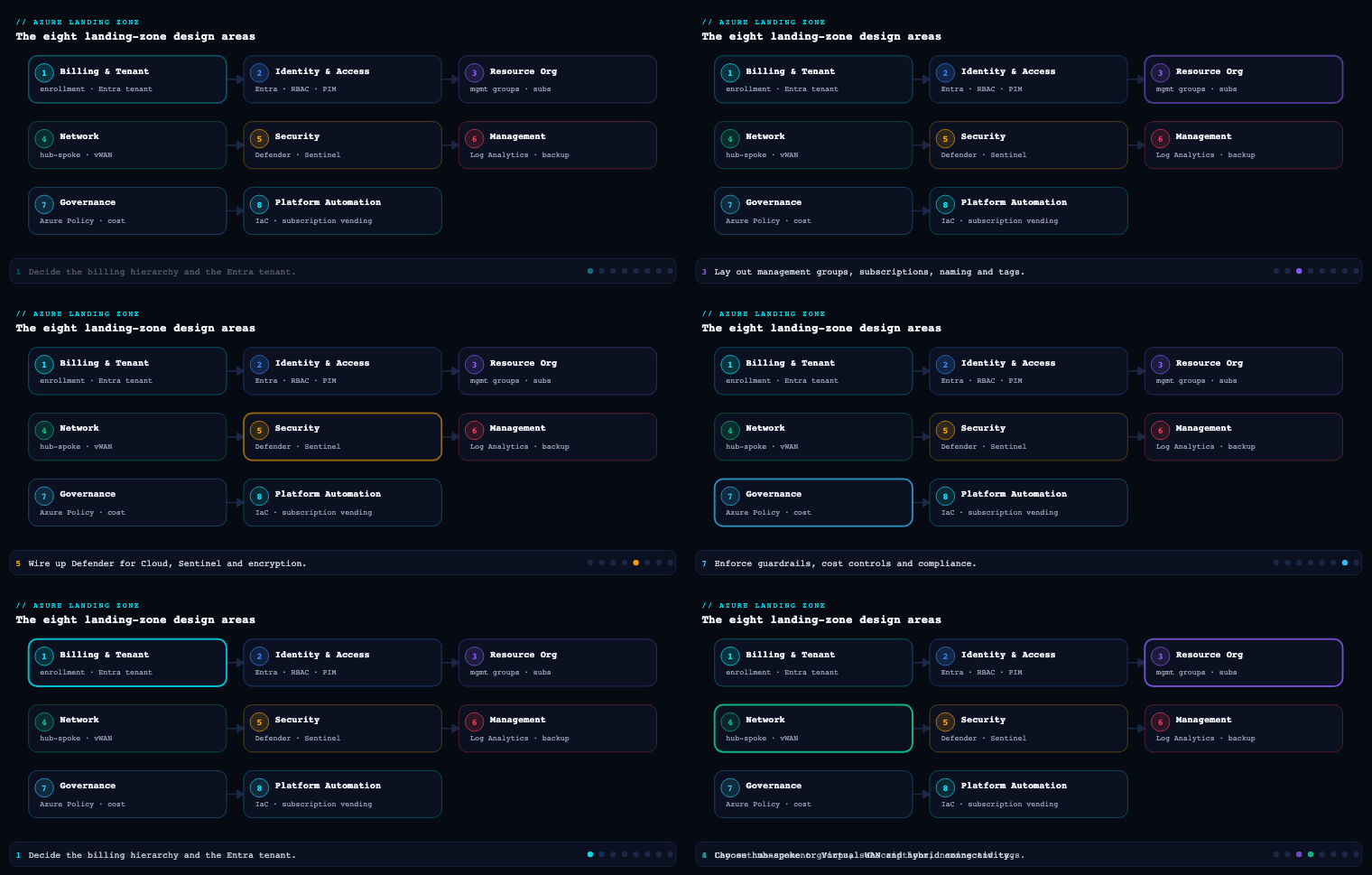
Across the eight Azure Landing Zone design areas, identity is the one most teams under-design and then spend years remediating. In the Cloud Adoption Framework’s enterprise-scale architecture, Identity & Access Management is one of the two environment design areas (alongside Resource Organization) that define who can do what, where, and under which conditions — before a single workload subscription is minted. It establishes the Microsoft Entra ID tenant as the single control plane for the whole estate, the Azure RBAC model that maps human and machine identities onto management groups and subscriptions, and the conditional, just-in-time access controls that turn “everyone is Global Administrator” into a least-privilege, auditable system. Network topology, security, governance, and management all consume the identity foundation you build here; if it is weak, every layer above inherits the weakness.
Entra ID design
What it is
The identity design area starts with one deliberate decision: how many Microsoft Entra ID tenants you will have, and what the production tenant looks like. A tenant is a dedicated, isolated instance of Entra ID with its own users, groups, app registrations, Conditional Access policies, and licensing — it is the security and administrative boundary for everything. Every Azure subscription trusts exactly one tenant for authentication and RBAC, and the tenant root sits logically above the management group hierarchy. The deliverables of this sub-area are the tenant topology decision, the licensing baseline (Entra ID P1 vs P2), the emergency-access (break-glass) account design, and the policy that governs how identities are created in the tenant.
Why it matters
The tenant is the blast radius of identity. A compromised Global Administrator or a misconfigured Conditional Access policy at tenant scope affects the entire organization, all subscriptions, and frequently Microsoft 365 as well, because most enterprises share one tenant between Azure and Microsoft 365. That shared-tenant reality is the single most consequential fact in this design area: the Azure platform team and the Microsoft 365/collaboration team are operating in the same security boundary and must coordinate Conditional Access, named locations, and privileged roles. Get the tenant model wrong — spin up a separate “Azure-only” tenant to feel isolated — and you double your identity-governance surface, fragment Conditional Access, and create a B2B/guest-management nightmare with no real security gain.
How to do it well
- Default to a single production tenant. Microsoft’s explicit guidance is one tenant for the organization. Use management groups, subscriptions, RBAC, and Administrative Units for segregation inside the tenant — not multiple tenants. Reserve a second tenant only for genuine, hard requirements: a non-production tenant to safely test tenant-wide Conditional Access and Entra changes, regulatory data-sovereignty mandates, or post-acquisition entities you have not yet consolidated.
- License for P2 on the privileged population at minimum. The capabilities this entire design area depends on — Privileged Identity Management, risk-based Conditional Access, Identity Protection, access reviews — require Microsoft Entra ID P2 (typically delivered via Microsoft Entra ID Governance or the E5/EMS E5 bundle). At a minimum, every account that holds a privileged role must be P2-licensed.
- Design break-glass accounts on day zero. Create two cloud-only emergency-access accounts (
*.onmicrosoft.com, not federated, not synced from AD), assign them permanent Global Administrator, exclude them from all Conditional Access policies, store credentials split in two physical safes, and wire a high-severity Microsoft Sentinel / Entra sign-in alert to fire whenever either account authenticates. These accounts are your recovery path if PIM, federation, or a bad Conditional Access policy locks everyone out. - Govern identity creation. Decide up front how internal users, guests (B2B), workload identities, and service principals enter the tenant, and turn off the dangerous defaults (user consent to apps, security-group self-service, unrestricted guest invitations).
Concrete artifacts and decisions
| Decision | Recommended baseline | Why |
|---|---|---|
| Tenant topology | Single production tenant + optional non-prod tenant for change testing | One security boundary; avoids fragmented Conditional Access and guest sprawl |
| Licensing | Entra ID P2 for all privileged users; P1 floor for the population | PIM, Identity Protection, risk-based Conditional Access, access reviews are P2 |
| Break-glass | 2 cloud-only Global Admins, CA-excluded, alerted, vaulted | Tenant-lockout recovery path |
| Administrative Units | Scope helpdesk/regional admin roles to AUs (e.g., per-region, per-BU) | Least privilege for delegated admin without extra tenants |
| External identities | B2B with cross-tenant access settings + entitlement-management for guest lifecycle | Controlled collaboration with audit and expiry |
| Workload identities | App registrations governed; prefer managed identities; workload-identity CA + risk policies | Service principals are the fastest-growing attack surface |
RBAC model
What it is
Azure role-based access control (RBAC) is the authorization system for the Azure control plane and data plane — distinct from Entra directory roles (which govern the tenant itself, e.g., User Administrator). An RBAC role assignment binds three things: a security principal (user, group, service principal, or managed identity), a role definition (a set of Actions/NotActions/DataActions), and a scope (management group → subscription → resource group → resource). Assignments inherit downward, so a Reader at the Landing Zones management group is Reader on every subscription beneath it. The deliverable here is a documented role-and-scope matrix: which principals get which roles at which scope, and the discipline that keeps that matrix small and group-based.
Why it matters
RBAC is where least privilege is either implemented or quietly abandoned. The two failure modes are equally common: over-granting Owner/Contributor at subscription or management-group scope to dozens of named users (so the access plane becomes ungovernable and every account is a high-value target), and inventing dozens of bespoke custom roles (so nobody can reason about effective permissions). Because assignments inherit, a single careless grant at the tenant-root management group is the most dangerous object in the estate — and there is a known elevation path where a Global Administrator can toggle “Access management for Azure resources” to gain User Access Administrator at root scope over every subscription. The RBAC model is your control over that.
How to do it well
- Assign roles to Entra groups, almost never to users. Map job functions to PIM-eligible, group-based assignments. A person changing teams becomes a group-membership change, not a sweep of dozens of role assignments. This is the single highest-leverage RBAC discipline.
- Prefer built-in roles; treat custom roles as exceptions. Reach for Owner, Contributor, Reader, User Access Administrator (UAA), and Role Based Access Control Administrator first. The newer RBAC Administrator role is important: it lets a principal manage role assignments without the broad infrastructure rights of Owner/UAA, so platform automation can grant access without being able to delete resources. Only build a custom role when a real least-privilege gap exists, version it as IaC, and keep the count low.
- Pick the right scope deliberately. Platform-wide reader/security roles belong at management-group scope so they inherit. Workload roles belong at the application landing-zone subscription or resource group — never broader. Reserve management-group-scope Owner for break-glass and the platform team’s PIM-eligible role only.
- Lock the root. No standing assignments at the tenant root management group except the bare minimum; alert on any change there.
Concrete artifacts and decisions
| Principal (group) | Role | Scope | Notes |
|---|---|---|---|
| Platform Owners | Owner (PIM-eligible) | Platform MG |
JIT only; not standing |
| Platform Engineers | Contributor + RBAC Administrator (PIM) | Platform MG |
Manage resources + grant access, not delete-all |
| Security Operations | Reader + Security Reader | Tenant-root / Intermediate-root MG | Estate-wide visibility, no write |
| Workload Owners (per app) | Owner (PIM-eligible) | App landing-zone subscription | Scoped to their subscription only |
| Workload Contributors | Contributor | App landing-zone subscription / RG | Day-to-day deploy |
| FinOps | Cost Management Reader + Reader | Intermediate-root MG | Spend visibility across estate |
| Deployment pipeline (managed identity) | Contributor + RBAC Administrator (custom-scoped) | Subscription | No Owner; cannot remove its own guardrails |
Privileged Identity Management (PIM)
What it is
Microsoft Entra Privileged Identity Management (PIM) is the just-in-time, time-bound, approval-gated layer over privileged access. Instead of being a permanent member of a privileged role, a principal is made eligible; when they need the role they activate it — for a bounded window (e.g., 4 hours), often requiring MFA at activation, a business justification, ticket reference, and explicit approval — after which it automatically expires. PIM governs both Entra directory roles (Global Administrator, User Administrator, etc.) and Azure RBAC roles at management-group/subscription/RG scope, and it can manage role-assignable Entra groups for everything else. Its deliverables are the eligible-assignment catalog, activation policies per role, and the access-review cadence.
Why it matters
PIM converts the most attractive targets in your tenant — standing Global Admins and subscription Owners — from always-on credentials into ephemeral ones that an attacker cannot use even if they phish the password, because the role is not active and activation requires MFA plus approval. It is the mechanism that operationalizes least privilege over time, not just over scope: most engineers are privileged for a few hours a month, not permanently. Without PIM, “least privilege” is a static snapshot that decays the moment someone is granted access “just for this incident” and never removed.
How to do it well
- Drive Global Administrator to near-zero standing. Microsoft’s own guidance is fewer than five permanent Global Administrators; with PIM you target zero standing Global Admins (break-glass accounts excepted) and a small eligible pool that activates on demand.
- Set activation policies that match risk. Tier them: tenant-impacting roles (Global Admin, Privileged Role Admin, UAA at root) require approval + MFA + justification + short windows (1–2h); routine workload-Owner activation may need only MFA + justification for 8 hours. Configure approvers who are not the requester.
- Make every privileged assignment eligible, not active. New privileged access is granted as a PIM-eligible role by default. “Active” (standing) assignments are exceptions that themselves go through review.
- Run access reviews on a cadence. Use PIM and Entra access reviews to recertify eligible role members and privileged group membership quarterly; auto-remove non-responders. Stream all PIM activations to Microsoft Sentinel / Log Analytics for hunting and alerting.
Concrete artifacts and decisions
| Role tier | Example roles | Activation policy | Access review |
|---|---|---|---|
| Tier 0 — tenant | Global Administrator, Privileged Role Administrator, UAA @ root | Approval + MFA + justification, 1–2h max, zero standing | Monthly |
| Tier 1 — platform | Platform Owner/Contributor @ Platform MG, RBAC Administrator | MFA + justification + approval, 4h | Quarterly |
| Tier 2 — workload | Subscription Owner/Contributor (app landing zone) | MFA + justification, 8h | Quarterly |
| Break-glass | 2× Global Admin (cloud-only) | Permanent active, CA-excluded, alerted | Validated semi-annually |
Conditional Access
What it is
Microsoft Entra Conditional Access is the policy engine that evaluates signals at every authentication and decides whether to allow, block, or allow-with-controls. A policy is a set of assignments (users/groups, target cloud apps/resources, conditions — device platform, location, client app, sign-in risk, user risk) combined with access controls (require MFA, require compliant or Hybrid Entra joined device, require approved app, require phishing-resistant authentication strength, block, or enforce app-enforced/session controls via continuous access evaluation). It is the Zero Trust enforcement point — “verify explicitly” made operational — and it sits in front of the Azure portal, ARM, the CLI, and every workload that authenticates against the tenant.
Why it matters
Conditional Access is where MFA stops being optional and where device, location, and risk become first-class authorization inputs. Because Azure management itself (Windows Azure Service Management API / the Microsoft Admin Portals app group) is a Conditional Access-protected resource, this is the layer that ensures nobody touches the control plane from an unmanaged device or an anonymous IP without strong, phishing-resistant MFA. It is also, paradoxically, the most dangerous artifact in the tenant: a wrong policy in report-only mode is harmless, but the same policy in On can lock out every administrator — which is exactly why break-glass accounts are excluded from all policies and why you stage changes in a non-prod tenant or report-only first.
How to do it well
- Start from the Microsoft-managed baseline, then build a structured policy set. Enable the Microsoft-managed Conditional Access policies (MFA for admins, MFA for all users, MFA for risky sign-ins, block legacy authentication) and Security Defaults’ successors, then layer organization-specific policies using a clear naming taxonomy (persona–target–control). Group policies by persona: Global/Admins, internal users, guests, workload identities, and break-glass exclusions.
- Require phishing-resistant MFA for administrators. Use authentication strength to mandate FIDO2/passkeys or certificate-based auth for privileged roles and for the Azure management plane — not just any second factor.
- Make device state a control. Require compliant (Intune) or Microsoft Entra hybrid joined devices for administrative access and sensitive workloads, pairing Conditional Access with device identity so unmanaged endpoints cannot reach the control plane.
- Block legacy authentication outright (it bypasses MFA), and always exclude break-glass accounts, validate in report-only, and review the What If tool and Conditional Access insights workbook before flipping policies On.
Concrete artifacts and decisions
| Policy (persona–target–control) | Target | Control |
|---|---|---|
| ADM-AzureMgmt-PhishResistantMFA | Microsoft Admin Portals + Azure Management | Authentication strength: phishing-resistant; compliant device |
| ALL-AllApps-RequireMFA | All cloud apps | Require MFA |
| ALL-AllApps-BlockLegacyAuth | All apps, legacy clients | Block |
| RISK-SignIn-High-Block / Medium-MFA | Identity Protection sign-in risk | Block (high) / MFA + password change (medium) |
| GUEST-Apps-CompliantOrMFA | B2B guests | Require MFA; restrict to specific apps |
| WORKLOAD-ServicePrincipals-LocationLock | Workload identities | Block from outside named/trusted locations |
| BREAKGLASS-Exclude | 2 emergency accounts | Excluded from ALL policies |
Hybrid identity
What it is
Hybrid identity is how on-premises Active Directory and Microsoft Entra ID are connected so users have one identity across both. The mechanics are: Microsoft Entra Cloud Sync (the modern, lightweight, agent-based provisioning engine, now preferred for most topologies) or the older Microsoft Entra Connect Sync to project AD objects into Entra ID, plus an authentication method decision — Password Hash Synchronization (PHS), Pass-through Authentication (PTA), or federation (AD FS). For Azure resource access from on-prem workloads, hybrid identity also covers Microsoft Entra Domain Services (Entra DS), a managed-domain offering that provides Kerberos/LDAP/NTLM and domain-join in Azure without you running domain controllers — frequently the right answer for legacy IaaS that needs AD but where you do not want DCs on VMs.
Why it matters
Most enterprises are not greenfield; they have decades of AD, GPO, and Kerberos-dependent applications. Hybrid identity is what lets those users and apps reach Azure landing zones with their existing credentials while you converge on Entra ID as the master control plane. The authentication-method choice is consequential: it determines your availability dependency (federation makes Entra sign-in depend on on-prem AD FS uptime) and your resilience to on-prem outages. Microsoft’s clear guidance is to prefer cloud authentication (PHS) and decommission AD FS, because federation is the most fragile, highest-maintenance option and PHS keeps authentication working even if the on-prem environment is down.
How to do it well
- Choose Cloud Sync unless a hard requirement forces Connect Sync. Cloud Sync handles multiple disconnected forests, high availability via multiple agents, and lower operational overhead. Use Connect Sync only for features Cloud Sync does not yet cover (e.g., certain device-writeback, very large/complex single-forest filtering, pass-through/Exchange-hybrid edge cases).
- Prefer PHS as the authentication method; enable Seamless SSO. PHS plus Seamless single sign-on gives a clean experience and the best resilience. Layer Password Writeback to enable self-service password reset back to AD. Move off AD FS deliberately — Microsoft provides explicit migration paths.
- Scope what you sync. Filter to the OUs and attributes you actually need; do not blanket-sync the whole forest. Synchronize the attributes Conditional Access and group-based licensing rely on.
- Use Entra Domain Services for legacy IaaS that needs a domain — lift-and-shift VMs requiring LDAP/Kerberos/domain-join — and host it in the identity subscription’s dedicated spoke so its DCs and subnet are isolated and centrally governed.
Concrete artifacts and decisions
| Option | Use when | Trade-off |
|---|---|---|
| Entra Cloud Sync | Most topologies; multi-forest; HA; low ops | Some advanced Connect-only features unavailable |
| Entra Connect Sync | Single complex forest needing device/attribute writeback edge cases | Heavier server + upgrade lifecycle |
| PHS (preferred) | Default authentication method | Hashes (not passwords) in cloud; best resilience |
| PTA | Org policy forbids any password material in cloud | Needs HA agents; on-prem dependency at sign-in |
| Federation / AD FS | Legacy requirement only; target for decommission | Most fragile and costly; sign-in depends on on-prem |
| Entra Domain Services | Legacy IaaS needing Kerberos/LDAP/domain-join in Azure | Managed domain, limited schema control |
The identity landing-zone subscription
What it is
In enterprise-scale, identity gets its own dedicated platform subscription — the identity subscription — parented under the Platform management group, alongside the separate management and connectivity subscriptions. It is not the same as the Entra tenant (which is tenant-wide and above all subscriptions); rather, it is the Azure subscription that hosts the identity-related Azure resources: domain controllers if you must run AD DS on IaaS, Microsoft Entra Domain Services, identity-adjacent infrastructure, and the network spoke those services sit in. It is deployed by the identity module of the Azure Landing Zone (ALZ) accelerator (Bicep or Terraform) as a discrete, policy-governed subscription with its own RBAC and budget.
Why it matters
Identity infrastructure has a different security tier, a different change cadence, and a different owner than workloads or networking — so it gets isolation. A dedicated identity subscription means domain controllers and Entra DS live behind their own subnet, their own network security groups, and their own RBAC, peered to the connectivity hub but separated from workload spokes; a compromise in an application landing zone cannot pivot directly to the directory infrastructure. It also gives the identity team a clean ownership boundary with PIM-eligible Owner and a dedicated cost center, and it is the natural place to apply deny-by-default policies that pin identity resources to approved regions and SKUs. In a cloud-only / no-on-prem estate you may have no IaaS DCs at all — in which case the identity subscription is minimal, but it still exists in the hierarchy as the designated home for any future identity infrastructure and for Entra DS.
How to do it well
- Deploy it from the ALZ accelerator, not by hand. The accelerator’s identity management-group/subscription scaffolding gives you the correct placement, policy assignments (e.g., recommended identity-specific deny/audit policies), and RBAC out of the box.
- Isolate the network. Give it its own spoke virtual network peered to the hub, restrict inbound with NSGs, and route through Azure Firewall — DCs and Entra DS should never be exposed to workload spokes or the internet.
- Govern and budget it as a platform subscription. PIM-eligible Owner for the identity team, Reader for SecOps, diagnostic settings to the central Log Analytics workspace, and a budget alert. Apply Azure Policy to pin region/SKU.
- Right-size to your reality. Heavy on-prem heritage → IaaS DCs + Entra DS here; greenfield/cloud-native → a near-empty but correctly-placed subscription so the boundary exists before you need it.
Concrete artifacts and decisions
| Artifact | Detail |
|---|---|
| Subscription placement | Dedicated identity subscription under Platform MG |
| Hosted resources | IaaS AD DS DCs (if required), Microsoft Entra Domain Services, identity tooling |
| Network | Own spoke VNet, NSG-restricted subnet, hub-peered, firewall-routed |
| RBAC | Identity team Owner (PIM-eligible); SecOps Reader |
| Governance | ALZ identity policy set; region/SKU pinning; diagnostics to central LAW; budget alert |
| IaC | ALZ accelerator (Bicep alz-bicep / Terraform caf-enterprise-scale/avm-ptn-alz) |
Real-world enterprise scenario
Helvetia Logistics AG is a fictional Swiss freight and 3PL operator: 14,000 employees, a 25-year-old single-forest on-prem Active Directory, Microsoft 365 E5 for the corporate population, and a mandate to land 60 application subscriptions in Azure over 18 months. They have three regional IT hubs (Zürich, Singapore, São Paulo), Swiss data-residency obligations under the revised FADP, and — at kickoff — 34 standing Global Administrators and Owner sprawled across a handful of subscriptions. They apply the identity design area as follows.
Entra ID design. They keep their single existing Microsoft 365 tenant as the production tenant rather than spinning up an Azure-only tenant, and stand up one non-production tenant purely to rehearse tenant-wide Conditional Access and Entra changes. They license the ~120-person privileged population with Entra ID P2 (the rest of the org is already P1 via E5). Two cloud-only break-glass Global Admins are created, excluded from all Conditional Access, credentials split across the Zürich and Geneva safes, with a Sentinel analytic rule on either account’s sign-in. Administrative Units are created per region so the Singapore and São Paulo helpdesks get User Administrator scoped only to their own users.
RBAC model. Every one of the 34 standing admins is removed in favor of eight Entra security groups mapped to job functions (Platform Owners, Platform Engineers, SecOps, FinOps, and per-region Workload Owners), each made PIM-eligible rather than actively assigned. The deployment pipelines run as managed identities with Contributor + RBAC Administrator scoped to their subscriptions — deliberately not Owner — so a pipeline can grant workload access but cannot delete the guardrails above it. Two custom roles survive a least-privilege review; the rest are built-ins. Root management group has zero standing assignments, with an alert on any change.
PIM. Global Administrator goes from 34 standing to zero standing (break-glass excepted) and a 9-person eligible pool. Tier-0 activations (Global Admin, UAA at root) require approval + phishing-resistant MFA + justification, 1-hour windows; Tier-2 workload-Owner activations need MFA + justification, 8 hours. Quarterly access reviews auto-remove non-responders; all activations stream to Microsoft Sentinel.
Conditional Access. They enable the Microsoft-managed baseline then add a persona-structured set: phishing-resistant authentication strength (FIDO2 passkeys) required for the Azure management plane and all admin roles; compliant or Entra hybrid joined device required for administrative access; legacy authentication blocked; sign-in risk high → block, medium → MFA; B2B guests restricted to named apps with MFA. Everything ships in report-only for two weeks in the non-prod tenant, validated with What If, before going On.
Hybrid identity. They migrate from a legacy AD FS farm to Password Hash Synchronization + Seamless SSO, retiring two AD FS servers and their dependency on on-prem uptime for cloud sign-in. Entra Cloud Sync replaces an aging Entra Connect server, scoped to four OUs. A cluster of Kerberos-dependent warehouse-management VMs that cannot be modernized yet are pointed at Microsoft Entra Domain Services rather than new IaaS DCs.
Identity subscription. A dedicated identity subscription under the Platform management group is deployed by the ALZ Terraform accelerator, hosting Entra DS and two hardened IaaS DCs in an NSG-restricted spoke peered to the Swiss-region hub and routed through Azure Firewall, with the identity team as PIM-eligible Owner, SecOps as Reader, region pinned to switzerlandnorth, diagnostics to the central Log Analytics workspace, and a monthly budget alert.
Measurable outcome. Within one quarter: standing Global Admins 34 → 0 (2 break-glass), privileged accounts fully P2-covered, 100% of admin sign-ins phishing-resistant MFA, legacy auth blocked tenant-wide, AD FS decommissioned, and a clean, group-and-PIM-driven RBAC matrix that onboards a new workload team in a membership change rather than a ticket queue — all auditable in Sentinel.
Deliverables & checklist
Common pitfalls
- Creating a separate “Azure-only” tenant for a sense of isolation. It doubles your identity-governance surface, fragments Conditional Access, and breaks B2B/licensing — with no real security gain. Use one tenant and segregate with management groups, subscriptions, RBAC, and Administrative Units. Reserve extra tenants for genuine sovereignty or change-testing needs.
- Standing Owner/Global Admin everywhere, assigned to named users. This is the default state and the worst one. Convert to group-based, PIM-eligible access and drive standing Global Admins toward zero — otherwise least privilege is fiction and every admin account is a high-value standing target.
- No break-glass accounts, or break-glass accounts inside Conditional Access. A single bad CA policy or a federation outage locks out every administrator. Always create two CA-excluded, cloud-only emergency accounts, alert on their use, and rehearse recovery.
- Pushing Conditional Access straight to On. A wrong policy can lock out the whole org in seconds. Stage in report-only, validate with What If and the insights workbook, rehearse tenant-wide changes in a non-prod tenant, and never forget the break-glass exclusion.
- Keeping AD FS / standing on federation. It is the most fragile, costly authentication option and ties cloud sign-in to on-prem uptime. Migrate to PHS + Seamless SSO and decommission AD FS; reserve PTA/federation for hard requirements only.
- Custom-role and exemption sprawl. Dozens of bespoke roles and one-off exemptions make effective permissions unknowable. Prefer built-in roles, use RBAC Administrator to grant access without Owner, and treat every custom role and exception as a reviewed, version-controlled exception.
What’s next
Part 3 of “Azure Landing Zone Design Areas” moves from who can act to how traffic flows — the Network topology and connectivity design area, covering hub-and-spoke versus Virtual WAN, Azure Firewall, private DNS, and hybrid connectivity.