Where this fits
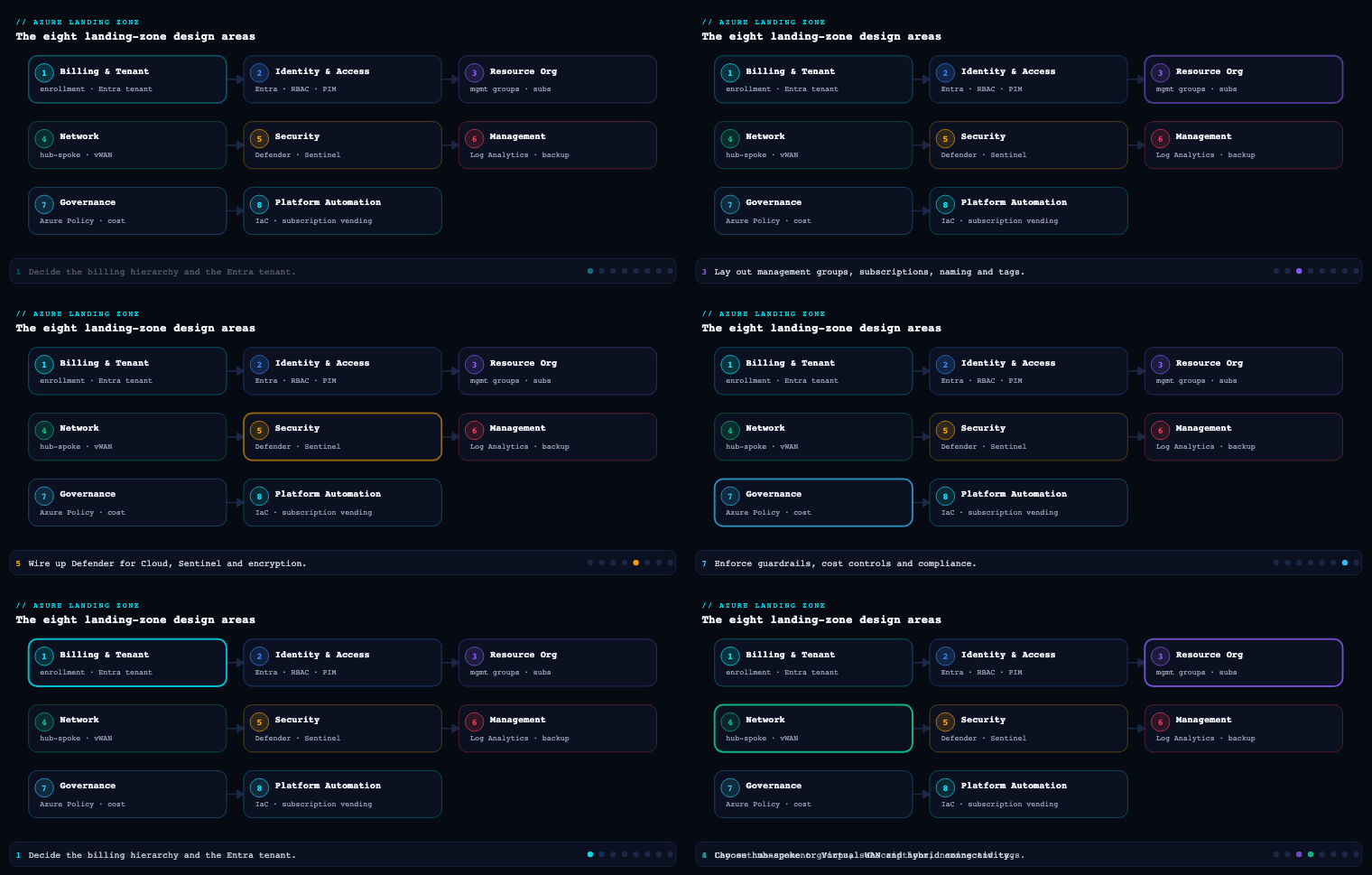
The Azure Landing Zone (ALZ) — the conceptual architecture and reference implementation Microsoft publishes under the Cloud Adoption Framework’s Ready methodology — is described through eight design areas. Management (also called Management & Monitoring) is the design area that builds your operations baseline: the common, platform-wide set of tooling and processes that gives you visibility (inventory & monitoring), operational compliance (patching & configuration drift), and protect-&-recover capabilities (backup & disaster recovery) consistently across every workload in the estate. It is deliberately scoped to the platform’s baseline — the floor every landing zone inherits — not to bespoke per-workload operations (those belong to the Well-Architected Framework’s Operational Excellence pillar and the CAF Manage methodology). Management sits downstream of Resource Organization (Part 4, which gave you the Platform management group and the Management subscription to land these services in) and works hand-in-glove with Governance (Part 7), because almost everything here is deployed and enforced by Azure Policy using DeployIfNotExists and Modify effects rather than clicked into existence.
Log Analytics and the management subscription
What it is. The Management subscription is one of the three (or more) platform subscriptions the ALZ reference architecture stamps out under the Platform management group — alongside Connectivity and Identity. It is the home of every cross-cutting operations service: the central Azure Monitor Log Analytics workspace, the Azure Automation account (linked to the workspace), Change Tracking and Inventory, Microsoft Defender for Cloud plan configuration, Azure Update Manager at scale, and the Data Collection Rules (DCRs) and Action Groups that the monitoring baseline references. The Log Analytics workspace is the keystone artifact: it is the single sink into which platform activity logs, VM guest telemetry, PaaS diagnostic settings, and Defender signals are funneled, and the query surface (KQL) the operations team lives in.
Why it matters. A landing zone with no central observability sink is blind. The number of workspaces and where they live is one of the hardest decisions to reverse, because retention, RBAC, and cost are all bound to the workspace: ingestion is billed per-GB and retention per-GB-month, so a sprawl of unmanaged workspaces is both an observability gap (operations can’t query across them) and a silent cost leak. Conversely, a single mega-workspace with no access discipline leaks every team’s logs to every team. The CAF guidance is explicit: use a single, centralized Log Analytics workspace to manage the platform, except where one of three specific drivers forces a split.
How to do it well. Default to one centralized workspace in the Management subscription for platform operations, and reach for additional workspaces only when a real requirement demands it:
| Driver for a separate workspace | Why it forces a split | Pattern |
|---|---|---|
| Azure RBAC isolation | Some logs must be invisible to operations broadly (e.g., security/SOC data) | Dedicated security workspace, increasingly in its own Security subscription/MG with Microsoft Sentinel (a 2025 ALZ direction) |
| Data sovereignty / residency | Logs must physically stay in a specific geography | One workspace per required region/geo |
| Data retention policy | A class of data needs a very different retention/archive horizon | Separate workspace with its own retention & archive tier |
For everything else, keep platform telemetry in the one workspace and use resource-context (resource-centric) access mode so granular Azure RBAC lets application teams read only the logs from their own resources in the shared workspace — they get platform-grade infrastructure with zero workspace overhead. Application teams may also deploy their own workspaces in their own subscriptions for workload-specific telemetry (web apps, Cosmos DB diagnostics), and may duplicate a subset of central logs for operational efficiency — both are supported ALZ patterns.
Get the retention and archive math right up front. Azure Monitor Logs default to 30 days retention; interactive (analytics) retention extends to a maximum of two years, and archive to seven years total. If you must keep data beyond seven years (legal hold, some regulated industries), export to an Azure Storage account and apply immutable, write-once-read-many (WORM) storage so it is non-erasable for the locked interval. Note related defaults you’ll reconcile against this: Azure Activity Logs and Application Insights default to 90 days; Microsoft Entra premium reports to 30 days.
Artifacts, decisions, and tools.
- Decisions: number of workspaces and the written justification per split; retention/archive tier per data class; access mode (resource-context vs workspace-context); whether security logs/Sentinel get a dedicated workspace+subscription; pricing/commitment tier.
- Artifacts: a workspace topology diagram, a log-source-to-workspace mapping, a retention-and-archive policy, an RBAC matrix for workspace access, the Management subscription resource inventory.
- Azure tools/services: Azure Monitor Log Analytics workspace, Azure Automation account, Change Tracking and Inventory, Microsoft Defender for Cloud, Microsoft Sentinel (where security logs are separated), Diagnostic settings (deployed estate-wide via Azure Policy), Azure Storage with immutable WORM for long-term archive, Azure Resource Graph for live inventory queries, and resource locks to protect the workspace from accidental deletion.
Azure Monitor and baseline alerts
What it is. Visibility is more than a log sink — you need to be told when something is wrong. The ALZ answer is Azure Monitor Baseline Alerts (AMBA): a Microsoft-maintained, policy-driven library of curated metric, activity-log, log-query, Service Health, and Resource Health alert rules, plus the Action Groups and Alert Processing Rules to route them. AMBA is delivered as a set of Azure Policy initiatives that use the DeployIfNotExists effect so that an alert rule is materialized automatically the moment a matching resource is created — inside and outside the landing zones — and it is integrated directly into the ALZ deployment (“ALZ pattern”) so new environments can switch on baseline alerting at install time.
Why it matters. Hand-built alert rules don’t scale and rot immediately: a new VNet, Firewall, or Key Vault deployed next quarter has no alerts unless someone remembers to add them. Policy-driven, deploy-on-create alerting closes that gap structurally and aligns with the ALZ principle of policy-driven governance — alerts only get deployed when the corresponding resource exists, which avoids paying for alerts on nothing and guarantees coverage as the estate grows. It also operationalizes subscription democratization: every subscription gets at least one Action Group so the right people are paged for their resources.
How to do it well. Apply the AMBA initiatives at the management-group scopes that match the ALZ hierarchy, and wire notifications deliberately:
| AMBA initiative | Assigned at | What it covers |
|---|---|---|
| Connectivity | Connectivity MG |
ExpressRoute, Azure Firewall, VPN/Virtual Network Gateway, Virtual WAN, Private DNS, public IPs |
| Identity | Identity MG |
Identity-subscription platform resources (e.g., Key Vault, domain-controller VMs) |
| Management | Management MG |
Log Analytics workspace, Automation, Storage, Recovery Services vault |
| Landing Zone | Landing Zones MG |
VM, Storage, Key Vault, and other workload-tier resources |
| Service Health + Notification Assets | Intermediate root MG | Service Health alerts and the shared Action Groups, so they apply to all subscriptions |
The components AMBA ships alerts for today include ExpressRoute, Azure Firewall, Virtual Network, Virtual WAN, Log Analytics workspace, Private DNS zone, Key Vault, Virtual Machine, and Storage account. For notifications: configure at least one Action Group per subscription (per subscription democratization), with email as the minimum channel and ITSM/webhook/SMS/voice/Logic App added as needed. Critical caveat to design around: Service Health alerts do not support Alert Processing Rules — wire the Action Group directly to the Service Health alert rather than relying on a processing rule to fan it out. If you alert via IaC (Bicep/Terraform/ARM) or the portal instead of policy, the AMBA repository’s recommended thresholds and severities are still the source of truth for which rules to set.
Artifacts, decisions, and tools.
- Decisions: which AMBA initiatives to assign and at what scope; threshold/severity overrides from the defaults; notification channels per Action Group; whether to use Alert Processing Rules for suppression/routing (remembering the Service Health exception); enabled vs disabled rules per environment (dev vs prod).
- Artifacts: an alerts-and-thresholds catalog (often a fork of the AMBA repo), an Action Group / notification RACI, an on-call runbook keyed to alert severity, the policy-assignment manifest.
- Azure tools/services: Azure Monitor (metric, log, activity-log alerts), Azure Monitor Baseline Alerts (AMBA) initiatives, Azure Policy (
DeployIfNotExists), Action Groups, Alert Processing Rules, Azure Service Health and Resource Health, and VM Insights / Container Insights for deeper compute and AKS telemetry.
Update Manager and patching
What it is. Azure Update Manager is the native, agentless (no Log Analytics agent, no Automation runbooks) service for assessing and deploying OS updates to Windows and Linux machines — Azure VMs, Azure Arc-enabled servers on-premises, and other clouds — from a single control plane. It replaces the retired Automation Update Management feature. In the ALZ, it is the long-term patching mechanism for the platform, configured at scale through maintenance configurations (scheduled patching windows) and governed by Azure Policy.
Why it matters. Unpatched VMs are the single most common, most exploited gap in a cloud estate, and patching is precisely the kind of operationally-tedious task that silently lapses without enforcement. By enforcing Update Manager via Azure Policy, you guarantee every VM is in the patch regimen — central IT gets fleet-wide visibility and enforcement, while application teams retain the ability to manage their VMs’ deployment windows. It also disentangles patching from the legacy Automation/Log Analytics dependency, which simplifies the operations baseline.
How to do it well. Group machines by patch behavior and drive everything from policy:
- Define maintenance configurations as named patching windows (e.g.,
Prod-Sun-0200,NonProd-Sat-2200) and associate machines dynamically via Azure Resource Graph queries on tags — so a newly-created VM taggedPatchGroup=Prodis automatically enrolled, no manual step. - Identify resource groups that share a schedule and those that must not patch together for business continuity (e.g., never patch both nodes of an active-active pair in the same window) — the maintenance configuration is where that staggering lives.
- Switch VMs to Customer Managed Schedules (Azure-orchestrated patching) so that the patch-orchestration property and the maintenance configuration — not the VM’s own auto-update setting — control timing; enforce this and periodic assessment through Azure Policy.
- Pair patching with configuration-drift control: use Azure Policy with Machine Configuration (Azure Automanage Machine Configuration — formerly Guest Configuration) to audit in-guest settings (OS configuration, required/forbidden software, environment settings) and report drift, complementing the update side. Use Change Tracking and Inventory to know what changed and what’s installed.
Patching mechanism options.
| Approach | Fit | Notes |
|---|---|---|
| Azure Update Manager + maintenance configs | Default for ALZ VMs and Arc servers | Agentless, policy-enforceable, cross-OS, cross-cloud via Arc |
| Automatic VM Guest Patching | Hands-off, low-touch fleets | Platform decides timing within a window; less control over grouping |
| Image-based / golden image (immutable) | Stateless, frequently-redeployed fleets | Patch the image in the pipeline; redeploy rather than in-place patch |
| In-guest/3rd-party (SCCM, WSUS, etc.) | Existing on-prem investment extending to Arc | Keep if mature; Arc lets Update Manager coexist or take over |
Artifacts, decisions, and tools.
- Decisions: which patching mechanism per workload class; maintenance-configuration windows and grouping (tag schema for
PatchGroup); reboot policy; assessment cadence; what to enforce via policy vs leave to workload teams; drift-audit baselines. - Artifacts: a patch-management policy/standard, the maintenance-configuration definitions, the patch tag taxonomy, a patch-compliance dashboard, the Machine Configuration audit baselines.
- Azure tools/services: Azure Update Manager, Maintenance Configurations, Azure Policy (to enforce assessment + schedules + drift audit), Azure Automanage Machine Configuration, Change Tracking and Inventory, Azure Arc-enabled servers (for hybrid/multicloud), and Azure Resource Graph (dynamic scoping & compliance reporting).
Backup and recovery
What it is. The protect-&-recover pillar of the operations baseline delivers the platform-level business continuity and disaster recovery (BCDR) capabilities that workloads depend on, anchored to each workload’s Recovery Time Objective (RTO) and Recovery Point Objective (RPO). Two native services do the heavy lifting: Azure Backup (point-in-time recovery of VMs, disks, files, SQL/SAP-in-VM, blobs, and PaaS data into a Recovery Services vault or Backup vault) and Azure Site Recovery (ASR) (continuous replication and orchestrated failover of VMs to another region for low-RTO/RPO DR). Both are deployed, audited, and enforced via Azure Policy, and both live (or are governed) from the Management subscription, while PaaS services use their own native DR/geo-replication features.
Why it matters. Backup is your last line of defense against the two failure modes that will eventually happen: regional outage and ransomware/malicious deletion. The distinction matters: Site Recovery answers “the region is down — bring the app up elsewhere fast” (low RTO), while Backup answers “data was corrupted/encrypted/deleted — restore a clean point in time” (low RPO for data). Treating backup as a checkbox rather than a hardened control is how organizations discover, mid-ransomware-incident, that their backups were deleted by the same compromised admin credentials — which is exactly what immutability and multi-user authorization exist to prevent.
How to do it well. Make backup native, enforced, and hardened:
- Use Azure-native backup (Azure Backup + PaaS-native features) rather than third-party agents/infrastructure, and set, audit, and enforce backup configuration with Azure Policy so a new VM is protected by default and “is this protected?” is answered by compliance state, not hope.
- Harden the vault against the ransomware scenario: enable soft delete (recover deleted backups within the retention window), enable immutability (lock backups so retention can only be extended, never shortened, during the locked period), and require multi-user authorization (MUA) via a Resource Guard so destructive operations (disable soft delete, stop protection with delete, reduce retention) need a second approver in a different scope. Enable Cross Region Restore (CRR) on geo-redundant (GRS) vaults so you can restore into the paired region even if the primary is unavailable.
- Choose the right vault: the Recovery Services vault covers Azure VMs, files, SQL/SAP in VM, and on-prem (MARS/MABS); the newer Backup vault covers PaaS-oriented workloads (Azure Blobs, Azure Disks, PostgreSQL/PostgreSQL-Flexible, AKS, etc.). Govern both centrally from Backup center.
- For DR, use Azure Site Recovery for Azure-to-Azure VM replication, use Azure Policy to enable replication and audit VM protection, and run non-disruptive recovery drills (test failover) on a schedule — an untested DR plan is a hypothesis, not a capability. Prefer native PaaS DR/geo-replication (e.g., zone-redundant or geo-replicated SQL, GRS storage) where the service provides it. Plan non-overlapping IP ranges between production and DR networks so failover doesn’t stall on address conflicts, and don’t forget Key Vault DR for the keys/secrets/certs the app needs to actually start in the DR region.
Backup vs DR — the right tool.
| Capability | Service | Answers | Typical objective |
|---|---|---|---|
| Point-in-time data recovery | Azure Backup (Recovery Services / Backup vault) | “Restore a clean copy after corruption/deletion” | Low RPO for data; ransomware resilience |
| Region failover for VMs | Azure Site Recovery | “The region is down — run elsewhere now” | Low RTO/RPO for compute |
| Service-native DR | PaaS geo-replication / zone redundancy | “Let the platform fail over the data tier” | Varies by service; least to operate |
Artifacts, decisions, and tools.
- Decisions: RTO/RPO per workload tier; which workloads use Backup vs ASR vs native PaaS DR; backup policies (frequency, retention, instant-restore window); soft-delete/immutability/MUA posture; GRS vs ZRS/LRS and CRR; DR region pairing and active-active vs active-passive; drill cadence.
- Artifacts: a BCDR strategy with an RTO/RPO matrix per workload class, backup policy definitions, a vault-hardening standard (soft delete + immutability + MUA), a DR runbook, a test-failover schedule and last-tested register.
- Azure tools/services: Azure Backup, Recovery Services vault and Backup vault, Backup center, Azure Site Recovery, soft delete / immutable vault / Resource Guard (MUA), Cross Region Restore on GRS, Availability Zones, Azure Policy (enforce backup + replication), and native PaaS DR (geo-replicated SQL, GRS storage, etc.).
The monitoring baseline
What it is. The monitoring baseline is the assembled whole — the opinionated, platform-wide configuration that the ALZ reference architecture stamps out so that every subscription and resource is observed consistently from day one, with no per-team setup. It ties the previous sections together: the central Log Analytics workspace (the sink), Diagnostic settings deployed estate-wide by policy (activity logs + VM + PaaS resource logs flowing into it), the Azure Monitor Agent (AMA) with Data Collection Rules (DCRs) governing what guest telemetry is collected, VM Insights / Container Insights for compute and AKS, Defender for Cloud for security posture, and AMBA alerts + Action Groups on top. The principle that holds it together: data born in Azure stays in Azure — don’t ship raw logs back to an on-prem SIEM; send critical alerts instead.
Why it matters. Without a baseline, observability is a per-team lottery — some workloads are richly instrumented, most are dark — and gaps surface only during an incident. A policy-deployed baseline makes coverage a structural property of the platform: it scales as the estate scales, can’t be forgotten on the next subscription, and gives leadership defensible answers to “are we monitoring everything?” and “would we know if X failed?”. DCRs are the cost-and-signal control valve: collect the right counters and logs (and only those) so you get the visibility you need without runaway ingestion cost.
How to do it well. Treat the baseline as code and as policy, and define what “monitored” means:
- Deploy AMA + DCRs via Azure Policy (
DeployIfNotExists) so every VM/Arc server is instrumented automatically; segment DCRs by workload class so a chatty class doesn’t inflate ingestion for everyone. - Enable VM Insights (performance + dependency map) and Container Insights for AKS as part of the baseline, and turn on Defender for Cloud plans for the resource types in scope.
- Route everything to the central workspace, with resource-context RBAC so teams see only their data; include Service Health and Resource Health so platform-level events are visible alongside resource metrics.
- Codify the monitoring KPIs so dashboards and alerts measure the same things across teams.
| KPI / signal | Where it comes from | Why it’s baseline |
|---|---|---|
| Service & Resource Health | Azure Service Health / Resource Health | Detect platform-side outages affecting your resources |
| VM availability / heartbeat & guest perf | AMA + DCR → Log Analytics, VM Insights | Catch dead/struggling compute before users do |
| Platform-resource health (Firewall, ExpressRoute, Key Vault, VNet, Storage) | AMBA metric/log alerts | Connectivity/identity/management plane reliability |
| Backup job success & RPO adherence | Azure Backup / Backup center | Prove recoverability continuously |
| Patch compliance % | Azure Update Manager | Quantify exposure to known CVEs |
| Security posture / Secure Score | Microsoft Defender for Cloud | Track and trend the platform’s security baseline |
| Log ingestion volume & cost | Log Analytics usage | Keep the baseline affordable and tuned |
Artifacts, decisions, and tools.
- Decisions: the canonical DCR set and per-class collection scope; which Insights solutions and Defender plans are baseline; the dashboard/workbook set and KPI definitions; SIEM-integration posture (alerts-out, not logs-out); the IaC-vs-policy mechanism for deploying the baseline.
- Artifacts: a monitoring-baseline design doc, DCR definitions, the policy-assignment set that deploys diagnostic settings + AMA + AMBA, a starter Azure Monitor Workbook/dashboard pack, and the KPI/alert catalog.
- Azure tools/services: Azure Monitor, Log Analytics, Azure Monitor Agent + Data Collection Rules, Diagnostic settings, VM Insights / Container Insights, Microsoft Defender for Cloud, AMBA + Action Groups, Azure Workbooks / Dashboards, and Azure Policy as the deployment engine for the whole baseline.
Real-world enterprise scenario
Context. Halden Pharmaceuticals NV is a Brussels-headquartered, GxP-regulated drug manufacturer, ~6,800 employees, with R&D in Belgium and Ireland and manufacturing plants in Belgium and Singapore. They run an ALZ on a Microsoft Customer Agreement with the standard management-group hierarchy: under Platform they have Connectivity, Identity, and Management subscriptions, plus a newly-added Security subscription/MG; under Landing Zones they have Corp and Online with ~140 workload subscriptions. Regulatory commitments (EU GMP Annex 11, 21 CFR Part 11) impose audit-trail retention and validated DR. They are completing the Management & Monitoring design area.
Decisions, by sub-component.
Log Analytics & the management subscription. Halden lands a single central Log Analytics workspace (law-halden-platform-westeu) in the Management subscription in West Europe, in resource-context access mode so each plant’s ops team queries only its own VMs. They invoke two of the three split-drivers: a dedicated security workspace with Microsoft Sentinel in the Security subscription (RBAC isolation for the SOC), and — for the Singapore plant’s locally-regulated logs — a second workspace in Southeast Asia (data sovereignty). Analytics retention is set to 2 years; archive to 7 years; and Part-11 audit trails that must survive longer than 7 years are exported to an immutable WORM Storage account with a 10-year lock. The Automation account and Change Tracking and Inventory are linked to the central workspace.
Azure Monitor & baseline alerts. They deploy the AMBA initiatives via Azure Policy: Connectivity on the Connectivity MG, Identity on Identity, Management on Management, the Landing Zone initiative on Landing Zones, and Service Health + Notification Assets at the intermediate root. Per subscription democratization, every subscription gets an Action Group (email + Microsoft Teams webhook + ServiceNow ITSM connector); GMP-critical manufacturing subscriptions add SMS + voice for Sev-0/1. Because Service Health alerts can’t use Alert Processing Rules, those are wired directly to the Action Group. They fork the AMBA repo to raise the Key Vault and Firewall thresholds to match their noise profile.
Update Manager & patching. All VMs (Azure + Arc-enabled plant servers in Singapore and Belgium) are enrolled in Azure Update Manager via policy, switched to Customer Managed Schedules. Three maintenance configurations stagger patching: Lab-Sat-2000, Corp-Sun-0100, and a manufacturing window deliberately split so the redundant MES nodes never patch together (BCDR). Machine Configuration policies audit in-guest GxP baselines; periodic assessment is enforced fleet-wide. Patch-compliance % feeds a validated dashboard for auditors.
Backup & recovery. RTO/RPO matrix: Tier-0 manufacturing/MES — RTO 1h / RPO 15m; Tier-1 R&D — RTO 4h / RPO 1h. Azure Backup protects all VMs into a Recovery Services vault (GRS) and Backup vault for blobs/PostgreSQL, enforced by policy. Every vault has soft delete + immutability + multi-user authorization (Resource Guard) so a single compromised admin cannot purge backups — a direct ransomware control. Cross Region Restore is enabled. Azure Site Recovery replicates Tier-0 VMs West Europe → North Europe; test failovers run quarterly for validation evidence. PaaS uses geo-replicated Azure SQL; Key Vault DR is in the DR runbook so apps can start in North Europe.
Artifacts produced. Workspace topology diagram (3 workspaces + WORM archive); log-source mapping; retention/archive policy; AMBA policy-assignment manifest with threshold overrides; Action Group / notification RACI; patch policy + 3 maintenance configurations + tag taxonomy; Machine Configuration audit baselines; BCDR strategy with RTO/RPO matrix; vault-hardening standard; DR runbook + quarterly test-failover register; monitoring-baseline design doc with DCR set and KPI catalog.
Measurable outcome. Within one quarter: 100% of VMs (Azure + Arc) under enforced patching, patch compliance up from an estimated ~62% to 97%; zero subscriptions without an Action Group; AMBA alerts auto-deployed on all new platform resources with no manual rule creation; backup job success at 99.8% with immutability+MUA blocking two attempted out-of-policy retention reductions; the first quarterly ASR test failover meets the Tier-0 1-hour RTO; and auditors accept the patch-compliance and DR-test evidence for the Annex 11 review without a single manual log export.
Deliverables & checklist
Common pitfalls
- Workspace sprawl with no access model. Letting every team spin up its own Log Analytics workspace fragments observability (you can’t query across them) and silently inflates cost. Default to one central workspace in resource-context mode and split only for the three real drivers — RBAC isolation, data sovereignty, or retention policy — each written down.
- Hand-built alerts that don’t scale. Manually authoring alert rules means every new VNet, Firewall, or Key Vault ships un-alerted until someone remembers. Use AMBA with
DeployIfNotExistsso alerts are created on resource creation, and apply the initiatives at the correct MG scopes. And remember Service Health alerts ignore Alert Processing Rules — wire them straight to the Action Group. - Patching left to goodwill. Without policy enforcement, Update Manager covers only the VMs someone manually enrolled, and a critical CVE window passes unpatched. Enforce Update Manager via Azure Policy across all VMs and Arc servers, group machines with maintenance configurations, and never schedule both halves of a redundant pair in the same window.
- Backups that a single admin can delete. Treating Azure Backup as a checkbox — soft delete off, no immutability, no MUA — means one compromised admin (or one ransomware actor with stolen credentials) wipes both data and its backups. Always layer soft delete + immutability + multi-user authorization (Resource Guard) and enable Cross Region Restore on GRS.
- A DR plan that’s never been tested. An ASR configuration that has never run a test failover is a hypothesis. Schedule non-disruptive drills (quarterly is common for critical tiers), track the last-tested date, and verify the dependencies (Key Vault, DNS, non-overlapping IPs) come up too — not just the VM.
- Shipping raw logs back on-prem. Funneling every log line into an on-prem SIEM defeats the cloud-native model, balloons egress and storage, and duplicates retention. Adopt data born in Azure stays in Azure: keep logs in the workspace and send critical alerts (not raw logs) to existing SIEM/ITSM. Tune DCRs so you ingest the right signal, not everything.
What’s next
Part 7 of Azure Landing Zone Design Areas turns to Governance — the Azure Policy initiatives, management-group policy assignments, compliance reporting, and the DeployIfNotExists/Modify guardrails that, as you’ve just seen, are the very engine that deploys and enforces this entire management and monitoring baseline.