Where this fits
In the Azure landing zone, Network Topology & Connectivity is the design area that determines how every workload reaches on-premises systems, the internet, and each other — and how that traffic is segmented, inspected, and resolved by name. It is one of the eight design areas the Cloud Adoption Framework (CAF) tells you to decide before you deploy workloads, and it produces the single most expensive thing to change later: the IP address plan and the packet path. Get it right and application teams plug into a hub that already does egress inspection, hybrid routing, and private name resolution for them; get it wrong and you re-IP production networks, retrofit firewalls onto live traffic, and untangle a DNS topology that resolves differently from every angle. This article is the build I run for this design area, sub-component by sub-component.
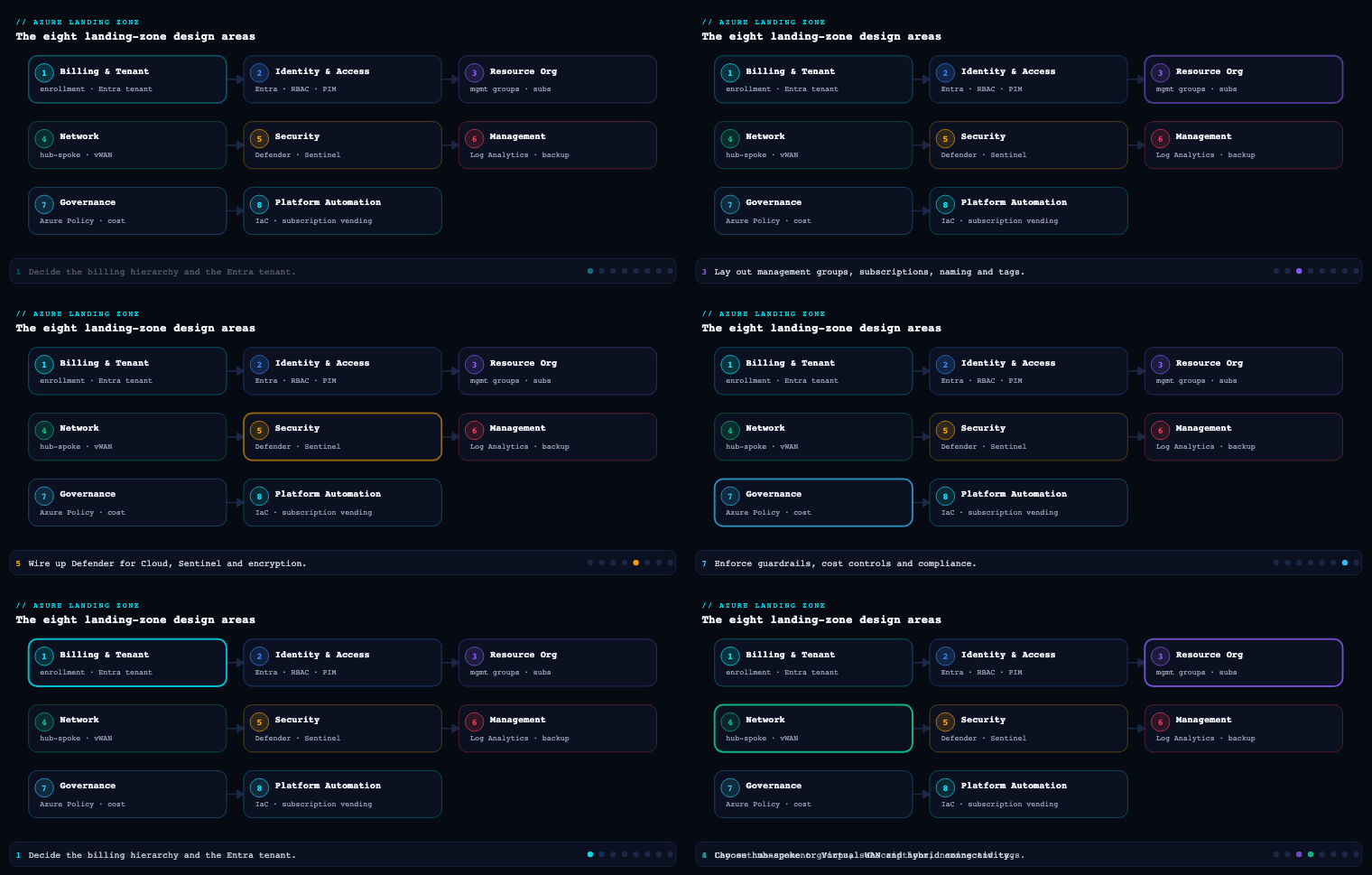
Hub-spoke vs Azure Virtual WAN
What it is
This is the topology decision that frames everything else in the design area: do you build and operate the network backbone yourself (traditional hub-and-spoke), or do you consume a Microsoft-managed backbone (Azure Virtual WAN)? In hub-and-spoke, the hub is an ordinary VNet you own that holds the shared gateways and firewall; spokes are workload VNets connected by VNet peering, and transit between them is something you engineer with User-Defined Routes (UDRs) and gateway/NVA transit. In Virtual WAN, the Virtual Hub is a Microsoft-managed resource containing a built-in router; you attach spokes, branches, and gateways as connections, and hub-to-hub transit across regions is provided automatically over Microsoft’s global backbone.
Why it matters
The two models fail differently, and the failure modes are what should drive the choice — not feature counts. Hand-built hub-and-spoke gives you total control of the packet path (every route is yours to set and audit), which regulated estates love, but it scales by human effort: each new region is a peering mesh and a UDR set you maintain, and spoke/peering limits per VNet are real ceilings. Virtual WAN trades granular control for managed transit and scale: any-to-any connectivity across dozens of hubs and hundreds of branches with no peering mesh to hand-maintain, at the cost of an opinionated routing model and a per-hub/per-GB premium.
How to do it well
Default to traditional hub-and-spoke for a single-region or two-region regulated estate where the network team wants a deterministic, auditable packet path. Reach for Virtual WAN once the branch count or region count makes the peering mesh unmaintainable — typically three or more regions, or a large SD-WAN/branch footprint. With Virtual WAN, always use the Standard SKU (Basic is VPN-only and a dead end for an enterprise backbone), enable Secured Virtual Hub with routing intent to force private and internet traffic through Azure Firewall, and let the managed router replace the UDRs you would otherwise drift on. With hub-and-spoke, keep peerings hub-to-spoke only (never spoke-to-spoke directly — force the hub path for inspection), and treat the hub’s UDRs as code.
| Dimension | Traditional hub-and-spoke | Azure Virtual WAN (Standard) |
|---|---|---|
| Backbone ownership | You build and operate it | Microsoft-managed |
| Cross-region transit | Manual: hub peering + UDRs + gateway transit | Automatic any-to-any over MS backbone |
| Routing control | Full, per-route via UDR/BGP | Opinionated via routing intent + custom route tables |
| Spoke-to-spoke | Forced through hub via UDR | Built-in through the hub router |
| NVA insertion | Any vendor, any design | Integrated NVA or routing-intent to firewall |
| Branch / SD-WAN scale | Hand-built S2S per hub | Native, hundreds of sites |
| Cost driver | Gateways + firewall + peering GB | Hub unit + routing infra + processed GB |
| Best fit | ≤ ~2 regions, strict packet-path/audit needs | Many regions, mesh-heavy, branch-heavy |
Artifacts: a topology decision record naming the chosen model and the trigger that would flip it; a reference diagram; for vWAN, the routing-intent policy; for hub-spoke, the hub VNet definition and peering/UDR templates.
The connectivity subscription
What it is
The connectivity subscription is a dedicated platform subscription that holds only shared networking — nothing else. In CAF enterprise-scale, it lives under the Platform management group alongside Identity and Management, isolated so the network team owns it end to end and application teams never touch it. It contains the hub VNet or Virtual Hub, Azure Firewall (or a third-party NVA) and its policy, the ExpressRoute and VPN gateways and their connections, the Private DNS zones and DNS Private Resolver, shared ingress (Application Gateway / Azure Front Door origins), the DDoS Network Protection plan, and Azure Bastion.
Why it matters
This subscription is the shared blast radius. A single bad route table, a firewall rule deleted in error, or a DNS forwarder pointed at the wrong resolver can break connectivity or name resolution for every workload at once. Isolating it into its own subscription under Platform lets you apply a tight Azure Policy assignment and a narrow RBAC scope at the management-group level without fighting per-workload exceptions, and it keeps a noisy firewall-rule CI/CD pipeline away from the multi-hour ExpressRoute gateway deployments.
How to do it well
Keep it ruthlessly scoped — not a single application resource lands here. Lay out resource groups by operational lifecycle, because change cadence differs wildly: gateways change rarely and provision slowly; firewall policy changes daily. Treat the subscription as a product consumed by spokes, exposed through a subscription-vending / spoke-vending process so application teams request a connected landing zone rather than touching the hub. Plan IP space centrally (Azure Virtual Network Manager or an IPAM tool) so no two spokes overlap and hybrid summarization stays clean.
mg: Platform
  └─ sub: connectivity-prod
       ├─ rg-hub-net-eastus       (hub VNet / Virtual Hub, peerings, UDRs)
       ├─ rg-hub-secure-eastus    (Azure Firewall, firewall policy, DDoS plan)
       ├─ rg-hub-gateway-eastus   (ExpressRoute GW, VPN GW, connections)
       ├─ rg-hub-dns-eastus       (Private DNS zones, DNS Private Resolver)
       └─ rg-hub-ingress-eastus   (App Gateway, WAF policy, shared Front Door)
Artifacts: the subscription itself under Platform; the resource-group layout; an IP address management (IPAM) plan; the policy assignment and RBAC scope locking it to the network team; the spoke-vending module.
Hybrid connectivity (ExpressRoute, VPN)
What it is
Hybrid connectivity is how the landing zone reaches on-premises datacenters and other private estates. The two building blocks are Azure ExpressRoute — a private, dedicated circuit through a connectivity provider that never traverses the public internet — and the VPN Gateway — IPsec tunnels over the internet (site-to-site for datacenters/branches, point-to-site for individual users). Both terminate on gateways in the hub’s GatewaySubnet (hub-spoke) or as gateways attached to the Virtual Hub (vWAN), and both exchange routes with on-premises via BGP.
Why it matters
For most enterprises this link is production-critical: identity sync, line-of-business integrations, and migration traffic all ride it. A single ExpressRoute circuit is a single point of failure that will eventually undergo provider maintenance, so resilience is the whole game. ExpressRoute also has a subtle trap — by default it advertises a route to on-premises that can pull internet-bound traffic back through the corporate network unless you plan egress deliberately.
How to do it well
Build ExpressRoute for the primary path with two circuits in different peering locations (or a single circuit with dual ports terminating on diverse edge devices) for true redundancy, and add a VPN Gateway as an inexpensive failover using BGP so failover is automatic. Tune resilience with BGP AS-path prepending and local preference so the standby path is genuinely standby. Decide consciously about forced tunneling: advertise 0.0.0.0/0 from on-premises only if security policy requires all egress to leave through the corporate edge; otherwise inspect egress in Azure (see below). For vWAN, attach the ExpressRoute and VPN gateways to the hub and let routing intent handle transit.
| Option | Path | Typical SLA target | Role |
|---|---|---|---|
| ExpressRoute (single circuit) | Private, provider | ~99.95% | Primary, not resilient alone |
| ExpressRoute Metro / dual circuits | Private, diverse locations | up to ~99.99% | Resilient primary |
| VPN Gateway (active-active S2S) | IPsec over internet | ~99.95% | Failover / branch / lower-cost sites |
| Point-to-site VPN | IPsec, per-user | n/a | Remote admin/users |
Artifacts: the circuit/gateway design with peering locations; BGP configuration (ASNs, prepending, local-pref); a failover runbook with a tested RTO; the forced-tunneling decision record.
Segmentation
What it is
Segmentation is how you carve the network into isolated zones so a compromise in one area cannot move laterally into another. In the landing zone it operates at several levels: subscription and VNet boundaries (the coarsest blast-radius unit), subnets within a VNet, Network Security Groups (NSGs) and Application Security Groups (ASGs) for micro-segmentation, the Azure Firewall in the hub for inter-spoke and north-south control, and the online vs corp application landing-zone archetypes that separate internet-facing workloads from private hub-routed ones.
Why it matters
Flat networks are how a single breached VM becomes a domain-wide incident. Segmentation is the practical implementation of Zero Trust east-west: it shrinks blast radius, makes traffic auditable, and is frequently a hard compliance requirement (PCI-DSS cardholder data environments, healthcare PHI zones). Done well, it also makes the firewall ruleset readable, because rules reference named zones rather than sprawling IP lists.
How to do it well
Use subscriptions/VNets as the primary segmentation boundary (per environment, per archetype, per sensitive zone), and never peer spokes directly — route inter-spoke traffic through the hub firewall so it is inspected and logged. Within a VNet, drive NSGs with ASGs so rules are expressed as “web-tier → app-tier” rather than IP ranges. Centralize NSG/firewall rule management with Azure Virtual Network Manager security admin rules to enforce baseline deny rules that workloads cannot override. Keep the online archetype (internet-exposed, behind WAF) firmly separated from corp (no public IPs, all traffic hub-routed). Reserve a dedicated, tightly-controlled segment for any PCI/PHI scope.
| Layer | Mechanism | Granularity |
|---|---|---|
| Tenant / subscription | Management group + subscription split | Coarsest blast radius |
| Network archetype | online vs corp application landing zones | Internet-facing vs private |
| VNet / subnet | Address-space + subnet design | Zone-level |
| Micro-segmentation | NSG + ASG | Workload tier / NIC |
| Inter-spoke / north-south | Azure Firewall in hub | Cross-VNet, egress |
| Org-wide baseline | AVNM security admin rules | Non-overridable guardrail |
Artifacts: the segmentation model mapping zones to subscriptions/VNets/subnets; NSG/ASG definitions; AVNM security admin rule set; the firewall rule structure keyed to named zones.
DNS
What it is
DNS in the landing zone is the name-resolution plane that must answer correctly in every direction: Azure resources resolving each other and private endpoints, on-premises resolving Azure private records, and Azure resolving on-premises names. The components are Azure Private DNS zones (which hold the private records for Private Link, e.g. privatelink.blob.core.windows.net), Azure DNS Private Resolver (the managed conditional-forwarding service with inbound and outbound endpoints that replaces the old DNS-forwarder VM pattern), and on-premises conditional forwarders pointing back at the resolver’s inbound endpoint.
Why it matters
DNS is the quiet failure that breaks Private Link everywhere at once. If a private endpoint’s record is not registered in a Private DNS zone that the resolver serves, clients fall back to the public IP of the PaaS service — defeating the entire private-networking design and often failing closed when public access is disabled. Because DNS is centralized in the connectivity subscription, one misconfigured forwarder degrades resolution for hundreds of workloads, which is exactly why this lives in the shared-blast-radius subscription and is owned by the platform team.
How to do it well
Centralize all Private DNS zones in the connectivity subscription and auto-register private endpoint records via Azure Policy (deployIfNotExists) so application teams never manage DNS records by hand. Deploy DNS Private Resolver in the hub: the inbound endpoint is the target for on-premises conditional forwarders resolving Azure private names; the outbound endpoint plus a forwarding ruleset sends queries for on-premises domains back across ExpressRoute/VPN. Link every spoke VNet to the central Private DNS zones (or use AVNM to manage the links at scale). For vWAN, the same pattern applies with the resolver attached to a connected VNet. Avoid the legacy DNS-server-on-a-VM pattern unless you have a specific reason — the resolver is HA, zone-redundant, and managed.
Artifacts: the centralized Private DNS zone set; the DNS Private Resolver with inbound/outbound endpoints; the forwarding ruleset; the deployIfNotExists policy for private-endpoint record registration; on-premises conditional-forwarder configuration.
Ingress/egress and inspection
What it is
This is the controlled north-south traffic boundary. Ingress is internet-to-workload, fronted by Azure Front Door (global L7, anycast, CDN, WAF at the edge) and/or Azure Application Gateway (regional L7, WAF, TLS termination) — almost always paired with the Azure Web Application Firewall (WAF). Egress is workload-to-internet, funneled through the hub’s Azure Firewall for FQDN-based filtering, threat intelligence, and IDPS, with a single set of static public IPs for allow-listing. Inspection is the deep-packet/threat layer applied to that traffic — Azure Firewall Premium’s TLS inspection and IDPS, or a third-party NVA.
Why it matters
Uncontrolled egress is how data exfiltrates and how compromised workloads reach command-and-control. A centralized, inspected egress path through known static IPs is both a security control and an operational necessity (partners allow-list your egress IPs). On ingress, terminating TLS and running a WAF at the edge stops the OWASP-class attacks before they reach the application. Doing both centrally in the hub means the controls are consistent and the logs are in one place rather than reimplemented per workload.
How to do it well
Force all spoke egress to `0.0.0.0/0 → Azure Firewall via UDR (hub-spoke) or routing intent (vWAN), and use Azure Firewall Premium when you need TLS inspection and IDPS on outbound traffic. Give the firewall a small, stable set of public IPs (or a NAT Gateway) so partners can allow-list them. On ingress, put Front Door + WAF in front of global apps and Application Gateway + WAF for regional/private-backend apps; enable a DDoS Network Protection plan on the hub VNet that holds public IPs. Send all firewall, WAF, and DDoS logs to the central Log Analytics workspace in the management subscription. Choose the firewall SKU deliberately: Premium’s inspection is a real cost, so reserve it for traffic that warrants it.
| Concern | Service | Layer | Notes |
|---|---|---|---|
| Global ingress | Azure Front Door + WAF | L7 edge | Anycast, CDN, edge WAF |
| Regional ingress | Application Gateway + WAF | L7 regional | TLS termination, private backends |
| Egress filtering | Azure Firewall (Std/Premium) | L3-L7 | FQDN rules, static egress IPs |
| Egress/ingress inspection | Azure Firewall Premium IDPS + TLS inspection | Deep packet | Reserve for high-value traffic |
| DDoS | DDoS Network Protection | L3/L4 | On VNets with public IPs |
Artifacts: ingress design (Front Door/App Gateway + WAF policy); egress UDR or routing-intent config; firewall policy with FQDN/application rules and static egress IPs; DDoS plan assignment; log routing to the central workspace.
Private endpoints and Private Link
What it is
Azure Private Link projects a PaaS service (Storage, SQL Database, Key Vault, etc.) or your own service behind a load balancer into your VNet as a private endpoint — a NIC with a private IP on your subnet. Traffic to the service then stays on the Microsoft backbone and never touches a public IP. It is the mechanism that lets a landing zone use managed PaaS while keeping the data path private, and it is tightly coupled to the DNS plane: each private endpoint needs a matching record in the corresponding privatelink.* Private DNS zone.
Why it matters
Without Private Link, your data path to PaaS rides the public internet to a public endpoint, even from inside your VNet — unacceptable for regulated data. Private endpoints let you set the PaaS service to deny public network access entirely and reach it only through the private IP, which is both a strong security posture and frequently a compliance mandate. The dependency on DNS is the sharp edge: a private endpoint with no DNS record silently fails over to the public name, so Private Link and the centralized DNS design must be built as one.
How to do it well
Default corp workloads to private endpoints with public network access disabled on PaaS, and enforce both with Azure Policy (deny public access; require private endpoints for in-scope services). Auto-register every private endpoint’s record into the centralized Private DNS zones with a deployIfNotExists policy so DNS is never a manual step. Watch subnet IP consumption — each private endpoint burns an address, so size spoke subnets accordingly. Use Private Link service to expose your own internal services privately to consumer VNets or other tenants without peering. For high-volume same-region storage access, weigh service endpoints as a lighter (but less isolated) alternative — private endpoints are the default for the landing zone because they extend on-premises reach and disable public exposure.
Artifacts: the list of in-scope PaaS services requiring private endpoints; the deployIfNotExists DNS-registration policy; the deny-public-access policy; subnet sizing that accounts for endpoint IP consumption; Private Link service definitions for internally-published services.
Real-world enterprise scenario
Meridian Freight Group is a logistics and supply-chain company: ~9,000 employees, 140 depots across North America and Western Europe, two on-premises datacenters (Chicago and Frankfurt), and a board mandate to move 60% of workloads to Azure in 18 months while satisfying PCI-DSS (they process freight payments) and a data-residency rule keeping EU shipment data in EU regions. The platform team is six engineers. They are working the Network Topology & Connectivity design area of their landing zone.
Topology — hub-spoke vs Virtual WAN. Meridian has two on-premises datacenters, two primary Azure regions (East US and West Europe), and 140 depots that mostly connect via SD-WAN. The depot count and the two-region-plus-branches profile tips them to Azure Virtual WAN (Standard) rather than hand-built hub-spoke: maintaining a peering mesh and per-region UDRs for two hubs plus 140 SD-WAN sites would consume the six-person team. They deploy two Secured Virtual Hubs (East US, West Europe) with routing intent sending both private and internet traffic to Azure Firewall in each hub.
The connectivity subscription. They create connectivity-prod under the Platform management group, holding only the two Virtual Hubs, the two Azure Firewalls and shared firewall policy, the ExpressRoute and VPN gateways, the DNS Private Resolver and Private DNS zones, and shared Front Door. IP space is planned centrally in Azure Virtual Network Manager: 10.20.0.0/16 for US, 10.21.0.0/16 for EU, summarizable for clean on-premises advertisement. Spokes are issued through a spoke-vending pipeline so depot and app teams request a connected VNet rather than touching the hubs.
Hybrid connectivity. Each datacenter gets dual ExpressRoute circuits in diverse peering locations (Chicago pair to the US hub, Frankfurt pair to the EU hub), with a VPN Gateway at each hub as BGP failover. They tune AS-path prepending so the VPN path stays standby. They consciously decline forced tunneling — egress will be inspected in Azure instead — documented in a decision record. A tested failover runbook shows a sub-90-second RTO when one circuit is withdrawn.
Segmentation. PCI scope is isolated into its own corp application landing zone with a dedicated VNet and no public IPs; all its traffic is hub-routed and inspected. EU shipment data lands only in West Europe spokes to satisfy residency. NSGs use ASGs (asg-web, asg-app, asg-data) so rules read by tier, and AVNM security admin rules enforce an org-wide deny on inbound RDP/SSH from the internet that no workload can override.
DNS. All privatelink.* zones live centrally in connectivity-prod. DNS Private Resolver inbound endpoints in each hub are the targets for Chicago/Frankfurt conditional forwarders resolving Azure private names; an outbound forwarding ruleset sends *.meridianfreight.internal back across ExpressRoute. A deployIfNotExists policy auto-registers every private endpoint’s record — DNS is never manual.
Ingress/egress and inspection. The customer freight-tracking portal sits behind Azure Front Door + WAF globally; the internal depot apps use regional Application Gateway + WAF. All spoke egress is forced to Azure Firewall Premium via routing intent, with TLS inspection and IDPS enabled on the PCI segment’s outbound path and a stable set of static egress IPs that payment partners allow-list. DDoS Network Protection covers the VNets holding public IPs. Every firewall, WAF, and DDoS log lands in the central Log Analytics workspace.
Private endpoints and Private Link. Every PaaS service in the PCI and EU-residency scopes — Azure SQL, Storage, Key Vault — is reached only via private endpoints with public network access disabled, enforced by Azure Policy. Spoke subnets were sized /26 to absorb endpoint IP consumption. Their internal rating-engine API is published to consumer spokes through a Private Link service, avoiding extra peerings.
Measurable outcome. Twelve months in: 64% of workloads migrated; zero workloads with public PaaS endpoints in regulated scopes (policy-enforced); PCI cardholder traffic fully segmented and TLS-inspected; hybrid path sustaining 99.99% measured availability across the dual-circuit design; and a depot onboarding time that dropped from “a networking project” to a same-day spoke-vending request. The PCI QSA accepted the segmentation and inspection evidence with no network findings.
Deliverables & checklist
Common pitfalls
- Re-IP later. Picking address space without a central IPAM plan, then discovering overlaps when you connect on-premises or merge an acquisition. Plan summarizable, non-overlapping ranges up front in AVNM/IPAM — re-IP-ing live spokes is the most painful network rework there is.
- Private endpoints with no DNS record. The classic Private Link failure: clients silently resolve the public IP because the
privatelink.*record was never registered, then fail closed when public access is disabled. Auto-register records with adeployIfNotExistspolicy and centralize the zones; never leave DNS as a manual step. - Direct spoke-to-spoke peering. Peering spokes to each other “for performance” bypasses the hub firewall, so east-west traffic is uninspected and unlogged. Keep peerings hub-to-spoke only (or rely on the vWAN router) and force inter-spoke traffic through inspection.
- ExpressRoute with no real redundancy. A single circuit through one peering location is a single point of failure that will hit provider maintenance. Use dual circuits in diverse locations (or Metro) plus a VPN failover, and actually test the failover RTO.
- Accidental forced tunneling. Accepting a
0.0.0.0/0advertisement from on-premises by default, hairpinning all internet egress through the corporate edge and saturating ExpressRoute. Decide egress consciously — inspect in Azure unless policy genuinely requires corporate-edge egress. - Premium firewall everywhere. Enabling Azure Firewall Premium TLS inspection/IDPS on all traffic when only a fraction warrants it, inflating cost. Reserve Premium inspection for high-value/regulated paths and use Standard elsewhere.
What’s next
Part 5 of Azure Landing Zone Design Areas covers Security, layering Microsoft Defender for Cloud, encryption, secrets management, and Zero Trust controls on top of the network foundation built here.