Where this fits
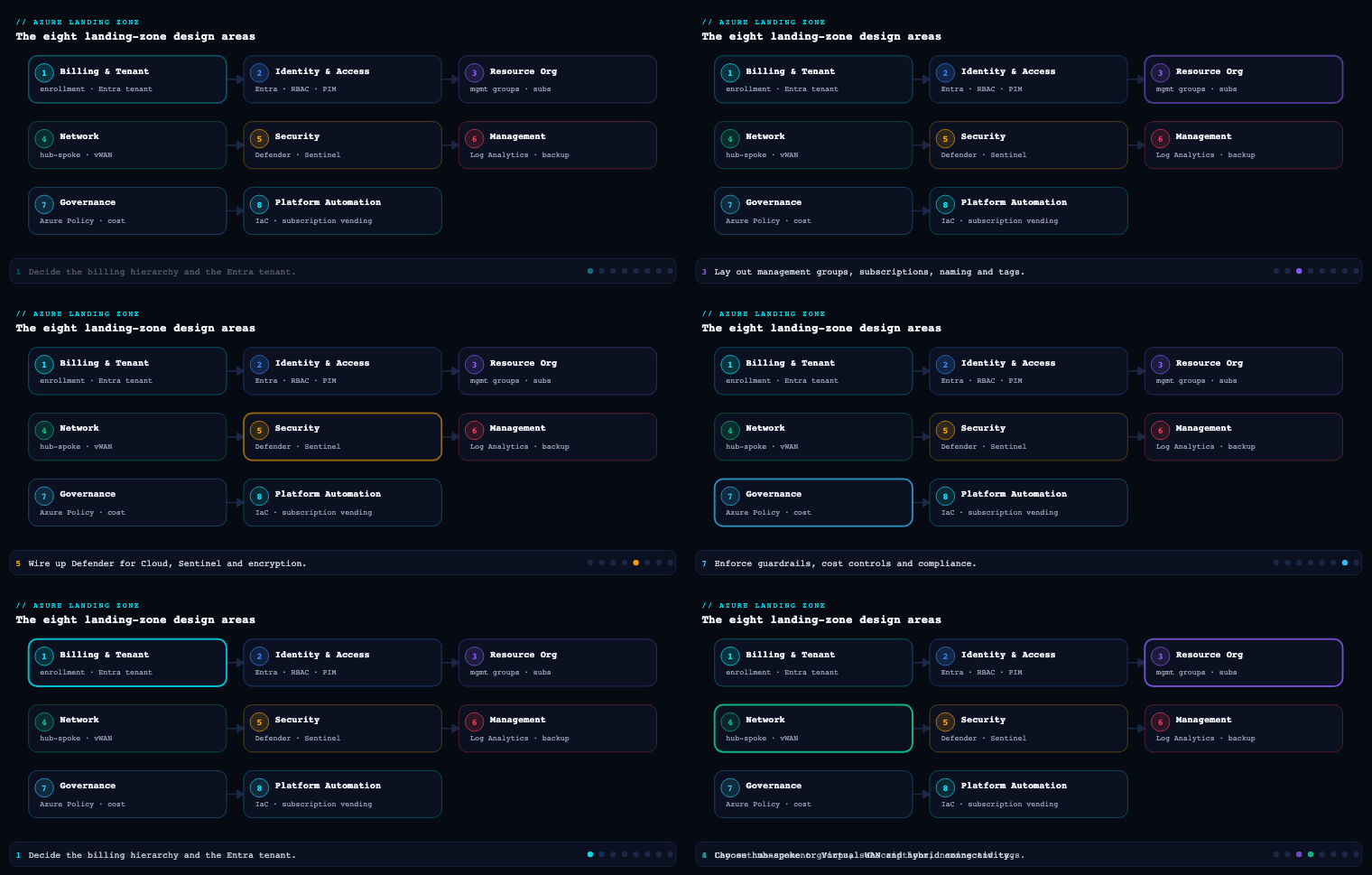
The Azure Landing Zone (ALZ) conceptual architecture is split into eight design areas grouped into two themes: Environment design (the platform plumbing — Identity, Network Topology and Connectivity, Resource Organization) and Governance & operations (Security, Management, Governance, Platform Automation and DevOps, and the cross-cutting Azure Billing and Microsoft Entra Tenant decision). Resource Organization is part 3 of this series, and it is deliberately foundational: it decides the shape of your tenant — the management group tree that policy and RBAC hang off, the subscriptions that act as your primary unit of scale and isolation, and the naming and tagging conventions that make everything after it queryable, governable, and billable. Get this wrong and every later design area inherits the debt; get it right and Policy, Defender for Cloud, Cost Management, and your platform pipelines all snap into place.
The management group hierarchy
What it is
A management group (MG) is a container above the subscription level that lets you apply Azure Policy assignments, Azure RBAC role assignments, and (in some cases) Cost Management views to many subscriptions at once through inheritance. Every Entra tenant has a single, non-deletable Tenant Root Group whose ID equals the tenant ID. You can nest MGs up to six levels deep below root (excluding the root level and the subscription level), and a single MG can hold up to a large number of children, but depth — not width — is what bites you. A subscription can live in exactly one MG at a time; an MG can contain both child MGs and subscriptions.
The thing that makes MGs the load-bearing wall of the whole landing zone is policy and access inheritance: an assignment at a parent flows down to every descendant subscription and resource, and it cannot be broken by a child (a child can only add more restriction, never remove a parent’s Deny or weaken a parent’s RBAC deny assignment). This is exactly why the ALZ reference hierarchy exists — it is an opinionated tree designed so the right guardrails land at the right altitude.
The ALZ reference hierarchy
The Cloud Adoption Framework ships a canonical hierarchy. Under Tenant Root you create a single top-level MG — conventionally named with your org’s intermediate root prefix, e.g. Contoso or simply alz — and beneath it the archetype branches:
Tenant Root Group
└── Contoso  (intermediate / top-level management group)
    ├── Platform
    │   ├── Identity        (DC/Entra Domain Services, identity VMs)
    │   ├── Management       (Log Analytics, Automation, monitoring)
    │   └── Connectivity     (hub vNet, Azure Firewall, ExpressRoute, DNS)
    ├── Landing Zones
    │   ├── Corp             (internal apps, NO public ingress, hub-routed)
    │   └── Online           (internet-facing apps, public endpoints allowed)
    ├── Sandbox              (loose guardrails, fast experimentation)
    └── Decommissioned       (cancelled subs awaiting deletion, locked down)
Why each branch exists:
| Management group | Purpose | Representative guardrails assigned here |
|---|---|---|
Intermediate root (Contoso) |
The single place to apply org-wide, non-negotiable policy so the Tenant Root Group stays clean and ungoverned-by-default | Allowed locations, required tags, deny classic resources, Defender for Cloud auto-provisioning, diagnostic-to-Log-Analytics |
| Platform | Shared services the whole org consumes; tighter change control | Stronger RBAC, no public IP exceptions, DDoS, key-vault purge protection |
| Platform/Identity | Domain controllers, Entra Domain Services, identity infra | Restrict NSG/UDR changes, deny public network on identity stores |
| Platform/Management | Centralized Log Analytics workspace, Automation, monitoring | Enforce diagnostic settings, retention floors |
| Platform/Connectivity | Hub networking, Azure Firewall, ExpressRoute/VPN, private DNS zones | Deny IP forwarding exceptions, enforce firewall in path |
| Landing Zones | Where application teams’ subscriptions live | Baseline app guardrails: encryption, private endpoints preferred, deny unmanaged disks |
| Landing Zones/Corp | Apps with no public ingress, reachable only via hub | Deny public IP on NICs, force routes through hub |
| Landing Zones/Online | Apps that legitimately expose public endpoints | Allow public IP but mandate WAF/Front Door, TLS minimums |
| Sandbox | Innovation space, isolated from production guardrails | Minimal deny set, budget caps, network isolation from hub |
| Decommissioned | Holding pen for cancelled subscriptions | Read-only/locked, blanket deny on new resource creation |
How to do it well
- Keep the Tenant Root Group empty of assignments. Anything at root is impossible to escape and affects break-glass accounts. Place your “everything” policy at the intermediate root instead.
- Design for inheritance, not for org-chart mirroring. MGs are a governance tree, not an HR tree. Group by guardrail similarity (what policies/RBAC a workload needs) rather than by department. Reorganizing departments shouldn’t force a tenant-wide MG migration.
- Stay shallow. Two to four levels of meaningful depth is plenty for most enterprises. Each extra level multiplies the cognitive load of “which assignment wins” and slows the eventual-consistency propagation of new assignments.
- Protect the hierarchy. Enable the tenant-level setting “require write permissions for creating management groups under root” (RBAC for root) and the default management group setting so new subscriptions land in a governed MG (e.g. a
Landing Zonesor a dedicated quarantine MG) rather than directly under Tenant Root where no policy applies. - Use
Denyand Azure Policy’sDeployIfNotExists/Modifyeffects at MG scope for guardrails, and reserve RBAC deny assignments (via Azure Blueprints-style locks or Privileged Access) for the few cases policy can’t express.
Concrete artifacts, decisions, and tools
- Artifacts: an MG topology diagram; an MG-to-archetype mapping table; a policy-assignment matrix (which initiative/policy is assigned at which MG with which parameters and exclusions); the tenant settings export (default MG, root RBAC requirement).
- Decisions: intermediate root name; whether to split
Corp/Online(almost always yes); whether to add geo or business-unit sub-tiers underLanding Zones; which break-glass accounts are excluded from root-adjacent policy. - Tools/services: Azure Management Groups, Azure Policy (built-in initiatives like Azure Security Benchmark / the ALZ custom initiatives), Azure RBAC with custom roles, and the Azure Landing Zones Terraform module (
Azure/caf-enterprise-scale/ ALZ Terraform accelerator) or the ALZ Bicep modules / Azure portal “Azure landing zone” accelerator, all of which deploy this exact hierarchy as code.
Subscription strategy and democratization
What it is
A subscription is the primary boundary for scale (quota/limits), billing, policy/RBAC inheritance, and blast-radius isolation in Azure. Resource Organization’s job is to define how you carve workloads into subscriptions and — critically — to democratize their creation: instead of a central team being a bottleneck that hand-builds every subscription, the platform team publishes a subscription vending process that hands application teams a fully-governed, network-connected, policy-compliant application landing zone subscription on demand, within guardrails.
Why it matters
Subscriptions are where Azure’s hard and soft limits apply (e.g. role assignments per subscription, resource groups, public IPs, regional vCPU quotas, route tables). Packing everything into one giant subscription means you hit ceilings, you can’t separate prod from non-prod blast radius, your cost reporting is muddy, and a single noisy team’s quota request can stall everyone. Conversely, a thoughtless explosion of subscriptions creates management sprawl. The ALZ answer is a repeatable unit — the application landing zone — plus a vending machine to mint them consistently.
Subscription design patterns
| Pattern | Boundary you get | Best when |
|---|---|---|
| Per workload/application (recommended ALZ default) | Clean cost, RBAC, and quota isolation per app | Most application landing zones; one app’s family of environments |
| Per environment (Prod / Non-Prod separate subs) | Strong prod blast-radius isolation; different policy strictness per stage | Regulated workloads; when prod change control must differ sharply |
| Per business unit / domain | Chargeback alignment, delegated ownership | Decentralized orgs with strong BU autonomy |
| Per geography / data residency | Data-sovereignty and locality enforcement | Multinationals with residency law (EU, India, etc.) |
| Shared platform subscriptions | One each for Connectivity, Management, Identity | Always, for the Platform MG — keep platform out of app subs |
The mainstream ALZ guidance: one subscription per application landing zone, and within it use resource groups or separate subscriptions per environment depending on isolation needs. Treat subscriptions as a unit of management and scale, not as something precious — they’re cheap to create and you should be willing to spin up many.
Democratization via subscription vending
Subscription vending is the productized flow that makes democratization real:
- A team submits a request (ServiceNow ticket, a PR to a repo, or a self-service portal form) with metadata: app name, owner, cost center, environment, required network connectivity, budget.
- An automated pipeline (the subscription vending Terraform/Bicep module, e.g.
Azure/lz-vending) creates the subscription under the correct billing scope, places it in the correct management group (so it inherits guardrails the instant it exists), assigns RBAC (the app team gets Owner/Contributor scoped to their sub, not the platform), wires networking (peers the spoke vNet to the hub, registers DNS), applies budgets and tags, and registers required resource providers. - The team receives a ready-to-use, compliant subscription — typically in minutes — with no standing elevated access to the platform.
This is the heart of democratization: application teams move at their own speed inside guardrails they cannot remove, and the platform team governs by policy-as-code rather than by gatekeeping tickets.
Concrete artifacts, decisions, and tools
- Artifacts: a subscription-naming and metadata standard; the subscription vending module and its pipeline; a request intake form/schema; an RBAC delegation model (what role app owners get and at what scope); per-subscription budget and action group definitions; a Management Group placement rule.
- Decisions: workload-vs-environment subscription granularity; which billing scope (EA enrollment account, MCA billing profile/invoice section, or CSP) subscriptions are minted under; default budget thresholds and who gets alerted; whether app teams get Owner (with policy guardrails) or constrained custom roles.
- Tools/services: Azure subscription vending (
Azure/lz-vendingTerraform module / Bicep equivalent), Microsoft Cost Management + Billing (EA/MCA APIs to programmatically create subscriptions), Azure Policy + default management group (so vended subs are governed at birth), Microsoft Entra ID PIM for any elevated platform access, and Azure Resource Manager templates for the baseline resources seeded into each landing zone.
Naming and tagging standards
What it is
A naming convention is a deterministic, documented scheme for how every Azure resource, resource group, subscription, and management group is named; a tagging strategy is the set of metadata key/value pairs attached to resources, resource groups, and subscriptions to carry information that the name can’t (or shouldn’t) — owner, cost center, environment, data classification, criticality. Together they are what turn a tenant from a pile of GUIDs into a queryable, billable, auditable system.
Why it matters
You cannot manage what you cannot identify. Names are largely immutable for many resource types (you can’t rename a storage account or a VM without recreating it), so the cost of getting naming wrong is rework at scale. Tags drive cost allocation/showback/chargeback in Cost Management, automation targeting (start/stop, backup policy selection), operational routing (who to page), and compliance reporting (which resources hold regulated data). Crucially, tags are not inherited by default — a resource does not automatically get its resource group’s tags — which is precisely why you enforce them with policy.
Designing the naming convention
Microsoft’s CAF recommends a component-based pattern. A practical, hyphen-delimited template:
<resource-type>-<workload/app>-<environment>-<region>-<instance>
| Component | Example token | Notes |
|---|---|---|
| Resource type | vm, st, rg, kv, vnet, pip, nsg, law |
Use the CAF abbreviation list; some types (storage, Key Vault) forbid hyphens and have length limits |
| Workload / app | kvfin, payments |
Short, stable app code |
| Environment | prod, dev, test, uat, sbx |
Pick a fixed, enumerated set |
| Region | eus2, cin (Central India), weu |
Map Azure regions to short codes once, org-wide |
| Instance | 001, 002 |
Zero-padded for sortability |
Worked examples:
| Resource | Name |
|---|---|
| Resource group for the payments app, prod, Central India | rg-payments-prod-cin-001 |
| Storage account (no hyphens, ≤24 chars, globally unique, lowercase) | stpaymentsprodcin001 |
| Key Vault (3–24 chars, globally unique) | kv-payments-prod-cin |
| Virtual network | vnet-payments-prod-cin-001 |
| Log Analytics workspace | law-mgmt-prod-cin-001 |
Naming rules that save pain: respect per-type length and character constraints (the storage and Key Vault cases above), keep globally-unique names collision-resistant by including app+env+region, decide case policy (lowercase everywhere is safest), and avoid encoding things that change often (don’t bake a team’s name into an immutable resource — use a tag instead).
Designing the tagging strategy
Split tags into mandatory (policy-enforced) and optional/recommended:
| Tag key | Example value | Class | Purpose |
|---|---|---|---|
Environment |
Production |
Mandatory | Policy strictness, cost split |
CostCenter |
FIN-4412 |
Mandatory | Chargeback/showback in Cost Management |
Owner |
payments-team@contoso.com |
Mandatory | Operational contact / paging |
Application |
payments-core |
Mandatory | Group all resources of one app across RGs |
DataClassification |
Confidential |
Mandatory | Compliance, access reviews |
Criticality |
Tier1 |
Recommended | SLA, DR prioritization |
ManagedBy |
terraform |
Recommended | Distinguish IaC vs click-ops resources |
ExpiresOn |
2026-12-31 |
Recommended | Sandbox/temp cleanup automation |
How to enforce it — the part that actually matters
A standard nobody enforces is a wish. Use Azure Policy as the enforcement engine:
Require a tag and its value on resources/Require a tag on resource groups—Denyeffect to block non-compliant creation.Inherit a tag from the resource group / subscription—Modifyeffect with aDeployIfNotExists/Modifyremediation so resources automatically pick upCostCenter/Environmentfrom their RG, since tags don’t inherit natively.Add or replace a tag on resources— backfill defaults.- Run remediation tasks to tag the existing estate, not just new resources.
For naming, Azure Policy can’t do arbitrary regex on names natively for every type, so enforce naming through Modify/Deny on name patterns where supported, plus module-level enforcement in IaC (the Terraform/Bicep modules compute names from inputs so humans never type them) and pipeline validation (a CI check, e.g. the Azure naming module Azure/naming/azurerm, that fails the build on a non-conforming name).
Concrete artifacts, decisions, and tools
- Artifacts: the published naming convention doc + region/abbreviation lookup tables; the mandatory-tag list and allowed values; the tagging Azure Policy initiative (assigned at the intermediate root MG); the IaC naming module; a CI naming/tagging linter.
- Decisions: delimiter and component order; environment enumeration; which tags are mandatory vs recommended; allowed value lists (free-text tags are the enemy of clean cost reports); case policy.
- Tools/services: Azure Policy (built-in tag policies + custom), Microsoft Cost Management (tag-based cost views, the place tags pay off), Azure Resource Graph (KQL queries to audit naming/tag compliance across the whole tenant in seconds), the CAF naming/abbreviation guidance, and the
Azure/namingTerraform module.
Resource group structure
What it is
A resource group (RG) is a logical container inside a subscription that holds related resources. Every resource lives in exactly one RG; an RG has its own region (metadata location, independent of where its resources sit), can hold resources from many regions, and is itself a scope for RBAC, Azure Policy, locks, and tags. RGs are the finest grain at which you delegate access and apply guardrails before you reach individual resources.
Why it matters
RG structure determines lifecycle blast radius (deleting an RG deletes everything in it), delegation (you can give a team Contributor on just one RG), policy/lock placement, and how cleanly your cost and resource inventory reads. Two anti-patterns dominate real tenants: the mega-RG (hundreds of unrelated resources in one bucket, impossible to delete or delegate safely) and the RG-per-resource sprawl (no logical grouping, RBAC nightmare). The structuring principle that resolves both: group by shared lifecycle, shared ownership, and shared region. If resources are created, updated, and deleted together by the same team, they belong together.
How to structure them well
- One RG per workload-environment, sometimes per tier. A common pattern inside an application landing zone subscription:
| Resource group | Contents | Rationale |
|---|---|---|
rg-payments-prod-cin-app |
App Service / AKS workload, app config | Deployed and scaled as a unit |
rg-payments-prod-cin-data |
SQL, Cosmos, storage — stateful | Different lifecycle (you rarely tear down data with the app); stricter locks |
rg-payments-prod-cin-net |
vNet, NSGs, private endpoints, UDRs | Networking changes on its own cadence; locked down |
rg-payments-prod-cin-shared |
Key Vault, Log Analytics, managed identities | Shared across tiers, longest lifecycle |
- Match the RG region to where the workload’s control operations run, and remember the RG location is metadata — it matters for where resource group metadata/deployment is stored and is required even for global resources.
- Apply
CanNotDelete/ReadOnlyresource locks on RGs holding stateful or shared resources (data, networking, Key Vault) to stop accidental deletion — and remember locks inherit downward to child resources. - Delegate at the RG, not the subscription, when a team should manage only part of a workload (e.g. give the DBA team Contributor on
*-dataonly). - Keep platform RGs in platform subscriptions with clear names (
rg-hub-connectivity-prod-cin,rg-mgmt-logs-prod-cin), separate from application RGs. - Don’t span a single tightly-coupled deployment across many RGs if it complicates ARM/Bicep/Terraform deployment scoping — align RG boundaries with your deployment stamps.
Concrete artifacts, decisions, and tools
- Artifacts: an RG-layout standard per landing-zone archetype; a lock policy (which RGs get
CanNotDelete); the IaC that provisions the RG skeleton in each vended subscription; RG-level RBAC assignment definitions. - Decisions: group-by-lifecycle vs group-by-tier granularity; whether data/network/shared get their own RGs (recommended for Tier-1 apps); lock strategy; RG region policy.
- Tools/services: Azure Resource Manager (RGs are an ARM construct), Azure Policy and RBAC scoped to RGs, resource locks, Azure Resource Graph for inventory/compliance queries, and Bicep/Terraform to template the RG layout so every landing zone is identical.
Real-world enterprise scenario
Helios Financial Group is a fictional pan-India digital lender with ~1,400 employees, a regulated workload profile (RBI data-localization obligations), and 60+ application teams migrating from a single sprawling “everything” subscription into Azure properly. Their CCoE adopts the ALZ Terraform accelerator and works the Resource Organization design area end to end.
Management group hierarchy. They deploy an intermediate root MG helios under Tenant Root, leaving Tenant Root assignment-free except for break-glass exclusions. Under helios: Platform (with Identity, Management, Connectivity), Landing Zones (with Corp and Online), Sandbox, and Decommissioned. Because RBI residency matters, they add geo sub-tiers under Landing Zones/Corp — Corp-IN-Central and Corp-IN-South — to pin an Allowed locations policy (centralindia, southindia) at exactly the right altitude. They set the default management group to a Quarantine MG so any subscription created outside vending lands locked-down until reviewed. Artifact: a 6-node MG diagram and a policy-assignment matrix showing the Azure Security Benchmark initiative + 11 custom ALZ policies assigned at helios, residency policy at the geo tiers, and Deny public IP at Corp.
Subscription strategy and democratization. Helios chooses one subscription per application landing zone, with separate Prod and Non-Prod subscriptions for any Tier-1 app (blast-radius isolation that RBI auditors like). Platform gets three dedicated subs (Connectivity, Management, Identity). They stand up subscription vending with Azure/lz-vending: a team opens a PR to a landing-zones repo with a small YAML (app name, cost center, environment, criticality, residency, budget). The pipeline mints the subscription under their MCA invoice section, drops it into Corp-IN-Central or Online, peers its spoke vNet to the regional hub (Azure Firewall + ExpressRoute), registers private DNS, assigns the app team Owner scoped to that subscription only (platform access stays behind Entra PIM), and sets a ₹-denominated budget with action-group alerts at 60/90/100%. Outcome: a previously 3-week, ticket-driven subscription request drops to under 20 minutes, fully compliant, with zero standing platform access for app teams.
Naming and tagging standards. They publish <type>-<app>-<env>-<region>-<instance> with cin/sin region codes and a fixed env set (prod/uat/dev/sbx). Examples in their standard: rg-collections-prod-cin-data, stcollectionsprodcin001, kv-collections-prod-cin. Five mandatory tags — Environment, CostCenter, Owner, Application, DataClassification — are enforced by a tagging Azure Policy initiative assigned at helios: Deny on missing tags at create, plus Modify/inherit policies so resources inherit CostCenter and Environment from their RG (since tags don’t inherit natively), backed by remediation tasks that tagged 14,000 pre-existing resources. A CI linter using Azure/naming fails any PR with a non-conforming name. Cost Management is then sliced by CostCenter and Application for monthly showback to each business unit.
Resource group structure. Inside each app subscription the vending baseline seeds four RGs — -app, -data, -net, -shared — with CanNotDelete locks on -data, -net, and -shared. The collections DBA team gets Contributor on *-data only. Platform RGs (rg-hub-connectivity-prod-cin, rg-mgmt-logs-prod-cin) live in the platform subs.
Measurable outcome after one quarter: 47 application landing zones vended (target was 40); 100% mandatory-tag compliance on new resources and 96% across the legacy estate (audited live via Azure Resource Graph KQL); subscription provisioning lead time down ~99% (3 weeks → 20 min); first accurate per-business-unit Azure showback report produced; zero residency-policy violations because Allowed locations is pinned at the geo MG tier and inherited everywhere beneath.
Deliverables & checklist
Common pitfalls
- Mirroring the org chart in the management group tree. Departments reorganize constantly; your governance tree shouldn’t. Group MGs by guardrail similarity (what policy/RBAC a workload needs), not by who reports to whom — otherwise the next reorg triggers a tenant-wide MG migration.
- Assigning policy at the Tenant Root Group. Anything at root is inescapable and hits break-glass accounts; it also makes the root a single point of governance failure. Put org-wide policy at the intermediate root MG and keep Tenant Root clean.
- Centralized subscription creation as a manual bottleneck. Hand-building subscriptions via tickets kills cloud velocity and tempts teams into shadow IT. Productize it with subscription vending so teams self-serve inside guardrails they can’t remove.
- Assuming tags inherit. Resources do not inherit their resource group’s or subscription’s tags by default, so cost reports come out half-empty. Use Azure Policy
Modify/inherit policies plus remediation tasks — and enforce mandatory tags withDenyat create time. - Encoding volatile facts in immutable names. Many resource names can’t be changed without recreating the resource; baking a team name, owner, or cost center into the name guarantees rework. Keep names structural (type/app/env/region) and put changeable metadata in tags.
- Mega-resource-groups or RG-per-resource. Both break delegation and lifecycle management. Structure RGs by shared lifecycle, ownership, and region — separate stateful (
-data), networking (-net), and shared (-shared) resources and lock the ones you can’t afford to lose.
What’s next
With the tenant’s shape established, part 4 of the Azure Landing Zone Design Areas turns to Security — the Defender for Cloud, encryption, secrets, and zero-trust controls you assign onto the very management group hierarchy and subscriptions you just built.