Where this fits
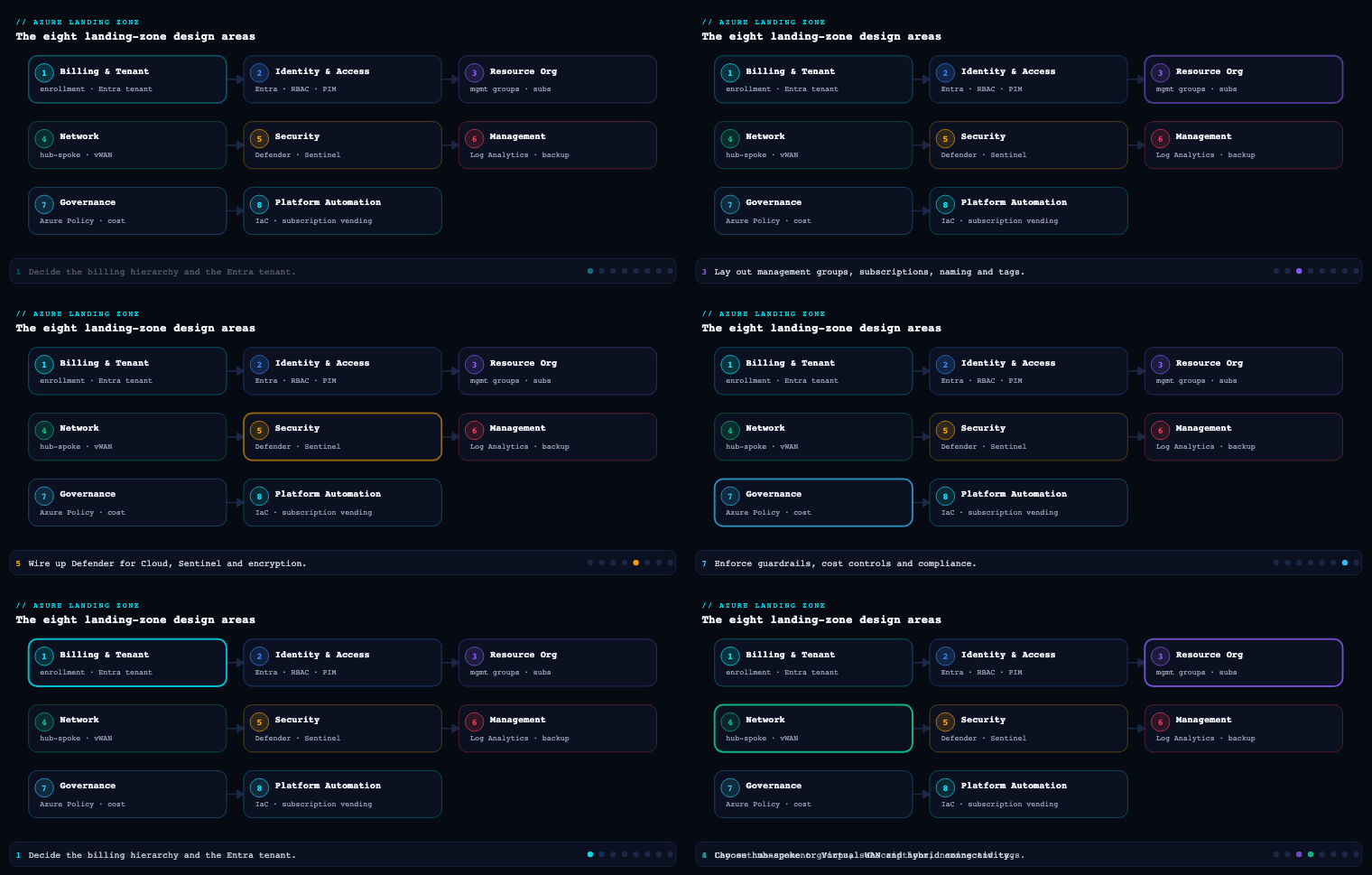
In the eight design areas of the Azure Landing Zone (Enterprise-Scale) architecture, Security is the design area that turns identity, network, and governance decisions into a detect-and-respond posture you can prove. It sits downstream of Identity & Access Management and Network Topology & Connectivity (which decide who can reach what) and runs in lock-step with Governance (which assigns the policies). The other design areas build the house; Security wires it for smoke detectors, locks the safe, and puts a SOC analyst on the monitor. Concretely, this design area decides how you deploy and scope Microsoft Defender for Cloud, where Microsoft Sentinel lives and what feeds it, how you do encryption and key management with Key Vault and HSM-backed keys, which security baseline policy set (the Microsoft Cloud Security Benchmark and the Defender auto-provisioning initiatives) gets assigned at the intermediate root management group, and how you operate Secure Score and continuous compliance as a trended number rather than a one-off audit.
Microsoft Defender for Cloud
What it is. Microsoft Defender for Cloud (MDC) is the cloud-native application protection platform (CNAPP) at the centre of the landing zone’s Security design area. It is two things bolted together: a free, always-on Cloud Security Posture Management (CSPM) layer that continuously assesses every Azure resource against the Microsoft Cloud Security Benchmark (MCSB) and produces a Secure Score, and a set of paid, per-resource-type Defender plans (the Cloud Workload Protection Platform, CWPP) that add threat detection, agentless scanning, and runtime alerts. In the landing zone it is the engine that both measures posture and generates the security alerts that flow into Sentinel.
Why it matters. Without MDC you have policy compliance (are resources configured correctly?) but no threat detection (is someone attacking them right now?). MDC is also the only place that gives you a single, tenant-wide posture number — Secure Score — and the recommendation backlog that drives it down. In an Enterprise-Scale landing zone, MDC is enabled by policy the moment a subscription lands in the management group tree, so coverage is automatic rather than something an owner has to remember to switch on.
How to do it well. Enable Defender plans at the subscription scope via Azure Policy assigned at the management group, not by clicking through portals per subscription. The Enterprise-Scale reference ships built-in policy initiatives such as Configure Microsoft Defender for Cloud plans and Deploy Microsoft Defender for Cloud that set the plan to Standard (paid) across all current and future subscriptions under the assignment scope. Pick your plans deliberately — the Defender CSPM plan is what unlocks agentless machine scanning, the security graph, and attack path analysis, so most enterprises run Defender CSPM + Servers Plan 2 + Storage + Key Vault + Containers + the relevant PaaS data plans as the floor. Crucially, MDC streams its alerts and recommendations into Microsoft Sentinel via the Microsoft Defender for Cloud connector (and, increasingly, through the unified Defender XDR portal), so the two are designed to be deployed together. Continuous export of alerts and assessments to a Log Analytics workspace and/or Event Hub is the artifact you configure here.
| MDC capability | Layer | What it does in the landing zone | Cost model |
|---|---|---|---|
| Foundational CSPM | Free | MCSB assessment, Secure Score, recommendations | $0 |
| Defender CSPM | Paid plan | Agentless scanning, attack path analysis, security graph, DevOps posture | Per billable resource |
| Defender for Servers (Plan 2) | Paid plan | Agentless + MDE EDR, vulnerability assessment, FIM, JIT VM access | Per server/hour |
| Defender for Storage | Paid plan | Malware scanning on upload, sensitive-data threat detection | Per storage account + per GB scanned |
| Defender for Key Vault | Paid plan | Anomalous secret-access detection | Per 10K transactions |
| Defender for Containers | Paid plan | Image scanning, K8s runtime threat detection, K8s data plane posture | Per vCore/AKS node |
| Defender for Resource Manager / DNS / APIs | Paid plan | Control-plane and DNS-layer threat detection, API posture | Per subscription / per API |
Concrete artifacts and decisions. A policy assignment that turns on the chosen Defender plans at the intermediate root MG; a continuous-export rule writing alerts and assessments to the central Log Analytics workspace; the security contact (email + phone) configured so high-severity alerts page someone; an auto-provisioning configuration for the Log Analytics agent / Azure Monitor Agent and the agentless scanning components; and Just-In-Time VM access plus adaptive application controls decisions for the Servers plan. Governance decision to make: who owns remediating MDC recommendations (the platform team for shared services, the workload team for their own resources) and what the SLA is per severity.
Microsoft Sentinel
What it is. Microsoft Sentinel is Azure’s cloud-native SIEM and SOAR — a Log Analytics workspace with the Sentinel solution enabled, layered with data connectors, analytics rules (detections), automation rules and playbooks (Logic Apps), workbooks (dashboards), hunting queries, watchlists, and UEBA (User and Entity Behavior Analytics). In the landing zone, Sentinel is the single pane where signals from Azure, Microsoft 365, Defender XDR, identity (Entra ID), and third-party sources are correlated into incidents that an analyst triages.
Why it matters. MDC tells you a resource is compromised; Sentinel tells you the story — that a risky Entra sign-in led to a key vault access anomaly led to data exfiltration from a storage account — by correlating across data sources MDC never sees. It is the design area’s answer to “who watches the whole estate?” Without it, alerts live in a dozen disconnected consoles and nobody connects the dots.
How to do it well. The single most important Sentinel decision in a landing zone is where the workspace lives and how many you run. Microsoft’s Enterprise-Scale guidance is unambiguous: deploy Sentinel on the centralized Log Analytics workspace in the management (or dedicated security) platform subscription, not scattered per landing zone. A single, centralized workspace is the default recommendation because it gives the SOC one correlation surface and avoids cross-workspace query cost and complexity. You move to a small number of workspaces only for hard reasons: data-residency/sovereignty requirements that force regional separation, or data-ownership boundaries (e.g. a managed-tenant MSSP model with Azure Lighthouse). Note the platform split: operational/metrics telemetry can use per-landing-zone workspaces, but security logs should consolidate into the central Sentinel workspace so detections see everything.
| Decision | Default for a landing zone | When to deviate |
|---|---|---|
| Number of Sentinel workspaces | One, centralized | Data residency, sovereignty, MSSP/Lighthouse multi-tenant |
| Workspace location | management/security platform subscription |
Regulatory residency forcing a region |
| Security vs. operational logs | Security → central Sentinel workspace | Ops/metrics may stay per-LZ |
| Connector strategy | Free-tier first (Entra ID, Activity, MDC, M365) | Add CEF/Syslog, third-party as needed |
| Commitment tier | Commitment/Auto tiers once volume is stable | Stay Pay-As-You-Go while baselining |
The connectors you wire first are the free, high-value ones: Microsoft Entra ID sign-in and audit logs, Azure Activity, the Microsoft Defender for Cloud connector, and the Microsoft Defender XDR connector (which bidirectionally syncs incidents). Then attach content from the Content Hub — the MITRE ATT&CK-mapped analytics rule templates, hunting queries, and workbooks — rather than writing detections from scratch. Manage rules and connectors as code with Microsoft.SecurityInsights ARM/Bicep or the Sentinel Terraform resources so detections are versioned and promoted through environments. Cost-control the workspace with the Basic/Auxiliary logs tiers for high-volume low-value data, Data Collection Rules to filter at ingestion, and a commitment tier once daily volume stabilises.
Concrete artifacts and decisions. The central workspace resource and Sentinel onboarding; a connector inventory (which sources, which retention, which table plan); a versioned set of analytics rules and automation rules mapping incident severity to playbooks (e.g. disable a compromised user, isolate a VM, open a ticket); an incident response runbook that defines SOC tiers and escalation; an Azure Lighthouse delegation if an MSSP operates the SOC; and a retention/archive decision (interactive retention vs. long-term archive for the workspace, often 90 days interactive + 1–2 years archive for compliance).
Encryption and key management
What it is. This sub-component covers the cryptographic posture of the landing zone: encryption at rest (platform-managed keys vs. customer-managed keys), encryption in transit (TLS, private endpoints), the Azure Key Vault topology that stores keys, secrets, and certificates, and the HSM backing for keys that need FIPS 140-2/3 Level 3 assurance. It is where you decide who controls the keys to your data.
Why it matters. Every Azure storage and database service encrypts at rest by default with Microsoft-managed keys (MMK) — but for regulated data you often must hold the keys yourself with customer-managed keys (CMK) so you control rotation and can cryptographically revoke access. Key management is also the most common silent failure in a landing zone: a developer drops a connection string into App Service config, a key never rotates, or a single mega-vault becomes a blast-radius and a throttling bottleneck. Getting the topology and the controls right here is what makes “encrypt everything” actually true and auditable.
How to do it well. Start from the default and CMK decision, then design the vault topology and lock it down with policy:
- Default to platform-managed keys; reach for CMK only where a control requires it. CMK adds operational burden (rotation, availability, key-access RBAC) and should be driven by a real requirement — PCI-DSS, a “we hold the keys” mandate, or double encryption for the most sensitive tiers (e.g. infrastructure encryption on Storage layering a second platform key under your CMK).
- Choose the right Key Vault SKU and HSM tier. For most CMK and secret/cert needs, Key Vault Premium (HSM-backed keys, shared HSM, FIPS 140-2 Level 2/3 depending on key type) is the workhorse. For single-tenant, FIPS 140-2 Level 3 dedicated hardware, use Azure Key Vault Managed HSM. Reserve dedicated Managed HSM for workloads that demand sole-tenant assurance; it is materially more expensive.
- Topology: a vault per workload/environment, not one mega-vault. Key Vault has per-vault transaction limits and is a security boundary; co-locate the vault with the workload’s subscription and region, and use separate vaults per environment (dev/test/prod) so a non-prod compromise cannot touch prod keys.
- Lock the data plane to private networking and Entra RBAC. Use the Azure RBAC permission model (not the legacy vault access policies) so key/secret/cert access is governed the same way as everything else and auditable in one place. Disable public network access and front the vault with a private endpoint; enable purge protection and soft delete (the latter is now non-negotiable / on by default) so a deleted key can’t be permanently lost or maliciously purged.
- Automate rotation and eliminate standing secrets. Configure key auto-rotation policies in Key Vault; integrate certificate issuance with an integrated CA; and prefer managed identities so apps fetch tokens instead of storing secrets at all. Where secrets are unavoidable, reference them from app config via Key Vault references rather than plaintext settings.
| Option | Key control | Assurance level | Use it for |
|---|---|---|---|
| Microsoft-managed keys (MMK) | Microsoft | Service default | The default for everything not regulated |
| Customer-managed keys (CMK) in Key Vault Premium | You (HSM-backed) | FIPS 140-2 L2/L3 | Regulated data, controlled rotation/revocation |
| CMK in Managed HSM | You (single-tenant HSM) | FIPS 140-2 L3 | Sole-tenant assurance, sovereign/PCI mandates |
| Infrastructure (double) encryption | You + Microsoft (two keys) | Defense-in-depth | The most sensitive storage/DB tiers |
Concrete artifacts and decisions. A key management standard documenting MMK-vs-CMK by data classification; the Key Vault topology (vaults per workload/env, SKU, region) and the Managed HSM decision; Azure Policy assignments enforcing it — “Key vaults should have purge protection enabled”, “… should use RBAC permission model”, “… should disable public network access”, “Storage accounts should use customer-managed key”, “Azure SQL should use CMK / TDE”; rotation policies; and Defender for Key Vault enabled to catch anomalous access. A decision on Azure Disk Encryption vs. encryption-at-host vs. CMK on the disk encryption set for VM disks belongs here too.
The security baseline policy set
What it is. The security baseline is the curated set of Azure Policy definitions and initiatives (policy sets) that the landing zone assigns — at the management-group level — to enforce a secure-by-default posture across every subscription. At its heart is the Microsoft Cloud Security Benchmark (MCSB) built-in initiative (the successor to the Azure Security Benchmark), supplemented by the Defender auto-provisioning initiatives, regulatory-compliance initiatives (NIST 800-53, PCI-DSS, ISO 27001, CIS), and a handful of custom deny/deploy policies the Enterprise-Scale reference ships.
Why it matters. This is what makes security inherited rather than configured. Because the baseline is assigned at the intermediate root and platform/landing-zone management groups, every new subscription that lands in the tree is governed the moment it appears — no per-subscription clicking, no drift. It is also the bridge between the Governance design area (which owns policy-as-code) and the Security design area (which decides which security policies and at what effect). The MCSB initiative is specifically the same control set MDC uses to compute Secure Score, so assigning it ties posture measurement and policy enforcement to one benchmark.
How to do it well. Layer the baseline by scope and choose effects deliberately:
- Assign MCSB at the intermediate root so the whole org is measured against one benchmark, and let it default to
Audit/AuditIfNotExistsfor visibility. This is the floor every subscription inherits. - Add deny and deploy effects at the right tier. Use
Denyfor non-negotiables (no public IP on a corp landing zone, no storage account with public blob access, TLS minimum version), andDeployIfNotExists/Modifyto auto-remediate (deploy diagnostic settings to the central workspace, enable Defender plans, configure encryption). Put internet-facing deny rules on theonlinemanagement group and no-public-ingress rules oncorp, matching the workload archetypes from the management-group design area. - Manage it as policy-as-code. Author and promote the initiative and assignments through Bicep/Terraform and a pipeline (or the Enterprise Policy as Code / EPAC toolkit), so the baseline is reviewed, versioned, and diff-able — never hand-edited in the portal.
- Govern exemptions, don’t ban them. Use Azure Policy exemptions with an expiry date and a documented reason for the genuine exceptions, so the baseline stays strict while reality stays workable.
- Layer regulatory initiatives on top (e.g. PCI-DSS 4 or NIST 800-53 R5 as
Auditinitiatives) where compliance demands it; these feed the Regulatory Compliance dashboard in MDC.
| Layer | Example initiative / policy | Effect | Scope |
|---|---|---|---|
| Benchmark floor | Microsoft Cloud Security Benchmark | Audit / AuditIfNotExists | Intermediate root |
| Defender enablement | Configure Microsoft Defender for Cloud plans | DeployIfNotExists | Intermediate root |
| Logging guardrail | Deploy diagnostic settings to Log Analytics | DeployIfNotExists | Platform + LZ MGs |
| Network deny | No public IP / public blob / open NSG | Deny | corp (and tuned on online) |
| Encryption enforce | CMK on Storage/SQL; KV purge protection | Deny / Audit | LZ MGs |
| Regulatory overlay | NIST SP 800-53 R5, PCI-DSS, CIS | Audit | Where required |
Concrete artifacts and decisions. The versioned policy initiative + assignment definitions in the platform repo; an effect map documenting which controls are Deny vs. Audit vs. DeployIfNotExists and at which MG; the regulatory initiative selection; the exemption register; and managed-identity role assignments for the DeployIfNotExists/Modify policies so remediation tasks can actually act. The key decision is the Audit-to-Deny promotion plan: you start most controls in Audit to avoid breaking existing workloads, measure non-compliance, remediate, then flip to Deny on a schedule.
Secure Score and continuous compliance
What it is. Secure Score is MDC’s single percentage that rolls up how many of the MCSB security recommendations your estate satisfies, weighted by control. Continuous compliance is the operating model around it: the Regulatory Compliance dashboard (your estate mapped against NIST/PCI/ISO/CIS), the continuous export of posture data to Log Analytics / Event Hub / a workbook, and the governance rules that assign recommendation remediation to owners with due dates. Together they convert security from a periodic audit into a trended, owned, always-on metric.
Why it matters. A landing zone that can’t prove its posture is improving is just hope with extra steps. Secure Score gives leadership one number to trend quarter over quarter; the Regulatory Compliance dashboard gives auditors evidence mapped to the framework they care about; and continuous export means the score and the underlying findings land in the same workspace as Sentinel, so posture and detection share one data fabric. This is the “continuous compliance” the design area promises — not a spreadsheet refreshed before an audit.
How to do it well. Treat Secure Score as a managed KPI, not a vanity metric:
- Set a target and trend it. Pick a Secure Score target per environment (e.g. ≥ 80% prod, with a quarterly improvement goal) and review it in a monthly platform/security cadence. Track the score and the count of high-weight recommendations outstanding.
- Use governance rules to assign and time-box remediation. MDC governance rules auto-assign recommendations to the resource owner with a grace period and due date, and can flag overdue items — this is how you stop the backlog from rotting.
- Continuously export everything. Configure continuous export of Secure Score, recommendations, and regulatory-compliance state to the central Log Analytics workspace (and optionally Event Hub for a third-party GRC tool). Pin the Secure Score Over Time and Compliance workbooks so the trend is visible.
- Map to the frameworks that matter and review drift. Add the regulatory standards your business is audited against to the Regulatory Compliance dashboard, and review new failing controls as a standing agenda item.
- Aggregate at the right scope. Read Secure Score at the management-group level for the platform view and per-subscription for workload owners, so each audience sees the score they can act on.
| KPI | Target (illustrative) | Source | Review cadence |
|---|---|---|---|
| Secure Score (prod MG) | ≥ 80%, +5 pts/quarter | MDC Secure Score | Monthly |
| High-severity recommendations open | < 10, none overdue | MDC recommendations + governance rules | Weekly |
| Regulatory compliance (target framework) | ≥ 95% passing controls | MDC Regulatory Compliance | Monthly |
| Mean time to remediate (high) | < 7 days | Governance rules / export | Monthly |
| Defender plan coverage | 100% of subscriptions | Policy compliance | On every new subscription |
Concrete artifacts and decisions. A continuous-export configuration to the central workspace; pinned Secure Score over time and Regulatory Compliance workbooks; governance rules with owner mapping and grace periods; the target Secure Score and improvement goal per environment; and a recurring posture review with named owners. The decision to make: who is accountable for the number — typically the platform/security team owns shared-services score, workload teams own theirs, and a security governance forum reviews the trend.
Real-world enterprise scenario
NordHansa Insurance is a fictional pan-European insurer (8,500 employees, HQ in Stockholm) migrating from on-prem data centres to Azure under an Enterprise-Scale landing zone. They are regulated under DORA, GDPR, and PCI-DSS (they process card payments for premium collection), and their board has mandated that “we hold our own encryption keys for policyholder data.” Their landing zone already has the management-group hierarchy (nordhansa intermediate root → platform {identity, management, connectivity} and landingzones {corp, online}), and they are now executing the Security design area across 3 platform subscriptions and 19 landing-zone subscriptions.
Defender for Cloud. They assign the Configure Microsoft Defender for Cloud plans initiative at the nordhansa intermediate root with DeployIfNotExists, enabling Defender CSPM, Servers Plan 2, Storage (with malware scanning), Key Vault, Containers, Resource Manager, and SQL/PostgreSQL plans across all 22 subscriptions. A new claims-processing subscription that lands next quarter inherits all of it automatically. They set the security contact to the SOC distribution list and a PagerDuty integration for high-severity alerts, and enable Just-In-Time VM access on the corp Servers fleet. Artifact: one policy assignment + a continuous-export rule per subscription pattern, both in the platform Bicep repo.
Sentinel. They stand up a single centralized Sentinel workspace in a dedicated security subscription under platform/management. Because DORA requires EU data residency, they pin it to Sweden Central and confirm no security log leaves the EU. Connectors wired on day one: Entra ID sign-in/audit, Azure Activity (all 22 subs), the Defender for Cloud connector, and the Defender XDR connector for bidirectional incident sync. From the Content Hub they deploy the Microsoft Entra ID and Azure Activity solutions and enable 40+ MITRE ATT&CK-mapped analytics rules. They author an automation rule: any incident tagged CredentialAccess at high severity triggers a playbook that disables the Entra user and opens a ServiceNow ticket. The SOC is run by an MSSP via Azure Lighthouse delegation scoped to the security subscription only.
Encryption and key management. Policyholder and PCI data get customer-managed keys: a Managed HSM (FIPS 140-2 Level 3, sole-tenant) holds the card-data encryption keys for PCI scope, while Key Vault Premium instances — one per workload per environment — back CMK for the GDPR-classified policyholder stores and hold app secrets/certs. All vaults use the Azure RBAC permission model, private endpoints, purge protection, and auto-rotation policies; public network access is denied by policy. Storage accounts holding policyholder data run infrastructure (double) encryption with the CMK on top. Defender for Key Vault watches every vault for anomalous secret access. Non-prod uses MMK to keep cost and complexity down. Artifact: a key-management standard mapping data classification → key control, plus the enforcing policy assignments.
Security baseline policy set. They assign MCSB at nordhansa (Audit floor), DeployIfNotExists for diagnostic settings → the central workspace and for the Defender plans, Deny for public IPs and public blob access on corp, tuned allow-with-WAF rules on online, and CMK-enforcement Audit→Deny on the regulated landing zones. On top they layer PCI-DSS and NIST SP 800-53 R5 initiatives in Audit for the Regulatory Compliance dashboard. Everything is managed with EPAC through an Azure DevOps pipeline; 6 documented exemptions (each with a 90-day expiry) cover legacy workloads mid-migration. Their Audit→Deny promotion plan flips the CMK and public-access controls to Deny after a 60-day remediation window.
Secure Score and continuous compliance. They set a target of ≥ 82% Secure Score on the prod MG with a +4-point quarterly goal, and ≥ 95% on the PCI-DSS dashboard. Governance rules auto-assign every new high-severity recommendation to the owning team with a 14-day grace period; overdue items escalate to the security governance forum. Continuous export streams Secure Score, recommendations, and regulatory state to the central workspace, surfaced in a pinned Secure Score Over Time workbook reviewed monthly.
Measurable outcome. Six months in: Secure Score on the prod MG climbed from 58% to 84%; high-severity open recommendations dropped from 70-plus to under 10 with none overdue; PCI-DSS dashboard compliance reached 96%; 100% of 22 subscriptions carry the full Defender plan set automatically; mean time to remediate high-severity findings fell to 5 days; and the SOC closed its first real incident — a credential-stuffing attempt against an online workload caught by an Entra analytics rule and auto-contained by the disable-user playbook in under 4 minutes — with the full kill-chain reconstructed in the single Sentinel workspace.
Deliverables & checklist
Common pitfalls
- Enabling Defender per subscription by hand. It guarantees drift — the next subscription someone creates is unprotected. Enable plans by policy at the management group so coverage is inherited automatically.
- Scattering Sentinel workspaces across landing zones. Multiple security workspaces shatter correlation and inflate cross-workspace query cost. Default to one centralized workspace and only split for residency, sovereignty, or an MSSP/Lighthouse model — and keep security logs consolidated even if operational logs stay per-LZ.
- One mega Key Vault for the whole estate. It becomes a single blast-radius, hits transaction throttling, and tangles RBAC. Use a vault per workload per environment, RBAC permission model, private endpoints, and purge protection.
- Going straight to CMK everywhere. CMK without a rotation/availability plan creates outages (lose the key, lose the data) and cost for no benefit on non-regulated data. Default to MMK; use CMK/Managed HSM only where a control demands it.
- Flipping every policy to Deny on day one. It breaks live workloads and triggers a rollback that erodes trust in the baseline. Start in Audit, measure, remediate, then promote to Deny on a schedule with an exemption register for genuine exceptions.
- Treating Secure Score as a one-off audit number. Without a target, governance rules, and continuous export, the recommendation backlog rots and the score stagnates. Make it a trended KPI with owners, due dates, and a monthly review.
What’s next
Part 6 of Azure Landing Zone Design Areas moves from securing the platform to running it: Management & Monitoring — the centralized Log Analytics workspace, Azure Monitor, and the operations baseline that the security telemetry you just wired flows into.