Where this fits
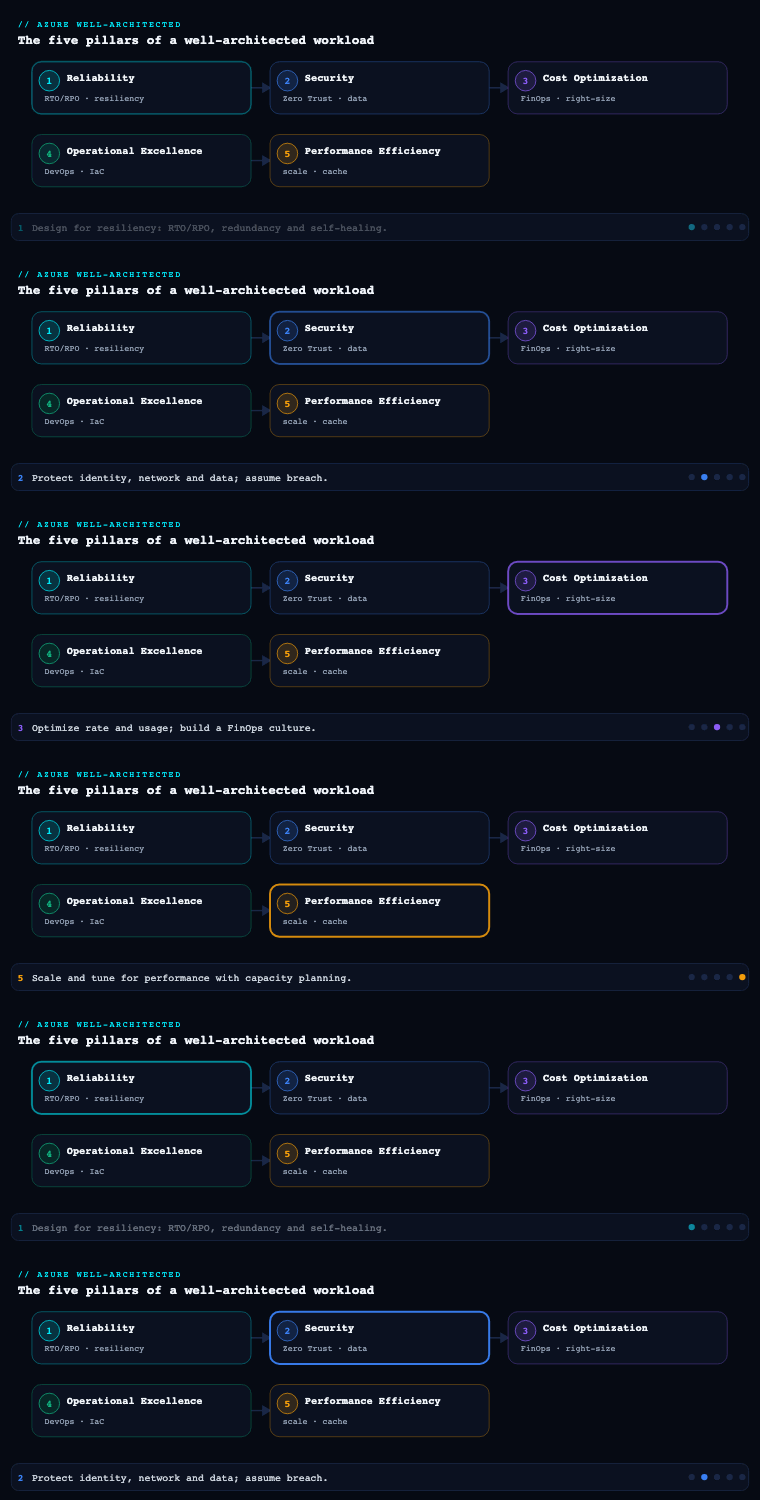
In the Azure Well-Architected Framework, Operational Excellence (OE) is the fourth of the five pillars — sitting alongside Reliability, Security, Cost Optimization, and Performance Efficiency — and it is the one that decides whether the design intent of the other four actually survives in production. Where Reliability asks “will it stay up?” and Security asks “is it defensible?”, Operational Excellence asks “can the team build, ship, observe, and recover this workload repeatably, with discipline, and improve it over time?” It is the pillar that turns architecture diagrams into a running, supportable system, and its currency is not a clever topology but team practices, codified standards, and feedback loops. This article goes deep on the seven concerns at the heart of the pillar: DevOps culture, infrastructure as code, CI/CD and safe deployment, observability, automation, incident response, and the operational metrics that prove it is working.
A note on terminology before we start: in the current WAF guidance, Operational Excellence is expressed as a set of design principles (“embrace DevOps culture”, “establish development standards”, “evolve operations with observability”, “deploy with confidence”, “automate for efficiency”, “adopt safe deployment practices”, “implement a structured incident response framework”) and a design checklist organised under recommendation areas. The seven sections below map directly onto that guidance — I have grouped them the way an architect actually sequences the work, not alphabetically.
DevOps culture
What it is. A DevOps culture is the operating model in which the people who build a workload also share accountability for running it, organised so that planning, development, delivery, and operations are one continuous flow rather than four departments throwing tickets over walls. In WAF terms it is the foundation principle — every other recommendation in the pillar assumes a team that owns its outcomes end to end.
Why it matters. Tooling cannot rescue a broken operating model. If the developers who wrote a service never see its 3 a.m. pages, they optimise for “passes review”, not “is operable”. The classic failure is the “throw it over the wall” handoff to a separate ops team that lacks the context to debug it. A DevOps culture closes that gap by aligning incentives: the team that feels the operational pain is the team empowered to fix the design. WAF explicitly calls out shared accountability, mutual respect across roles, and continuous learning as the cultural pillars.
How to do it well. Make ownership and standards explicit rather than implied:
- Establish team standards. Agree, in writing, on coding standards, branching strategy, naming conventions, documentation expectations, and the Definition of Done (which should include “operable”: dashboards exist, alerts exist, a runbook exists). Standards are what let any engineer pick up any service.
- Choose an ownership model deliberately. WAF does not mandate “you build it, you run it” for every workload — it asks you to choose consciously. A product team owning a customer-facing service benefits from full ownership; a shared platform might use a Platform Engineering model where a central team provides paved-road tooling and landing zones, and product teams consume them.
- Invest in continuous learning. Blameless retrospectives, internal brown-bags, and rotating roles (so engineers do on-call and ops work see the consequences of design choices) keep knowledge from siloing.
- Reduce toil deliberately. Track toil as a first-class metric and budget engineering time to automate it away, the way an SRE practice does.
Azure tools and artifacts. The cultural work is mostly process, but Azure gives it scaffolding: Azure DevOps Boards or GitHub Issues/Projects for shared planning across the whole lifecycle; Azure DevOps Wikis or repo-resident Markdown for living standards and runbooks; Microsoft Teams integrated with Azure Monitor and Boards so operational signals reach the building team. Concrete artifacts: a team charter / RACI, a written Definition of Done, engineering standards docs in version control, and an on-call rotation with a defined escalation path.
Infrastructure as code
What it is. Infrastructure as code (IaC) is the practice of defining your environments — resource groups, networks, identities, PaaS services, policies — in declarative, version-controlled files that are deployed by an automated pipeline rather than by hand in the portal. WAF treats IaC as the backbone of “operations as code”: if it is not in a repo, reviewable and reproducible, it does not exist.
Why it matters. Manual (“click-ops”) changes are the root cause of the two most expensive operational problems: configuration drift (production no longer matches any known-good definition, so nobody can confidently reproduce or recover it) and environment inconsistency (the bug only happens in prod because prod was built differently). IaC makes environments immutable and reproducible — you can stand up an identical staging environment, recover a region by re-running a deployment, and review an infrastructure change in a pull request exactly like application code. It is also a prerequisite for safe deployment: blue-green and canary strategies assume you can provision a parallel environment from code.
How to do it well.
- Prefer declarative over imperative. Declare desired state and let the engine converge to it; this is idempotent and drift-resistant.
- Modularise and version. Build reusable modules (a “landing zone” module, a “web app + SQL” module) and pin module versions so a change is a deliberate, reviewable bump.
- Separate configuration from code with parameters. One template, per-environment parameter files (dev/test/prod) — never branch the template per environment.
- Manage state and secrets correctly. Store Terraform state in a locked Azure Storage backend; never check in secrets — reference Azure Key Vault.
- Detect drift. Run
what-if/planon a schedule and alert when live state diverges from the repo.
Azure tools and option comparison. The first decision is which IaC tool. The honest tradeoffs:
| Tool | Model | Best when | Notes |
|---|---|---|---|
| Bicep | Declarative DSL over ARM | Azure-only estates wanting first-party support and no state file | Transpiles to ARM; day-one support for new resource types; state is in Azure |
| ARM templates | Declarative JSON | Legacy/edge cases Bicep can’t yet express | Verbose; mostly superseded by Bicep |
| Terraform | Declarative HCL | Multi-cloud, or teams standardised on HCL | Mature module ecosystem; you own state and provider lifecycle |
| Azure Verified Modules (AVM) | Curated Bicep/Terraform modules | You want Microsoft-validated, WAF-aligned building blocks | Reduces bespoke module maintenance |
Pair the tool with Azure Policy (and policy-as-code via the Enterprise Policy as Code toolkit) for guardrails — IaC declares what you build, Policy enforces what you are allowed to build (deny public IPs, require tags, enforce regions). Deployment Stacks group and lifecycle a set of resources as a unit. Artifacts: IaC repository with module library, per-environment parameter files, a state backend, and a policy initiative (set) assigned at the management-group scope.
CI/CD and safe deployment practices
What it is. This is two tightly-coupled ideas. CI/CD is the automated pipeline that builds, tests, and releases both application and infrastructure on every change. Safe deployment practices (SDP) are the strategies that make those releases low-risk — progressive exposure, automated gates, and fast rollback — so a bad change harms a small blast radius, briefly, and is reverted automatically. WAF elevates SDP to its own principle: “make changes small, incremental, and reversible,” and “deploy through rings.”
Why it matters. Most production incidents are caused by a change. The lever, therefore, is not to deploy less (that just batches risk into bigger, scarier releases) but to make each deployment safe and frequent. Small, reversible changes are easy to reason about, quick to roll back, and isolate failure. SDP is how you ship daily without the org holding its breath.
How to do it well — the pipeline. A mature pipeline has clearly separated stages with quality gates between them:
| Stage | Purpose | Azure mechanism |
|---|---|---|
| CI: build + test | Compile, unit/integration tests, SCA, SAST, lint, IaC what-if |
Azure Pipelines / GitHub Actions |
| Artifact | Produce one immutable, versioned, signed artifact promoted unchanged | Azure Artifacts, ACR, attestation |
| CD: pre-prod | Deploy to dev/test/staging, run smoke + automated acceptance tests | Environments with checks |
| Approval gate | Manual approval and/or automated health checks before prod | Environment approvals; Azure Monitor query gate |
| CD: prod (rings) | Progressive rollout across rings/regions with bake time | Deployment slots, Front Door weights, AKS rollout |
Two rules give this teeth: build once, deploy many (the same artifact flows from staging to prod — never rebuild per environment), and gate on telemetry (an automated gate queries Azure Monitor/Application Insights and blocks promotion if error rate or latency regresses).
Safe deployment strategies — pick per workload.
| Strategy | How it works | Rollback | Azure support |
|---|---|---|---|
| Blue-green | Stand up parallel “green” env, cut traffic over, keep “blue” warm | Swap back instantly | App Service deployment slots (swap), parallel AKS deployments |
| Canary | Send a small % of traffic to the new version, watch metrics, ramp up | Shift traffic back | Azure Front Door / Application Gateway weighted routing; AKS + service mesh |
| Rolling | Replace instances in batches with surge + health probes | Pause/roll back the rollout | AKS rolling update, VMSS rolling upgrades |
| Feature flags | Ship code dark, enable per cohort independently of deploy | Toggle off — no redeploy | Azure App Configuration feature management |
| Ring-based | Promote through canary → early adopters → broad → all | Stop the train at the failing ring | Front Door + region staging; this is how Azure ships itself |
Azure tools and artifacts. The end-to-end toolchain: Azure Repos/GitHub (source), Azure Pipelines/GitHub Actions (orchestration), Azure Artifacts/Azure Container Registry (immutable artifacts), Azure DevOps Environments (approvals, gates, deployment history), deployment slots, Azure Front Door and Application Gateway (traffic shaping), and Azure App Configuration (feature flags + dynamic config). Artifacts produced: a pipeline-as-YAML definition in the repo, an environment promotion model (which rings, which gates), automated rollback logic, and a release/change record trail.
Observability
What it is. Observability is the property that lets you ask arbitrary questions about your system’s behaviour from the outside, using its telemetry — the three signals (metrics, logs, traces) plus, increasingly, events and profiles. WAF’s phrasing is “evolve operations with observability”: instrumentation is not an afterthought you bolt on during an incident; it is designed in, and it is what makes every other OE practice — gating, alerting, incident response, capacity — possible.
Why it matters. You cannot operate, deploy safely, or respond to incidents on a system you cannot see. The crucial distinction is monitoring vs observability: monitoring answers known questions (“is CPU > 80%?”); observability lets you answer unknown ones during a novel incident (“why are checkout requests from one region slow, only for logged-in users, since the last deploy?”). The latter requires high-cardinality, correlated telemetry — and it must be designed in.
How to do it well.
- Build a health model, not a metric dump. Define what “healthy / degraded / unhealthy” means for the workload and its key user flows, expressed as SLIs (e.g., checkout success rate, p95 API latency) and tied to SLOs with an error budget. The error budget is the bridge to safe deployment: when it is exhausted, you slow releases and prioritise reliability work.
- Instrument with a standard. Use OpenTelemetry so instrumentation is vendor-neutral; emit distributed traces with a propagated correlation ID so a single request can be followed across services. Log structured (JSON) records, not free text.
- Correlate the three signals. A metric spike should link to the traces and logs in that window. This is the difference between “error rate is up” and “this dependency call is failing for these requests.”
- Make dashboards purpose-built. A small set of dashboards per audience — a Golden-Signals operations view, a per-flow health view, a business-KPI view — beats one wall of graphs.
Azure tools. The Azure observability stack is anchored on Azure Monitor:
| Concern | Azure capability |
|---|---|
| Metrics + alerting | Azure Monitor Metrics, metric & log alerts, Action Groups |
| Logs + queries | Log Analytics workspace, KQL |
| App telemetry + traces + maps | Application Insights (OpenTelemetry-based), Application Map, Live Metrics |
| Dashboards | Azure Workbooks, Azure Managed Grafana |
| Infra/PaaS metrics at scale | Azure Monitor managed service for Prometheus |
| Health/SLO tracking | Azure Monitor health models / SLO features, Service Health, Resource Health |
| AIOps assistance | Investigator / Copilot in Azure Monitor, Smart Detection |
Artifacts: a health model document, SLI/SLO definitions with error budgets, a telemetry/logging standard (what every service must emit), dashboards per audience, and an alert catalogue mapped to runbooks. Crucially, alerts must be actionable — every alert links to a runbook and a human who can act; noisy, non-actionable alerts train people to ignore the pager.
Automation
What it is. Automation is the principle “automate for efficiency”: replace repeatable manual operational tasks — provisioning, configuration, scaling, patching, remediation, certificate rotation — with code so they are fast, consistent, and auditable. WAF frames the targets as the work that is repetitive, error-prone, or time-sensitive.
Why it matters. Manual operations are slow, inconsistent, and the leading source of human-error outages; they also do not scale and they burn out engineers on toil. Automating them improves consistency (the task runs identically every time), reduces MTTR (a remediation that runs in seconds beats a human waking up), and frees engineers for design work. WAF’s litmus test: if a human does a task more than a couple of times and it follows a known procedure, it is an automation candidate.
How to do it well.
- Prioritise by frequency × impact × error-proneness. Automate the boring, dangerous, frequent things first; do not automate a once-a-year task just because you can.
- Codify operations. Runbooks become executable scripts (the same operations-as-code principle as IaC), version-controlled and tested.
- Make automation safe. Automated remediation needs guardrails — bounds checks, dry-run modes, idempotency, and approvals for high-blast-radius actions — or it amplifies mistakes at machine speed.
- Use managed automation where it exists. Native platform autoscale beats a homegrown scaler; managed patching beats hand-rolled scripts.
- Authenticate automation properly. Use managed identities and workload identity federation — never long-lived secrets — so automation has least-privilege, auditable access.
Azure tools. A layered toolbox:
| Need | Azure capability |
|---|---|
| Event-driven remediation | Azure Functions, Logic Apps, Event Grid |
| Process automation / scheduled runbooks | Azure Automation (runbooks), Update Manager for patching |
| Config management / desired-state | Azure Automation State Configuration, Machine Configuration (Arc-enabled) |
| Scaling | VMSS autoscale, AKS Cluster Autoscaler + KEDA, App Service autoscale |
| Auto-remediation of policy violations | Azure Policy DeployIfNotExists / remediation tasks |
| Identity for automation | Managed identities, workload identity federation |
| Self-service / paved roads | Azure Deployment Environments, internal developer platform |
Artifacts: an executable runbook library, an automation backlog (toil register prioritised), autoscale rules as IaC, auto-remediation policies, and a managed-identity inventory.
Incident response
What it is. A structured incident response framework is the documented, rehearsed process by which the team detects, triages, mitigates, resolves, and learns from unplanned production disruptions. WAF added “implement a structured incident response framework” as an explicit principle: it covers severity classification, defined roles, communication, escalation, and the blameless post-incident review that feeds improvement back into the system.
Why it matters. Incidents are inevitable; chaotic incidents are a choice. Without structure you get hero culture (the one person who knows the system), unclear ownership (“who’s running this?”), no customer communication, and — worst — incidents that recur because nobody captured the fix. A framework converts a stressful, ambiguous event into a predictable procedure, which is exactly what reduces MTTR and prevents repeats. It is the operational complement to Reliability: Reliability designs to avoid failure; incident response is how you behave when failure happens anyway.
How to do it well.
- Classify severity up front. A simple, agreed scale (Sev1 = customer-facing outage / data risk … Sev4 = minor) drives response intensity, who is paged, and comms cadence. Define target response/resolution expectations per severity.
- Assign incident roles. An Incident Commander (coordinates, decides — does not debug), a Communications Lead, and subject-matter responders. Separating “running the incident” from “fixing the bug” is what keeps a Sev1 from descending into chaos.
- Codify detection-to-mitigation. Alerts route to on-call with an attached runbook/playbook; the first goal is mitigation (stop the bleeding — roll back, fail over, flip a feature flag), and only then root cause.
- Run blameless post-incident reviews (PIRs). Within days, produce a timeline, the contributing factors (systemic, not individual), and action items with owners and dates that go into the backlog. WAF is explicit: the value of an incident is the learning you institutionalise.
- Rehearse. Game days and chaos experiments exercise the process and the runbooks before a real Sev1, surfacing the gaps when the stakes are low.
Azure tools. Detection and on-call: Azure Monitor alerts → Action Groups routing to on-call tooling (Teams, PagerDog/Opsgenie-style integrations, ITSM connectors to ServiceNow). Platform-side signals: Azure Service Health (Microsoft-side incidents and planned maintenance) and Resource Health. Diagnosis: Application Insights Application Map and transaction search, Log Analytics KQL, Copilot in Azure for guided investigation. Comms and tracking: Azure DevOps Boards / GitHub Issues for the incident record and action items; Azure Workbooks for an incident timeline. Rehearsal: Azure Chaos Studio for fault injection in game days. Artifacts: a severity matrix, an incident response plan with roles and escalation paths, an on-call schedule, runbooks/playbooks, a PIR template, and a tracked action-item backlog.
Operational metrics and formalized ops
What it is. This is the measurement-and-management layer that makes Operational Excellence accountable rather than aspirational: a defined set of operational KPIs, reviewed on a cadence, plus the formalised practices — change management, reviews, continuous-improvement loop — that turn telemetry into decisions. “If you cannot measure it, you cannot improve it” is the operating assumption.
Why it matters. Without metrics, “are we operationally excellent?” is an opinion. KPIs give you a baseline, a trend, and a way to know whether an investment (say, building canary deployments) actually paid off. They also align engineering with the business: SLOs and the error budget translate reliability into a number both a developer and a product owner understand. Formalising ops — change advisory, regular operational reviews, a self-assessment cadence — is what stops the pillar from decaying back into ad-hoc heroics.
How to do it well. Track a focused KPI set and review it. The canonical engineering-velocity-and-stability metrics are DORA, complemented by reliability and operational-health measures:
| KPI | What it tells you | Category |
|---|---|---|
| Deployment frequency | How often you ship to prod (throughput) | DORA |
| Lead time for changes | Commit → production duration | DORA |
| Change failure rate | % of deploys causing a failure (deploy safety) | DORA |
| Failed-deployment recovery time (MTTR for changes) | How fast you recover from a bad release | DORA |
| MTTD / MTTR | Time to detect / restore service in incidents | Reliability |
| SLO attainment / error-budget burn | Are we meeting reliability targets | Reliability |
| Toil % | Share of ops time on manual repetitive work | Efficiency |
| Change success rate / drift incidents | Health of change & IaC discipline | Governance |
| Mean time between failures (MTBF) | Stability trend | Reliability |
Then formalise the cadence: weekly operational review of dashboards and incidents; per-sprint grooming of the toil and PIR action backlogs; periodic Azure Well-Architected Review self-assessment to re-score the pillar and produce a prioritised improvement backlog.
Azure tools. Azure DevOps Analytics / GitHub Insights for DORA metrics; Azure Monitor + Log Analytics (KQL) and Workbooks/Managed Grafana for SLO and operational dashboards; the Azure Well-Architected Review assessment in the Azure portal/Advisor for periodic scoring; Azure Advisor for continuous OE recommendations. Artifacts: an operational KPI dashboard, a scorecard with targets and trend, a change-management process, a recurring operational review meeting, and a continuous-improvement backlog fed by reviews, incidents, and the WAF self-assessment.
Real-world enterprise scenario
NorthBridge Mutual, a mid-size insurer (1,900 employees, ~₹ regulated EU/India operations), is launching PolicyHub, a customer self-service portal and quote engine running on Azure Kubernetes Service with Azure SQL and Azure Cache for Redis, fronted by Azure Front Door. The platform org has been told by the board, after a painful 6-hour outage during the previous renewal season, to “make this operable” before go-live. Here is how the PolicyHub platform team (12 engineers, organised as 3 stream-aligned squads plus a 2-person platform-enablement pair) applies each OE sub-component.
DevOps culture. They adopt a you-build-it-you-run-it model for the three product squads, with the enablement pair running a Platform Engineering paved road (landing-zone modules, golden pipelines, shared observability). They publish a team charter, a Definition of Done that requires “dashboard + alerts + runbook exist,” and an on-call rotation across all 12 engineers so developers feel their own pages. Standards live in an Azure DevOps Wiki.
Infrastructure as code. Everything is Bicep, composed from Azure Verified Modules, with per-environment parameter files for dev/stg/prod. State for the few Terraform-managed legacy bits sits in a locked Storage account; secrets are Key Vault references. Azure Policy initiatives at the management-group level deny public IPs and untagged resources. A nightly what-if job flags drift to a Teams channel. Result: a full prod-equivalent staging environment stands up from code in under 40 minutes.
CI/CD and safe deployment. Azure Pipelines builds one immutable container image per commit, runs unit/integration/SAST/SCA, pushes to ACR, and promotes the same image through dev → staging → prod via Azure DevOps Environments with approval and an Azure Monitor query gate (block if staging p95 latency or 5xx rate regresses). Production rollout is ring-based: a 5% canary via Front Door weighted routing, 30-minute bake, then 50%, then 100%, with App Service-style AKS blue-green for the stateless quote API and App Configuration feature flags for risky business rules. Deployment frequency goes from fortnightly to 9× per week.
Observability. They build a health model for three flows — login, get a quote, buy a policy — each with an SLI and an SLO (quote success ≥ 99.5%, p95 quote latency ≤ 800 ms) and an error budget. Instrumentation is OpenTelemetry into Application Insights; logs are structured JSON in Log Analytics; a Managed Grafana golden-signals board and per-flow Workbooks serve ops, and a KPI board serves product. Every alert links to a runbook.
Automation. Patching via Azure Update Manager; AKS Cluster Autoscaler + KEDA scale on queue depth during the renewal surge; an Azure Function triggered by Event Grid auto-rotates a certificate and restarts the affected pods; Azure Policy DeployIfNotExists auto-enables diagnostic settings on any new resource. All automation runs under managed identities. The toil register drops from 31% to 12% of ops time.
Incident response. A severity matrix (Sev1–4), an Incident Commander rotation separate from responders, alerts routed via Action Groups to Opsgenie and a Teams war-room, Service Health wired in for Microsoft-side events, and a 48-hour blameless PIR template whose action items land in Azure Boards. They run a monthly Azure Chaos Studio game day (kill a node pool, inject SQL latency) to rehearse.
Operational metrics and formalized ops. A weekly operational review walks a dashboard of DORA + reliability + toil KPIs from Azure DevOps Analytics and Log Analytics; a quarterly Azure Well-Architected Review re-scores the OE pillar.
Measurable outcome (first two renewal seasons post-go-live): change failure rate 18% → 4%; failed-deployment recovery ~3 h → 11 min (canary + flags); incident MTTR ~6 h → 38 min; SLO attainment 99.6% through the surge with the error budget intact; and — the metric the board cared about — zero customer-facing Sev1s during the peak renewal window.
Deliverables & checklist
What you produce when you operationalise the Operational Excellence pillar:
Common pitfalls
- Tooling without culture. Buying Azure DevOps and declaring “we do DevOps” while a separate ops team still owns production. Avoid it: fix the operating model and accountability first — put developers on call — then the tools amplify a healthy practice instead of papering over a broken one.
- Click-ops alongside IaC. Templates in a repo, but engineers still “just quickly fix it in the portal,” creating drift the pipeline silently overwrites or, worse, can’t reproduce. Avoid it: lock down portal write access in prod, route all change through the pipeline, and run scheduled drift detection that alerts.
- Alert fatigue / dashboards nobody reads. Hundreds of non-actionable alerts and a wall of graphs train people to ignore the one alert that matters. Avoid it: every alert must be actionable and linked to a runbook; build a small set of purpose-built dashboards; tie alerts to SLO/error-budget burn, not raw thresholds.
- Big-bang releases. Batching change into rare, large, manually-approved releases to “reduce risk” — which actually concentrates risk and makes rollback terrifying. Avoid it: small, frequent, reversible deployments through rings with automated gates and rollback; let deployment frequency rise as confidence in the pipeline grows.
- Retros that vanish. Running post-incident reviews whose action items never enter the backlog, so the same incident recurs. Avoid it: make PIRs blameless and time-boxed, and require action items to be filed with owners and dates into Azure Boards/GitHub Issues, reviewed each sprint.
- Unbounded automation. Auto-remediation with no guardrails that amplifies a mistake at machine speed (e.g., a runaway scaler or a remediation loop). Avoid it: dry-run modes, bounds checks, idempotency, least-privilege managed identities, and human approval gates for high-blast-radius actions.
What’s next
Next in the Azure Well-Architected Framework series: Part 5 — Performance Efficiency, where we go deep on scaling strategy, capacity planning, data and code performance, and continuous performance testing in Azure.