Where this fits
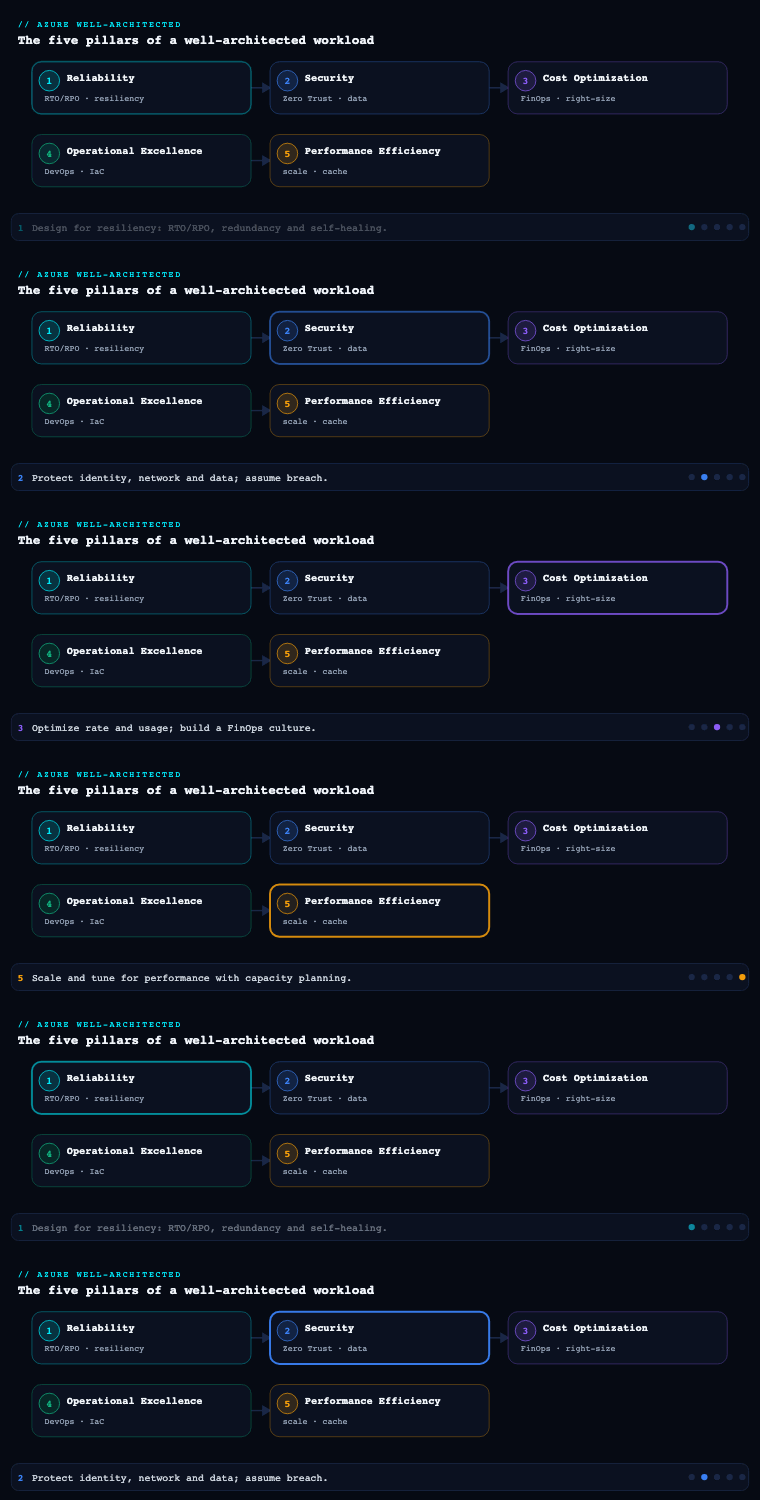
The Azure Well-Architected Framework (WAF) is Microsoft’s set of guiding tenets for evaluating and improving the quality of a workload, and it is organized into five pillars — Reliability, Security, Cost Optimization, Operational Excellence, and Performance Efficiency. Reliability is conventionally the first pillar because every other pillar is negotiated against it: security controls, cost ceilings, and performance targets are all trade-offs made on top of a reliability baseline that the business has agreed to. The pillar is expressed as five design principles, a design review checklist of ten recommendations (RE:01 through RE:10), and a set of per-service guides. Crucially, WAF Reliability is a workload discipline, not a platform one — it answers “will this application keep its promises to its users,” which is a different question from “is the landing zone well-built” (that is the Cloud Adoption Framework’s job). This article walks the seven analytical sub-components that turn a vague “it must be highly available” into an evidenced, testable design.
Reliability design principles
What it is. The pillar rests on five design principles that frame every later decision. They are not platitudes — each one maps directly to checklist items and to a category of artifact you produce:
| Design principle | Core intent | WAF goal statement (paraphrased) | Maps to |
|---|---|---|---|
| Design for business requirements | Reliability is negotiated, not assumed | Get clarity on scope, growth, and the promises made to customers and stakeholders | RE:01, RE:02, RE:04 |
| Design for resilience | Withstand faults and degrade gracefully | The workload must continue to operate with full or reduced functionality | RE:03, RE:05, RE:06, RE:07 |
| Design for recovery | Restore within agreed targets when resilience is exceeded | Anticipate and recover from failures of all magnitudes with minimal disruption | RE:07, RE:09 |
| Design for operations | Shift left; observe and rehearse failure | Anticipate failure conditions; test early and often | RE:08, RE:10 |
| Keep it simple | Remove surface area for failure | Avoid overengineering; oversimplification is also a risk | RE:01 |
Why it matters. The principles encode the single most important reframing in the pillar: the official guidance steers stakeholders away from untenable statements like “the site must always be up” toward “practical, achievable expectations tied to real functionality.” That shift is the difference between a design driven by fear (buy redundancy everywhere) and one driven by negotiated business value (protect the checkout flow to 99.95%, let the report exporter tolerate hours). “Keep it simple” is the principle most often skipped and most often the cause of incidents — WAF is explicit that what you remove rather than what you add frequently produces the most reliable solution, while warning that oversimplification can introduce single points of failure. Maintain the balance.
How to do it well. Treat the principles as a checklist of conversations to have before drawing architecture. For each principle, force the trade-off into the open: “Design for business requirements” demands you present cost, complexity, security, and operational-overhead implications of each ask so stakeholders own the consequences; “Design for resilience” demands you distinguish critical-path components from those that may degrade so you do not overengineer the non-critical ones. The anti-pattern is jumping to topology (regions, zones, replicas) before the business has stated what it will pay to protect.
Artifacts & Azure tooling. The principles are operationalized through the Azure Well-Architected Review assessment in the Azure portal (a guided questionnaire that scores the workload per pillar and returns prioritized recommendations), the Reliability checklist (RE:01–RE:10) used as a design-review gate, and Azure Advisor, whose Reliability recommendations are derived from WAF and surface concrete per-resource actions. The output of this sub-component is a reliability requirements document that records the negotiated scope, growth horizon, and the external/internal promises the design must honor.
Resiliency and availability
What it is. WAF defines reliability as the union of four properties that are precise and must not be conflated:
| Property | Definition (WAF) | The question it answers |
|---|---|---|
| Resiliency | The ability to detect and withstand faults and continue operating, possibly degraded | “Can it take a hit and keep serving?” |
| Availability | Users can access the workload during the promised period at the promised quality | “Is it up and meeting its SLO right now?” |
| Recoverability | If a disruption exceeds resiliency, the workload is restored within agreed targets | “How fast and how cleanly do we get back?” |
| Reliability | The composite: consistently providing intended functionality | “Does it keep its promises over time?” |
Why it matters. Resiliency and availability are frequently used as synonyms, and the cost of that confusion is real: a system can be highly available (responding, low latency) while being not resilient (a single zone fault takes it fully down), or resilient (survives a zone loss by degrading) while temporarily unavailable for some users. Availability is a measured outcome (an SLI compared to an SLO); resiliency is a structural property of the design (redundancy, isolation, graceful degradation) that produces availability under fault. You buy resiliency to earn availability — and the pillar insists you set availability targets per critical user/system flow, not as a single platform-wide “uptime” number.
How to do it well. Separate the three escalating availability tiers Azure publishes a composite SLA for, and pick the lowest one that meets the negotiated flow target — every step up costs money and complexity:
| Resiliency construct | Protects against | Indicative single-VM/instance composite | Cost & complexity step |
|---|---|---|---|
| Single instance (Premium SSD) | Disk-level faults only | ~99.9% | Baseline |
| Availability set | Rack / host-maintenance (fault & update domains) | ~99.95% | Anti-affinity within one datacenter |
| Availability zone | Datacenter-level loss (independent power/cooling/network) | ~99.99% | Spread across ≥2–3 zones; the modern default |
| Multi-region | Full regional loss | Above 99.99% (workload-defined) | Forces data-replication and split-brain decisions |
Note the SLA figures are illustrative of Azure’s published VM composite tiers; the workload SLO is what you actually design to, and you compute it from the composite of all hard dependencies in the flow — series dependencies multiply, so five hard components at 99.9% each cap the flow at roughly 99.5%, already below a 99.9% promise. That single calculation usually ends the “let’s just promise four nines” conversation and forces a redesign (reduce hard dependencies, make some redundant, or convert hard to soft via caching/queues).
Artifacts & Azure tooling. Produce a flow-level availability target table and a composite-SLA calculation. Azure publishes per-service SLAs (the source for the dependency math), exposes zone support per service and region in the docs, and surfaces live platform faults through Azure Service Health and per-resource Resource Health. Stateless tiers reach zone redundancy trivially; stateful tiers (Azure SQL, Cosmos DB, Storage with ZRS/GZRS) are where the resiliency engineering concentrates.
Defining RTO/RPO
What it is. RTO (Recovery Time Objective) is the maximum acceptable time a flow can be down before recovery — it governs your recovery mechanism and speed. RPO (Recovery Point Objective) is the maximum acceptable data loss measured in time — it governs your replication and backup cadence. They are distinct knobs: RTO is about minutes of downtime, RPO is about seconds/minutes of lost writes. WAF couples them to two related targets you should define in the same exercise — a Maximum Tolerable Outage (MTO) ceiling and the difference between RTO and the actual RTA (Recovery Time Actual) you prove in drills.
Why it matters. RTO and RPO are the numbers that select your architecture and its bill. They are not aspirations to set as low as possible — driving both toward zero is the most expensive mistake in the pillar, because you cannot simultaneously have zero RPO and survive a region loss: synchronous cross-region replication is not physically offered (latency forbids it), so zero data loss is in-region only. Stating honest, per-flow RTO/RPO is what lets you justify the cheapest sufficient DR pattern instead of defaulting to active-active.
How to do it well. Set RTO/RPO per critical flow, then map each pair to the recovery pattern that meets it. Azure’s spread of options trades cost against speed and data loss in a predictable ladder:
| Pattern | Typical RTO | Typical RPO | Mechanism / Azure service | Relative cost |
|---|---|---|---|---|
| Backup & restore | Hours–days | Hours (last backup) | Azure Backup, geo-redundant vault | Lowest |
| Pilot light | Tens of minutes | Minutes | Core data replicated (async), compute scaled on failover | Low |
| Warm standby (active-passive) | Minutes | Seconds–minutes | Azure SQL auto-failover group (async geo), Site Recovery | Medium |
| Hot / active-active | Near-zero | Near-zero (in-region sync) | Cosmos DB multi-region writes, Front Door routing, paired regions | Highest |
| In-region synchronous | Seconds | Zero | Azure SQL Business Critical zone-redundant; ZRS storage | Medium-high (no region-loss cover) |
The decisive insight from the field: automatic failover groups give you DR for a region loss, not for a sick-but-alive primary (a brownout). Their grace period governs how long Azure tolerates an outage before flipping, not slowness — so a flow that needs protection from storage-latency brownouts needs a synchronous in-region secondary (Business Critical) and a synthetic write-latency probe, not just a geo-failover group.
Artifacts & Azure tooling. The deliverable is an RTO/RPO register per flow, feeding a DR runbook (RE:09) that is structured, documented, and tested. Tools: Azure Backup with immutable, transactionally-consistent recovery points; Azure Site Recovery for VM-level replication and orchestrated failover; auto-failover groups for Azure SQL/managed databases; and Cosmos DB multi-region configuration. Record RTA from drills next to RTO so the gap is visible.
Failure-mode analysis
What it is. Failure Mode Analysis (FMA) — recommendation RE:03 — is the structured practice of enumerating, for every component in a critical flow, how it can fail, the effect of that failure, how you detect it, and the mitigation. It is the engineering counterpart to “design for resilience”: you cannot harden what you have not enumerated. The classic tabular form scores each failure mode by Severity x Likelihood x Detectability to produce a Risk Priority Number (RPN) that turns a wall of risks into a sorted work list.
Why it matters. Without FMA, resiliency spend is driven by instinct and recency (the last outage). FMA replaces that with a defensible prioritization: the highest-RPN rows tell you exactly where redundancy, circuit breakers, or faster detection earn the most. It also surfaces the cheapest reliability wins — detectability is usually the least expensive RPN factor to reduce: a synthetic probe that fires in 30 seconds instead of waiting for customer reports can drop a detectability score from 5 to 2 with almost no infrastructure cost, lowering RPN dramatically.
How to do it well. Walk the flow as an ordered list of hops, classify each dependency as hard (flow fails without it) or soft (flow degrades gracefully), then build the FMA table and sort by RPN.
| Component | Failure mode | Effect | Detection | Mitigation | RPN |
|---|---|---|---|---|---|
| Payment provider (3rd-party) | API timeout / brownout | Checkout stalls | Synthetic probe + error rate | Circuit breaker, retry with backoff, queue | High |
| checkout-api pod | Memory leak / OOM | 5xx, pod restarts | Liveness probe + RPS drop | Memory limits, fast liveness, HPA | High |
| Azure SQL primary | Zone outage | Writes fail | Failover-group health | Zone-redundant + in-region sync secondary | Medium |
| Redis (session) | Node eviction | Re-login, session loss | Cache-miss spike | Treat as soft; rehydrate from store | Medium |
| Service Bus (events) | Throttling | Async lag | Queue depth metric | Already soft/async; backlog buffers | Low |
The act of classifying hard vs soft is itself a mitigation lever: converting a hard dependency to soft (cache the payment-method list, queue the order event) removes it from the composite-availability multiplication entirely.
Artifacts & Azure tooling. Produce a per-flow FMA table with RPN-sorted, owned remediation items, and a dependency map (hard/soft). Microsoft publishes an FMA approach and example templates in the WAF Reliability guidance. The mitigations themselves draw on the Cloud Design Patterns catalog — Retry, Circuit Breaker, Bulkhead, Throttling, Queue-Based Load Leveling — which are the canonical, named answers to the failure modes you enumerate.
Redundancy across zones and regions
What it is. Recommendation RE:05 — adding redundancy at multiple levels, especially for critical flows. Azure offers a redundancy hierarchy: fault/update domains (within a datacenter), availability zones (physically separate datacenters in one region with independent power, cooling, and networking), and regions (often deployed as paired regions with platform-coordinated maintenance and, for many services, geo-replication). WAF stresses building redundancy in layers — physical utilities, immediate data replication, and the functional layer of services, operations, and personnel.
Why it matters. Redundancy is the primary mechanism that converts resiliency into availability, and choosing the right level per tier is where most cost is won or lost. Going multi-region for a flow that tolerates an hour of downtime is money lit on fire; running a single-zone database under a four-nines promise is a breach waiting to happen. The level must be driven by the availability target and the RTO/RPO, not by habit — and it must be matched to data gravity: stateless front ends go zone-redundant for free, while stateful tiers force the hard replication and consistency decisions.
How to do it well. Decide redundancy tier-by-tier, and confront the active-active vs active-passive choice explicitly, because it determines your traffic-routing and data-consistency design:
| Decision | Active-passive (warm standby) | Active-active |
|---|---|---|
| Cost | One region paying full freight, one minimal | Two+ regions at full freight |
| RTO | Minutes (failover required) | Near-zero (already serving) |
| Data | Async geo-replication (non-zero RPO) | Multi-write (Cosmos DB) or partitioned-by-region |
| Complexity | Failover orchestration & testing | Conflict resolution, global routing, split-brain |
| Routing | DNS/Front Door failover on health | Front Door / Traffic Manager active load distribution |
| When | Most enterprise workloads | Only when RTO/RPO truly demand it |
Concrete Azure building blocks: Availability Zones (enable with a zones flag on VMSS/AKS node pools, ZRS on storage, zone-redundant Azure SQL); Azure Front Door or Traffic Manager for global ingress and health-based failover; Application Gateway as the regional, zone-redundant WAF/entry; paired regions to align with Azure’s coordinated maintenance and geo-replication defaults. For data: ZRS/GZRS storage, Azure SQL zone-redundant + auto-failover group, Cosmos DB multi-region. The non-negotiable rule: redundancy you have never failed over is a hypothesis, not a control (which is why RE:05 is meaningless without RE:08).
Artifacts & Azure tooling. Deliver a per-tier redundancy decision record (set/zone/region + active-active/passive), a region-pair selection with data-residency justification, and the IaC (Bicep/Terraform) that encodes zone spread so it is repeatable and reviewable. Cross-check coverage against the Azure region/zone support matrix per service.
Self-healing and health modeling
What it is. Two coupled ideas. Self-healing (recommendations RE:07 and the recovery principle) means the platform recovers from common, well-understood faults without a human — auto-restart, autoscale, retry-with-backoff, circuit-breaker recovery, replacing unhealthy instances with immutable ephemeral units. Health modeling (the backbone of RE:10) is the layered rollup that maps raw resource signals to “is this flow healthy” — resource health → component health → flow health — so that alerts fire on business-flow degradation, not on a single CPU spike that self-corrected.
Why it matters. Redundancy is useless if you cannot tell when a replica is sick, and human-paged recovery does not meet a tight RTO. A health model is what makes self-healing trustworthy: it defines the signal that triggers automated remediation and the signal that escalates to a human. The pillar’s “design for operations” principle insists on observable systems that correlate telemetry — knowing that it failed, when, and why — because that correlation is what lets SREs prioritize and what lets automation act safely.
How to do it well. Instrument the four golden signals for every tier and roll them into a health model:
| Golden signal | What it measures | Drives |
|---|---|---|
| Latency | Time per request (split success vs failure) | SLO; brownout detection |
| Traffic | Requests/sec (the denominator) | Scaling; capacity |
| Errors | Rate of 5xx / explicit failures | SLO; circuit-breaker tripping |
| Saturation | Fullness of the constrained resource (CPU, mem, pool, queue) | Autoscale target |
Then wire self-healing on the right signals and pair it with safety:
- Health probes that gate traffic. Separate readiness (should I get traffic?) from liveness (should I be killed/restarted?), with a startup probe for slow boots. A dangerous anti-pattern is a deep liveness probe that touches the database — a DB blip then restart-storms every pod. Keep liveness shallow and local.
- Autoscale on the real constraint. CPU is the lazy default; scale on queue depth / in-flight requests (KEDA on Azure) when that is the bottleneck.
- Always pair auto-restart/retry with a circuit breaker and backoff. Self-healing without a breaker just converts a dependency outage into a retry storm that takes the dependency down harder. The healing loop and the retry policy are two halves of one control loop.
- Burn-rate alerting, not static thresholds. Alert on the error-budget burn rate (a multi-window fast-burn alert, e.g. the standard 14.4x factor confirmed on two windows) so you page on budget consumption and stay quiet on a transient blip.
Artifacts & Azure tooling. Produce a health model definition (signal → component → flow rollups) and the alert rules. Tooling: Azure Monitor + Application Insights (golden signals, distributed tracing, availability/synthetic tests), Log Analytics / KQL workbooks for the rollup, App Service / Container Apps / AKS health checks, KEDA for event-driven autoscale, and Azure Monitor alerts for burn-rate. The error-budget concept ties the model back to the SLO set in “design for business requirements.”
Reliability testing and chaos engineering
What it is. Recommendation RE:08 — testing for resiliency and availability scenarios by applying the principles of chaos engineering: deliberately injecting the faults you enumerated in FMA and verifying the workload withstands faults, scales under demand, and recovers within defined targets. WAF’s “design for operations” principle is blunt that it is beneficial to experience failures in production so you can set realistic recovery expectations — controlled, hypothesis-driven, with a blast radius you bound.
Why it matters. A redundancy design and a self-healing loop are hypotheses until you fail them on purpose and watch the health model and automation respond. This is the recommendation that validates every prior sub-component at once — it proves the redundancy (RE:05) actually fails over within RTO, the self-healing (RE:07) actually recovers, the health model (RE:10) actually detects, and the RTO/RPO register is real rather than aspirational. The pass criterion is not “it recovered” but “it recovered within RTO and inside the error budget.”
How to do it well. Run chaos as disciplined experiments, not as breaking things:
- Form a hypothesis (“a zone failure of the SQL primary fails over in <5 min with no journey SLO breach”).
- Bound the blast radius — non-production first, then a controlled production game day with the error budget watched live, and an abort condition ready.
- Inject a fault from the FMA list — AKS node shutdown, NSG block to a dependency, CPU/memory pressure, latency injection, zone failover.
- Measure RTA against RTO and confirm self-healing fired as modeled.
- Capture results in a reliability scorecard and feed gaps back into FMA.
A simple maturity progression: pod kills (kubectl delete pod) to test probes → managed fault injection → scheduled, automated game days as a release gate.
Artifacts & Azure tooling. Deliverables: a chaos experiment catalog mapped to FMA rows, game-day runbooks with abort criteria, and a reliability scorecard per flow (SLO attainment, error budget remaining, zone/region failover RTA, RPO measured). The primary Azure tool is Azure Chaos Studio, which runs faults (agent-based for in-VM/process faults like CPU/memory/process kill, and service-direct for platform faults like NSG blocks, AKS faults, and Azure SQL failover) as managed, auditable experiments with explicit target selection and duration. Azure Load Testing validates the “scale under demand” half of RE:08.
Real-world enterprise scenario
Meridian Cargo is a fictional logistics company: ~3,100 employees, a customer-facing shipment-tracking and booking platform on AKS in Azure West Europe, backed by Azure SQL and Cosmos DB, fronted by Azure Front Door. Peak season (Q4) triples traffic; a regional networking event the previous year took bookings down for 90 minutes and cost roughly €420k in missed bookings and SLA credits. The CTO mandates a WAF Reliability assessment before the next peak.
Reliability design principles. The team runs the Azure Well-Architected Review for the workload and works the RE:01–RE:10 checklist as a design gate. Applying Design for business requirements, they refuse a blanket “five nines everywhere” and instead negotiate per-flow targets with the business; applying Keep it simple, they delete a bespoke in-house retry library in favor of platform/Polly patterns, removing a frequent source of incidents.
Resiliency and availability. They identify three critical flows and set distinct availability SLOs: Booking 99.95%, Live tracking 99.9% (degrades gracefully to cached last-known position), Reporting/exports 99.5%. The composite-SLA math on Booking exposes five hard dependencies capping it near 99.5% — so they convert the carrier-rate lookup from a hard synchronous call to a cached soft dependency, lifting the achievable ceiling above the 99.95% target.
Defining RTO/RPO. The RTO/RPO register lands as: Booking RTO 5 min / RPO 0 (orders cannot be lost) → Azure SQL Business Critical, zone-redundant (in-region synchronous, zero RPO) plus an auto-failover group to North Europe for region loss (accepting a few seconds’ RPO only in the catastrophic case); Tracking RTO 15 min / RPO 5 min → Cosmos DB multi-region with session consistency; Reporting RTO 24 h / RPO 24 h → Azure Backup restore. They explicitly document that zero-RPO and region-survival cannot both hold, and that the in-region sync secondary is the primary defense against brownouts.
Failure-mode analysis. A per-flow FMA ranks the third-party carrier API and AKS node OOM as the top RPN rows. The cheapest win — a 30-second Application Insights availability test on the carrier API — drops its detectability score and RPN immediately; a circuit breaker (Polly) and a Queue-Based Load Leveling buffer (Service Bus) mitigate the rest.
Redundancy across zones and regions. Decision record: all stateless tiers and the AKS system/user node pools go zone-redundant across zones 1–3; the entry is a zone-redundant Application Gateway behind Azure Front Door; the DR posture is active-passive West Europe → North Europe (the booking flow does not justify active-active’s cost and conflict-resolution complexity, and the West Europe / North Europe pairing aligns with Azure coordinated maintenance and data residency).
Self-healing and health modeling. They build a three-layer health model in Azure Monitor: resource signals (golden four) → component health → the three flow-health rollups. Liveness probes are made shallow (a prior deep probe had caused a restart storm); KEDA scales the booking workers on Service Bus queue depth, not CPU; and multi-window burn-rate alerts page on error-budget consumption per flow.
Reliability testing and chaos engineering. Using Azure Chaos Studio, they catalog experiments straight from the FMA: AKS node shutdown, an NSG block simulating loss of the SQL primary’s zone, CPU pressure, and a SQL failover-group flip. The first production game day reveals the cross-region failover RTA is 7 minutes against a 5-minute RTO — a fail — which they fix by pre-warming the North Europe compute (pilot-light → warm-standby).
Outcome. Going into the next Q4, the booking flow held 99.97% through a real single-zone incident with zero data loss (in-region sync secondary), the carrier-API circuit breaker prevented a repeat cascade, and the rehearsed regional failover RTA came down to 3m 40s — inside RTO and inside the error budget. The reliability scorecard, reviewed each release, became the artifact the business steers peak-readiness by.
Deliverables & checklist
By the end of the Reliability phase you should hold:
- ☐ Reliability requirements document — negotiated scope, growth horizon, and the external/internal promises the design must honor (Design for business requirements).
- ☐ Critical flow inventory rated on a criticality scale (RE:02), each flow with a named availability SLO.
- ☐ Composite-SLA calculation per flow from the hard-dependency chain, with the hard/soft dependency map.
- ☐ RTO/RPO register per flow, mapped to the chosen recovery pattern and recorded with RTA from drills (RE:04, RE:09).
- ☐ Per-flow FMA table with RPN-sorted, owned remediation items and the named Cloud Design Patterns applied (RE:03).
- ☐ Per-tier redundancy decision record (set/zone/region, active-active vs passive) and region-pair selection with residency justification, encoded in IaC (RE:05).
- ☐ Health model definition (signal → component → flow rollups) with the four golden signals per tier and burn-rate alert rules (RE:10).
- ☐ Self-healing configuration — probes (shallow liveness, gating readiness, startup), autoscale on the real constraint, circuit breakers/backoff (RE:06, RE:07).
- ☐ Structured, tested, documented DR runbook covering each component and the system as a whole (RE:09).
- ☐ Chaos experiment catalog mapped to FMA, game-day runbooks with abort criteria, and a reliability scorecard per flow (RE:08).
- ☐ Azure Well-Architected Review completed for the workload, with Advisor reliability recommendations triaged.
Common pitfalls
- Promising platform-wide “uptime” instead of per-flow SLOs. “The site must always be up” is the untenable statement WAF explicitly warns against; it leads to overengineering everywhere and protecting nothing well. Set negotiated availability targets per critical flow, computed from the dependency chain.
- Conflating resiliency with availability — and skipping the composite-SLA math. A highly available system can still be non-resilient. Always multiply the hard dependencies in a flow; five components at 99.9% cap you near 99.5%, which kills naive four-nines promises before they reach a contract.
- Driving RTO and RPO toward zero without understanding the physics. Zero RPO and surviving a region loss are mutually exclusive — synchronous cross-region replication is not offered. Set honest per-flow targets and pick the cheapest sufficient DR pattern; reserve zero-RPO for in-region synchronous tiers.
- Confusing region-loss DR with brownout protection. Auto-failover groups flip on a hard outage, not on a sick-but-alive primary’s latency. Add an in-region synchronous secondary and a synthetic write-latency probe for brownouts; do not assume the geo-failover group covers them.
- Self-healing without circuit breakers, and deep liveness probes. Auto-restart plus retries without a breaker becomes a self-inflicted DDoS on a struggling dependency; a liveness probe that touches the database turns a brief blip into a cluster-wide restart storm. Keep liveness shallow; pair every healing loop with backoff and a breaker.
- Untested redundancy and DR. A failover path you have never exercised is a liability, not a feature — RE:05 and RE:09 are inert without RE:08. Run chaos experiments and a production game day, and make “untested FMA rows” a failing row on the scorecard until it is zero.
What’s next
With reliability requirements negotiated, flows rated, FMA and RTO/RPO defined, redundancy and self-healing designed, and chaos experiments proving the targets, the next article in the Azure Well-Architected Framework series moves into the Security pillar — establishing the security baseline, segmentation, identity and access management, and the protect-detect-respond controls you layer on top of this reliability foundation.