Where this fits
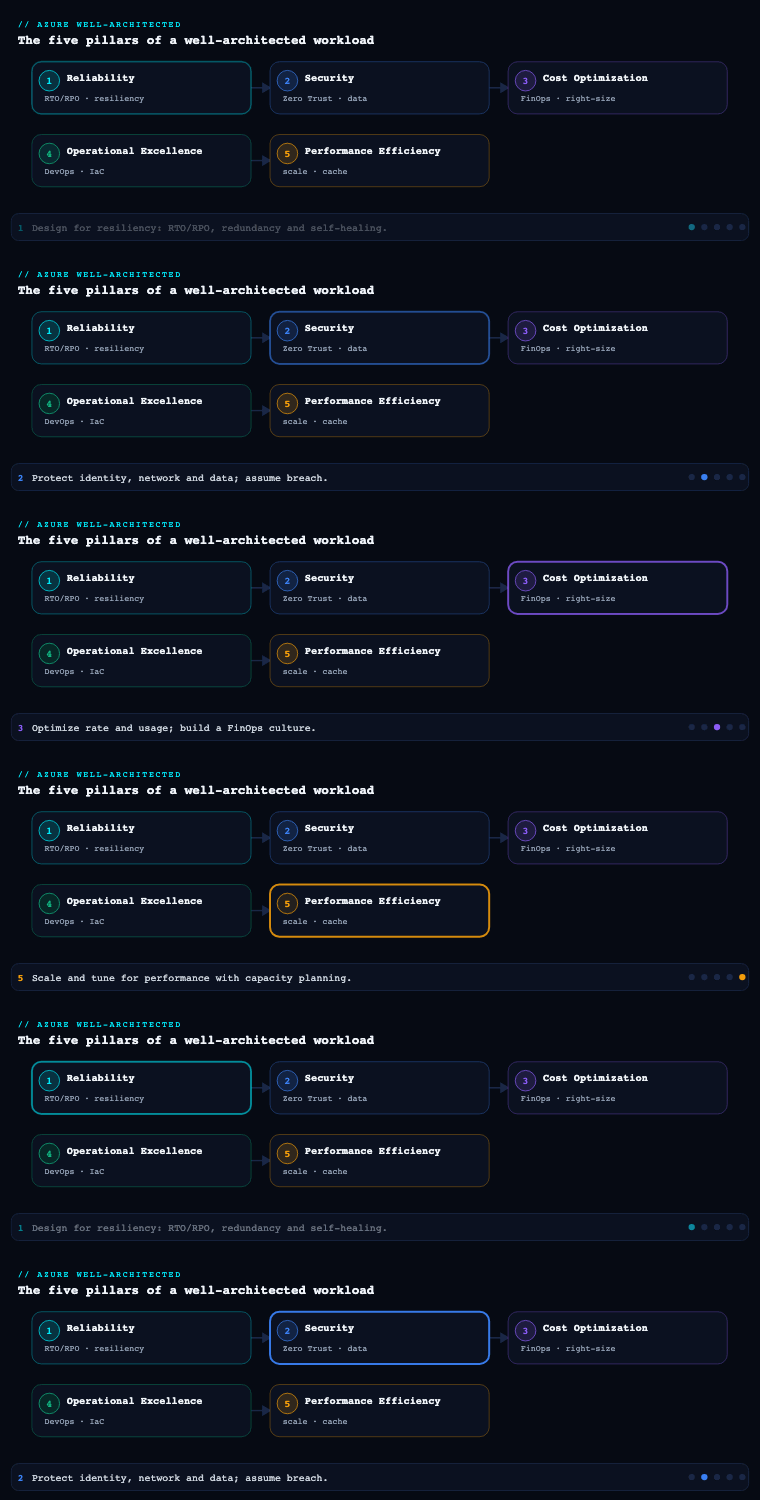
The Azure Well-Architected Framework (WAF) is built on five pillars — Reliability, Security, Cost Optimization, Operational Excellence, and Performance Efficiency — and Security is the pillar where the cost of getting it wrong is asymmetric: a single mis-scoped role assignment or an internet-exposed storage account can erase years of careful engineering. Where Reliability (part 1) asked “will the workload keep running?”, Security asks “will the workload keep its confidentiality, integrity, and availability against an adversary who is actively trying to break it?” The pillar is organized around the official design principles and a set of checklist items (SE:01 through SE:12) in the Microsoft documentation, and it leans heavily on the Microsoft Cloud Security Benchmark (MCSB) as the control framework and the Microsoft Cybersecurity Reference Architectures (MCRA) as the blueprint. This article goes deep on eight sub-components that, together, are how a real Azure workload earns a passing grade on this pillar.
Security design principles
The Security pillar is anchored by a small set of design principles, and every concrete decision later in this article traces back to one of them. They are not platitudes — each maps to a checklist item and to controls you can audit.
| Principle | What it means in practice | WAF checklist anchor |
|---|---|---|
| Plan security readiness | Treat security as a first-class requirement with a roadmap, owners, and a security baseline — not a bolt-on. | SE:01 |
| Design to protect confidentiality | Apply least privilege, classify data, and limit access to information on a need-to-know basis. | SE:03, SE:05 |
| Design to protect integrity | Prevent tampering of data, pipelines, and infrastructure (code signing, immutability, change control). | SE:02, SE:07 |
| Design to protect availability | Treat DoS resistance and recovery from a security incident as part of the design (overlaps Reliability). | SE:06, SE:08 |
| Sustain and evolve your security posture | Continuously test, learn from incidents, and keep pace with the threat landscape. | SE:11, SE:12 |
Three cross-cutting mental models sit on top of these:
- Assume breach. Design as though an attacker is already inside the perimeter. This justifies segmentation, short-lived credentials, and pervasive logging — controls that look like over-engineering until you accept that perimeter defenses will fail.
- Least privilege. Every identity (human or workload) gets the minimum permission, for the minimum scope, for the minimum time. This is the single highest-leverage principle in Azure because almost every control plane action flows through Azure RBAC and Microsoft Entra ID.
- Defense in depth. No single control is trusted. Identity, network, data, and application controls are layered so that one failure is contained by the next layer.
Artifacts you produce here: a security baseline document, a threat model (typically using the STRIDE methodology and the Microsoft Threat Modeling Tool), a data classification scheme, and a documented set of security requirements that feed every later decision. The MCSB is the recommended starting control set; map your workload to its control domains rather than inventing your own.
Zero Trust
Zero Trust is the architectural expression of “assume breach.” Microsoft’s model rests on three principles — verify explicitly, use least-privilege access, and assume breach — applied consistently across six technical pillars.
| Zero Trust pillar | Azure / Microsoft enforcement point | Concrete control |
|---|---|---|
| Identities | Microsoft Entra ID + Conditional Access | MFA, risk-based sign-in, phishing-resistant credentials |
| Devices | Microsoft Intune + Defender for Endpoint | Device compliance as a Conditional Access signal |
| Applications | Entra app registrations, App Proxy, Defender for Cloud Apps | App consent governance, in-session controls |
| Data | Microsoft Purview Information Protection | Classification, sensitivity labels, DLP |
| Infrastructure | Defender for Cloud, Azure Policy | Hardening, drift detection, just-in-time access |
| Network | Microsoft-segmented virtual networks, Private Link | Micro-segmentation, no implicit trust by location |
Why it matters: the classic castle-and-moat model fails the moment a credential is phished or a workload is compromised, because everything inside the moat is implicitly trusted. Zero Trust removes “network location” as a basis for trust and replaces it with a per-request policy decision that evaluates identity, device, resource sensitivity, and real-time risk.
How to do it well in Azure: the policy engine is Conditional Access in Microsoft Entra ID. A mature deployment expresses access as policies such as: “Members of the Finance group accessing the ERP app from a non-compliant device are blocked; from a compliant, Entra-joined device they are granted access but only in a protected browser session.” Conditional Access consumes signals from Entra ID Protection (sign-in and user risk), Intune (device compliance), and named locations, and it is the place where MFA is actually enforced. Pair this with Continuous Access Evaluation (CAE), which revokes tokens in near-real-time when risk changes — closing the gap left by long-lived access tokens.
Decisions to make: which apps are protected by Conditional Access (target 100% of cloud apps via an “all apps” baseline policy with explicit exclusions), the MFA method (push the organization toward phishing-resistant FIDO2 / passkeys and Windows Hello, away from SMS), break-glass account design (two excluded cloud-only accounts with long random passwords stored offline), and the rollout strategy using report-only mode before enforcement.
Identity and access
Identity is the primary security perimeter in cloud. In Azure there are two distinct planes you must reason about separately:
- Microsoft Entra ID — authentication and the identity of users, groups, service principals, and managed identities.
- Azure RBAC — authorization on the Azure control plane and data plane, expressed as role assignments (security principal + role definition + scope).
Workload identity — eliminate secrets. The most important identity decision for any Azure workload is to use managed identities instead of storing credentials. A system-assigned or user-assigned managed identity lets an App Service, VM, Container App, or AKS pod authenticate to Key Vault, Storage, SQL, or any Entra-protected resource with no secret to leak or rotate. For CI/CD and cross-cloud federation, use workload identity federation so a GitHub Actions or external token is exchanged for an Entra token — again with no stored secret. The target state is zero secrets in code, config, or pipelines.
Least privilege on the control plane. Replace standing, broad assignments with:
- Azure RBAC custom roles scoped to the narrowest resource group or resource, rather than the
Owner/Contributorblunt instruments at subscription scope. - Microsoft Entra Privileged Identity Management (PIM) for just-in-time, time-bound, approval-gated, and MFA-challenged activation of privileged roles (both Entra roles like Global Administrator and Azure roles like Owner). The goal is zero standing privileged access.
- Access reviews on a recurring cadence for privileged roles, group memberships, and guest accounts.
| Identity control | Azure service / feature | What it buys you |
|---|---|---|
| Strong authN | Entra ID + Conditional Access + MFA | Blocks credential-stuffing and phishing |
| Workload authN without secrets | Managed identities, workload identity federation | Eliminates stored credentials |
| JIT privileged access | Entra PIM | No standing admin rights; full activation audit trail |
| Fine-grained authZ | Azure RBAC custom roles, ABAC conditions | Least privilege at resource scope |
| Lifecycle governance | Entra ID Governance (access reviews, entitlement management, lifecycle workflows) | Removes orphaned and excessive access |
| Risk detection | Entra ID Protection | Flags risky users/sign-ins for CA enforcement |
Artifacts: an RBAC model document (who-gets-what-where), a custom-role catalog, a PIM configuration (eligible vs. active assignments, approvers, activation duration), and access-review schedules.
Network segmentation
Even in a Zero Trust world, the network is a critical defense-in-depth layer — it contains blast radius and is your primary control against lateral movement. The objective is micro-segmentation: many small trust zones with explicit, deny-by-default flows between them.
Building blocks:
- Hub-and-spoke topology (or Azure Virtual WAN for large, global estates): a central hub holds shared security services (firewall, DNS, gateways) and spokes hold workloads, peered to the hub. This concentrates inspection and policy.
- Network Security Groups (NSGs) for L3/L4 segmentation between subnets and Application Security Groups (ASGs) so rules reference workload roles (“web”, “app”, “db”) instead of brittle IP ranges.
- Azure Firewall (Premium tier for TLS inspection, IDPS, and URL filtering) or a partner NVA as the central egress and east-west inspection point, with forced tunneling via User-Defined Routes (UDRs).
- Azure Private Link / Private Endpoints to pull PaaS services (Storage, SQL, Key Vault, Cosmos DB) off the public internet and onto your private IP space — this is the single most impactful step to shrink the public attack surface of PaaS-heavy workloads. Disable public network access on those resources.
- Web Application Firewall (WAF) on Azure Front Door (global) or Application Gateway (regional) for L7 protection against the OWASP Top 10, plus bot protection.
- Azure DDoS Network Protection on production VNets that host public endpoints.
| Segmentation layer | Service | Threat addressed |
|---|---|---|
| Perimeter / ingress | Front Door + WAF, App Gateway + WAF | OWASP L7 attacks, bots |
| Volumetric defense | Azure DDoS Network Protection | L3/L4 DDoS |
| East-west / egress | Azure Firewall Premium, UDRs | Lateral movement, data exfiltration via egress |
| Subnet boundary | NSGs + ASGs | Unauthorized intra-VNet flows |
| PaaS exposure | Private Link / Private Endpoints | Public internet exposure of data services |
Decisions: the IP address plan and subnet design, whether to centralize egress through a firewall (almost always yes for regulated workloads), private vs. service endpoints for each PaaS service (prefer Private Endpoints), and a private DNS strategy (Private DNS Zones linked to the hub) so private endpoint records resolve correctly across the estate.
Data protection and encryption
Data is what attackers are ultimately after, so it must be protected at rest, in transit, and increasingly in use — graded by the data classification you established in the design-principles phase.
Encryption at rest. Azure encrypts data at rest by default with platform-managed keys (PMK) using AES-256. For data with regulatory or contractual requirements, move to customer-managed keys (CMK) stored in Azure Key Vault or Key Vault Managed HSM (FIPS 140-2 Level 3), which gives you control over the key lifecycle and the ability to revoke access cryptographically. Layer double encryption (infrastructure encryption) for the most sensitive stores. For Azure SQL and SQL Managed Instance, Transparent Data Encryption (TDE) with CMK is standard; for VMs, Azure Disk Encryption or platform encryption with CMK.
Encryption in transit. Enforce TLS 1.2+ (prefer 1.3) everywhere; set the minimum TLS version on App Service, Storage, and SQL; disable legacy protocols and weak ciphers. Use HTTPS-only and HSTS at the edge.
Encryption in use. For workloads handling highly sensitive data where you must protect against the cloud operator itself, use Azure confidential computing (AMD SEV-SNP / Intel SGX VMs and confidential containers) and Always Encrypted with secure enclaves in Azure SQL so plaintext is never visible to the database engine.
Classification and data-loss prevention. Use Microsoft Purview to discover and classify data across the estate, apply sensitivity labels, and enforce DLP. Purview Information Protection labels can drive encryption and access policies that travel with the document.
| Data state | Default | Hardened control | Azure service |
|---|---|---|---|
| At rest | PMK, AES-256 | CMK / Managed HSM + infrastructure (double) encryption | Key Vault, Managed HSM |
| In transit | TLS by default | Enforced TLS 1.2/1.3, no legacy ciphers, mTLS where possible | App Service, App Gateway, Front Door |
| In use | Plaintext in memory | Confidential VMs/containers, Always Encrypted + enclaves | Azure confidential computing, Azure SQL |
| Governance | None | Classification, labeling, DLP | Microsoft Purview |
Decisions: PMK vs. CMK vs. Managed HSM per data store (driven by compliance), key rotation policy and cadence, and whether confidential computing is warranted (it carries cost and operational complexity, so reserve it for genuinely sensitive workloads).
Secrets management
Secrets — keys, connection strings, certificates, tokens — are the credentials that, if leaked, hand an attacker your data. The discipline has two halves: eliminate as many secrets as possible (via managed identities, per the identity section) and rigorously manage the ones that remain.
Azure Key Vault is the centerpiece. Use it for keys, secrets, and certificates, and choose the tier deliberately: standard Key Vault for most workloads, Key Vault Managed HSM when you need a dedicated, single-tenant, FIPS 140-2 Level 3 boundary or strict cryptographic isolation.
Operational practices that separate good from bad:
- Access via Azure RBAC (the modern Key Vault permission model) rather than legacy vault access policies, so secret access is governed the same way as everything else and supports PIM.
- Network-isolate the vault with a Private Endpoint and disable public access; restrict with the vault firewall.
- Enable soft-delete and purge protection (purge protection should be mandatory in production) so a deleted or compromised vault/secret can be recovered and cannot be permanently destroyed by an attacker or mistake.
- Rotate automatically. Use Key Vault’s rotation policies and event-driven rotation (Event Grid) so secrets and certificates roll over without human touch. Integrate Azure Key Vault certificates with a CA for automated TLS certificate issuance and renewal.
- Consume secrets at runtime, not at deploy time — reference Key Vault from App Service/Functions via Key Vault references, or mount via the Secrets Store CSI driver in AKS, so secrets never land in app settings or images in plaintext.
- Detect leaked secrets with GitHub Advanced Security secret scanning (and push protection) and Defender for Cloud’s exposed-secrets detection on VMs and pipelines.
| Concern | Anti-pattern | Azure best practice |
|---|---|---|
| Where secrets live | App settings, config files, code | Key Vault / Managed HSM |
| Who can read them | Broad vault access policies | RBAC + PIM, least privilege |
| Network exposure | Public vault endpoint | Private Endpoint, firewall, no public access |
| Rotation | Manual, rarely done | Automated rotation policies + Event Grid |
| Recoverability | Hard-delete possible | Soft-delete + purge protection |
| Leak detection | None | GitHub secret scanning + push protection, Defender |
Threat detection and response
Assume breach means you must see the breach. This sub-component is about telemetry, detection, and a rehearsed response — turning logs into action.
Microsoft Defender for Cloud is the Cloud-Native Application Protection Platform (CNAPP). It provides:
- A Secure Score and regulatory compliance dashboard mapped to the MCSB, CIS, NIST, PCI-DSS, etc., that quantifies posture and drives prioritized remediation.
- Cloud Security Posture Management (CSPM) — misconfiguration detection, attack-path analysis, and a security graph (cloud security explorer) that shows how an attacker could chain weaknesses to reach crown-jewel assets.
- The Defender for Cloud workload plans — Defender for Servers (with integrated Defender for Endpoint), Defender for Storage (malware scanning, sensitive-data threat detection), Defender for SQL, Defender for Containers (runtime threat detection + image scanning), Defender for Key Vault, and Defender for APIs — generating runtime security alerts.
Microsoft Sentinel is the cloud-native SIEM/SOAR. It ingests signals (Azure resources, Entra ID, Microsoft 365, Defender XDR, and third parties), correlates them with analytics rules and UEBA, and automates response through playbooks (Logic Apps) — for example, auto-disabling a compromised account or isolating a host. Defender XDR provides incident-level correlation across endpoint, identity, email, and cloud apps, and feeds Sentinel.
The plumbing underneath: centralize logs in a Log Analytics workspace, route platform telemetry with diagnostic settings and Azure Monitor, capture control-plane events from the Azure Activity Log, and capture network flow with VNet flow logs. Without comprehensive, centralized, tamper-resistant logging, detection is blind.
| Capability | Service | Output |
|---|---|---|
| Posture / misconfig | Defender for Cloud CSPM | Secure Score, attack paths, recommendations |
| Workload threat alerts | Defender for Cloud plans | Runtime alerts (servers, storage, SQL, containers, Key Vault) |
| SIEM / correlation | Microsoft Sentinel | Incidents from analytics rules + UEBA |
| SOAR / automation | Sentinel playbooks (Logic Apps) | Automated containment and enrichment |
| XDR correlation | Microsoft Defender XDR | Cross-domain incident stitching |
| Telemetry backbone | Azure Monitor + Log Analytics | Centralized, queryable logs |
Response readiness: maintain an incident response plan, define severity and escalation, and rehearse with tabletop exercises and purple-team drills. Connect detections to runbooks so a high-severity alert has a deterministic, partly automated path to containment.
Security governance
Governance is what makes all the controls above durable and uniform across a growing estate — it is the difference between a securely built workload and a securely operated organization.
Azure Policy is the enforcement engine. Use it to deny non-compliant resources (e.g., storage accounts with public access, untagged resources, resources outside approved regions), to audit posture, and to deployIfNotExists remediations (e.g., auto-deploy diagnostic settings or enable a Defender plan). Group policies into initiatives (the MCSB initiative is built in) and assign at management-group scope so they cascade.
Azure Landing Zones (the Cloud Adoption Framework enterprise-scale architecture) provide the governed foundation: a management group hierarchy (e.g., Platform, Landing Zones, Sandbox, Decommissioned), policy-driven guardrails, centralized identity and connectivity subscriptions, and consistent RBAC — so every new subscription inherits security by default rather than by hope.
Supporting disciplines:
- Microsoft Defender for Cloud regulatory compliance dashboard to continuously measure against standards and produce audit evidence.
- Tagging and resource organization standards (owner, data classification, cost center) enforced by policy — metadata is a security control because it enables targeted policy and incident scoping.
- Infrastructure as Code (Bicep / Terraform) with policy-as-code so guardrails are version-controlled, reviewed, and tested in the pipeline (this also protects integrity).
- Microsoft Purview for data governance and Microsoft Entra ID Governance for identity lifecycle — closing the loop on data and identity sprawl.
| Governance need | Mechanism | Effect |
|---|---|---|
| Prevent bad configs | Azure Policy deny |
Non-compliant resources never get created |
| Auto-remediate | Policy deployIfNotExists |
Drift corrected automatically |
| Consistent foundation | Azure Landing Zones + management groups | Security inherited by every subscription |
| Continuous compliance | Defender for Cloud compliance dashboard | Live posture + audit evidence |
| Versioned guardrails | IaC + policy-as-code | Reviewable, testable, repeatable |
Real-world enterprise scenario
Meridian Freight Logistics is a fictional pan-European 3PL (third-party logistics) provider with 9,000 employees, a customer-facing shipment-tracking portal, an EDI integration platform exchanging data with 400 carrier and shipper partners, and an internal TMS (transport management system). They are migrating from a flat, single-subscription Azure estate to a governed landing-zone model, driven by an upcoming ISO 27001 recertification and a contractual requirement from automotive customers to demonstrate Zero Trust. The Cloud Security Architecture team makes the following decisions, pillar sub-component by sub-component.
-
Security design principles. They adopt “assume breach” formally and run a STRIDE threat model on the tracking portal and EDI platform with the Microsoft Threat Modeling Tool, producing a prioritized risk register. They classify data into four tiers — Public, Internal, Confidential (customer shipment data), and Restricted (partner financial settlement data) — and map the workload to the MCSB as their control baseline.
-
Zero Trust. Conditional Access is rolled out in report-only mode for two weeks, then enforced: all 9,000 users require MFA, admins require FIDO2 passkeys, and the TMS and settlement apps require an Intune-compliant device. Continuous Access Evaluation is enabled so a token is revoked within minutes of a user being flagged risky. Two break-glass accounts are excluded and monitored with a Sentinel alert on any sign-in.
-
Identity and access. Every workload (App Service for the portal, AKS for the EDI platform, Functions for settlement processing) uses managed identities to reach Key Vault and Storage — they remove 140 stored connection strings. GitHub Actions deploys via workload identity federation (no service-principal secrets). All
Owner/Contributorstanding assignments are converted to PIM-eligible roles with a 4-hour activation window, MFA, and approval for production. Quarterly access reviews run on privileged roles and the 400 partner guest accounts. -
Network segmentation. They deploy a hub-and-spoke topology with Azure Firewall Premium in the hub (TLS inspection + IDPS) as the single egress point via UDRs. The portal sits behind Azure Front Door with WAF (OWASP + bot rules) and DDoS Network Protection; the AKS-hosted EDI platform is in a dedicated spoke. Storage, SQL, Key Vault, and Cosmos DB are all moved to Private Endpoints with public access disabled, resolved via hub-linked Private DNS Zones. NSGs reference ASGs (“web”, “edi”, “tms-db”) rather than IP ranges.
-
Data protection and encryption. Confidential and Restricted data stores move to customer-managed keys in Key Vault Managed HSM with infrastructure (double) encryption; Azure SQL uses TDE with CMK, and settlement records use Always Encrypted with secure enclaves so plaintext is never exposed to the database engine. TLS 1.2 minimum is enforced on every endpoint; the edge is HTTPS-only with HSTS. Microsoft Purview classifies and labels data, with DLP blocking Restricted data from leaving sanctioned channels.
-
Secrets management. A small number of unavoidable partner API keys live in Key Vault (RBAC permission model, Private Endpoint, soft-delete + purge protection), consumed via Key Vault references and the Secrets Store CSI driver in AKS. Automated rotation policies roll certificates and rotatable secrets. GitHub Advanced Security secret scanning with push protection guards the 60 repositories.
-
Threat detection and response. Defender for Cloud is enabled across all subscriptions (Servers, Storage, SQL, Containers, Key Vault plans); the MCSB initiative drives Secure Score, which they target at 90%. Microsoft Sentinel ingests Entra ID, Defender XDR, Azure Activity, and AKS logs into a central Log Analytics workspace; a playbook auto-disables an account on a confirmed Entra ID Protection high-risk event and opens a ticket. They run a quarterly purple-team tabletop.
-
Security governance. They stand up Azure Landing Zones with a management-group hierarchy and assign Azure Policy at the top:
denyon public storage and on resources outside EU regions,deployIfNotExistsfor diagnostic settings and Defender enablement. All infrastructure is Bicep with policy-as-code reviewed in pull requests.
Measurable outcome (six months later): Secure Score rose from 41% to 91%; stored secrets dropped from 140 to fewer than 10 (all in Key Vault); standing privileged assignments went from 38 to 0 (all JIT via PIM); public-internet-exposed PaaS endpoints went from 22 to 0; mean time to detect a simulated credential-compromise fell from “never” to under 8 minutes via the Sentinel playbook; and the ISO 27001 recertification passed with zero major nonconformities, with the Defender for Cloud compliance dashboard supplying the bulk of the audit evidence.
Deliverables & checklist
Common pitfalls
- Standing privileged access “for convenience.” Permanent
Owner/Contributorat subscription or management-group scope is the most common and most dangerous finding. Avoid it by making every privileged role PIM-eligible (JIT, time-bound, approval-gated) and running access reviews — target zero standing privilege. - Secrets in app settings, pipelines, or code. Connection strings and keys leak through repos, logs, and exports. Avoid it by defaulting to managed identities and workload identity federation, putting the unavoidable remainder in Key Vault consumed at runtime, and enabling secret scanning with push protection.
- PaaS left on the public internet. Teams enable Storage, SQL, or Key Vault and forget they are internet-reachable by default. Avoid it by mandating Private Endpoints, disabling public network access via Azure Policy
deny, and validating with Defender for Cloud attack-path analysis. - Conditional Access without report-only — or with gaps. Enforcing CA blind can lock out users (or, worse, leave legacy-auth bypass paths open). Avoid it by validating in report-only mode, blocking legacy authentication explicitly, and confirming break-glass accounts are excluded and alerted on.
- Logging that is incomplete or not centralized. Detection fails silently when diagnostic settings are missing on key resources. Avoid it by using
deployIfNotExistspolicy to force diagnostic settings into a central Log Analytics workspace, and verifying Sentinel actually receives Entra ID, Activity Log, and workload signals. - Treating Defender Secure Score as the finish line. A high score with no incident-response rehearsal is theater. Avoid it by pairing posture management with Sentinel detections, playbooks, and recurring tabletop/purple-team exercises so “assume breach” is operational, not aspirational.
What’s next
Part 3 of the Azure Well-Architected Framework series turns to Cost Optimization — getting the most security and reliability per rupee through right-sizing, commitment-based discounts, and FinOps governance.