Where this fits
Cost Optimization is part 5 of the Google Cloud Architecture Framework, and it is deliberately late in the sequence because it is a discipline applied to a system that already exists — the System Design, Operational Excellence, Security, and Reliability pillars set the shape of the workload, and Cost Optimization is the continuous practice of making sure that shape delivers measurable business value for every rupee or dollar spent. The framework frames the entire pillar around one idea — align cloud spending with business value — and then operationalizes it through four core principles, a FinOps culture, and a concrete toolchain (Cloud Billing, BigQuery billing export, Recommender / Active Assist, committed use discounts, Spot VMs, and the FinOps Hub). The trap this pillar exists to prevent is treating cost as a quarterly finance cleanup; done well, it is an engineering loop that runs every day with the same rigor as reliability.
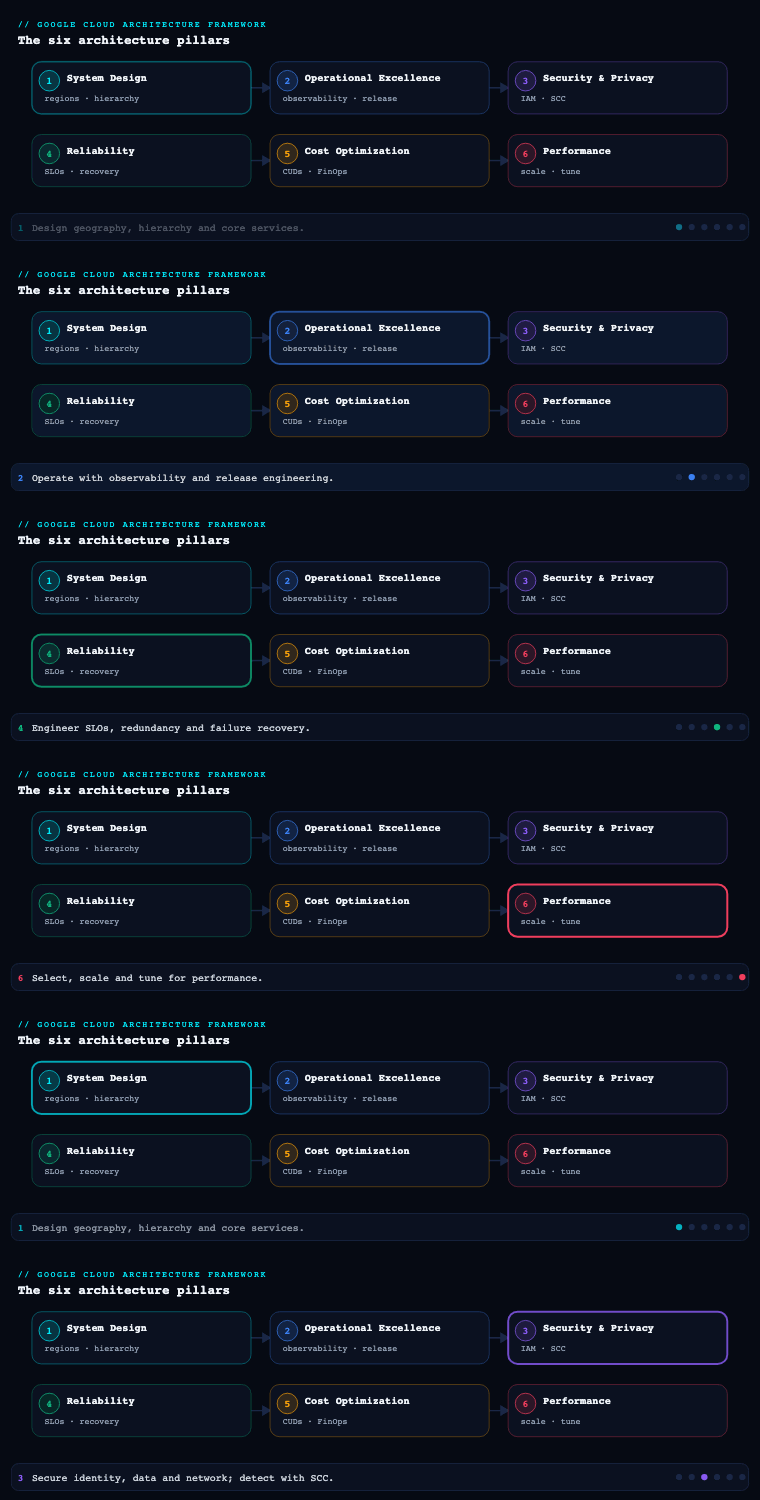
Cost principles — the design philosophy underneath every spend decision
The Cost Optimization pillar is built on four core principles that, like the framework’s other pillars, are the lens you apply before you reach for a knob. They are not “turn things off”; they are about ensuring spend maps to value and that the organization is wired to keep it that way.
| Core principle | What it means | The practical consequence |
|---|---|---|
| Align cloud spending with business value | Every resource should deliver measurable value; optimize for total cost of ownership (TCO) and unit economics, not the lowest invoice | Prefer managed/serverless to cut operational TCO; measure cost per transaction / per tenant, not just monthly spend |
| Foster a culture of cost awareness | People across the org consider cost impact and have the data to make informed trade-offs | Showback/chargeback, self-service dashboards, cost in the definition-of-done — not a central gatekeeper |
| Optimize resource usage | Provision only what you need and pay only for what you consume | Right-size, autoscale, Spot VMs, CUDs/SUDs, storage-class and BigQuery pricing-model choices |
| Optimize continuously | Monitor usage and cost proactively and act on inefficiency before it compounds | A recurring FinOps loop: inform → optimize → operate, driven by Recommender and anomaly detection |
Why it matters. The single highest-leverage idea here is value over invoice. A naïve cost program chases the biggest line items and starves a profitable workload of the headroom it needs; a mature one asks “what is the unit cost of the thing the business sells, and is it trending the right way?” The framework explicitly biases toward managed services and serverless (Cloud Run, GKE Autopilot, Cloud SQL, BigQuery, Dataflow) because the largest hidden cost in most estates is not compute — it is the human operational toil of patching, scaling, and failover that managed products absorb. The second load-bearing idea is culture: cost decisions are made by hundreds of engineers in pull requests, not by a finance team once a quarter, so the only scalable control is to give those engineers visibility and ownership.
How to do it well. Write the principles down as a cost-optimization policy / charter (an ADR-style document) that states your TCO stance, your unit-cost metrics, and the managed-first default. Define one or two unit-economics KPIs per product (cost per 1,000 API calls, cost per active tenant, cost per processed GB) so optimization has a north star. Establish that cost is a non-functional requirement reviewed in design and in production, exactly like latency or availability — this is what keeps the other three principles from becoming someone else’s job.
Billing and budgets — the financial control plane
Cloud Billing is the foundation of the entire pillar: it is where spend is incurred, attributed, controlled, and exported. Get the billing structure right and every downstream practice — showback, budgets, FinOps reporting — becomes a query; get it wrong and you spend the program’s first six months untangling who-owns-what.
The structural decisions.
- Billing-account topology. A Cloud Billing account pays for usage in the projects linked to it; it can be a self-serve (online) account or an invoiced account for enterprises. The standard enterprise pattern is one (or a small number of) invoiced billing account(s) at the org, with many projects linked to it, so that the resource hierarchy (org → folders → projects) and the billing hierarchy line up and cost rolls up cleanly by folder/environment.
- Attribution via labels and projects. Because the project is the primary billing boundary and quotas/IAM also attach there, project-per-environment-per-workload gives you clean native attribution. Layer labels (
env,cost-center,owner,product,data-classification) on resources so cost can be sliced by dimensions the org cares about. Labels are the difference between “we spent X on Compute Engine” and “team Payments spent X on prod authorization.” - Budgets and alerts. Cloud Billing budgets are set at the billing-account, project, or label scope, with threshold rules (e.g., 50/80/100% of a fixed amount or of last month’s spend) that fire email and, critically, Pub/Sub notifications. The Pub/Sub hook is what turns a budget from a passive email into programmatic cost control — a Cloud Function can react to a breach (page the owner, throttle a non-prod environment, or in extreme cases cap spend).
- Billing export. Two exports matter: Standard usage cost export to BigQuery (the cost and usage rows that power every dashboard and FinOps query) and detailed usage cost export (resource-level granularity). Optionally enable the pricing export. This export is the single most important artifact in the pillar — it is the data lake your FinOps practice runs on.
| Artifact | Purpose | Tool |
|---|---|---|
| Billing-account ↔ project map | Clean cost roll-up matching the resource hierarchy | Cloud Billing, Resource Manager |
| Labeling standard (enforced) | Slice cost by team/product/env/cost-center | Labels + Organization Policy / IaC |
| Budgets with threshold + Pub/Sub | Proactive alerting and programmatic control | Cloud Billing budgets, Pub/Sub, Cloud Functions |
| BigQuery billing export (standard + detailed) | The cost data lake for all reporting | BigQuery billing export |
| Billing IAM roles | Separate who spends from who administers billing | Billing Account Administrator / User / Viewer, Cost Manager |
How to do it well. Enable BigQuery billing export on day one — it is not retroactive, so every day without it is a permanent gap in your history. Enforce a mandatory labeling policy in IaC (and reconcile unlabeled spend monthly) so attribution does not rot. Set budgets at multiple scopes (org-wide, per-environment folder, and per high-spend project), and wire at least the production budgets to Pub/Sub so breaches are actionable, not just informational. Separate billing IAM (Billing Account Administrator vs User vs Viewer, plus the Cost Manager role for budgets/exports) from project IAM so finance controls the account without touching workloads. Artifacts: a billing topology diagram, an enforced labeling standard, a budget catalogue (scope, threshold, action), and the BigQuery export wired into the FinOps dataset.
Committed-use discounts and Spot VMs — buying capacity at the right price
Once attribution and budgets exist, the largest single lever on the rate you pay is the pricing model. Google offers a layered set of discounts, and using them deliberately routinely moves 20–60% of a compute bill. The art is matching each discount mechanism to the predictability and fault-tolerance of the workload.
The discount mechanisms.
| Mechanism | How it works | Commitment | Best for | Trade-off |
|---|---|---|---|---|
| Sustained use discounts (SUDs) | Automatic discount for running eligible VMs (certain machine families) a large fraction of the month | None | Any steady Compute Engine usage — applied with zero action | Modest; auto-applied, not stackable with CUDs on the same usage |
| Resource-based CUDs | Commit to a quantity of vCPU + memory in a region for 1 or 3 years | 1 or 3 yr | Stable, predictable Compute Engine baseline | Region/family-bound; pay even if unused |
| Spend-based (flexible) CUDs | Commit to an hourly dollar spend (e.g., on Compute, Cloud Run, GKE Autopilot, Cloud SQL, AlloyDB, Spanner, BigQuery) for 1 or 3 yr | 1 or 3 yr | Steady spend across families/regions/services; less SKU-rigid | Still a take-or-pay floor |
| Spot VMs | Deeply discounted preemptible capacity (commonly 60–91% off) that Google can reclaim with ~30s notice | None | Fault-tolerant, interruptible work: batch, CI, rendering, stateless web behind a queue, GKE Spot node pools, ML training with checkpointing | Can be preempted any time; not for stateful/critical-path |
| BigQuery editions / capacity (slots) + autoscaling | Reserve slots (Standard/Enterprise/Enterprise Plus editions) with autoscaling and optional commitments instead of pure on-demand bytes-scanned | Optional 1–3 yr | Steady-state analytics; predictable, capped query cost | Requires capacity planning vs on-demand |
Why it matters and how to do it well. The mistake is to treat these as either/or. The correct pattern is a layered stack: let SUDs apply automatically to steady VMs; cover the stable baseline with CUDs (use spend-based/flexible CUDs when your usage moves across machine families, regions, or services — they are far more forgiving than resource-based for a heterogeneous estate); run the elastic, fault-tolerant top of the workload on Spot VMs; and put BigQuery on slot reservations with autoscaling if analytics is steady. Size CUD coverage to roughly your 24×7 minimum (often the P10–P30 of utilization, not the peak) so you never pay for committed capacity you don’t burn, and use CUD analysis / Recommender CUD recommendations in the console to right-size the commitment. Architect interruption tolerance so Spot is usable: checkpoint long jobs, drain GKE Spot pods gracefully (cluster-autoscaler + Spot node pools), and keep a small on-demand or Standard fallback so a mass preemption degrades rather than fails. Decisions to record: baseline coverage % per service, 1-yr vs 3-yr term (3-yr for genuinely permanent baseline, 1-yr where the estate is still moving), resource-based vs flexible CUD per workload, and which workloads are certified Spot-safe.
Right-sizing — eliminating the gap between provisioned and used
Right-sizing closes the most common and most embarrassing source of waste: resources provisioned far larger (or simply left running) than the workload actually needs. On Google Cloud this is not guesswork — Recommender and Active Assist generate machine-specific recommendations from observed utilization, so right-sizing is an evidence-driven loop rather than an opinion.
What “right-sizing” actually covers.
| Target | The recommendation source | Typical action |
|---|---|---|
| Over-provisioned VMs | VM machine-type (right-sizing) recommendations from Recommender, based on observed CPU/RAM | Resize to a smaller predefined or custom machine type; switch family (e.g., N2 → E2) |
| Idle VMs | Idle VM recommendations | Stop or delete VMs with near-zero utilization |
| Idle persistent disks & idle IPs | Idle PD / idle external IP recommendations | Delete unattached disks; release reserved-but-unused static IPs |
| Over-provisioned Cloud SQL | Cloud SQL over-provisioned instance recommendations | Downsize tier; remove idle instances |
| GKE workloads | GKE cost insights / cost allocation, Vertical Pod Autoscaler (VPA) recommendations | Set right Pod requests/limits; enable VPA; GKE Autopilot to pay per-Pod resource |
| BigQuery | Query/storage cost insights | Partition & cluster tables; prune SELECT *; cut bytes scanned; pick capacity vs on-demand |
| Cloud Storage | Autoclass, lifecycle insights | Auto-transition to Nearline/Coldline/Archive; delete/abort multipart per lifecycle |
Why it matters and how to do it well. Right-sizing is continuous, not a one-off audit, because workloads grow, shrink, and get redeployed — yesterday’s perfect size is next quarter’s waste. Operationalize it by reading Recommender programmatically (it is available via API and as a BigQuery export of recommendations, so you can track open recommendations and their estimated monthly savings as a metric), then triaging: auto-apply the safe, reversible ones (delete idle disks/IPs, downsize obvious over-provision) and route the rest to the owning team. Prefer autoscaling over static sizing wherever possible — managed instance group autoscaling, GKE cluster autoscaler + node auto-provisioning + VPA/HPA, Cloud Run request-based concurrency — because an autoscaled workload right-sizes itself. Use custom machine types to avoid the “round up to the next predefined size” tax. For data, the biggest right-sizing wins are usually BigQuery (partitioning, clustering, killing SELECT *, capacity vs on-demand) and Cloud Storage (Autoclass + lifecycle rules). Artifacts: a recurring right-sizing report (open recommendations + projected savings), an autoscaling-by-default standard, and a Spot/custom-machine-type policy.
FinOps — the operating model that makes it stick
FinOps is the cultural and operational engine of this pillar — the methodology that combines people, process, and technology to create financial accountability for cloud. Tooling surfaces waste; FinOps is what ensures someone owns it, decides on it, and that the decision aligns cost with value. Without it, dashboards are admired and ignored.
The FinOps lifecycle (and what each phase looks like on GCP).
| Phase | What you do | GCP enablers |
|---|---|---|
| Inform | Give everyone visibility: allocation, showback/chargeback, shared-cost split, unit economics | Cloud Billing reports, BigQuery billing export, FinOps Hub, Looker/Looker Studio dashboards |
| Optimize | Act on the data: right-size, buy CUDs, move to Spot, kill idle, re-architect to serverless | Recommender / Active Assist, CUDs, Spot VMs, Autoclass, GKE/Cloud Run autoscaling |
| Operate | Embed it: budgets, anomaly alerts, policy, cadence, KPIs, reviews | Budgets + Pub/Sub, cost anomaly detection, Organization Policy, FinOps cadence |
The operating model. A practical GCP FinOps practice has: a cross-functional FinOps team or guild (engineering + finance + product), a showback or chargeback model built on the BigQuery export and labels (showback to start — make spend visible to teams without the friction of internal billing — graduating to chargeback as the culture matures), a shared-cost allocation rule for the unattributable (networking, support, shared platforms), and unit-economics reporting that ties spend to a business metric. The team runs a regular cadence (e.g., monthly cost review per business unit) where open Recommender savings, budget variance, anomalies, and unit-cost trend are the standing agenda, and each item has an owner and a decision.
Why it matters and how to do it well. The framework is explicit that robust cost optimization needs two things: the ability to distinguish wasteful from value-driving usage, and an embedded culture of financial accountability. FinOps delivers both. Do it well by making cost self-service (teams see their own dashboards, get their own recommendations, own their own budgets) rather than centralized gatekeeping — the central team sets standards, tooling, and guardrails, while spend decisions sit with the teams closest to the value. Put cost into the engineering loop: a cost estimate in the design review, a cost delta surfaced in CI (e.g., Infracost-style on the Terraform plan), and cost as a first-class KPI alongside reliability. Artifacts: a FinOps charter and RACI, a showback/chargeback model, a shared-cost allocation policy, a unit-economics definition per product, and a documented monthly cost-review cadence.
Cost monitoring and dashboards — closing the continuous loop
Continuous optimization needs continuous visibility. The monitoring layer is what makes “optimize continuously” real: it turns the BigQuery export and Recommender into dashboards, anomaly alerts, and forecasts that surface inefficiency before it compounds into a bill shock.
The monitoring building blocks.
| Capability | Tool | What it gives you |
|---|---|---|
| Native cost dashboards | Cloud Billing reports (Reports, Cost breakdown, Cost table) | Spend by project/service/SKU/label/time; on-demand slicing without building anything |
| Waste & utilization at a glance | FinOps Hub (waste/utilization view, savings opportunities) | Surfaces idle/underused resources and consolidated savings recommendations |
| Custom analytics & unit economics | BigQuery billing export + Looker / Looker Studio | Bespoke dashboards: cost per tenant/transaction, chargeback views, trend & burn-down |
| Idle/right-size recommendations | Recommender / Active Assist (+ recommendations BigQuery export) | Actionable, $-quantified optimization items tracked over time |
| Cost anomaly detection | Cost anomaly detection (Cloud Billing / Active Assist) | Automatic alerting on unexpected spend spikes by project/service |
| Budget breaches & automation | Cloud Billing budgets → Pub/Sub → Cloud Functions | Programmatic reaction to threshold breaches |
| Forecasting | Billing reports forecast / BigQuery models | End-of-month and trend projection to catch drift early |
Why it matters and how to do it well. The native Cloud Billing reports and Cost breakdown are the fastest way to answer “where did the money go,” and the FinOps Hub is the fastest way to answer “where is the waste” — both should be the default landing pages for a FinOps team. But the strategic dashboards are the ones you build on the BigQuery export in Looker Studio: unit-economics (cost per business metric), per-team showback, CUD coverage/utilization, and Spot vs on-demand mix — these tie spend to value, which is the whole point of the pillar. Wire cost anomaly detection so a runaway job or a misconfigured autoscaler is caught in hours, not at month-end, and put forecasting on the dashboard so you see a budget breach coming before it lands. Define a small set of cost KPIs and review them on the FinOps cadence:
| KPI | Why it matters |
|---|---|
| Unit cost (cost per transaction / tenant / GB) | The truest measure of value alignment; should trend down or flat as you scale |
| CUD/Spot coverage & utilization | Are you buying discounts and actually burning the commitment? |
| Idle / waste spend (from FinOps Hub & Recommender) | The directly recoverable money on the table |
| Open recommendation savings ($) | Backlog of un-actioned optimization; a FinOps team’s worklist |
| Budget variance & forecast | Early warning on drift before the invoice |
| Untagged / unallocated % | How much spend you cannot attribute — a governance smell |
Artifacts: a Looker Studio (or Looker) FinOps dashboard suite on the BigQuery export, configured cost anomaly detection, a tracked open-recommendations report, and a defined cost-KPI scorecard reviewed on cadence.
Real-world enterprise scenario
Helix Retail Group is a fictional pan-India omnichannel retailer running a Google Cloud estate of roughly ₹2.4 crore/month (~$290k) across e-commerce, an inventory/order platform, a data/analytics warehouse, and a recommendations ML pipeline. Spend grew 40% year-on-year with no corresponding revenue lift, finance was blind to which product drove which cost, and a single misconfigured BigQuery job once added ₹18 lakh in a weekend. The CTO charters a FinOps program with a target to cut TCO 25% in two quarters without degrading the Diwali-peak shopping experience.
Cost principles. The platform team writes a one-page cost charter: managed-first (justify any move to self-managed VMs), TCO over invoice, and a unit-economics north star of cost per ₹1,000 of GMV plus cost per active monthly shopper. Cost is declared a non-functional requirement reviewed in every design.
Billing and budgets. They consolidate onto a single invoiced Cloud Billing account at the org and align it to the resource hierarchy (prod/nonprod/shared folders). A mandatory labeling policy (product, env, cost-center, team) is enforced in Terraform, and they backfill labels to drop unallocated spend from 22% to under 4%. BigQuery billing export (standard + detailed) feeds a finops dataset. Budgets are set org-wide, per environment folder, and per high-spend project (e-commerce, warehouse), each wired to Pub/Sub; a Cloud Function auto-throttles non-prod environments at 90% and pages the owner on prod breaches.
CUDs and Spot VMs. Analysis of the BigQuery export shows a stable 24×7 baseline of ~55% of compute. They cover it with 3-year spend-based (flexible) CUDs (the estate spans E2, N2, Cloud Run, and Cloud SQL, so flexible beats resource-based), keep a 1-year flexible CUD on the still-moving recommendations service, and let SUDs apply automatically. The recommendations ML training and nightly catalog/image processing move to Spot VMs (GKE Spot node pools with checkpointing and graceful drain), with a small on-demand fallback pool — cutting that batch compute ~78%. BigQuery moves to Enterprise edition slot reservations with autoscaling for steady reporting, leaving ad-hoc analytics on on-demand.
Right-sizing. They export Recommender recommendations to BigQuery and track open savings as a KPI. Idle PDs and unused static IPs are auto-reclaimed; over-provisioned VMs are resized to custom machine types; an over-provisioned Cloud SQL replica is downsized. GKE Autopilot plus VPA right-size the e-commerce microservices to actual Pod usage, and Cloud Run scale-to-zero is enabled across non-prod.
FinOps. A FinOps guild (two platform engineers + a FinOps analyst from finance + a product owner) runs a monthly cost review per business unit on a showback model (chargeback planned for year two). Shared platform and networking cost is split by a documented allocation rule. Cost estimates appear in design reviews and a cost delta is surfaced on every Terraform plan in CI.
Cost monitoring. The team lives in Cloud Billing reports and the FinOps Hub for daily waste, and builds a Looker Studio suite on the export: unit cost per ₹1,000 GMV, per-product showback, CUD coverage/utilization, Spot mix, and open-recommendation savings. Cost anomaly detection is enabled per project — the kind of runaway BigQuery job that once cost ₹18 lakh is now caught within the hour.
Outcome. Within two quarters Helix cut TCO ~27% (CUDs + Spot delivered the rate reduction, right-sizing and idle cleanup the usage reduction), drove unallocated spend below 4%, lifted CUD utilization to 96%, and reduced cost per active shopper 31% even as traffic grew into the Diwali peak — which it served at full performance because optimization targeted waste, not headroom. The anomaly alerts and budget automation mean a repeat of the weekend bill-shock is now an hour-one page, not a month-end surprise.
Deliverables & checklist
Common pitfalls
- No billing export until you need it. BigQuery billing export is not retroactive, so teams that enable it during a cost crisis have no history to analyze. Avoid it: turn on standard and detailed export on day one, before any optimization work.
- Chasing the biggest line item instead of unit cost. Cutting the largest service can starve a profitable workload and miss the real waste. Avoid it: measure unit economics (cost per transaction/tenant/GMV) and optimize against value, not the raw invoice.
- Over-committing on CUDs. Buying 3-year resource-based commitments for a workload that then shrinks or moves regions leaves you paying for capacity you don’t burn. Avoid it: size CUDs to the 24×7 minimum (P10–P30), prefer spend-based/flexible CUDs for a heterogeneous estate, and use 1-year where the estate is still moving.
- Spot VMs on the critical path. Running stateful or latency-critical services on preemptible capacity causes outages when Google reclaims it. Avoid it: certify only fault-tolerant workloads for Spot, add checkpointing and graceful drain, and keep an on-demand fallback.
- Recommendations admired, never actioned. Recommender and the FinOps Hub surface savings that nobody owns, so waste persists. Avoid it: export recommendations, track open savings ($) as a KPI, auto-apply the safe ones, and assign the rest in the FinOps cadence.
- Centralized cost gatekeeping. A single FinOps team approving every spend becomes a bottleneck and breeds resentment. Avoid it: make cost self-service — teams get their own dashboards, recommendations, and budgets — while the central team owns standards and guardrails.
- Unlabeled spend rot. Without enforced labels, attribution decays and large slices of cost become unallocatable. Avoid it: enforce labeling in IaC/Organization Policy and reconcile unallocated spend every month.
What’s next
Part 6 of the Google Cloud Architecture Framework series turns to the Performance Optimization pillar — designing for and continuously tuning the latency, throughput, and scalability of the system whose cost you have just brought under disciplined control.