Where this fits
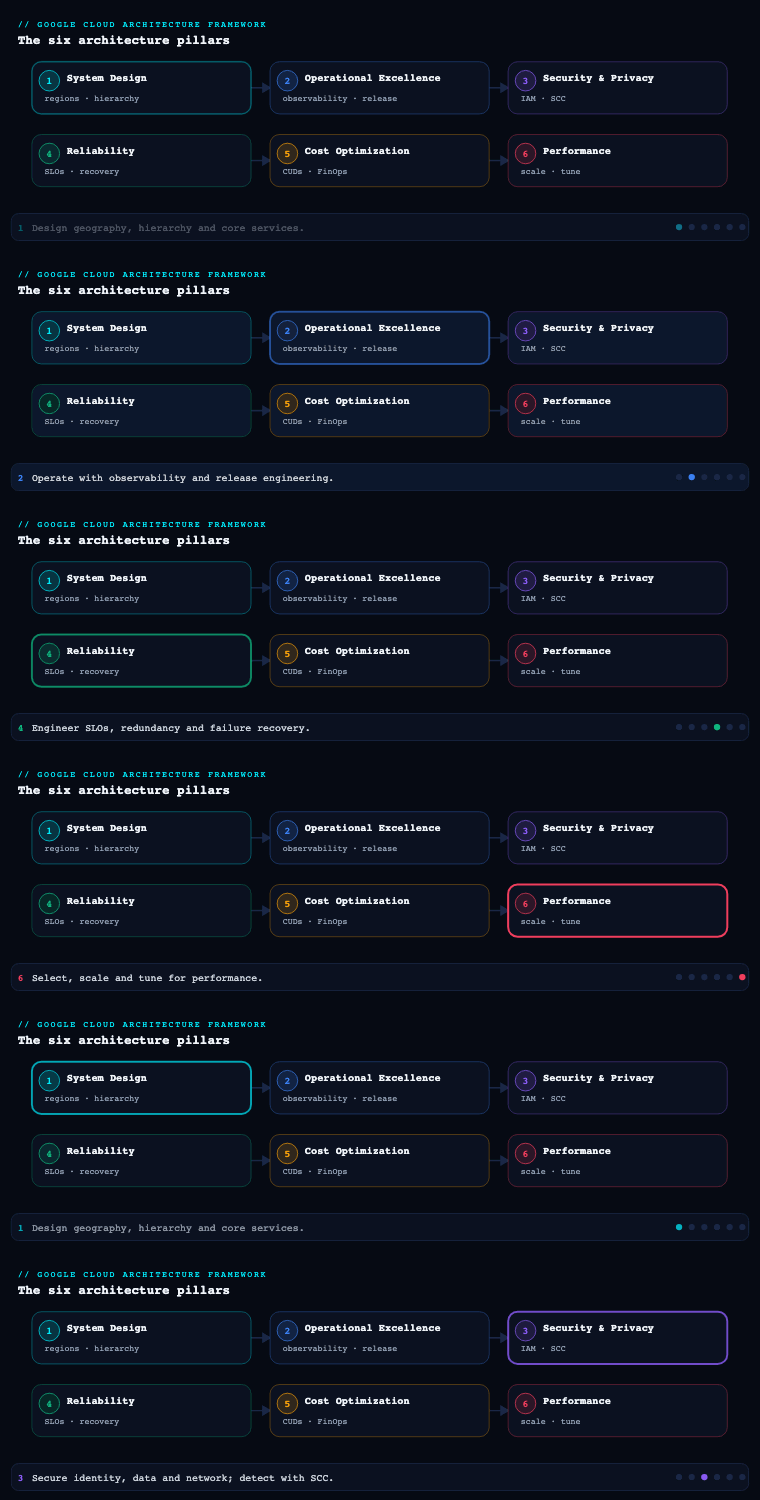
The Google Cloud Architecture Framework spans six pillars — System Design, Operational Excellence, Security, Privacy & Compliance, Reliability, Cost Optimization, and Performance Optimization — and Performance Optimization is part 6, the final pillar, deliberately placed last because it is the discipline that closes the loop: it takes the structural decisions from System Design, the SLOs and error budgets from Reliability, and the budgets and discounts from Cost Optimization, and asks the empirical question they all defer — does the system actually meet its latency, throughput, and efficiency targets under real load, and how do we keep it there as traffic and Google’s own services evolve? Performance Optimization is not a one-time pass; it is a continuous cycle of setting performance requirements, selecting and right-sizing resources, scaling to demand, distributing load, caching aggressively, and then measuring and tuning — forever. It is where “well-architected” stops being a diagram and becomes a number on a dashboard.
Performance principles — the design philosophy for a fast, efficient system
Before you reach for an autoscaler or a CDN, the Architecture Framework asks you to internalize a small set of performance principles that govern how you optimize. They exist to stop two failure modes: optimizing the wrong thing (gut-feel tuning with no baseline), and optimizing in a way that quietly breaks reliability or cost.
The principles you are applying.
| Principle | What it means in practice | The consequence if you ignore it |
|---|---|---|
| Define performance requirements first | Turn “fast” into measurable targets — p50/p95/p99 latency, throughput (RPS/QPS), concurrency, time-to-first-byte — per workload | You tune blind; “good enough” is a moving opinion, not a gate |
| Take a data-driven, baseline-first approach | Measure before you change; every optimization is a hypothesis tested against a baseline | You ship “improvements” that regress p99 and never notice |
| Optimize incrementally and continuously | Performance work is iterative — one change, one measurement, one comparison | Big-bang tuning passes hide which change helped or hurt |
| Use elasticity, don’t over-provision | Scale to demand horizontally rather than buying for peak 24×7 | You pay for headroom you use 4 hours a month, or you fall over at peak |
| Design for the critical path | Optimize the user-facing latency path; push everything else off it (async, batch) | You speed up code no user waits on |
| Balance against the other pillars | Performance trades against cost, reliability, and sustainability — make the trade explicit | A faster system that blows the budget or the error budget is not well-architected |
| Identify and respect bottlenecks | The system is only as fast as its slowest resource on the path (CPU, memory, I/O, network, a downstream API) | You scale the tier that wasn’t the constraint |
Why it matters. Performance is the one pillar where intuition is most often wrong. The principle that does the most work is define requirements first, then baseline: without a stated p99 target and a measured starting point, “performance optimization” degenerates into someone adding a cache because it feels faster. The second highest-leverage principle is design for the critical path — most user-perceived latency lives in a handful of synchronous hops (an auth call, a database query, a downstream API), and the framework’s bias is to shorten that path (caching, read replicas, async offload) rather than micro-optimize code off it.
How to do it well. Make the requirements an artifact: a performance requirements specification that names, per service, the latency percentiles, throughput, and concurrency the workload must sustain, ideally aligned with the SLOs you already wrote in the Reliability pillar (latency SLOs and their error budgets are your performance gate). Establish a baseline with Cloud Monitoring dashboards and load tests before any tuning, and treat every change as a measured experiment. Record the bottleneck analysis — which resource is the constraint on the critical path — because that determines what you scale or cache. The principles map directly onto the sub-components that follow: requirements and bottlenecks feed resource selection, elasticity feeds scaling, critical-path thinking feeds load balancing and caching, and the whole loop closes in monitoring and continuous tuning.
Resource selection — right-sizing the compute, storage, and data primitives for performance
Resource selection in the Performance pillar is narrower and more empirical than the service-choice you made in System Design. There, you picked Cloud Run vs GKE vs Spanner by data model and operational fit. Here, you ask: given that choice, am I running the right machine shape, the right disk, the right tier, sized to the demand curve — and where is the performance actually limited?
The selection decisions you are actually making.
| Dimension | What you tune | GCP levers |
|---|---|---|
| Compute shape | CPU platform and machine family matched to the workload profile | Machine families: E2/N (general), C3/C4 (compute-optimized, latest Intel/AMD), M3/M4 (memory-optimized), A3/A4 + TPU (accelerator); Tau T2D/T2A for scale-out price/perf |
| Right-sizing | VCPU/memory matched to actual utilization, not guessed | Recommender rightsizing recommendations, VM Manager, custom machine types, Cloud Run CPU/memory + concurrency settings |
| Block storage performance | IOPS and throughput decoupled from capacity | Hyperdisk (Balanced / Extreme / Throughput) with independently provisioned IOPS & MB/s; Local SSD for ultra-low-latency scratch; regional PD when zone-survival matters |
| Object storage performance | Throughput and latency for data/AI pipelines | Cloud Storage with Anywhere Cache, Storage FUSE, Parallelstore, hierarchical namespace; right storage class + location |
| Database performance | Read scaling, query acceleration, in-memory engines | Cloud SQL read replicas, AlloyDB columnar engine + read pool, Spanner node/processing-unit sizing, Bigtable node count & SSD, BigQuery slots/reservations + BI Engine |
| Network performance | Path quality and tier | Premium vs Standard Network Service Tier, Cloud CDN, gVNIC, Tier_1 networking bandwidth, jumbo frames (MTU 8896) |
| Accelerators | GPU/TPU selection for ML/HPC | A3 (H100) / A4, Cloud TPU v5e/v5p/Trillium, GKE accelerator node pools, Dynamic Workload Scheduler |
Why it matters. The single most common performance defect in real estates is a mis-sized resource: a memory-bound service starved on a general-purpose E2 shape, a database VM throttled by a capacity-coupled disk, a BigQuery workload queuing on too few slots. Google’s modern primitives explicitly decouple the performance dimension from the capacity dimension — Hyperdisk lets you buy IOPS without buying terabytes, BigQuery reservations let you buy slots without buying storage — and exploiting that decoupling is most of resource selection.
How to do it well.
- Match the machine family to the bottleneck. Compute-bound, latency-sensitive services go on C3/C4 (compute-optimized) or Tau T2D for cost-efficient scale-out; memory-bound (in-memory DB, large caches, SAP) go on M-series; ML training/inference goes on A3/A4 GPUs or TPUs. Use custom machine types when no predefined shape fits, to avoid paying for vCPU you don’t use.
- Right-size from telemetry, not guesses. Let Active Assist / Recommender generate rightsizing recommendations from observed utilization, review them, and apply via IaC. For Cloud Run, the highest-leverage knobs are CPU allocation, memory, max concurrency, and min instances — concurrency in particular is a throughput multiplier (one instance serving N concurrent requests instead of one).
- Provision storage performance deliberately. Choose Hyperdisk Balanced for most databases (tune IOPS/throughput to the workload), Hyperdisk Extreme for the most demanding OLTP, and Local SSD for ephemeral high-IOPS scratch. For analytics/AI, accelerate Cloud Storage reads with Anywhere Cache and use Parallelstore for HPC/training scratch.
- Scale reads where the read:write ratio is high. Add Cloud SQL / AlloyDB read replicas (and an AlloyDB read pool), use BigQuery BI Engine for sub-second dashboards, and size BigQuery slot reservations to your query concurrency.
- Pick the right network tier. Use Premium Tier for global, low-latency, Google-backbone routing (the default for user-facing traffic) and Standard Tier only for cost-sensitive regional traffic where the public-internet path is acceptable.
Artifacts: a right-sizing baseline (current vs recommended machine shapes from Recommender), a resource-selection matrix recording the machine family / disk type / DB tier and the performance rationale per workload, a Hyperdisk IOPS/throughput plan for stateful tiers, and a Cloud Run / GKE resource-and-concurrency profile per service.
Scaling — matching capacity to demand elastically
Scaling is where the elasticity principle becomes mechanism. The framework’s guidance is unambiguous: scale horizontally and automatically to demand rather than vertically and manually for peak. The goal is to track the demand curve closely enough to meet latency targets at peak without parking idle capacity at trough.
The scaling mechanisms by platform.
| Platform | Autoscaling mechanism | Scales on | Notes |
|---|---|---|---|
| Cloud Run | Built-in request-based autoscaling | Concurrent requests (and CPU); scale-to-zero | min-instances to kill cold starts on the critical path; max-instances as a guardrail |
| GKE | Horizontal Pod Autoscaler (HPA) + Cluster Autoscaler / Autopilot; Vertical Pod Autoscaler (VPA) | CPU, memory, or custom/external metrics (e.g., Pub/Sub depth) | Node Auto-Provisioning; Compute Class selection; HPA for pods, CA for nodes |
| Compute Engine | Managed Instance Group (MIG) autoscaling | CPU utilization, LB serving capacity, Cloud Monitoring metrics, schedules | Regional MIGs for multi-zone; predictive autoscaling for ramp-ahead |
| App Engine | Automatic scaling | Request rate, latency, concurrency | Standard scales to zero |
| Spanner | Autoscaler (Spanner autoscaling) | CPU utilization / storage | Adds nodes/processing units; tool-based or managed |
| Bigtable | Cluster autoscaling | CPU / storage utilization | Node-based |
| BigQuery | Slot autoscaling (editions/reservations) | Query demand | Pay-per-slot above a baseline commitment |
| Dataflow | Horizontal & Vertical Autoscaling | Backlog / throughput | Streaming and batch |
Why it matters. Static provisioning is the default way to overpay and still fall over. Provision for average and you brown out at peak; provision for peak and you burn money 90% of the time — exactly the over-provisioning the principles forbid. Elastic, metric-driven scaling is what lets a payment platform absorb a festival-sale spike and a SaaS app survive a product-launch Hacker News front page, both while holding p99 latency, without a human in the loop.
How to do it well.
- Scale on the metric that actually reflects load. CPU is a decent proxy for compute-bound tiers, but for queue-draining workers scale on Pub/Sub subscription backlog (GKE HPA on an external metric) and for request services scale on concurrency / requests-per-instance (Cloud Run, or LB serving capacity for MIGs). Scaling on the wrong signal is the classic autoscaling bug.
- Kill cold starts on the critical path. Serverless scale-to-zero is great for cost but adds cold-start latency; set
min-instanceson Cloud Run (and minimum nodes / warm pools on GKE) for latency-critical services, and keep container images small and startup fast. - Use predictive and scheduled scaling for known curves. For predictable diurnal or event-driven peaks, MIG predictive autoscaling and scheduled scaling ramp capacity ahead of demand so you aren’t always one scaling-lag behind the spike.
- Combine horizontal + vertical sensibly on GKE. Use HPA to add pods and Cluster Autoscaler / Node Auto-Provisioning to add nodes; use VPA to right-size pod requests (but not on the same metric as HPA, to avoid them fighting).
- Pre-warm and load-test the scaling path. Autoscalers have a reaction lag; validate with a load test that the system scales fast enough to hold latency through a realistic ramp, and raise per-project/per-region quotas (Cloud Run instances, CPUs, in-use IPs, Spanner nodes) ahead of need so quota — not the autoscaler — never becomes the ceiling.
Artifacts: an autoscaling policy per service (signal, target utilization, min/max), a scaling load-test report proving the system holds latency through a ramp, a quota inventory mapped to scaling paths with proactive increase requests, and a cold-start mitigation plan (min-instances, image size) for latency-critical services.
Load balancing — distributing traffic for low latency and high throughput
Load balancing is the front door and the traffic director. On Google Cloud it is unusually powerful because Cloud Load Balancing runs on Google’s global anycast frontend — a single anycast IP can serve users worldwide, routing each to the nearest healthy backend over Google’s backbone. Choosing and configuring it correctly is one of the biggest single levers on user-perceived latency.
The load balancer taxonomy — pick by traffic type, scope, and reach.
| Load balancer | Layer / protocol | Scope | Use it for |
|---|---|---|---|
| Global External Application LB | L7 (HTTP/HTTPS) | Global anycast | Internet-facing web/APIs needing global reach, Cloud CDN, Cloud Armor, path/host routing |
| Regional External Application LB | L7 | Regional | Region-scoped web/APIs, regulatory/region pinning |
| Cross-region / Internal Application LB | L7 | Global or regional, internal | East-west service-to-service HTTP within VPC |
| External / Internal Passthrough Network LB | L4 (TCP/UDP) | Regional | Non-HTTP, high-throughput, preserve client IP, gaming/IoT |
| Proxy Network LB | L4 (TCP/SSL) proxy | Global/regional | TCP services wanting proxy features / global reach |
The performance features that ride on the load balancer.
| Feature | What it buys you |
|---|---|
| Global anycast + Premium Tier | Users enter Google’s network at the nearest edge (PoP) and ride the backbone to the backend — lower, more consistent latency |
| Cloud CDN | Caches static (and cacheable dynamic) content at the edge, offloading backends and cutting TTFB |
| Backend service load-balancing modes | RATE, UTILIZATION, or CONNECTION balancing; locality LB policy (round-robin, least-request, ring-hash for session affinity) |
| Health checks | Route only to healthy backends; fast failure detection |
| Capacity scaling & overflow | max-rate-per-instance / capacity scaler; traffic spillover to the next-closest region when a region saturates |
| Cloud Armor | WAF/DDoS/rate-limiting/geo at the edge — protects and sheds abusive load before it reaches backends |
| gRPC, HTTP/2, HTTP/3 (QUIC) | Modern protocols for multiplexing and reduced handshake latency |
| Session affinity | Client-IP / cookie / header-based affinity when state demands it |
Why it matters. Without global load balancing, a user in Singapore hitting a Mumbai backend traverses the public internet across an ocean; with it, they enter Google’s network at the Singapore edge and ride a private backbone, often halving round-trip latency. The load balancer is also your overflow and failover mechanism — it spills traffic to the next-closest region when one saturates or fails, which is simultaneously a performance and a reliability feature.
How to do it well.
- Choose the right LB for the traffic. Internet-facing HTTP(S) with global users → Global External Application LB on Premium Tier, with Cloud CDN and Cloud Armor attached. Non-HTTP/high-throughput → Passthrough Network LB. Internal service mesh traffic → Internal Application LB (or Cloud Service Mesh for richer L7 control).
- Tune the balancing mode and locality policy. Use
RATEbalancing (max RPS per instance) for request-bound services so the LB scales backends on serving capacity, and pick a locality LB policy (least-request often beats round-robin under uneven latency; ring-hash when you need affinity). - Right-size health checks. Set health-check intervals tight enough for fast failure detection but not so aggressive they flap; unhealthy detection lag directly extends tail latency during incidents.
- Enable modern protocols and offload at the edge. Turn on HTTP/3 (QUIC) and HTTP/2, terminate TLS at the LB, and let Cloud CDN + Cloud Armor absorb cacheable load and abusive traffic before it hits compute.
- Plan multi-region overflow. Attach regional backend services to a global LB so capacity-based spillover routes excess from a saturated region to the next-nearest — capacity planning at the edge, not just in the autoscaler.
Artifacts: a load-balancing design (LB type, anycast IP plan, backend services, balancing mode, locality policy), a health-check configuration per backend, a Cloud CDN + Cloud Armor edge policy, and a multi-region traffic / overflow plan.
Caching — cutting latency and load with multi-tier caches
Caching is the highest-leverage performance technique the framework promotes, because the fastest request is the one that never reaches your backend. The discipline is to cache at every tier of the path — edge, application, and data — and to manage the one hard problem caching introduces: invalidation and staleness.
The cache tiers and their GCP services.
| Tier | Where it sits | GCP service | Caches |
|---|---|---|---|
| Edge / CDN | Google PoPs at the network edge | Cloud CDN (+ Media CDN for video/large media) | Static assets, cacheable API responses, media |
| Application / in-memory | Beside or in the app tier | Memorystore for Redis / Valkey / Memcached | Sessions, hot objects, computed results, rate-limit counters, leaderboards |
| Database read acceleration | In front of / inside the DB | Cloud SQL / AlloyDB read replicas, AlloyDB columnar engine, Bigtable-as-cache | Read-heavy query offload |
| Analytics / BI | In front of the warehouse | BigQuery BI Engine (in-memory) + materialized views + result cache | Sub-second dashboard queries |
| Local / process | Inside the instance | In-process LRU, Local SSD, Storage FUSE/Anywhere Cache | Per-instance hot data, AI training data |
Why it matters. Caching attacks both halves of the performance problem at once: it cuts latency (a Redis hit is sub-millisecond vs a multi-millisecond DB round-trip; a CDN hit at the edge avoids the backbone entirely) and it sheds backend load (a 90% CDN hit ratio means your origin sees one-tenth the traffic, which feeds back into smaller autoscaling and lower cost). It is frequently the difference between scaling a database and not needing to.
How to do it well.
- Cache at the edge first. Front everything cacheable with Cloud CDN on the global LB; set explicit
Cache-Controlheaders, use signed URLs/cookies for private cacheable content, and exploit negative caching and stale-while-revalidate to keep serving during origin blips. For video and large files, use Media CDN. - Put a hot-path cache in memory. Use Memorystore for sessions, hot lookups, computed/aggregated results, and rate-limit counters. Choose a deliberate eviction policy (e.g.,
allkeys-lru) and a caching pattern — cache-aside (lazy load) is the safe default; write-through when you need read-after-write freshness. - Solve invalidation explicitly. Staleness is the cost of caching; manage it with appropriate TTLs per data class, event-driven invalidation (publish a cache-bust on write, e.g., via Pub/Sub), and versioned cache keys so a deploy or schema change doesn’t serve poisoned entries. Decide per data type how stale is acceptable.
- Accelerate the warehouse. For BI, enable BigQuery BI Engine (in-memory analysis), lean on the automatic result cache, and pre-compute with materialized views so dashboards hit memory, not full scans.
- Watch the hit ratio. A cache you don’t measure is a cache you can’t trust — track hit/miss ratio, eviction rate, and latency in Cloud Monitoring, because a collapsing hit ratio (from a bad TTL or a key explosion) is a latent latency incident.
Artifacts: a caching strategy per tier (what’s cached where, with TTLs and patterns), a cache-invalidation design (TTLs, event-driven busts, key versioning), Cloud CDN cache-control policies, a Memorystore sizing and eviction-policy plan, and cache hit-ratio dashboards/alerts.
Monitoring and continuous tuning — closing the optimization loop
Performance Optimization is explicitly a cycle, and monitoring is what makes it a cycle rather than a one-time event. You cannot optimize what you cannot measure, you cannot prove an optimization worked without a before/after, and a system that was fast last quarter drifts as traffic, data volume, and dependencies change. This sub-component is the engine that keeps the other five honest over time.
The observability stack and what each piece tells you.
| Tool | What it gives you for performance |
|---|---|
| Cloud Monitoring | Metrics, dashboards, SLO monitoring, alerting; latency/throughput/saturation per service |
| Cloud Logging | Structured logs, Log Analytics (BigQuery-backed log queries), latency from request logs |
| Cloud Trace | Distributed tracing — finds the slow hop on the critical path across microservices |
| Cloud Profiler | Continuous CPU/heap profiling in production — finds the hot function burning the cycles |
| Application Performance Management (APM) | Trace + Profiler together for code-level latency attribution |
| Active Assist / Recommender | Rightsizing, idle-resource, and performance recommendations from observed behavior |
| Network Intelligence Center | Performance Dashboard, latency/packet-loss between zones/regions, connectivity tests |
| Load testing | Validates capacity and scaling against requirements before users do |
The KPIs you watch — the “golden signals” plus efficiency.
| KPI | What it tells you | Typical target framing |
|---|---|---|
| Latency (p50/p95/p99) | User-perceived speed; tail latency especially | Bound to a latency SLO; p99 within target under peak |
| Throughput (RPS/QPS) | Capacity served | Must meet/exceed peak requirement with headroom |
| Saturation / utilization | How close a resource is to its limit (CPU, memory, IOPS, connections) | Keep below the autoscaling/threshold ceiling |
| Error rate | Failures (often a symptom of overload) | Within error budget |
| Cache hit ratio | Cache effectiveness | High and stable; alert on collapse |
| Cold-start rate / startup latency | Serverless responsiveness | Low on latency-critical paths |
| Cost per request / per transaction | Efficiency — performance per rupee | Trending down or flat as traffic grows |
Why it matters. The data-driven principle is meaningless without instrumentation: Cloud Trace is what turns “the checkout is slow” into “the inventory call is 380 ms of the 500 ms,” and Cloud Profiler turns “the service is CPU-bound” into “this serialization function is 40% of CPU.” Without them you guess. And because systems regress — a new dependency, a data-volume crossover, a deploy — continuous monitoring with SLO burn-rate alerts is what catches a slow degradation before it becomes a user-visible incident.
How to do it well.
- Make SLOs the performance contract. Define latency SLOs in Cloud Monitoring, watch the error budget, and alert on burn rate — this connects Performance directly to Reliability and turns “is it fast enough?” into an objective, alarmed signal.
- Trace and profile in production, continuously. Run Cloud Trace across services to locate the slow hop on the critical path, and keep Cloud Profiler always-on to find the hot code — both are low-overhead and designed for production.
- Tune as a measured experiment. Every change (a machine-family swap, a new index, a cache TTL, a concurrency bump) gets a baseline → change → compare cycle; keep the before/after on the dashboard so you can prove the gain or roll back.
- Watch the network path too. Use Network Intelligence Center’s Performance Dashboard to catch inter-region/zone latency and packet loss that application metrics won’t explain.
- Feed recommendations back in. Treat Active Assist / Recommender rightsizing and idle-resource findings as a standing tuning backlog, and load-test before peak events so the scaling and caching paths are validated against requirements rather than discovered under fire.
- Automate the loop. Wire tuning into CI/CD where possible — performance regression tests, automated load tests in a staging environment, and alert-driven runbooks — so continuous tuning is a process, not a heroics-driven scramble.
Artifacts: Cloud Monitoring performance dashboards and latency SLOs with burn-rate alerts, a distributed-tracing and profiling setup, a load-test suite tied to performance requirements, a performance tuning backlog (fed by Recommender and trace/profiler findings), and a recurring performance review cadence with before/after evidence.
Real-world enterprise scenario
StreamNova is a fictional Bengaluru-headquartered video-streaming and live-events platform serving ~14 million monthly users across India, Southeast Asia, and the Middle East. Their estate (designed in earlier pillars of this series) runs Cloud Run for the API and web tier, GKE Standard for the live-transcoding and recommendation services (GPU node pools), Spanner for the global subscription/entitlement ledger, Bigtable for the per-user watch-history time-series, BigQuery for analytics, and Cloud Storage + Media CDN for the video catalog. They are entering Performance Optimization ahead of a marquee live cricket event projected to drive 2.3 million concurrent viewers and an API peak of ~45,000 RPS — roughly 6× their normal peak. The platform team has a board-level target of p99 API latency ≤ 250 ms and video start time (TTFB) ≤ 1.5 s at p95, held through the event.
Performance principles. The team writes a performance requirements specification that pins per-service targets (API p99 ≤ 250 ms, playback-manifest p95 ≤ 200 ms, recommendation p99 ≤ 400 ms) and aligns them with existing latency SLOs. They establish a baseline in Cloud Monitoring at current peak, then run a bottleneck analysis with Cloud Trace that reveals the critical path: 62% of API latency is a synchronous entitlement check against Spanner plus a recommendation fan-out.
Resource selection. A Recommender rightsizing pass moves the recommendation GKE node pool from general-purpose to C3 (compute-optimized) and the transcoding pool to A3 (H100) GPUs with Dynamic Workload Scheduler for burst capacity. Cloud Run services are re-profiled — max concurrency raised from 80 to 250 per instance after load testing showed headroom — which cuts the instance count needed at peak. Spanner is sized up with autoscaling enabled on processing units, and the watch-history Bigtable cluster moves to SSD with autoscaling. Hyperdisk Balanced with provisioned IOPS replaces capacity-coupled disks on the stateful GKE workloads.
Scaling. Cloud Run gets min-instances set on the API and manifest services to eliminate cold starts on the critical path, with max-instances raised (and CPU/in-use-IP/instance quotas lifted to 8× normal ahead of the event). GKE HPA scales the recommendation service on CPU + an external Pub/Sub-backlog metric; Cluster Autoscaler + Node Auto-Provisioning handle nodes. For the known event ramp, MIG predictive/scheduled scaling pre-warms the legacy transcode-orchestration MIGs an hour before kickoff. A full scaling load test to 50,000 RPS proves the system holds p99 through a realistic ramp.
Load balancing. Ingress is a Global External Application LB on Premium Tier with a single anycast IP; HTTP/3 (QUIC) is enabled, TLS terminates at the edge, and RATE balancing with a least-request locality policy distributes API traffic. Cloud Armor applies rate-limiting and geo rules to shed bot/abuse load (and absorb a DDoS attempt during the event), while capacity-based overflow lets a saturated asia-south1 spill to asia-southeast1.
Caching. The entitlement check — the #1 critical-path cost — moves behind Memorystore for Redis (cache-aside, allkeys-lru, short TTL) with Pub/Sub-driven invalidation on subscription changes, collapsing the Spanner read fan-out. Video manifests and segments are cached at Media CDN (targeting >95% offload), static web assets at Cloud CDN, and the analytics/ops dashboards run on BigQuery BI Engine with materialized views. Cache hit-ratio dashboards and alerts are wired before the event.
Monitoring and continuous tuning. Latency SLOs with burn-rate alerts front every critical service; Cloud Trace and always-on Cloud Profiler run in production; Network Intelligence Center’s Performance Dashboard watches inter-region latency. A war-room dashboard shows the golden signals plus cache hit ratio and cost per stream in real time during the event.
Outcome. StreamNova served the live event with a measured 2.41 million peak concurrent viewers and 47,800 RPS while holding API p99 at 214 ms and video start at 1.3 s p95 — both inside target. The entitlement cache hit 96%, cutting Spanner read load by ~20× on the hot path; Media CDN offloaded 97% of video bytes from origin. Cost per stream fell 18% versus the previous (over-provisioned) event because elastic scaling replaced standing peak capacity, and Cloud Armor absorbed a mid-event volumetric DDoS without a single dropped legitimate request. The post-event performance review fed three items (a Profiler-identified hot serialization path, a slow BigQuery dashboard, and an over-aggressive health-check interval) into the standing tuning backlog.
Deliverables & checklist
Common pitfalls
- Tuning without a baseline or requirements. Teams “optimize” by adding caches and bigger machines with no stated target and no before/after, and can’t tell if it helped. Avoid it: write the performance requirements spec, establish a Cloud Monitoring baseline, and treat every change as a measured experiment against it.
- Optimizing off the critical path. Hours go into speeding up a batch job or a function no user waits on, while the real latency lives in one synchronous downstream hop. Avoid it: use Cloud Trace to find the actual critical-path cost and Cloud Profiler to find the hot code before you choose what to optimize.
- Mis-sized resources and capacity-coupled storage. A memory-bound service on a general-purpose shape, or a database throttled by a disk whose IOPS is tied to its capacity. Avoid it: match the machine family to the bottleneck, right-size from Recommender telemetry, and use Hyperdisk to provision IOPS/throughput independently of size.
- Cold starts on the latency-critical path. Scale-to-zero saves money but adds cold-start latency exactly where users feel it. Avoid it: set
min-instances(Cloud Run) / warm minimums (GKE) on latency-critical services and keep images small and startup fast. - Caching without an invalidation strategy. A cache with no TTL discipline or bust mechanism serves stale, sometimes wrong, data — or the team avoids caching entirely and overloads the database. Avoid it: design per-data-class TTLs, event-driven invalidation (Pub/Sub busts), and versioned keys, and alert on hit-ratio collapse.
- Treating performance as one-time and ignoring quotas. A system tuned at launch silently regresses as data and traffic grow, and a scaling event dies on an un-raised quota rather than the autoscaler. Avoid it: make tuning a continuous loop with SLO burn-rate alerts and a standing backlog, and inventory and raise quotas ahead of peak.
What’s next
This is the final pillar of the Google Cloud Architecture Framework series — with System Design, Operational Excellence, Security, Reliability, Cost Optimization, and Performance Optimization now covered, the next step is to run a full Architecture Framework review across all six pillars together, using Google’s review questions and the Architecture Center to turn the series into a repeatable assessment of your own workloads.