Where this fits
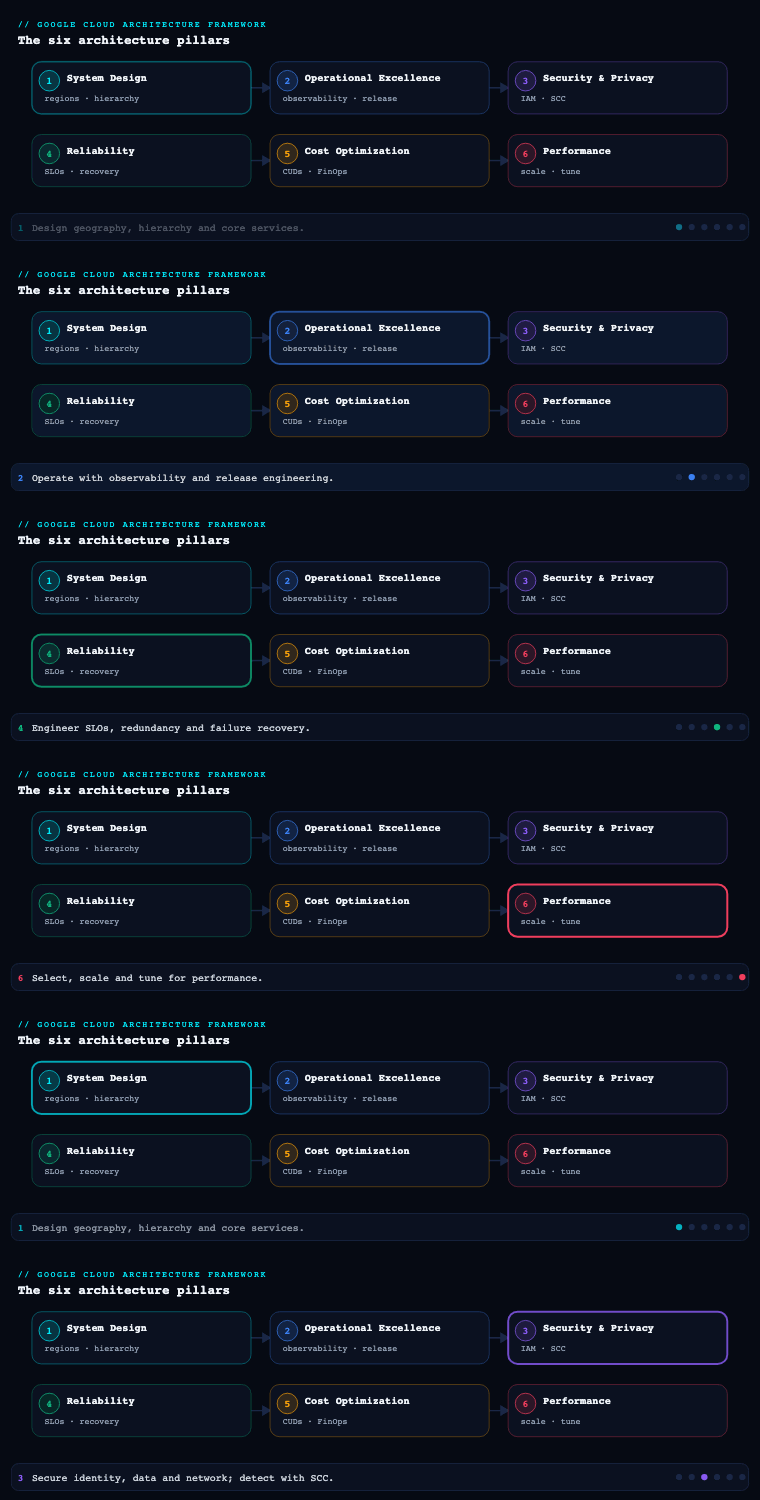
The Google Cloud Architecture Framework is Google’s Well-Architected equivalent, and Security, Privacy & Compliance is the third of its pillars (after Operational Excellence and Reliability, and before Cost Optimization, Performance Optimization, and the cross-cutting AI/ML perspective). Where the Cloud Adoption Framework’s Secure theme asks is the organization ready to protect itself, this pillar answers the architect’s question: given a Google Cloud organization, how do you actually build defense-in-depth around identity, data, network, and workloads, prove it to an auditor, and detect the attacker who slips past the first wall? Google frames the pillar around a small set of core principles — implement security by design, adopt zero trust, shift security left into CI/CD, implement preventive and detective controls, and use AI securely and responsibly — and the sections below take each sub-component (IAM, data security, network security, compliance, secrets management, threat detection, and confidential computing) and walk it as you would implement it in a real Google Cloud organization with a resource hierarchy, a Shared VPC, and a CISO who needs evidence.
Identity and Access Management (IAM)
What it is. IAM on Google Cloud is how you bind principals (human users in Cloud Identity / Google Workspace, federated workforce identities, service accounts, and groups) to roles (bundles of granular permissions) on resources arranged in the resource hierarchy — Organization → Folders → Projects → resources. A binding is the atom: principal + role + resource, expressed as an IAM allow policy that is inherited downward through the hierarchy. This is the GCP analog of AWS IAM + SCPs and Azure RBAC + management groups fused into one model.
Why it matters. Almost every cloud breach is an identity breach — a leaked service-account key, an over-granted Owner, a forgotten external collaborator. On GCP the inheritance model means a generous grant high in the hierarchy (say roles/editor at the org node) silently lands on every project beneath it, so identity mistakes scale by default. Getting IAM right is the single highest-leverage security control.
How to do it well — the hierarchy and least privilege. Bind roles to Google Groups, never to individual users, so joiner/mover/leaver is a directory operation, not an IAM edit. Grant at the lowest node that satisfies the need — a project, not the org. Abandon the basic roles (Owner, Editor, Viewer) for anything beyond a sandbox; prefer predefined roles scoped to a service, and where those are still too broad, author custom roles that enumerate exactly the permissions a job function needs. Use the IAM Recommender (part of Active Assist) to find and strip excess permissions — it reads 90 days of usage and proposes a tighter role automatically.
How to do it well — zero trust on the binding itself. A grant is not just who and what; it can be when and under what conditions. Use IAM Conditions to make bindings conditional on request attributes — time windows, the resource name prefix, or the caller’s IP. Layer Access Context Manager access levels (device posture, IP range, geography) and enforce them with VPC Service Controls and context-aware access so that even a valid credential is rejected from an unmanaged device or an untrusted network. For the most sensitive grants, require privileged access just-in-time via Privileged Access Manager (PAM), which grants an elevated role for a bounded window with an approval trail instead of a standing binding.
How to do it well — service accounts (the machine identities). Service accounts are the most-abused credential on GCP. The rules: do not create service-account keys — they are long-lived secrets that leak. For workloads on GKE, use Workload Identity Federation for GKE so pods impersonate a service account with no key. For CI/CD (GitHub Actions, GitLab) and other clouds, use Workload Identity Federation with OIDC/SAML so an external runner exchanges its own token for short-lived GCP credentials — again, no stored key. When one service must act as another, use service-account impersonation (roles/iam.serviceAccountTokenCreator) to mint short-lived tokens. Enforce the org policy iam.disableServiceAccountKeyCreation so a developer cannot mint a key even by accident.
Governance guardrails — Organization Policy. Above IAM allow policies sit Organization Policy Service constraints — preventive guardrails set at org/folder/project that no project owner can override. These are the GCP equivalent of SCPs: iam.allowedPolicyMemberDomains (only your domain can be granted — kills external sharing), iam.disableServiceAccountKeyCreation, compute.requireShieldedVm, compute.vmExternalIpAccess (deny public IPs), gcp.resourceLocations (data-residency), and storage.publicAccessPrevention. IAM Deny policies complement allow policies by denying a permission set regardless of any allow grant — a true backstop.
| Concern | Anti-pattern | Well-Architected pattern |
|---|---|---|
| Workforce login | Individual user bindings, consumer Gmail | Cloud Identity + Groups, federated from Entra ID/Okta via SAML/OIDC + SCIM |
| Role granularity | roles/owner “to unblock the team” |
Predefined/custom roles at the lowest node, tightened by IAM Recommender |
| Machine credentials | Downloaded service-account JSON keys | Workload Identity Federation + impersonation, keys disabled by org policy |
| Standing privilege | Permanent roles/owner for ops |
Privileged Access Manager just-in-time elevation with approval |
| External access | Sharing to outside domains | iam.allowedPolicyMemberDomains allow-list + VPC Service Controls |
| Conditional access | Credential valid anywhere | IAM Conditions + Access Context Manager + context-aware access |
Artifacts and decisions. An identity architecture diagram (IdP → Cloud Identity → groups → roles → hierarchy); the group-to-role catalog mapped to job functions; the Organization Policy baseline as Terraform; a service-account inventory with key-creation disabled; a break-glass procedure (a hardware-MFA super-admin account, sealed) for when federation fails; and an IAM Recommender triage cadence.
Data security
What it is. Data security is protecting data at rest, in transit, and in use across the data lifecycle — encryption, key management, classification, de-identification, and exfiltration prevention — for the services that actually hold the data (Cloud Storage, BigQuery, Cloud SQL, Spanner, Persistent Disk).
Why it matters. Data is what attackers and regulators care about. The two failure modes that dominate are misconfiguration (a public Cloud Storage bucket, an over-shared BigQuery dataset) and key compromise. The pillar’s “keep people away from data” principle means humans should rarely touch raw production data at all.
How to do it well — encryption and key management. Everything on Google Cloud is encrypted at rest by default with Google-managed keys; the architectural decisions are about who controls the key. Use Cloud KMS with customer-managed encryption keys (CMEK) to put yourself in the key’s control plane — you can rotate, disable, and crucially revoke a key to make data unreadable, and every key use is logged. For the highest assurance, back keys with Cloud HSM (FIPS 140-2 Level 3 hardware) or hold the key entirely outside Google with Cloud External Key Manager (Cloud EKM) so Google can never decrypt without your external KMS releasing the key. Enforce CMEK organization-wide with the gcp.restrictNonCmekServices and gcp.restrictCmekCryptoKeyProjects org policies. In transit, traffic is encrypted by default; enforce TLS at the edge and use Application Layer Transport Security (ALTS) for service-to-service within Google’s fabric.
How to do it well — classification and de-identification. You cannot protect what you have not found. Run Sensitive Data Protection (formerly Cloud DLP) to discover and classify PII/PHI/PCI across Cloud Storage, BigQuery, and Datastore using 150+ built-in infoType detectors, then de-identify through masking, tokenization, format-preserving encryption, or bucketing so analytics teams work on safe data. Pipe BigQuery and Cloud Storage discovery profiles into Security Command Center so data risk shows up next to infrastructure risk.
How to do it well — fine-grained access and exfiltration control. In BigQuery, use authorized views, column-level security (policy tags from Dataplex/Data Catalog), and row-level security so a principal sees only the rows and columns they’re entitled to. Wrap your data-holding projects in a VPC Service Controls perimeter — this is the single most important anti-exfiltration control on GCP: it stops a principal with a valid Storage/BigQuery permission from copying data to a project outside the perimeter, defeating credential theft and insider exfil. Turn on Cloud Storage public access prevention and uniform bucket-level access org-wide.
| Control | Service | What it gives you |
|---|---|---|
| Key custody | Cloud KMS (CMEK), Cloud HSM, Cloud EKM | Rotation, revocation, hold-your-own-key, key-use audit |
| Discovery & classification | Sensitive Data Protection (DLP) | Find/classify PII; profiles into SCC |
| De-identification | DLP transforms, format-preserving encryption | Safe analytics on tokenized data |
| Fine-grained access | BigQuery column/row-level security, policy tags | Least privilege inside a dataset |
| Exfiltration prevention | VPC Service Controls perimeter | Data cannot leave the trust boundary |
| Bucket hardening | Public access prevention, uniform bucket-level access | No accidental public data |
Artifacts and decisions. A data classification scheme and inventory; a key-management standard (which data tiers require CMEK vs. CMEK-on-HSM vs. EKM, and the rotation period); DLP inspection/de-identification templates; the VPC-SC perimeter and ingress/egress rules; and a documented decision on data residency enforced via gcp.resourceLocations.
Network security
What it is. Network security on GCP is segmentation, perimeter defense, private connectivity, and traffic inspection across the VPC, the edge, and the boundary to the internet and to other clouds.
Why it matters. The network is both an isolation boundary and an attack surface. A flat VPC with public IPs and permissive firewall rules turns one compromised VM into lateral movement across the estate; a well-segmented, private-by-default network contains the blast radius.
How to do it well — topology and segmentation. Use Shared VPC so a central network/security team owns subnets, firewall rules, and routes in a host project, while application teams deploy into attached service projects — a clean separation of network control from workload ownership. Segment with firewall rules and, preferably, hierarchical firewall policies (set at org/folder so they apply across projects and cannot be loosened locally) and network firewall policies with firewall rules using tags / secure tags for identity-aware micro-segmentation rather than brittle IP ranges. Default-deny egress and allow only what’s needed.
How to do it well — private by default. Eliminate public IPs (enforced by compute.vmExternalIpAccess). Reach Google APIs without traversing the internet via Private Google Access and Private Service Connect (which also privately exposes your own services and consumes third-party SaaS). Connect to managed services (Cloud SQL, Memorystore) over Private Service Access. Bridge to on-prem/other clouds with Cloud VPC and Cloud Interconnect / HA VPN, and resolve names privately with Cloud DNS private zones.
How to do it well — edge and inspection. Front public apps with the global external Application Load Balancer plus Google Cloud Armor for WAF (OWASP Top-10 preconfigured rules), L7 DDoS defense (Cloud Armor Adaptive Protection), geo/IP rules, and rate limiting — backed by Google’s always-on volumetric DDoS protection. Add reCAPTCHA Enterprise for bot defense and Identity-Aware Proxy (IAP) to put a zero-trust authentication gate in front of apps and SSH/RDP — replacing the VPN and bastion entirely. For deep packet inspection and egress filtering, deploy Cloud NGFW (Cloud Next Generation Firewall) with its intrusion prevention (IPS) and TLS inspection, or Secure Web Proxy for outbound traffic governance. Capture VPC Flow Logs and Firewall Rules Logging for detection and forensics.
| Layer | Control | Service |
|---|---|---|
| Topology | Centralized network ownership | Shared VPC (host/service projects) |
| Segmentation | Cross-project, identity-aware rules | Hierarchical firewall policies + secure tags |
| Private access | No internet path to Google/SaaS | Private Service Connect, Private Google Access |
| Edge | WAF + L3-7 DDoS + bot defense | Cloud Armor, reCAPTCHA Enterprise, global ALB |
| App access | Zero-trust gate, no VPN/bastion | Identity-Aware Proxy (IAP) |
| Inspection | IPS, TLS inspection, egress control | Cloud NGFW, Secure Web Proxy |
Artifacts and decisions. A network topology diagram (Shared VPC, subnets per region/tier, interconnect); the hierarchical firewall policy set in Terraform; a “no public IP” decision and exceptions register; a Cloud Armor policy with WAF + rate-limit rules; and an IAP rollout plan to retire bastions/VPN.
Compliance
What it is. Compliance is mapping external obligations (PCI DSS, HIPAA, SOC 2, ISO 27001, FedRAMP, GDPR, India’s DPDP Act) to implemented technical controls, continuously evidencing those controls, and proving the cloud provider’s own attestations cover the shared-responsibility split.
Why it matters. Controls that aren’t evidenced don’t exist to an auditor. Manual screenshot-gathering is slow, stale the moment it’s captured, and doesn’t scale across hundreds of projects. The goal is continuous, queryable compliance.
How to do it well — inherit, then prove your half. Start from Google Cloud’s compliance reports and certifications in Compliance Manager and the Compliance reports manager — Google’s own ISO, SOC, PCI, and regional attestations cover the infrastructure layer of shared responsibility. Then evidence your configuration. Use Security Command Center’s compliance dashboard, which maps active findings to benchmarks (CIS Google Cloud Foundations, PCI DSS, NIST 800-53, ISO 27001) and shows real-time pass/fail per control. Define your controls as Organization Policy constraints and Assured Workloads for regulated regimes (FedRAMP, IL4/IL5, regional sovereignty) which enforce data residency, personnel restrictions, and provider-controls in a constrained folder. Maintain everything as code so the control is its own evidence.
How to do it well — data residency and sovereignty. For EU/India/regional mandates, combine gcp.resourceLocations (where resources may live), Assured Workloads (sovereign control packages), and Sovereign Controls partner regions, plus Cloud EKM so key custody never leaves your jurisdiction. For privacy specifically, run Sensitive Data Protection to evidence you know where personal data is, honor data-subject requests, and apply minimization.
How to do it well — continuous evidence. Stream Cloud Audit Logs (Admin Activity is always-on and immutable; enable Data Access logs for read/write of data) to a locked, retention-policied Cloud Logging bucket and BigQuery. Pair Cloud Asset Inventory (point-in-time config + change feed) with Security Health Analytics to produce auditor-ready, time-stamped evidence of control state, on demand.
| Obligation type | GCP mechanism | Evidence artifact |
|---|---|---|
| Provider attestations (infra layer) | Compliance Manager / reports manager | Downloadable SOC 2, ISO, PCI reports |
| Configuration compliance | SCC compliance dashboard (CIS/PCI/NIST) | Real-time control pass/fail |
| Regulated/sovereign workloads | Assured Workloads, Sovereign Controls | Enforced residency + personnel controls |
| Data residency | gcp.resourceLocations, Cloud EKM |
Org-policy denial of out-of-region resources |
| Audit trail | Cloud Audit Logs → Logging/BigQuery | Immutable, retention-locked activity logs |
| Asset & change evidence | Cloud Asset Inventory + Security Health Analytics | Time-stamped config + change history |
Artifacts and decisions. A control-mapping matrix (obligation → control → GCP mechanism → evidence source); the chosen benchmark in SCC; an Assured Workloads decision per regulated workload; an audit-log retention and access-restriction policy; and a data-residency design.
Secrets management
What it is. Secrets management is the secure storage, distribution, rotation, and auditing of credentials, API keys, certificates, and other sensitive configuration — keeping them out of source code, container images, and environment variables.
Why it matters. Hard-coded secrets are the most common way credentials leak: committed to git, baked into images, printed in logs. A leaked database password or API key is a direct breach. (This is a live lesson on KloudVin’s own history — old DB passwords once lived in git and had to be rotated and never re-committed.)
How to do it well — Secret Manager. Store secrets in Secret Manager, which versions every secret, encrypts at rest (CMEK-capable), and gates access through IAM (roles/secretmanager.secretAccessor) with full Cloud Audit Logging of every access. Workloads fetch secrets at runtime — Cloud Run, Cloud Functions, GKE, and Compute Engine can mount secrets as files or inject them as environment variables natively, so the secret never lands in an image or repo. Pin to specific versions in production and promote new versions deliberately. Scope each secret’s accessor binding to exactly the service account that needs it, and replicate per data-residency requirements (automatic or user-managed regions).
How to do it well — rotation and hygiene. Configure rotation with schedules and Pub/Sub notifications that trigger a Cloud Function to mint and store a new credential, so secrets are short-lived. Crucially, prefer not to have a secret at all: Workload Identity Federation and service-account impersonation replace stored credentials with short-lived tokens for cloud-to-cloud and CI/CD auth, and IAM database authentication lets Cloud SQL accept IAM identities instead of passwords. Stop secret introduction at the source with Secret Manager + Sensitive Data Protection scanning and Software Delivery Shield / git pre-commit secret scanners so a credential never reaches a repo. For PKI and mTLS, use Certificate Authority Service (CA Service) and Certificate Manager rather than self-managed certs.
| Need | Anti-pattern | Well-Architected pattern |
|---|---|---|
| App credentials | .env file / hard-coded in image |
Secret Manager, mounted at runtime, IAM-scoped |
| CI/CD auth to GCP | Stored service-account key | Workload Identity Federation (OIDC), no key |
| Database auth | Long-lived DB password | IAM database authentication / short-lived creds |
| Rotation | Manual, yearly, often skipped | Scheduled rotation + Pub/Sub-triggered function |
| Certificates | Self-signed, manually renewed | CA Service + Certificate Manager |
| Leak prevention | Hope nobody commits a secret | Secret scanning in CI + DLP, keys disabled by org policy |
Artifacts and decisions. A secrets inventory with owner and rotation period; the Secret Manager naming/labeling and replication policy; a “no static keys” standard backed by iam.disableServiceAccountKeyCreation; rotation runbooks; and a secret-scanning gate in the pipeline.
Threat detection with Security Command Center
What it is. Security Command Center (SCC) is Google Cloud’s native security and risk-management platform — the single pane that unifies posture management (misconfigurations), vulnerability management, threat detection, attack-path analysis, and compliance across the whole organization. It is the GCP analog of AWS Security Hub + GuardDuty + Inspector + Macco-equivalents fused into one product, available in Standard, Premium, and the Enterprise tier (which adds multi-cloud CSPM/CNAPP via the Mandiant-powered platform and SIEM/SOAR through integrated Google SecOps).
Why it matters. Prevention eventually fails or is bypassed; detection bounds the attacker’s dwell time and proves to auditors you would notice. SCC turns thousands of signals across hundreds of projects into prioritized, deduplicated findings with the context — which exposed asset, which toxic permission combination, which attack path to a high-value resource — needed to act, rather than a raw firehose of alerts.
How to do it well — the detective services inside SCC. Enable the built-in detectors and route their findings:
- Security Health Analytics (SHA) — managed posture scanning that continuously detects misconfigurations (public buckets, over-broad firewall rules, missing CMEK, disabled audit logs) and maps them to CIS/PCI/NIST benchmarks. This is your CSPM engine.
- Event Threat Detection (ETD) — analyzes Cloud Audit Logs, VPC Flow Logs, and DNS logs in near-real-time to surface active threats: anomalous IAM grants, service-account key abuse, cryptomining patterns, brute-force SSH, data exfiltration, and known-bad IP/domain contact (Google threat intelligence).
- Container Threat Detection (KTD) — runtime detection of suspicious behavior inside GKE containers (reverse shells, added binaries, malicious scripts).
- Virtual Machine Threat Detection (VMTD) — agentless, hypervisor-level scanning of running VM memory for cryptomining and other malware.
- Web Security Scanner — crawls App Engine/Compute/GKE web apps for XSS, outdated libraries, and mixed content.
- Sensitive Data Protection discovery and Mandiant Attack Surface Management feed data-risk and external-exposure context.
How to do it well — prioritize and respond. Premium/Enterprise add attack path simulation and Risk/Toxic combination findings that rank exposures by how reachable a high-value asset is — so you fix the public VM with a path to your data warehouse before the cosmetic finding. Virtual Red Team continuously models attacker paths. Operationalize the output: export findings to Pub/Sub to drive automated remediation (a Cloud Function that quarantines a resource), to BigQuery for analytics, and into Google SecOps (Chronicle) for SIEM correlation and SOAR playbooks. Wire SCC notifications to ticketing so every high-severity finding has an owner and an SLA.
| Capability | SCC service / tier | Detects / provides |
|---|---|---|
| Posture (CSPM) | Security Health Analytics | Misconfigurations vs. CIS/PCI/NIST |
| Log-based threats | Event Threat Detection | IAM abuse, exfil, cryptomining, bad-IP contact |
| Container runtime | Container Threat Detection | Reverse shells, malicious binaries in GKE |
| VM malware | VM Threat Detection (agentless) | Cryptomining in VM memory |
| Web app vulns | Web Security Scanner | XSS, outdated libs, mixed content |
| Risk prioritization | Attack path simulation, toxic combinations (Premium/Enterprise) | Reachable high-value-asset exposure |
| SIEM/SOAR + multicloud | Google SecOps, Enterprise tier | Correlation, playbooks, AWS/Azure CSPM |
Artifacts and decisions. The SCC tier decision (Premium for single-cloud GCP; Enterprise for multi-cloud + SIEM/SOAR); the finding-export architecture (Pub/Sub → remediation, BigQuery → analytics, SecOps → SIEM); a finding-severity-to-SLA runbook; the muted-findings policy; and the active benchmark for the compliance dashboard.
Shielded VMs and Confidential VMs
What it is. These are two distinct hardening technologies for Compute Engine (and the GKE nodes built on it). Shielded VM protects the boot integrity of a VM — verifying it boots a trusted, unmodified software stack. Confidential VM protects data in use — encrypting the VM’s memory so that data is unreadable even to the hypervisor and Google itself. Together they close the two gaps that encryption-at-rest and encryption-in-transit leave open: the boot chain and the live RAM.
Why it matters. Encryption at rest and in transit still leave data in plaintext while it’s being processed in memory, and leave the boot chain vulnerable to rootkits/bootkits that persist beneath the OS. For regulated, multi-tenant, or highly sensitive workloads (health data, financial PII, cryptographic key handling), “in use” protection and verifiable boot are the difference between meeting and missing a sovereignty or zero-trust requirement.
How to do it well — Shielded VM. Enable Shielded VM (it’s default on most modern images) to get three protections: Secure Boot (only signed, trusted boot components load — blocks bootkits), Virtual Trusted Platform Module (vTPM) with Measured Boot (records integrity measurements of the boot sequence), and integrity monitoring (compares the boot baseline against later boots and raises a finding in SCC/Cloud Logging on tampering). Enforce it across the org with the compute.requireShieldedVm organization policy so no one can launch an unverified VM.
How to do it well — Confidential VM. Turn on Confidential Computing to encrypt memory with keys generated and held in hardware that the host OS and hypervisor cannot access. GCP offers a choice of hardware-backed technologies — AMD SEV and SEV-SNP (the latter adds memory-integrity and stronger attestation), and Intel TDX — selectable by machine series (N2D/C2D/C3D for AMD, C3 for Intel TDX). For confidential GKE, enable Confidential GKE Nodes; for accelerated/AI workloads, Confidential VMs with GPUs (NVIDIA H100 confidential computing) extend the trust boundary to the accelerator. Use remote attestation so a relying party (or Cloud KMS, releasing a key only to an attested workload) can cryptographically verify the workload is genuine before trusting it. Confidential VMs are largely a flag, not an application rewrite — the main trade-offs are a modest performance overhead, a constrained set of supported machine types/regions, and image compatibility, so validate on your workload.
| Technology | Protects | Mechanism | Enforce / enable with |
|---|---|---|---|
| Secure Boot | Boot chain | Only signed boot components load | Shielded VM (default), compute.requireShieldedVm |
| vTPM + Measured Boot | Boot integrity baseline | Hardware-rooted boot measurements | Shielded VM |
| Integrity monitoring | Post-boot tampering | Baseline vs. runtime comparison → SCC finding | Shielded VM |
| Confidential VM | Data in use (RAM) | Hardware-encrypted memory (AMD SEV-SNP / Intel TDX) | Confidential Computing flag on N2D/C2D/C3/C3D |
| Confidential GKE Nodes | Containers’ data in use | Confidential VM as node | GKE node-pool setting |
| Confidential GPU | AI/accelerated data in use | Confidential H100 + attestation | Confidential VM with GPU |
Artifacts and decisions. A workload-sensitivity tiering that says which tiers require Shielded-only vs. Shielded + Confidential; the compute.requireShieldedVm org policy; a Confidential VM machine-type/region feasibility and performance-validation result; an attestation-gated key-release design (Cloud KMS releasing keys only to attested Confidential VMs); and integrity-monitoring alert routing into SCC.
Real-world enterprise scenario
Meridian Health Networks, a fictional pan-India digital-health platform (820 employees, processing electronic health records for 11 million patients across 40+ hospitals), is migrating from a single sprawling project to a governed Google Cloud organization. They must satisfy ISO 27001, SOC 2 Type II, PCI DSS (for payments), and India’s DPDP Act data-residency rules, all on a tight budget. They apply the pillar sub-component by sub-component.
IAM. They federate Cloud Identity from their existing Microsoft Entra ID via SAML + SCIM, so all 820 staff and joiner/mover/leaver flow from the HR-driven directory. They bind only Google Groups to roles, abolish basic roles outside two sandbox projects, and stand up a hierarchy of Organization → Folders (prod, non-prod, shared-services, security) → 60 projects. The platform team disables service-account keys org-wide (iam.disableServiceAccountKeyCreation), runs all GKE workloads on Workload Identity Federation for GKE, and wires GitHub Actions to GCP through Workload Identity Federation — zero downloaded keys exist in the estate. SREs get production roles/container.admin only through Privileged Access Manager just-in-time, with a 2-hour window and approval. The IAM Recommender trims 1,400 excess permissions in the first quarter.
Data security. EHR data lives in BigQuery and Cloud SQL, encrypted with CMEK backed by Cloud HSM; the payments dataset uses Cloud EKM so the key never leaves their on-prem HSM — meeting the strictest sovereignty reading. Sensitive Data Protection profiles every BigQuery dataset and Cloud Storage bucket, classifies PHI/PII/PCI, and feeds the profiles into SCC; analytics teams query format-preserving-encrypted and column-masked views via BigQuery column- and row-level security with policy tags. The entire data estate sits inside a VPC Service Controls perimeter — a stolen analyst credential cannot copy a single row to an outside project.
Network security. A Shared VPC host project (security-team-owned) serves subnets to all 60 service projects. Hierarchical firewall policies enforce default-deny egress and identity-aware secure tags; compute.vmExternalIpAccess bans public IPs. Clinicians and admins reach internal apps through Identity-Aware Proxy — the corporate VPN and all bastions are retired. Public patient-portal traffic terminates on a global external Application Load Balancer behind Google Cloud Armor (OWASP rules + Adaptive Protection + rate limiting) and reCAPTCHA Enterprise. Cloud NGFW with IPS inspects east-west and egress traffic.
Compliance. They enable Security Command Center Enterprise, set the compliance dashboard to CIS Google Cloud Foundations + PCI DSS + ISO 27001, and place the regulated EHR and payments folders under Assured Workloads with gcp.resourceLocations pinned to asia-south1/asia-south2 — enforcing DPDP residency. Provider attestations are pulled from Compliance Manager; Cloud Audit Logs (Admin Activity + Data Access) stream to a retention-locked Logging bucket and BigQuery for the auditors.
Secrets management. All application credentials move to Secret Manager, mounted into Cloud Run and GKE at runtime, each scoped to a single service account; DB access uses IAM database authentication where possible. Rotation is scheduled with Pub/Sub-triggered Cloud Functions. A secret-scanning gate in CI plus DLP blocks any new credential from reaching a repo — directly addressing their earlier near-miss of credentials in source control.
Threat detection. SCC Enterprise runs Security Health Analytics, Event Threat Detection, Container Threat Detection, and VM Threat Detection; findings export to Pub/Sub (auto-quarantine a public bucket within minutes), BigQuery, and Google SecOps for SIEM correlation and SOAR playbooks. Attack-path simulation flags a toxic combination — a misconfigured service account reachable from the internet with a path to the EHR warehouse — which they remediate before it’s exploited.
Confidential computing. All EHR-processing nodes run on Confidential GKE Nodes (AMD SEV-SNP) so patient data is encrypted in memory; compute.requireShieldedVm ensures every VM is Shielded with Secure Boot, vTPM, and integrity monitoring routed to SCC. Cloud KMS is configured to release the payments key only to attested Confidential VMs.
Measurable outcome. Within two quarters Meridian reaches a CIS Foundations score of 94% (from 47%), passes its SOC 2 Type II audit with auditor evidence pulled directly from Cloud Asset Inventory and the SCC compliance dashboard, holds zero downloaded service-account keys across 60 projects, cuts mean-time-to-detect for the simulated exfil scenario from days to under 15 minutes, and retires its VPN and bastion fleet — reducing both attack surface and operating cost.
Deliverables & checklist
Common pitfalls
- Relying on IAM allow policies alone and forgetting Organization Policy. IAM says who can do something; without Organization Policy constraints and IAM Deny policies a project owner can still create public buckets, public IPs, or service-account keys. Set the preventive guardrails at org/folder so they cannot be overridden, and treat them as code.
- Downloaded service-account keys. The default-easy path — create a key, paste the JSON — is the most common GCP leak vector. Disable key creation org-wide and standardize on Workload Identity Federation and impersonation; there is almost no legitimate reason for a long-lived key in 2026.
- Treating Security Command Center as a dashboard nobody owns. Enabling SCC without wiring findings to Pub/Sub-driven remediation, ticketing, and an SLA just produces an ignored backlog. Assign owners, automate the obvious remediations, and use attack-path/toxic-combination ranking so the team fixes reachable risk first, not cosmetic findings.
- Forgetting VPC Service Controls, so valid credentials = data exfiltration. IAM and firewalls don’t stop a principal with legitimate BigQuery/Storage permissions from copying data to an outside project. The VPC-SC perimeter is the control that defeats credential theft and insider exfil — design it early, because retrofitting perimeters around live data pipelines is painful.
- Confusing encryption-at-rest with “data is protected.” Default encryption leaves the boot chain and memory-in-use exposed. For sensitive/regulated workloads, enforce Shielded VM (Secure Boot + integrity monitoring) and run Confidential VMs/GKE Nodes so data is encrypted while processed — and use attestation to gate key release.
- Compliance theater — controls with no evidence. Auditors need time-stamped proof, not screenshots. Drive compliance from the SCC compliance dashboard, Cloud Asset Inventory, and immutable Cloud Audit Logs, and inherit the provider’s half from Compliance Manager — so evidence is continuous and queryable, not a quarterly fire drill.
What’s next
Part 4 of the Google Cloud Architecture Framework turns from protecting the workload to paying for it: Cost Optimization — building a FinOps practice with billing structure, budgets and alerts, committed-use and spend-based discounts, the Recommender family, and the rate/usage/architecture levers that keep a secure platform affordable.