Where this fits
In Part 1 we built the resource hierarchy — the Organization node, folders, and projects that give Google Cloud its shape. Identity & Access is the layer that decides who and what may act on that hierarchy, and with what privilege. On Google Cloud every authenticated action resolves to a principal (a human, a group, or a workload) evaluated against an IAM allow policy attached somewhere on the hierarchy and inherited downward. Get this layer wrong and the hierarchy is just expensive scaffolding; get it right and every later phase — networking, security, CI/CD — inherits clean, auditable, least-privilege access. This article goes deep on the five pillars that make that possible: Cloud Identity as the identity source of truth, Google Groups as the unit of grant, IAM roles and policies as the grammar of authorization, service accounts plus Workload Identity Federation for non-human and cross-cloud access, and least-privilege design as the discipline that ties them together.
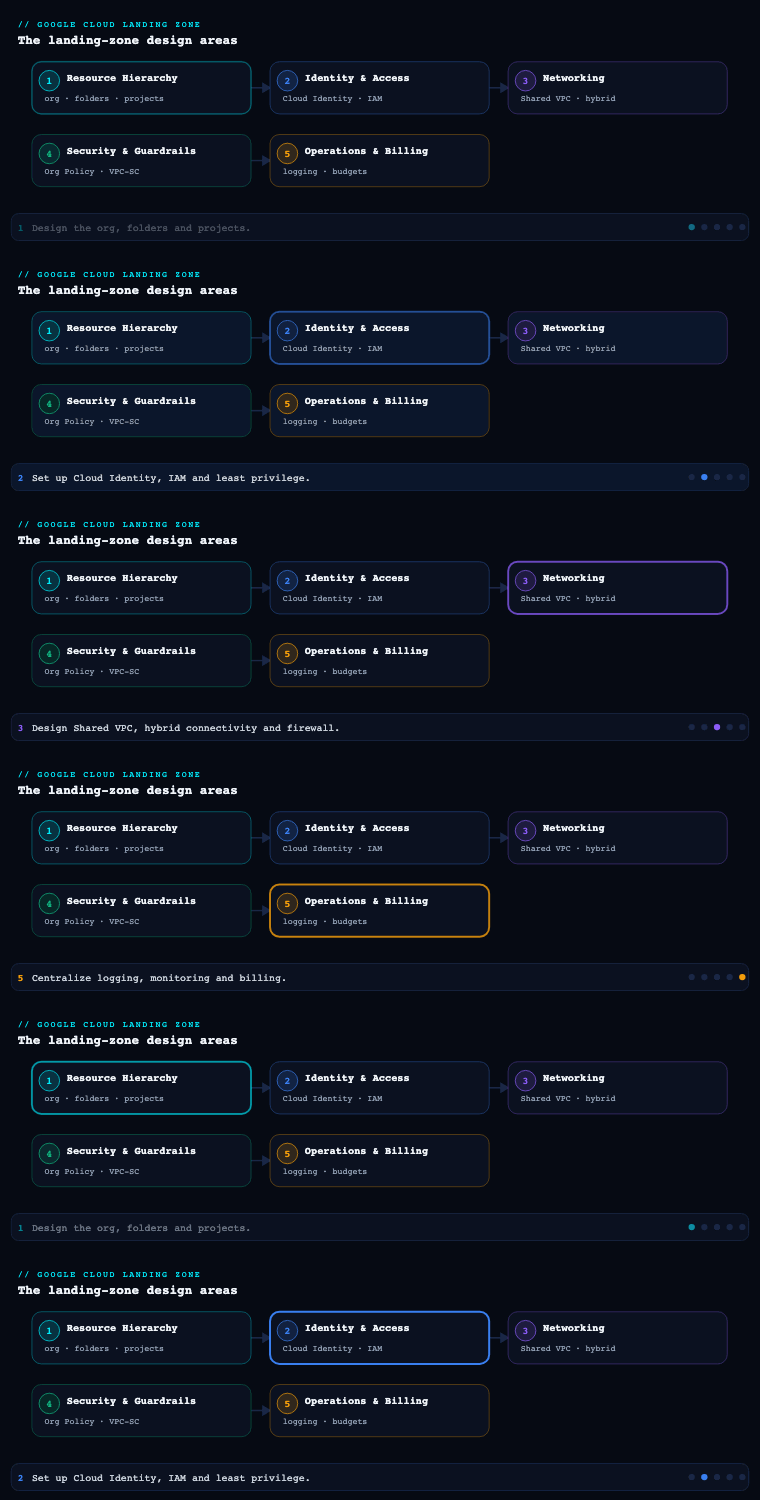
Cloud Identity — the source of truth for principals
What it is. Cloud Identity is Google’s standalone Identity-as-a-Service (IDaaS) product — effectively Google Workspace without the productivity apps. It provisions the Google Cloud Organization resource the first time it is associated with a verified DNS domain, and it owns the lifecycle of every human principal (user: members), every group:, and the super administrators who sit above the entire org. Without a Cloud Identity (or Workspace) account you cannot have an Organization node, and without an Organization node you have no hierarchy to inherit policy through — so Cloud Identity is genuinely the foundation stone of the landing zone, not an afterthought.
Why it matters. Cloud Identity is where the authoritative list of people lives. In almost every enterprise that list already exists in an external IdP — Microsoft Entra ID (Azure AD), Okta, or Ping. The landing-zone decision is therefore not “do we use Cloud Identity?” but “how does our existing IdP federate and provision into it?” The standard pattern is SAML 2.0 / OIDC for authentication (the IdP issues the assertion, Google trusts it) combined with automated provisioning via SCIM or Google Cloud Directory Sync (GCDS) so that joiners, movers, and leavers in the HR-driven IdP flow into Cloud Identity without manual toil. Federating SSO but forgetting provisioning is a classic mistake — you end up with orphaned Google accounts that outlive employment.
How to do it well.
- Verify the primary domain and any secondary domains up front; the verified domain is what gives you the Organization. Use a domain you control long-term, never a personal one.
- Federate authentication to the corporate IdP so MFA, conditional access, and session policy stay centralised. Reserve a tiny number of non-federated, Google-native super-admin accounts (typically 2–4) as break-glass — these must not depend on the IdP, or an IdP outage locks you out of your own org.
- Provision groups and users automatically. Prefer GCDS (a Google-supported on-prem connector that syncs from LDAP/AD) or SCIM from Entra/Okta. Decide the system of record — usually HR feeds the IdP, the IdP feeds Cloud Identity — and never let admins hand-create production principals.
- Harden the super-admin tier: enforce hardware security keys (FIDO2) for every super admin, enrol them in the Advanced Protection Program, store break-glass credentials in a physical safe, and alert on every super-admin login via Cloud Audit Logs.
- Separate the Cloud Identity admin role from the GCP Organization Admin role. A Cloud Identity super admin can reset any user and is not automatically a Google Cloud IAM admin — keep these populations deliberately distinct.
Key artifacts & decisions
| Decision | Options | Landing-zone default |
|---|---|---|
| Identity edition | Cloud Identity Free / Premium, or Workspace | Cloud Identity Premium (device mgmt, security centre, more API quota) |
| Authentication | Google-native vs federated SSO | Federated SAML/OIDC to corporate IdP |
| Provisioning | Manual, GCDS, or SCIM | GCDS (AD-centric) or SCIM (Entra/Okta) |
| Super admins | Count and protection | 2–4 break-glass, FIDO2 + Advanced Protection |
| Domains | Primary + secondaries | Verify all corporate domains; block consumer-account takeover |
Google Groups — the unit of grant, never the user
What it is. A Google Group is a named collection of members (group:platform-admins@example.com) that is itself a valid IAM principal. Crucially, IAM treats a group exactly like a user when evaluating policy — so you bind roles to groups, and membership of the group is what actually confers access. Groups can nest (a group can be a member of another group), and that nesting is the lever that lets you model business reality without exploding the number of IAM bindings.
Why it matters. This is the single highest-leverage practice in GCP access management. If you bind roles directly to individual user: members, then onboarding, offboarding, and audits become a sprawling search across hundreds of projects’ IAM policies. Bind to groups instead and the entire access posture of a person is governed by which groups they belong to — a question answered (and provisioned) by your IdP. Access reviews collapse from “audit every binding” to “audit group membership,” and offboarding becomes a single membership removal in the IdP that propagates everywhere.
How to do it well.
- Adopt a strict naming convention that encodes scope, environment, and function so the group name alone tells an auditor what it grants — e.g.
gcp-<folder>-<env>-<function>@example.com→gcp-retail-prod-developers@example.com. - Map groups to the hierarchy, not to projects. Create groups aligned to folders (workload domains, environments) and bind them at the folder level so the grant inherits to every current and future project beneath. New projects then inherit access with zero extra bindings.
- Use a layered group model. Function groups (
*-developers,*-viewers,*-secops) are bound to roles; people groups (per team) are nested into function groups. Move a person between teams and their effective access changes automatically. - Provision membership from the IdP, never by hand in the Google Admin console. Entra ID dynamic groups or Okta group rules synced via SCIM/GCDS keep membership HR-driven.
- Control group settings: restrict who can create groups, disable external membership for privileged groups, and audit membership changes through the Cloud Identity Groups API and audit logs.
| Group layer | Example | Bound to a role? | Membership source |
|---|---|---|---|
| Function group | gcp-org-billing-admins |
Yes (Billing Account Admin) | Nested people groups |
| Environment group | gcp-retail-prod-developers |
Yes (custom Developer role at folder) | Nested team groups |
| People/team group | team-checkout-engineering |
No (only nests upward) | IdP / HR feed |
| Break-glass group | gcp-org-breakglass |
Yes (Org Admin, time-boxed) | Manual, tiny, alerted |
IAM roles and policies — the grammar of authorization
What it is. Google Cloud IAM answers a single question: can this principal perform this permission on this resource? The answer is computed from an allow policy (Policy) — a set of bindings, each pairing a role (a bundle of permissions like roles/compute.networkAdmin) with one or more members and an optional IAM Condition. Policies attach to the Organization, a folder, a project, or in many cases an individual resource, and they inherit downward and are additive/union — a principal’s effective permissions are the union of everything granted at every level above and at the resource itself. There is no “deny by being more specific”; broad grants high in the hierarchy are dangerous precisely because they cannot be narrowed lower down except by IAM Deny policies.
Why it matters. Three role types exist and choosing among them is a real landing-zone decision:
| Role type | Examples | When to use | Caution |
|---|---|---|---|
| Basic (primitive) | roles/owner, roles/editor, roles/viewer |
Almost never in production | Thousands of permissions; editor can modify nearly everything — ban above sandbox |
| Predefined | roles/compute.networkAdmin, roles/bigquery.dataViewer |
The default workhorse | Google-maintained; granular; still review for scope |
| Custom | org-level org.kvNetworkOperator |
When predefined is too broad/narrow | You own maintenance as Google adds permissions |
How to do it well.
- Ban basic roles above the sandbox folder. Enforce with the Org Policy constraint
iam.allowedPolicyMemberDomainsfor domain restriction and use IAM Deny policies plus org policies to keeproles/owner/roles/editorout of shared and production folders. - Grant at the highest sensible node, no higher. Bind platform-team roles at the Organization or platform folder; bind workload-team roles at their folder. Never grant a workload team a role at the Org node.
- Use IAM Conditions to add context: time-bound access (
request.time), resource-name prefixes (resource.name.startsWith), or restricting a role to specific resource types. Conditions turn a coarse predefined role into a sharp grant. - Layer IAM Deny policies for guardrails that must hold regardless of additive allows — e.g. deny
iam.serviceAccounts.getAccessTokenoutside an approved set of principals, or deny deletion of org-level resources for everyone but break-glass. - Define custom roles at the Organization level (not per project) so they are reusable, version them in Terraform, and keep them few — a handful of well-named custom roles beats dozens of snowflakes.
- Manage every binding as code. IAM policy belongs in Terraform (
google_*_iam_*resources), reviewed via pull request, withauthoritativeresources used carefully so out-of-band console grants are detected and reverted.
A subtle but critical artifact is the IAM policy evaluation model your team must internalise: Deny policies are evaluated first and win; otherwise the union of all inherited allow bindings applies. Document this, because engineers coming from AWS expect explicit-deny-beats-allow everywhere, and on GCP allow policies are union-only.
Service accounts and Workload Identity Federation — identity for the things that aren’t people
What they are. A service account (SA) is a special principal that represents a workload rather than a human — a Compute Engine VM, a GKE pod, a Cloud Run service, a CI job. It is both an identity (it appears in IAM bindings as serviceAccount:...) and a resource (it has its own IAM policy controlling who may act as it). Historically workloads authenticated as an SA using a downloaded JSON service-account key — a long-lived static secret. That key is the single most common GCP credential-leak vector, which is why the modern landing zone treats exported SA keys as essentially forbidden and replaces them with two keyless mechanisms.
Why keyless matters — the two pillars:
- Attached service accounts + the metadata server for in-Google workloads. A VM, GKE Workload Identity, Cloud Run, or Cloud Functions runtime is attached to an SA and obtains short-lived OAuth tokens from the GCP metadata server automatically. No key file ever exists. For GKE specifically, GKE Workload Identity maps a Kubernetes service account to a Google service account so pods get scoped, keyless tokens.
- Workload Identity Federation (WIF) for outside-Google workloads. WIF lets an external identity — a GitHub Actions OIDC token, an AWS IAM role, an Azure AD/Entra workload, or any OIDC/SAML IdP — exchange its native credential for a short-lived Google access token via the Security Token Service (STS), with no service-account key. You create a Workload Identity Pool, add a Workload Identity Provider (the trust to GitHub/AWS/Azure/OIDC), define attribute mappings (
google.subject,attribute.repository, etc.) and attribute conditions that restrict which external identities are accepted, then grant those mapped principals the right to impersonate an SA. This is how the landing zone eliminates the last static keys from CI/CD and cross-cloud integrations.
How to do it well.
- One purpose-built SA per workload, named for its job (
sa-checkout-api@<project>.iam.gserviceaccount.com); never reuse one SA across unrelated workloads and never use the default Compute/App Engine SAs (they carryroles/editor— disable their automatic grant with theiam.automaticIamGrantsForDefaultServiceAccountsorg policy). - Forbid SA key creation org-wide via
iam.disableServiceAccountKeyCreation, and forbid key upload viaiam.disableServiceAccountKeyUpload. Enforce keyless access everywhere instead. - Use Service Account impersonation for humans and pipelines that genuinely need an SA’s privileges: grant
roles/iam.serviceAccountTokenCreatoron the specific SA, mint a short-lived token on demand, and audit everygenerateAccessTokencall. This replaces shared keys with traceable, time-bound, per-principal access. - Scope WIF tightly. Always set an attribute condition (e.g.
assertion.repository == 'example/checkout' && assertion.ref == 'refs/heads/main') so a stolen OIDC token from an unrelated repo or branch cannot impersonate your SA. A pool/provider with no condition is a foot-gun. - Right-size SA permissions like any principal — predefined or custom roles at the project/resource scope, never
editor.
| Workload location | Recommended identity mechanism | Static key? |
|---|---|---|
| Compute Engine / Cloud Run / Cloud Functions | Attached SA + metadata server | No |
| GKE pods | GKE Workload Identity (KSA→GSA) | No |
| GitHub Actions / GitLab CI | Workload Identity Federation (OIDC) | No |
| AWS or Azure workloads calling GCP | WIF with AWS/Azure provider | No |
| Legacy / unsupported external system | SA key only as last resort, short rotation + Secret Manager | Avoid |
Least-privilege design — the discipline that ties it together
What it is. Least privilege is the operating principle that every principal — human or workload — holds the minimum roles needed for its task, at the narrowest scope, for the shortest time. On GCP this is not a single feature but a composition of the four pillars above plus a set of supporting tools that measure and enforce the principle continuously.
How to do it well — the GCP toolchain:
- IAM Recommender (Policy Intelligence) analyses 90 days of actual usage and recommends removing unused permissions or downgrading over-broad roles. Treat its findings as a backlog and drive excess-permission ratio toward zero.
- Policy Analyzer / Policy Troubleshooter answers “who can access what” and “why does this principal have this access” across the org — essential for access reviews and incident response.
- Privileged Access Manager (PAM) grants just-in-time, time-boxed, approval-gated elevation so standing access to powerful roles approaches zero; engineers request elevation, an approver signs off, the grant auto-expires.
- Org Policy Service enforces the structural guardrails least privilege depends on — restrict resource locations, disable SA key creation, ban external members, and disable default-SA grants — so misconfigurations are prevented, not just detected.
- IAM Conditions + Deny policies keep grants context-bound and provide the only “explicit deny” GCP offers.
| Discipline | GCP tool / mechanism | KPI to track |
|---|---|---|
| Remove unused permissions | IAM Recommender | Excess-permission ratio → 0 |
| Eliminate standing privilege | Privileged Access Manager (JIT) | % of privileged access that is standing |
| Group-based grants | Google Groups + IdP | % of bindings to groups vs users (target ~100%) |
| Keyless workloads | WIF + attached SAs + key-creation deny | Count of exported SA keys (target 0) |
| Prevent misconfig | Org Policy Service | # of high-risk org-policy violations |
| Answer “who can do what” | Policy Analyzer | Time to complete an access review |
Real-world enterprise scenario
MeridianPay, a fictional European payments platform (1,900 employees, PCI-DSS and DORA in scope), is standing up its Google Cloud landing zone. Its existing IdP is Microsoft Entra ID, fed by Workday HR. Engineering is split into a central Platform team and four product domains — checkout, ledger, risk, and partners — each with dev/staging/prod environments, mirroring the folder hierarchy from Part 1.
Cloud Identity. MeridianPay verifies meridianpay.eu and two secondary brand domains, provisioning Cloud Identity Premium. Authentication is federated via SAML to Entra ID, so corporate MFA and conditional access apply; user and group provisioning runs through SCIM from Entra so Workday joiner/leaver events propagate within minutes. They create 3 break-glass super admins with FIDO2 keys enrolled in the Advanced Protection Program, credentials sealed in the SecOps safe, and a Cloud Audit Logs alert on every super-admin sign-in. Entra remains the system of record; no production principal is ever hand-created.
Google Groups. Membership lives in Entra dynamic groups and syncs to Cloud Identity. They adopt gcp-<domain>-<env>-<function>@meridianpay.eu. Function groups such as gcp-checkout-prod-developers are bound to a custom Developer role at the checkout folder; team groups like team-checkout-eng are nested into the right environment groups. A gcp-org-breakglass group holds Org Admin via a PAM-gated, time-boxed grant. Net result: onboarding an engineer is one Entra group add; offboarding is one removal — both driven by Workday.
IAM roles and policies. Basic roles are banned above the sandbox folder via Org Policy and IAM Deny. The Platform team defines six org-level custom roles (network operator, security reviewer, billing operator, developer, deployer, read-only auditor) in Terraform. Workload-team grants are bound at each product folder, never at the Org node. IAM Conditions restrict the deployer role to resources whose names start with the team’s prefix, and a Deny policy blocks iam.serviceAccounts.getAccessToken for everyone outside the approved CI principals. Every binding is a reviewed Terraform PR.
Service accounts & WIF. Default Compute/App Engine SAs are stripped via iam.automaticIamGrantsForDefaultServiceAccounts, and SA key creation and upload are disabled org-wide. Each workload gets a dedicated SA; GKE pods use GKE Workload Identity. CI/CD runs in GitHub Actions authenticating through a Workload Identity Pool with a GitHub OIDC provider, and an attribute condition pinning assertion.repository_owner == 'meridianpay' and the protected refs/heads/main branch — so only main-branch builds from MeridianPay repos can impersonate the per-environment deployer SAs. Zero exported keys exist across the org.
Least privilege. IAM Recommender runs monthly and feeds a permission-pruning backlog; PAM provides JIT elevation so standing privileged access is near zero; Policy Analyzer powers the quarterly PCI access review.
Measurable outcome (first two quarters): exported SA keys went from an estimated 40+ in their legacy estate to 0; 100% of IAM bindings target groups, not users; the quarterly access review dropped from ~3 weeks of manual spreadsheet work to 2 days using Policy Analyzer; and standing privileged access fell to under 4% of all privileged grants, the rest brokered just-in-time through PAM — comfortably satisfying their DORA and PCI auditors.
Deliverables & checklist
Common pitfalls
- Binding roles to individual users instead of groups. Audits and offboarding become a per-project hunt and access leaks past employment. Fix: bind to groups only, drive membership from the IdP, and treat any
user:binding as an exception that requires justification. - Leaving the default service accounts with
roles/editor. Every new VM/App Engine app silently gets near-admin rights. Fix: setiam.automaticIamGrantsForDefaultServiceAccountsto disabled and create purpose-built SAs. - Exporting service-account keys for CI or cross-cloud. Long-lived keys leak and rarely get rotated. Fix: disable key creation/upload via org policy and use Workload Identity Federation and attached SAs instead — keyless everywhere.
- WIF providers with no attribute condition. A stolen OIDC token from any repo/branch can impersonate your SA. Fix: always pin
repository,repository_owner, andref(or the AWS/Azure equivalents) in the provider condition. - Granting at the Organization node “to be safe.” Because allow policies are additive and inherited, an Org-level grant is the broadest blast radius possible and cannot be narrowed below. Fix: grant at the lowest folder that satisfies the need; reserve Org-level bindings for the platform team and break-glass.
- Expecting AWS-style explicit deny to win automatically. GCP allow policies are union-only; only IAM Deny policies override allows. Fix: document the evaluation model and use Deny policies deliberately for must-hold guardrails.
What’s next
With principals, groups, IAM, service accounts, and keyless workload identity in place, Part 3 — Networking designs the Shared VPC, hierarchical firewall policies, hybrid connectivity, and the perimeter controls those identities will operate within.