Where this fits
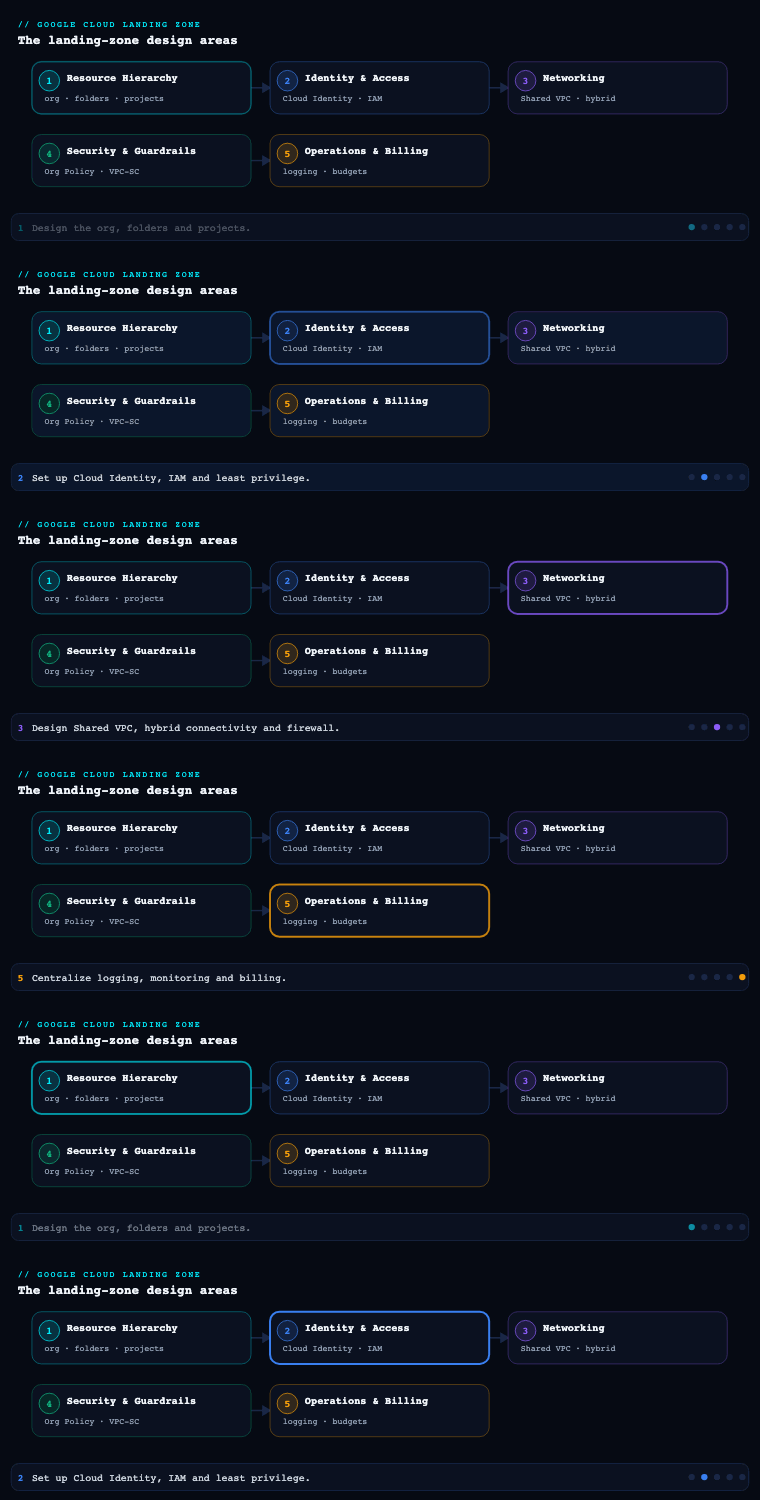
In the Google Cloud Landing Zone Design series we have already set the resource hierarchy (organization, folders, projects) in part 1 and identity, IAM, and Organization Policy in part 2. Networking is part 3, and it is where the abstract hierarchy becomes something packets actually traverse: it owns how workloads reach each other, how they reach on-premises and the internet, how they reach Google APIs without going to the internet, and how every flow is filtered and named. Get it wrong and you will be re-IP’ing production two years from now; get it right and security, hybrid connectivity, and DNS all hang off a stable, centrally-governed spine. This article is the spine.
Shared VPC vs hub-and-spoke
These are the two reference topologies in Google’s enterprise foundation, and the first architectural fork you face. They are not mutually exclusive — large estates run both — but the default decision drives everything downstream.
Shared VPC lets one project (the host project) own a VPC network and share its subnets with other projects (service projects). A VM in a service project gets an IP from a subnet that lives in the host project. The host project, owned by the network team, centralizes the VPC, subnets, routes, firewall rules, Cloud Router, Interconnect/VPN attachments, and Cloud NAT. Service-project teams just consume subnets via the compute.networkUser role. There is exactly one network and one firewall control plane for everything attached, so there is no east-west bottleneck and no need to peer dozens of VPCs.
Hub-and-spoke instead gives each environment or business unit its own VPC (a spoke) and connects them to a central hub VPC. Spokes reach shared services and on-premises through the hub. The connective tissue is one of three things: VPC Network Peering (cheap, but non-transitive — spokes cannot reach each other through the hub, and you hit the peering-group route/limit ceiling), Network Connectivity Center (NCC) with VPC spokes (Google’s managed transitive hub — spokes do exchange routes through the hub, removing the classic non-transitivity pain), or routing through a chain of NVA firewalls in the hub (full inspection, full control, full operational cost).
| Dimension | Shared VPC | Hub-and-spoke (peering) | Hub-and-spoke (NCC) |
|---|---|---|---|
| Network admin model | Centralized in host project | Per-spoke autonomy | Per-spoke autonomy, central hub |
| East-west between workloads | Native, no peering | Non-transitive — spoke↔spoke needs full mesh | Transitive via NCC hub |
| Firewall control plane | Single (host project) | Per-VPC | Per-VPC + hub |
| Blast radius of a misconfig | Larger (one network) | Smaller (isolated VPCs) | Medium |
| Typical fit | One BU / one environment per host | Strong BU isolation, M&A, regulatory separation | Many VPCs needing transitivity |
| Scale ceiling to watch | Subnets, IPs, FW rules per VPC | Peering group limits (routes, peerings) | NCC hub/spoke quotas |
How to do it well. The pattern Google’s foundation blueprint actually recommends is a Shared VPC per environment — separate host projects for production, non-production (dev/test/UAT), and a development sandbox, each with its own host project and its own VPC. You get centralized control and a hard environment boundary, because there is no peering between the prod and non-prod host projects by default. Reserve true hub-and-spoke for when business units demand independent network ownership, or when M&A / regulatory boundaries make a single shared network politically or legally untenable. Concretely:
- Put host projects in a dedicated
common/networkingor per-environment networking folder so IAM and Org Policy target them precisely. - Grant
roles/compute.networkUserat the subnet level, not project-wide — that is your tenancy control (team A only sees team A’s subnets). - Keep workload service projects free of any network admin role; they get use, never manage.
Decisions & artifacts: topology decision record (Shared VPC per env vs hub-spoke), host-project inventory, subnet-sharing IAM matrix, and a terraform module wiring google_compute_shared_vpc_host_project + google_compute_shared_vpc_service_project with per-subnet compute.networkUser bindings.
VPC design
Once topology is chosen, VPC design is about IP address planning, subnet layout, and routing — the decisions that are most expensive to reverse.
A GCP VPC is global: one VPC spans every region, and subnets are regional. Routes are global. This is a genuine differentiator versus AWS/Azure and it shapes the design — you do not need a VPC per region, you need a subnet per region. Two routing modes exist: regional (Cloud Router advertises only same-region subnets) and global dynamic routing (Cloud Router advertises all subnets in the VPC across regions). For a landing zone connected to on-premises, global dynamic routing is usually correct so a single Interconnect in one region can reach workloads in another — but understand it widens failure domains and route propagation.
IP planning is the heart of it. Reserve a large, well-documented RFC 1918 (and, increasingly, RFC 6598 100.64/10) supernet for all of GCP, then carve non-overlapping per-environment, per-region blocks. Plan for the four IP consumers that bite people later:
| IP consumer | What needs space | Planning note |
|---|---|---|
| Primary subnet range | VM/node primary NICs | Size per region, leave headroom |
| Pod secondary range (GKE alias IPs) | One IP per Pod | Huge — a /17–/14 per cluster is common with VPC-native GKE |
| Service secondary range (GKE Services) | One IP per ClusterIP Service | Smaller but still a dedicated alias range |
| PSA range for managed services | Cloud SQL, Memorystore, etc. | A /16-ish allocated range peered to Google’s producer VPC |
For GKE, always use VPC-native (alias IP) clusters with explicit secondary ranges — never routes-based — so Pods are first-class VPC IPs that firewall rules, Private Google Access, and on-prem routes all understand. For managed databases, reserve a Private Service Access (PSA) allocated range up front (google_compute_global_address with purpose = VPC_PEERING), or adopt Private Service Connect (PSC) endpoints where the service supports it (PSC avoids the consumed peering range and the transitivity caveats entirely).
How to do it well. Standardize a subnet naming convention ({env}-{region}-{tier}), keep a single source-of-truth IPAM spreadsheet or (better) Infrastructure Manager / Terraform state as the IPAM, enable flow logs on every subnet for security and troubleshooting, and turn on Private Google Access at the subnet level from day one (covered below). Decide MTU deliberately — 1460 default, or 8896 if you want jumbo frames consistently end-to-end.
Decisions & artifacts: the IP address management (IPAM) plan, subnet schedule (CIDR / region / secondary ranges per environment), routing-mode decision, GKE range reservations, and the PSA/PSC strategy doc.
Hybrid connectivity (Cloud Interconnect, Cloud VPN)
Almost no enterprise landing zone is an island; you need a deterministic, redundant path to on-premises and often to other clouds. GCP gives you three building blocks, and the choice is a function of bandwidth, SLA, and time-to-provision.
| Option | Bandwidth | SLA | Path | Use when |
|---|---|---|---|---|
| Dedicated Interconnect | 10/100 Gbps links (LAG up to terabits) | Up to 99.99% (with topology) | Private, your fiber into a Google colo | High, steady throughput; data-residency on the wire |
| Partner Interconnect | 50 Mbps–50 Gbps | Up to 99.99% | Via a supported service provider | No presence in a Google PoP; flexible bandwidth |
| HA VPN | ~3 Gbps per tunnel aggregate | 99.99% (two interfaces) | IPsec over the internet | Lower bandwidth, fast to stand up, or as Interconnect backup |
| Classic VPN | Per-tunnel | 99.9% | IPsec, single interface | Legacy only — avoid for new builds |
The connective glue for all of these is Cloud Router, which runs BGP to exchange routes dynamically with on-premises — no static routes to maintain. The 99.99% SLA is not free: it requires a specific redundant topology. For Dedicated Interconnect that means at least two Interconnect connections in two different metropolitan-area edge availability domains, each with its own VLAN attachment and Cloud Router BGP session. For HA VPN it means a gateway with two interfaces, two tunnels, to two peer devices, with BGP on each.
How to do it well.
- Make hybrid connectivity a property of the host project / networking project, never a workload project — it is a shared, centrally-governed asset.
- A very common pattern: Dedicated/Partner Interconnect as primary + HA VPN as encrypted backup over a different physical path. If your compliance requires encryption even over the private link, layer HA VPN over Cloud Interconnect or use MACsec on Cloud Interconnect.
- Control route exchange deliberately: use custom route advertisements on Cloud Router to advertise only the prefixes on-prem should see, and import only what GCP needs. With global dynamic routing, one regional attachment can reach all regions; weigh that against keeping failure domains regional.
- Plan link redundancy across edge availability domains and document the path diversity with your carrier — two attachments in the same domain do not buy you the 99.99% SLA.
Decisions & artifacts: the connectivity design (Interconnect type, number of links, edge domains), Cloud Router BGP plan (ASNs, advertised/learned prefixes), the redundancy/SLA topology diagram, and the runbook for failover testing.
Firewall and NGFW
Filtering is layered on GCP, and a mature landing zone uses all the layers rather than scattering legacy per-network rules.
1. Hierarchical firewall policies attach at the organization or folder level and apply before network-level rules. This is how you enforce non-negotiable, org-wide guardrails — block egress to known-bad ranges, allow IAP TCP forwarding source ranges (35.235.240.0/20) for break-glass SSH/RDP, permit Google health-check ranges — that no project team can override. Rules can allow, deny, or goto_next (delegate the decision down the hierarchy).
2. Global and regional Network Firewall Policies replace the old VPC firewall rules with policy objects you can attach to networks and reuse. Crucially they support tags for firewall (IAM-governed, secure tags — distinct from the old network tags that any instance owner could self-assign) so policy is expressed against governed identity rather than spoofable labels.
3. Layer-7 / NGFW. When you need IPS/IDS, TLS inspection, FQDN filtering, or threat intelligence at the packet level, you have two routes:
| Approach | What it is | Trade-off |
|---|---|---|
| Cloud NGFW Enterprise | Google-managed, in-line L7 inspection via Palo Alto-powered threat prevention, attached through firewall endpoints + security profiles | Native, no NVAs to run; per-zone firewall endpoint cost |
| 3rd-party NVA firewalls | Palo Alto / Fortinet / Check Point VMs, traffic steered via routes or an ILB-as-next-hop in a hub | Full vendor feature set, but you operate, scale, and patch them |
The modern, recommended default is Cloud NGFW Enterprise with security profiles referenced from firewall-policy rules — you keep the policy-as-code model and add intrusion prevention without standing up an NVA fleet. Reserve NVAs for teams with deep existing investment in a vendor’s management plane or features GCP does not yet expose.
How to do it well. Default-deny ingress and egress; open flows explicitly using secure tags, not IP lists, so rules survive re-IP’ing. Put the universal guardrails (IAP range, health checks, deny-bad-egress) in hierarchical policies at the org/folder layer; put workload-specific allows in network firewall policies scoped by tag; turn on Firewall Rules Logging for any deny rule you care about; and use Firewall Insights (Network Intelligence Center) to find shadowed and overly-permissive rules. Validate intended reachability with Connectivity Tests before and after every change.
Decisions & artifacts: the hierarchical-policy ruleset (Terraform), the secure-tag taxonomy and IAM bindings, the NGFW vs NVA decision record, security-profile definitions, and the logging/Firewall-Insights review cadence.
Private Google Access
By default, a VM without an external IP cannot reach Google APIs (Cloud Storage, BigQuery, Artifact Registry, etc.) — because that traffic would otherwise need the internet. In a hardened landing zone almost no workload VM has a public IP, so you must deliberately choose how private workloads reach Google services. There are several distinct mechanisms and they solve different problems:
| Mechanism | Solves | Reaches |
|---|---|---|
| Private Google Access (subnet) | No-external-IP VMs reaching Google APIs | Default + select Google APIs via internal path |
| Private Service Connect for Google APIs | A single, custom private endpoint IP for all Google APIs | all-apis / vpc-sc bundles, your chosen IP |
| Private Service Access (PSA) | Reaching managed services (Cloud SQL, Memorystore) over peering | Producer VPC behind a peered range |
| Private Service Connect (endpoint/backend) | Privately consuming a published service (managed or partner) | A specific service via a PSC endpoint |
| Private Google Access for on-prem | On-prem hosts reaching Google APIs via Interconnect/VPN | Through hybrid + the right DNS/route |
How to do it well. Enable Private Google Access on every subnet as a baseline. For governed estates layer Private Service Connect for Google APIs so all *.googleapis.com resolves to a single private IP you own (e.g., 10.0.0.2) — that gives you one auditable chokepoint and plays cleanly with VPC Service Controls perimeters. The piece people forget is DNS: the private path only works if *.googleapis.com (and per-service names) resolve to private.googleapis.com / restricted.googleapis.com (or your PSC endpoint IP) instead of public Anycast IPs — which is exactly the Cloud DNS work below. For on-prem access, you advertise the relevant Google API ranges over Cloud Router and create matching DNS response policy / private zones so on-prem resolvers return the restricted VIPs.
Decisions & artifacts: the subnet PGA enablement standard, the PSC-for-Google-APIs endpoint and IP, the restricted vs private VIP decision (use restricted.googleapis.com when you want VPC-SC-only services), and the DNS records that pin Google API names to the private path.
Cloud DNS
DNS is the connective layer most likely to be an afterthought and most likely to cause a 2 a.m. incident. In a landing zone you design it as deliberately as routing.
Cloud DNS offers several zone types you compose:
- Private zones — internal namespaces (e.g.,
corp.internal,gcp.example.com) resolvable only inside attached VPCs. - Cross-project / shared binding — a private zone created in the networking host project but attached to the Shared VPC so every service project resolves it.
- Forwarding zones — forward queries for on-prem domains to on-prem resolvers over Interconnect/VPN.
- DNS server policy with inbound/outbound forwarding — an inbound policy exposes a Cloud DNS resolver IP so on-prem can query GCP private zones; outbound forwarding (alternative name servers) sends GCP queries to on-prem.
- DNS peering — let one VPC resolve another’s private zones without re-creating them (central hub pattern).
- Response Policy Zones (RPZ) — override resolution, e.g., force
*.googleapis.comto the restricted VIP, or sinkhole malicious domains.
How to do it well. Centralize all private zones in the networking host project and attach/peer them outward, so there is one authoritative place for internal DNS. Build bidirectional hybrid resolution: an inbound server policy + a forwarding zone to on-prem gives clean two-way name resolution across the Interconnect. Use a Response Policy Zone to pin Google API names to restricted.googleapis.com — this is the operational glue that makes Private Google Access / PSC actually route privately. Enable DNSSEC on public zones, turn on Cloud DNS logging for query visibility and threat hunting, and keep zone definitions in Terraform so DNS changes go through the same review as firewall changes.
Decisions & artifacts: the DNS architecture diagram (private zones, forwarding, peering, server policies), the namespace plan, the RPZ ruleset for Google APIs and sinkholing, the DNSSEC/logging standard, and the hybrid-resolution runbook.
Real-world enterprise scenario
Meridian Freight Logistics is a fictional global logistics company (~9,000 employees, operations in 14 countries) migrating from two on-prem data centers (Frankfurt, Singapore) onto GCP. Their regulator requires that production and non-production never share a network, and that all egress to the internet and all Google-API traffic be auditable. Their existing on-prem uses 10.0.0.0/8 heavily, so GCP must avoid overlap. They organize the foundation under a Networking folder with three host projects: mfl-net-prod, mfl-net-nonprod, mfl-net-dev.
Topology (Shared VPC per environment). Meridian rejects a single shared network and rejects full hub-and-spoke. They deploy one Shared VPC per environment, each in its own host project — satisfying the regulator’s hard prod/non-prod boundary while keeping a single firewall control plane per environment. Workloads live in ~40 service projects (mfl-tracking-prod, mfl-billing-prod, …) that consume subnets via subnet-level compute.networkUser. There is no peering between prod and non-prod.
VPC design. They reserve 10.128.0.0/9 exclusively for GCP (carved away from the busy on-prem 10.0.0.0/9). Each environment-region gets a planned block: prod europe-west3 primary 10.130.0.0/20, GKE Pod range 10.160.0.0/14, Service range 10.176.0.0/20; prod asia-southeast1 a parallel block. All GKE is VPC-native with explicit secondary ranges. They pick global dynamic routing so a Frankfurt Interconnect can reach Singapore workloads during a regional event. A PSA allocated range (10.252.0.0/16) is reserved for Cloud SQL and Memorystore. Flow logs are on for every subnet.
Hybrid connectivity. Meridian provisions Dedicated Interconnect: two 10 Gbps connections in two edge availability domains at the Frankfurt colo (plus a matching pair at Singapore), each with its own VLAN attachment and Cloud Router BGP session, for the 99.99% SLA. HA VPN runs as encrypted backup over the public internet on a diverse path. Cloud Router uses custom advertisements to publish only the GCP supernet to on-prem and learn only the data-center prefixes.
Firewall and NGFW. A hierarchical firewall policy at the Networking folder enforces: allow IAP range 35.235.240.0/20, allow Google health-check ranges, deny a curated list of malicious egress CIDRs, else goto_next. Global network firewall policies express workload allows using secure tags (tag: tier-web, tag: tier-db) so rules survive re-IP’ing. For PCI-scoped billing flows they enable Cloud NGFW Enterprise with a security profile doing intrusion prevention, attached via firewall endpoints in each prod zone — no NVA fleet to run. Every deny rule logs; Firewall Insights runs a monthly shadow-rule review; Connectivity Tests gate every change.
Private Google Access. PGA is on for all subnets. They deploy Private Service Connect for Google APIs with endpoint IP 10.128.0.2, scoped to the vpc-sc bundle, wrapped in a VPC Service Controls perimeter so data cannot exfiltrate to a personal project. No production VM has an external IP; egress to the internet (for OS patching) goes through Cloud NAT in the host project only.
Cloud DNS. All private zones (gcp.meridianfreight.com, reverse zones) live in the host projects and are attached to the Shared VPCs. An inbound server policy lets on-prem resolvers query GCP names; a forwarding zone sends *.corp.meridianfreight.com to the Frankfurt/Singapore resolvers over the Interconnect. A Response Policy Zone pins *.googleapis.com to restricted.googleapis.com, so every private-path API call resolves to the PSC endpoint. DNSSEC is enabled on the public zone; Cloud DNS query logging feeds the SIEM.
Measurable outcome. Within one quarter Meridian onboarded 40 service projects against a stable IP plan with zero overlap incidents, passed the regulator’s network-segregation audit on first submission, achieved the 99.99% Interconnect SLA with a tested sub-minute BGP failover, and reduced firewall rules by ~60% by collapsing per-instance network tags into ~12 secure tags governed by IAM. Mean time to add a new workload’s connectivity dropped from days (ticket-driven on-prem) to a Terraform PR merged in under an hour.
Deliverables & checklist
Common pitfalls
- Overlapping CIDRs with on-prem (or future M&A). The single most expensive mistake — it blocks routing and is nearly impossible to fix in production. Reserve a dedicated GCP supernet up front, keep a real IPAM, and over-allocate GKE Pod ranges (they consume an IP per Pod and silently exhaust).
- Relying on legacy network tags for firewall scope. Old network tags are self-assignable by anyone who can edit an instance, so they are spoofable. Use secure tags (IAM-governed) in network firewall policies and put universal guardrails in hierarchical policies the project teams cannot override.
- Building hybrid for “99.99%” but landing both links in one edge domain. Two attachments in the same metro availability domain do not meet the SLA. Require two edge availability domains (and ideally an HA VPN backup on a diverse path), and actually test BGP failover.
- Turning on Private Google Access but forgetting the DNS half. PGA/PSC route privately only if
*.googleapis.comresolves toprivate/restricted.googleapis.com(or your PSC IP). Without a Response Policy Zone, names resolve to public Anycast and traffic leaks to the internet path — defeating the control and any VPC-SC perimeter. - Assuming VPC Peering is transitive. Spokes peered to a hub cannot reach each other through it, and peering-group route limits bite at scale. Use Network Connectivity Center for transitive hubs, or design Shared-VPC-per-environment instead.
- Scattering DNS across projects. Per-project private zones drift and break hybrid resolution. Centralize private zones in the host project, attach/peer them outward, and run bidirectional hybrid resolution (inbound policy + forwarding zone) so names work both ways across the Interconnect.
What’s next
Part 4 of Google Cloud Landing Zone Design moves from the network spine to security and governance — VPC Service Controls perimeters, Security Command Center, organization policy guardrails, and centralized logging — layering detection and data-exfiltration controls on the foundation you just built.