Where this fits
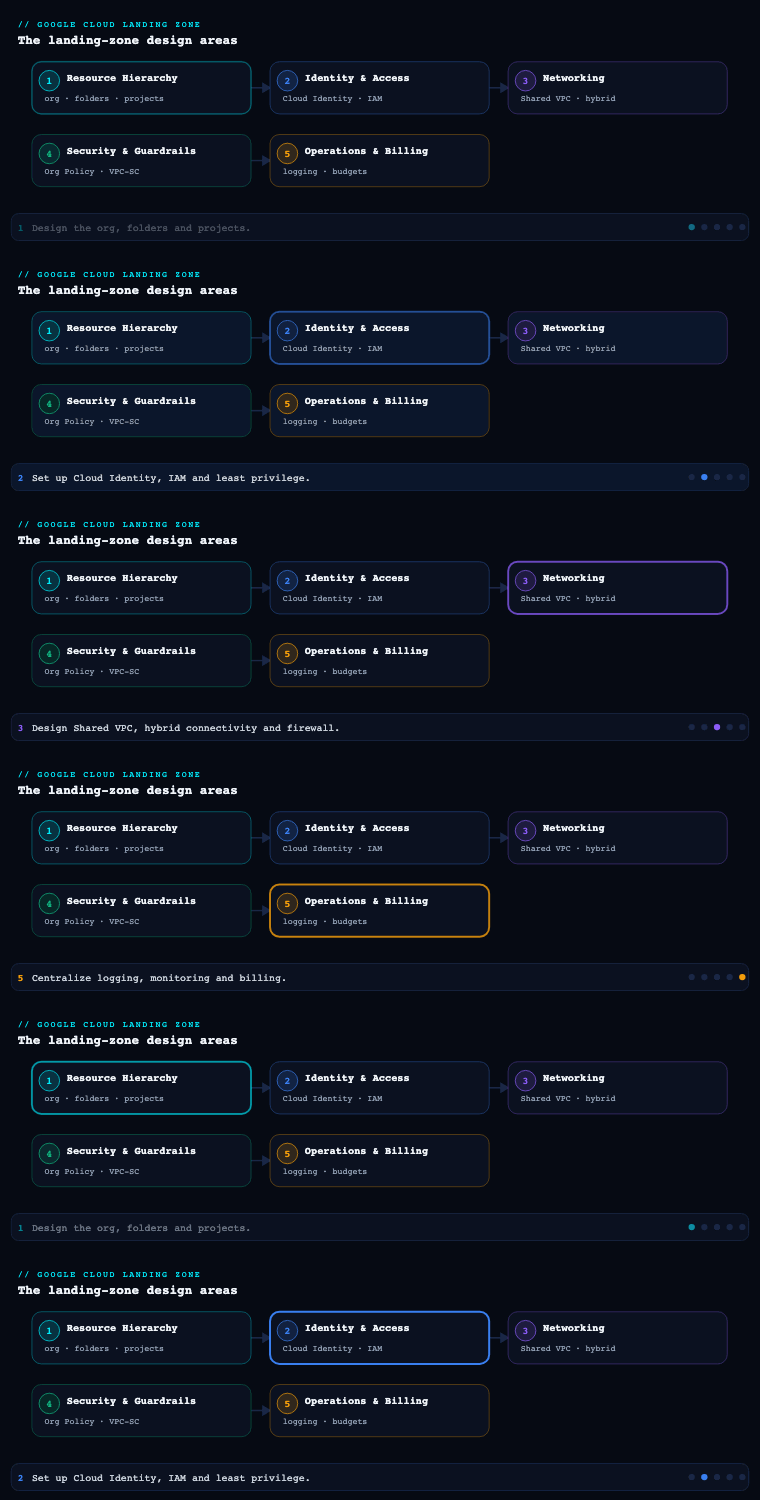
By Part 5, the landing zone already has its resource hierarchy (Part 1), identity (Part 2), networking (Part 3), and security and detective controls (Part 4) — and Operations & Billing is the layer that makes the running estate observable and accountable. Everything underneath generates two firehoses no enterprise can run blind without: operational telemetry (logs, metrics, traces) and financial telemetry (cost). This phase decides where both firehoses land, who can query them, how long they are retained, and what pages a human when something breaks the budget or the SLO. Because the resource hierarchy lets you aggregate at the Organization node, Operations & Billing is the one phase where you get a genuine single pane of glass — one set of log buckets, one set of monitoring scopes, one BigQuery billing dataset — covering every project the foundation will ever create.
Cloud Logging — aggregated sinks and log buckets
What it is
Cloud Logging is GCP’s managed log-management service. Every log entry flows first into the Log Router, which evaluates a set of sinks and decides where each entry goes. A sink is filter → destination: an inclusion filter (and optional exclusion filters) written in the Logging query language, pointing at one of four destination types — a Cloud Logging bucket, a BigQuery dataset, a Cloud Storage bucket, or a Pub/Sub topic. Two sinks exist in every project by default: _Required (admin/audit activity, fixed 400-day retention, cannot be modified or disabled) and _Default (everything else, routed to the _Default log bucket, 30-day retention, editable).
The landing-zone pivot is the aggregated sink: a sink created not on a project but on a folder or the Organization node, with the includeChildren flag set true, so it captures logs from every project beneath it and routes them to a central destination. This is the mechanism that turns thousands of per-project log streams into one governed log estate.
Why it matters
Logs that stay scattered in each team’s _Default bucket are useless for security, compliance, and incident response — an investigator would have to query 70 projects individually, and a team with project-level access could tamper with or delete the evidence of their own actions. Centralizing logs solves three problems at once:
- Tamper-resistant retention. Audit logs routed by an org-level aggregated sink land in a bucket in a dedicated, locked-down logging project that workload teams cannot touch. Apply a bucket retention lock and the logs become immutable for the retention window — exactly what auditors (PCI-DSS, SOC 2, RBI/SEBI) demand.
- One place to search. Security and platform teams query a single aggregated destination instead of chasing per-project streams.
- Cost and residency control. You route the high-volume, low-value logs (e.g. Data Access logs, load-balancer request logs) to cheap Cloud Storage or drop them with exclusion filters, while keeping the valuable Admin Activity logs hot and queryable — and you pin every bucket to an approved region.
How to do it well
- Stand up a dedicated logging project under the
commonfolder (from Part 1), owned by the platform/security team, holding the central log buckets and BigQuery log datasets. Nothing else runs there. - Create org-level aggregated sinks with
includeChildren=true, splitting destinations by purpose: a Log Analytics-enabled Logging bucket for interactive security search and retention, a BigQuery dataset for SQL joins and long-term analytics, optionally a Pub/Sub topic for streaming to a SIEM (Chronicle / Google SecOps, Splunk). - Use Log Analytics buckets — they store entries in a Logging bucket but make them queryable with BigQuery SQL via a linked dataset, giving you SQL power without paying to duplicate data into BigQuery storage.
- Cut noise with exclusion filters and the right log buckets. Exclude or sample chatty
_Defaultentries; turn on Data Access audit logs deliberately and route them separately because they are voluminous and expensive. - Lock retention on the audit bucket. Set retention to your compliance floor (e.g. 400+ days) and apply a retention lock so not even an org admin can shorten or delete it.
- Manage it all as code —
google_logging_organization_sink,google_logging_project_bucket_config, and dataset/IAM resources in the foundation Terraform, never click-configured.
Concrete artifacts, decisions, and tools
| Sink destination | Best for | Retention / query model | Cost note |
|---|---|---|---|
| Cloud Logging bucket (Log Analytics on) | Interactive security search + retention | Custom retention (to 3650 days); query via Logs Explorer + BigQuery SQL | Storage billed per GiB beyond the free _Default |
| BigQuery dataset | SQL joins, dashboards, long-term analytics | Table-per-day; standard BQ retention/partition expiry | Pay for streaming insert + BQ storage |
| Cloud Storage bucket | Cheap cold archive, WORM compliance | Lifecycle rules; Bucket Lock for immutability | Cheapest per-GB; not queryable directly |
| Pub/Sub topic | Streaming to SIEM (Chronicle/Splunk) | Transient; consumer-defined | Pay per message; real-time |
| Artifact / decision | GCP service or tool | Notes |
|---|---|---|
| Central log project | Cloud Logging in a dedicated common-folder project |
Locked down to platform/security |
| Org aggregated sinks | google_logging_organization_sink (include_children = true) |
One per destination/purpose |
| Audit log bucket | Logging bucket + retention lock | 400+ days, immutable |
| Log Analytics | Log Analytics-enabled bucket + linked BigQuery dataset | SQL over logs without data duplication |
| Noise control | Exclusion filters, Data Access log config | Drop/sample low-value logs |
| SIEM feed | Pub/Sub → Chronicle / Google SecOps | Real-time detection pipeline |
Cloud Monitoring — metrics, SLOs, and alerting at org scale
What it is
Cloud Monitoring collects metrics, uptime checks, dashboards, SLOs, and alerting for GCP (and AWS/on-prem via the Ops Agent). Its central organizing concept is the metrics scope (formerly “Workspace”). A metrics scope lives in a scoping project and lists the projects whose metrics it can see. By default a project’s scope contains only itself; the landing-zone move is to nominate one or a few scoping projects that have many monitored projects added to their scope, giving an SRE team a single project from which to dashboard and alert across dozens of workloads. (A scoping project can hold up to 375 monitored projects, so very large estates use a small number of scoping projects, typically split by environment.)
Why it matters
Without a deliberate scope design, every team can only see its own project’s metrics and there is no org-wide view of “is the platform healthy?” Centralizing monitoring delivers:
- Cross-project dashboards and alerting from one pane — an SRE on-call sees every production service’s golden signals (latency, traffic, errors, saturation) without project-hopping.
- Consistent SLOs. Define service-level objectives (e.g. 99.9% availability, p99 latency < 300 ms) with error-budget burn-rate alerting uniformly, instead of each team inventing its own thresholds.
- One alerting and on-call spine. Centralized notification channels and alerting policies integrate with PagerDuty/Opsgenie/Slack/email/Pub/Sub, so routing and escalation are governed, not improvised.
How to do it well
- Create dedicated scoping projects (e.g.
prj-mon-prod,prj-mon-nonprod) in thecommonfolder and add workload projects to the appropriate scope — keep production and non-production scopes separate so a noisy dev alert never reaches the prod on-call. - Deploy the Ops Agent as the standard for VM host/app metrics and logs (it supersedes the legacy Monitoring + Logging agents) — bake it into the golden VM image and GKE node config.
- Define SLOs on the services that matter and alert on multi-window, multi-burn-rate error-budget consumption rather than raw thresholds — this is the SRE-recommended pattern that catches both fast and slow burns while avoiding alert fatigue.
- Standardize notification channels and severities centrally; encode alerting policies, dashboards, and SLOs as Terraform /
monitoring-dashboardsJSON so they are versioned and reproducible. - Use uptime checks for external-facing endpoints and Managed Service for Prometheus where teams already run Prometheus, so GKE workloads keep PromQL while metrics land in the same backend.
Concrete artifacts, decisions, and tools
| Discipline | GCP tool / mechanism | KPI to track |
|---|---|---|
| Org-wide metric visibility | Metrics scope + scoping projects | % of prod projects in a monitored scope (→ 100%) |
| Golden-signal collection | Ops Agent, Managed Service for Prometheus | % of fleet running the Ops Agent |
| Reliability targets | Cloud Monitoring SLOs + error budgets | SLO attainment vs target; error-budget burn |
| Proactive alerting | Alerting policies (multi-burn-rate) | Alert precision (page-to-incident ratio) |
| External availability | Uptime checks | Uptime % per critical endpoint |
| On-call routing | Notification channels (PagerDuty/Slack/Pub/Sub) | MTTA / MTTR |
Billing export and budgets — making cost a first-class signal
What it is
A Cloud Billing account pays for one or more projects and is the root of all cost data. By itself the Console gives you reports, but the landing-zone foundation turns cost into queryable, alertable data through two features:
- BigQuery billing export. You enable export from the billing account into a BigQuery dataset, producing three feeds: Standard usage cost (per-SKU, per-project, per-label cost), Detailed usage cost (adds resource-level granularity), and Pricing data. This is the authoritative, row-level source FinOps queries — far richer than the Console reports.
- Budgets and budget alerts. A budget is a named cost threshold (a fixed amount or a percent of last month’s spend) scoped to the billing account, a set of projects, a folder/sub-account, or a label. It fires threshold alerts (e.g. at 50/90/100% of forecast) to billing admins by email and, critically, to a Pub/Sub topic for programmatic response.
A budget alert by itself does not cap spend — GCP has no hard spending cap. The Pub/Sub channel is what lets you act (notify Slack, open a ticket, or in non-prod even disable billing on a runaway project via Cloud Functions).
Why it matters
In an estate of dozens of projects and INR-sensitive budgets, cost surprises come from idle GPUs, forgotten dev environments, egress, and over-provisioned databases. Billing export + budgets make cost a monitorable signal rather than a month-end shock:
- Attribution. With mandatory labels (
env,team,cost-center,app— defined in Part 1) flowing into the export, FinOps can slice 100% of spend by team and environment in BigQuery / Looker Studio. - Early warning. Forecast-based budget alerts page a team before the month closes, and the Pub/Sub hook turns “we noticed in the invoice” into “we got paged on day 9.”
- Optimization inputs. The detailed export plus Active Assist / Recommender (idle VM, idle disk, committed-use-discount, and rightsizing recommendations) drive a continuous cost-reduction backlog.
How to do it well
- Enable BigQuery billing export on day one into a dataset in a dedicated billing/FinOps project under
common; turn on Detailed export if you need resource-level (per-VM) cost. The dataset only populates forward from enablement, so do it early. - Build budgets in layers: one org/billing-account-wide budget, per-environment budgets, per-team (label-scoped) budgets, and tight per-project budgets in development so a forgotten notebook pages the owning team.
- Wire every budget to Pub/Sub, not just email, and subscribe a Cloud Function that routes to Slack/ticketing — and in non-prod sandboxes, optionally one that disables billing on egregious overruns.
- Apply committed-use discounts (CUDs) and Spot VMs deliberately for steady-state and fault-tolerant workloads, and review Recommender CUD/rightsizing suggestions monthly.
- Build a Looker Studio (or BigQuery) FinOps dashboard off the export, sliced by
env,team,cost-center, with month-over-month trend and anomaly highlighting; treat Cost Anomaly Detection alerts as first-class.
Concrete artifacts, decisions, and tools
| Capability | GCP service / mechanism | Output |
|---|---|---|
| Row-level cost data | BigQuery billing export (Standard / Detailed / Pricing) | Per-SKU, per-project, per-label cost tables |
| Cost thresholds | Cloud Billing budgets (amount or % of prior month) | 50/90/100% forecast alerts |
| Programmatic response | Budget → Pub/Sub + Cloud Function | Slack/ticket; non-prod billing disable |
| Attribution | Labels (env,team,cost-center,app) |
FinOps slicing in BigQuery/Looker |
| Optimization | Active Assist / Recommender, CUDs, Spot VMs | Idle/rightsize/CUD recommendations |
| Anomaly detection | Cost Anomaly Detection | Alert on unexpected spend spikes |
| Reporting | Looker Studio on the export dataset | Trended FinOps dashboards |
Centralized observability across the org
What it is
The previous three sub-components each produce a central destination; centralized observability is the discipline of wiring them into one coherent operating model so that logs, metrics, traces, errors, and cost are all aggregated, correlated, and access-controlled from the top of the hierarchy. The GCP building blocks beyond Logging and Monitoring are Cloud Trace (distributed tracing), Error Reporting (aggregated exceptions), Cloud Profiler (continuous CPU/heap profiling), and the Google Cloud Observability dashboards that stitch them together — all feeding, or fed by, the central logging project, the monitoring scoping projects, and the billing/FinOps project.
Why it matters
Centralization is what converts data you happen to collect into an operating capability:
- Correlated incident response. An on-call engineer pivots from an alert → the trace → the exact log lines → the offending release, across projects, in one console — instead of stitching evidence by hand across team silos.
- Governed access. Read access to the central log/metric/cost stores is granted to groups (Part 2) at the logging/monitoring/billing projects — security gets audit logs, SRE gets metrics, FinOps gets cost — without anyone needing access to the workload projects themselves.
- Resilience and exit. Streaming logs to a SIEM via Pub/Sub and exporting to BigQuery/Cloud Storage gives you a copy outside any single team’s blast radius and an analytics/retention store independent of the hot path.
How to do it well
- Treat the
commonfolder as the observability home: the logging-sink project, the monitoring scoping projects, the billing/FinOps project, and the SIEM ingestion project all live there, separated from workloads and protected by org policy. - Standardize structured logging (JSON payloads with
trace/spanIdfields) so logs auto-correlate to traces in the console — this is the single biggest multiplier for correlated debugging. - Define the RACI for the three telemetry planes: security owns the audit-log sink + SIEM, SRE owns monitoring scopes + SLOs + on-call, FinOps owns billing export + budgets — with the platform team owning the Terraform that provisions all three.
- Push it all left into the foundation pipeline so a new project automatically inherits the org sink, is added to a monitoring scope, carries cost labels, and shows up in dashboards — observability by construction, not by retrofit.
- Feed detective controls (Part 4): the centralized logs are the substrate for Security Command Center and Chronicle/Google SecOps detections, closing the loop between operations and security.
| Observability plane | Central destination (in common) |
Primary owner | Key GCP tools |
|---|---|---|---|
| Logs / audit | Logging-sink project + SIEM project | Security | Aggregated org sinks, Log Analytics, Pub/Sub→Chronicle |
| Metrics / SLOs | Monitoring scoping projects | SRE | Metrics scope, SLOs, alerting, Ops Agent, Prometheus |
| Traces / errors / profiles | Per-app, surfaced centrally | Service teams + SRE | Cloud Trace, Error Reporting, Cloud Profiler |
| Cost | Billing/FinOps project | FinOps | BigQuery billing export, budgets, Recommender, Looker |
Real-world enterprise scenario
Sahyadri Health Networks is a fictional ₹3,000-crore hospital and diagnostics group (≈US$360M revenue, ~600 engineers) running patient-facing apps, a diagnostics-imaging pipeline, and a clinical data lake on GCP. They are bound by Indian data-residency rules and DPDP, must keep audit trails for clinical systems for 7 years, and have been burned twice by runaway dev spend on GPU notebooks for imaging ML. Their hierarchy (from Part 1) is the hybrid pattern with bootstrap and common folders and three product domains — Patient Apps, Imaging, and Clinical Data — across prod / nonprod / dev, ~55 projects total.
Cloud Logging. In the common folder they stand up prj-logging, owned by the security team. Two organization-level aggregated sinks (include_children = true) route everything: one to a Log Analytics-enabled Logging bucket (audit-bucket, pinned to asia-south1, retention 2,555 days = 7 years, retention lock applied) for tamper-proof clinical audit trails, and one to a BigQuery dataset for analytics. A third sink streams to a Pub/Sub topic feeding Google SecOps (Chronicle) for real-time detection. Data Access audit logs are enabled on the Clinical Data projects and routed separately; exclusion filters drop chatty health-check and load-balancer logs to control cost. Workload teams retain only their _Default 30-day buckets; they cannot touch the central audit bucket.
Cloud Monitoring. Two scoping projects — prj-mon-prod and prj-mon-nonprod — sit in common; all 55 workload projects are added to the appropriate scope. The Ops Agent is baked into the golden VM image and GKE node pools. SRE defines SLOs on the patient-booking and imaging-upload services (99.9% availability, p95 latency < 400 ms) with multi-burn-rate error-budget alerting routed through PagerDuty and a #sre-oncall Slack channel via centralized notification channels. Uptime checks watch the public booking and portal endpoints; the imaging team’s existing Prometheus exporters feed Managed Service for Prometheus so they keep PromQL.
Billing export & budgets. prj-finops in common hosts the Detailed BigQuery billing export (resource-level, so they can see per-GPU-VM cost). Budgets are layered: one org-wide budget, three per-domain (label-scoped) budgets, and tight per-project budgets on every development project at ₹50,000/month forecast. Every budget publishes to Pub/Sub; a Cloud Function routes 90% alerts to Slack and, in dev sandboxes only, disables billing on a project that blows past 150% — directly killing the runaway-GPU pattern. A Looker Studio dashboard slices spend by env, team, cost-center, with month-over-month trend; Recommender CUD and idle-VM suggestions feed a monthly FinOps review.
Centralized observability. All teams emit structured JSON logs with trace/spanId, so the console auto-links logs to Cloud Trace spans and Error Reporting groups. Read access is group-based: gcp-security-auditors on prj-logging, gcp-sre-oncall on the monitoring scopes, gcp-finops on prj-finops — none of them needing access to workload projects. The whole wiring is in the foundation Terraform so every newly factory-created project inherits the org sink, joins a monitoring scope, and carries cost labels automatically.
Artifacts produced. A dedicated prj-logging, prj-mon-{prod,nonprod}, and prj-finops set of projects; two org aggregated sinks + a SIEM Pub/Sub sink as google_logging_organization_sink; a retention-locked 7-year audit bucket; metrics-scope membership for all 55 projects; SLOs and multi-burn-rate alert policies as code; a Detailed BigQuery billing export; layered budgets with a Pub/Sub-triggered guardrail Cloud Function; and a Looker Studio FinOps dashboard.
Measurable outcome (6 months): audit-log coverage went from per-project and mutable to 100% centralized, immutable for 7 years — accepted by their clinical-systems auditor as the trail of record. Mean time to acknowledge production incidents dropped from ~25 minutes to under 4 minutes with centralized golden-signal dashboards and burn-rate paging. FinOps now attributes 100% of spend by team and environment, and the dev per-project budgets + auto-disable guardrail cut idle dev/GPU spend by ~44%, eliminating the runaway-notebook surprises entirely.
Deliverables & checklist
Common pitfalls
- Leaving logs in per-project
_Defaultbuckets. Investigators must hunt across dozens of projects, and a team can delete the evidence of its own actions. Avoid: org-level aggregated sinks into a locked-down central logging project, with a retention lock on the audit bucket. - Turning on Data Access audit logs everywhere without routing them. They are enormous and can dominate the Logging bill. Avoid: enable Data Access logs only where compliance requires, route them to their own (cheaper) destination, and use exclusion filters to sample.
- Forgetting that billing export only populates forward. Teams enable export months into the build and have no historical cost data to baseline against. Avoid: enable BigQuery billing export on day one, before workloads land.
- Assuming a budget caps spend. A budget alert is informational; GCP has no hard cap, so a runaway job keeps spending after the 100% email. Avoid: wire budgets to Pub/Sub and a response function (Slack/ticket, and billing-disable in non-prod) so alerts trigger action.
- Alerting on raw thresholds instead of error budgets. Static thresholds either page constantly (fatigue) or miss slow burns. Avoid: define SLOs and use multi-window, multi-burn-rate alerting that catches fast and slow burns with far fewer false pages.
- Not adding new projects to the monitoring scope / sink. A project created after the foundation was built silently has no central metrics, alerts, or labels. Avoid: bake sink inheritance, scope membership, and cost labels into the project-factory so observability is automatic by construction.
What’s next
Part 6 of Google Cloud Landing Zone Design turns to Platform Automation & the Foundation Pipeline — the Terraform foundation, Cloud Build/Infrastructure Manager CI/CD, the project factory, and the policy-as-code that provisions and governs every layer you have built across this series.