Quick take: Standing privileged access is a liability, not a convenience. PIM governs when a role can be activated and who approves it; PAM protects the credential used after activation — vaulting it, brokering the session, recording every keystroke, and rotating it when the session ends. Together they shrink the attack window from “always” to “ninety minutes, approved, recorded,” and make every privileged action attributable to a human, a justification, and a ticket.
FinanceCo discovered that 40 engineers held permanent Global Administrator rights in their identity tenant. Some had not used those rights in months, yet every one of those accounts was a target every single day — phishable, replayable, and capable of owning the entire estate from a single stolen token. A compromised laptop with standing admin access triggered a security review that rewrote their identity model end to end: nobody holds privileged access by default; everyone must request it, justify it, get approved, and lose it automatically when the clock runs out. Within a quarter, standing Global Administrators dropped from 40 to 2 break-glass accounts, mean privileged-session duration fell to 74 minutes, and every privileged action — directory change, subscription owner grant, production database query — carried a name, a reason, and a recording.
This is the architecture behind that change. Privileged Identity Management (PIM) and Privileged Access Management (PAM) are not the same product and not interchangeable buzzwords — they solve adjacent halves of the same problem. PIM answers “who is allowed to become an administrator, for how long, and who signs off?” PAM answers “once they’re an administrator, where does the credential live, how is the session brokered and recorded, and how fast is the secret rotated afterward?” A mature program runs both, plus the supporting controls that make them real: a tiered administration model so a workstation compromise can’t reach a domain controller, Privileged Access Workstations (PAWs) so admins never type a Tier-0 credential on a machine that also reads email, break-glass accounts for the day PIM itself is unavailable, and an audit pipeline that turns every activation and session into an immutable, queryable record.
By the end you will be able to design this from the management-group root down: model eligible versus active assignments, wire approval workflows and access reviews, configure Entra PIM for both directory roles and Azure resource roles with real Graph and az/PowerShell, lay out the three-tier admin model and map identities to it, stand up break-glass accounts that are excluded from Conditional Access yet alarmed on every use, and integrate a CyberArk-style vault for the credentials PIM elevation alone doesn’t cover (local admin, service accounts, network gear, databases). You will also know the failure modes that bite in production — the approver who’s on holiday, the break-glass account nobody tested, the access review everyone rubber-stamps — and how to engineer around each one.
What problem this solves
Privileged accounts are the crown jewels, and standing privilege makes them permanently load-bearing. If a Global Administrator, a subscription Owner, or a domain Enterprise Admin is always active, an attacker needs exactly one thing — one stolen token, one replayed cookie, one phished credential, one compromised laptop with a cached session — to own the environment. The blast radius is the whole tenant, and the dwell time is “until someone notices,” which in the median breach is weeks. Standing privilege also destroys attributability: when ten people permanently share Owner on a subscription, “who deleted the resource group at 3 a.m.?” has no clean answer, and your incident response and your auditors both stall.
What breaks without this discipline is predictable and expensive. Joiners accumulate roles they were granted for one project and never lose — privilege creep — until the average “admin” can touch a third of the estate for no current reason. Leavers keep access because deprovisioning is manual and lossy. Service accounts run with domain-admin-equivalent rights and a password set in 2019, written in a runbook, never rotated, because rotating it “might break something.” Emergency changes get made with personal admin accounts because there’s no faster path, so the audit trail is a personal name doing privileged work with no ticket. And the moment a single endpoint is compromised, lateral movement is trivial: the attacker harvests cached credentials, finds a standing admin token, and pivots from a marketing laptop to a domain controller in hours, because nothing in the identity model said those two tiers must never share a credential.
Who hits this: every organization past a handful of admins, but hardest where privileged access grew organically — a cloud estate that started with three people all holding Owner “to move fast,” an on-prem AD where Domain Admins has 60 members, a SaaS-heavy shop where nobody owns the shared admin@ logins. Regulated industries feel it first because separation of duties, least privilege, and privileged session recording are explicit audit requirements (PCI-DSS, SOX, HIPAA, ISO 27001, SOC 2). The fix is not “trust people less” — it’s making privilege temporary, approved, recorded, and minimal by construction, so a stolen credential is usually worthless and, when it isn’t, the window is small and the trail complete.
To frame the whole field before the deep dive, here is the spectrum of privileged-access maturity, what each stage looks like in production, and the single change that moves you to the next level:
| Maturity stage | What it looks like | Primary risk | The one change to advance |
|---|---|---|---|
| 0 — Standing & shared | Permanent Global Admins/Owners; shared admin@; passwords in runbooks |
Single stolen credential = full compromise; zero attribution | Make every admin account individual; inventory who has what |
| 1 — Individual but standing | Per-person admin accounts, still permanent rights | Phishing/token theft owns the tenant; privilege creep | Convert standing roles to eligible (PIM) |
| 2 — JIT activation | Roles eligible; activate with MFA + justification, time-bound | Activation without oversight; no session record | Add approval + access reviews on Tier-0 roles |
| 3 — Approved & reviewed | Approval workflows, quarterly recertification, alerting | Credentials still live and reusable post-activation | Add PAM vaulting + session brokering for non-role secrets |
| 4 — Vaulted & brokered | Vaulted credentials, recorded sessions, auto-rotation | Workstation compromise still reaches Tier-0 | Add tiered admin model + PAWs |
| 5 — Tiered & isolated | Tier-0/1/2 separation, PAWs, break-glass tested, full audit | Residual: process drift, untested break-glass | Continuous attestation, red-team the model, automate reviews |
Learning objectives
By the end of this article you can:
- Distinguish PIM (governing role elevation: eligible vs active, JIT, approval, time-bound) from PAM (governing the credential: vaulting, session brokering, recording, rotation) and explain precisely which controls each provides and where they overlap.
- Model eligible versus active assignments for both Entra directory roles and Azure resource roles, choose activation duration and maximum eligibility windows, and decide when permanent-active is justified (break-glass only).
- Design approval workflows and access reviews that recertify privileged roles without creating bottlenecks or rubber-stamping, including multi-approver, self-review-exclusion, and auto-removal of denied access.
- Configure Entra PIM end to end with real
az, Microsoft Graph PowerShell, and Graph REST: role settings, eligible assignments, activation, approval, alerts, and the audit/history queries that prove it works. - Lay out the tiered administration model (Tier 0/1/2), map every identity and asset to a tier, and enforce the clean-source and credential-isolation rules that stop lateral movement.
- Stand up break-glass emergency accounts that survive a PIM/Conditional-Access/MFA outage yet trigger a high-severity alert and a review on every single use.
- Specify a PAW (Privileged Access Workstation) build and explain why Tier-0 credentials must never touch a machine that also browses the web or reads mail.
- Integrate a CyberArk-style PAM vault for credentials PIM elevation doesn’t cover — local administrator, service accounts, network devices, databases — with check-out, session brokering, recording, and rotation-on-release.
- Build the audit and detection layer: what to log, where it lives, and the KQL/Graph queries that answer “who activated what, when, why, and what did they do.”
Prerequisites & where this fits
You should already understand the identity fundamentals: that Microsoft Entra ID (formerly Azure AD) issues tokens and holds directory roles (Global Administrator, User Administrator, Privileged Role Administrator, etc.); that Azure RBAC assigns resource roles (Owner, Contributor, User Access Administrator) at management-group, subscription, resource-group, or resource scope; and that on-prem Active Directory has its own privileged groups (Domain Admins, Enterprise Admins, Schema Admins). You should know what MFA and Conditional Access do, be comfortable running az and Microsoft Graph PowerShell in Cloud Shell, and understand that PIM requires Microsoft Entra ID P2 (or Microsoft Entra ID Governance) licensing. Familiarity with the Zero Trust Architecture Blueprint helps, because privileged access is the sharpest edge of zero trust.
This sits at the apex of the Identity & Access Governance track. It assumes the access-lifecycle plumbing below it — Entra ID Governance access packages for standing entitlements, lifecycle workflows for joiner-mover-leaver — and pairs tightly with Conditional Access at scale, because every activation should require a phishing-resistant, compliant-device sign-in. It is the natural companion to the implementation-focused Building Enterprise PAM: Credential Vaulting, Session Brokering, and Automatic Rotation (the deep PAM build) and to Zero Trust on Microsoft Entra: Conditional Access + PIM, Step by Step (the hands-on CA+PIM wiring). The break-glass and access-review pieces each have their own full treatment — Engineering Break-Glass Emergency Access Accounts and Building an Access Reviews Program — which this article ties together into one coherent architecture.
A quick map of who owns what during a privileged-access program, so responsibility is never ambiguous:
| Layer | What lives here | Who usually owns it | Failure if neglected |
|---|---|---|---|
| Directory roles (PIM) | Global Admin, PRA, User Admin elevation | Identity / IAM team | Standing Global Admins; no JIT |
| Azure resource roles (PIM) | Owner/Contributor at MG/sub/RG scope | Cloud platform team | Permanent subscription Owners |
| On-prem AD privileged groups | Domain/Enterprise/Schema Admins | AD / infra team | DA sprawl; Kerberoasting; no tiering |
| Credential vault (PAM) | Local admin, service accounts, DB, network | Security / PAM team | Static service-account passwords; no rotation |
| Session brokering & recording | Jump host, proxy, keystroke capture | Security / PAM team | No forensic record of privileged sessions |
| Conditional Access | MFA, device compliance, locations | Identity team | Activation from a phished, non-compliant device |
| Break-glass | Emergency accounts + alerting | Identity + SecOps jointly | Untested account; or a silent backdoor |
| Audit & detection | Sign-in/audit logs, SIEM rules | SecOps / SOC | Activations nobody reviews; blind to abuse |
Core concepts
Six mental models make every later design decision obvious. Internalize these and the rest is detail.
PIM governs the right to act; PAM governs the credential used to act. This is the master distinction. PIM decides who can become a Global Administrator or a subscription Owner, for how long, and with whose approval — it elevates an identity’s role just in time and revokes it on expiry. PAM decides where the credential lives: it vaults the password/key/secret, brokers the session (you connect through a proxy, often never seeing the credential), records it for forensics, and rotates it afterward so a captured password is already dead. You need both because some privileged access is a role (Owner on a subscription — perfect for PIM) and some is a raw credential (the local Administrator password on 5,000 servers, the SQL sa account, the firewall enable password — perfect for PAM, because there’s no Entra role to elevate).
Standing access is the enemy; just-in-time is the answer. Standing access means privilege is always assigned and always usable — the default state of most environments and the root cause of most blast radius. Just-in-time (JIT) access means privilege exists only for a bounded window you explicitly activate (typically 1–8 hours), after MFA, justification, and often approval, vanishing automatically on expiry. The goal is to drive standing privileged access to zero (bar a few tested break-glass accounts) and route everything else through JIT. The win is quantifiable: if privilege is active 1% of the time instead of 100%, you’ve removed 99% of the window a stolen credential is useful.
Eligible is potential; active is realized. An eligible assignment means a user can activate a role but does not currently hold it — dormant until activated. An active assignment means they hold it right now (from activating an eligible one, or a permanent/time-bound active grant). The target state for almost every role is eligible, not active: the person gets the power when they justify needing it, but at rest there’s nothing for an attacker to steal. Reserve permanent-active for break-glass and the rare automation case that genuinely cannot activate.
Approval and review add the human and the recurring checkpoint. Approval workflows insert a second human, enforcing separation of duties and catching “why are you activating Global Admin at 2 a.m.?” before power is granted. Access reviews are the counterweight to creep: on a schedule, the right person re-attests each eligible assignment, and anything denied or unreviewed is automatically removed. Approval gates a single activation; review keeps the eligibility itself honest over time.
The tier model stops the credential from crossing the chasm. The tiered administration model partitions admin identities and assets into Tier 0 (identity control plane — domain controllers, Entra ID, ADFS, PKI), Tier 1 (servers, apps, databases), and Tier 2 (workstations, devices, helpdesk). The iron rule: a credential of a given tier is only ever used on assets of that tier or higher, and admin accounts and their PAWs never cross tiers. This defeats lateral movement — a compromised Tier-2 laptop can’t harvest a Tier-0 credential, because one was never typed there. PIM and PAM are powerful, but if a Tier-0 password is typed on the same laptop that opens email attachments, the attacker has the keys regardless.
Break-glass is the escape hatch you hope never to pull — and must still alarm. Break-glass (emergency access) accounts exist for the day the normal path fails: a Conditional Access misconfiguration that locks everyone out, an MFA outage, a PIM incident, broken federation. They are deliberately permanent-active Global Administrators, excluded from Conditional Access and MFA (so a broken CA policy can’t lock them out too), with long random passwords stored offline under dual control. The paradox is that the very properties making them resilient (no MFA, always active, CA-excluded) make them the most dangerous accounts in the tenant — so every authentication fires a high-severity alert and is reviewed within hours, and they’re tested on a schedule so “break glass in case of emergency” doesn’t mean discovering the glass was painted on.
The vocabulary in one table
The glossary repeats these for lookup; this is the mental model side by side:
| Term | One-line definition | Belongs to | Why it matters |
|---|---|---|---|
| PIM | Governs JIT elevation of directory/resource roles | Identity governance | Removes standing role membership |
| PAM | Vaults credentials, brokers + records sessions, rotates | Privileged access security | Protects raw credentials PIM can’t elevate |
| Standing access | Privilege always assigned and usable | The problem | Permanent attack window |
| JIT activation | Time-bound elevation on demand | PIM | Shrinks the window to minutes |
| Eligible assignment | Can activate; not currently holding the role | PIM | The target state for most roles |
| Active assignment | Currently holds the role | PIM | Reserve permanent-active for break-glass |
| Approval / review | A second human approves; recurring recertification | PIM / Governance | Separation of duties; kills creep |
| PAW / Tier 0/1/2 | Admin-only workstation; control/workload/device partition | Tiered model | Stops lateral movement |
| Break-glass | Emergency always-on, CA-excluded admin account | Resilience | Recovery when PIM/CA/MFA fails |
| Vault / broker / rotate | Encrypted store; proxy injects credential; secret changes | PAM | Credential never reaches the endpoint; captured secret dies |
| PRA | Privileged Role Administrator (manages PIM itself) | Entra role | The role that controls all elevation |
PIM vs PAM: the precise division of labor
The terms get used interchangeably and that confusion costs real money — teams buy a PAM suite expecting it to remove standing Entra roles (it doesn’t, natively), or they roll out Entra PIM and assume their SQL sa password is now safe (it isn’t). Draw the line cleanly. PIM is a feature of your identity provider that makes role membership temporary. PAM is a security platform that makes raw credentials vaulted, brokered, recorded, and rotated. They overlap in intent (least privilege, attribution, shrinking the window) but operate on different objects (roles vs credentials) at different layers (directory/RBAC vs OS/app/network).
Here is the side-by-side that ends the confusion:
| Dimension | PIM (e.g. Entra PIM) | PAM (e.g. CyberArk, Delinea, BeyondTrust) |
|---|---|---|
| Operates on | Roles (directory + Azure resource roles) | Credentials (passwords, SSH keys, API keys, certs) |
| Core verb | Elevate a role just in time | Vault, broker, record, rotate a credential |
| What’s protected | The right to act as admin | The secret used to act as admin |
| Standing state at rest | Eligible (no role held) | Credential checked in, rotated, unknown to humans |
| How you use it | Activate role → your own identity gains power | Check out / launch session → connect via proxy |
| Session record | Audit log of activation + Azure activity | Full keystroke/video recording of the session |
| Rotation | N/A (your own identity, not a shared secret) | Automatic, on check-in or schedule |
| Typical targets | Global Admin, Owner, Contributor, PRA | Local Administrator, root, sa, service accounts, network enable |
| Licensing | Entra ID P2 / Governance | Separate enterprise license (per-seat / per-target) |
| Approval | Built-in approval workflow | Dual-control / request workflow |
| Native to cloud IdP? | Yes (Entra) | No — bolted on, agents/proxies |
The decisive question for any privileged thing is: is it a role my IdP can grant, or a raw credential on a system? That single fork tells you which tool owns it:
| The privileged thing | Is it a role or a credential? | Owned by | Why |
|---|---|---|---|
| Global Administrator in Entra | Role | PIM | Entra can make it eligible/JIT |
| Owner on a subscription | Role (Azure RBAC) | PIM | PIM for Azure resources covers it |
| Domain Admins membership (on-prem AD) | Role/group | PIM (MIM) or PAM-managed group | Entra PIM doesn’t cover on-prem groups natively; use MIM PAM or PAM |
Local Administrator on a Windows server |
Credential | PAM (or Windows LAPS) | No Entra role; a password on the box |
root on a Linux host |
Credential | PAM | A password/key on the host |
SQL Server sa |
Credential | PAM | Database credential, not a directory role |
| Firewall/router enable secret | Credential | PAM | Network device local secret |
| A service account running a Windows service | Credential | PAM (or gMSA) | Static password; vault + rotate or convert to gMSA |
| An Azure managed identity | Neither (secretless) | Neither — prefer this | No human credential to steal; ideal end state |
The strategic conclusion: prefer architectures that need neither. Every workload you move to a managed identity or workload identity federation is a credential you never have to vault and a role you never have to elevate. PIM and PAM are for the irreducible human and legacy cases — make that set as small as you can, then govern it ruthlessly.
Where they combine in one real workflow
The two are not either/or; a single privileged task often uses both in sequence. A senior SRE investigating a production database (1) uses PIM to activate the eligible “Production DB Operator” role with MFA and manager approval, getting a 2-hour active assignment; (2) opens the PAM vault, which launches a brokered session injecting the database credential without revealing it while recording every SQL statement; then (3) on completion the role auto-expires and the vault rotates the password. Two tools, one task: zero standing access, full recording, and a captured credential that’s dead the moment the session ends.
Eligible vs active assignments — the heart of PIM
This is the single most important configuration decision in the program. Every assignment in PIM is eligible (dormant — the user can activate when they justify a need, but holds no power at rest) or active (live — they hold the role now), and active subdivides into permanent active (no end date) and time-bound active (auto-expires on a date). The split between them is your standing-access posture: make essentially everything eligible, a small set time-bound active for genuine short-term needs (a contractor for a 30-day project), and only break-glass permanent active.
| Assignment type | User holds the role… | Standing access? | Use it for | Avoid it for |
|---|---|---|---|---|
| Eligible | Only after activating (MFA/justify/approve), time-bound | No (the goal) | Almost every privileged role | — |
| Time-bound active | Now, until an expiry date you set | Yes, but bounded | Short-term project / contractor needs | Permanent admins |
| Permanent active | Now, forever, no activation | Yes, unbounded | Break-glass only; rare automation | Any human standing admin |
| Permanent eligible | Only after activating; eligibility never expires | No (but eligibility unbounded) | Long-term staff who occasionally need a role | High-risk roles (prefer time-bound eligible) |
| Time-bound eligible | Only after activating; eligibility itself expires | No | Project staff who need JIT for a fixed period | — |
The mechanics of activation — what the user does to turn eligible into active — are governed per role by role settings (covered in detail below). The crucial parameters:
| Activation parameter | What it controls | Typical value | Trade-off if too loose | Trade-off if too strict |
|---|---|---|---|---|
| Maximum activation duration | How long an activated role stays active | 1–8 h (Tier-0: 1–2 h) | Longer window for a stolen token | More frequent re-activation friction |
| Require MFA on activation | Forces MFA at activation time | Always on (phishing-resistant) | Activation from a replayed session | None — keep it on |
| Require justification | Free-text reason captured | Always on | No audit context | Negligible friction |
| Require ticket number | Bind activation to ITSM ticket | On for Tier-0/1 | Activation with no change record | Manual ticket entry |
| Require approval | Second human gates activation | On for high-impact roles | Unilateral self-elevation | Approver bottleneck (mitigate with multiple) |
| Require Conditional Access (auth context) | Demand compliant device / phishing-resistant MFA | On for Tier-0 | Activation from a dirty device | Excludes legitimate edge cases |
| Maximum eligible duration | How long the eligibility lasts before re-grant | 6–12 months | Stale eligibility lingers | Frequent re-granting overhead |
A subtle but high-value distinction is role-assignable groups as an activation target. Rather than making a user eligible for a role directly, you can make them eligible for membership in a PIM-for-Groups group that holds the role (or a bundle of roles). This lets you JIT-activate a set of permissions and manage entitlements as group membership — invaluable when an “operator” persona needs five roles at once. The trade-offs:
| Approach | Granularity | Best for | Watch-out |
|---|---|---|---|
| Eligible for a role directly | One role per assignment | Single high-value roles (Global Admin) | Many separate activations if a persona needs several |
| Eligible for a role-assignable group | A bundle of roles via group membership | Personas needing several roles together | Group must be isAssignableToRole=true; nesting limits |
| Eligible for an Azure RBAC role at scope | One role at one scope (MG/sub/RG/resource) | Resource-plane access (Owner on one sub) | Scope sprawl if not modeled at MG level |
Modeling it: from “who has what” to a clean eligible posture
The migration from standing to eligible is a project in itself, and the pattern that works is inventory → categorize → convert high-value first → verify → expand, detailed below. The one rule you never break: never remove someone’s standing access until you’ve confirmed they can activate — the worst PIM rollout is the one that locks your own admins out.
| Migration phase | Action | Done when |
|---|---|---|
| 1. Inventory | Enumerate all active directory + resource role assignments | You have a complete CSV of who holds what, where |
| 2. Categorize | Tag each: break-glass / standing-justified / convert | Every assignment has a disposition |
| 3. Configure role settings | Set activation duration, MFA, approval, justification per role | High-value roles have approval + short duration |
| 4. Create eligible assignments | Make users eligible for the roles they had active | Eligible mirrors the justified active set |
| 5. Verify activation | Each user successfully activates once | Zero “I can’t get in” reports |
| 6. Remove standing | Delete the now-redundant active assignments | Standing Global Admins == break-glass count |
| 7. Add reviews + alerts | Access reviews + activation alerts wired | Recurring recertification scheduled |
Just-in-time activation: the request-to-expiry lifecycle
JIT activation is the moment the whole architecture earns its keep, so understand the lifecycle precisely. A user with an eligible assignment requests activation; PIM enforces the role’s settings (MFA, justification, ticket, approval, Conditional Access); on success the user gets a time-bound active assignment; they do the work; the assignment auto-expires; PIM writes the whole thing to the audit log. The token mechanics matter: activation updates the user’s role membership, and the next token they receive carries the elevated role claim — which is why an active session may need a token refresh (sign-out/in or a fresh token acquisition) before the new power is visible.
| Lifecycle stage | What happens | Who/what acts | Audit artifact |
|---|---|---|---|
| Request | User selects an eligible role and requests activation | User | “Add member to role (PIM activation) request” |
| Policy enforcement | MFA, justification, ticket, CA auth context checked | PIM + Entra | MFA claim; justification text |
| Approval (if required) | Approver receives request, approves/denies | Approver | Approval decision + approver identity |
| Grant | Role becomes active for the configured duration | PIM | “Add member to role completed (PIM)” |
| Token refresh | New token carries the elevated role claim | Client | Sign-in log with role claim |
| Use | User performs privileged operations | User | Azure activity log / directory audit |
| Expiry | Role auto-removed at end of duration | PIM | “Remove member from role (PIM expiration)” |
| (Optional) Deactivate early | User deactivates when done | User | “Remove member from role (PIM)” |
The activation request settings interplay determines how much friction and how much safety each activation carries. The decision matrix for which controls to require on which roles:
| Role / tier | Max duration | MFA | Justification | Ticket | Approval | CA auth context |
|---|---|---|---|---|---|---|
| Global Administrator | 1 h | Phishing-resistant | Required | Required | Required (2 approvers) | Compliant PAW + FIDO2 |
| Privileged Role Administrator | 1 h | Phishing-resistant | Required | Required | Required | Compliant PAW + FIDO2 |
| Owner (subscription) | 2 h | Phishing-resistant | Required | Required | Required | Compliant device |
| User Administrator | 4 h | MFA | Required | Optional | Optional | Compliant device |
| Contributor (resource group) | 8 h | MFA | Required | Optional | Optional | — |
| Helpdesk / Password Admin (Tier 2) | 8 h | MFA | Required | Optional | Optional | — |
| Break-glass | Permanent active (no activation) | Excluded | n/a | n/a | n/a | Excluded |
A frequent real failure is the token-refresh gap: a user activates Owner, immediately runs az, gets “authorization failed,” and concludes PIM is broken. The role is active in the directory, but the cached token predates the grant and lacks the new role claim. The fix is to refresh the token (az logout && az login, a hard browser refresh, or reconnecting Connect-MgGraph) — covered as a troubleshooting row below. (If activation “succeeded” but the role isn’t active, approval is probably still pending.) Knowing this saves an hour of false debugging.
Approval workflows: separation of duties without bottlenecks
Approval is the control that turns “I can elevate myself whenever I want” into “someone else has to agree.” It enforces separation of duties and creates a natural choke point for anomaly detection (“why is the finance app’s deploy account requesting Global Admin?”). The art is making it meaningful without making it a bottleneck. The sound defaults: require approval for Tier-0/1 (optional for Tier-2); use ≥2 distinct approvers with a short timeout and escalation; enforce approver ≠ requester (a self-approval is no approval); notify by push and Teams so requests are seen fast; surface the justification and ticket so the decision is real; and never auto-approve a privileged role. Build those into the policy, then engineer out the common failure modes:
| Failure mode | What goes wrong | Engineering fix |
|---|---|---|
| Single approver unavailable | Holiday/illness strands activation | Assign ≥2–3 approvers; an approver group, not a person |
| Approval fatigue / rubber-stamping | Approvers click approve reflexively | Fewer, higher-value approvals; show justification + ticket; review approval logs |
| Approver is the requester’s report | Power asymmetry; can’t really say no | Approvers peers/seniors, not direct reports |
| No approval for true emergencies | Incident waits on a human at 3 a.m. | Break-glass path (separate, alarmed) for genuine emergencies; never weaken the normal gate |
| Approval but no context | Approver can’t judge legitimacy | Require ticket + justification; surface requester’s recent activity |
| Standing approver permissions | Approvers themselves over-privileged | Approvers need only the PIM approve permission, not the role |
A practical pattern: for the very highest roles (Global Admin, PRA), require approval and a ticket and a short duration and Conditional Access auth context demanding a PAW — defense in depth, where each control covers the others’ gaps. For mid-tier roles, justification plus MFA is often the right balance, with approval reserved for the cases where the blast radius justifies the friction. Calibrate by blast radius, not by org-chart seniority.
Access reviews: the recurring counterweight to privilege creep
Approval gates a single activation; access reviews keep the eligibility itself honest over months. Without reviews, eligible-assignment lists rot exactly like standing ones did — people change teams, projects end, contractors leave — and “eligible for Global Admin” quietly accumulates until your JIT model governs a bloated population. A review is a scheduled campaign where the right reviewer re-attests each assignment (“yes, this person still needs to be eligible for Owner”) and denied or unreviewed access is automatically removed.
| Access review parameter | Options | Recommendation | Why |
|---|---|---|---|
| Scope | Specific role / all privileged roles / group | Per high-value role + a sweep of all privileged | Tier-0 reviewed most often |
| Frequency | One-time / weekly / monthly / quarterly / annual | Quarterly (Tier-0 monthly) | Balance rigor vs reviewer fatigue |
| Reviewers | Self / manager / resource owner / specific users | Manager + resource owner (not self for Tier-0) | Self-review is weak for top roles |
| Auto-apply results | On / off | On | Decisions must take effect, not sit in a report |
| If reviewers don’t respond | No change / remove access / approve | Remove access (Tier-0) | Default-deny on neglect |
| Require reason on approval | On / off | On | Forces a real judgment, not a click |
| Decision helpers | Show last sign-in / activation recency | On | “Hasn’t activated in 90 days → probably remove” |
The review-design failure modes mirror approval’s, plus a few of their own:
| Failure mode | What goes wrong | Engineering fix |
|---|---|---|
| Rubber-stamp “approve all” | Reviewer approves everyone in 30 s | Require a reason; show inactivity data; spot-audit decisions |
| Self-review of top roles | Everyone keeps their own access | Manager/owner reviews Tier-0, never self |
| Results not auto-applied | Review happens; nothing is removed | Turn on auto-apply; default-remove on no response |
| Reviewer doesn’t know the person | Can’t judge the need | Route to the manager who does; include context |
| Too frequent → fatigue | Reviewers stop engaging | Tier the cadence; quarterly is usually right |
| Eligibility never expires | Stale eligibility lingers between reviews | Use time-bound eligibility + reviews together |
Pair reviews with inactivity signals: PIM and the audit log tell you who hasn’t activated a role in N days. An eligible Global Administrator who hasn’t activated in 90 days is almost certainly a candidate for removal — the review should surface that automatically so reviewers default to removing dormant eligibility. The full program design is its own article — Building an Access Reviews Program in Entra ID — but the architectural point here is simple: eligibility without recurring review degrades into standing access wearing a JIT costume.
Entra PIM mechanics: real configuration end to end
Now the concrete part — wiring Entra PIM for both directory roles and Azure resource roles with real commands. PIM has two surfaces: PIM for Microsoft Entra roles (directory roles like Global Administrator) and PIM for Azure resources (RBAC roles at MG/subscription/RG/resource scope). They share concepts (eligible/active, role settings, activation) but live behind different APIs — Microsoft Graph for directory roles, the ARM/Microsoft.Authorization provider for resource roles. Below, every operation gets both a CLI/PowerShell snippet and, where it applies, the Graph REST shape.
Prerequisites and the role that controls PIM itself
PIM requires Microsoft Entra ID P2 (or Microsoft Entra ID Governance) for every user it touches. The role that administers PIM for directory roles is Privileged Role Administrator (PRA) — it configures role settings, creates eligible assignments, and manages approvals (for Azure resource roles, User Access Administrator / Owner at the scope plays that part). PRA is itself one of the most powerful roles in the tenant — whoever controls PIM controls all elevation — so PRA must be eligible-not-active, approval-gated, and PAW-only, exactly like Global Admin. Activation audit lives in the Entra audit logs (AuditLogs) and PIM history; the maximum activation duration is a per-role setting (commonly capped around 24 h, which you set far lower).
Configuring directory-role settings (the activation policy)
Role settings define the activation policy for a directory role — duration, MFA, justification, approval. With Microsoft Graph PowerShell, you read and update the policy via unifiedRoleManagementPolicy and its rules. First, discover the policy for a role at tenant scope:
# Connect with the rights to manage PIM policy
Connect-MgGraph -Scopes "RoleManagementPolicy.ReadWrite.Directory","RoleManagement.ReadWrite.Directory"

# Find the policy assignment for a role (e.g. Global Administrator) at tenant scope
$roleId = (Get-MgRoleManagementDirectoryRoleDefinition `
  -Filter "displayName eq 'Global Administrator'").Id

$policyAssignment = Get-MgPolicyRoleManagementPolicyAssignment `
  -Filter "scopeId eq '/' and scopeType eq 'DirectoryRole' and roleDefinitionId eq '$roleId'"

$policyId = $policyAssignment.PolicyId
# Enumerate the rules (each rule is one knob: max duration, MFA, approval, etc.)
Get-MgPolicyRoleManagementPolicyRule -UnifiedRoleManagementPolicyId $policyId |
  Select-Object Id, '@odata.type'
To set the maximum activation duration to one hour and require justification, you update the relevant rules. The expiration rule (Expiration_EndUser_Assignment) controls activation duration; the enablement rule (Enablement_EndUser_Assignment) controls MFA/justification/ticket:
# Set max activation duration to 1 hour (PT1H) for the activation (EndUser) rule
$expRule = @{
  "@odata.type" = "#microsoft.graph.unifiedRoleManagementPolicyExpirationRule"
  id            = "Expiration_EndUser_Assignment"
  isExpirationRequired = $true
  maximumDuration      = "PT1H"
}
Update-MgPolicyRoleManagementPolicyRule -UnifiedRoleManagementPolicyId $policyId `
  -UnifiedRoleManagementPolicyRuleId "Expiration_EndUser_Assignment" -BodyParameter $expRule

# Require MFA + justification + ticket on activation
$enableRule = @{
  "@odata.type" = "#microsoft.graph.unifiedRoleManagementPolicyEnablementRule"
  id            = "Enablement_EndUser_Assignment"
  enabledRules  = @("MultiFactorAuthentication","Justification","Ticketing")
}
Update-MgPolicyRoleManagementPolicyRule -UnifiedRoleManagementPolicyId $policyId `
  -UnifiedRoleManagementPolicyRuleId "Enablement_EndUser_Assignment" -BodyParameter $enableRule
The rule types you will actually configure, and what each governs:
Rule (unifiedRoleManagementPolicyRule) |
Governs | Key setting |
|---|---|---|
Expiration_EndUser_Assignment |
Max activation duration | maximumDuration (e.g. PT1H) |
Enablement_EndUser_Assignment |
MFA / justification / ticket on activation | enabledRules array |
Approval_EndUser_Assignment |
Whether approval is required + approvers | setting.isApprovalRequired, approver list |
AuthenticationContext_EndUser_Assignment |
Require a CA auth context (PAW/FIDO2) | claimValue (auth context id) |
Expiration_Admin_Eligibility |
Max eligible-assignment duration | maximumDuration, isExpirationRequired |
Notification_* |
Who gets notified on assign/activate/approve | recipient settings |
Requiring approval and binding a Conditional Access auth context
For the highest roles, require approval and demand a Conditional Access authentication context (so activation forces a compliant PAW + phishing-resistant MFA). The approval rule names the approvers; the auth-context rule binds the activation to a CA policy:
# Require approval, naming an approver group
$approvalRule = @{
  "@odata.type" = "#microsoft.graph.unifiedRoleManagementPolicyApprovalRule"
  id            = "Approval_EndUser_Assignment"
  setting = @{
    isApprovalRequired = $true
    approvalStages = @(@{
      approvalStageTimeOutInDays = 1
      isApproverJustificationRequired = $true
      primaryApprovers = @(@{
        "@odata.type" = "#microsoft.graph.groupMembers"
        groupId = "<approver-group-object-id>"
      })
    })
  }
}
Update-MgPolicyRoleManagementPolicyRule -UnifiedRoleManagementPolicyId $policyId `
  -UnifiedRoleManagementPolicyRuleId "Approval_EndUser_Assignment" -BodyParameter $approvalRule
You define the auth context (e.g. c1 = “Require PAW + FIDO2”) in Conditional Access, then a CA policy targets that context. PIM’s auth-context rule then forces activation through it. This is the link that makes Conditional Access and PIM one system: the activation is a sign-in event you can gate on device compliance and phishing-resistant credentials.
Creating eligible assignments (directory roles)
Make a user eligible for a role with a scheduled-assignment request. The action is adminAssign, assignmentType is Eligible:
# Make a user ELIGIBLE for User Administrator (not active — they must activate JIT)
$params = @{
  action = "adminAssign"
  justification = "Tier-2 operator — eligible per access package APKG-USR-ADMIN"
  roleDefinitionId = (Get-MgRoleManagementDirectoryRoleDefinition `
    -Filter "displayName eq 'User Administrator'").Id
  directoryScopeId = "/"
  principalId = "<user-object-id>"
  scheduleInfo = @{
    startDateTime = (Get-Date).ToString("o")
    expiration = @{ type = "afterDuration"; duration = "P180D" }  # eligibility for 180 days
  }
}
New-MgRoleManagementDirectoryRoleEligibilityScheduleRequest -BodyParameter $params
The equivalent Graph REST call (useful from any language/automation):
# POST an eligible directory-role assignment via Graph
curl -X POST "https://graph.microsoft.com/v1.0/roleManagement/directory/roleEligibilityScheduleRequests" \
  -H "Authorization: Bearer $TOKEN" -H "Content-Type: application/json" \
  -d '{
    "action": "adminAssign",
    "justification": "Tier-2 operator eligible",
    "roleDefinitionId": "<roleDefinitionId>",
    "directoryScopeId": "/",
    "principalId": "<userObjectId>",
    "scheduleInfo": { "startDateTime": "2026-06-23T00:00:00Z",
      "expiration": { "type": "afterDuration", "duration": "P180D" } }
  }'
Activating a role as the end user
The user activates an eligible role with a selfActivate request, supplying justification (and ticket if required). The role becomes active for the configured duration:
# User self-activates an eligible role for 1 hour with justification + ticket
$activation = @{
  action = "selfActivate"
  justification = "Investigating INC-4821 — user cannot reset MFA"
  roleDefinitionId = "<roleDefinitionId>"
  directoryScopeId = "/"
  principalId = (Get-MgContext).Account  # or the user's object id
  scheduleInfo = @{
    startDateTime = (Get-Date).ToString("o")
    expiration = @{ type = "afterDuration"; duration = "PT1H" }
  }
  ticketInfo = @{ ticketNumber = "INC-4821"; ticketSystem = "ServiceNow" }
}
New-MgRoleManagementDirectoryRoleAssignmentScheduleRequest -BodyParameter $activation
PIM for Azure resources (RBAC roles at scope)
For Azure resource roles, the same eligible/active model applies but through ARM. With az, you create an eligible role assignment scheduled request for, say, Contributor on a resource group. (Note: native az support for PIM-for-resources lives under az role assignment schedule commands and the REST Microsoft.Authorization/roleEligibilityScheduleRequests provider; the REST form is the most portable.)
# Make a user ELIGIBLE for Contributor on a resource group via the ARM REST provider
SUB=<subscription-id>; RG=rg-prod-app
SCOPE="/subscriptions/$SUB/resourceGroups/$RG"
ROLE_DEF="/subscriptions/$SUB/providers/Microsoft.Authorization/roleDefinitions/b24988ac-6180-42a0-ab88-20f7382dd24c" # Contributor
GUID=$(uuidgen)

az rest --method put \
  --url "https://management.azure.com$SCOPE/providers/Microsoft.Authorization/roleEligibilityScheduleRequests/$GUID?api-version=2020-10-01" \
  --body "{
    \"properties\": {
      \"principalId\": \"<userObjectId>\",
      \"roleDefinitionId\": \"$ROLE_DEF\",
      \"requestType\": \"AdminAssign\",
      \"scheduleInfo\": { \"startDateTime\": \"2026-06-23T00:00:00Z\",
        \"expiration\": { \"type\": \"AfterDuration\", \"duration\": \"P90D\" } },
      \"justification\": \"App team — eligible Contributor on rg-prod-app\"
    }
  }"
The directory-vs-resource API map, so you call the right surface:
| Operation | Directory roles (Graph) | Azure resource roles (ARM) |
|---|---|---|
| Define activation policy | unifiedRoleManagementPolicy rules |
roleManagementPolicies (resource scope) |
| Create eligible assignment | roleEligibilityScheduleRequests |
roleEligibilityScheduleRequests (ARM) |
| Activate (self) | roleAssignmentScheduleRequests (selfActivate) |
roleAssignmentScheduleRequests (ARM, SelfActivate) |
| List current eligibilities | roleEligibilitySchedules |
roleEligibilitySchedules (ARM) |
| Audit history | auditLogs/directoryAudits |
Activity log + roleAssignmentScheduleInstances |
PIM alerts: the security signals it surfaces
PIM ships built-in security alerts that flag risky configurations and behaviors. Tune these — they’re free detections:
| PIM alert | What it flags | Recommended action |
|---|---|---|
| Too many Global Administrators | More GAs than a threshold | Reduce; convert to eligible; cap break-glass |
| Roles activated too frequently | A user activating repeatedly | Investigate; maybe they need a different role |
| Administrators aren’t using their roles | Eligible but never activating | Remove dormant eligibility in next review |
| Roles assigned outside PIM | Active assignments bypassing PIM | Bring under PIM; investigate who/why |
| Accounts without MFA on activation | Activation policy lacks MFA | Enforce MFA on activation |
| Stale accounts with privileged roles | Inactive accounts holding privilege | Disable/remove |
The tiered administration model
PIM and PAM shrink the time a credential is usable and protect the secret, but neither stops a credential from being used on the wrong machine — that is the tiered administration model’s job. Borrowed from Microsoft’s privileged-access strategy (the successor to the old “red forest” / ESAE thinking), it partitions both admin identities and the assets they administer into tiers and forbids credentials from flowing downward in trust.
| Tier | What it controls | Example assets | Example admin roles | Cardinal rule |
|---|---|---|---|---|
| Tier 0 — Control plane | Identity systems that can grant any access | Domain controllers, Entra ID, ADFS, PKI/CAs, Azure AD Connect | Domain/Enterprise Admins, Global Admin, PRA | Tier-0 creds only ever used on Tier-0 assets, from a Tier-0 PAW |
| Tier 1 — Workloads | Servers, applications, data | App/DB servers, line-of-business apps, Azure subscriptions’ workloads | Server admins, DBAs, subscription Contributors | Tier-1 creds used on Tier-1 assets; never to log into Tier-2 |
| Tier 2 — Devices | End-user devices and support | Workstations, printers, helpdesk | Helpdesk, desktop admins, Password Admin | Tier-2 creds used on Tier-2; never grant Tier-0/1 |
The two rules that make tiering actually work — and that are violated constantly in real environments:
| Rule | What it means | What violating it enables |
|---|---|---|
| Credential isolation (no downward exposure) | A higher-tier credential is never exposed to (typed on, cached on, processed by) a lower-tier asset | A compromised low-tier box harvests a high-tier credential → instant privilege escalation |
| Clean source principle | A higher-tier system is never managed from a lower-tier system (the management path must be at least as trusted as the target) | Managing a DC from an admin’s everyday laptop puts Tier-0 at the mercy of Tier-2 hygiene |
The classic violation, and how the model prevents it:
| Anti-pattern (common reality) | Why it’s catastrophic | Tiered-model fix |
|---|---|---|
| Domain Admin logs into a member server to troubleshoot | DA credential now cached on a Tier-1 box; one compromise = domain | DA only logs into DCs from a Tier-0 PAW; use a Tier-1 account on the server |
| Helpdesk has local admin on servers and laptops | Tier-2 identity spans Tier-1; phished helpdesk = server access | Separate Tier-1 and Tier-2 admin accounts; helpdesk stays Tier-2 |
| One admin account used everywhere | A single credential bridges all tiers | Distinct accounts per tier (e.g. adm-t0-vinod, adm-t1-vinod, vinod) |
| Managing Entra/DCs from the corporate laptop | Tier-0 at the mercy of email/web exposure | PAW-only access to Tier-0 control planes |
| Service account is Domain Admin | Static high-tier credential, often unrotated | Least-privilege delegation; gMSA; vault + rotate |
Mapping identities to tiers is the practical work: every admin gets a distinct account per tier they operate in, never one account spanning tiers. A platform engineer who manages both Entra (Tier 0) and app subscriptions (Tier 1) holds two separate admin identities, each PIM-eligible for the roles of its tier, each used only from the appropriate workstation. This is more accounts to manage, and it is exactly the friction that stops a single phish from owning everything.
Privileged Access Workstations (PAWs)
A PAW is a hardened, dedicated workstation used only for privileged administration — never for email, never for web browsing, never for the thousand exposures of a general-purpose machine. It is the physical embodiment of the clean-source principle: if Tier-0 credentials are only ever typed on a Tier-0 PAW, and that PAW can’t reach the internet or open attachments, the most common credential-theft vectors (phishing, drive-by, malicious document) simply cannot reach the credential.
| PAW characteristic | Requirement | Why |
|---|---|---|
| Dedicated hardware | Separate physical device (or strongly isolated VM) | Admin work isolated from user work |
| No productivity apps | No email client, no general browsing, no Office macros | Removes the top phishing/malware vectors |
| Restricted egress | Only to management endpoints (Azure/Entra/management URLs) | Can’t be used for browsing; can’t exfiltrate easily |
| Hardened OS | Credential Guard, attack-surface reduction, app allow-listing | Defends the credential in memory and on disk |
| Compliant + managed | Intune-managed, compliance-enforced | Conditional Access can require it for activation |
| Phishing-resistant auth | FIDO2 / Windows Hello for Business, smart card | No phishable password to steal |
| Local admin locked down | No standing local admin; LAPS-managed | Limits on-box escalation |
There is a spectrum of admin-workstation models by how strongly the admin and user worlds are separated — from a dedicated hardware PAW (highest separation and cost, the only acceptable Tier-0 option), through PAW-plus-user-VDI and an isolated admin VM on a user host (medium — the host is the weak link, acceptable for Tier 1 but not Tier 0), to a brokered PAM jump host (low friction, complements a PAW for Tier 1), down to the everyday laptop (no separation — the anti-pattern, never for privileged work). The non-negotiable: Tier-0 administration happens only from a dedicated PAW. Be pragmatic about Tier 1 (an isolated admin VM or a brokered jump host may be fine), but the identity control plane is administered from clean hardware, behind phishing-resistant auth, with Conditional Access requiring exactly that posture before PIM will even let you activate.
Break-glass emergency access accounts
Break-glass accounts are the deliberate exception that keeps the whole edifice from becoming a single point of failure. The architecture you’ve built — PIM gates activation, Conditional Access requires a compliant PAW, MFA is mandatory — is also a list of things that can break and lock everyone out (a CA policy that targets all users, an MFA outage, a PIM incident, a federation failure). Break-glass accounts exist so a human can still get in and fix it. Their design is a study in deliberate paradox: the very properties that make them resilient (always active, no MFA dependency, CA-excluded) make them dangerous — so you compensate with extreme monitoring and process, never by weakening the resilience.
| Break-glass property | Setting | Reason | Compensating control |
|---|---|---|---|
| Permanent-active Global Administrator | Not PIM-eligible; standing GA | PIM itself might be down | Alert on every sign-in; quarterly review |
| Excluded from all Conditional Access | CA exclusion group | A bad CA policy must not lock them out | Alert; the only accounts excluded |
| No MFA dependency on a single provider | FIDO2 keys stored offline (or app-specific resilient method) | MFA outage must not block recovery | Keys in a safe; dual control |
| Cloud-only (not synced from AD) | @onmicrosoft.com, not federated |
On-prem/federation failure must not block them | Separate from the synced identity plane |
| Long random password, offline | 30+ char random, in a sealed envelope / vault | Resist guessing; available in a true emergency | Split-knowledge / dual custody |
| Excluded from automated lockout/disable | Not subject to scripts that disable stale accounts | They’re stale by design | Documented exception |
The monitoring is the whole point — a break-glass account that’s used and not noticed is just a backdoor. Every authentication must be loud:
| Detection | Mechanism | Severity |
|---|---|---|
| Break-glass sign-in | Sign-in log → SIEM rule on the account UPN/object id | High — page on-call |
| Break-glass added to any group/role | Audit log alert | High |
| Break-glass password change | Audit log alert | High |
| Break-glass excluded-from-CA removed | CA change alert (someone tampering) | Critical |
| Periodic “is it still valid?” test | Scheduled access validation | (process) |
A Sentinel/Log Analytics rule to alarm on any break-glass sign-in:
// Alert on ANY sign-in by a break-glass account — should be near-zero, every hit is investigated
let breakGlass = dynamic(["bg-admin1@contoso.onmicrosoft.com","bg-admin2@contoso.onmicrosoft.com"]);
SigninLogs
| where UserPrincipalName in~ (breakGlass)
| project TimeGenerated, UserPrincipalName, IPAddress, ResultType, AppDisplayName, Location
| order by TimeGenerated desc
Two final rules that separate a real break-glass program from a checkbox: have at least two (so losing one — lost key, forgotten password — doesn’t strand you), and test them on a schedule (sign in, confirm access, confirm the alert fired, reseal) so “in case of emergency” isn’t the first time anyone tries the glass. The full hardening treatment is in Engineering Break-Glass Emergency Access Accounts; the architectural role here is that they are the only permanent-active Global Administrators you should ever have.
PAM vaulting and session brokering (CyberArk-style)
Everything above governs roles. But a huge swath of privileged access is raw credentials that no directory can elevate: the local Administrator on every server, root on every Linux host, the SQL sa account, the firewall enable secret, the service account running a critical job. This is PAM’s domain, and the reference implementation — whether CyberArk, Delinea (Thycotic), BeyondTrust, or HashiCorp Vault for secrets — rests on four pillars: vault, broker, record, rotate.
| PAM pillar | What it does | The risk it removes |
|---|---|---|
| Vaulting | Stores credentials encrypted; humans don’t know them | Passwords in runbooks/scripts/sticky notes |
| Session brokering | You connect through a proxy that injects the credential; you never see it | Credential reaching the human/clipboard/endpoint |
| Session recording | Keystroke + video capture of the privileged session | “Who did what” — full forensic record |
| Rotation | Changes the secret on check-in / schedule | A captured/known password is already dead |
Vaulting. The vault is an encrypted, access-controlled store whose defining property is that the human never needs to know the credential. Credentials are onboarded (discovered or imported), encrypted at rest with an HSM-backed master key, and released only to authorized requests under policy — least privilege per safe, dual control for the most sensitive. The vault becomes the single source of truth for “what is the local-admin password on srv-db-07 right now” — an answer that changes on every rotation and that no person carries in their head. Automated account discovery finds the unmanaged privileged accounts you didn’t know you had.
Session brokering. Instead of giving you the password, the PAM platform uses it on your behalf. You request a session to srv-db-07; the broker (a connection proxy / jump server) authenticates to the target with the vaulted credential without ever displaying it to you, and proxies your RDP/SSH/SQL session through a single controlled chokepoint that can also filter dangerous commands inline. The credential never touches your workstation, your clipboard, or your memory — so even a fully compromised admin endpoint can’t harvest it, and the broker is exactly where PIM’s JIT role and the vaulted credential meet in one flow.
Session recording. Every brokered session is recorded — keystrokes, commands, and often full screen video and file transfers. This is the forensic backbone: when an incident asks “what exactly did this session do,” the answer is a replayable recording, not a reconstruction from fragments. Recordings are stored immutably (WORM / retention-locked, encrypted) so they survive the very compromise they might be needed to investigate; scope and disclose capture per policy and jurisdiction.
Rotation. Rotation closes the loop: after a session ends (check-in), on a schedule, on demand after a suspected compromise, or when an account’s policy tightens, the vault changes the credential — so a password that was known (briefly, by the broker; or captured by an attacker) is immediately invalid. This is what makes vaulting more than a fancy password manager: the secret is a moving target, and a captured credential is dead within the session.
The PAM-platform landscape, so you can place the reference architecture against real products:
| Platform | Strength | Note |
|---|---|---|
| CyberArk | Mature enterprise vault + session mgmt | The reference “PAM suite”; broad target coverage |
| Delinea (Thycotic Secret Server) | Approachable, fast to deploy | Strong mid-market footprint |
| BeyondTrust | Session management + endpoint privilege mgmt | Pairs PAM with EPM (removing local admin) |
| HashiCorp Vault | Secrets engine, dynamic secrets, PKI | Excellent for app/secret use; less a human-session PAM |
| Azure Key Vault + managed identity | Cloud-native secret storage, secretless apps | Not a human-session PAM; ideal for workloads |
The full build — onboarding, safes, CPM rotation, PSM brokering — is its own deep dive: Building Enterprise PAM: Credential Vaulting, Session Brokering, and Automatic Rotation. The architectural placement here: PAM is the credential half of the program, sitting alongside PIM’s role half, and the two meet in workflows where a JIT-elevated identity checks out a vaulted, brokered, recorded, soon-rotated credential.
Audit, detection, and proving it works
A privileged-access program you can’t prove is working is a compliance liability and an operational blind spot. The audit layer answers, on demand and historically: who is eligible for what, who activated what, when, why, who approved, and what they did afterward. In Entra, the source of truth is the audit logs (directory audits) and sign-in logs, ideally streamed to Log Analytics / Microsoft Sentinel for retention and querying; for PAM, it’s the vault’s audit trail and the session recordings.
| Question | Where the answer lives | How to get it |
|---|---|---|
| Who is eligible for Global Admin? | PIM / Graph roleEligibilitySchedules |
Graph query / PIM blade |
| Who activated a role, when, why? | Entra audit logs (PIM operations) | KQL on AuditLogs |
| Who approved an activation? | Entra audit logs | KQL on AuditLogs (approval events) |
| What did they do once elevated? | Azure activity log / directory audit | Correlate by actor + time window |
| Did anyone get a role outside PIM? | PIM alert + audit logs | “Roles assigned outside of PIM” alert |
| Did a break-glass account sign in? | Sign-in logs | KQL alert on the break-glass UPNs |
| What happened in a privileged session? | PAM session recording | Replay the recording |
Stream PIM operations to a workspace and you can answer “who activated what this month” in one query:
// All PIM role activations in the last 30 days, with actor, role, and justification
AuditLogs
| where TimeGenerated > ago(30d)
| where Category == "RoleManagement"
| where OperationName has "Add member to role" and OperationName has "PIM"
| extend Actor = tostring(InitiatedBy.user.userPrincipalName)
| extend Role  = tostring(TargetResources[0].displayName)
| extend Reason = tostring(parse_json(tostring(AdditionalDetails))[0].value)
| project TimeGenerated, Actor, Role, Reason, Result
| order by TimeGenerated desc
Detections worth building beyond the built-in PIM alerts:
| Detection | Signal | Why it matters |
|---|---|---|
| Activation from a non-compliant device | Sign-in deviceDetail + activation event | Catches a bypass of the PAW requirement |
| Activation outside business hours / unusual location | Activation event + sign-in geo/time | Anomalous elevation — possible compromise |
| Role activated then immediately used for a destructive op | Correlate activation → activity log delete/role-grant | Detects “elevate and pillage” |
| Approval by an unexpected approver | Approval event + approver identity | Catches approval-policy drift or collusion |
| Eligible assignment created outside change windows | Audit log on eligibility creation | Detects unauthorized grant of future power |
| Standing (non-PIM) active assignment appears | “Outside of PIM” alert | The whole model relies on no bypass |
Architecture at a glance
Read the system left to right and top to bottom. On the left, an admin sits at a PAW — a hardened, Intune-managed workstation with no email or browsing — and authenticates with a FIDO2 security key (phishing-resistant). That sign-in flows into Microsoft Entra ID, where Conditional Access evaluates the request against an authentication context that demands exactly this posture (compliant PAW + phishing-resistant MFA) before anything privileged can proceed. With that gate passed, the admin reaches Entra PIM, where their assignments are eligible, not active — they hold no standing power until they request activation. The request triggers the role settings (MFA already satisfied, justification entered, ticket bound) and, for high-value roles, an approval workflow routes to a separate approver. On approval, PIM writes a time-bound active assignment (1–2 hours for Tier-0), and the next token carries the elevated role claim. The first diagram captures this whole control plane and the parallel PAM path:
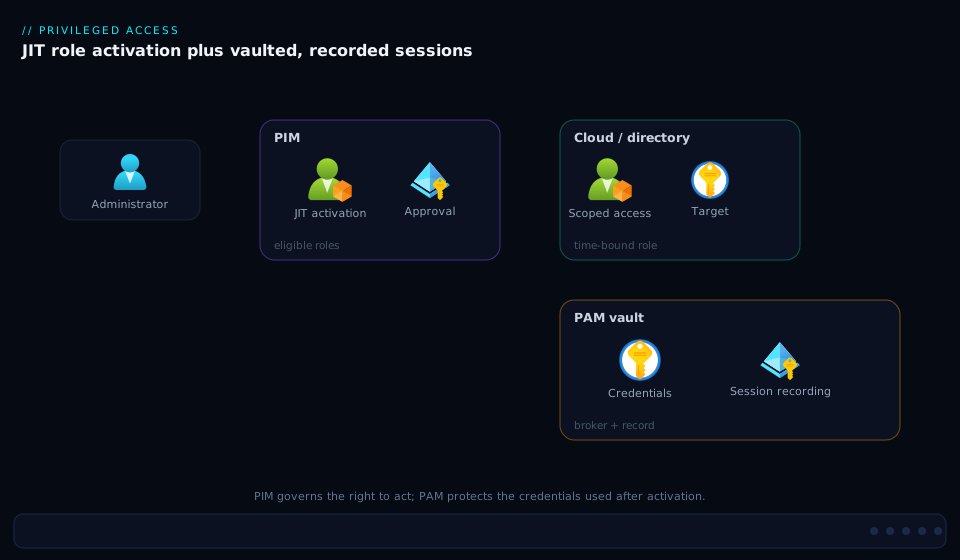
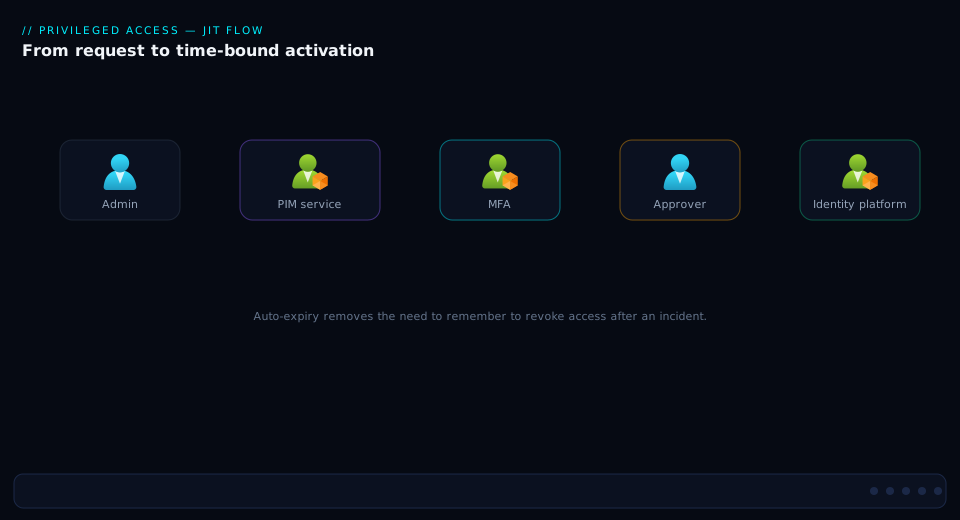
Trace the activation itself as a sequence and the timing becomes concrete: select an eligible role → PIM enforces MFA and captures justification → an approver gates it (if required) → the role goes active for its bounded duration → the token refreshes → the work happens → the assignment expires automatically, with every step written to the audit log. The second diagram walks this request-to-expiry lifecycle hop by hop:
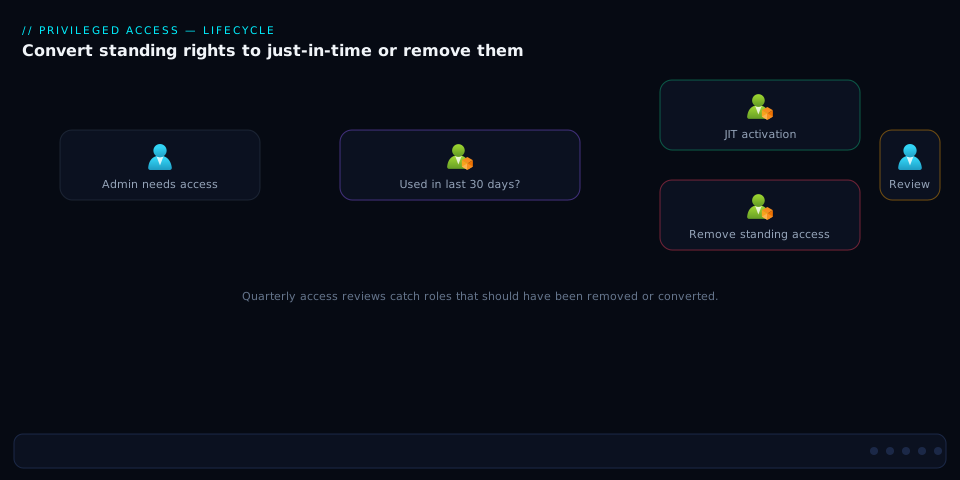
Finally, the decision the whole program turns on: for any privileged assignment you find, should it be standing at all? The third diagram is the decision tree — if it’s a role your IdP can grant, convert it to eligible (JIT) with the right gates; if it’s a raw credential on a system, route it to the PAM vault for brokering and rotation; reserve permanent-active for the tiny set of tested break-glass accounts; and prefer secretless (managed identity / workload federation) wherever a workload, not a human, needs access:
Real-world scenario
Northwind Logistics ran a 9,000-employee hybrid estate: on-prem Active Directory synced to Entra ID, ~120 Azure subscriptions under a CAF management-group hierarchy, and a fleet of 4,000 Windows/Linux servers. The privileged-access posture was the textbook stage-0/1 mess. 38 accounts held permanent Global Administrator. Domain Admins had 54 members, many of them service accounts. Every server shared the same local Administrator password — set during the 2021 gold-image build, written in a Confluence runbook, never rotated. Four engineers shared the SQL sa login for the data warehouse. There was no session recording anywhere, and the only “break-glass” was a sticky note in the infra lead’s desk drawer with a personal admin password on it.
The trigger was a near-miss: an engineer’s laptop was compromised via a malicious npm package in a side project. The attacker harvested cached credentials and found a standing Owner token for the production subscription. They got as far as enumerating resources before EDR flagged the anomalous az calls and the SOC pulled the laptop. The post-incident review was blunt: one developer laptop had been ninety seconds of inattention away from owning production, because privilege was standing, shared, and untiered.
The remediation ran as a 90-day program. Phase 1 (weeks 1–3): inventory and break-glass. They enumerated every active assignment (directory + resource + AD groups), stood up two cloud-only break-glass Global Administrators excluded from all Conditional Access, with FIDO2 keys split between two safes under dual custody, and wired a Sentinel rule paging on any break-glass sign-in. Phase 2 (weeks 4–7): PIM for the crown jewels. They configured Entra PIM role settings for Global Admin and PRA (1-hour activation, phishing-resistant MFA, justification, ticket, two-approver approval, CA auth context requiring a PAW), made the 38 GAs eligible instead of active, verified each could activate, then deleted the standing assignments — dropping permanent Global Admins from 38 to 2 (the break-glass pair). Subscription Owners went the same way: eligible at management-group scope, 2-hour activation, approval required. Phase 3 (weeks 8–11): tiering, PAWs, and PAM. They split admin identities into Tier-0/1/2 accounts, issued dedicated PAWs to the dozen Tier-0 admins, deployed Windows LAPS so every server’s local Administrator password became unique and auto-rotated, and stood up a CyberArk vault for the service accounts and the sa credential — brokered, recorded, rotated-on-check-in. Phase 4 (week 12): reviews and proof. Quarterly access reviews on all privileged roles (monthly for Tier-0), auto-applying results and removing anyone who hadn’t activated in 90 days, plus the audit dashboards their SOC and auditors needed.
The numbers after 90 days told the story. Permanent Global Administrators: 38 → 2. Domain Admins: 54 → 6 (service accounts moved to gMSA or vault-managed). Shared static passwords: thousands → 0 (LAPS + vault). Mean privileged-session duration: “forever” → 74 minutes, auto-expiring. Privileged sessions recorded: 0% → 100% for vaulted access. The cost was real — Entra ID P2 for ~200 privileged users (~₹6,000/user/year), a CyberArk license, a dozen PAWs (~₹80,000 each), and roughly 0.5 FTE of ongoing program management — but the avoided cost (a single production-subscription compromise) dwarfed it, and the auditors signed off on least-privilege and separation-of-duties for the first time in the company’s history.
Advantages and disadvantages
| Advantage | Disadvantage |
|---|---|
| Eliminates standing access — a stolen credential is usually inert | Operational friction — approvals/MFA add steps to every privileged task |
| Full attribution — every activation and session is logged to a person + reason | Approval bottlenecks if workflows are poorly tuned (single approver on holiday) |
| Shrinks the attack window from “always” to “minutes, approved” | Cost — Entra ID P2 + a PAM suite + PAWs is a real budget line |
| Separation of duties — approval enforces a second human | Complexity — tiering, PAWs, vault integration is a program, not a project |
| Fast revocation — pull a role or rotate a credential instantly | Break-glass risk — emergency accounts are backdoors if not alarmed/tested |
| Compliance evidence — recordings + audit satisfy SOX/PCI/HIPAA/ISO | Adoption resistance — admins used to standing access push back |
| Defeats lateral movement — tiering + PAWs stop credential harvesting | Token-refresh gotcha — activated power not visible until token refresh confuses users |
| Credential is a moving target — rotation kills captured secrets | Legacy gaps — some old systems resist brokering/rotation |
Where each matters: the friction is the price of the attack-surface reduction, and the trade is overwhelmingly worth it for high-impact roles — but it’s not worth it for routine read-only access, where wrapping everything in PIM just creates approval fatigue. The break-glass risk is the one disadvantage you cannot afford to mismanage: an unalarmed, untested break-glass account is strictly worse than no PIM at all, because it’s a permanent Global Administrator that nobody is watching. And the complexity is real — this is a multi-quarter program touching identity, cloud, AD, and security teams; treating it as a checkbox produces a half-built model with all the friction and a fraction of the protection.
Hands-on lab
This lab converts a directory role from standing to JIT-eligible in Entra PIM, configures its activation policy, activates it as an end user, and verifies the audit trail — using only an Entra ID P2 trial tenant (free P2 trial covers PIM). Run it with a test admin and a test “operator” user; do not practice on a production tenant’s Global Administrator. Estimated time: 30–40 minutes.
1. Connect with the rights to manage PIM. In Cloud Shell or a local shell with Graph PowerShell installed:
Connect-MgGraph -Scopes "RoleManagementPolicy.ReadWrite.Directory",`
  "RoleManagement.ReadWrite.Directory","RoleEligibilitySchedule.ReadWrite.Directory"
Get-MgContext | Select-Object Account, Scopes   # confirm you connected with the right scopes
Expected: your admin account and the requested scopes listed.
2. Pick a low-risk role to govern. Use User Administrator (powerful enough to be meaningful, far below Global Admin):
$roleId = (Get-MgRoleManagementDirectoryRoleDefinition `
  -Filter "displayName eq 'User Administrator'").Id
$roleId   # note this GUID
Expected: a GUID printed (the role definition id).
3. Find the role’s PIM policy and set a 1-hour activation with MFA + justification.
$pa = Get-MgPolicyRoleManagementPolicyAssignment `
  -Filter "scopeId eq '/' and scopeType eq 'DirectoryRole' and roleDefinitionId eq '$roleId'"
$policyId = $pa.PolicyId

# Max activation duration = 1 hour
Update-MgPolicyRoleManagementPolicyRule -UnifiedRoleManagementPolicyId $policyId `
  -UnifiedRoleManagementPolicyRuleId "Expiration_EndUser_Assignment" -BodyParameter @{
    "@odata.type"="#microsoft.graph.unifiedRoleManagementPolicyExpirationRule"
    id="Expiration_EndUser_Assignment"; isExpirationRequired=$true; maximumDuration="PT1H" }

# Require MFA + justification on activation
Update-MgPolicyRoleManagementPolicyRule -UnifiedRoleManagementPolicyId $policyId `
  -UnifiedRoleManagementPolicyRuleId "Enablement_EndUser_Assignment" -BodyParameter @{
    "@odata.type"="#microsoft.graph.unifiedRoleManagementPolicyEnablementRule"
    id="Enablement_EndUser_Assignment"; enabledRules=@("MultiFactorAuthentication","Justification") }
Expected: both calls return without error (HTTP 204 under the hood).
4. Make the test operator ELIGIBLE (not active) for the role.
$operatorId = (Get-MgUser -Filter "userPrincipalName eq 'operator@<tenant>.onmicrosoft.com'").Id
New-MgRoleManagementDirectoryRoleEligibilityScheduleRequest -BodyParameter @{
  action="adminAssign"; justification="Lab: eligible User Admin"
  roleDefinitionId=$roleId; directoryScopeId="/"; principalId=$operatorId
  scheduleInfo=@{ startDateTime=(Get-Date).ToString("o")
    expiration=@{ type="afterDuration"; duration="P30D" } } }
Expected: a request object with status Provisioned (or PendingProvisioning briefly).
5. Confirm the eligibility exists.
Get-MgRoleManagementDirectoryRoleEligibilitySchedule `
  -Filter "principalId eq '$operatorId'" |
  Select-Object RoleDefinitionId, @{n='Type';e={'Eligible'}}, StartDateTime
Expected: one row showing the operator eligible for the role. They hold no active role yet.
6. Activate as the end user. Sign in as the operator (separate session) and run a self-activation:
# As the OPERATOR (new Connect-MgGraph session as operator@...)
New-MgRoleManagementDirectoryRoleAssignmentScheduleRequest -BodyParameter @{
  action="selfActivate"; justification="Lab: resetting a test user's password"
  roleDefinitionId="<roleId>"; directoryScopeId="/"
  principalId="<operatorId>"
  scheduleInfo=@{ startDateTime=(Get-Date).ToString("o")
    expiration=@{ type="afterDuration"; duration="PT1H" } } }
Expected: a request with status Provisioned; the role is now active for 1 hour. (If you’d required approval, it would sit PendingApproval until approved.)
7. Verify the active assignment and the audit trail.
# Active assignment now present:
Get-MgRoleManagementDirectoryRoleAssignmentSchedule -Filter "principalId eq '<operatorId>'" |
  Select-Object RoleDefinitionId, AssignmentType, EndDateTime
# Audit: the activation event (may take a minute to surface)
Get-MgAuditLogDirectoryAudit -Filter "category eq 'RoleManagement'" -Top 5 |
  Select-Object ActivityDisplayName, ActivityDateTime, Result
Expected: an active assignment with an EndDateTime ~1 hour out, and an audit entry like “Add member to role completed (PIM activation).”
8. Teardown. Remove the eligibility (and let the active assignment expire, or deactivate):
# Remove the eligible assignment
New-MgRoleManagementDirectoryRoleEligibilityScheduleRequest -BodyParameter @{
  action="adminRemove"; roleDefinitionId="<roleId>"; directoryScopeId="/"
  principalId="<operatorId>" }
Disconnect-MgGraph
Expected: the eligibility is removed; the active assignment auto-expires at its EndDateTime. You’ve taken a role from standing to JIT and back, with a full audit trail — the core PIM loop.
Common mistakes & troubleshooting
| # | Symptom | Root cause | Confirm (exact command / portal path) | Fix |
|---|---|---|---|---|
| 1 | Activated Owner but az says “authorization failed” |
Cached token predates the role grant (token-refresh gap) | az account get-access-token --query expiresOn; role shows active in PIM blade |
az logout && az login; re-acquire the token |
| 2 | Removed standing access; an admin is now locked out | They were never verified able to activate before removal | PIM → My roles (as them) shows no eligible assignment | Re-create the eligible assignment; verify activation before removing standing |
| 3 | Activation stuck “pending approval” forever | Sole approver unavailable; no escalation | PIM → Approve requests; approver group has one member on leave | Assign an approver group with ≥2–3 members; set approval timeout + escalation |
| 4 | Break-glass account got locked out by a CA policy | Break-glass not excluded from the new Conditional Access policy | CA policy → Assignments → Exclusions missing the BG group | Add the break-glass group to every CA policy’s exclusions; alert on tampering |
| 5 | PIM activation fails “MFA required” though MFA was done | Activation requires fresh MFA / phishing-resistant the session lacks | Sign-in log shows the auth method; activation policy requires a stronger method | Satisfy the required auth context (FIDO2/PAW); re-activate |
| 6 | Service account “can’t activate” its role | Non-human principals often can’t perform interactive activation | Activation requires MFA/justification a daemon can’t supply | Use a managed identity (secretless) or a permanent-eligible-without-MFA exception, governed tightly — prefer secretless |
| 7 | Access review ran but nobody lost access | Auto-apply results was off; or default “no change” on no-response | Review settings → “Upon completion” not set to apply/remove | Turn on auto-apply; set no-response default to remove for Tier-0 |
| 8 | Roles keep appearing as active outside PIM | Someone assigning roles directly via az role assignment/Graph, bypassing PIM |
PIM alert “Roles are being assigned outside of PIM”; audit log | Investigate; remove; restrict who can assign roles directly; alert on it |
| 9 | An admin still has Owner months after a project ended | Eligibility never expires + no review caught it | Inactivity in PIM (“administrators aren’t using their roles” alert) | Use time-bound eligibility; quarterly reviews; remove dormant eligibility |
| 10 | Activation policy change “didn’t take” | Edited the wrong rule (Admin vs EndUser; eligibility vs assignment) | Re-read the rule: Get-MgPolicyRoleManagementPolicyRule |
Edit *_EndUser_Assignment for activation; *_Admin_Eligibility for eligibility |
| 11 | PAM-brokered session fails to inject the credential | Target’s local credential rotated out-of-band; vault out of sync | Vault shows last rotation; target login fails | Reconcile/re-rotate via the vault; ensure only the vault rotates it |
| 12 | “Activation succeeded” but the user still can’t do the action | Role grants a different scope/permission than they expected | Check the role’s actual permissions and scope vs the operation | Grant the right role at the right scope; least privilege per task |
| 13 | Break-glass sign-in didn’t fire an alert | The detection rule references the wrong UPN/object id, or isn’t deployed | Run the KQL manually against SigninLogs for the BG UPNs |
Fix the rule’s account list; test the alert end-to-end on a schedule |
| 14 | Domain Admin still cached on member servers despite “PIM everywhere” | Entra PIM doesn’t cover on-prem AD group membership | Get-ADGroupMember "Domain Admins" still standing |
Use MIM PAM / a PAM-managed group for on-prem; enforce tiering + PAWs |
Three of these bite hardest and deserve a closer word. Locking your own admins out (#2) is the most damaging rollout error — the discipline is non-negotiable: create the eligible assignment, have the user activate once, and only then delete the standing one (verify, then remove). The silent bypass (#8) voids the whole model: if anyone can still assign roles directly (az role assignment create, Graph roleAssignments), they mint standing access behind PIM’s back — so turn on the “roles assigned outside of PIM” alert, restrict the role-assignment permission, and treat any out-of-PIM active assignment as an incident. And on-prem AD is not covered (#14): Entra PIM governs Entra directory roles and Azure resource roles, not on-prem AD group membership — Domain/Enterprise Admins need Microsoft Identity Manager’s PAM feature (bastion forest), a PAM-managed group, or at minimum rigorous tiering and PAWs.
Best practices
- Drive standing privileged access to zero. The only permanent-active Global Administrators in the tenant should be your two break-glass accounts. Everything else is eligible.
- Verify activation before removing standing access. Never delete an admin’s active assignment until they’ve successfully activated the eligible one once. Verify, then remove — in that order.
- Gate the crown jewels hardest. Global Admin and Privileged Role Administrator get 1-hour activation, phishing-resistant MFA, justification, ticket, two-approver approval, and a Conditional Access auth context requiring a PAW. Calibrate every other role by blast radius, not seniority.
- Use approver groups, never single approvers. Two-to-three approvers with a timeout and escalation, so a holiday never strands an activation, and an approval is a real decision (justification + ticket visible).
- Run access reviews with auto-apply and default-remove. Quarterly for privileged roles, monthly for Tier-0; auto-apply results; default to removing access on no response; surface inactivity so dormant eligibility is pruned.
- Implement the tiered admin model and enforce it. Distinct accounts per tier, credential isolation (no downward exposure), clean source (manage higher tiers only from equal-or-higher trust), and PAW-only for Tier-0.
- Stand up at least two break-glass accounts and test them. Cloud-only, CA-excluded, no single-MFA-provider dependency, offline credentials under dual control, a high-severity alert on every sign-in, and a scheduled test that confirms access and that the alert fired.
- Vault, broker, record, and rotate raw credentials. Local admin (LAPS), service accounts (gMSA or vault), database and network secrets go in a PAM vault with brokered, recorded sessions and rotation-on-check-in. Humans should not know these passwords.
- Prefer secretless over both. Every workload moved to a managed identity or workload-identity federation is a credential you never vault and a role you never elevate. Shrink the human/legacy set first, then govern what remains.
- Wire activation to Conditional Access. Make activation a sign-in event gated on device compliance and phishing-resistant MFA via authentication context — PIM and CA are one system, not two.
- Alert on the leading indicators. Break-glass sign-ins, roles assigned outside PIM, activation from non-compliant devices, off-hours/unusual-location activations, and elevate-then-destroy sequences — not just “something broke.”
- Manage PIM policy and assignments as code. Treat role settings and eligible assignments as reviewed, version-controlled configuration (Graph/Bicep/Terraform), so a loosened activation policy is caught in a pull request, not in an audit.
- Don’t PIM-wrap routine read access. Reserve the friction for privilege that can change security, data, or production. Wrapping read-only access in approvals breeds fatigue and trains people to rubber-stamp.
Security notes
- PIM-protect the roles that protect PIM. Privileged Role Administrator (who configures all elevation) and Global Administrator are themselves the highest-value targets — eligible-not-active, approval-gated, PAW-only, short duration. Whoever controls PIM controls everything; guard it accordingly.
- Phishing-resistant authentication for activation. Require FIDO2 / Windows Hello for Business / certificate-based auth (not SMS/voice) for privileged activation, enforced via a Conditional Access auth context. A phishable second factor on a Global Admin activation is a thin shield.
- Conditional Access auth context + compliant PAW for Tier-0. Bind the highest activations to a CA policy that demands a managed, compliant Privileged Access Workstation — so even a valid credential can’t activate from a dirty device.
- Credential isolation across tiers. A Tier-0 credential is never typed, cached, or processed on a Tier-1/2 asset. This single rule defeats the credential-harvesting that turns one endpoint compromise into total compromise.
- Immutable audit and recordings. Stream Entra audit + sign-in logs to a retention-locked workspace, and store PAM session recordings as WORM, so the evidence survives the very compromise it documents. An attacker who can erase the logs erases their own trail.
- Treat break-glass as the highest-risk account, always watched. No MFA dependency and CA exclusion make them resilient and dangerous. Alert on every authentication, alarm on any change to their CA exclusion, and never let a stale-account-disable script touch them.
- Rotate captured credentials immediately. Any credential that leaves the vault (even to a broker) and any suspected-leaked secret gets rotated on check-in or on demand — a known password must be a dead password.
- Least privilege per task, right scope. Activate the narrowest role at the smallest scope that does the job — Contributor on one resource group, not Owner on the subscription; a specific directory role, not Global Admin “to be safe.”
- Monitor for the bypass. The model collapses if roles can be assigned outside PIM. Restrict the role-assignment permission, enable the “outside of PIM” alert, and investigate any standing active assignment that appears.
Cost & sizing
The bill has three main drivers — Entra ID P2/Governance (per user PIM touches, ~₹6,000–7,500/user/year, licensed for the privileged population of typically 2–10% of users, not the whole company — for Northwind’s 200 privileged users ~₹1.2–1.5M/year), a PAM platform (CyberArk-class, the biggest line at ₹15–40 lakh+/year, justified by the static credentials it eliminates and the recording it provides; HashiCorp Vault and Azure Key Vault are far cheaper but are not human-session PAM), and PAWs (a dedicated device per Tier-0 admin, ~₹70k–100k each, for the dozen people who touch the control plane, not everyone). The math favors the program once you price in a single avoided breach. The sizing rule: license PIM for the privileged population, deploy PAWs to Tier-0 only (Tier-1 can use an isolated admin VM or a brokered jump host), and start the vault on the highest-blast-radius shared credentials (the universal local-admin password, the sa accounts, domain-joined service accounts) before expanding. The cost picture:
| Cost driver | What you pay for | Rough INR / year | What it buys | Watch-out |
|---|---|---|---|---|
| Entra ID P2 (per privileged user) | PIM, access reviews, ID Protection | ~₹6,000–7,500 / user | JIT, eligible/active, approval, review | License only the privileged set, not everyone |
| Entra ID Governance (per user) | + entitlement mgmt, lifecycle workflows | higher than P2 | Full access-lifecycle governance | Needed only if you use the governance suite |
| PAM suite (CyberArk-class) | Vault, broker, record, rotate | ~₹15–40 lakh+ | Eliminates static credentials; recordings | Per-target/session pricing scales with scope |
| PAWs (Tier-0) | Dedicated hardened devices | ~₹70k–100k each | Clean-source admin; defeats credential theft | One per Tier-0 admin; not org-wide |
| Windows LAPS | (Included with Windows/Entra) | ~₹0 | Unique, rotated local-admin passwords | Free — deploy it before buying a vault for local admin |
| SIEM ingestion (Sentinel) | Audit/sign-in log retention + rules | per-GB | Detection + immutable audit | Sample/route high-volume logs |
The honest floor for cloud-only PIM is Entra ID P2 for your privileged users + free Windows LAPS + Sentinel; the full enterprise picture adds the PAM suite and PAWs. Against the cost of one production compromise — Northwind’s near-miss was ninety seconds from owning the production subscription — the program is cheap insurance, and most of the highest-value moves (eligible assignments, break-glass, LAPS, tiering discipline) cost more in rigor than in rupees.
Interview & exam questions
1. What is the precise difference between PIM and PAM? PIM governs the right to act — it makes role membership (Entra directory + Azure resource roles) just-in-time: eligible instead of active, activated with MFA/justification/approval, time-bound and auto-expiring. PAM governs the credential used to act — it vaults raw secrets (local admin, service accounts, sa, network gear), brokers sessions so the human never sees the credential, records them, and rotates the secret afterward. PIM is role-centric and native to your IdP; PAM is credential/session-centric and bolted onto systems. A mature program runs both.
2. Explain eligible vs active assignments and why eligible is the target state. An eligible assignment means a user can activate a role on demand but holds no power at rest; an active assignment means they hold the role now. Eligible is the target for almost every privileged role because at rest there’s nothing for an attacker to steal — the power exists only during a justified, time-bound, audited activation. Permanent-active should be reserved for break-glass accounts.
3. Why do break-glass accounts have no MFA and are excluded from Conditional Access, and how do you make that safe? Those properties make them resilient: if MFA or a CA policy is the very thing that broke (a policy locking everyone out, an MFA outage), the account must still get in to fix it. You make it safe not by weakening that resilience but by extreme monitoring — cloud-only, long offline passwords under dual control, a high-severity alert on every sign-in, an alarm on any change to their CA exclusion, and scheduled testing. They are the only permanent-active Global Administrators you should have.
4. What does the tiered administration model protect against that PIM and PAM alone don’t? Lateral movement via credential harvesting. PIM shrinks the time a credential is usable and PAM protects the secret, but neither stops a high-tier credential from being typed on a low-tier machine. The tier model forbids that: Tier-0 credentials are only ever used on Tier-0 assets from a Tier-0 PAW (credential isolation + clean source), so a compromised Tier-2 laptop can’t harvest a Tier-0 credential, because one was never present there.
5. A user activates Owner in PIM, immediately runs az, and gets “authorization failed.” What happened? The token-refresh gap: the role is active in the directory, but the user’s cached token predates the grant and lacks the new role claim. The fix is to refresh the token — az logout && az login (or re-acquire), then the elevated claim is present. This is a configuration non-issue mistaken for a PIM failure.
6. How do you stop privilege creep in eligible assignments over time? Access reviews with teeth: a recurring campaign (quarterly for privileged, monthly for Tier-0) where the right reviewer (manager/owner, never self for top roles) re-attests each eligibility, with auto-apply on and the no-response default set to remove. Surface inactivity (who hasn’t activated in 90 days) and pair with time-bound eligibility so eligibility itself expires.
7. When would you use PAM (a vault) instead of PIM for a privileged thing? When it’s a raw credential on a system, not a role your IdP can grant. The local Administrator on a server, root, SQL sa, a firewall enable secret, a service-account password — there is no Entra role to make eligible, so you vault the credential, broker and record the session, and rotate it. PIM has no object to elevate there; PAM is the right tool.
8. What’s the right activation policy for Global Administrator? The strictest: short activation duration (1 hour), phishing-resistant MFA, required justification and ticket, approval by two separate approvers, and a Conditional Access authentication context that demands a compliant Privileged Access Workstation. Defense in depth, because the blast radius is the entire tenant. Plus: only break-glass accounts hold Global Admin as permanent-active.
9. A health-check-style trap: can Entra PIM make your on-prem Domain Admins just-in-time? No — Entra PIM governs Entra directory roles and Azure resource roles, not on-prem AD group membership. For Domain/Enterprise Admins you need Microsoft Identity Manager’s PAM feature (bastion-forest model), a third-party PAM-managed group, or — at minimum — rigorous tiering and PAWs. Assuming an Entra PIM rollout secured on-prem AD is a common and dangerous mistake.
10. How does approval enforce separation of duties without becoming a bottleneck? It requires a second human to approve an activation (no unilateral self-elevation). To avoid bottlenecks: use an approver group of 2–3 (not one person who might be on holiday), set a timeout with escalation, surface the justification and ticket so the decision is real, and reserve approval for high-blast-radius roles. Genuine emergencies use the separate, alarmed break-glass path — never weaken the normal gate to handle them.
11. What do you log to prove the program works, and where? Stream Entra audit logs (activations, approvals, eligible-assignment changes) and sign-in logs to Log Analytics/Sentinel; correlate with the Azure activity log to see what the elevated identity did; keep PAM recordings as immutable WORM. The auditable chain is: who is eligible → who activated, when, why, who approved → what they did → was the credential rotated. Build detections for break-glass sign-ins, out-of-PIM assignments, and off-hours activations.
12. Why prefer “secretless” over both PIM and PAM where possible? Because a workload with a managed identity or workload-identity federation has no human-usable credential to steal and no standing role to elevate — the platform issues short-lived tokens automatically. Every workload you move to secretless is one fewer credential to vault and one fewer role to govern. PIM and PAM are for the irreducible human and legacy cases; minimizing that set is the highest-leverage move.
These map to SC-300 (Identity and Access Administrator) — implement and manage privileged access, PIM, access reviews — and AZ-500 (Security Engineer) — manage privileged identities, PIM for Azure resources, Conditional Access. The governance/PAM strategy concepts map to CISSP (Identity and Access Management, Security Operations) and SC-100 (Cybersecurity Architect). A compact cert-mapping for revision:
| Question theme | Primary cert | Objective area |
|---|---|---|
| PIM eligible/active, activation, reviews | SC-300 | Plan & implement privileged access |
| PIM for Azure resources, CA + activation | AZ-500 | Manage privileged identities; secure access |
| Break-glass, tiered model, PAW strategy | SC-100 | Design identity security / privileged access strategy |
| PAM vaulting/brokering/rotation concepts | CISSP | IAM domain; Security Operations |
| Separation of duties, least privilege, audit | CISSP / SC-100 | Governance, risk, and compliance |
Quick check
- In one sentence each, what does PIM govern and what does PAM govern?
- You find an account that is a permanent-active Global Administrator. Under what single circumstance is that acceptable?
- A user activated Owner and immediately gets “authorization failed” running
az. What’s the cause and the fix? - Name two things a tiered admin model does that PIM and PAM alone cannot.
- Your access review ran last quarter but nobody actually lost access. Name the two settings that were almost certainly wrong.
Answers
- PIM governs the right to act — making roles (Entra directory + Azure resource roles) just-in-time eligible instead of standing-active. PAM governs the credential used to act — vaulting it, brokering and recording the session, and rotating it.
- Only if it is a break-glass emergency access account (cloud-only, CA-excluded, offline credentials under dual control, alarmed on every sign-in, and tested on a schedule). No human’s day-to-day account should be a permanent-active Global Administrator.
- The token-refresh gap: the role is active in the directory but the cached token predates the grant and lacks the role claim. Fix by refreshing the token —
az logout && az login(or re-acquire) — then the elevated claim is present. - (a) Enforce credential isolation — a higher-tier credential is never typed/cached on a lower-tier asset; and (b) enforce the clean-source principle — higher-tier systems are managed only from equal-or-higher-trust machines (Tier-0 from a PAW). Together they defeat credential-harvesting lateral movement that PIM/PAM don’t address.
- Auto-apply results was off (so decisions sat in a report instead of removing access), and the no-response default wasn’t set to remove (so neglected entries silently kept their access). Turn on auto-apply and default-remove for privileged reviews.
Glossary
- PIM (Privileged Identity Management) — governs just-in-time elevation of directory and Azure resource roles: eligible vs active, activation with MFA/justification/approval, time-bound and auto-expiring.
- PAM (Privileged Access Management) — protects raw credentials no directory role can elevate: vaulting, session brokering, session recording, and rotation.
- Standing access — privilege that is always assigned and always usable; the root cause of most blast radius.
- Just-in-time (JIT) activation — turning an eligible role active only for a bounded, justified, audited window, after which it auto-expires.
- Eligible vs active assignment — eligible = the user can activate but holds no power at rest (the target state); active = they hold the role now (permanent-active reserved for break-glass, or time-bound active).
- Approval workflow / access review — a second human gates a single activation (separation of duties); a recurring campaign re-attests each assignment and auto-removes denied/unreviewed access (kills creep).
- Privileged Role Administrator (PRA) — the Entra role that configures PIM itself; a top-tier target, governed exactly like Global Admin.
- Tiered administration model — partitioning admin identities and assets into Tier 0 (control plane: DCs, Entra ID, ADFS, PKI), Tier 1 (workloads), Tier 2 (devices), with no downward credential exposure.
- Credential isolation / clean source — a higher-tier credential is never typed/cached on a lower-tier asset; a higher-tier system is managed only from an equal-or-higher-trust machine (Tier-0 from a PAW).
- PAW (Privileged Access Workstation) — a hardened, dedicated, managed workstation used only for privileged administration, never for email or browsing.
- Break-glass (emergency access) account — a deliberately permanent-active, CA-excluded, MFA-resilient Global Administrator for recovery when the normal path fails; alarmed on every use and tested regularly.
- Vaulting / session brokering / recording — storing credentials encrypted so humans never know them; connecting through a proxy that injects the credential without revealing it; immutably capturing the session for forensics.
- Rotation — changing a credential on check-in or schedule so a captured/known secret is immediately invalid.
- gMSA (group Managed Service Account) — an AD-managed service account with an automatically rotated password; a secretless-leaning alternative to a static service-account password.
- Windows LAPS — gives every machine a unique, automatically rotated local Administrator password, eliminating the shared-local-admin anti-pattern.
- Authentication context — a Conditional Access construct PIM activation can require, forcing a specific posture (compliant PAW + phishing-resistant MFA) before elevation.
Next steps
You can now design privileged access from the management-group root down — eligible-not-active roles, approval and review gates, tiering, PAWs, break-glass, and a PAM vault for the credentials PIM can’t elevate. Build outward:
- Next: Building Enterprise PAM: Credential Vaulting, Session Brokering, and Automatic Rotation — the deep PAM build that complements PIM’s role half.
- Related: Zero Trust on Microsoft Entra: Conditional Access + PIM, Step by Step — wire activation to device compliance and phishing-resistant MFA.
- Related: Engineering Break-Glass Emergency Access Accounts in Entra ID — the full hardening and tamper-evident monitoring of the emergency path.
- Related: Building an Access Reviews Program in Entra ID — recertify privileged roles, groups, and guests at scale.
- Related: Designing Conditional Access at Scale — the persona-based policy framework and authentication contexts that gate every activation.
- Related: Managed Identities Deep Dive — the secretless end state that removes credentials and roles entirely for workloads.
- Related: Zero Trust Architecture Blueprint: Identity, Network, and Data Pillars — where privileged access fits in the larger zero-trust picture.