In a nutshell
Imagine your Kubernetes cluster is a large shared office building. A Namespace is a labelled room inside it — team-a, payments-dev, staging. You put your desks, printers and whiteboards (your Pods, Services and ConfigMaps) into a room so they are grouped together and easy to find, and so two teams can each own a “web” desk without a name clash. The room is only an organising label, though: on its own it does not build a wall between rooms.
A ResourceQuota is the budget for the whole room: “everything in payments-dev, added together, may use at most 4 CPUs, 8 GiB of memory, and 30 Pods.” It watches the room’s running total and turns new things away at the door once that total would go over budget.
A LimitRange is the rulebook for each item you bring into the room: “every desk gets a standard power allowance if you didn’t ask for one, and no single desk may draw more than 1 CPU.” It fills in sensible defaults for anything you forgot to size, and rejects anything oversized or undersized — one item at a time.
You almost always use the three together: the Namespace groups the work, the LimitRange makes sure every Pod carries a size (so the budget can be counted), and the ResourceQuota caps the room’s total. Forget the LimitRange and a compute quota can start rejecting perfectly ordinary Pods — one of the most common surprises in Kubernetes, and one we prove with a real example below.
Level: Junior · beginner-friendly · Time: ~38 min read · You’ll need first: what a Pod is and how CPU/memory requests and limits work (covered in the Pods deep-dive).
A Kubernetes cluster starts life as one big shared pool of compute. Anyone with access can create Pods, and by default nothing stops a single team — or a single buggy Deployment with replicas: 500 — from consuming every CPU and gigabyte the nodes can offer, starving everyone else. The first three governance objects you learn are the ones that tame that shared pool into named, fenced, budgeted areas: the Namespace (the boundary you put things in), the ResourceQuota (the budget that says how much that boundary may consume in total), and the LimitRange (the per-object rules that fill in sensible defaults and stop any single Pod from being silly).
These three are the bedrock of multi-tenancy — running many teams, environments, or customers on one cluster without them treading on each other. They are also some of the most commonly misunderstood objects in Kubernetes, because people assume a Namespace is a security boundary (it mostly is not) and assume a ResourceQuota and a LimitRange do the same job (they do not — they are partners). This lesson covers every field of all three, in beginner-friendly language, and then walks through the exact admission sequence that runs every time you create a Pod so you can predict precisely why a Pod is accepted, defaulted, or rejected. Everything runs on a free local cluster.
Learning objectives
By the end of this lesson you will be able to:
- Explain what a Namespace isolates and — just as important — what it does not, including which Kubernetes objects are namespaced and which are cluster-scoped.
- Create, switch between, and clean up Namespaces, and work fluently with
kubectlcontexts so you stop typing-neverywhere. - Write a ResourceQuota covering compute (CPU/memory/GPU), storage (PVC requests, per-StorageClass limits), and object counts, and scope it with
scopesandscopeSelector. - Write a LimitRange that sets
default,defaultRequest,min,max, andmaxLimitRequestRatiofor Containers, Pods, and PersistentVolumeClaims. - Trace the exact order in which a LimitRange and a ResourceQuota act when a Pod is admitted, and debug the common
must specify requests,exceeded quota, andforbidden maximumerrors. - Lay out a simple, safe multi-tenant pattern using a Namespace + LimitRange + ResourceQuota together.
Prerequisites & where this fits
You should already know what a Pod is and how requests and limits work at the container level (covered in the Pods deep-dive: requests are what the scheduler reserves; limits are the ceiling the kubelet enforces). You need a local cluster — kind, minikube, or k3d — all free and laptop-friendly. This lesson sits in the Fundamentals module of the Kubernetes Zero-to-Hero course, right after ConfigMaps & Secrets and before kubectl mastery. It is the foundation the later multi-tenancy, RBAC, and scheduling lessons build on.
Core concept: three jobs, three objects
It helps to fix the division of labour before any YAML:
| Object | Scope | Question it answers | Acts when |
|---|---|---|---|
| Namespace | Cluster-scoped (it contains namespaced objects) | “Where does this object live, and who/what is grouped with it?” | At name resolution / object placement |
| ResourceQuota | Namespaced | “How much may everything in this namespace, added up consume?” | At admission, against the namespace’s running total |
| LimitRange | Namespaced | “What are the per-object min/max/default for things created in this namespace?” | At admission, mutating and then validating each object |
A Namespace is the fence. A ResourceQuota is the total budget for everything inside the fence. A LimitRange is the per-item rulebook inside the fence. You almost always want all three together: the Namespace to group, the LimitRange to make sure every Pod has requests/limits (so the quota can actually count them), and the ResourceQuota to cap the aggregate.
Namespaces: what they isolate (and what they don’t)
A Namespace is a virtual cluster inside your real cluster — a way to divide cluster resources between multiple users, teams, or environments. It is purely a logical grouping; it does not spin up new nodes or new control planes.
What a Namespace gives you
- A naming scope. Object names must be unique within a namespace, not across the whole cluster. You can have a
webDeployment inteam-aand a completely separatewebDeployment inteam-b. The fully-qualified identity of an object is (namespace, name). - A grouping for bulk operations.
kubectl delete all --all -n devclears a whole environment.kubectl get pods -n paymentsscopes a view. - An attachment point for policy. ResourceQuota, LimitRange, NetworkPolicy, RBAC RoleBindings, and PodSecurity admission labels all attach to a namespace. This is the big one: namespaces are where you hang governance.
- DNS namespacing. A Service
dbin namespaceteam-ais reachable cluster-wide asdb.team-a.svc.cluster.local. Within the same namespace, the short namedbresolves correctly; from another namespace you must use the longer form.
What a Namespace does NOT give you
This is where most misunderstandings live. A Namespace by itself does not provide:
- Node isolation. Pods from every namespace can be scheduled onto the same node and share the same Linux kernel. Namespaces are not a security sandbox between workloads — you need NetworkPolicies, PodSecurity, RBAC, and possibly separate node pools or sandboxed runtimes for that.
- Network isolation by default. Out of the box, a Pod in
team-acan reach a Pod inteam-bover the flat cluster network. You must add NetworkPolicies to restrict cross-namespace traffic. - A boundary for cluster-scoped objects. Some objects simply do not live in any namespace (see the table below). Putting
-n team-aon akubectl get nodesdoes nothing.
Namespaced vs cluster-scoped objects
A frequent exam and interview point: not everything is namespaced. Run kubectl api-resources --namespaced=true and --namespaced=false to see the live split on your cluster. The essentials:
| Lives in a namespace (namespaced) | Lives outside any namespace (cluster-scoped) |
|---|---|
| Pods, Deployments, ReplicaSets, StatefulSets, DaemonSets | Nodes |
| Services, Endpoints, EndpointSlices, Ingress | Namespaces themselves |
| ConfigMaps, Secrets | PersistentVolumes (the PV; the PVC is namespaced) |
| ServiceAccounts, Roles, RoleBindings | ClusterRoles, ClusterRoleBindings |
| ResourceQuota, LimitRange, NetworkPolicy | StorageClasses, IngressClasses, PriorityClasses |
| Jobs, CronJobs, HPA, PodDisruptionBudgets | CustomResourceDefinitions (the definition; CR instances may be either) |
| Events (namespaced) | Nodes, CSINodes, RuntimeClasses, PodSecurity is via labels on the NS |
The pair that trips people up most: a PersistentVolume (PV) is cluster-scoped, but a PersistentVolumeClaim (PVC) is namespaced. A PVC in team-a binds to a cluster-wide PV, which is one reason storage quotas matter.
The built-in namespaces
Every cluster ships with four namespaces. Know what each is for:
| Namespace | Purpose | Should you put workloads here? |
|---|---|---|
default |
Where your objects go if you don’t specify a namespace | No in production — it is a convenience for learning; create proper namespaces instead |
kube-system |
Components Kubernetes itself runs (CoreDNS, kube-proxy, CNI, controller-manager on managed clusters) | Never put your apps here |
kube-public |
World-readable namespace (even unauthenticated); holds a cluster-info ConfigMap |
No — reserved for cluster bootstrap info |
kube-node-lease |
Holds one Lease object per node for fast node heartbeats |
No — managed automatically |
Creating, viewing, and deleting Namespaces
Imperatively:
kubectl create namespace team-a
kubectl get namespaces            # or: kubectl get ns
kubectl describe namespace team-a
Declaratively (the form you commit to Git), with the labels later objects rely on:
apiVersion: v1
kind: Namespace
metadata:
  name: team-a
  labels:
    team: alpha
    environment: dev
    # PodSecurity admission is configured by labels on the namespace:
    pod-security.kubernetes.io/enforce: baseline
Deleting a namespace is a big hammer: it deletes everything inside it — all Pods, Services, ConfigMaps, Secrets, PVCs — via cascading deletion.
kubectl delete namespace team-a
Gotcha — stuck
Terminatingnamespaces. If a namespace hangs inTerminating, it is almost always a finalizer on the namespace (often left by a removed API extension/CRD) blocking cleanup. Inspect withkubectl get namespace team-a -o yamland look atspec.finalizers/status. Resolve the underlying API service rather than force-removing finalizers, which can orphan resources.
Setting a default namespace with contexts
Typing -n team-a on every command is tedious and error-prone. A context in your kubeconfig bundles (cluster, user, namespace). Set the namespace once:
# Change the namespace of the current context permanently:
kubectl config set-context --current --namespace=team-a

# Verify what you're pointed at:
kubectl config view --minify | grep namespace:
From then on, bare commands act on team-a. To act on another namespace just for one command, still use -n; to act across all of them, use --all-namespaces (or -A):
kubectl get pods -A
The
kubenstool (from kubectx) is a popular quality-of-life add-on for hopping between namespaces, but the built-inkubectl config set-contextabove needs nothing extra.
ResourceQuota: budgeting a whole namespace
A ResourceQuota caps the aggregate consumption of a single namespace. You write one ResourceQuota object (occasionally a few, scoped differently) in the namespace, and the quota admission controller rejects any new object that would push the namespace over a limit. There are three families of things you can cap: compute, storage, and object counts.
A critical rule to internalise now: if a ResourceQuota constrains requests.cpu/requests.memory/limits.cpu/limits.memory, then every Pod created in that namespace MUST set the corresponding request/limit — otherwise the Pod is rejected with must specify .... This is exactly why you pair quotas with a LimitRange (which supplies defaults). Hold that thought; we trace it fully later.
Compute resource quotas
These cap CPU, memory, ephemeral storage, GPUs, and other extended resources, in two flavours — the sum of all requests and the sum of all limits across non-terminal Pods in the namespace.
| Quota key | What it caps |
|---|---|
requests.cpu |
Sum of CPU requests of all Pods |
requests.memory |
Sum of memory requests |
limits.cpu |
Sum of CPU limits |
limits.memory |
Sum of memory limits |
cpu / memory |
Shorthand for requests.cpu / requests.memory (older form) |
requests.ephemeral-storage / limits.ephemeral-storage |
Local scratch disk requests/limits |
requests.nvidia.com/gpu (or any extended resource) |
Sum of that extended resource’s requests |
hugepages-<size> |
Sum of huge-page requests (e.g. hugepages-2Mi) |
apiVersion: v1
kind: ResourceQuota
metadata:
  name: team-a-compute
  namespace: team-a
spec:
  hard:
    requests.cpu: "4"          # at most 4 cores reserved in total
    requests.memory: 8Gi
    limits.cpu: "8"            # at most 8 cores of ceiling in total
    limits.memory: 16Gi
    requests.nvidia.com/gpu: "2"
CPU is expressed in cores or millicores (500m = half a core). Memory uses binary suffixes (Mi, Gi). The quota counts only Pods in a non-terminal phase (i.e. not Succeeded/Failed), so finished Jobs free their budget.
Storage resource quotas
Storage quotas cap how much persistent storage a namespace can claim, and how many PVCs it can create — overall and per StorageClass.
| Quota key | What it caps |
|---|---|
requests.storage |
Sum of storage requested across all PVCs in the namespace |
persistentvolumeclaims |
Total number of PVCs |
<storage-class>.storageclass.storage.k8s.io/requests.storage |
Sum of storage requested from a specific StorageClass |
<storage-class>.storageclass.storage.k8s.io/persistentvolumeclaims |
Number of PVCs against a specific StorageClass |
requests.ephemeral-storage / limits.ephemeral-storage |
Pod-local ephemeral disk (also a “compute” item) |
apiVersion: v1
kind: ResourceQuota
metadata:
  name: team-a-storage
  namespace: team-a
spec:
  hard:
    requests.storage: 100Gi
    persistentvolumeclaims: "10"
    # Per-class caps let you ration expensive tiers:
    fast-ssd.storageclass.storage.k8s.io/requests.storage: 20Gi
    fast-ssd.storageclass.storage.k8s.io/persistentvolumeclaims: "3"
Gotcha. Per-StorageClass quota keys are matched on the exact StorageClass name. If you rename a StorageClass or a PVC omits
storageClassName(and falls through to the default), the per-class line won’t match the way you expect.
Object-count quotas
You can cap the number of almost any object type, which protects the API server and etcd from a runaway loop creating thousands of objects. Two syntaxes exist:
apiVersion: v1
kind: ResourceQuota
metadata:
  name: team-a-objects
  namespace: team-a
spec:
  hard:
    # Well-known short forms:
    pods: "50"
    services: "10"
    services.loadbalancers: "2"     # cap costly cloud LBs
    services.nodeports: "5"
    configmaps: "100"
    secrets: "100"
    replicationcontrollers: "20"
    persistentvolumeclaims: "10"
    # Generic form: count.<resource>.<group>
    count/deployments.apps: "20"
    count/jobs.batch: "30"
    count/cronjobs.batch: "10"
    count/ingresses.networking.k8s.io: "5"
The generic count/<resource>.<group> form works for any resource, including your own CRDs (count/widgets.example.com: "100"). The short forms (pods, services, secrets, etc.) are special-cased for core types. Note services.loadbalancers and services.nodeports count Services of those types specifically — handy for capping cloud load balancers, which cost real money.
Quota scopes — counting only some Pods
By default a compute quota counts all Pods. Scopes let one quota apply only to a subset, so you can, for example, give batch/best-effort work a different budget from your guaranteed services. There are two mechanisms.
spec.scopes takes a list of built-in scopes (a Pod must match all listed scopes to be counted):
| Scope | Matches Pods that… |
|---|---|
Terminating |
Have a positive activeDeadlineSeconds (run-to-completion / batch) |
NotTerminating |
Have no activeDeadlineSeconds (long-running services) |
BestEffort |
Have QoS class BestEffort (no requests/limits at all) |
NotBestEffort |
Have requests or limits set (QoS Burstable/Guaranteed) |
PriorityClass |
Are matched by a scopeSelector on priority class (see below) |
CrossNamespacePodAffinity |
Use cross-namespace pod (anti)affinity terms |
Rule: a
BestEffortquota may only constrain thepodscount (BestEffort Pods have no requests/limits to sum). ANotBestEffortquota may constrain compute resources.
spec.scopeSelector is the more expressive form, currently used for priority classes, letting you give high-priority workloads a separate budget:
apiVersion: v1
kind: ResourceQuota
metadata:
  name: high-priority-quota
  namespace: team-a
spec:
  hard:
    requests.cpu: "10"
    requests.memory: 20Gi
    pods: "20"
  scopeSelector:
    matchExpressions:
      - scopeName: PriorityClass
        operator: In        # In | NotIn | Exists | DoesNotExist
        values: ["high"]
Important cluster behaviour. Once any ResourceQuota in a namespace uses a
PriorityClassscope, Pods that setpriorityClassNameare only admitted if a matching scoped quota exists/permits them. This is sometimes enforced cluster-wide via the admission config’sLimitedResources. In short: scoped priority quotas can make priority classes “opt-in” per namespace.
Inspecting quota usage
The single most useful command for operators and on a quota is describe, which shows Used vs Hard side by side:
kubectl get resourcequota -n team-a
kubectl describe resourcequota team-a-compute -n team-a
Name:            team-a-compute
Namespace:       team-a
Resource         Used   Hard
--------         ----   ----
limits.cpu       2      8
limits.memory    4Gi    16Gi
requests.cpu     1500m  4
requests.memory  3Gi    8Gi
That Used/Hard view is how you answer “why was my Pod rejected?” — if Used + new request > Hard, admission fails.
LimitRange: per-object rules and defaults
A LimitRange is a policy applied to individual objects in a namespace. Where a ResourceQuota caps the namespace total, a LimitRange governs each Container, each Pod, and each PVC as it is created. It does two jobs:
- Mutates — fills in
default(limit) anddefaultRequest(request) on Containers that omit them. This is what makes a quota usable without forcing every author to write requests/limits by hand. - Validates — rejects objects outside
min/max, or whose limit/request ratio exceedsmaxLimitRequestRatio.
A LimitRange has a list of items, each with a type:
type |
Applies to |
|---|---|
Container |
Each container in a Pod (most common) |
Pod |
The Pod as a whole (sum across its containers) |
PersistentVolumeClaim |
Each PVC (only min/max on storage are meaningful) |
Within each item you may set these fields:
| Field | Meaning | Applies to type |
|---|---|---|
default |
Default limit if the container sets none | Container only |
defaultRequest |
Default request if the container sets none | Container only |
min |
Minimum allowed value (reject if below) | Container, Pod, PVC |
max |
Maximum allowed value (reject if above) | Container, Pod, PVC |
maxLimitRequestRatio |
Max allowed limit ÷ request for a resource |
Container, Pod |
A full example covering all three types:
apiVersion: v1
kind: LimitRange
metadata:
  name: team-a-limits
  namespace: team-a
spec:
  limits:
    - type: Container
      default:                 # becomes the container's LIMIT if unset
        cpu: "500m"
        memory: 512Mi
      defaultRequest:          # becomes the container's REQUEST if unset
        cpu: "100m"
        memory: 128Mi
      min:                     # no container may request/limit below this
        cpu: "50m"
        memory: 64Mi
      max:                     # no container may request/limit above this
        cpu: "2"
        memory: 2Gi
      maxLimitRequestRatio:    # limit may be at most 4x the request
        cpu: "4"
        memory: "4"
    - type: Pod
      max:                     # the WHOLE Pod (sum of containers)
        cpu: "4"
        memory: 4Gi
    - type: PersistentVolumeClaim
      min:
        storage: 1Gi
      max:
        storage: 50Gi
How the defaulting rules actually resolve
The defaulting logic has subtle but important corners — these are favourite interview gotchas:
- If a container sets neither request nor limit for a resource, it gets
defaultRequestas its request anddefaultas its limit. - If a container sets a limit but no request, the request is set equal to the limit (not to
defaultRequest). Limits imply requests. - If a container sets a request but no limit, it receives the
defaultas its limit (provided that is≥its request and withinmaxLimitRequestRatio). min/maxare validated after defaulting, against the final values. Adefaultthat is itself abovemax, or adefaultRequestbelowmin, is a misconfiguration that will reject Pods.maxLimitRequestRatiocaps how “burstable” a container may be. With a ratio of4and a request of100m, the limit may not exceed400m. Setting the ratio to1forces Guaranteed QoS (limit must equal request).
LimitRange for PVCs
For type: PersistentVolumeClaim only min and max on storage are meaningful — there is no defaulting of PVC size. This stops someone claiming a 5 TiB volume by mistake (cap with max) or creating uselessly tiny volumes (min).
Inspecting a LimitRange
kubectl get limitrange -n team-a
kubectl describe limitrange team-a-limits -n team-a
Name:       team-a-limits
Namespace:  team-a
Type        Resource  Min  Max  Default Request  Default Limit  Max Limit/Request Ratio
----        --------  ---  ---  ---------------  -------------  -----------------------
Container   cpu       50m  2    100m             500m           4
Container   memory    64Mi 2Gi  128Mi            512Mi          4
Pod         cpu       -    4    -                -              -
...
How Namespace + ResourceQuota + LimitRange interact
This is the heart of the lesson — the exact sequence that runs every time you kubectl apply a Pod (or a Deployment, which creates Pods). Understanding this order lets you predict precisely why a Pod is admitted, defaulted, or rejected.
When a Pod create/update request arrives at the API server, admission controllers run in two phases — mutating first, then validating:
- The LimitRange admission plugin (mutating) runs first. For every container missing requests/limits, it injects
defaultRequest(as request) anddefault(as limit) according to the resolution rules above. After this step, the Pod spec has concrete numbers on every constrained resource. (This is why a Pod with no resources written by the author can still be counted by a quota.) - The LimitRange admission plugin (validating) checks
min/max/ratio. Using the now-defaulted values, it rejects the Pod if any container or the Pod total is belowmin, abovemax, or violatesmaxLimitRequestRatio. - The ResourceQuota admission plugin (validating) runs. It reads the namespace’s current
Usedtotals, adds this Pod’s (now concrete) requests/limits and object counts, and rejects the Pod ifUsed + new > Hardfor any constrained dimension. It also enforces the rule that if a compute resource is under quota, the Pod must have that request/limit set — but because step 1 already supplied defaults, that requirement is usually satisfied automatically.
The dependency chain, in one sentence: the Namespace is where the LimitRange and ResourceQuota live; the LimitRange makes Pods concrete and bounded; the ResourceQuota then sums those concrete numbers against the namespace budget.
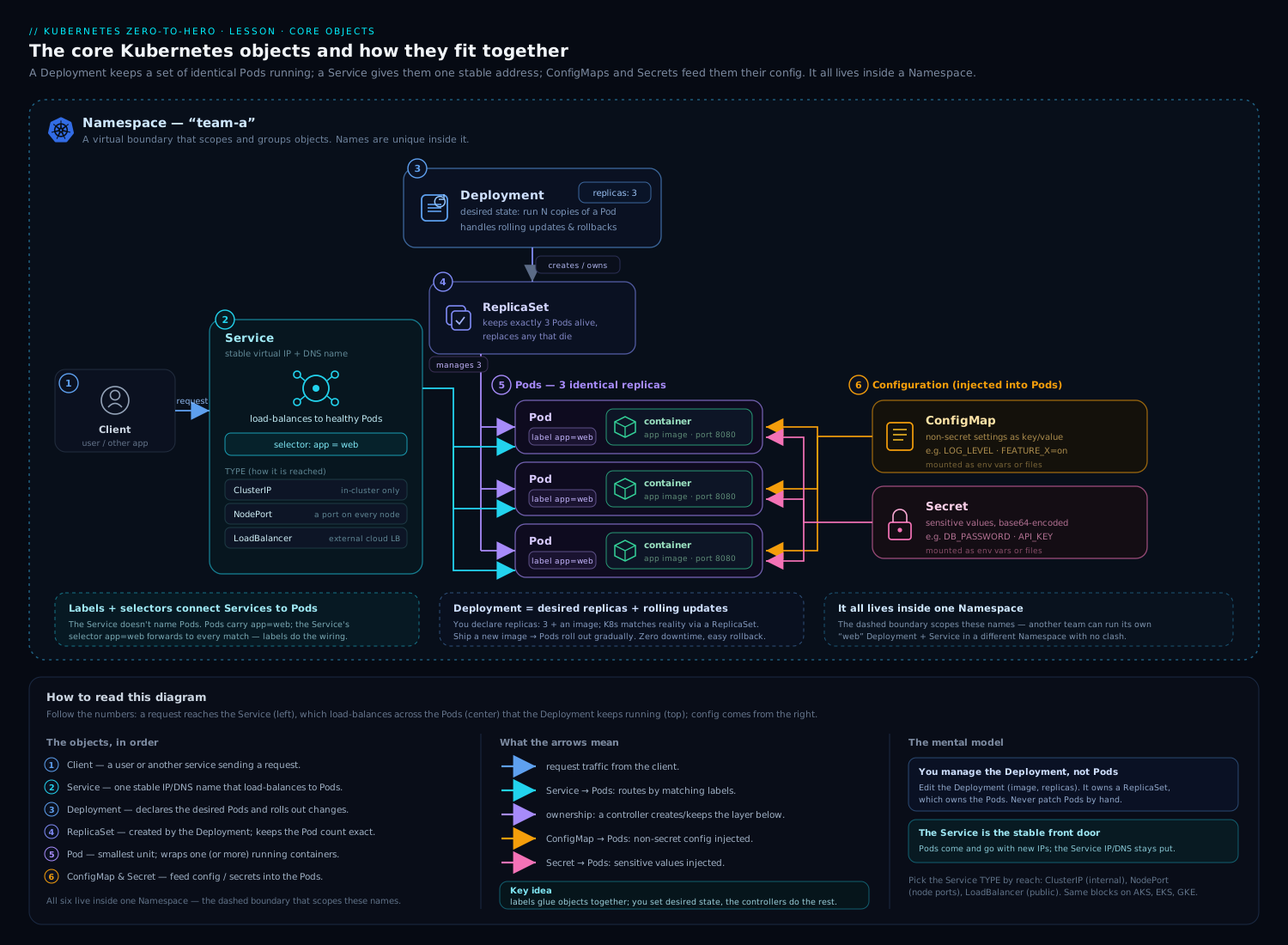
The diagram shows how these governance objects sit alongside the workload objects inside a namespace: the LimitRange and ResourceQuota fence the Pods, ConfigMaps, Secrets and PVCs that live in the same namespace, while cluster-scoped objects (Nodes, PVs, StorageClasses) sit outside.
The classic failure: quota without LimitRange
This is the single most common real-world surprise, and a frequent exam question:
You add a ResourceQuota that constrains
requests.cpu. Suddenly Deployments that worked yesterday fail to create Pods, withmust specify requests.cpu.
Why: once a quota constrains a compute resource, every Pod must declare that request/limit. Existing manifests that omitted resources now violate the rule. Fix: add a LimitRange with defaultRequest/default so omitted values are auto-filled — or update every manifest to set resources explicitly. The LimitRange is what makes a compute quota painless to roll out.
A worked example of the interaction
Given the team-a-limits LimitRange and team-a-compute quota above, suppose you create this Pod:
apiVersion: v1
kind: Pod
metadata: { name: demo, namespace: team-a }
spec:
  containers:
    - name: app
      image: nginx:1.27
      # NOTE: no resources block at all
Walk the sequence:
- LimitRange mutates: container
appgetsrequests: {cpu: 100m, memory: 128Mi}andlimits: {cpu: 500m, memory: 512Mi}from the defaults. - LimitRange validates:
100m/500mCPU and128Mi/512Mimemory are withinmin/maxand the 4× ratio. Pass. - ResourceQuota validates: if current
Usedforrequests.cpuis1500mandHardis4(=4000m), then1500m + 100m = 1600m ≤ 4000m. Pass. Same check for memory and limits.
The Pod is admitted with sensible numbers the author never wrote. Now imagine Used requests.cpu were already 3950m: 3950m + 100m = 4050m > 4000m → rejected with exceeded quota. And if the author had written cpu: limit 5 on the container, step 2 would reject it with maximum cpu usage per Container is 2 before the quota ever ran.
Hands-on lab
You will build a complete tenancy: a namespace, a LimitRange, and a ResourceQuota, then prove each behaviour — defaulting, min/max rejection, quota exhaustion, and object-count caps. Everything runs on your free local cluster.
Step 0 — Confirm a cluster
kubectl get nodes
No cluster? kind create cluster (or minikube start) — both free, both local.
Step 1 — Create the namespace and switch to it
kubectl create namespace lab-tenant
kubectl config set-context --current --namespace=lab-tenant
kubectl config view --minify | grep namespace:
Expected: namespace: lab-tenant. Bare commands now act on this namespace.
Step 2 — Apply a LimitRange
kubectl apply -f - <<'EOF'
apiVersion: v1
kind: LimitRange
metadata:
  name: lab-limits
spec:
  limits:
    - type: Container
      default:        { cpu: "300m", memory: 256Mi }
      defaultRequest: { cpu: "100m", memory: 128Mi }
      min:            { cpu: "50m",  memory: 64Mi }
      max:            { cpu: "1",    memory: 1Gi }
EOF

kubectl describe limitrange lab-limits
Step 3 — Prove defaulting works
Create a Pod with no resources and confirm the LimitRange filled them in:
kubectl run defaulted --image=nginx:1.27 --restart=Never
kubectl get pod defaulted -o jsonpath='{.spec.containers[0].resources}'; echo
Expected (defaults injected by the LimitRange):
{"limits":{"cpu":"300m","memory":"256Mi"},"requests":{"cpu":"100m","memory":"128Mi"}}
You wrote no resources, yet the Pod has them — that is the LimitRange mutating admission step.
Step 4 — Prove min/max validation rejects bad Pods
Try to exceed the max of 1 CPU:
kubectl run toobig --image=nginx:1.27 --restart=Never \
  --overrides='{"spec":{"containers":[{"name":"toobig","image":"nginx:1.27","resources":{"requests":{"cpu":"2"}}}]}}'
Expected — rejected before scheduling:
Error from server (Forbidden): pods "toobig" is forbidden:
maximum cpu usage per Container is 1, but request is 2
Step 5 — Apply a ResourceQuota
kubectl apply -f - <<'EOF'
apiVersion: v1
kind: ResourceQuota
metadata:
  name: lab-quota
spec:
  hard:
    requests.cpu: "500m"     # tiny on purpose, to hit the cap fast
    requests.memory: 512Mi
    pods: "3"
    count/deployments.apps: "2"
EOF

kubectl describe resourcequota lab-quota
Note Used already reflects the defaulted Pod from Step 3 (it counts existing Pods).
Step 6 — Prove the quota caps the namespace total
Each default Pod requests 100m CPU. With requests.cpu capped at 500m, you can fit five Pods’ requests — but pods: "3" caps the count first. Create Pods until one is rejected:
kubectl run a --image=nginx:1.27 --restart=Never
kubectl run b --image=nginx:1.27 --restart=Never   # now 3 pods incl. 'defaulted'
kubectl run c --image=nginx:1.27 --restart=Never   # should fail
Expected on the last one:
Error from server (Forbidden): pods "c" is forbidden:
exceeded quota: lab-quota, requested: pods=1, used: pods=3, limited: pods=3
Step 7 — Prove the “quota requires requests” rule
Delete the LimitRange, then try a Pod with no resources while the compute quota is still in force:
kubectl delete limitrange lab-limits
kubectl run noreq --image=nginx:1.27 --restart=Never
Expected — without the LimitRange to supply defaults, the quota now rejects it:
Error from server (Forbidden): pods "noreq" is forbidden:
failed quota: lab-quota: must specify requests.cpu,requests.memory
This is the partnership made visible: the quota requires requests; the LimitRange supplies them.
Step 8 — Inspect the final state
kubectl describe resourcequota lab-quota
Cleanup
kubectl config set-context --current --namespace=default
kubectl delete namespace lab-tenant
Cost note. Everything ran on a local kind/minikube cluster — zero cloud cost. Deleting the namespace cascades and removes every object you created.
Common mistakes & troubleshooting
| Symptom | Likely cause | Fix |
|---|---|---|
Pods suddenly fail with must specify requests.cpu after adding a quota |
A compute ResourceQuota now requires requests/limits on every Pod | Add a LimitRange with defaultRequest/default, or set resources in every manifest |
exceeded quota: ... used: ... limited: ... |
The namespace total would exceed Hard |
Raise the quota, delete unused objects, or right-size requests/limits |
maximum cpu usage per Container is X |
Container’s request/limit exceeds the LimitRange max |
Lower the container’s value or raise the LimitRange max |
minimum memory usage per Container is X |
Value below LimitRange min (or a default below min) |
Raise the value, or fix the defaultRequest so it’s ≥ min |
| LimitRange exists but Pods still have no resources | LimitRange created after the Pods, or wrong namespace | Defaults apply only at creation; recreate Pods; check -n |
| Per-StorageClass storage quota never triggers | Quota key name ≠ actual StorageClass, or PVC omits storageClassName |
Match the exact class name; set storageClassName on the PVC |
Namespace stuck Terminating |
A finalizer (often a removed CRD/API service) blocks cleanup | Restore/remove the offending API service; inspect -o yaml |
Deployment shows FailedCreate but no Pods appear |
The ReplicaSet’s Pods are rejected by quota/LimitRange | kubectl describe replicaset <rs> — the admission error is in its events |
Key debugging move: when a Deployment won’t produce Pods, the error is not on the Deployment — it’s in the ReplicaSet’s events (or the controller-manager logs). Always
kubectl describe rs/kubectl get eventsto surface admission rejections.
Best practices
- Always pair a compute ResourceQuota with a LimitRange. The quota without defaults makes every author’s life harder and breaks existing manifests; the LimitRange smooths the rollout.
- One namespace per team/environment/tenant, not one giant
default. Namespaces are cheap; they are your unit of policy. - Set object-count quotas, not just compute. Capping
pods,secrets,configmaps, andcount/...protects etcd/API server from runaway controllers. - Cap costly cloud objects with
services.loadbalancersso a straytype: LoadBalancerdoesn’t provision (and bill for) a load balancer. - Use
maxLimitRequestRatioto keep workloads honest about burst; a ratio of1forces Guaranteed QoS for critical Pods. - Template namespaces (Helm/Kustomize) so every new tenant ships with NS + LimitRange + ResourceQuota + baseline NetworkPolicy + RBAC together.
- Right-size requests, not just limits. The scheduler bin-packs on requests; over-large requests waste cluster capacity even if limits are generous.
- Monitor
UsedvsHard. Alert before namespaces hit 100% so teams can request more or scale down deliberately.
Security notes
- A Namespace is not a security boundary by itself. Add NetworkPolicies (default-deny ingress, then allow), PodSecurity admission labels (
pod-security.kubernetes.io/enforce), and RBAC Roles/RoleBindings scoped to the namespace. - Quotas are a denial-of-service control. Object-count and compute quotas stop one tenant exhausting shared capacity (a noisy-neighbour / resource-exhaustion attack).
- Beware
kube-public— it is world-readable, even to unauthenticated clients. Never put anything sensitive there. priorityClassName+ scoped quota prevents tenants from grabbing high priority to evict others; gate priority classes behind PriorityClass-scoped quotas.- Cross-namespace pod affinity can let a tenant influence scheduling relative to another namespace; the
CrossNamespacePodAffinityquota scope lets you forbid it. - RBAC the governance objects themselves. Tenants should be able to read their ResourceQuota/LimitRange but not edit them — otherwise the budget is meaningless.
Going deeper
Everything above is enough to run a safe namespace. This section is for readers who want the internals — the admission machinery, the QoS interactions, and the reasons a Namespace is a tenancy convenience rather than a security wall. Skip it on a first read; come back when you are designing real multi-tenant clusters.
The full admission chain (where LimitRange and ResourceQuota actually sit)
Earlier we said “LimitRange mutates, LimitRange validates, ResourceQuota validates.” Zooming out, every write to the API server passes through a fixed pipeline of admission controllers, and these two plugins occupy specific, deliberate slots in it:
- Authentication — who are you? (client certs, tokens, OIDC).
- Authorization — may you create a Pod here? (RBAC
Role/RoleBindingin the namespace). - Mutating admission (a compiled order): built-in plugins run, including
LimitRanger(injectsdefault/defaultRequest), and near the endMutatingAdmissionWebhook(your own webhook, or a service mesh’s sidecar injector, can further change the Pod). - Schema validation — is the resulting object valid against the OpenAPI schema?
- Validating admission (compiled order):
LimitRangeragain (min/max/ratio on the now-defaulted values), thenValidatingAdmissionWebhook, and — deliberately last —ResourceQuota, so it counts the fully-mutated object. - Persist to etcd.
Two consequences worth internalising:
ResourceQuotaruns last on purpose. It must see the final resources after every mutation (LimitRange defaults and any webhook edits) so the numbers it sums are the numbers that will actually run.- LimitRange does not re-default after a webhook. If a mutating webhook that runs after
LimitRangerstrips or lowers a container’s resources,LimitRangerwill not re-inject defaults — its mutating pass already ran. The validating pass and the quota still judge the webhook’s final values. Sidecar injectors are where this bites: an injected proxy container needs resources of its own, and those count against the quota too.
Concurrency corner. The quota plugin checks usage against an in-memory cache and commits with etcd optimistic concurrency; conflicting writes retry, and a background resourcequota controller recomputes
status.used. That is whyUsedindescribe quotacan briefly lag reality just after a burst of creates or deletes — and why enabling a quota never retroactively deletes existing over-budget objects; it only blocks the next admission.
LimitRange defaulting × QoS classes
A Pod’s Quality-of-Service (QoS) class is derived from its final requests/limits, and because the LimitRange sets those defaults, the LimitRange effectively decides the QoS of any Pod that omits resources:
| Final container resources (after defaulting) | Resulting QoS | How a LimitRange produces it |
|---|---|---|
| Every resource has request == limit, both set | Guaranteed | default == defaultRequest for cpu and memory, or maxLimitRequestRatio: 1 |
| Some request/limit set, but not all equal | Burstable | Typical default > defaultRequest (e.g. request 100m, limit 500m) |
| No requests or limits anywhere | BestEffort | Only possible if no Container LimitRange supplies defaults |
The non-obvious takeaway: a Container LimitRange that sets defaultRequest/default all but eliminates BestEffort Pods in that namespace — every Pod that forgot to size itself is silently upgraded to Burstable (or Guaranteed). That is usually what you want, since BestEffort Pods are the first evicted under node memory pressure — but it means a BestEffort-scoped quota in the same namespace may match almost nothing. To force Guaranteed for a critical namespace, pin the ratio to 1 and make the two defaults equal:
apiVersion: v1
kind: LimitRange
metadata:
  name: force-guaranteed
  namespace: critical
spec:
  limits:
    - type: Container
      default:        { cpu: "500m", memory: 512Mi }
      defaultRequest: { cpu: "500m", memory: 512Mi }   # request == limit
      maxLimitRequestRatio:
        cpu: "1"      # any explicit limit must equal its request
        memory: "1"
Extended resources, hugepages, and object counts
- Extended resources (GPUs surfaced by a device plugin, e.g.
nvidia.com/gpu, and anyexample.com/foo) are quota’d with therequests.<name>key. A rule the scheduler enforces independently: for extended resources the request must equal the limit — you cannot overcommit a GPU. Set only the limit and Kubernetes copies it to the request. - Hugepages (
requests.hugepages-2Mi,hugepages-1Gi) follow the same request-equals-limit rule and are quota’d per page size. - Object counts protect etcd and the API server from a controller stuck in a create loop. Prefer the generic
count/<resource>.<group>form — it works for any type, including your own CRDs (count/widgets.example.com). The short forms (pods,secrets,services.loadbalancers, …) are special-cased sugar for core types. Cappingservices.loadbalancersis also a cost control: each one may provision a billed cloud load balancer.
Priority classes, scopes, and per-namespace opt-in
spec.scopes and spec.scopeSelector let one namespace hold several quotas, each counting a different slice of Pods — for example a generous budget for NotBestEffort services and a tiny one for BestEffort scratch work. A Pod is checked against every quota whose scopes it matches and must satisfy all of them; when two quotas constrain the same resource, the tighter ceiling wins in practice. (Note the Terminating scope is a naming trap: it matches Pods with a positive activeDeadlineSeconds — run-to-completion work — not Pods that are being deleted.)
PriorityClass scoping is the most powerful case. A quota can grant extra budget only to high-priority Pods:
apiVersion: v1
kind: ResourceQuota
metadata:
  name: high-priority-only
  namespace: team-a
spec:
  hard:
    requests.cpu: "16"
    requests.memory: 32Gi
  scopeSelector:
    matchExpressions:
      - scopeName: PriorityClass
        operator: In           # In | NotIn | Exists | DoesNotExist
        values: ["high", "system-critical"]
Cluster admins can go further and make priority opt-in per namespace through the API server’s admission configuration, so a Pod that names a priority class is rejected unless a matching PriorityClass-scoped quota admits it:
# apiserver admission config (representative — set by the cluster admin, NOT a namespaced object)
apiVersion: apiserver.config.k8s.io/v1
kind: AdmissionConfiguration
plugins:
  - name: "ResourceQuota"
    configuration:
      apiVersion: apiserver.config.k8s.io/v1
      kind: ResourceQuotaConfiguration
      limitedResources:
        - type: pods
          matchScopes:
            - scopeName: PriorityClass
              operator: In
              values: ["cluster-services"]
This is how platform teams stop tenants from self-assigning system-cluster-critical to jump the eviction queue: the priority class only works where the platform has pre-authorised a scoped quota. Preemption and eviction ordering are covered in the scheduling lesson.
A Namespace is a tenancy boundary, not a security boundary
The Security notes above state the rule; here is the depth behind it. What tenants in different namespaces still share:
- The same nodes and Linux kernel. A container escape is a cluster compromise, not a namespace one. Mutually-distrusting tenants need separate node pools (taints/tolerations) or sandboxed runtimes (gVisor, Kata) via
RuntimeClass. - One API server and etcd. A tenant hammering the API consumes shared API Priority and Fairness (APF) budget; object-count quotas plus APF FlowSchemas are the mitigation.
- Cluster DNS. CoreDNS resolves every namespace; a tenant can discover
svc.other-team.svc.cluster.localunless a NetworkPolicy blocks the actual traffic. - The flat pod network, until a default-deny NetworkPolicy is applied per namespace.
The working model: a Namespace gives you soft multi-tenancy — good enough for teams inside one trust domain when you layer NetworkPolicy + PodSecurity restricted + least-privilege RBAC + ResourceQuota on top. For mutually-distrusting or untrusted tenants (hard multi-tenancy) you graduate to virtual clusters or separate clusters — the subject of the multi-tenancy lesson.
Common beginner mistakes
These are misconceptions, not error messages — the mental-model slips that send beginners in circles. (For symptom → cause → fix lookups, use the troubleshooting table above.)
-
“I added a ResourceQuota, so my Pods will just be capped.” Why it’s wrong: the moment a quota constrains a compute resource, every Pod in the namespace must declare that request/limit — Pods that omit it are rejected outright, not silently capped. Right model: a compute quota is a precondition, not a throttle. Always ship a
LimitRangealongside it so omitted values are auto-filled. -
“My LimitRange isn’t working — existing Pods still have no requests.” Why it’s wrong: a LimitRange only mutates objects at creation time. Pods that already existed when you applied it are untouched. Right model: defaulting is an admission-time event; roll the workload (
kubectl rollout restart deployment/…) to re-admit its Pods through the LimitRange. -
“Deleting the namespace just removes the label/grouping.” Why it’s wrong:
kubectl delete namespace Xis a cascading delete — every Pod, Service, Secret, ConfigMap and PVC inside it is destroyed, and deleting a bound PVC can delete the underlying volume’s data depending on the reclaim policy. Right model: a Namespace owns its contents; deleting it is closer to wiping a whole environment than removing a folder label. Treat it likerm -rffor that tenancy. -
“Pods in different namespaces can’t talk to each other.” Why it’s wrong: by default the pod network is flat — a Pod in
team-acan reach one inteam-batdb.team-b.svc.cluster.localwith nothing stopping it. Right model: a Namespace is a naming/policy scope, not a firewall. Isolation comes from a default-deny NetworkPolicy per namespace, not from the namespace itself. -
“The short name
dbwill resolve to my database everywhere.” Why it’s wrong: the short form only resolves within the same namespace. From another namespace you must usedb.<namespace>(or the fulldb.<ns>.svc.cluster.local). Right model: Service DNS is namespace-relative; cross-namespace calls need the namespace-qualified name. -
“I set a generous
defaultlimit, so big Pods are fine.” Why it’s wrong: if thatdefaultexceeds the LimitRangemax(ordefaultRequestis belowmin), the defaulted Pod fails its own validation and nothing can be created in the namespace without explicit resources. Right model: keepmin ≤ defaultRequest ≤ default ≤ maxconsistent — the defaults must themselves be legal values. -
“A ResourceQuota will clean up the over-budget Pods that already exist.” Why it’s wrong: quotas only block new admissions; they never evict or delete what is already running, even if current usage exceeds a freshly-lowered
Hard. Right model: a quota is a gate at the door, not a bouncer inside the room — right-size or delete existing workloads yourself to get back under budget.
Interview & exam questions
-
Is a Namespace a security boundary? No. It is a logical grouping and a policy attachment point. Pods across namespaces share nodes, the kernel, and a flat network by default. Real isolation needs NetworkPolicy, PodSecurity, RBAC, and sometimes separate node pools/sandboxed runtimes.
-
Name three things a Namespace does not isolate. Nodes (Pods from any namespace can land on the same node), network traffic (flat by default), and cluster-scoped objects (Nodes, PVs, StorageClasses, ClusterRoles live outside any namespace).
-
What is the difference between a ResourceQuota and a LimitRange? A ResourceQuota caps the aggregate consumption/object-count of a whole namespace; a LimitRange sets per-object min/max/defaults for each Container/Pod/PVC. They are partners: the LimitRange fills defaults so the quota can count them.
-
You add a ResourceQuota on
requests.cpuand Pods stop being created withmust specify requests.cpu. Why, and how do you fix it? Once a compute resource is under quota, every Pod must declare that request/limit. Existing manifests that omit it now fail. Fix by adding a LimitRange withdefaultRequest/default, or by setting resources explicitly in every manifest. -
In what order do the LimitRange and ResourceQuota admission controllers run? LimitRange mutating first (inject defaults), then LimitRange validating (min/max/ratio), then ResourceQuota validating (aggregate against
Hard). Mutating always precedes validating in admission. -
A container sets a CPU limit but no request. What happens under a LimitRange? The request is set equal to the limit (a limit implies a request), not to
defaultRequest. It is then validated againstmin/max/ratio. -
What does
maxLimitRequestRatio: 1achieve? It forces limit == request for that resource, which yields Guaranteed QoS for the container. -
How do you cap the number of cloud load balancers a namespace can create? A ResourceQuota with
services.loadbalancers: "N"(it counts Services of type LoadBalancer specifically). -
What is the difference between the
BestEffortandNotBestEffortquota scopes?BestEffortmatches Pods with no requests/limits (it may only constrain thepodscount);NotBestEffortmatches Pods with requests/limits set (it may constrain compute resources). -
PV or PVC — which is namespaced? The PVC is namespaced (and counts against storage quotas); the PV is cluster-scoped. A namespaced PVC binds to a cluster-scoped PV.
-
A Deployment shows
FailedCreatebut no Pods exist. Where is the real error? In the ReplicaSet’s events (the controller creating the Pods), and/or controller-manager logs — not on the Deployment. The admission rejection (quota/LimitRange) surfaces there. -
How do you stop typing
-n team-aon every command? Set the namespace on the current context:kubectl config set-context --current --namespace=team-a.
Quick check
- Which object caps the total CPU a namespace may request: ResourceQuota or LimitRange?
- True or false: deleting a Namespace deletes every object inside it.
- If a container sets a limit but no request under a LimitRange, what becomes its request?
- Name the quota key that limits the number of Services of type LoadBalancer.
- Which admission step runs first: ResourceQuota validation or LimitRange defaulting?
Answers
- ResourceQuota (aggregate). The LimitRange governs per-object min/max/defaults.
- True — namespace deletion cascades to all contained objects.
- Its request is set equal to the limit (a limit implies a request).
services.loadbalancers.- LimitRange defaulting (mutating) runs first; ResourceQuota validation runs after defaults are in place.
Practice challenges
Work these on your free local cluster (kind create cluster or minikube start). Each has a graded difficulty and a hidden solution — try it before you peek. Outputs shown are representative.
Challenge 1 (Beginner) — Room and key. Create a namespace shop and make it the default for your current context so bare kubectl commands act on it.
<details> <summary>Solution</summary>
kubectl create namespace shop
kubectl config set-context --current --namespace=shop
kubectl config view --minify | grep namespace:   # -> namespace: shop
Why: a context bundles (cluster, user, namespace); setting the namespace once removes the need for -n shop on every command.
</details>
Challenge 2 (Beginner) — Namespaced or not? Without guessing, determine whether a PersistentVolume and a PersistentVolumeClaim live in a namespace.
<details> <summary>Solution</summary>
kubectl api-resources --namespaced=false | grep -i persistentvolume   # PersistentVolume
kubectl api-resources --namespaced=true  | grep -i persistentvolume   # persistentvolumeclaims
Why: the PV is cluster-scoped, the PVC is namespaced. The namespaced PVC binds to a cluster-scoped PV — which is exactly why storage quotas act on PVC requests.storage.
</details>
Challenge 3 (Intermediate) — Prove defaulting. Apply a LimitRange that defaults containers to request 250m/256Mi and limit 500m/512Mi, then create a Pod with no resources and show the values were injected.
<details> <summary>Solution</summary>
apiVersion: v1
kind: LimitRange
metadata:
  name: shop-limits
  namespace: shop
spec:
  limits:
    - type: Container
      default:        { cpu: "500m", memory: 512Mi }
      defaultRequest: { cpu: "250m", memory: 256Mi }
kubectl apply -f shop-limits.yaml
kubectl run probe --image=nginx:1.27 --restart=Never -n shop
kubectl get pod probe -n shop -o jsonpath='{.spec.containers[0].resources}'; echo
Representative output:
{"limits":{"cpu":"500m","memory":"512Mi"},"requests":{"cpu":"250m","memory":"256Mi"}}
Why: the mutating pass of LimitRanger fills default (limit) and defaultRequest (request) on any container that omits them.
</details>
Challenge 4 (Intermediate) — Quota math. With the LimitRange from Challenge 3 still in place, add a quota of requests.cpu: "1". Each defaulted Pod requests 250m. How many such Pods fit, and what error does the next one hit?
<details> <summary>Solution</summary>
apiVersion: v1
kind: ResourceQuota
metadata:
  name: shop-cpu
  namespace: shop
spec:
  hard:
    requests.cpu: "1"
    pods: "10"
1000m ÷ 250m = 4 Pods fit on CPU. The 5th is rejected:
Error from server (Forbidden): pods "p5" is forbidden:
exceeded quota: shop-cpu, requested: requests.cpu=250m,
used: requests.cpu=1, limited: requests.cpu=1
Why: the quota sums each Pod’s (now-defaulted) requests.cpu; once Used + new > Hard for any dimension, admission fails. The pods: "10" cap is looser here, so CPU is the binding constraint.
</details>
Challenge 5 (Advanced) — Force Guaranteed QoS with only a LimitRange. Make every Pod in a critical namespace land in the Guaranteed QoS class without editing a single Pod manifest.
<details> <summary>Solution</summary>
apiVersion: v1
kind: LimitRange
metadata:
  name: guaranteed-only
  namespace: critical
spec:
  limits:
    - type: Container
      default:        { cpu: "200m", memory: 256Mi }
      defaultRequest: { cpu: "200m", memory: 256Mi }   # equal to default
      maxLimitRequestRatio:
        cpu: "1"
        memory: "1"
kubectl create namespace critical
kubectl apply -f guaranteed-only.yaml
kubectl run g --image=nginx:1.27 --restart=Never -n critical
kubectl get pod g -n critical -o jsonpath='{.status.qosClass}'; echo   # -> Guaranteed
Why: Guaranteed requires request == limit on every resource. Equal defaults produce that automatically, and maxLimitRequestRatio: 1 blocks anyone who tries to override with a burstable spec.
</details>
Challenge 6 (Advanced) — Priority-scoped extra budget. Give only Pods with priorityClassName: high an additional requests.cpu: "8" via a second, PriorityClass-scoped quota, and confirm an ordinary Pod is unaffected by it.
<details> <summary>Solution</summary>
apiVersion: scheduling.k8s.io/v1
kind: PriorityClass
metadata:
  name: high
value: 100000
globalDefault: false
description: "High-priority tenant workloads"
---
apiVersion: v1
kind: ResourceQuota
metadata:
  name: high-priority-extra
  namespace: team-a
spec:
  hard:
    requests.cpu: "8"
  scopeSelector:
    matchExpressions:
      - scopeName: PriorityClass
        operator: In
        values: ["high"]
kubectl describe resourcequota high-priority-extra -n team-a
# Only Pods that set priorityClassName: high count against this quota;
# a Pod without it matches the scope selector's "In [high]" as false and is ignored here.
Why: a scopeSelector on PriorityClass makes the quota count only matching Pods, so you can hand high-priority work a separate budget. Beware the flip side: if the cluster’s admission config marks pods as a limitedResource for that scope, naming the priority class requires a matching quota to exist.
</details>
Exercise
Build a self-service tenant template for a team called payments running in dev:
- Write a
Namespacemanifest labelledteam: paymentsandenvironment: dev, withpod-security.kubernetes.io/enforce: baseline. - Write a
LimitRangethat defaults containers torequest 100m/128Mi,limit 500m/512Mi, withmin 50m/64Mi,max 1/1Gi, and amaxLimitRequestRatioof4on CPU and memory. Add aPersistentVolumeClaimitem capping storage atmin 1Gi,max 20Gi. - Write a
ResourceQuotacappingrequests.cpu: 4,requests.memory: 8Gi,limits.cpu: 8,limits.memory: 16Gi,pods: 30,services.loadbalancers: 1,count/deployments.apps: 10, andrequests.storage: 50Gi. - Apply all three, then deploy an app with no resources block and confirm via
kubectl get pod ... -o jsonpaththat the defaults were injected. - Scale the Deployment until you hit a quota limit, read the exact rejection message, and explain which dimension was exceeded.
Stretch: add a second, PriorityClass-scoped ResourceQuota that gives only priorityClassName: high Pods an extra requests.cpu: 4, and observe how setting a priority class changes admission.
Certification mapping
| Exam | Relevance |
|---|---|
| CKAD | Heavily tested — creating namespaces, applying ResourceQuotas and LimitRanges, and understanding why Pods are rejected are core “Application Design and Build” / “Services & Networking” tasks. Expect to set defaults and read describe quota output under time pressure. |
| CKA | Cluster administration includes multi-tenancy basics: namespaces, quotas, and limit ranges as cluster governance, plus the namespaced-vs-cluster-scoped distinction. |
| CKS | Touches this via multi-tenancy isolation, the “namespace is not a security boundary” principle, and quotas as a resource-exhaustion control (paired with NetworkPolicy and PodSecurity). |
Glossary
- Namespace — a virtual, named partition of a cluster used to scope names and attach policy; not a security boundary by itself.
- Cluster-scoped object — an object that does not live in any namespace (e.g. Node, PersistentVolume, StorageClass, ClusterRole).
- ResourceQuota — a namespaced object that caps the aggregate compute, storage, and object counts of a namespace.
- LimitRange — a namespaced object that sets per-object (Container/Pod/PVC) min, max, defaults, and limit/request ratio.
default/defaultRequest— the limit / request a LimitRange injects into a container that omits them.maxLimitRequestRatio— the maximum allowed ratio of limit to request;1forces Guaranteed QoS.- Scope (quota) — a filter (
Terminating,BestEffort,PriorityClass, etc.) that makes a ResourceQuota count only a subset of Pods. - Admission controller — API-server plugin that intercepts create/update requests; mutating plugins run before validating ones.
- Context (kubeconfig) — a saved bundle of (cluster, user, namespace) you switch between with
kubectl config use-context. - Used / Hard — the current consumption versus the cap, as shown by
kubectl describe resourcequota. - QoS class — the tier (
Guaranteed,Burstable,BestEffort) the kubelet derives from a Pod’s final requests/limits; it drives eviction order under node pressure. AContainerLimitRange’s defaults effectively set it for Pods that omit resources. scopeSelector— the expressive form of quota scoping (scopeName/operator/values), currently used forPriorityClass, that makes one quota count only a matching subset of Pods.- Extended resource — a non-core countable resource surfaced by a device plugin (e.g.
nvidia.com/gpu) whose request must equal its limit; quota’d with therequests.<name>key. count/<resource>.<group>— the generic object-count quota key that works for any resource type, including CRDs (e.g.count/widgets.example.com).- PriorityClass — a cluster-scoped object assigning a scheduling/eviction priority value to Pods that name it; can be gated per namespace with a PriorityClass-scoped quota.
- Cascading deletion — deleting an owner (like a Namespace) removes all objects it owns; why
kubectl delete namespacewipes everything inside. - Finalizer — a key on an object that blocks its deletion until a controller clears it; a lingering namespace finalizer is the usual cause of a stuck
Terminatingnamespace. - Soft vs hard multi-tenancy — soft: trusted teams sharing one cluster, isolated by NetworkPolicy + PodSecurity + RBAC + quota; hard: untrusted tenants needing separate node pools, sandboxed runtimes, virtual clusters, or separate clusters.
- API Priority and Fairness (APF) — the API-server mechanism that fairly shares request-handling capacity across clients; the shared resource an object-count quota helps protect from a noisy tenant.
Next steps
- kubectl Mastery: Imperative vs Declarative, Contexts, and Every Core Command — go deeper on contexts,
apply,diff, and the inspection commands you used throughout this lab. - Kubernetes RBAC & Service Accounts — the authorisation half of multi-tenancy: who may act within each namespace.
- Kubernetes Network Policies — the network isolation a namespace does not give you by default.
- Building Multi-Tenant Kubernetes — the advanced design lesson that combines namespaces, quotas, hierarchical namespaces, and virtual clusters into full tenancy tiers.