A platform team can run ansible-playbook site.yml from a laptop for years and never feel the floor give way — until the day there are forty engineers, three data centers, a compliance auditor asking “who ran what against the PCI estate last quarter,” and a nightly patch window that has to touch ten thousand hosts across two continents without saturating a single VPN tunnel. Ansible Automation Platform (AAP) is Red Hat’s answer to that day: it takes the same playbooks, roles and collections you already wrote and wraps them in a control plane — a web UI and REST API, role-based access control, scheduled and event-triggered jobs, containerized execution for dependency isolation, and a distributed automation mesh that pushes execution out to where the workloads actually live. AWX is the upstream, community, unsupported edition of the same engine; AAP is the supported, certified, lifecycle-managed product you buy a subscription for.
This is a deep, practitioner-level walkthrough of AAP as a system, not a feature tour. You will learn what each component is — automation controller, private automation hub, the Event-Driven Ansible (EDA) controller, execution environments (EEs), and the mesh of control, hop and execution nodes — and, more importantly, what happens in the seconds after you press “Launch”: how the controller forks a process, dispatches work onto the mesh via the receptor protocol, pulls an EE image, injects credentials, streams events back, and writes a per-host job record you can audit forever. We go option by option through job templates and workflows, the RBAC object model, credential types and external secret lookups, collections and ansible-builder, clustering/HA and capacity, the containerized and OpenShift operator install topologies, and a blunt decision matrix for when AAP earns its keep versus when plain ansible-core plus a Git repo is the cheaper answer.
The bar throughout is production reality: real CLI (awx/ansible-navigator/ansible-builder), real execution-environment.yml and requirements.yml, real mesh topology choices, and real failure modes (a job stuck in pending because no instance has capacity in the right instance group; an EE that runs locally but fails on the controller; a hop node that silently drops a zone because a firewall closed TCP 27199). By the end you should be able to design an AAP footprint, explain every hop a job takes, and defend the architecture in a design review.
What problem this solves
Ansible on laptops and cron boxes scales technically — the engine is the same — but it does not scale organizationally, and that is what breaks. The failure isn’t “the playbook is slow”; it’s a cluster of governance, reliability and consistency problems that arrive together as the team and estate grow:
- Credential sprawl — vault passwords in
~/.vault_pass, half-encrypted cloud keys ingroup_vars, per-engineer SSH keys with no rotation, service passwords in a wiki. No central broker, no audit of which secret unlocked which run, no clean offboarding. - Dependency drift (“works on my laptop”) — one engineer on
ansible-core2.16 withcommunity.aws7.x andboto31.34, another two versions back; a role that passes for one fails for the other because the environment differs, not the code. No single, versioned, shippable runtime. - No audit trail, no RBAC — anyone with the repo and keys can run anything against anything. “Every change to prod DB hosts in Q3, who approved it, and the exact task output” has no answer from a laptop-driven shop — yet PCI-DSS/SOC 2/HIPAA/FedRAMP effectively require centralized, attributable, logged automation.
- Unreliable WAN-bound execution — a central control box reaching hosts across the WAN crosses a tunnel per task; a remote-site patch funnels ten thousand SSH sessions through one VPN, taking six hours and occasionally collapsing the tunnel. Execution belongs near the workload, but a laptop can’t be near three data centers at once.
- No scheduling, eventing, or self-service — cron is brittle and invisible; no approval gate, no surveys for safe parameterization, no way for an app team to run a sanctioned job without shell access, no way to react to an event (alert, webhook, new VM) with automatic remediation.
AAP addresses each directly: a central controller (UI/API, RBAC, scheduling, per-host job history), execution environments (one versioned container = one reproducible runtime), automation mesh (execution pushed near the workload, control traffic multiplexed over one secured transport), a private automation hub (internal signed registry for collections and EE images), an external credential broker model (HashiCorp Vault, CyberArk, Azure Key Vault, AWS Secrets Manager looked up at runtime, never stored plaintext), and Event-Driven Ansible to turn alerts and webhooks into governed runs. Who hits the pain, and which component answers it:
| Pain at scale | Who feels it first | Symptom | AAP component that answers it |
|---|---|---|---|
| Credential sprawl | Security / audit | Secrets in files, no rotation, no attribution | Credentials + external secret lookups (Vault/CyberArk/cloud) |
| Dependency drift | App / platform teams | “Passes for me, fails for you” | Execution environments (versioned container runtimes) |
| No audit / RBAC | Compliance, management | “Who ran what?” has no answer | Controller RBAC + per-host job events + activity stream |
| WAN-bound execution | Network / remote sites | Six-hour patch via one tunnel | Automation mesh (execution nodes near workloads) |
| No scheduling/eventing | Operations | Brittle cron, no reactions to events | Controller schedules + workflows + EDA controller |
| Inconsistent content | Whole org | Forked roles, wrong collection versions | Private automation hub (signed, versioned content) |
| No safe self-service | App teams without shell | Tickets to “the Ansible person” | Job templates + surveys + RBAC delegation |
Learning objectives
By the end of this article you can:
- Name every AAP component — controller, private automation hub, EDA controller, execution environments, and the control/hop/execution mesh node types — and state precisely what each does and does not do.
- Trace a job end to end: launch → controller fork → mesh dispatch over receptor → EE pull and start → credential injection →
ansible-runnerexecution → event streaming → per-host job record. - Design the AAP object model — organizations, teams, users, projects, inventories, job templates, workflows — and apply RBAC with the right built-in and object roles at the right scope.
- Choose and configure credential types and wire external secret lookups (HashiCorp Vault, CyberArk, Azure Key Vault, AWS Secrets Manager, centralized credentials) so nothing sensitive sits at rest.
- Build a custom execution environment with
ansible-builderfrom anexecution-environment.yml, manage collections through a private automation hub, and run/debug locally withansible-navigator. - Design an automation mesh topology — where to place hop and execution nodes, how to map them to instance groups, and how control traffic flows over TCP 27199 — and reason about capacity, forks and HA.
- Pick the right install topology (RPM/bundle, containerized podman-based, or the OpenShift operator) and explain clustering, the PostgreSQL backing store, and high availability for each tier.
- Decide, with a defensible matrix, when AAP is justified and when
ansible-core+ Git + a runner is the better, cheaper answer.
Prerequisites & where this fits
You should be fluent in core Ansible: playbooks, roles, inventories, group_vars/host_vars, modules, handlers, ansible-vault, and idempotency. You should understand that a collection is the packaging unit for modules/roles/plugins (e.g. ansible.posix, community.aws, cisco.ios), that a dynamic inventory plugin pulls hosts from a source (cloud, CMDB, Kubernetes), and that secrets should never live in plaintext. Comfort with containers (images, registries, podman/docker) and basic networking (TCP ports, NAT, firewalls, VPN/peering) is assumed, since the mesh and EEs lean on both.
This article sits at the top of the Ansible track — it’s the platformization layer above the language and the testing discipline. It builds directly on two siblings you should read alongside it: Dynamic Inventory & Secure Secrets for Cloud Fleets, In Depth: aws_ec2, azure_rm, gcp_compute, k8s & constructed, because AAP inventory sources are exactly those plugins running on a schedule inside an EE, and Idempotent Collections with Molecule Testing, In Depth: Scenarios, Drivers, the Lifecycle & CI Matrix, because the collections AAP ships through the hub are the ones Molecule should have already proven. It pairs with platform-engineering practice generally: AAP is one delivery engine alongside GitOps with Argo CD and Flux: Deliver from Git (declarative state for Kubernetes) and Infrastructure as Code: Terraform, Pulumi, CDK and Cloud-Native Options (provisioning), and its secret-handling overlaps with CI/CD Secrets and Credential Management: Secure Your Pipelines.
A quick orientation: AAP is agentless like core Ansible (it reaches managed hosts over SSH/WinRM/network APIs, no agent installed), but it is not a configuration-state engine that continuously reconciles — it runs jobs when triggered (manual, scheduled, API, or event). Where it sits relative to the tools it’s often confused with:
| Tool / model | What it is | Reconciliation model | Where AAP differs |
|---|---|---|---|
ansible-core (CLI) |
The automation engine + language | Run-on-invoke | AAP wraps it with control plane, RBAC, mesh |
| AWX | Upstream community AAP | Same as AAP | AAP = supported, certified, lifecycle + mesh + EDA |
| Terraform | Declarative provisioning of cloud resources | Plan/apply against state | AAP configures inside hosts; complements Terraform |
| Argo CD / Flux | GitOps for Kubernetes manifests | Continuous reconcile | AAP is push-on-trigger, not continuous K8s reconcile |
| Puppet / Chef (agent) | Config management with agents | Periodic agent pull | AAP is agentless, push, event-or-schedule driven |
| Cron + scripts | Ad-hoc scheduling | Run-on-schedule | AAP adds RBAC, audit, surveys, mesh, eventing |
Core concepts
Six mental models make every later section click. Hold these and the architecture stops being a box diagram and becomes a set of obvious consequences.
The controller is a job factory, not an executor. The automation controller (historically “Tower”) is the brain: web UI and REST API, the object model in PostgreSQL, RBAC, job scheduling/queueing, and work dispatch — but on a properly designed mesh it does not itself run playbooks against managed hosts. It forks a control process that hands the actual ansible-runner execution to an execution node over the mesh. Separating “decide and record” from “execute” lets you keep the controller in one place (a cloud region, a management VLAN) while execution happens in twelve others.
An execution environment is your runtime, frozen. An execution environment (EE) is a container image bundling a specific ansible-core, the Python interpreter and libraries, and the exact collections your jobs need. The job runs inside it via ansible-runner. That image is the unit of reproducibility: build once, sign, push to the hub, and every node that pulls it runs byte-identical software. “Works on my laptop” dies here because laptop and controller pull the same EE.
The mesh moves execution to the work, over one transport. The automation mesh is an overlay network of nodes speaking the receptor protocol over a single TCP port (default 27199). Control nodes dispatch; execution nodes run the EE and open SSH/WinRM/API connections to managed hosts; hop nodes relay receptor traffic across network boundaries (DMZ, remote site, restricted zone) without executing. Work flows from a control node, optionally through hop nodes, to an execution node near the target — so SSH stays local to the site and only multiplexed control/result traffic crosses the WAN.
Instance groups steer work to the right nodes. Mesh nodes are grouped into instance groups; a job template (or inventory, or org) is associated with one or more groups, and the controller schedules the job onto an instance in that group with free capacity. This is the dial that says “the EMEA patch job runs on EMEA execution nodes” or “PCI jobs only run on the isolated PCI group.” The built-in controlplane group and the OpenShift container group model are variations on the same idea.
Capacity is forks × jobs, bounded by the node. Each instance advertises a capacity derived from its CPU and RAM (you tune the algorithm and per-job forks). The controller won’t start a job that would exceed available capacity in its target group — the job sits in pending. Capacity is how you answer “why is my job stuck?” and how you size the fleet: more parallel hosts and more concurrent jobs both need more capacity, i.e. bigger or more execution nodes.
Everything sensitive is brokered, injected, never persisted in plaintext. Credentials are typed objects (machine, vault, cloud, network, source-control, registry, etc.); secret fields are encrypted at rest with a per-install key. At job time the credential is injected — env vars, a file the job references, or extra_vars — into the EE, used, and discarded. Better still, the secret can be looked up at runtime from an external system (HashiCorp Vault, CyberArk, Azure Key Vault, AWS Secrets Manager) so AAP stores only a reference. Attribution (which credential, which user, which job) is recorded.
The component vocabulary in one table
Pin every moving part before the deep dive; the glossary repeats these for lookup.
| Component / term | One-line definition | Where it runs | Why it matters |
|---|---|---|---|
| Automation controller | UI/API, RBAC, scheduling, job orchestration + records | Control plane (VMs or pods) | The brain; decides and records, dispatches execution |
| Private automation hub | Internal signed registry for collections + EE images | Its own host(s) / pods | Content governance; offline-capable supply chain |
| EDA controller | Listens to event sources; runs rulebooks → jobs | Its own host(s) / pods | Turns alerts/webhooks into governed automation |
| Execution environment (EE) | Container image = ansible-core + Python + collections | Pulled onto execution nodes | The frozen, reproducible runtime |
| Control node | Runs controller services + dispatch | Control plane | Orchestrates; on full mesh, doesn’t execute jobs |
| Execution node | Runs the EE, connects to managed hosts | Near the workloads | Where playbooks actually run |
| Hop node | Relays receptor traffic across boundaries | DMZ / edges | Bridges networks without executing |
| Receptor | The mesh transport (TCP 27199 default) | Every mesh node | Multiplexes control/result traffic over one port |
ansible-runner |
The library that runs a playbook inside an EE | On execution nodes | The actual execution wrapper |
| Instance group | A named set of instances for scheduling | Logical | Steers jobs to the right nodes/zone |
| Capacity / forks | How much parallel work an instance can take | Per instance | Why jobs queue; how you size the fleet |
| Job template | A saved, parameterized playbook launch config | Controller object | The runnable unit users launch |
| Workflow | A graph of templates with success/fail branching | Controller object | Multi-step orchestration with approvals |
| Project | An SCM-backed source of playbooks | Controller object | Where playbooks come from (Git) |
| Inventory + source | Hosts + the plugin that populates them | Controller object | What you target; refreshed on a schedule |
| Credential | A typed, encrypted, injected secret object | Controller object | Auth without plaintext sprawl |
The components, end to end
AAP is not one binary; it is a small set of cooperating services. Knowing which service owns which responsibility is the difference between a clean design and a tangle. We take each in turn.
Automation controller
The automation controller is the control plane component you spend the most time in. It provides the web UI and a complete REST API (/api/v2/ — everything in the UI is an API call, the seam you integrate through); the object model persisted in PostgreSQL (orgs, teams, users, projects, inventories, hosts, credentials, templates, workflows, schedules, notifications); RBAC on every object; job orchestration (queueing, dependency resolution, mesh dispatch, capacity accounting, and per-host job event capture — every task result for every host, queryable forever); and scheduling, surveys, workflow execution with approval gates, and notifications (Slack, email, webhook, ServiceNow). Its surfaces and what each is for:
| Surface | What it does | Typical use | Note |
|---|---|---|---|
| Web UI | Human operation + config | Building templates, watching jobs | Everything maps to the API |
REST API /api/v2/ |
Full programmatic control | Pipeline integration, automation of AAP itself | Token or session auth; RBAC-enforced |
awx CLI |
Thin API client | Scripting, CI launching jobs | pip install awxkit; awx job_templates launch ... |
ansible.controller collection |
Manage AAP as code | Declaring orgs/projects/templates in a playbook | Config-as-code for AAP itself |
| Webhooks (in) | GitHub/GitLab trigger jobs | Run on push/PR | Per-template webhook with a key |
| Metrics endpoint | Prometheus scrape | Capacity, job, instance metrics | /api/v2/metrics/ |
Private automation hub
The private automation hub is your internal, on-premises Galaxy-and-registry: a place to publish, version, sign and serve Ansible collections and execution environment images, fully under your control and able to run air-gapped. It matters for three reasons: supply-chain governance (you curate and sign exactly the content allowed in production), reproducibility (pin versions; mirror from Red Hat’s certified content or Ansible Galaxy on your terms), and offline capability (disconnected sites pull from your hub, not the internet). Configure clients to use it via ansible.cfg:
# ansible.cfg — point Galaxy and the EE registry at the private hub
[galaxy]
server_list = private_hub, published, community

[galaxy_server.private_hub]
url = https://hub.corp.example.com/api/galaxy/content/published/
token = <hub-token>

[galaxy_server.community]
url = https://hub.corp.example.com/api/galaxy/content/community/
What the hub holds and why each repository exists:
| Hub repository / feature | Holds | Source | Why it exists |
|---|---|---|---|
published |
Your org’s own collections | Internal publish | First-party content, versioned |
rh-certified |
Red Hat certified collections | Synced from console.redhat.com | Supported, vetted partner content |
community |
Curated community collections | Synced from Galaxy (filtered) | Community content under your control |
| Container registry | EE images | ansible-builder push / sync |
Internal EE distribution |
| Collection signing | GPG signatures on collections | Your signing key | Verify integrity/provenance at install |
| Repository sync | Scheduled mirror jobs | Remote registries | Keep curated content fresh, or air-gap |
Event-Driven Ansible controller
The EDA controller closes the loop from observe to act. It runs rulebooks — YAML files (think of them as the eventing analog of playbooks) that bind event sources (a webhook, a Kafka topic, an alert from Alertmanager/Zabbix, a file change, a Kubernetes watch) to conditions and actions (run a job template, run a playbook, post to a queue). When a monitored condition fires, EDA reacts automatically — auto-remediating a downed service, scaling on a signal, opening a ticket and running a runbook — all governed by the same RBAC and audited like any other run. A minimal rulebook:
# restart-on-down.yml — a rulebook: source → rule → action
- name: Auto-remediate web service outages
  hosts: all
  sources:
    - ansible.eda.alertmanager:        # event source plugin
        host: 0.0.0.0
        port: 5000
  rules:
    - name: Restart web tier when Alertmanager reports it down
      condition: event.alert.labels.alertname == "WebServiceDown"
      action:
        run_job_template:               # call back into the controller
          name: "Restart Web Tier"
          organization: "Platform"
The building blocks are the eventing analogs of the playbook world: a rulebook is the file (like a playbook); a source is an event producer plugin (ansible.eda.alertmanager, kafka, webhook — the inventory-source equivalent for events); a condition is a boolean over the event payload (event.alert.labels.severity == "critical" — when: for events); an action is what runs on a match (run_job_template, run_playbook, post_event); and a decision environment is the container the rulebook runs in (an EE, for EDA).
Execution environments
An EE is built from a base image (Red Hat ships supported ee-minimal/ee-supported) plus your collections and their Python/system dependencies, assembled by ansible-builder into a container image; the job runs inside it via ansible-runner, so nothing on the host (Python version, installed collections) affects the run — only the image does. Pin the image tag and the runtime is identical everywhere it’s pulled. (Build mechanics are in the Execution Environments deep section below.)
Mesh node types
The three node roles introduced in Core concepts — control (orchestrates, delegates execution), execution (pulls the EE, runs ansible-runner, connects to hosts), and hop (relays receptor traffic across a boundary, executes nothing) — plus the hybrid node that combines control and execution for small footprints, as a capability grid:
| Node type | Runs controller services | Executes playbooks | Relays mesh traffic | Connects to managed hosts | Typical placement |
|---|---|---|---|---|---|
| Control | Yes | No (delegates) | Yes | No | Management plane / cloud region |
| Hybrid | Yes | Yes | Yes | Yes | Small footprints (control+exec combined) |
| Execution | No | Yes | Yes | Yes | Near workloads (per site/zone) |
| Hop | No | No | Yes | No | DMZ / edges / restricted-zone bridge |
The anatomy of a job: launch to per-host record
The single most clarifying thing you can understand about AAP is exactly what happens when a job runs. Press “Launch” on a job template, and this sequence unfolds. Read it once; it dissolves most “why did X happen?” questions.
- Authorization & resolution. The controller checks RBAC, resolves prompts/surveys into
extra_vars, and creates a job record in PostgreSQL with statuspending. - Dependency jobs. If playbooks are stale it runs a project update (an SCM pull, itself a job in an EE); if an update-on-launch inventory source needs refresh it runs an inventory update (the dynamic-inventory plugin, in an EE). The main job waits on these.
- Instance group + capacity. The controller picks a target instance group (from the template/inventory/org association) and an instance with free capacity; if none has capacity the job stays
pending(the #1 “stuck job” cause). - Control fork + dispatch. A control node forks a process and opens a work unit toward the chosen execution node via receptor (TCP 27199, through any hop nodes in the path).
- EE pull & start. The execution node ensures the job’s execution environment image is present (per its pull policy) and starts a container.
- Credential injection. The job’s credentials are injected into the EE — machine creds as SSH key/
ansible_user/become, vault creds as the vault password, cloud creds as env vars — and external secret lookups are resolved now from Vault/CyberArk/cloud, never persisted beyond the ephemeral container. - Execution via
ansible-runner. Inside the EE,ansible-runnerruns the playbook against the inventory (forks-bounded parallelism), opening SSH/WinRM/API connections from the execution node to the managed hosts. - Event streaming. Every task result streams back over the mesh as a per-host job event written to PostgreSQL in real time — the live “playbook output” and the permanent audit record.
- Completion & teardown. The EE container is torn down, the job is marked
successful/failed, notifications fire, and (in a workflow) the next node is evaluated against the result.
A crucial consequence: the execution node, not the controller, is what your managed hosts see connecting. Firewall rules, jump-host access, and source-IP allow-lists must be designed around execution-node placement, not the controller. And because dependency jobs (steps 2) are themselves EE-run jobs, a broken project SCM credential or a dynamic-inventory plugin error shows up as a separate failed job — look there, not in the main job, when a launch fails before any task runs.
The job-execution path, visualized
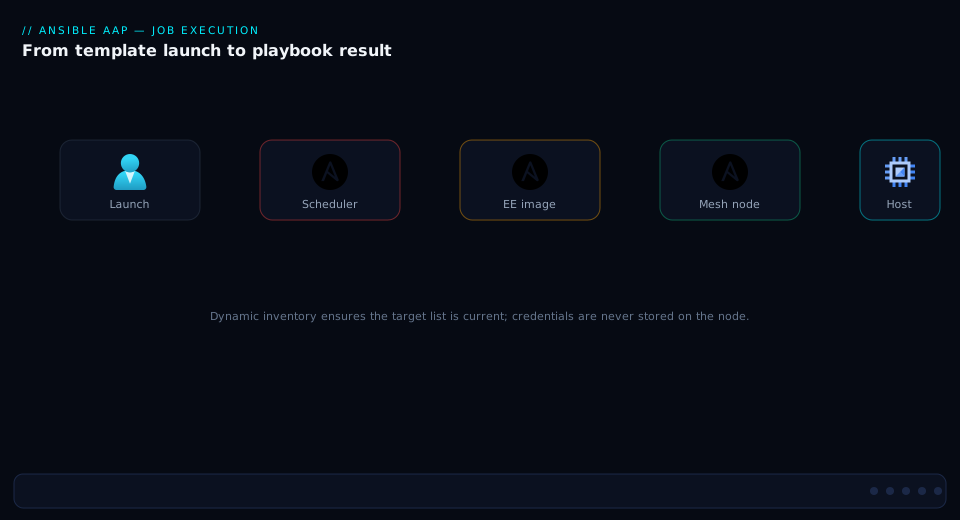
The job-execution diagram traces exactly that path. Follow it: a launch (manual, scheduled, API, or EDA-triggered) hits the controller, which authorizes, records the job, and runs any dependency jobs (project/inventory update). The controller’s scheduler selects an instance group and a control node, which dispatches over receptor — optionally through a hop node — to an execution node. That node pulls the execution environment, injects credentials, and runs the playbook via ansible-runner against the managed hosts over SSH/WinRM/API. Results stream back as per-host job events to the controller’s database. The arrows are the receptor control/result channel one way and the SSH/WinRM data plane the other; the key insight the picture makes obvious is that SSH stays local to the execution node’s zone while only multiplexed control traffic crosses the mesh.
Projects, inventories, job templates and workflows
These four objects are the runnable substance of AAP — where playbooks come from, what they target, how they’re launched, and how launches chain together.
Projects (where playbooks come from)
A project is an SCM-backed source of playbooks — almost always a Git repository. The controller pulls it (a project update, in an EE) and your job templates reference playbook paths within it. Key options:
| Project option | What it controls | Recommended | Note |
|---|---|---|---|
| SCM type | Git / (legacy: SVN) / manual / remote archive | Git | Git is the norm; treat playbooks as code |
| SCM URL + credential | Repo location + auth | SSH deploy key or PAT (source-control credential) | Read-only deploy key is least privilege |
| SCM branch/tag/refspec | What to check out | A protected branch or tag | Pin prod to a tag/release branch |
| Update on launch | Pull before each job | On (with a cache timeout) | Ensures jobs run current code |
| Cache timeout | Seconds to reuse a prior pull | 60–3600 | Avoids hammering SCM on bursty launches |
ansible-galaxy requirements |
requirements.yml collections pulled per-project |
Use sparingly | Prefer baking collections into the EE |
A note that bites teams: putting collections/requirements.yml in the project makes the controller install collections at project-update time into the job’s environment — convenient, but it means the runtime is no longer purely the EE. For reproducibility, bake collections into the EE and keep the project to playbooks/roles; use project requirements only for fast iteration.
Inventories and sources (what you target)
An inventory is a set of hosts and groups; an inventory source populates it from a plugin. Static inventories suit fixed estates; at scale you want sources — the same dynamic-inventory plugins from the dynamic inventory deep dive — refreshing on a schedule. Smart inventories are saved host-filter queries across inventories; constructed inventories build groups from facts/variables.
| Inventory concept | What it is | When to use |
|---|---|---|
| Static inventory | Hand-managed hosts/groups | Small, fixed estates; bastions |
| Inventory source | Plugin-populated (aws_ec2, azure_rm, gcp_compute, k8s, vmware) | Cloud/dynamic fleets — the scale answer |
| Update on launch / schedule | Refresh cadence for a source | On launch for freshness; schedule for large syncs |
| Smart inventory | Saved host-filter across inventories | “All prod RHEL9” cutting across orgs |
| Constructed inventory | Builds groups from variables/facts | Group by region/tier without editing source |
| Inventory variables | Vars at inventory/group/host level | Connection vars, become, environment tags |
Job templates (the runnable unit)
A job template binds a project’s playbook to an inventory, credentials, an EE, and run options into one launchable thing. This is what most users actually click. Its option surface is large; the ones that matter most:
| Job template option | What it controls | Default / typical | Why it matters |
|---|---|---|---|
| Project + playbook | Source of the playbook to run | A repo + site.yml |
The code to execute |
| Inventory | Hosts to target | A named inventory | What it runs against |
| Execution environment | The runtime image | An org-standard EE | Reproducibility; collection availability |
| Credentials | Machine/vault/cloud/network creds | One+ typed credentials | Auth; can be prompt-on-launch |
| Forks | Parallel hosts per pass | 5 (raise for big fan-out) | Throughput vs node capacity |
| Job slicing | Split a job across N instances | 1 (raise for huge inventories) | Parallelize a 10k-host run across nodes |
| Limit | --limit host subset |
empty | Target a slice; prompt-on-launch for surgical runs |
| Verbosity | -v…-vvvv |
0/1 | Debugging; beware secret leakage at high -v |
| Privilege escalation | become on/off | as needed | Root tasks |
| Survey | Typed prompts → extra_vars |
off | Safe self-service parameterization |
| Concurrent jobs | Allow simultaneous runs | off | On for read-only; off for mutating runs |
| Instance groups | Where it may run | inherited | Steer to a zone/isolated group |
| Timeout | Kill after N seconds | 0 (none) | Prevent a hung job pinning capacity |
| Webhook | GitHub/GitLab trigger | off | Run on push/PR |
Surveys deserve emphasis: they turn free-form parameters into a validated form (text, choice, integer, password), so an app team can run “Deploy version ___ to [dev|stg|prod]” without editing YAML or having shell access — governed, typed, audited self-service.
Workflows (multi-step orchestration)
A workflow job template is a graph of nodes — job templates, project/inventory updates, approvals, even other workflows — with edges that branch on success / failure / always. This is how you express “build → test → (on success) deploy to staging → manual approval → deploy to prod → (on failure anywhere) notify and roll back.” The node/edge model:
| Workflow element | What it does | Use |
|---|---|---|
| Job template node | Runs a template | The work steps |
| Project/inventory update node | Refreshes code/hosts mid-flow | Ensure freshness before a critical step |
| Approval node | Pauses for a human to approve/deny | Gate production changes |
| Success / Failure / Always edge | Next node on that outcome | Happy path / rollback / cleanup |
| Convergence | Wait for multiple parents | Fan-in after parallel steps |
set_stats artifacts |
Pass data between nodes | Emit a value upstream, branch on it downstream |
A workflow can set statistics (set_stats) in one node and consume them downstream — a discovery node emits the host count, a later node branches on it — and convergence nodes let you fan out (patch three regions in parallel) and fan in (one compliance report once all three finish).
RBAC, the object model and credentials
At enterprise scale, who can do what to which objects is the heart of the platform. AAP’s RBAC is a role-grant model over a hierarchy.
The object hierarchy
| Object | Contains / scopes | Notes |
|---|---|---|
| Organization | Everything: teams, projects, inventories, credentials, templates | The top tenant boundary; map to business unit |
| Team | A group of users | Grant roles to a team, not user-by-user |
| User | A person (or service account) | Can be local or from SSO/LDAP |
| Project / Inventory / Credential / Job template / Workflow | The work objects | Each has object-level roles |
Roles: built-in and object-level
RBAC works by granting a role on an object (or org) to a user or team. There are organization-wide roles and per-object roles.
| Role (scope) | Grants | Typical grantee |
|---|---|---|
| System Administrator | Everything, all orgs | Platform owners only (few) |
| System Auditor | Read-only across everything | Compliance/audit |
| Organization Admin | Full control within one org | BU platform lead |
| Org Project Admin / Inventory Admin / Credential Admin / Execute | Scoped admin of that object class in the org | Delegated specialists |
| Object Admin (per project/inventory/template) | Manage that one object | Object owner |
| Object Use (inventory/credential/EE) | Use it in a template (not see secrets) | Template authors who need a credential without reading it |
| Object Execute (job template) | Launch it (not edit it) | Operators / app teams |
| Object Read | View it | Broad visibility |
Two patterns are load-bearing. First, the Use role on a credential lets a template author attach it to a template and run it without ever seeing the secret — the separation that lets a security team own secrets while app teams consume them. Second, grant roles to teams, not users: map a team to an SSO group, grant it Execute on the relevant templates, and onboarding/offboarding becomes a group-membership change, not a sweep of per-user grants. A typical least-privilege app team thus gets Execute on its deploy template (run-only), Use on the prod DB credential (authenticate without reading it), Read on its inventory, and at most a scoped org Project Admin to author within its own blast-radius boundary.
Credentials: types and injection
A credential is a typed, encrypted object. Secret fields are encrypted at rest with the install’s key; at runtime they’re injected into the EE in the shape the playbook expects. The built-in types cover most needs, and you can define custom credential types with your own input fields and an injector spec.
| Credential type | Holds | Injected as |
|---|---|---|
| Machine | SSH user/key/password, become method/password | ansible_user, SSH key file, become settings |
| Vault | Ansible Vault password (optionally named/multi) | --vault-id / vault password |
| Source Control | Git SSH key / PAT | Used for project updates |
| Cloud (AWS/Azure/GCP/VMware/OpenStack…) | API keys/principals | Provider env vars (e.g. AWS_ACCESS_KEY_ID) |
| Network | Network-device creds | ansible_user/auth for network connection plugins |
| Container Registry | Registry login | EE image pulls |
| External secret backends (Vault, CyberArk, Azure KV, AWS SM, Centrify, Thycotic) | A reference/path, not the secret | Looked up at runtime, then injected |
| Custom | Your fields | Your injector (env/file/extra_vars) |
The injector reaches the playbook in one of four shapes: an environment variable set in the EE (cloud/network SDKs reading AWS_ACCESS_KEY_ID, ANSIBLE_NET_PASSWORD); a temp file plus a path variable (an SSH private key written to disk and exposed via ansible_ssh_private_key_file; likewise kubeconfigs and certs); an extra_vars value (a custom token your role reads, typical of custom credential types); or a vault password fulfilled via --vault-id to decrypt vaulted content at runtime.
External secret management (the right pattern)
The strongest posture stores no secret at rest in AAP at all: the credential holds a reference (e.g. a Vault path), and at job time AAP looks it up live and injects it. This means rotation happens in the secret store with no AAP change, and a compromised AAP database yields references, not credentials. Wiring HashiCorp Vault as a source for a machine credential’s password field is representative:
# Declaring AAP objects as code with the ansible.controller collection:
# a HashiCorp Vault lookup credential, then a machine credential whose
# password is sourced from it at runtime (no secret stored in AAP).
- name: Configure AAP credentials as code
  hosts: localhost
  gather_facts: false
  tasks:
    - name: Create the HashiCorp Vault (HashiVault) lookup credential
      ansible.controller.credential:
        name: "Corp HashiCorp Vault"
        organization: "Platform"
        credential_type: "HashiCorp Vault Secret Lookup"
        inputs:
          url: "https://vault.corp.example.com:8200"
          token: "{{ vault_approle_token }}"   # itself ideally an external lookup
        controller_host: "https://aap.corp.example.com"
        controller_oauthtoken: "{{ aap_token }}"

    - name: Create a machine credential that *looks up* its password from Vault
      ansible.controller.credential:
        name: "RHEL Fleet SSH"
        organization: "Platform"
        credential_type: "Machine"
        inputs:
          username: "svc_ansible"
        controller_host: "https://aap.corp.example.com"
        controller_oauthtoken: "{{ aap_token }}"

    - name: Bind the machine credential's 'password' field to the Vault lookup
      ansible.controller.credential_input_source:
        target_credential: "RHEL Fleet SSH"
        input_field_name: "password"
        source_credential: "Corp HashiCorp Vault"
        metadata:
          secret_path: "secret/data/ansible/rhel-fleet"
          secret_key: "ssh_password"
        controller_host: "https://aap.corp.example.com"
        controller_oauthtoken: "{{ aap_token }}"
External secret backends compared:
| Backend | AAP credential type | Stores in AAP | Rotation story |
|---|---|---|---|
| HashiCorp Vault (KV/SSH/signed-SSH) | HashiCorp Vault Secret/Signed SSH | Reference + auth | Rotate in Vault; AAP unchanged |
| CyberArk (Conjur / CCP / AIM) | CyberArk Conjur / Central Credential Provider | Reference | Enterprise PAM rotation |
| Azure Key Vault | Microsoft Azure Key Vault | Reference | Rotate in AKV |
| AWS Secrets Manager | AWS Secrets Manager | Reference | Rotate in ASM |
| Centralized AAP credential | Centralized credential (source another cred) | The source cred (encrypted) | Single source of truth inside AAP |
| Thycotic / Centrify | Respective lookup types | Reference | Vendor PAM rotation |
This pattern pairs naturally with a full PAM program — see Building Enterprise PAM: Credential Vaulting, Session Brokering, and Automatic Rotation for the broker side of the same story.
Execution environments in depth
If one concept earns AAP its keep for engineers, it is the EE — the death of “works on my laptop.” Here is how to build, manage and debug them.
Building an EE with ansible-builder
ansible-builder consumes an execution-environment.yml declaring the base image, the collections (a requirements.yml), Python deps (requirements.txt), and system packages (bindep.txt), then emits a Containerfile and builds the image with podman/docker. A real definition:
# execution-environment.yml — define a custom EE for AWS + network automation
version: 3

images:
  base_image:
    name: registry.redhat.io/ansible-automation-platform-25/ee-minimal-rhel9:latest

dependencies:
  ansible_core:
    package_pip: ansible-core==2.16.*
  ansible_runner:
    package_pip: ansible-runner
  galaxy: requirements.yml          # collections
  python: requirements.txt          # pip deps (boto3, etc.)
  system: bindep.txt                # rpm deps (gcc, openssh-clients, etc.)

additional_build_steps:
  prepend_base:
    - RUN echo "Custom EE build for AWS+network"
  append_final:
    - RUN ansible-galaxy collection list   # bake a manifest into the image
# requirements.yml — pin the collections this EE provides
collections:
  - name: amazon.aws
    version: ">=7.0.0,<8.0.0"
  - name: ansible.posix
  - name: cisco.ios
  - name: community.general
# requirements.txt — Python deps the collections need
boto3>=1.34.0
botocore>=1.34.0
netaddr
# bindep.txt — system packages baked into the image
gcc [platform:rpm]
openssh-clients [platform:rpm]
Build, tag and push to the private automation hub registry:
# Build the EE, then push it to the private automation hub's registry
ansible-builder build \
  --tag hub.corp.example.com/ee/aws-network:1.2.0 \
  --file execution-environment.yml \
  --container-runtime podman -v3

podman login hub.corp.example.com
podman push hub.corp.example.com/ee/aws-network:1.2.0
The execution-environment.yml v3 sections and what each is for:
| Section | Declares | Example | Note |
|---|---|---|---|
images.base_image |
The starting image | ee-minimal-rhel9 / ee-supported |
Supported base = supported result |
dependencies.ansible_core |
Pinned ansible-core | ansible-core==2.16.* |
Pin for reproducibility |
dependencies.galaxy |
Collections (requirements.yml) |
amazon.aws, cisco.ios |
The collections your jobs import |
dependencies.python |
Pip deps (requirements.txt) |
boto3, netaddr |
Collection runtime libs |
dependencies.system |
OS packages (bindep.txt) |
gcc, openssh-clients |
Build/runtime system deps |
additional_build_steps |
Custom Containerfile steps | RUN/COPY hooks | Certs, tweaks, manifests |
options.package_manager_path |
dnf/microdnf path | — | Advanced base tuning |
EE design discipline
EEs proliferate if you let them. The discipline that keeps the fleet sane:
| Practice | Why | Anti-pattern it prevents |
|---|---|---|
| One EE per application family, not per team | Fewer, fatter, reusable images | Forty near-identical EEs |
Pin ansible-core, collections, and Python deps |
Byte-reproducible runtime | “It changed under us” |
| Build in CI; publish to the hub; sign | Provenance + supply chain | Hand-built laptop images |
| Keep base = a supported Red Hat base | Supportability | Unsupported FROM in prod |
Tag immutably (1.2.0), don’t reuse latest |
Deterministic rollbacks | A moved tag breaking prod |
| Trim ruthlessly | Smaller pull = faster cold start on nodes | 3 GB images that pull slowly |
Pull policy and the cold-start cost
When a job lands on an execution node, the node must have the EE image. The pull policy governes this and trades freshness against startup latency:
| Pull policy | Behavior | When to use | Trade-off |
|---|---|---|---|
always |
Pull every run | Mutable/dev tags | Slower start; freshest |
missing |
Pull only if absent | Immutable version tags (recommended) | Fast after first pull |
never |
Never pull (must pre-exist) | Air-gapped/pre-seeded nodes | Fails if image missing |
A 2 GB EE on a cold node is a slow podman pull before the first task; mirror EEs to a same-zone registry or pre-seed execution nodes so the pull isn’t on the critical path of an urgent job.
Running and debugging locally with ansible-navigator
The same EE you run in AAP, you run on your laptop with ansible-navigator — guaranteeing parity. This is how you reproduce an AAP job locally and debug it:
# Run a playbook *inside the same EE AAP uses* — local/AAP parity
ansible-navigator run site.yml \
  --execution-environment-image hub.corp.example.com/ee/aws-network:1.2.0 \
  --inventory inventory/aws_ec2.yml \
  --mode stdout -v

# Inspect what collections/versions an EE actually contains
ansible-navigator images \
  --execution-environment-image hub.corp.example.com/ee/aws-network:1.2.0
A job that passes in ansible-navigator but fails in AAP is therefore an environment problem, never a runtime one — that isolation is the whole point of the EE.
Automation mesh: topology, receptor and capacity
The mesh is what makes AAP enterprise-scale rather than merely team-scale: an overlay network that decouples “where the controller is” from “where execution happens.”
Receptor and the wire
Nodes speak the receptor protocol, a mesh transport that multiplexes control and result traffic over a single TLS-secured TCP connection (default port 27199). A node either listens (peers connect to it) or connects out; you choose direction to suit the firewall (a DMZ hop node may listen while the inside control node connects out, or vice versa). If multiple paths exist, receptor routes around a failed link.
| Mesh fact | Value / behavior | Implication |
|---|---|---|
| Default port | TCP 27199 (receptor) | Open exactly this between peered nodes |
| Transport security | TLS with per-mesh certs | Mutual auth; rotate certs |
| Peer direction | listen or connect-out, per link | Design around firewall direction |
| Multiplexing | Control + results over one connection | One port carries everything |
| Path resilience | Routes around failed links if alternates exist | Design redundant hop paths |
| What crosses the WAN | Receptor (control/results) only | SSH stays local to the execution node |
Designing the topology
The design question is always: where are the workloads, and what network boundaries separate them from the control plane? Place execution nodes in each zone with workloads; insert hop nodes wherever a boundary (DMZ, remote site, restricted segment) prevents the control plane from reaching an execution node directly. Common patterns:
| Topology | Shape | When |
|---|---|---|
| Single hybrid node | Control+execution on one box | PoC, tiny estate |
| Control plane + execution nodes | Controllers central, execution per zone | The standard enterprise pattern |
| Control + hop + execution | Hop bridges a DMZ/remote site to execution there | Segmented networks, remote DCs |
| Multi-hop to restricted zone | Chain of hops into a locked-down segment | PCI/OT/air-gapped-ish zones |
| Container groups (OpenShift) | Execution as ephemeral pods | Kubernetes-native execution |
Define a mesh topology declaratively in the (containerized/RPM) inventory file:
# Excerpt of the AAP installer inventory describing a mesh:
# central control plane, a DMZ hop node, and execution nodes in two sites.
[automationcontroller]
ctrl1.corp.example.com node_type=control
ctrl2.corp.example.com node_type=control

[execution_nodes]
exec-emea1.corp.example.com node_type=execution
exec-emea2.corp.example.com node_type=execution
exec-apac1.corp.example.com node_type=execution
hop-dmz1.corp.example.com    node_type=hop

# Peering: execution nodes in the DMZ-fronted site reach the control
# plane *through* the hop node (the hop peers to the controllers).
[execution_nodes:vars]
# exec-emea* peer to hop-dmz1; hop-dmz1 peers to the control plane
Instance groups and capacity
The mesh’s nodes become instances; you bundle instances into instance groups and associate templates/inventories/orgs with groups so jobs land in the right zone. Capacity is the governor of how much runs concurrently.
| Concept | What it is | How you tune it |
|---|---|---|
| Instance | A registered mesh node (control/exec/hop) | Add via installer; (containerized/OCP) scale pods |
| Instance group | A named set of instances for scheduling | Group by zone/purpose (emea, pci, controlplane) |
controlplane group |
Built-in group of control nodes | Don’t run heavy jobs here on a full mesh |
| Container group (OpenShift) | Jobs run as ephemeral pods | Set pod spec, namespace, limits |
| Capacity | Work an instance can take (CPU/RAM-derived) | CPU/MEM algorithm + per-job forks |
| Forks | Parallel hosts a job runs at once | Per template; bounded by node capacity |
| Job slicing | Split one job across N instances | Per template; parallelize huge inventories |
Capacity arithmetic in practice: an instance’s capacity is computed from its CPU and memory, and each running job consumes capacity proportional to its forks. If an EMEA group totals capacity 100 and a forks-50 job is running, a second forks-50 job may start but a third waits in pending. To run a 10,000-host patch fast you combine high forks (parallel hosts per pass) with job slicing (split the inventory across multiple execution nodes) — turning one long serial job into N parallel slices across the group. The levers, then, are: higher forks (more hosts in parallel, bounded by node CPU/RAM/sockets), more/bigger execution nodes (more concurrent jobs and total capacity), job slicing (parallelism for one huge inventory), more instance groups (isolation and steering by zone/compliance), and container groups on OpenShift (elastic ephemeral execution). The Scaling, high availability and capacity section below turns these into a sizing checklist.
The mesh-placement decision
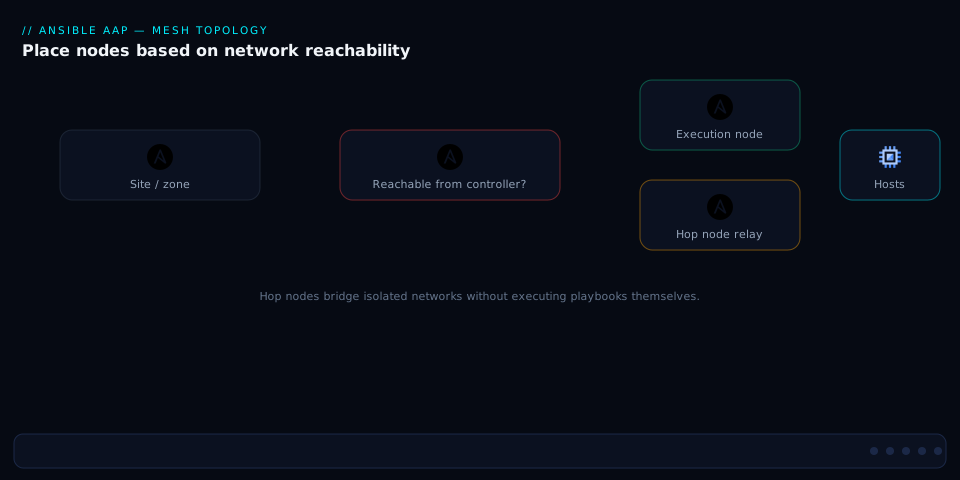
The mesh-placement diagram captures the design heuristic as a decision flow. Start from a managed target: can the control plane reach an execution node in that target’s zone directly? If yes, place an execution node there and associate the zone’s jobs with that instance group — done. If a network boundary (DMZ, remote site, restricted segment) sits in the way, insert a hop node that can reach both sides, and have the in-zone execution node peer to the control plane through the hop. If the zone is deeply segmented, chain multiple hops. The diagram’s branches map reachability and security-zone constraints to node placement — the explicit reminder being that you place nodes by network topology and trust boundaries, never by org chart, and that hop nodes exist solely to bridge boundaries without executing or exposing the control plane.
Scaling, high availability and capacity
AAP at enterprise scale is a clustered system, and its availability is the availability of its weakest required component — usually the database.
Clustering the control plane
The controller scales horizontally: multiple control/hybrid nodes behind a load balancer share one PostgreSQL database. Any node can serve the UI/API; the scheduler coordinates so jobs aren’t double-run; capacity is the sum across instances. For HA you run ≥2 control nodes (so losing one doesn’t lose the control plane) and front them with a load balancer.
| Tier | Single-node risk | HA approach |
|---|---|---|
| Control plane (controller) | One node = SPOF for UI/API/dispatch | ≥2 control/hybrid nodes + load balancer |
| PostgreSQL | The hard SPOF — all state lives here | External HA Postgres (replication/Patroni) or managed DB |
| Execution nodes | One node = lost capacity in a zone | ≥2 execution nodes per critical instance group |
| Hop nodes | One hop = a zone cut off | Redundant hop paths (multiple peers) |
| Private automation hub | One = no content/EE pulls | HA hub + shared object storage |
| Redis (containerized/OCP) | Caching/eventing layer | Clustered per topology |
The database is the center of gravity
Every job record, every per-host event, every object lives in PostgreSQL. Its size and performance drive AAP’s. Two consequences:
- HA Postgres is mandatory for a real HA AAP. Two app nodes in front of a single Postgres is still a single point of failure. Use streaming replication / Patroni, or a managed HA Postgres, and test failover.
- Event growth is real. A 10,000-host job writes a per-host event per task — millions of rows on a big run. Manage retention with the controller’s management jobs (cleanup of old job events, activity stream, etc.) on a schedule, or the DB grows without bound and queries (and the UI) slow down.
| Management job | Cleans | Recommended schedule |
|---|---|---|
| Cleanup Job Details / Events | Old job + per-host event rows | Daily/weekly per retention policy |
| Cleanup Activity Stream | Old audit-stream entries | Weekly/monthly |
| Cleanup Sessions | Expired sessions/tokens | Daily |
| Cleanup Expired OAuth Tokens | Stale API tokens | Daily |
| Cleanup Workflow / Notifications | Old workflow/notification records | Per policy |
Capacity planning, concretely
Size the fleet against two axes: concurrent jobs (drives number/size of execution nodes) and per-job fan-out (drives forks and per-node CPU/RAM/socket limits). A rough sizing checklist:
| Question | Drives | Rule of thumb |
|---|---|---|
| Peak concurrent jobs? | Execution node count/size | Sum job capacity ≤ group capacity at peak |
| Largest single inventory? | Forks + job slicing | Slice huge runs across nodes; raise forks |
| How many zones/boundaries? | Hop/execution placement | One execution group per workload zone |
| Job event volume? | Postgres size/IO + retention | Schedule cleanup; size DB IOPS |
| Control-plane load (UI/API users, webhooks)? | Control node count | ≥2; scale out for heavy API use |
| EDA event rate? | EDA controller sizing | Separate EDA capacity from controller |
Installation topologies: RPM, containerized and OpenShift
There are three supported ways to run AAP, and the choice shapes operations, HA and elasticity. (Newer AAP releases push toward the containerized and operator paths; the older RPM/bundle path remains for VM estates.)
| Topology | What it is | Runs on | Best for | Trade-off |
|---|---|---|---|---|
| RPM / bundle installer | Services installed on RHEL VMs via an installer inventory | RHEL VMs | Traditional VM estates, air-gapped (bundle) | You operate VMs, OS patching, DB |
| Containerized AAP | Components as rootless podman containers via an installer | RHEL VMs (no Kubernetes) | VM estates wanting container packaging without K8s | You still operate the VMs/DB; simpler upgrades |
| AAP Operator on OpenShift | Components as pods, managed by an Operator | OpenShift/Kubernetes | Kubernetes-native shops; elastic execution | Requires an OpenShift platform |
RPM / bundle (VMs)
You write an installer inventory (the [automationcontroller], [execution_nodes], [automationhub], [database] groups, plus mesh node_types and peering) and run the setup script; the bundle variant ships dependencies for air-gapped installs. You own the VMs, OS lifecycle, and (unless external) the database.
Containerized AAP (podman, no Kubernetes)
A newer, increasingly default path: the same components run as rootless podman containers on RHEL hosts via an installer inventory — container packaging, cleaner upgrades and isolation without Kubernetes, though you still operate the VMs and (ideally external HA) Postgres.
# Containerized AAP installer inventory (excerpt) — controllers, hub, EDA,
# execution nodes, and an external database. Components run as podman containers.
[automationcontroller]
ctrl1.corp.example.com
ctrl2.corp.example.com

[automationhub]
hub1.corp.example.com

[automationeda]
eda1.corp.example.com

[execution_nodes]
exec-emea1.corp.example.com
exec-apac1.corp.example.com

[database]
# Point at external HA Postgres in production rather than a co-located DB
db.corp.example.com

[all:vars]
postgresql_admin_username=postgres
registry_username=<rh-registry-user>
# ... TLS, admin passwords, and mesh node_type/peering as needed ...
AAP Operator on OpenShift
The Kubernetes-native path: install the Ansible Automation Platform Operator from OperatorHub, then declare components as custom resources. Execution can run as container groups — jobs become ephemeral pods scheduled by OpenShift, giving elastic, on-demand execution capacity that scales with the cluster.
# Deploy the automation controller via the AAP Operator on OpenShift.
apiVersion: automationcontroller.ansible.com/v1beta1
kind: AutomationController
metadata:
  name: aap-controller
  namespace: aap
spec:
  replicas: 2                      # HA control plane (pods)
  admin_user: admin
  # Operator provisions web/task pods, Redis, and wires to PostgreSQL.
  # Execution can run as container groups (ephemeral job pods).
  postgres_configuration_secret: aap-postgres-configuration
  ee_resource_requirements:
    requests:
      cpu: 500m
      memory: 1Gi
What each topology gives you for the hard requirements:
| Requirement | RPM/bundle | Containerized | OpenShift Operator |
|---|---|---|---|
| Air-gapped install | Yes (bundle) | Yes | Yes (mirrored) |
| No Kubernetes needed | Yes | Yes | No (needs OCP) |
| Elastic execution (pods) | No | No | Yes (container groups) |
| Upgrade ergonomics | Installer reruns | Cleaner (containers) | Operator-managed |
| You operate the OS/VMs | Yes | Yes | No (cluster does) |
| Native HA orchestration | You design it | You design it | Cluster + Operator |
Architecture at a glance
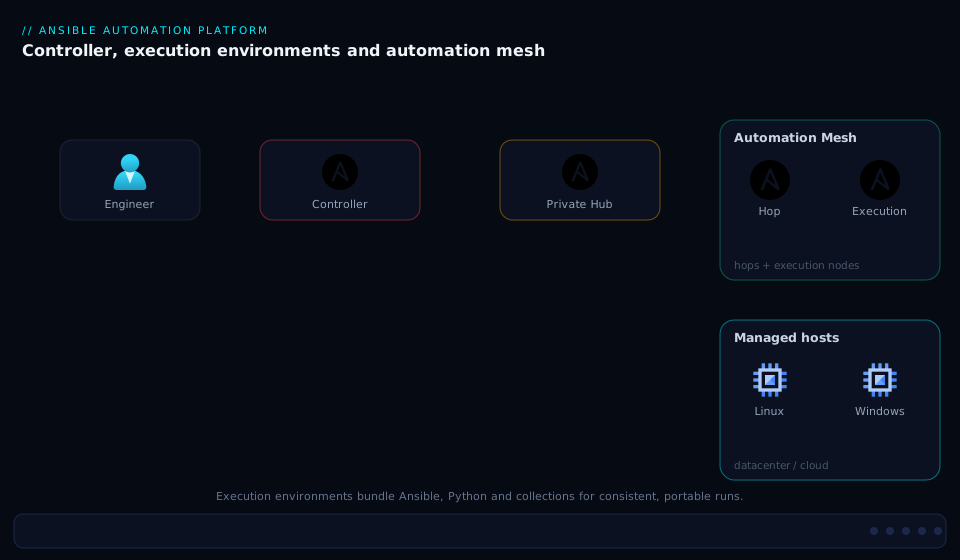
Read the architecture top-down. At the center sits the control plane: clustered automation controller nodes (UI/API/RBAC/scheduling) backed by PostgreSQL (the system of record for every object and per-host job event), alongside the private automation hub (signed collections + EE images) and the EDA controller (event sources → rulebooks → triggered jobs). Out from the control plane runs the automation mesh: control nodes dispatch over receptor (TCP 27199) — optionally through hop nodes that bridge DMZs and remote sites — to execution nodes placed in each workload zone. Each execution node pulls an execution environment image (from the hub) and, inside it, runs playbooks via ansible-runner against the managed hosts in its zone over SSH/WinRM/network APIs. Inputs feed the controller from the left — Git projects (playbooks), inventory sources (aws_ec2/azure_rm/gcp_compute/k8s pulling hosts), credentials (brokered, often from external Vault/CyberArk/cloud), and triggers (manual, scheduled, API, webhook, EDA).
The thing the picture is built to convey is the two-plane separation: a centralized control and record plane (controller + DB + hub + EDA) and a distributed execution plane (mesh nodes near the workloads). Control/result traffic is multiplexed over receptor across the WAN while the SSH/WinRM data plane stays local to each execution node’s zone — the entire reason AAP reaches every corner of an enterprise without funneling automation through one tunnel, and why you place nodes by network boundary, scale execution independently of control, and keep the database (the real center of gravity) highly available.
Real-world scenario
Meridian Financial runs a regulated estate: ~12,000 hosts (RHEL, Windows, Cisco/Juniper network gear, VMware) across three regions — a primary data center in Mumbai, a DR site in Hyderabad, and an EMEA colo in Frankfurt — plus a locked-down PCI cardholder-data environment (CDE) segment reachable only through a hardened jump zone. Before AAP, automation was a wiki of playbooks run from a shared “Ansible jump box” in Mumbai. Patching the full estate took a 9-hour weekend window because every SSH session for Frankfurt and the CDE traversed VPN tunnels back to Mumbai; the tunnel to Frankfurt collapsed twice mid-run; credentials lived in a half-vaulted group_vars; and the most recent PCI audit flagged “no attributable record of changes to CDE hosts.” Four platform engineers owned it.
They deployed AAP (containerized topology) with a deliberate mesh. Control plane: two controller nodes + an external HA PostgreSQL (Patroni) + a private automation hub, all in Mumbai. Execution nodes: two in Mumbai, two in Hyderabad, two in Frankfurt, and — critically — two execution nodes inside the PCI CDE, reached via a pair of hop nodes in the CDE’s DMZ (receptor over TCP 27199, the only port opened inward; SSH never leaves the CDE). Each region became an instance group (mumbai, hyderabad, frankfurt, pci), and the patch job template for each region was associated with its group, so Frankfurt hosts were patched from Frankfurt execution nodes — no WAN SSH. They built two execution environments (a Linux/network EE and a Windows EE), pinned and signed in the hub, and moved all secrets to HashiCorp Vault, with AAP holding only Vault references via credential input sources.
The first governed patch weekend: the full-estate workflow fanned out to all four regions in parallel (a convergence node waited for all to finish before the compliance-report node ran), each region’s job using forks 50 and job slicing across its two execution nodes. Frankfurt patched locally with zero tunnel traffic; the CDE patched entirely inside its own segment, with every task’s result streamed back over receptor through the hops and written as per-host job events — exactly the attributable record the auditor wanted. The 9-hour serial window became ~2 hours of parallel execution. A failed package on one Hyderabad host failed only that host’s task and that branch’s report flag; the other three regions completed untouched.
The results (tabulated below) closed the audit finding outright — every change now carries user, time, template, inventory and full task output — and eliminated credential sprawl, since Vault became the only store and rotation a Vault-side operation invisible to AAP. They later added Event-Driven Ansible: an Alertmanager source now triggers a “service-restart + ticket” template automatically for a defined class of alerts, taking a category of 2 a.m. pages off the rotation. The lesson on the runbook wiki: “Don’t move the work to the controller — move execution to the work. The mesh is the product.”
The before/after, as numbers:
| Dimension | Before (jump box) | After (AAP + mesh) |
|---|---|---|
| Full-estate patch window | ~9 hours (serial, WAN SSH) | ~2 hours (parallel, local execution) |
| Frankfurt/CDE SSH path | Over VPN to Mumbai | Local to the zone (only receptor crosses) |
| Tunnel collapses during patch | 2 per window | 0 |
| Change attribution (CDE) | None (audit finding) | Per-host job events; finding closed |
| Secret storage | Half-vaulted group_vars |
Vault only; AAP holds references |
| Credential rotation | Manual, error-prone | Vault-side, invisible to AAP |
| 2 a.m. service-down pages | Manual remediation | EDA auto-remediates a defined class |
Advantages and disadvantages
The platform model that makes all of the above possible has real costs; weigh them honestly.
| Advantages (why AAP earns its keep) | Disadvantages (why it costs you) |
|---|---|
| Centralized RBAC, audit and per-host job records — the compliance answer | Red Hat subscription cost (per managed node); AWX is free but unsupported |
| Execution environments end dependency drift (“works on my laptop”) | EE sprawl if undisciplined; build pipeline to own |
| Automation mesh moves execution to the workload; no WAN-funneled SSH | Mesh + clustering + HA Postgres = real operational complexity |
| External secret brokering — no plaintext secrets at rest | Initial setup and learning curve (mesh design, RBAC model, EEs) |
| Self-service via templates + surveys without granting shell access | Another platform to run, patch and back up (DB is the SPOF to manage) |
| Event-Driven Ansible turns alerts/webhooks into governed automation | Over-engineering risk for small teams — overhead unjustified at low scale |
| Reuses your existing playbooks/roles/collections unchanged | Some features (mesh, EDA, hub) imply more infrastructure than a single box |
| Scales horizontally (control + execution independently) | Capacity/forks/instance-group model must be understood to avoid stuck jobs |
The model is right when multiple teams run Ansible, compliance demands attributable/audited automation, and workloads span sites, segments or clouds that a single control box can’t reach efficiently. It is over-engineering when one or two engineers run a handful of playbooks against a flat, reachable estate on a tight budget — there, the overhead buys little. The disadvantages are all manageable (EE discipline, HA Postgres, mesh design by boundary) but they are real work; AAP is a platform you operate, not a tool you install and forget.
Hands-on lab
You can explore the AAP object model, EE builds and execution without a production install by using AWX (the upstream, free engine) on a single node, plus ansible-builder/ansible-navigator locally. This lab (1) builds and inspects an EE, (2) stands up AWX, and (3) creates a project → inventory → job template via the API and launches it. Run on a Linux host (or VM) with podman and Python.
Step 1 — Build a custom execution environment locally.
pip install ansible-builder ansible-navigator awxkit
mkdir ee-lab && cd ee-lab
cat > execution-environment.yml <<'EOF'
version: 3
images:
  base_image:
    name: quay.io/ansible/awx-ee:latest      # community EE base (no subscription)
dependencies:
  galaxy:
    collections:
      - name: ansible.posix
      - name: community.general
EOF
ansible-builder build --tag local/ee-lab:1.0.0 --container-runtime podman -v3
Expected: a build log ending in a tagged image. Verify it:
ansible-navigator images --execution-environment-image local/ee-lab:1.0.0
# Lists the collections baked into the EE (ansible.posix, community.general, ...)
Step 2 — Run a trivial playbook inside that EE (proves parity).
cat > ping.yml <<'EOF'
- hosts: localhost
  gather_facts: false
  tasks:
    - ansible.builtin.debug: { msg: "Running inside the EE" }
EOF
ansible-navigator run ping.yml \
  --execution-environment-image local/ee-lab:1.0.0 \
  --mode stdout
Expected: the debug message prints — the playbook ran inside the container image, not your host Python.
Step 3 — Stand up AWX on a single node (the AAP engine, free). The supported path is the AWX Operator on a Kubernetes cluster (minikube/kind/k3s). Install the operator and a minimal AWX instance:
# With a local k8s (minikube/kind) and kubectl available:
kubectl apply -k "github.com/ansible/awx-operator/config/default?ref=2.19.1"
kubectl create namespace awx
cat > awx-demo.yml <<'EOF'
apiVersion: awx.ansible.com/v1beta1
kind: AWX
metadata:
  name: awx-demo
  namespace: awx
spec:
  service_type: nodeport
EOF
kubectl apply -f awx-demo.yml
# Wait for pods, then get the admin password:
kubectl -n awx get secret awx-demo-admin-password -o jsonpath='{.data.password}' | base64 -d; echo
Expected: AWX pods reach Running; you retrieve the admin password and reach the UI on the NodePort.
Step 4 — Create a project, inventory and job template via the API, then launch. Point the awx CLI at your instance:
export TOWER_HOST=http://<awx-nodeport-url>
export TOWER_USERNAME=admin
export TOWER_PASSWORD=<password-from-step-3>

# A project from a public sample playbooks repo
awx projects create --name "Demo" --organization Default \
  --scm_type git --scm_url https://github.com/ansible/ansible-tower-samples.git \
  --wait

# A localhost inventory + host
awx inventory create --name "Demo Inv" --organization Default
awx hosts create --name "localhost" --inventory "Demo Inv" \
  --variables '{"ansible_connection":"local"}'

# A job template binding the sample 'hello world' playbook
awx job_templates create --name "Demo JT" --project "Demo" \
  --inventory "Demo Inv" --playbook "hello_world.yml" --job_type run

# Launch it and watch
awx job_templates launch "Demo JT" --wait
Expected: a job is created, dispatched, runs the sample playbook against localhost, and returns successful — and in the UI you can see per-host job events for that run.
Validation checklist. You built a reproducible EE and proved a playbook runs inside it; stood up the AAP engine (AWX) with the operator; and drove the full object model (project → inventory → job template → launch) through the same REST API AAP exposes — seeing the per-host job record that is AAP’s audit primitive. Step-by-step, what each proved:
| Step | What you did | What it proves |
|---|---|---|
| 1 | ansible-builder build |
EEs are declarative, reproducible images |
| 2 | ansible-navigator run in the EE |
Local/AAP runtime parity (drift killed) |
| 3 | AWX via operator | The control plane is the AAP engine, free to learn on |
| 4 | API project→inv→JT→launch | The object model + per-host audit record, all API-driven |
Teardown.
kubectl delete -f awx-demo.yml
kubectl delete namespace awx
podman rmi local/ee-lab:1.0.0
Common mistakes & troubleshooting
The failures below are the ones that actually consume AAP on-call time. Read the table at 02:00; the prose under it explains the nastiest ones. Symptom → root cause → confirm → fix.
| # | Symptom | Root cause | Confirm (exact path/cmd) | Fix |
|---|---|---|---|---|
| 1 | Job stuck in pending, never starts |
No instance with capacity in the target instance group | Controller → Instances (capacity vs consumed); job’s instance group | Add/enlarge execution nodes; lower forks; fix instance-group association |
| 2 | Job fails before any task; “project update failed” | SCM credential / branch wrong | Open the linked project update job’s output | Fix source-control credential, URL, branch/refspec |
| 3 | Job fails before any task; inventory empty | Inventory source (dynamic plugin) errored | Open the linked inventory update job’s output | Fix cloud credential / plugin config; check region/filters |
| 4 | EE works in ansible-navigator, fails in AAP |
Not the runtime — env: creds/inventory/network from the execution node | Compare cred injection; test SSH from the execution node | Fix credential/reachability at the node; check instance group/zone |
| 5 | “module not found” / collection missing at runtime | Collection not baked into the EE | ansible-navigator images --ee <image> lacks it |
Add to EE requirements.yml, rebuild, push, re-tag template |
| 6 | Nodes in a zone unreachable; jobs there hang/fail | Mesh link down — TCP 27199 blocked or hop node down | receptorctl status on a node; firewall on 27199 |
Open 27199 between peers; restore hop; check peer direction |
| 7 | Image pull fails on execution node | Registry auth / pull policy never / image absent |
Job output “pull access denied” / “image not known” | Add container registry credential; pull policy missing; pre-seed image |
| 8 | Secret-backed credential yields empty/auth fails | External secret lookup misconfigured (path/auth/role) | Test the lookup; check Vault/CyberArk path + token/role | Fix secret_path/secret_key, backend auth, network to backend |
| 9 | UI sluggish; queries slow; DB huge | Per-host job events accumulated; no cleanup | DB size; check management-job schedules | Run/schedule Cleanup Job Details/Events; size DB IOPS |
| 10 | Lost a control node → outage | Single control node and/or single PostgreSQL (SPOF) | Topology has 1 control node or co-located single DB | ≥2 control nodes + LB; external HA Postgres |
| 11 | Windows hosts fail to connect | WinRM/Kerberos/credential type wrong | Job output (WinRM error); cred type not Windows-appropriate | Configure WinRM/Kerberos; correct credential + connection vars |
| 12 | EDA rule never fires | Source not receiving events / condition mismatch | EDA controller activation logs; event payload vs condition | Fix source binding/port; correct event.* condition path |
| 13 | Job runs from the wrong zone (WAN SSH) | Template not associated with the zone’s instance group | Job’s executed-on instance vs intended zone | Associate template/inventory with the correct instance group |
| 14 | Secrets visible in job output | High verbosity (-vvvv) printing sensitive task data |
Template verbosity; task output | Lower verbosity; no_log: true on sensitive tasks |
The entries that bite hardest, expanded:
1. Job stuck in pending. The scheduler won’t start a job that would exceed available capacity in its target instance group; if every instance is at capacity (or the group has no healthy execution instance), the job waits. Fix by adding/enlarging execution nodes, lowering forks (each fork consumes capacity), or correcting the group association. A subtle variant: a hung job with no timeout pins capacity indefinitely — set timeouts so a wedged job can’t starve the group.
4. Passes in ansible-navigator, fails in AAP. Because the EE is byte-identical in both places, the runtime is not the difference — the environment is: which credentials were injected, which inventory source produced the hosts, and most often network reachability from the execution node (not from your laptop). SSH to a target from the execution node itself, compare the injected credential, and check the instance group/zone. This one isolation — runtime is identical, so look at environment — saves hours.
6. A zone goes dark. The mesh rides receptor over TCP 27199; a firewall that closes it between peers, or a downed hop node with no redundant path, silently severs a zone from the control plane and jobs there hang. Run receptorctl status to inspect peers/links, verify 27199 is open in the correct direction, restore the hop, and design redundant hop paths.
9 & 10. The database is your availability. Two app nodes in front of one PostgreSQL is not HA — the DB is the single point of failure, and unbounded per-host job events also make the platform slow. Run external HA Postgres (replication/Patroni or managed) and schedule Cleanup Job Details/Events to keep the event tables (and the UI) fast.
Best practices
- Bake collections into versioned, signed EEs; pin everything. One EE per application family, deps pinned, built in CI, signed, pushed to the hub, tagged immutably — the EE is your reproducibility contract.
- Place execution nodes by network boundary, not org chart. One execution instance group per workload zone, hop nodes only to bridge segments; patch each zone from within it so SSH never crosses the WAN.
- Make the database highly available and pruned. External HA PostgreSQL is mandatory for real HA; schedule the management jobs (job events, activity stream, sessions, tokens) or the DB and UI degrade.
- Run ≥2 control nodes and ≥2 execution nodes per critical group. A single instance of anything required is a SPOF; pair what matters and front the control plane with a load balancer.
- Broker every secret externally. Vault/CyberArk/cloud via credential input sources so AAP stores references, and grant credential Use (not read) to template authors.
- Manage AAP itself as code. Declare orgs, projects, inventories, credentials, templates and RBAC with the
ansible.controllercollection in Git, reviewed in PRs — not click-ops. - Grant RBAC to SSO-mapped teams, least privilege.
Executeto launch,Useto consume a credential,Readto see — scoped to the smallest object that works. - Use surveys + templates for safe self-service. Typed, validated prompts let app teams run sanctioned jobs without shell access or YAML edits.
- Size forks and job slicing deliberately. High forks for parallel hosts, slicing to split huge inventories; never let a job exceed its group’s capacity.
- Treat dependency jobs as first-class. When a launch fails before tasks run, open the linked project/inventory update job — that’s where SCM/inventory errors surface.
- Set timeouts on every template. A timeout-less hung job pins capacity and starves the group; bound runtime so wedged jobs self-clear.
- Curate the hub; sync, don’t open the internet. Mirror and sign certified/community content into the hub and point clients there — controlling (and where needed air-gapping) the supply chain.
Security notes
- No plaintext secrets at rest. Use external secret backends (Vault/CyberArk/Azure KV/AWS SM) via credential input sources so the DB holds references, not credentials; rotate in the backend, and protect the platform-wide encryption key that guards what is stored.
- Least-privilege RBAC, attributable everywhere. Minimum role at minimum scope, teams mapped to SSO groups, and per-host job events + the activity stream as the attributable audit trail — the compliance backbone.
- Lock the mesh transport. Receptor on TCP 27199 is TLS-secured with per-mesh certs — rotate them, open only 27199 between peers in the correct direction, and use hop nodes to keep the control plane out of sensitive zones.
- Sign and scan EEs and collections. Supported base images, GPG-signed collections, pinned image digests, scanning, and pulls from the private hub — a moved tag or tampered image is a supply-chain compromise.
- Protect the controller surface. TLS, SSO/MFA, restricted network access, and narrowly scoped API tokens with expiry (schedule the token-cleanup job).
- Isolate execution by trust zone. A separate instance group (e.g. a
pcigroup inside the CDE) so regulated jobs run only on regulated nodes and their SSH never leaves the segment. - Mind verbosity and
no_log.-vvvvcan print sensitive data into the permanent record; setno_log: trueon sensitive tasks and keep production templates at modest verbosity. - Separate duties on credentials. Security creates credentials/lookups; app teams get Use, never read.
The security controls and what each defends:
| Control | Mechanism | Defends against |
|---|---|---|
| External secret brokering | Credential input sources → Vault/CyberArk/cloud | Secret theft from the AAP DB; stale rotation |
| Per-host job events + activity stream | Immutable run records | “Who changed what?” / audit failure |
| Mesh TLS on 27199 + hop isolation | Receptor certs; boundary-bridging hops | Control-plane reach into sensitive zones; sniffed control traffic |
| Signed EEs/collections + private hub | GPG signing; digest pinning; curated sync | Tampered/unknown content in production |
| Least-privilege RBAC via SSO teams | Role grants at minimal scope | Over-broad access; orphaned grants |
| Credential Use (not read) | Object role separation | Secret exposure to template authors |
no_log + modest verbosity |
Task-level redaction | Secrets leaking into job output |
Cost & sizing
AAP’s bill has two shapes by edition. AWX (upstream) is free software — you pay only for infrastructure (VMs/cluster, DB, storage) and the team’s time, but get no support, no SLAs, no certified content lifecycle. AAP is a Red Hat subscription, generally priced per managed node, and that subscription buys support, certified collections, supported EE bases, and the lifecycle — what a regulated enterprise actually pays for. There’s no public per-node list price to quote responsibly; size it with Red Hat against your managed-node count and weigh it against the cost of self-supporting AWX at the same compliance bar.
The infrastructure cost (which you pay either way) is driven by the fleet you stand up:
| Cost driver | What you pay for | Scales with | Right-sizing note |
|---|---|---|---|
| AAP subscription (AAP only) | Support + certified content + lifecycle | Managed node count | The value is support/compliance; price via Red Hat |
| Control nodes | VMs/pods for controller | Control-plane load, HA (≥2) | 2 for HA; scale out for heavy API/UI use |
| Execution nodes | VMs/pods running EEs | Concurrent jobs + fan-out | More/bigger for parallelism; ≥2 per critical group |
| Hop nodes | Small relay VMs | Number of bridged boundaries | Tiny; redundant paths matter more than size |
| PostgreSQL (HA) | DB compute/IO/storage | Job/event volume; HA | The SPOF to fund properly; size IOPS for event writes |
| Private automation hub | VMs/pods + object storage | Content/EE volume; HA | HA + shared storage for resilience |
| EDA controller | VMs/pods | Event rate | Separate from controller capacity |
| Storage/backup | DB backups, EE/image storage | Retention policy | Prune events; back up the DB religiously |
The cheapest technical path to learn and prototype is AWX on a single small cluster (free); the cheapest supported path at enterprise scale is an honest managed-node-count discussion with Red Hat, because the support and compliance value — not raw compute — is what the subscription buys.
Interview & exam questions
1. What is the difference between AWX and Ansible Automation Platform? AWX is the upstream, community, unsupported project; AAP is Red Hat’s supported, certified, lifecycle-managed product built from the same engine. AAP adds (or productizes) the supported execution-environment bases, certified content via the private automation hub, the automation mesh, Event-Driven Ansible, and a Red Hat subscription with SLAs. You prototype on AWX; you run regulated production on AAP.
2. Walk through what happens when a job is launched. The controller checks RBAC and records a pending job; runs dependency jobs (project/inventory update); selects an instance group + an instance with capacity; a control node forks a process and dispatches over receptor (through any hop nodes) to an execution node; that node pulls the EE, injects credentials, and runs the playbook via ansible-runner against the managed hosts over SSH/WinRM; per-host job events stream back to the controller’s PostgreSQL. Crucially, the execution node (not the controller) connects to the hosts.
3. What are the three automation mesh node types and what does each do? Control nodes run controller services and dispatch work (on a full mesh they don’t execute). Execution nodes pull the EE and run playbooks, opening SSH/WinRM/API connections to managed hosts — placed near the workloads. Hop nodes relay receptor traffic across network boundaries (DMZ/remote/restricted) without executing anything. You place them by network topology and trust boundary, not org chart.
4. What is an execution environment and what problem does it solve? An EE is a container image bundling a pinned ansible-core, Python interpreter/libraries, and the exact collections a job needs; the job runs inside it via ansible-runner. It solves dependency drift (“works on my laptop”): pin the image and every node runs byte-identical software. You build it with ansible-builder from an execution-environment.yml and can run it locally with ansible-navigator for perfect parity.
5. Why might a job be stuck in pending? The scheduler won’t start a job that would exceed available capacity in its target instance group. Either every instance is at capacity, the group has no healthy execution instance, or the job’s forks demand more capacity than is free. Fix by adding/enlarging execution nodes, lowering forks, or correcting the instance-group association — and set timeouts so hung jobs don’t pin capacity.
6. How does AAP keep secrets out of plaintext, and what’s the strongest pattern? Credentials are typed, encrypted-at-rest objects injected at runtime (env vars, files, vault password). The strongest pattern stores no secret in AAP at all: a credential input source references an external backend (Vault/CyberArk/Azure KV/AWS SM) and AAP looks it up live at job time — so rotation happens in the backend, invisible to AAP, and a compromised AAP DB yields references, not secrets.
7. What does the private automation hub provide? An internal, signed registry for collections and EE images — first-party (published), Red Hat certified (rh-certified), and curated community — plus collection signing. It governs the supply chain (curate/sign exactly what’s allowed), enables reproducibility (pin versions), and lets air-gapped sites pull from the hub instead of the internet.
8. What is Event-Driven Ansible and how does it relate to the controller? EDA runs rulebooks binding event sources (webhook, Kafka, Alertmanager, k8s watch) to conditions and actions (often “run a job template”). The EDA controller reacts to events and calls back into the automation controller to run governed, audited automation — the “observe → act” loop on top of AAP, under the same RBAC.
9. How do you scale a 10,000-host patch job efficiently across regions? Combine high forks (hosts in parallel per pass) with job slicing (split the inventory across execution nodes), and associate each region’s template with that region’s instance group so each region patches from execution nodes inside it — only receptor traffic crosses the WAN, not bulk SSH. A workflow with convergence runs the regions in parallel and one report after all finish.
10. What are the three AAP install topologies and when do you pick each? RPM/bundle on RHEL VMs (traditional/air-gapped; you operate VMs/DB); containerized AAP as rootless podman containers on RHEL without Kubernetes (container packaging, cleaner upgrades, still on VMs); AAP Operator on OpenShift as pods with operator lifecycle and elastic container-group execution (Kubernetes-native). The driver is whether you want Kubernetes and elastic pod execution.
11. Why is the database the center of AAP’s availability and performance? All state — objects, job records, and per-host job events — lives in PostgreSQL. Two app nodes in front of a single Postgres is still a single point of failure, so real HA requires external replicated Postgres (Patroni/managed). And per-host events from huge jobs grow without bound, slowing queries and the UI, so management (cleanup) jobs must prune events/activity-stream on a schedule.
12. A playbook passes in ansible-navigator with an EE but fails in AAP — what do you check? Not the runtime (the EE is identical). Check the environment: which credentials AAP injected, which inventory source produced the hosts, network reachability from the execution node (not your laptop), and the instance-group/zone the job ran in. SSH to a target from the execution node itself; fix the credential or path at the node.
These map to Red Hat’s EX374 (Automation Platform / developing automation) and broader RHCE/Ansible material, plus platform-engineering and DevOps practice. A compact mapping:
| Question theme | Maps to | Area |
|---|---|---|
| AWX vs AAP; topologies | EX374 / platform design | Product + install architecture |
| Job execution flow; mesh nodes | EX374 | Controller + automation mesh |
Execution environments; ansible-builder/navigator |
EX374 / RHCE | Content + runtime |
| RBAC, credentials, external secrets | EX374 / security | Access + secret management |
| Hub, collections, signing | EX374 | Content management / supply chain |
| Scaling, HA, capacity | Platform engineering | Reliability + sizing |
Quick check
- On a full automation mesh, does the controller open SSH connections to managed hosts? If not, which node does, and what does that imply for firewall design?
- A job sits in
pendingand never starts. Name two distinct causes and how you’d confirm each. - You bake
amazon.awsinto an EE but a job still reports the module is missing. What’s the most likely mistake, and where do you verify the EE’s contents? - What does a hop node do, what does it not do, and which single TCP port must be open for the mesh?
- Your security team must own secrets but app teams must run jobs that use them, without ever seeing the secret. Which RBAC role and which secret pattern achieve this?
Answers
- No. On a full mesh the execution node opens SSH/WinRM/API connections to managed hosts; the controller only dispatches over receptor. So firewall rules, jump-host access and source-IP allow-lists must be designed around execution-node placement (per zone), not the controller’s location.
- (a) No capacity in the target instance group — confirm via Controller → Instances (capacity vs consumed) and the job’s instance group; (b) the job is queued behind the wrong/busy instance group or the group has no healthy execution instance — confirm by checking the template/inventory’s instance-group association. (Also: a hung, timeout-less job pinning capacity.) Fix by adding/enlarging execution nodes, lowering forks, or correcting the association.
- The collection was added to the wrong EE or the job template still references an old EE image (or an immutable tag wasn’t bumped). Verify with
ansible-navigator images --execution-environment-image <image>; if the collection isn’t listed, add it to the EE’srequirements.yml, rebuild, push, and re-point the template at the new tag. - A hop node relays receptor (mesh) traffic across a network boundary (DMZ/remote/restricted) so the control plane can reach an execution node behind it; it executes no playbooks and connects to no managed hosts. The mesh needs TCP 27199 (receptor) open between peers (in the correct direction).
- Grant app teams the Use role on the credential (they can attach and run with it but never read the secret), and store the secret in an external backend (Vault/CyberArk/cloud) via a credential input source so AAP holds only a reference and the security team owns rotation in the backend.
Glossary
- Ansible Automation Platform (AAP) — Red Hat’s supported, certified, lifecycle-managed automation platform: controller, hub, EDA, EEs, and the automation mesh, on a per-managed-node subscription.
- AWX — the upstream, community, unsupported project AAP is built from; free to run, no SLA/certified content.
- Automation controller — the control plane: UI/API, RBAC, scheduling, job orchestration and per-host records, backed by PostgreSQL. (Formerly “Tower”.)
- Private automation hub — internal, signed registry for collections and EE images; supports curation and air-gapped distribution.
- Event-Driven Ansible (EDA) controller — runs rulebooks binding event sources → conditions → actions (often “run a job template”).
- Execution environment (EE) — a container image bundling pinned
ansible-core, Python, and collections; the job runs inside it viaansible-runner. ansible-builder— the tool that builds an EE image from anexecution-environment.yml.ansible-navigator— the tool to run/inspect playbooks inside an EE locally, giving AAP parity.ansible-runner— the library that executes a playbook inside an EE on an execution node.- Automation mesh — the receptor-based overlay network of control/hop/execution nodes that distributes execution.
- Receptor — the mesh transport protocol; multiplexes control/result traffic over TCP 27199 (TLS).
- Control node — runs controller services and dispatches; on a full mesh, doesn’t execute.
- Execution node — pulls the EE and runs playbooks, connecting to managed hosts; placed near workloads.
- Hop node — relays receptor traffic across a boundary without executing or connecting to hosts.
- Instance group — a named set of mesh instances used to steer jobs (by zone/compliance);
controlplaneis the built-in control group; container group runs jobs as OpenShift pods. - Capacity / forks — the work an instance can take (CPU/RAM-derived); forks set per-job parallel hosts; exceeding group capacity leaves a job
pending. - Job slicing — splitting one job across N instances to parallelize a huge inventory.
- Job template — a saved, parameterized binding of project+playbook+inventory+credentials+EE that users launch.
- Workflow — a graph of templates/updates/approvals with success/failure/always edges and convergence.
- Survey — typed, validated prompts on a template that become
extra_varsfor safe self-service. - Project — an SCM-backed (Git) source of playbooks the controller pulls.
- Inventory source — a dynamic-inventory plugin that populates an inventory on a schedule.
- Credential — a typed, encrypted, injected secret object (machine/vault/cloud/network/registry/external).
- Credential input source — binds a credential field to an external secret backend so AAP stores a reference, not the secret.
- Per-host job event — the per-task, per-host result record streamed to PostgreSQL; AAP’s audit/output primitive.
Next steps
You can now design an AAP footprint, trace a job through the mesh, and defend AAP vs core Ansible. Build outward:
- Next: Dynamic Inventory & Secure Secrets for Cloud Fleets, In Depth: aws_ec2, azure_rm, gcp_compute, k8s & constructed — the inventory sources and secret patterns AAP runs on a schedule inside EEs.
- Related: Idempotent Collections with Molecule Testing, In Depth: Scenarios, Drivers, the Lifecycle & CI Matrix — prove the collections before you ship them through the hub into an EE.
- Related: Building Enterprise PAM: Credential Vaulting, Session Brokering, and Automatic Rotation — the broker side of AAP’s external-secret model.
- Related: GitOps with Argo CD and Flux: Deliver from Git — the declarative, continuously-reconciled delivery model AAP complements (push-on-trigger vs reconcile).
- Related: CI/CD Secrets and Credential Management: Secure Your Pipelines — secret handling in the pipelines that often trigger AAP jobs.
- Related: Infrastructure as Code: Terraform, Pulumi, CDK and Cloud-Native Options — provisioning that pairs with AAP’s in-host configuration.