A developer added a database password directly into a GitHub Actions workflow file because it was 22:00, the deploy was blocked, and “I’ll move it to a secret later.” Later never came. Three months on, an ex-contractor forked the repository to “keep a reference copy,” and the password — still valid, never rotated — went with it. Nobody noticed for six weeks, until the database showed connections from an IP nobody recognised. The breach cost a weekend of incident response, a forced rotation of every credential the contractor could conceivably have seen, and an awkward conversation with the customer whose data lived in that database. Two controls would have prevented all of it: the secret should never have been a static string committed to source, and even if it had leaked, workload identity would have meant there was no long-lived credential to steal in the first place.
This is the discipline of CI/CD secrets management: making sure the credentials your pipelines need to build, test, scan and deploy are stored in a dedicated secret manager, handed to the right job at the right moment with the least possible privilege, never written to source control or printed to a log, rotated on a schedule and instantly on suspicion, and — wherever the platform allows — replaced entirely by short-lived federated tokens so there is no standing secret to lose. A modern pipeline touches container registries, cloud APIs, package feeds, SaaS endpoints, signing keys and databases; every one of those touch points is a credential, and every credential is an attack surface. Get this right and a leaked log line is a one-hour rotation. Get it wrong and it is the headline.
This article is the practitioner’s reference. You will learn the threat model (where secrets actually leak — and it is rarely where teams look first), the three secret managers you will meet in production and exactly when to reach for each, the mechanics of OIDC / workload identity federation versus the long-lived personal access tokens (PATs) it replaces, how injection and masking really work (and how they fail), how to design rotation so consumers pick up new values without an outage, how to detect leaks with scanning and push protection, and the exact runbook to execute when a secret is exposed. Every concept comes with real GitHub Actions and Azure Pipelines YAML, real vault, az keyvault and aws secretsmanager commands, and scannable tables you can keep open mid-incident. If you want the Azure-specific deep dives that sit underneath this, Azure Key Vault: Secrets, Keys and Certificates and Secretless CI/CD: Workload Identity Federation for GitHub Actions and AKS go a level deeper; this article is the cross-platform map that ties them together.
What problem this solves
CI/CD pipelines are, by design, automated systems with broad reach. To do their job they need to authenticate — to a cloud control plane to deploy infrastructure, to a registry to push images, to a feed to publish packages, to a test environment’s database to run integration tests. Each of those is a credential the pipeline must possess at run time. The problem is that the convenient place to put a credential (a workflow file, a build variable typed into the UI as plaintext, a .env checked into the repo, a config file baked into a container) is almost always the insecure place, and the insecurity is the silent, durable kind: it does not break the build, it does not page anyone, it just sits there as a latent breach waiting for someone to look.
What breaks without disciplined secrets management is rarely the pipeline — it is everything downstream of the credential. A leaked deploy credential is a path to production. A leaked registry token lets an attacker push a poisoned image that your own pipeline then deploys. A leaked cloud admin key is, in the worst case, the whole account. And because these credentials are long-lived static strings in the naive setup, a single exposure — a fork, a screenshot, a log shipped to a third-party SaaS, a laptop backup, a misconfigured artifact — grants standing access until someone manually rotates, and nobody rotates a credential they do not know has leaked.
Who hits this is everyone running automated delivery, but it bites hardest in three shapes. Teams that grew fast and accreted secrets in workflow files and CI variables before anyone owned security. Teams using self-hosted runners where a malicious or compromised job can read the runner’s environment and filesystem. And teams whose pipelines call many third parties (npm, PyPI, Docker Hub, Slack, Datadog, a dozen SaaS webhooks), each with its own token, each rarely rotated. The fix is not a single product — it is a layered design: a secret manager as the source of truth, federation to eliminate static secrets where possible, scoped injection with masking for the rest, rotation on a clock, and scanning plus a rehearsed response for when something slips through anyway.
Learning objectives
By the end of this article you can:
- Map the secret lifecycle in a pipeline (create → store → grant → inject → use → rotate → revoke → audit) and name the failure mode at each stage.
- Choose between HashiCorp Vault, Azure Key Vault and AWS Secrets Manager for a given workload, and explain the trade-offs in dynamic secrets, rotation, cost and operational burden.
- Replace long-lived PATs and cloud keys with OIDC / workload identity federation in GitHub Actions and Azure Pipelines, and explain the token-exchange flow and the trust conditions that keep it safe.
- Inject secrets into pipeline steps correctly — as masked environment variables or files scoped to a single job — and recognise the patterns that defeat log masking.
- Design secret rotation (scheduled and on-incident) so downstream consumers pick up new values without an outage, including dual-secret and grace-window strategies.
- Stand up leak detection with pre-commit scanning, server-side push protection, and scheduled repo/log scans, and triage the inevitable false positives.
- Execute a leak-response runbook: contain, rotate, revoke, scope-down, scan history and confirm — fast enough that exposure does not become compromise.
- Apply least-privilege scoping so each pipeline holds only the credentials it needs, for only as long as it needs them.
Prerequisites & where this fits
You should already understand the basics of a CI/CD pipeline — stages, jobs, runners/agents, and how a workflow is triggered by a push or pull request. If that is shaky, read CI/CD Pipelines Explained: From Code Commit to Production first. You should be comfortable on a shell, able to read YAML, and have at least passing familiarity with one cloud’s IAM model (roles, policies, identities). Knowing what a JWT is — a signed token carrying claims — will make the OIDC section click immediately.
This sits at the intersection of DevOps and Security, and it is upstream of almost everything else in delivery. Your deployment strategies assume the pipeline can authenticate to the target safely. Your GitOps reconciler needs read access to the cluster’s secrets without leaking them into Git. Your artifact registry and package feeds are credentialed endpoints. And the platform you build on — whether GitHub Actions, GitLab CI, Azure DevOps or Jenkins — shapes which secret-management features you get for free and which you must bolt on. On the Azure side specifically, this connects to Secret Management in Pipelines with Key Vault and Managed Identity and the broader Eliminating Secret Sprawl discipline.
A quick map of who owns what during a secrets incident, so you escalate to the right place fast:
| Layer | What lives here | Who usually owns it | Failure mode it causes |
|---|---|---|---|
| Source repo | Workflow files, code, configs | App / dev team | Hardcoded secret committed to history |
| CI/CD platform | Pipeline variables, OIDC config, environments | Platform / DevOps | Over-scoped or plaintext build variable |
| Secret manager | Secrets, access policies, rotation | Security + platform | Wrong access policy; missing rotation |
| Cloud IAM | Roles, federated identity, trust policy | Cloud / security | Trust condition too broad; standing keys |
| Runners / agents | Process env, filesystem, network | Platform / SRE | Malicious job reads runner env (self-hosted) |
| Downstream targets | DB, registry, SaaS endpoints | Service owners | Credential reuse; no per-consumer scoping |
Core concepts
Six mental models make every later decision obvious.
A secret is anything that grants access, and its danger is proportional to its blast radius and its lifetime. A secret is a credential — a password, API key, token, connection string, private key, certificate — whose possession alone is enough to act as you. Two properties define its risk: blast radius (what it can touch — one read-only feed, or the whole cloud account) and lifetime (how long it stays valid — a 15-minute token, or a key that has not changed since 2021). Good secrets management drives both down: minimise blast radius with least-privilege scoping, minimise lifetime with short-lived federated tokens and rotation. The worst secret is a long-lived, broadly-scoped, static string — exactly what a database admin password in a workflow file is.
A secret manager is the single source of truth, not the pipeline. A secret manager (Vault, Key Vault, Secrets Manager, GitHub/GitLab secret stores) stores sensitive values encrypted at rest, gates access behind an identity-and-policy check, logs every read, and ideally supports rotation. The pipeline does not hold the secret; it fetches it at run time using its own identity, uses it, and lets it evaporate when the job ends. Source control holds a reference — a path or name — never the value. The difference between “the secret is in the manager and the workflow names it” and “the secret is in the workflow” is the difference between a controlled, auditable, rotatable system and a time bomb.
Authentication is the hard part; the secret is downstream of it. Before a pipeline can read a secret it must prove who it is to the manager. The naive answer is a bootstrap credential — itself a secret — which just moves the problem. The modern answer is workload identity: the pipeline platform vouches for the job with a short-lived, signed OIDC token that the cloud or manager trusts under tightly-scoped conditions, exchanging it for a short-lived access credential. There is no static secret to store because the trust is established by cryptographic federation, not by a shared string. This is the single highest-leverage move in the whole field, so we give it a full section.
Injection is the moment of maximum exposure. The instant a secret leaves the manager and enters a build step it can leak — into a log via echo, into an error message, into a child process’s environment, into an artifact, into a crash dump. Masking (the platform replacing known secret values with *** in logs) is a safety net, not a strategy, and it has real holes: it cannot mask a value it was not told about, it cannot mask a transformed value (base64-encoded, URL-encoded, substringed), and it does not stop a secret from being written to a file you then upload. Treat masking as defence-in-depth and design injection to never print the secret in the first place.
Rotation is a property of the system, not an event. Rotation is replacing a credential with a new one and invalidating the old. Done badly it is an outage: you rotate, every consumer still holding the old value fails. Done well it is invisible: the manager generates the new secret, both old and new are valid during a grace window, consumers pick up the new value (because they fetch at run time), then the old one is revoked. The goal is rotation you are not afraid to do, because the only rotation that protects you is the one you actually perform — on schedule and the moment a leak is suspected.
Detection and response close the loop, because prevention is never perfect. Even with managers, federation and scoping, secrets leak — a developer pastes one into a PR description, a debug build prints an env dump, a token lands in a third-party log. Leak detection (pre-commit hooks, server-side push protection, scheduled scanning of repos and logs) catches them; a rehearsed response runbook turns a catch into a non-event. The metric that matters is time-to-rotate from exposure: minutes is a near-miss, weeks is a breach.
The vocabulary in one table
Before the deep sections, pin down every moving part. The glossary at the end repeats these for lookup; this table is the mental model side by side:
| Concept | One-line definition | Where it lives | Why it matters |
|---|---|---|---|
| Secret | A credential whose possession grants access | Secret manager (ideally) | The thing you protect |
| Secret manager | Encrypted, access-controlled store of secrets | Vault / Key Vault / Secrets Manager | Single source of truth |
| Reference | A path/name pointing at a secret value | Workflow file, IaC | What source control may hold |
| PAT | Personal/long-lived access token | Often pasted into CI as a secret | The static credential to eliminate |
| OIDC token | Short-lived signed JWT proving the job’s identity | Issued per-run by the CI platform | Enables secretless auth |
| Workload identity federation | Trusting a CI platform’s OIDC to mint cloud creds | Cloud IAM trust policy | Removes standing secrets |
| Injection | Handing a secret to a step at run time | Env var or mounted file | Moment of max exposure |
| Masking | Platform redacting known secrets in logs | CI log pipeline | Safety net, not a strategy |
| Rotation | Replacing a credential and revoking the old | Manager + consumers | Caps secret lifetime |
| Dynamic secret | A short-lived credential minted on demand | Vault (and similar) | No static value to leak |
| Push protection | Server-side block of commits containing secrets | Git host (e.g. GitHub) | Stops leaks before they land |
| Least privilege | Granting only the access a job needs | IAM policy / access policy | Shrinks blast radius |
The secret lifecycle: eight stages, eight failure modes
Every secret in a pipeline moves through the same stages, and each stage has a characteristic way it goes wrong. If you can name the stage, you can name the control. This table is the spine of the whole article — most later sections are a deep dive into one row.
| # | Stage | What happens | Failure mode | Control that fixes it |
|---|---|---|---|---|
| 1 | Create | A credential is generated | Weak/predictable; created with admin scope | Generate in the manager; scope at creation |
| 2 | Store | The value is persisted | Committed to source; plaintext in CI UI | Secret manager only; reference in source |
| 3 | Grant | A pipeline is authorised to read it | Over-broad policy; shared across teams | Least-privilege policy per pipeline/job |
| 4 | Authenticate | The pipeline proves its identity | Bootstrap secret reintroduces the problem | OIDC / workload identity federation |
| 5 | Inject | The secret enters a step | Printed to log; leaked to child/artifact | Masked env/file, scoped to one job |
| 6 | Use | The step authenticates downstream | Credential reused across unrelated calls | One credential per purpose |
| 7 | Rotate | The value is replaced | Outage on rotate; rotation never happens | Grace window + run-time fetch; schedule it |
| 8 | Audit/Revoke | Access is logged; old creds killed | No audit trail; leaked cred stays valid | Manager audit logs; revoke on incident |
The asymmetry to internalise: stages 1–4 are prevention (cheap, do them once, they pay forever), stage 5 is containment (the daily discipline), and stages 7–8 are recovery (rehearse them so the bad day is short). Teams over-invest in scanning (a stage-8 detection control) and under-invest in stages 2–4, then wonder why they keep finding secrets to scan for. Fix the upstream stages and there is far less to detect.
Secret managers compared: Vault vs Key Vault vs Secrets Manager
You will meet three secret managers in production CI/CD, plus the lightweight stores built into the CI platforms themselves. They are not interchangeable; the right choice depends on your cloud footprint, your appetite for operating infrastructure, and whether you need dynamic secrets.
The big three at a glance
| Capability | HashiCorp Vault | Azure Key Vault | AWS Secrets Manager |
|---|---|---|---|
| Hosting model | Self-hosted or HCP (managed) | Fully managed (Azure) | Fully managed (AWS) |
| Cloud affinity | Cloud-agnostic / multi-cloud | Azure-native | AWS-native |
| Static secrets | Yes (KV engine) | Yes (core feature) | Yes (core feature) |
| Dynamic secrets | Yes — DBs, cloud creds, PKI, SSH | No (static + references) | Limited (managed rotation, not on-demand mint) |
| Built-in rotation | Via dynamic secrets / rotation | Via Event Grid + Functions (DIY) or managed for some | Yes — native scheduled rotation with Lambda |
| PKI / certificate issuance | Yes (full CA) | Yes (certificates + integrated CAs) | No (use ACM) |
| Transit / encryption-as-a-service | Yes (Transit engine) | Keys (encrypt/decrypt, sign) | KMS (separate service) |
| Auth methods | Many (OIDC, JWT, cloud IAM, AppRole, K8s) | Microsoft Entra ID + RBAC / access policies | IAM (roles, policies) |
| Audit logging | Audit devices (file/syslog/socket) | Diagnostic logs to Monitor | CloudTrail |
| Pricing shape | HCP per-hour + ops; OSS = your infra | Per-operation (transactions) + per secret version | Per secret/month + per 10k API calls |
| Operational burden | High (you run/upgrade/seal-unseal) | Low | Low |
The decision usually collapses to three questions. Are you single-cloud? Then the native manager (Key Vault on Azure, Secrets Manager on AWS) is the path of least resistance — it integrates with that cloud’s IAM, logging and rotation with no extra infrastructure. Are you multi-cloud or on-prem, or do you need dynamic secrets (short-lived, minted-on-demand DB or cloud credentials with no static value to leak)? Then Vault earns its operational cost. Are you small and Azure-centric and just need a place to put a handful of secrets? Then Key Vault with managed identity, no Vault cluster to run.
When to choose which — a decision table
| If your situation is… | Lean toward | Because |
|---|---|---|
| Single cloud (Azure), low secret count | Azure Key Vault | Native IAM, managed, cheapest to operate |
| Single cloud (AWS), need scheduled rotation | AWS Secrets Manager | Native Lambda rotation built in |
| Multi-cloud or hybrid/on-prem | HashiCorp Vault | One control plane across clouds |
| Need short-lived DB/cloud creds (no static value) | Vault (dynamic secrets) | Mints per-use creds; nothing to rotate or leak |
| Need a private CA / cert issuance in-pipeline | Vault or Key Vault | Full PKI engines |
| Tiny project, a few CI tokens, no cloud manager | CI-native store (GitHub/GitLab secrets) | Zero setup; adequate for low blast radius |
| Regulated, need air-gapped self-hosting | Vault (OSS/Enterprise) | You control the deployment fully |
A word on the CI-platform-native stores (GitHub Actions secrets, GitLab CI/CD variables, Azure DevOps variable groups). They are real secret stores — encrypted, masked, access-controlled by repo/environment — and for low-blast-radius values (a Slack webhook, a Codecov token) they are perfectly fine. Their limits are: no rotation, no dynamic secrets, no fine-grained audit of reads, and value sprawl across many repos with no central inventory. Use them as the last mile (a federated token’s not always possible) but back high-value secrets with a real manager, and prefer federation over storing anything at all. On Azure specifically, Azure DevOps Variable Groups linked to Key Vault gives you the native store as a façade over the real manager — the best of both.
Dynamic secrets — the feature that changes the model
Static secrets management is fundamentally a game of reducing the lifetime and blast radius of a value that exists. Dynamic secrets (Vault’s signature capability, partially echoed elsewhere) change the game: the secret does not exist until a pipeline asks for it, is minted scoped to that request, lives for a short TTL, and is revoked automatically. A pipeline that needs to run integration tests against Postgres does not hold a database password; it asks Vault, which creates a Postgres user with a random password and a 30-minute TTL, hands it over, and drops the user when the lease expires. There is no static credential to leak, rotate, or find in a scan.
| Property | Static secret | Dynamic secret |
|---|---|---|
| Exists before use? | Yes — sits in the store | No — minted on demand |
| Lifetime | Until rotated (often long) | Short TTL (minutes–hours) |
| Blast radius if leaked | Full, until rotated | Tiny — expires, scoped to one lease |
| Rotation needed? | Yes, on a schedule | No — every issuance is “fresh” |
| Per-consumer attribution | Hard (shared value) | Easy (one lease per request) |
| Setup cost | Low | Higher (engine config, DB grants) |
| Best for | SaaS tokens, webhooks | DB, cloud creds, SSH, PKI |
The catch is setup cost: you configure Vault’s database/cloud secrets engine with a privileged “creator” credential and a role template, which is real work and itself a credential to protect. The payoff is enormous for high-value, frequently-used credentials — and it is the cleanest answer to “how do we give pipelines database access without a standing password.”
OIDC and workload identity: killing the long-lived PAT
If you do one thing after reading this article, do this: replace your pipelines’ long-lived cloud keys and personal access tokens with OIDC-based workload identity federation. It is the difference between storing a credential and hoping it never leaks and having no standing credential to leak at all.
Why long-lived PATs are the core problem
A PAT or static cloud key (an AWS access-key/secret-key pair, an Azure service-principal client secret, a GitHub PAT) is a string that grants access until it is explicitly revoked. To use one in CI you must store it in the pipeline’s secret store, where it becomes a target: anyone who can read that store, dump that environment, or exfiltrate that value (via a malicious dependency, a compromised runner, a leaked log) gains standing access. PATs also tend to be over-scoped (it is easier to grant broad access than to scope it), rarely rotated (rotation is manual and breaks things), and hard to attribute (one PAT used by many jobs). They are, in short, every property of the worst secret in one credential.
| Long-lived PAT / key | Federated (OIDC) token |
|---|---|
| Static string, valid until revoked | Short-lived (minutes), auto-expiring |
| Must be stored in CI secret store | Nothing stored — minted per run |
| Leaks → standing access | Leaks → already expired, scoped to one run |
| Rotation manual, breaks consumers | No rotation — every run gets a fresh token |
| Often over-scoped, rarely audited | Scoped by trust conditions; every exchange logged |
| Attribution: which job used it? unclear | One token per run/job; clear attribution |
| Setup: paste a secret | Setup: one trust policy (once) |
How the token exchange works
The flow is the same in shape across clouds. The CI platform acts as an OIDC identity provider: for each pipeline run it issues a short-lived JWT (the ID token) signed by its own key, carrying claims about who is running what — the repository, the branch/ref, the environment, the workflow. The cloud (or secret manager) is configured to trust that issuer under specific conditions (e.g. “only tokens whose repo claim is acme/payments and ref is refs/heads/main”). At run time the pipeline presents its ID token; the cloud validates the signature and the claims against the trust policy, and if they match it issues a short-lived access credential (an AWS STS token, an Entra access token) scoped to a role. The pipeline uses that credential, and it expires in minutes.
The crucial security property lives in the trust conditions. The whole scheme is exactly as safe as the precision of those conditions. Trust repo:acme/payments:* and any branch or PR from that repo can assume the role — including a fork’s PR if you are careless. Trust repo:acme/payments:ref:refs/heads/main plus an environment and you have pinned it to production deploys from the protected branch. The subject (sub) claim is the load-bearing string; get it wrong and you have built a beautifully short-lived credential that anyone can mint.
| Trust condition (claim) | Example value | What it restricts | Risk if too broad |
|---|---|---|---|
iss (issuer) |
https://token.actions.githubusercontent.com |
Which platform you trust | Wrong issuer = trust anyone’s tokens |
aud (audience) |
The cloud’s expected audience | Token reuse across services | Replay to another relying party |
repo / sub repo part |
acme/payments |
Which repository | Any repo in the org could assume |
ref / branch |
refs/heads/main |
Which branch | PRs/forks can deploy |
environment |
production |
Which deployment environment | Non-prod jobs hit prod |
pull_request context |
(often excluded) | Whether PRs may assume | Untrusted fork PRs get creds |
OIDC in GitHub Actions → Azure (real YAML)
Here is the production pattern: a GitHub Actions job that authenticates to Azure with no stored secret, using federated credentials. On the Azure side you create a federated identity credential on an app registration that trusts the specific repo, branch and environment.
# .github/workflows/deploy.yml
name: deploy-prod
on:
  push:
    branches: [main]

permissions:
  id-token: write      # REQUIRED: lets the job request an OIDC token
  contents: read

jobs:
  deploy:
    runs-on: ubuntu-latest
    environment: production    # ties the OIDC 'environment' claim
    steps:
      - uses: actions/checkout@v4

      - name: Azure login via OIDC (no client secret)
        uses: azure/login@v2
        with:
          client-id: ${{ vars.AZURE_CLIENT_ID }}       # not a secret — just an ID
          tenant-id: ${{ vars.AZURE_TENANT_ID }}
          subscription-id: ${{ vars.AZURE_SUBSCRIPTION_ID }}

      - name: Deploy (uses the short-lived federated token)
        run: az webapp up --name app-payments-prod --resource-group rg-payments
The matching Azure-side trust, created once with the CLI — note there is no password anywhere:
# Create the federated credential that trusts THIS repo+branch+environment
az ad app federated-credential create \
  --id "$APP_OBJECT_ID" \
  --parameters '{
    "name": "gh-payments-prod",
    "issuer": "https://token.actions.githubusercontent.com",
    "subject": "repo:acme/payments:environment:production",
    "audiences": ["api://AzureADTokenExchange"]
  }'
OIDC in GitHub Actions → AWS (real YAML)
The AWS equivalent: configure GitHub’s OIDC provider in IAM once, attach a role with a trust policy keyed to the repo, then assume it per run.
      - name: Configure AWS credentials via OIDC
        uses: aws-actions/configure-aws-credentials@v4
        with:
          role-to-assume: arn:aws:iam::123456789012:role/gha-payments-deploy
          aws-region: ap-south-1
          # no aws-access-key-id / aws-secret-access-key — that's the point
The IAM role’s trust policy is where the conditions live (this is the security boundary):
{
  "Version": "2012-10-17",
  "Statement": [{
    "Effect": "Allow",
    "Principal": { "Federated": "arn:aws:iam::123456789012:oidc-provider/token.actions.githubusercontent.com" },
    "Action": "sts:AssumeRoleWithWebIdentity",
    "Condition": {
      "StringEquals": {
        "token.actions.githubusercontent.com:aud": "sts.amazonaws.com"
      },
      "StringLike": {
        "token.actions.githubusercontent.com:sub": "repo:acme/payments:ref:refs/heads/main"
      }
    }
  }]
}
Azure Pipelines: workload identity federation
Azure DevOps has the same capability via a workload identity federation service connection — the service connection holds no client secret; it federates to an Entra app that trusts the Azure DevOps issuer. You select it like any other connection and the tasks get a short-lived token.
# azure-pipelines.yml
steps:
  - task: AzureCLI@2
    inputs:
      azureSubscription: 'sc-payments-prod-wif'   # a workload-identity-federation service connection
      scriptType: bash
      scriptLocation: inlineScript
      inlineScript: |
        az group list -o table   # authenticated with a federated token, no stored secret
When you cannot federate — a third-party SaaS that only offers API keys, an on-prem system without OIDC — you fall back to a stored secret, but you store it in a real manager, scope it tightly, and rotate it. Federation first; stored secrets only where federation is impossible. For the full Azure-native treatment of this, see Secretless CI/CD: Workload Identity Federation for GitHub Actions and AKS and Locking Down Workload Identities.
Secret injection and masking: the moment of exposure
When you do hold a stored secret, the dangerous moment is injection — getting it from the manager into the step that needs it without leaking it. Two delivery shapes exist: environment variables and mounted files. Both can be masked; both can be defeated.
Environment variables vs files
| Aspect | Env var injection | File injection |
|---|---|---|
| Setup | Simplest — env: block |
Write to a temp file, point tool at it |
| Visibility to child processes | Inherited by all children | Only processes that read the file |
| Masking support | Yes (platform masks the value) | Partial — file contents aren’t auto-masked |
| Risk: full env dump | High (env, crash handlers print it) |
Lower (file not in env) |
Risk: accidental echo |
High | Lower (must cat the file) |
| Best for | Most tokens/keys | Certs, kubeconfigs, large/multi-line secrets |
| Cleanup | Ends with the job | Delete the file explicitly |
The practical rule: use env vars for short single-line tokens (and never echo them), use files for certificates, kubeconfigs and multi-line secrets — and chmod 600 plus delete them at the end of the job. Scope either to the single job that needs it, never the whole pipeline.
How masking actually works — and where it fails
Masking is the platform scanning log output for known secret values and replacing them with ***. It is genuinely useful and genuinely incomplete. The failures are predictable, and every one of them is a real incident someone has had.
| Masking failure mode | Why it happens | Example | Mitigation |
|---|---|---|---|
| Transformed value | Platform masks the literal, not derivatives | `echo $TOKEN | base64` prints the b64 form unmasked |
| Substring / partial | Only the full value is registered | Printing the first 8 chars for “debugging” | Never print any part of a secret |
| Value the platform doesn’t know | Secret computed at run time, not registered | Secret built by concatenation in-script | Register it with the masking command |
| Written to a file then uploaded | Masking covers logs, not artifacts | Secret in a config uploaded as an artifact | Never put secrets in artifacts |
| Multiline / structured | Masking matches lines, JSON breaks it | A multi-line PEM printed in an error | Inject as a file, not an env var |
| Leaves the platform | Third party gets raw logs | Logs shipped to an external SaaS | Don’t print it; control log egress |
| Short/common value | Platform refuses to mask very short strings | A 4-char “secret” | Don’t use trivially short secrets |
In GitHub Actions you can register a value for masking explicitly, which matters when the secret is computed in-script rather than coming straight from secrets:
      - name: Compute and register a derived secret for masking
        run: |
          DERIVED="$(some-tool --emit-token)"
          echo "::add-mask::$DERIVED"      # now '***' in logs
          echo "DERIVED=$DERIVED" >> "$GITHUB_ENV"
The mental model: masking is a seatbelt, not a reason to drive into walls. Design every step so the secret is never printed, never transformed-and-printed, never written where an artifact or external system can read it. Then masking is the backstop for the mistake you did not anticipate.
Fetching from the manager at run time (real CLI)
The cleanest injection is to fetch from the manager in the step, never storing the value in the CI platform at all. Azure Key Vault:
# Fetch a secret at run time (auth is via the job's federated identity)
DB_CONN="$(az keyvault secret show \
  --vault-name kv-payments-prod \
  --name db-connection-string \
  --query value -o tsv)"
# use $DB_CONN immediately; do NOT echo it
AWS Secrets Manager:
DB_CONN="$(aws secretsmanager get-secret-value \
  --secret-id payments/prod/db \
  --query SecretString --output text)"
HashiCorp Vault (KV v2), authenticating with the GitHub OIDC JWT — note: no Vault token stored:
# Exchange the CI OIDC token for a short-lived Vault token, then read the secret
VAULT_TOKEN="$(vault write -field=token auth/jwt/login \
  role=payments-ci jwt="$ACTIONS_ID_TOKEN")"
export VAULT_TOKEN
DB_CONN="$(vault kv get -field=connection secret/payments/prod/db)"
Secret rotation: doing it without an outage
Rotation caps a secret’s lifetime, which is half of risk reduction. The reason teams do not rotate is that naive rotation causes outages: you change the password, and every consumer still holding the old one starts failing. The fix is to make rotation a coordinated transition, not a cutover.
Scheduled vs reactive rotation
| Dimension | Scheduled rotation | Reactive (on-incident) rotation |
|---|---|---|
| Trigger | A clock (e.g. every 60–90 days) | Suspected/confirmed leak |
| Goal | Cap maximum lifetime | Contain an active exposure |
| Speed needed | Routine, low urgency | Immediate (minutes) |
| Coordination | Planned, can use grace window | May need hard cutover + revoke old |
| Automation | Should be fully automated | Runbook-driven, may be manual |
| Risk if skipped | Lifetime creep; old creds linger | Exposure becomes compromise |
You need both. Scheduled rotation keeps lifetimes bounded so that if something leaks unnoticed, it is at least not valid forever. Reactive rotation is the emergency control when you know something is exposed.
The dual-secret (grace window) pattern
The trick to outage-free rotation is to allow two valid secrets at once for a transition window. The provider (database, API, registry) accepts both the old and new credential during the window; consumers that fetch at run time naturally pick up the new one; once you confirm nothing is using the old one, you revoke it.
| Step | Old credential | New credential | Consumer state |
|---|---|---|---|
| 1. Generate new | Valid | Created, valid | Using old |
| 2. Publish new to manager | Valid | Valid (in manager) | Still using old |
| 3. Consumers re-fetch | Valid | Valid | Begin using new |
| 4. Grace window elapses | Valid (unused) | Valid (in use) | Using new |
| 5. Revoke old | Revoked | Valid | Using new only |
This is exactly why run-time fetch (consumers reading the manager when they run, not at deploy time) matters so much: it makes step 3 automatic. If consumers bake the secret in at build time, rotation forces a redeploy of every consumer — which is why teams avoid it. Fetch at run time and rotation becomes a background operation.
Rotation by manager (real configuration)
AWS Secrets Manager has native scheduled rotation: you attach a rotation Lambda and a schedule, and it handles the dual-secret dance for supported services (RDS, etc.) automatically.
# Turn on automatic rotation every 30 days with a rotation Lambda
aws secretsmanager rotate-secret \
  --secret-id payments/prod/db \
  --rotation-lambda-arn arn:aws:lambda:ap-south-1:123456789012:function:SecretsManagerRDSRotation \
  --rotation-rules '{"AutomaticallyAfterDays":30}'
HashiCorp Vault sidesteps rotation entirely for the dynamic-secret case (every issuance is fresh, with a TTL), and for static secrets offers scheduled rotation on supported engines. Reading a fresh dynamic DB credential:
# Each call mints a new, short-lived DB user — "rotation" is implicit
vault read database/creds/payments-readonly
# -> username, password, lease_duration (e.g. 1h)
Azure Key Vault does not rotate arbitrary secrets natively, but it does for integrated scenarios (e.g. storage account keys) and you can build event-driven rotation with Event Grid + a Function. You also set expiry so a stale secret is at least flagged:
# Add a new version and set an expiry; consumers reading "latest" pick it up
az keyvault secret set --vault-name kv-payments-prod \
  --name db-connection-string --value "$NEW_CONN" \
  --expires "$(date -u -d '+90 days' +%Y-%m-%dT%H:%M:%SZ)"
Rotation cadence by secret type
| Secret type | Suggested cadence | Notes |
|---|---|---|
| Dynamic DB/cloud creds (Vault) | Every use (TTL minutes–hours) | No manual rotation at all |
| Cloud access via OIDC | Per run (minutes) | Federation, not rotation |
| Service-principal client secret | 90 days (or eliminate via OIDC) | Prefer federation |
| Database password (static) | 30–90 days | Use dual-secret grace window |
| Signing / release keys | 6–12 months; immediately on suspicion | High blast radius — guard hardest |
| SaaS API tokens (webhooks) | 6–12 months or on staff change | Low blast radius but easy to forget |
| Any secret, on suspected leak | Immediately | Reactive rotation overrides the clock |
Leak detection and response
Prevention is never perfect, so you need to catch leaks and respond fast. Detection runs at three points — before commit, at push, and after the fact — and response is a runbook you rehearse so the bad day is a short day.
Three layers of detection
| Layer | Where it runs | Catches | Tooling examples | Limitation |
|---|---|---|---|---|
| Pre-commit | Developer’s machine | Secrets before they’re committed | gitleaks, git-secrets, trufflehog (hook) | Opt-in; a dev can bypass it |
| Push protection | Git host, server-side | Secrets at git push time |
GitHub Secret Protection / push protection | Pattern-based; misses novel formats |
| Scheduled scan | CI / scheduled job | Secrets already in history or logs | gitleaks/trufflehog in CI; host scanning | Detects after the fact (already leaked) |
The order matters: pre-commit is cheapest and earliest but bypassable; push protection is the load-bearing control because it runs server-side and cannot be skipped by a careless developer; scheduled scanning is the safety net that finds what slipped through and what is already in history. Run all three. A scanning step in CI is trivial to add:
      - name: Scan repo for secrets (fail the build on a finding)
        run: |
          docker run --rm -v "$PWD:/repo" zricethezav/gitleaks:latest \
            detect --source=/repo --redact --exit-code 1
For the full Azure/GitHub treatment of this layer — push protection, custom patterns, validity checks and remediation — see Eliminating Secret Sprawl: Pipeline Scanning, Push Protection, and Leaked-Credential Remediation.
Triaging findings
Scanners produce false positives (example keys, test fixtures, rotated-and-dead credentials). Triage fast with a simple rubric so you neither ignore real leaks nor drown in noise.
| Finding looks like… | First question | If real, severity | Action |
|---|---|---|---|
| A live cloud key/PAT | Does it still authenticate? | Critical | Rotate + revoke immediately |
| A DB connection string | Is the DB reachable from outside? | High–Critical | Rotate; check access logs |
| A signing/release key | Has anything been signed since? | Critical | Revoke; re-key; audit artifacts |
| An example/placeholder | Does it match a known dummy? | None | Allowlist the pattern |
| A test fixture secret | Is it used against a real system? | Low | Replace with an obvious fake |
| An already-rotated value | Is the old value dead? | None | Confirm dead; allowlist |
The rule for “is it real”: assume it is, and prove it dead. A credential that might still work is treated as live until you have rotated or confirmed-revoked it. The cost of an unnecessary rotation is minutes; the cost of ignoring a live leak is the breach.
The leak-response runbook
When a secret is confirmed exposed, execute these steps in order. Speed is the whole game — the metric is time-to-rotate from exposure.
| # | Action | Why | Command / where |
|---|---|---|---|
| 1 | Contain — assume compromise | Don’t wait to “confirm” use | Treat as live |
| 2 | Rotate the credential | New value; old becomes useless once revoked | Manager rotate; see above |
| 3 | Revoke the old credential | Kills standing access | az ad app credential delete / IAM key delete / vault lease revoke |
| 4 | Scope down if over-privileged | Shrink blast radius for next time | Tighten IAM/access policy |
| 5 | Audit access logs | Did anyone use it? | KV diagnostic logs / CloudTrail / Vault audit |
| 6 | Purge from history if committed | Stop re-leaking on every clone | git filter-repo + force-push (coordinate!) |
| 7 | Re-scan to confirm clean | Catch other copies | gitleaks/trufflehog over history |
| 8 | Post-incident: federate / shorten TTL | Make the next leak a non-event | Move to OIDC; reduce lifetimes |
Two non-obvious points. First, rotating is more important than purging git history — a rotated secret in history is harmless, an un-rotated secret purged from the current tree is still in every clone and fork. Rotate first, clean later. Second, purging history is disruptive (it rewrites SHAs and forces every collaborator to re-clone) and never removes the secret from existing forks or anyone’s local copy — which is exactly why step 2 (rotate) is the real fix and step 6 is hygiene. There is a standing rule in this codebase’s security memory: leaked DB credentials in git must be rotated and never re-committed — this runbook is how you honour it.
Least privilege: shrinking the blast radius
Every secret a pipeline holds should be the minimum it needs, scoped to the narrowest purpose, for the shortest time. Least privilege is what turns a leak from a catastrophe into a contained event.
| Scoping dimension | Over-privileged (avoid) | Least-privilege (do) |
|---|---|---|
| Identity | One shared service principal for all pipelines | One identity per pipeline/app |
| Permissions | Contributor/Owner on the subscription | Only the actions the job performs |
| Resource scope | Whole subscription/account | One resource group / one bucket |
| Branch/env | Any branch can deploy to prod | Prod deploy from main + production env only |
| Secret scope | One job can read every secret | Job reads only its own secrets |
| Lifetime | Standing key | Short-lived federated token |
| Time window | Always valid | Only during a deploy window (where supported) |
The Key Vault example: grant the pipeline’s identity only get on the specific secrets it needs, not list/set/delete on the vault. With RBAC:
# Grant ONLY 'get secret' on ONE vault to the pipeline's identity — not manage
az role assignment create \
  --assignee "$PIPELINE_PRINCIPAL_ID" \
  --role "Key Vault Secrets User" \
  --scope "/subscriptions/$SUB/resourceGroups/rg-payments/providers/Microsoft.KeyVault/vaults/kv-payments-prod"
The deeper treatment of vault permission models — RBAC vs access policies, and the 403s that come from getting it wrong — lives in Key Vault RBAC vs Access Policies and Key Vault 403 Forbidden: Firewall, RBAC, Soft-Delete Recovery.
Architecture at a glance
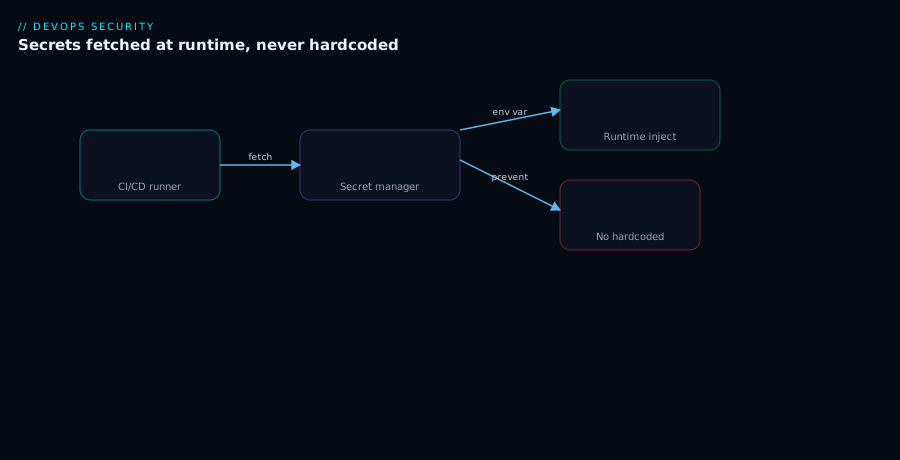
Walk the diagram left to right. On the left, a commit triggers the pipeline; the source repo holds only references to secrets (a vault path, a secret name) and a workflow file — never a value. The pipeline runner, on the right, needs credentials, and it gets them by identity, not by storage: it requests a short-lived OIDC token from the CI platform, which the cloud or secret manager trusts under tight conditions (this repo, this branch, this environment). That federated token is exchanged for either a short-lived cloud credential or a Vault token, with which the runner fetches exactly the secrets it is scoped to read from the secret manager (Vault / Key Vault / Secrets Manager). The secret is injected into the step as a masked env var or a chmod 600 file, used to authenticate downstream (registry, cloud API, database), and then it evaporates when the job ends. Every read is logged. The dashed path back from the manager shows that nothing long-lived flows into the repo — the only thing in source control is the name of the secret, never the secret.
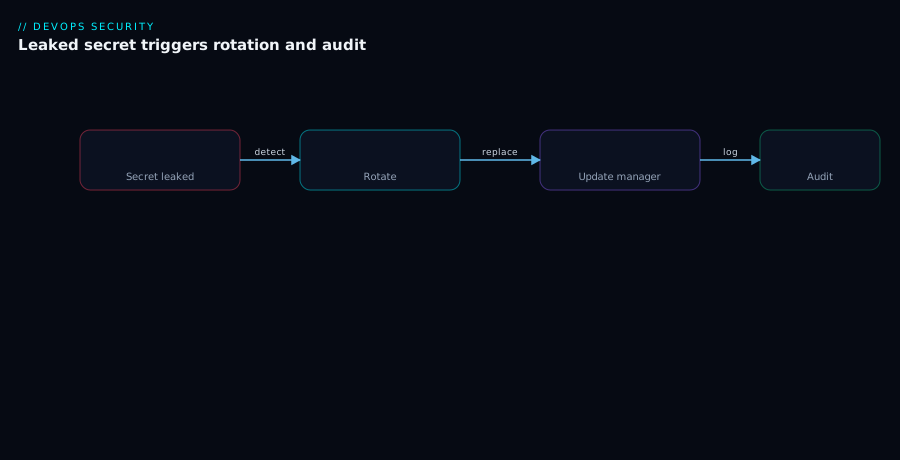
The second diagram is the rotation and leak-response loop. A leaked secret is detected (by a scan, a push-protection alert, or an anomaly), which triggers the runbook: the manager generates a new secret value; during a grace window both old and new are valid so consumers — which fetch at run time — transition without an outage; the old credential is revoked; and the access logs are audited to see whether the exposure was ever used. The loop closes by feeding the lesson back into prevention (shorten the TTL, or federate the credential away entirely so the next “leak” is a non-event).
Real-world scenario
Northwind Logistics runs a freight-tracking platform on Azure and AWS, with delivery through GitHub Actions: roughly 40 repositories, 18 pipelines that deploy, and a long tail of jobs that publish packages and ping SaaS endpoints. When a new security lead joined, she ran a one-line scan across the org’s default branches and found 31 secrets in workflow files and committed .env files — including a still-valid AWS access key with PowerUserAccess and a production Postgres connection string. Two of the keys had been in history for over a year. Nobody had rotated anything because rotation “broke the build last time.”
The remediation ran in three waves over six weeks. Wave 1 — stop the bleeding. Every found secret was rotated immediately and the old values revoked; the AWS key was deleted and its blast radius (PowerUserAccess) flagged as a separate fix. They turned on push protection org-wide so no new secret could be pushed, and added a gitleaks step to every pipeline’s required checks. Time-to-rotate for the worst credential was under an hour once found; the year-old history was purged in a coordinated window, with the team warned to re-clone.
Wave 2 — eliminate standing secrets. The 18 deploy pipelines were migrated to OIDC: GitHub → Azure via federated credentials scoped to repo:northwind/<svc>:environment:production, and GitHub → AWS via an IAM role with a sub condition pinned to main. After migration there was nothing to rotate for cloud access — every deploy minted a fresh token scoped to one run. The over-privileged PowerUserAccess became a per-pipeline role with only the actions each service deployed.
Wave 3 — manage the remainder. The credentials that could not be federated (a couple of third-party SaaS APIs, the Postgres password used by integration tests) were moved into the right managers: the SaaS tokens into Key Vault with 6-month expiry and a rotation reminder; the database access switched to Vault dynamic secrets, so integration tests now mint a 30-minute Postgres user per run instead of sharing a standing password. Quarterly scheduled rotation covered anything still static.
Six months later the same scan returned zero findings. When a developer accidentally pasted a Datadog token into a PR description, push protection did not catch it (it was in a comment, not a commit) but the scheduled scan flagged it within the hour, it was rotated by lunchtime, and because it was a low-blast-radius webhook token, the incident was a two-line note in the channel rather than a war room. The cost of getting here was real — a few weeks of focused work and the operational overhead of a Vault cluster — but the standing risk went from “a year-old admin key in git” to “short-lived tokens and an hour’s time-to-rotate.” That trade is not close.
Advantages and disadvantages
| Advantages | Disadvantages |
|---|---|
| Removes long-lived credentials from source control | Initial setup and tooling effort |
| OIDC/federation eliminates standing secrets entirely | Federation needs careful trust-condition design |
| Centralised control and audit of every secret access | Another system (the manager) to operate and secure |
| Rotation caps secret lifetime; dual-secret avoids outages | Rotation must be coordinated with consumers |
| Least-privilege scoping shrinks blast radius | Fine-grained scoping is more config to maintain |
| Scanning + push protection catch leaks early | Scanners produce false positives needing triage |
| Dynamic secrets mean nothing static to leak | Dynamic-secret engines have real setup cost |
| Fast, rehearsed incident response | Discipline must be sustained, not one-off |
Where each matters: federation is the highest-leverage move and worth doing first for any cloud-deploying pipeline, because it removes the category of “leaked standing cloud credential.” A dedicated manager matters most when you have high-value secrets (databases, signing keys) and many consumers — the audit trail and rotation pay for the operational cost. Dynamic secrets matter when a high-value credential (database access) is used frequently and you want to stop having a standing password at all. Scanning and push protection matter always — they are cheap and they catch the human mistakes the other controls do not. The disadvantages are real but bounded: they are mostly a one-time setup cost and an ongoing discipline, against a downside (a breach via a leaked credential) that is open-ended.
Hands-on lab
This lab takes you from “secret hardcoded in a workflow” to “secretless deploy via OIDC, plus a managed secret fetched at run time, plus a scanning gate.” It uses GitHub Actions and Azure (the pattern is identical in shape on AWS). Everything here is free-tier-friendly except a Key Vault, which costs fractions of a rupee per operation.
Prerequisites: a GitHub repo you control, an Azure subscription, az logged in, and permission to create an app registration and a Key Vault.
Step 1 — Find and remove a hardcoded secret
Scan the repo for any committed secret first, so you start clean.
docker run --rm -v "$PWD:/repo" zricethezav/gitleaks:latest \
  detect --source=/repo --redact -v
Expected: either no leaks found, or a report. If it finds one, rotate that credential now (do not just delete it) and remove it from the file. Validation: re-run; it reports no leaks found.
Step 2 — Create the Key Vault and a secret
RG=rg-secrets-lab; KV=kv-lab-$RANDOM; LOC=centralindia
az group create -n "$RG" -l "$LOC"
az keyvault create -n "$KV" -g "$RG" -l "$LOC" --enable-rbac-authorization true
# Grant yourself the data-plane role, then add a secret
az role assignment create --assignee "$(az ad signed-in-user show --query id -o tsv)" \
  --role "Key Vault Secrets Officer" \
  --scope "$(az keyvault show -n "$KV" --query id -o tsv)"
az keyvault secret set --vault-name "$KV" --name demo-api-key --value "s3cr3t-$RANDOM"
Expected: the secret’s JSON with an id ending in /secrets/demo-api-key/<version>. Validation: az keyvault secret show --vault-name "$KV" --name demo-api-key --query value -o tsv returns the value.
Step 3 — Create an app registration with a federated credential (no secret)
APP_ID=$(az ad app create --display-name "gha-secrets-lab" --query appId -o tsv)
OBJ_ID=$(az ad app show --id "$APP_ID" --query id -o tsv)
az ad sp create --id "$APP_ID"   # service principal for the app
# Trust THIS repo's main branch — replace OWNER/REPO
az ad app federated-credential create --id "$OBJ_ID" --parameters '{
  "name":"gha-main","issuer":"https://token.actions.githubusercontent.com",
  "subject":"repo:OWNER/REPO:ref:refs/heads/main",
  "audiences":["api://AzureADTokenExchange"]}'
Expected: the federated credential JSON. Validation: az ad app federated-credential list --id "$OBJ_ID" -o table shows gha-main.
Step 4 — Grant the app least-privilege read on the secret
SP_ID=$(az ad sp show --id "$APP_ID" --query id -o tsv)
az role assignment create --assignee "$SP_ID" \
  --role "Key Vault Secrets User" \
  --scope "$(az keyvault show -n "$KV" --query id -o tsv)"
Expected: a role-assignment JSON. Validation: the assignment lists Key Vault Secrets User — note it is read-only (User, not Officer), the least privilege for fetching.
Step 5 — Add repo variables (IDs, not secrets)
Set AZURE_CLIENT_ID, AZURE_TENANT_ID, AZURE_SUBSCRIPTION_ID, and KV_NAME as repository variables (these are identifiers, not secrets):
gh variable set AZURE_CLIENT_ID --body "$APP_ID"
gh variable set AZURE_TENANT_ID --body "$(az account show --query tenantId -o tsv)"
gh variable set AZURE_SUBSCRIPTION_ID --body "$(az account show --query id -o tsv)"
gh variable set KV_NAME --body "$KV"
Validation: gh variable list shows all four. None of them is a secret — that is the point.
Step 6 — Write the secretless workflow
Create .github/workflows/secrets-lab.yml:
name: secrets-lab
on:
  push:
    branches: [main]
permissions:
  id-token: write
  contents: read
jobs:
  fetch-and-use:
    runs-on: ubuntu-latest
    steps:
      - uses: actions/checkout@v4
      - name: Secret scan gate
        run: |
          docker run --rm -v "$PWD:/repo" zricethezav/gitleaks:latest \
            detect --source=/repo --redact --exit-code 1
      - name: Azure login via OIDC (no secret)
        uses: azure/login@v2
        with:
          client-id: ${{ vars.AZURE_CLIENT_ID }}
          tenant-id: ${{ vars.AZURE_TENANT_ID }}
          subscription-id: ${{ vars.AZURE_SUBSCRIPTION_ID }}
      - name: Fetch secret at run time and use it (never echo it)
        run: |
          API_KEY="$(az keyvault secret show --vault-name '${{ vars.KV_NAME }}' \
            --name demo-api-key --query value -o tsv)"
          echo "::add-mask::$API_KEY"
          # prove we have it WITHOUT printing it:
          echo "Fetched a secret of length ${#API_KEY}"
Commit and push to main. Expected run output: the scan passes, Azure login succeeds with no stored secret, and the final step prints Fetched a secret of length 12 (or similar) — never the value itself. Validation: open the run log and confirm the secret value never appears, only its length and *** if it ever would have been printed.
Step 7 — Prove rotation is invisible
Rotate the secret in the vault, then re-run the workflow without changing any pipeline config:
az keyvault secret set --vault-name "$KV" --name demo-api-key --value "rotated-$RANDOM"
gh workflow run secrets-lab.yml
Expected: the workflow picks up the new value automatically (run-time fetch), with no edit to the workflow. Validation: the new run reports the new length if you changed it; the rotation required zero pipeline changes — that is outage-free rotation in action.
Step 8 — Teardown
az ad app delete --id "$APP_ID"           # removes app, SP, federated cred
az group delete -n "$RG" --yes --no-wait  # removes vault + secret
# delete the workflow file and the repo variables if you like
gh variable delete AZURE_CLIENT_ID; gh variable delete AZURE_TENANT_ID
gh variable delete AZURE_SUBSCRIPTION_ID; gh variable delete KV_NAME
You now have a working pattern: secretless cloud auth via OIDC, a managed secret fetched at run time with least-privilege read, a scanning gate, and rotation that needs no pipeline change.
Common mistakes & troubleshooting
The failures below are the ones that recur. Scan the table, then read the detail for the row that bit you.
| # | Symptom | Root cause | How to confirm | Fix |
|---|---|---|---|---|
| 1 | Secret value visible in logs | Printed via echo/error; or transformed-then-printed |
Search the run log for the value | Never print secrets; register derived values for masking |
| 2 | OIDC login fails: “no matching federated credential” | subject/sub condition doesn’t match the run |
Compare trust subject to actual repo:ref/env claim |
Fix the subject to the exact repo:ref/environment |
| 3 | id-token: write error / token request denied |
Missing permissions: id-token: write |
Check the workflow permissions block |
Add id-token: write to the job/workflow |
| 4 | Fork PR can assume the prod role | Trust condition allows any ref/PR | Inspect the sub/ref condition |
Pin to ref:refs/heads/main + environment |
| 5 | Rotation broke the build | Consumers baked secret in at build time | Did the deploy embed the old value? | Fetch at run time; use a dual-secret grace window |
| 6 | Scanner floods with false positives | Test fixtures / example keys match patterns | Inspect each finding’s file | Allowlist known-dummy patterns; use obvious fakes |
| 7 | 403 Forbidden reading from Key Vault |
Identity lacks the data-plane role, or firewall | az keyvault secret show errors with 403 |
Grant Key Vault Secrets User; check vault firewall |
| 8 | Self-hosted runner leaks secrets between jobs | Shared runner state; malicious job reads env/FS | Review who can run jobs on that runner | Ephemeral runners; isolate; least-privilege the runner |
| 9 | Secret still works after “removing” it from git | Deleted from tree but not rotated; still in history/forks | Try authenticating with the old value | Rotate + revoke first; purging history is secondary |
| 10 | Multi-line secret (PEM) shows in error logs | Masking matches lines; multi-line breaks it | Look for partial PEM lines in logs | Inject as a chmod 600 file, not an env var |
| 11 | One leaked key compromises everything | Over-scoped shared credential (Owner/PowerUser) | Check the role/policy on the credential | Scope per pipeline to minimum actions/resources |
| 12 | Vault auth works locally but not in CI | CI presents no/expired OIDC JWT to Vault | Check ACTIONS_ID_TOKEN is requested |
Request the token; configure Vault JWT auth role |
Detail on the two that waste the most time
Mistake 2 — OIDC subject mismatch. This is the single most common OIDC failure. The cloud rejects the token because the sub claim in the run’s OIDC token does not exactly match the subject in your trust policy. The claim is composed from context: repo:OWNER/REPO:ref:refs/heads/main for a branch push, repo:OWNER/REPO:environment:production when an environment is set, repo:OWNER/REPO:pull_request for PRs. If your job uses an environment but your trust says ref:refs/heads/main, it will not match. Confirm the actual claim by decoding the token in a debug run (carefully, in a non-prod repo), and set subject to match exactly. When in doubt, pin to the most specific form (environment:production) and protect that environment.
Mistake 5 — rotation breaks the build. The build embeds the secret at deploy time (e.g. bakes a connection string into an image or a config artifact), so when you rotate, every already-deployed consumer still carries the old value and starts failing — and redeploying everything is the “fix” that makes rotation scary. The real fix is architectural: consumers fetch the secret from the manager at run time (via Key Vault references, a CSI driver, or an SDK call), so a rotation in the manager is picked up on the next run with no redeploy. Combine that with the dual-secret grace window so there is never a moment where neither value works.
Best practices
- Federate first. For any pipeline that authenticates to a cloud, use OIDC / workload identity federation and store no cloud credential. Reach for a stored secret only where federation is genuinely impossible.
- One identity per pipeline, scoped to the minimum. Never share a service principal or role across unrelated pipelines, and grant only the actions and resources the job actually touches.
- Reference, never store, in source. Source control may hold a secret’s name or path, never its value. Treat any committed secret as compromised the instant it lands.
- Fetch secrets at run time, not build time. This makes rotation invisible and stops secrets from being baked into artifacts that outlive the build.
- Never print a secret — not even part of it. No
echo, no “first 8 chars for debugging,” no transform-then-log. Masking is the backstop, not the plan. - Use files for certs and multi-line secrets,
chmod 600, and delete them at job end; use env vars only for short single-line tokens. - Pin OIDC trust conditions tightly to repo + branch/ref + environment, and protect the environment. Exclude untrusted fork PRs from assuming privileged roles.
- Rotate on a schedule and immediately on suspicion, using a dual-secret grace window so consumers transition without an outage.
- Run all three detection layers: pre-commit scanning, server-side push protection, and scheduled history/log scans — with scanning as a required check in CI.
- Rehearse the leak-response runbook. A practised team rotates in minutes; an unpractised one debates for hours while the secret is live.
- Prefer dynamic secrets for high-value, frequently-used credentials (databases especially) so there is no standing value to leak or rotate.
- Audit every secret read and review the logs during an incident to learn whether an exposure was actually used.
Security notes
The threat model for pipeline secrets is broader than “a secret leaks in a log.” Consider each surface explicitly.
| Threat | Vector | Mitigation |
|---|---|---|
| Secret in source history | Commit, fork, clone | Federate; reference-only in source; rotate on any commit |
| Log exfiltration | Printed secret; logs shipped to third party | Never print; control log egress; masking as backstop |
| Compromised dependency | Malicious package reads env/files at build | Pin deps; least-privilege the job; ephemeral runners |
| Malicious/poisoned PR | Fork PR triggers privileged job | Don’t run privileged jobs on untrusted PRs; pin OIDC trust |
| Self-hosted runner compromise | Job reads runner env, FS, network | Ephemeral, isolated runners; minimal runner identity |
| Over-privileged credential | Owner/admin role on a pipeline | Per-pipeline least-privilege roles |
| Stale standing credential | Long-lived PAT never rotated | OIDC, or scheduled rotation + expiry |
| Insider / ex-staff access | Departed person knew a static secret | Rotate on staff change; prefer federation |
The single most important security principle here echoes the rest of the article: eliminate the standing secret. Every threat in the table is worse when the credential is long-lived and static, and most of them are neutralised — not just mitigated — by federation, because a 10-minute token scoped to one run is not worth stealing. Where you cannot federate, drive lifetime down with rotation and blast radius down with least privilege. And treat your secret manager itself as a crown-jewel system: its access policies, its audit logs, and its own bootstrap/creator credentials are the keys to all the other keys. For the organisational layer around this — conditional access, risk-based controls, and going secretless across the estate — see Locking Down Workload Identities and the broader Zero Trust Architecture Blueprint.
Cost & sizing
Secrets management is cheap relative to the breach it prevents, but the costs are real and worth understanding so you size correctly.
| Item | What drives the cost | Rough figure (USD / INR) | Notes |
|---|---|---|---|
| Azure Key Vault | Per operation (transactions) + secret versions | ~$0.03 / ~₹2.5 per 10k operations | Standard tier; HSM tier costs more |
| AWS Secrets Manager | Per secret/month + per 10k API calls | ~$0.40 / ~₹34 per secret/month + ~$0.05/10k calls | Rotation Lambda invocations extra (small) |
| HashiCorp Vault (HCP) | Cluster per-hour + egress | Tens–hundreds USD/month | Plus ops time; OSS = your infra cost |
| HashiCorp Vault (self-hosted) | Your VMs/containers + ops effort | Infra + significant ops time | Cheapest infra, highest human cost |
| GitHub/GitLab native store | Included in the plan | $0 marginal | No rotation/dynamic secrets |
| Secret scanning (gitleaks) | CI minutes per run | Negligible | Open-source; runs in existing CI |
| Push protection / advanced scanning | Per-committer licensing (host) | Varies by plan | Often worth it for the prevention |
Sizing guidance: for a single-cloud team with a few dozen secrets, the native manager (Key Vault or Secrets Manager) costs a few dollars a month and is the obvious choice — do not stand up a Vault cluster for that. Vault earns its cost (HCP fees or self-hosting ops, easily tens to hundreds of dollars a month plus an engineer’s attention) when you are multi-cloud, need dynamic secrets, or need a private CA — its value is the capability, not the per-secret price. Scanning is essentially free (open-source gitleaks/trufflehog in your existing CI minutes), and push protection’s per-committer cost is trivial against the cost of one leaked admin key. The dominant “cost” of doing this well is human: the one-time setup of federation and the ongoing discipline of scoping and rotation. That cost is small and front-loaded; the cost of not doing it is a breach, which is open-ended.
Interview & exam questions
1. Why is OIDC / workload identity federation preferred over a stored cloud key in CI? Because it removes the standing secret entirely. The CI platform issues a short-lived, signed OIDC token per run; the cloud trusts it under tight conditions and exchanges it for a minutes-long credential. There is nothing static to store, leak, or rotate, and a leaked token has already expired and was scoped to one run.
2. What makes a trust condition (the OIDC subject/sub claim) the security boundary? The cloud will mint credentials for any token whose claims satisfy the trust policy. If the condition is too broad (e.g. any branch or any PR from a repo), an untrusted fork PR could assume a privileged role. Pinning to repo:owner/name:ref:refs/heads/main plus a protected environment is what keeps it safe. (Relevant to GitHub/Azure/AWS security certs.)
3. Compare HashiCorp Vault, Azure Key Vault and AWS Secrets Manager. Vault is cloud-agnostic, self-hosted/HCP, and uniquely offers dynamic secrets and a full PKI engine — at high operational cost. Key Vault is Azure-native, managed, integrates with Entra ID, but does not rotate arbitrary secrets natively. Secrets Manager is AWS-native, managed, with built-in scheduled rotation via Lambda. Choose native for single-cloud, Vault for multi-cloud or dynamic secrets.
4. What is a dynamic secret and why does it change the risk model? A credential minted on demand, scoped to one request, with a short TTL, and auto-revoked. It does not exist before use, so there is no static value to leak or rotate. It is ideal for database and cloud access where you would otherwise hold a standing password.
5. How do you rotate a secret without an outage? Use a dual-secret grace window: generate the new value, publish it to the manager while the old remains valid, let consumers (which fetch at run time) pick up the new value, then revoke the old after a grace period. Run-time fetch is what makes the transition automatic.
6. Why is rotating a leaked secret more urgent than purging it from git history? A rotated secret in history is harmless — it no longer authenticates. An un-rotated secret merely deleted from the current tree still lives in every clone, fork and local copy. Rotate and revoke first; clean history second.
7. What are the limits of log masking? Masking only redacts known literal values. It misses transformed values (base64/URL-encoded), partial prints, run-time-computed secrets not registered for masking, secrets written to uploaded artifacts, and multi-line secrets. It is a backstop, not a strategy.
8. Where do the three layers of leak detection run, and why all three? Pre-commit (developer machine, earliest but bypassable), push protection (Git host, server-side, cannot be skipped), and scheduled scanning (CI/cron, catches history and what slipped through). Each covers the others’ gaps; push protection is the load-bearing one.
9. How does least privilege limit blast radius for pipeline secrets? By granting each pipeline its own identity with only the actions, resources, and time window it needs (e.g. Key Vault Secrets User on one vault, not Owner on the subscription), a leaked credential can do far less damage. Scope identity, permissions, resource, branch/env, and lifetime.
10. Why are self-hosted runners a special risk for secrets? A malicious or compromised job can read the runner’s environment, filesystem and network, potentially capturing secrets from other jobs that share the runner’s state. Mitigate with ephemeral, isolated runners and a minimal runner identity.
11. What is the first thing you do when a scanner flags a possible live credential? Assume it is live and prove it dead. Test whether it still authenticates; if it might, rotate and revoke immediately. The cost of an unnecessary rotation is minutes; ignoring a live leak is a breach.
12. When is a CI-platform-native secret store (GitHub/GitLab secrets) acceptable? For low-blast-radius secrets (a webhook URL, a coverage token) where the lack of rotation, dynamic secrets and read-level auditing does not matter. Back high-value secrets with a real manager, and prefer federation over storing anything at all.
Quick check
- You need a pipeline to deploy to AWS. What removes the standing credential entirely, and what one thing must you get exactly right?
- A scanner finds a Postgres connection string in your git history. In what order do you rotate the password and purge the history, and why?
- Your team won’t rotate a database password because “it breaks the build.” What architectural change makes rotation outage-free?
- You print only the first eight characters of a token “to debug.” Why is this still a leak?
- Which secret manager would you choose for a multi-cloud team that wants short-lived, minted-on-demand database credentials, and what capability are you relying on?
Answers
- OIDC / workload identity federation — configure GitHub as an OIDC provider in IAM and assume a role per run, so no key is stored. The thing to get exactly right is the trust condition (
sub/ref): pin it to the specific repo and branch (e.g.repo:owner/name:ref:refs/heads/main) so forks/PRs cannot assume the role. - Rotate the password first (and revoke the old), then purge history. A rotated secret in history is harmless; an un-rotated one is still live in every clone and fork, so purging without rotating fixes nothing.
- Make consumers fetch the secret at run time from the manager (instead of baking it in at build/deploy time), combined with a dual-secret grace window. Then a rotation is picked up on the next run with no redeploy and no outage.
- Because any part of a secret can be sensitive (and masking only redacts the full literal value, so the partial prints unmasked). Tokens can be brute-forced or correlated from fragments; never print any portion of a secret.
- HashiCorp Vault, relying on its dynamic secrets capability — it mints a scoped, short-TTL database user per request with no static value to leak or rotate. The cost is the operational burden of running Vault and configuring the database secrets engine.
Glossary
| Term | Definition |
|---|---|
| Secret | A credential (password, key, token, connection string, cert) whose possession grants access. |
| Secret manager | An encrypted, access-controlled store of secrets with audit logging (Vault, Key Vault, Secrets Manager). |
| Reference | A path or name pointing at a secret value; the only secret-related thing that may live in source control. |
| PAT (personal access token) | A long-lived static token granting access until explicitly revoked; the credential to eliminate. |
| OIDC token | A short-lived, signed JWT the CI platform issues per run, carrying claims about the job’s identity. |
| Workload identity federation | Trusting a CI platform’s OIDC tokens to mint short-lived cloud credentials, removing standing secrets. |
Trust condition / sub claim |
The string the cloud matches to decide whether to issue credentials; the OIDC security boundary. |
| Injection | Delivering a secret to a build step at run time, as a masked env var or a mounted file. |
| Masking | The platform redacting known secret values as *** in logs; a backstop, not a complete control. |
| Rotation | Replacing a credential with a new value and revoking the old, to cap its lifetime. |
| Dual-secret / grace window | Allowing old and new credentials to be valid simultaneously during a rotation, to avoid an outage. |
| Dynamic secret | A credential minted on demand, scoped to one request, with a short TTL and auto-revocation (Vault). |
| Push protection | A server-side Git-host control that blocks pushes containing detected secrets. |
| Least privilege | Granting an identity only the access (actions, resources, time) it needs, to shrink blast radius. |
| Blast radius | The scope of damage a leaked credential can cause; minimised by scoping. |
| Time-to-rotate | The elapsed time from a secret’s exposure to its rotation; the key incident-response metric. |
Next steps
- Secretless CI/CD: Workload Identity Federation for GitHub Actions and AKS — go deep on the federation pattern this article introduced.
- Azure Key Vault: Secrets, Keys and Certificates — the manager-level deep dive for the Azure path.
- Eliminating Secret Sprawl: Pipeline Scanning, Push Protection, and Leaked-Credential Remediation — the detection-and-remediation discipline in full.
- Secret Management in Pipelines with Key Vault and Managed Identity — the zero-plaintext Azure pipeline pattern, end to end.
- CI/CD Platforms Compared: GitHub Actions, GitLab CI, Azure DevOps and Jenkins — how each platform’s native secret features differ.