A team picked Jenkins because it was “the industry standard.” They spent their first quarter not shipping features but babysitting agents, chasing a plugin that broke on a security update, and rotating credentials that lived in a folder on the controller. When they moved to GitHub Actions — because their code was already on GitHub — they deleted three VMs, reused community workflows from the marketplace, and got back to the product. Six months later a different team in the same company went the other way: a regulated, air-gapped workload that no SaaS runner could legally touch, and Jenkins on hardened on-prem agents was exactly right. Same company, opposite answers, and both correct — because the question was never “which CI/CD tool is best?” It was “which one fits this repo, this team, and this compliance reality?”
This article is the side-by-side that question deserves. We compare the five platforms you actually have to choose between in 2026 — GitHub Actions, GitLab CI/CD, Azure DevOps Pipelines, Jenkins, and CircleCI — not on marketing bullet points but on the dimensions that decide your week: where the code lives, who runs the build machines, how you reuse pipeline logic so you’re not copy-pasting YAML across forty repos, how secrets and deployment approvals work, how matrix builds fan out, what the bill looks like at small and large scale, and how hard it is to migrate off the thing you regret. Every platform gets a real, copy-shaped pipeline definition for the same job — install, test, build a container, deploy on a tag — so you can read the texture of each one, not just a feature grid.
By the end you will be able to make this call defensibly in a design review. You will know why “closest to your code” is the strongest first-order heuristic and exactly when it breaks (compliance, polyglot monorepos, existing investment). You will know which platforms bill by the minute and which by the seat, why a large runner can be cheaper than a small one, and which reuse primitive — reusable workflows, include, YAML templates, or shared libraries — keeps a fifty-repo estate sane. This is a Concept/Decision article, so it leads with mental models and the comparison tables you will screenshot for the review, then grounds them in real configuration you can lift.
What problem this solves
CI/CD platforms automate the path from a commit to running software: install dependencies, run tests, build artifacts, scan for vulnerabilities, and deploy. Pick the wrong one and the platform stops being plumbing and becomes a product you maintain — a second codebase of pipeline glue, a fleet of build VMs that page you at 2 a.m., a plugin graveyard, and a per-minute bill that balloons the week before a launch. Pick the right one and CI/CD disappears into the background: it just works, your engineers barely think about it, and onboarding a new service is copy-a-template, not a project.
What breaks without a deliberate choice is subtle because it compounds. Teams default to “whatever the loudest engineer used last job,” then discover six months in that their SaaS runners can’t reach the private database in the VNet, that secrets are pasted in plaintext because nobody set up the secret store, that every repo has a slightly different hand-rolled pipeline so a security fix has to be applied forty times, and that the bill is per-minute on a stack that runs ten-minute test suites a thousand times a day. None of these are visible on day one. All of them are expensive to unwind.
Who hits this: every team that ships software more than once a month. It bites hardest on teams whose code location and platform don’t match (GitHub repos on a Jenkins controller, .NET shops not using Azure DevOps), teams with compliance or network-isolation requirements that rule out shared SaaS runners, polyglot monorepos where matrix builds and path-filtered triggers matter, and fast-growing teams where per-minute pricing or self-hosted runner ops quietly become a full-time job. The fix is to choose against your real constraints — repo location, team skills, network reach, compliance, and budget model — not against popularity.
To frame the whole field before the deep dive, here is the one-line identity of each platform, who it fits, and the single thing that most often disqualifies it:
| Platform | One-line identity | Best fit | Most common disqualifier |
|---|---|---|---|
| GitHub Actions | CI/CD native to GitHub, marketplace-driven | Code on GitHub; OSS; fast starts | Per-minute cost at huge scale; YAML sprawl without discipline |
| GitLab CI/CD | One app: repo + CI + registry + security | All-in-one DevOps; self-managed or SaaS | “Monolith” you must run/upgrade if self-hosted |
| Azure DevOps Pipelines | Microsoft-ecosystem CI/CD + boards + artifacts | .NET/Windows; Azure deploys; enterprise governance | Feels heavy outside Microsoft stacks; UI sprawl |
| Jenkins | Self-hosted, infinitely extensible automation server | Air-gapped, custom, legacy, full control | You operate it — agents, plugins, upgrades, security |
| CircleCI | Fast SaaS CI with strong caching/parallelism | Speed-sensitive teams wanting low ops | Another vendor; deploy story thinner than the rest |
Learning objectives
By the end of this article you can:
- Apply the “closest to your code” heuristic to a real repo and name the exact conditions (compliance, polyglot, existing investment) that override it.
- Distinguish the two halves of every platform — the control plane (orchestration, UI, YAML) and the execution plane (runners/agents) — and choose hosted vs self-hosted runners on the right grounds.
- Read and write a real pipeline in all five tools for the same job, and recognise each one’s idioms (
uses,include,template,stage,orb). - Pick the right reuse primitive per platform (reusable workflows,
include/extends, YAML templates, shared libraries, orbs) so a fifty-repo estate doesn’t drift. - Configure secrets, OIDC federation, environments and approvals correctly on each platform and explain why long-lived cloud keys are the wrong default.
- Compare pricing models (per-minute vs per-seat vs self-hosted) and estimate a realistic monthly bill in INR/USD for a small and a mid-size team.
- Plan a migration between any two of these platforms and avoid the traps (secret re-entry, runner network reach, marketplace-action lock-in).
- Defend a platform choice in a design review using the decision matrix and the per-dimension comparison tables in this article.
Prerequisites & where this fits
You should already understand what a CI/CD pipeline is — stages, jobs, steps, triggers, artifacts, and the commit-to-production flow. If that is fuzzy, read CI/CD Pipelines Explained: From Code Commit to Production first; this article assumes it and compares the platforms that run those pipelines. Familiarity with Git, containers (Docker images, registries), and basic cloud deploy concepts (a managed app or Kubernetes target) will make the YAML land. You do not need to be an expert in any one tool — that’s the point.
This sits in the DevOps tooling & delivery track as the platform-selection decision. Downstream of it, the patterns are largely platform-agnostic: Deployment Strategies: Blue-Green, Canary and Rolling Updates describes how you cut over once any of these platforms can deploy; CI/CD Secrets and Credential Management: Secure Your Pipelines goes deep on the secret-handling each tool exposes; and DORA Metrics and Platform Engineering: Measure and Scale Delivery is how you measure whether your chosen platform is actually making you faster. If you land on GitOps rather than push-based deploys, GitOps with Argo CD and Flux: Deliver from Git changes what your pipeline does after the build.
A quick map of who owns what, so you involve the right people in the choice:
| Concern | Who usually owns it | Why it shapes the platform choice |
|---|---|---|
| Where the code lives | Eng leadership / VCS admin | The single strongest constraint — match the platform to the VCS |
| Build machine fleet | Platform / SRE team | Hosted = no ops; self-hosted = headcount cost |
| Network reach (private DBs, VNets) | Network / security | Decides if SaaS runners can even reach your targets |
| Compliance / data residency | Security / GRC | Can rule out shared SaaS runners entirely |
| Cloud deploy target | App + platform | OIDC federation support and first-party deploy tasks matter |
| Budget model | Finance / eng leadership | Per-minute vs per-seat vs VM cost changes the winner |
Core concepts
Five mental models make every later comparison obvious.
Every CI/CD platform is two planes, and you choose them separately. There is a control plane — the orchestrator that stores your pipeline definition, evaluates triggers, schedules jobs, renders the UI, and holds the logs and approvals — and an execution plane — the runners (GitHub/GitLab term) or agents (Azure DevOps/Jenkins term) that actually run your steps on a machine. The control plane is almost always SaaS for four of these five (Jenkins is the exception — you host both planes). The interesting decision is the execution plane: hosted runners (the vendor’s machines, zero ops, metered) versus self-hosted runners (your machines, full network reach and control, your ops burden). Most “I can’t reach my private database from CI” and “my build needs a GPU” problems are execution-plane problems solved by self-hosted runners on the same SaaS control plane — you rarely need to self-host the whole thing.
“Closest to your code” is the strongest first-order heuristic — and it has exactly three exceptions. The platform that lives where your repo lives wins by default because the integration is free: PR checks, status badges, environment links, and identity all just work, and there is nothing to wire between two vendors. GitHub repo → GitHub Actions; GitLab repo → GitLab CI; Azure Repos → Azure Pipelines. The exceptions that override it: (1) compliance/air-gap that forbids SaaS runners (Jenkins or self-hosted runners); (2) a deep existing investment you can’t justify rewriting (a mature Jenkins shared library, hundreds of Azure DevOps pipelines); and (3) a deploy target with first-party tooling elsewhere (deploying heavily to Azure can make Azure Pipelines’ service connections worth crossing vendors for, though OIDC has narrowed this gap).
Reuse primitives are what separate a sane estate from copy-paste hell. With three repos you can hand-write three pipelines. With forty you cannot — a single security fix would be forty PRs. Each platform gives you a way to define pipeline logic once and reference it everywhere: GitHub reusable workflows and composite actions, GitLab include and extends, Azure DevOps YAML templates (often in a central repo), Jenkins shared libraries (Groovy in a Git repo loaded via @Library), and CircleCI orbs (versioned, shareable config packages). Choosing a platform is partly choosing which of these you’ll live with — and how good its versioning and parameter story is.
Secrets and identity are a spectrum from “pasted string” to “no secret at all.” The worst pattern — a long-lived cloud access key pasted into a secret variable — is the default people reach for and the one that leaks. The modern answer is OIDC federation: your pipeline presents a short-lived signed token to the cloud, which exchanges it for temporary credentials, so there is no static key to steal or rotate. All four SaaS platforms support OIDC to the major clouds (Jenkins via plugins). On top of that sit environments (named deploy targets like staging/prod) with approval gates and secret scoping, so a production secret is only readable by a job deploying to production after a human approves. Where you land on this spectrum is a platform and a discipline choice.
Matrix builds and triggers decide how well the platform fits a polyglot or monorepo. A matrix fans one job out across a grid — Node 18/20/22 × Linux/Windows/macOS — running them in parallel; it’s the difference between a 30-minute serial test and a 5-minute parallel one. Path filters (run the frontend job only when frontend/** changed) keep a monorepo’s CI from rebuilding the world on every commit. Platforms differ sharply here: GitHub Actions and GitLab have rich native matrix and rules:/path support; Azure DevOps has strategy/matrix; Jenkins does it via declarative matrix or scripted loops; CircleCI via matrix and dynamic config. If you have one Python service this barely matters; if you have a twelve-language monorepo it’s decisive.
The vocabulary in one table
Before the deep sections, pin down the terms — and note how the same concept has different names across tools, which is half of what makes cross-platform conversations confusing:
| Concept | GitHub Actions | GitLab CI/CD | Azure DevOps | Jenkins | CircleCI |
|---|---|---|---|---|---|
| Pipeline file | .github/workflows/*.yml |
.gitlab-ci.yml |
azure-pipelines.yml |
Jenkinsfile |
.circleci/config.yml |
| Unit of work | job → steps | job → script | job → steps | stage → steps | job → steps |
| Grouping | workflow | stages / pipeline | stages / pipeline | stages / pipeline | workflow |
| Build machine | runner | runner | agent | agent / node | executor |
| Reuse unit | reusable workflow / composite action | include / extends |
template | shared library | orb |
| Marketplace item | action | component / CI catalog | task / extension | plugin | orb |
| Secret store | Actions secrets | CI/CD variables (masked) | variable groups / Key Vault | credentials | contexts / env vars |
| Deploy gate | environments + protection rules | environments + approvals | environments + approvals/checks | input step / plugins | contexts + approval jobs |
The decision: “closest to your code” and its three exceptions
The fastest correct decision starts with one question — where does your code live? — and only deviates for a named reason. Walk the rule, then the exceptions, then the override checklist.
The default rule
If your repositories are on GitHub, GitHub Actions is the default and the burden of proof is on any alternative. The same applies to GitLab → GitLab CI and Azure Repos → Azure Pipelines. The reason is integration cost: a same-vendor CI sees your PRs, posts checks inline, links environments, resolves identity, and needs zero cross-vendor wiring. A cross-vendor setup (GitHub code, Jenkins CI) means a webhook, a status-callback token, a separately managed identity, and a second UI your engineers context-switch into — every day, forever.
| If your code is on… | Default CI/CD | Why it’s the default | What you’d give up by leaving |
|---|---|---|---|
| GitHub | GitHub Actions | Native PR checks, marketplace, OIDC, free for public repos | Inline checks; marketplace; one fewer vendor |
| GitLab | GitLab CI/CD | Same app: repo + CI + registry + scanning | The all-in-one integration; built-in security scans |
| Azure Repos / Azure DevOps | Azure Pipelines | Boards + Repos + Pipelines + Artifacts in one | Service connections; tight Azure deploy story |
| Bitbucket | Bitbucket Pipelines (or external) | Native if on Bitbucket Cloud | (Often pulls teams to Jenkins/external CI) |
| Multiple/none | Pick by team + targets | No VCS gravity to anchor to | — (evaluate on other dimensions) |
Exception 1 — Compliance, air-gap, or data residency
If a regulator or your security posture forbids your source and build artifacts from touching shared multi-tenant SaaS runners — defence, some financial and healthcare workloads, sovereign-cloud requirements — then hosted runners are off the table. You either run self-hosted runners on the SaaS control plane (keeps GitHub/GitLab/Azure orchestration, runs builds on your hardware in your network) or, if even the control plane can’t be SaaS, you run Jenkins or self-managed GitLab entirely inside your perimeter. This is the classic, legitimate Jenkins case.
Exception 2 — Deep existing investment
A mature Jenkins shared library that encodes years of deploy logic, or a few hundred Azure DevOps pipelines with custom tasks and service connections, represents real, working capital. “Closest to your code” does not mean “rewrite all of that this quarter.” The right move is often to keep the investment, modernise incrementally (move Jenkins agents to ephemeral cloud agents; convert classic Azure pipelines to YAML), and only migrate platforms when the maintenance cost clearly exceeds the rewrite cost.
Exception 3 — A deploy target with first-party tooling
Deploying heavily into Azure historically made Azure Pipelines’ service connections and first-party tasks worth crossing vendors for even from GitHub repos. OIDC federation has narrowed this — GitHub Actions can now federate to Azure/AWS/GCP with no stored key — so this exception is weaker than it was, but it still applies where a platform has deep, maintained, first-party deploy tasks you’d otherwise rebuild by hand.
The override checklist — if any row is true, the default may not win:
| Override condition | If true, lean toward… | Notes |
|---|---|---|
| Air-gapped / no SaaS runners allowed | Self-hosted runners, or Jenkins / self-managed GitLab | The strongest override |
| Data residency in a specific region | Self-hosted runners in-region (any SaaS CP) | Control plane region may also matter |
| Mature Jenkins shared library in use | Keep Jenkins; modernise agents | Migrate only when ops cost > rewrite cost |
| Hundreds of existing Azure pipelines | Stay on Azure DevOps; convert classic→YAML | Sunk cost is real cost |
| Heavy Azure-native deploys | Azure Pipelines (or GH Actions + OIDC) | OIDC has narrowed the gap |
| GPU / special hardware builds | Self-hosted runners on any SaaS CP | Execution-plane problem, not control-plane |
| Polyglot monorepo, heavy matrix needs | GitHub Actions / GitLab CI | Richest native matrix + path filters |
Hosting and runners: the execution plane, end to end
The runner model is where most real-world pain lives, so enumerate it. Two axes: who provides the machine (vendor-hosted vs self-hosted) and how the machine is provisioned (persistent vs ephemeral). Get this wrong and you either pay for idle VMs, leak state between builds, or can’t reach the resource you need to deploy to.
Hosted vs self-hosted, by platform
| Platform | Hosted runners | Self-hosted runners | Default hosted OS/spec |
|---|---|---|---|
| GitHub Actions | Yes (Linux/Windows/macOS; larger runners paid) |
Yes (your VMs/containers, registered to repo/org) | 2-core/7 GB Linux baseline; larger tiers paid |
| GitLab CI/CD | Yes (SaaS runners, per-minute) | Yes (very common; install GitLab Runner anywhere) | Linux small by default; tag-selected larger |
| Azure DevOps | Yes (Microsoft-hosted agents) | Yes (self-hosted agents; VMSS scale-set agents) | 2-core Linux/Windows/macOS images |
| Jenkins | None (you host everything) | Yes — the only model (controller + agents) | Whatever you build (static or cloud/K8s agents) |
| CircleCI | Yes (resource classes; Docker/machine/macOS) | Yes (self-hosted runners) | medium (2 vCPU/4 GB) default; up to very large |
Persistent vs ephemeral agents — the cleanliness axis
A persistent agent stays up between builds: fast (caches warm, no boot cost) but leaks state — a file one build wrote can poison the next, and a compromised build can persist. An ephemeral agent is created fresh per job and destroyed after: clean and secure, at the cost of cold-start and cache-priming time. Hosted runners are ephemeral by definition. Self-hosted can be either; ephemeral self-hosted (containers/VMs spun per job, Azure DevOps VMSS agents, GitHub Actions Runner Controller on Kubernetes, Jenkins Kubernetes plugin) is the modern best practice because it combines self-hosted reach with hosted-style cleanliness.
| Agent model | State between builds | Security posture | Speed | Ops cost | Use when |
|---|---|---|---|---|---|
| Hosted (vendor) | None (fresh each run) | Strong (isolated, patched) | Good (warm pools) | ~Zero | Default; no special network/hardware needs |
| Self-hosted persistent | Leaks (same machine) | Weakest — must harden | Fastest (warm caches) | High (patch, secure, monitor) | Heavy caches; legacy; you accept the risk |
| Self-hosted ephemeral | None (created per job) | Strong (fresh per job) | Moderate (boot + prime) | Medium (orchestration to build) | Private-network reach + cleanliness |
| Self-hosted on K8s (controller) | None (pod per job) | Strong; scales to zero | Good (pod start) | Medium-high (run the controller) | Elastic self-hosted at scale |
When you actually need self-hosted runners
Don’t self-host out of habit; it’s a headcount cost. The legitimate triggers:
| Trigger to self-host | Why hosted can’t do it | Cheaper alternative to consider first |
|---|---|---|
| Reach a private DB / VNet / on-prem service | Hosted runners are on the public internet | Private networking from hosted (where supported); deploy via an agent in-VNet only for that step |
| Special hardware (GPU, ARM at the time, huge RAM) | Hosted SKUs are fixed | Larger hosted runner tiers if they now cover it |
| Air-gap / compliance | Multi-tenant SaaS forbidden | Self-hosted runner on SaaS control plane (not full self-host) |
| Very high minute volume | Per-minute bill exceeds VM cost | Larger hosted runners (faster = fewer minutes) |
| Pre-warmed caches / monorepo speed | Ephemeral hosted re-primes caches | Remote build cache; dependency caching actions |
Reuse primitives: how each platform fights YAML sprawl
This is the dimension that decides whether your CI is maintainable at forty repos. Each platform’s primitive has a different ergonomics, versioning story, and blast radius. Get this right early; retrofitting reuse onto forty hand-written pipelines is a quarter of work.
| Platform | Primary reuse primitive | How it’s referenced | Versioning | Best for |
|---|---|---|---|---|
| GitHub Actions | Reusable workflow (workflow_call) + composite action |
uses: org/repo/.github/workflows/x.yml@v1 |
Git tag/SHA pin | Org-wide standard pipelines; shareable steps |
| GitLab CI/CD | include (local/remote/project/template) + extends |
include: { project, file, ref } |
Git ref/tag | Central CI in a config repo; job inheritance |
| Azure DevOps | YAML templates (step/job/stage), often in a central repo | template: x.yml@templates (resource repo) |
Repo tag/branch | Enterprise governance; one pipeline pattern |
| Jenkins | Shared library (Groovy in Git) | @Library('lib@v1') then call vars/foo() |
Library version (tag/branch) | Encoding complex deploy logic once |
| CircleCI | Orb (versioned config package) | orbs: { x: ns/orb@1.2 } |
SemVer-published orb | Reusable commands/jobs across many projects |
The reuse decision table — pick the primitive, then the pattern:
| You want to… | GitHub Actions | GitLab CI | Azure DevOps |
|---|---|---|---|
| Share a few steps (lint + setup) | Composite action | hidden job + extends |
step template |
| Share a whole job’s logic | Reusable workflow | include a job + extends |
job template |
| Enforce one pipeline shape org-wide | Required reusable workflow / org ruleset | include from a central project (CODEOWNERS-locked) |
template in a locked resource repo |
| Pass inputs/parameters | with: on the reusable workflow |
variables + rules |
parameters: block |
| Pin a version safely | tag or full SHA | ref: to a tag |
@ref to a tag |
A worked GitHub reusable-workflow + caller, the pattern that keeps an estate sane:
# .github/workflows/_build.yml in org/ci-templates — the reusable workflow (define once)
on:
  workflow_call:
    inputs:
      node-version: { type: string, default: "20" }
    secrets:
      REGISTRY_TOKEN: { required: true }
jobs:
  build:
    runs-on: ubuntu-latest
    steps:
      - uses: actions/checkout@v4
      - uses: actions/setup-node@v4
        with: { node-version: "${{ inputs.node-version }}" }
      - run: npm ci && npm test && npm run build
# .github/workflows/ci.yml in any product repo — the caller (reference everywhere)
on: { push: { branches: [main] } }
jobs:
  ci:
    uses: org/ci-templates/.github/workflows/_build.yml@v1   # pin to a tag
    with: { node-version: "22" }
    secrets:
      REGISTRY_TOKEN: ${{ secrets.REGISTRY_TOKEN }}
The same pipeline in all five tools
To feel each platform’s idioms, here is the same job in each: check out, install Node deps, run tests, build and push a container image, and deploy only on a tag. Read these for texture — the verbs, the nesting, the secret syntax — not to memorise them.
GitHub Actions
# .github/workflows/ci.yml
name: ci
on:
  push: { branches: [main], tags: ["v*"] }
  pull_request:
permissions:
  contents: read
  id-token: write          # enables OIDC — no stored cloud key
jobs:
  test:
    runs-on: ubuntu-latest
    steps:
      - uses: actions/checkout@v4
      - uses: actions/setup-node@v4
        with: { node-version: "20", cache: "npm" }
      - run: npm ci
      - run: npm test
  deploy:
    needs: test
    if: startsWith(github.ref, 'refs/tags/v')     # tags only
    runs-on: ubuntu-latest
    environment: production                         # gate + scoped secrets
    steps:
      - uses: actions/checkout@v4
      - uses: docker/build-push-action@v6
        with: { push: true, tags: "ghcr.io/org/app:${{ github.ref_name }}" }
GitLab CI/CD
# .gitlab-ci.yml
stages: [test, build, deploy]

test:
  stage: test
  image: node:20
  cache: { key: { files: [package-lock.json] }, paths: [node_modules/] }
  script:
    - npm ci
    - npm test

build:
  stage: build
  image: docker:27
  services: [docker:27-dind]
  script:
    - docker build -t "$CI_REGISTRY_IMAGE:$CI_COMMIT_TAG" .
    - docker push "$CI_REGISTRY_IMAGE:$CI_COMMIT_TAG"
  rules:
    - if: '$CI_COMMIT_TAG'        # tags only

deploy:
  stage: deploy
  environment: { name: production }   # gate + approvals on the environment
  script: ./deploy.sh "$CI_COMMIT_TAG"
  rules:
    - if: '$CI_COMMIT_TAG'
      when: manual                    # require a click to ship
Azure DevOps Pipelines
# azure-pipelines.yml
trigger:
  branches: { include: [main] }
  tags: { include: ["v*"] }

stages:
  - stage: Test
    jobs:
      - job: test
        pool: { vmImage: ubuntu-latest }
        steps:
          - task: NodeTool@0
            inputs: { versionSpec: "20.x" }
          - script: npm ci && npm test
  - stage: Deploy
    condition: startsWith(variables['Build.SourceBranch'], 'refs/tags/v')
    jobs:
      - deployment: deploy
        environment: production        # environment = checks + approvals
        strategy:
          runOnce:
            deploy:
              steps:
                - script: ./deploy.sh $(Build.SourceBranchName)
Jenkins (declarative Jenkinsfile)
// Jenkinsfile
pipeline {
  agent { label 'linux' }            // self-hosted agent by label
  stages {
    stage('Test') {
      agent { docker { image 'node:20' } }
      steps { sh 'npm ci && npm test' }
    }
    stage('Build & Push') {
      when { buildingTag() }          // tags only
      steps {
        sh 'docker build -t ghcr.io/org/app:$TAG_NAME .'
        sh 'docker push ghcr.io/org/app:$TAG_NAME'
      }
    }
    stage('Deploy') {
      when { buildingTag() }
      steps {
        input message: 'Deploy to production?'   // manual gate
        sh './deploy.sh $TAG_NAME'
      }
    }
  }
}
CircleCI
# .circleci/config.yml
version: 2.1
jobs:
  test:
    docker: [{ image: cimg/node:20.11 }]
    steps:
      - checkout
      - restore_cache: { keys: ["v1-deps-{{ checksum \"package-lock.json\" }}"] }
      - run: npm ci
      - save_cache: { key: "v1-deps-{{ checksum \"package-lock.json\" }}", paths: [node_modules] }
      - run: npm test
  deploy:
    docker: [{ image: cimg/base:current }]
    steps:
      - checkout
      - run: ./deploy.sh "$CIRCLE_TAG"
workflows:
  build-deploy:
    jobs:
      - test:
          filters: { tags: { only: /^v.*/ } }
      - deploy:
          requires: [test]
          context: prod-secrets          # scoped secrets
          filters: { tags: { only: /^v.*/ }, branches: { ignore: /.*/ } }
What the five tell you side by side — the idioms that matter when you read someone else’s pipeline:
| Aspect | GitHub Actions | GitLab CI | Azure DevOps | Jenkins | CircleCI |
|---|---|---|---|---|---|
| Marketplace step | uses: org/action@v1 |
include/component |
task: Name@1 |
plugin step / library call | orb command/job |
| Tag-only trigger | if: startsWith(github.ref,'refs/tags/v') |
rules: [{ if: '$CI_COMMIT_TAG' }] |
condition: startsWith(...) |
when { buildingTag() } |
filters: { tags: { only: /v.*/ } } |
| Manual gate | environment: protection rule |
when: manual |
environment approval |
input step |
approval job |
| Secret reference | ${{ secrets.X }} |
$X (masked var) |
$(X) (variable group) |
credentials('id') |
$X from context |
| Container build | docker/build-push-action |
docker:dind service |
Docker@2 task |
sh docker build |
remote Docker / image |
Secrets, identity and environments
How a platform handles secrets and deploy approvals is a security decision, not a convenience one. Enumerate the spectrum and where each tool lands.
Secret storage
| Platform | Secret mechanism | Masking in logs | Scoping | External vault integration |
|---|---|---|---|---|
| GitHub Actions | Repo/org/environment secrets | Yes (auto-masked) | Repo / org / per-environment | OIDC to cloud KMS/vaults; Key Vault via action |
| GitLab CI/CD | CI/CD variables (masked, protected) | Yes (if “masked”) | Project / group / environment-scoped | External secrets via OIDC; Vault integration |
| Azure DevOps | Variable groups; Azure Key Vault linked groups | Yes (secret vars) | Pipeline / library / per-stage | First-class Key Vault task & linked groups |
| Jenkins | Credentials store (plugin) | Yes (masked-password plugin) | Global / folder / job | HashiCorp Vault plugin; cloud secret plugins |
| CircleCI | Contexts + project env vars | Yes (masked) | Project / context (org-scoped) | OIDC to cloud; external secrets fetch |
OIDC federation — the no-stored-key default
The single biggest secret-hygiene upgrade is to stop storing cloud keys at all. With OIDC, the pipeline presents a short-lived signed identity token; the cloud’s identity provider trusts that issuer for a specific repo/branch/environment and mints temporary credentials. There is no static secret to leak, and access is naturally scoped to which workflow requested it.
# GitHub Actions → AWS via OIDC (no stored AWS keys)
permissions: { id-token: write, contents: read }
jobs:
  deploy:
    runs-on: ubuntu-latest
    steps:
      - uses: aws-actions/configure-aws-credentials@v4
        with:
          role-to-assume: arn:aws:iam::123456789012:role/gha-deploy
          aws-region: ap-south-1            # token exchanged for temp creds
| Platform | OIDC to AWS | OIDC to Azure | OIDC to GCP | Notes |
|---|---|---|---|---|
| GitHub Actions | Yes | Yes | Yes | Subject = repo/branch/env; scope tightly |
| GitLab CI/CD | Yes (ID tokens) | Yes | Yes | id_tokens: block per job |
| Azure DevOps | Yes (workload identity federation) | Yes (native) | Yes | Azure target is first-class |
| Jenkins | Via plugins | Via plugins | Via plugins | Less turnkey; plugin-dependent |
| CircleCI | Yes (OIDC token) | Yes | Yes | Per-context/job token |
Environments and approval gates
An environment names a deploy target and attaches policy: required reviewers, wait timers, branch restrictions, and environment-scoped secrets (a prod secret unreadable outside a prod deploy). This is how you make “production” a guarded resource rather than a free-for-all.
| Capability | GitHub Actions | GitLab CI | Azure DevOps | Jenkins | CircleCI |
|---|---|---|---|---|---|
| Named environments | Yes | Yes | Yes | Manual (stages/inputs) | Via contexts/jobs |
| Required reviewers (manual approval) | Yes (protection rules) | Yes (protected environments) | Yes (checks/approvals) | input step |
Approval job |
| Environment-scoped secrets | Yes | Yes (environment-scoped vars) | Yes (stage-scoped) | Folder/credential scoping | Context scoping |
| Wait timer / scheduled deploy | Yes (timer) | Schedules | Yes (delay before approval) | Plugin | Limited |
| Deployment history/links | Yes | Yes | Yes (environment view) | Plugin-dependent | Limited |
Matrix builds, caching and parallelism
For polyglot codebases and monorepos, fan-out and speed are decisive. Compare the native ergonomics.
A real matrix in GitHub Actions — test across Node versions and OSes in parallel:
jobs:
  test:
    strategy:
      fail-fast: false
      matrix:
        node: ["18", "20", "22"]
        os: [ubuntu-latest, windows-latest]
    runs-on: ${{ matrix.os }}
    steps:
      - uses: actions/checkout@v4
      - uses: actions/setup-node@v4
        with: { node-version: "${{ matrix.node }}" }
      - run: npm ci && npm test
The same idea in GitLab CI uses parallel: matrix::
test:
  image: node:${NODE}
  parallel:
    matrix:
      - NODE: ["18", "20", "22"]
  script: npm ci && npm test
| Capability | GitHub Actions | GitLab CI | Azure DevOps | Jenkins | CircleCI |
|---|---|---|---|---|---|
| Native matrix | strategy.matrix (multi-dim) |
parallel: matrix |
strategy.matrix |
declarative matrix / scripted |
matrix + parameters |
fail-fast control |
Yes | Per-job | Via maxParallel/conditions |
Per-axis | Yes |
| Test splitting (auto-balance) | 3rd-party / manual shards | manual / CI_NODE_* |
manual slicing | plugin / manual | Native test splitting (timing-based) |
| Dependency cache | actions/cache / setup caches |
cache: keys |
Cache@2 task |
workspace/stash or plugin | save_cache/restore_cache + layer cache |
| Path-filtered triggers | paths: / dorny/paths-filter |
rules: changes: |
paths: filter |
changeset/when |
dynamic config / path filtering |
| Concurrency cap | concurrency: group |
resource_group/limits |
parallelism settings | throttle plugin | resource classes / parallelism |
Reading notes that save real time:
| Need | Best-fit platform(s) | Why |
|---|---|---|
| Fastest large test suite with auto-balancing | CircleCI | Native timing-based test splitting |
| Big polyglot matrix, OSS, free | GitHub Actions | Rich matrix + free public minutes + macOS/Windows |
| Monorepo with per-path pipelines | GitLab CI / GitHub Actions | rules: changes: / paths: are first-class |
| Heavy reusable cache on your own hardware | Self-hosted runners (any) | Warm caches you control |
Pricing models: per-minute, per-seat, and your own metal
Cost is decided by the model, not the sticker price, and the models differ fundamentally. There are three: per-minute consumption (you pay for build time, often with a free monthly grant), per-seat (you pay per active user, build minutes loosely bundled), and self-hosted (you pay for VMs/people, the control plane may be free or seat-priced). The trap is matching a high-frequency, short-build workload to per-minute pricing — a thousand ten-minute runs a day is 10,000 minutes/day.
| Platform | Primary pricing model | Free grant (rough) | What scales the bill | Self-host to cut cost? |
|---|---|---|---|---|
| GitHub Actions | Per-minute on hosted (free for public repos) | Generous free minutes on private; unlimited for public | Minutes × runner-size multiplier (Win 2×, mac 10×) | Yes — self-hosted runners are free of minute charges |
| GitLab CI/CD | Per-seat + included compute minutes (SaaS) | Free tier minutes; more by plan | Seats + compute minutes beyond grant | Yes — self-managed or self-hosted runners |
| Azure DevOps | Per-parallel-job (hosted) + per-user | 1 free Microsoft-hosted job + minutes (grant); free for small teams/OSS | Parallel jobs (hosted) or self-hosted parallelism | Yes — self-hosted agents are cheaper at volume |
| Jenkins | Free software; you pay infra + ops | N/A (open source) | VM fleet + engineer time | It is self-hosted; ops is the cost |
| CircleCI | Credit/usage-based (per-minute by resource class) | Free monthly credits | Credits × resource-class size × parallelism | Self-hosted runners available |
A crucial, counter-intuitive truth about per-minute pricing: a bigger runner can be cheaper. If a large runner finishes a build in half the minutes of a small one, and it costs less than 2× per minute, the bigger runner wins on total cost and wall-clock time. Always optimise minutes, not per-minute rate.
| Scenario | Naive choice | Cheaper reality | Why |
|---|---|---|---|
| Build is CPU-bound, 12 min on small | Stay on small (lowest rate) | Move to large if it finishes in <6 min at <2× rate | Fewer minutes beats lower rate |
| 1000 short builds/day on per-minute SaaS | Accept the bill | Self-hosted runners or larger team plan | Per-minute at this volume is the worst model |
| Windows/macOS builds on GitHub hosted | Treat all minutes equally | Budget Win 2×, mac 10× the Linux rate | OS multipliers dominate the bill |
| Mostly public OSS repos | Pay for a CI | GitHub Actions (free for public) | Public minutes are effectively free |
Rough monthly figures (illustrative; verify current rates) for a small team (5 engineers, ~20k build-minutes/month, mostly Linux) and a mid-size team (25 engineers, heavy CI, some Windows):
| Platform | Small team (~₹/month) | Mid-size team (~₹/month) | Dominant cost |
|---|---|---|---|
| GitHub Actions (hosted) | ~₹0–4,000 (free grant often covers it) | ~₹40,000–1,20,000 | Minutes × OS multiplier |
| GitHub Actions (self-hosted runners) | VM cost only (~₹5,000) | ~₹25,000–60,000 (VMs) | Your VM fleet |
| GitLab SaaS | ~₹0–8,000 | Seats + minutes (~₹60,000–1,50,000) | Seats + compute |
| Azure DevOps | ~₹0 (free tier often fits) | ~₹30,000–80,000 (parallel jobs) | Parallel jobs / users |
| Jenkins (self-hosted) | VMs + a slice of an SRE (~₹15,000+) | VMs + ~0.5–1 SRE (₹1,00,000+) | Engineer time, not licences |
| CircleCI | ~₹0–8,000 (free credits) | ~₹50,000–1,40,000 | Credits × resource class |
The non-obvious line: Jenkins is “free” only on licence. At any real scale its cost is the engineer who patches the controller, fixes broken plugins, secures the agents, and is on-call when the build farm falls over. Budget that headcount honestly or the comparison is dishonest.
Architecture at a glance
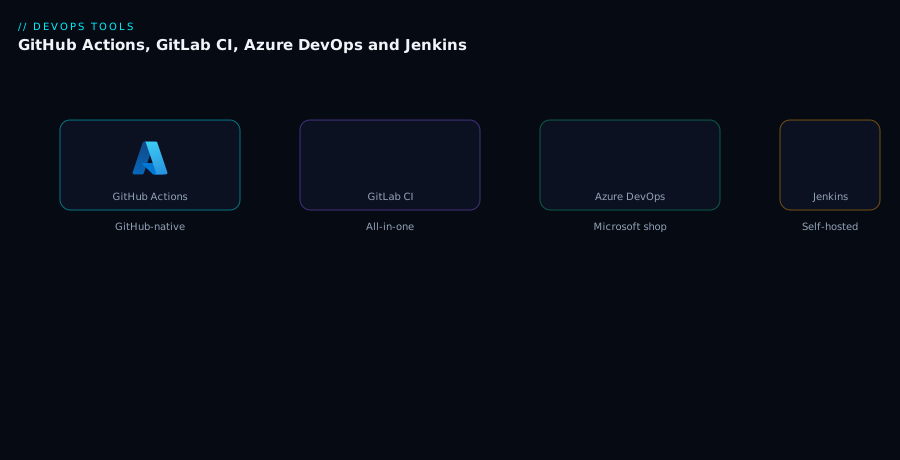
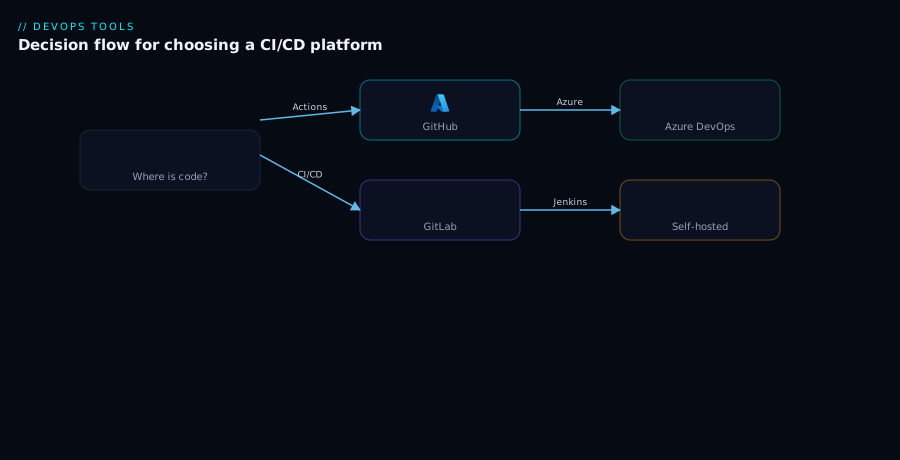
Picture all four primary platforms (plus CircleCI) as the same two-plane shape laid side by side. On the left of each panel is a source repository — GitHub, GitLab, Azure Repos, or any Git remote feeding Jenkins — emitting a trigger (push, pull/merge request, or tag) into that platform’s control plane. The control plane is the orchestrator: it stores the pipeline definition (.github/workflows, .gitlab-ci.yml, azure-pipelines.yml, Jenkinsfile, .circleci/config.yml), evaluates the trigger, resolves any reuse primitive (reusable workflow / include / template / shared library / orb), and schedules the work. For GitHub, GitLab, Azure DevOps and CircleCI the control plane is SaaS; for Jenkins it is a controller you host. The control plane then dispatches each job to the execution plane — a hosted runner (vendor machine, ephemeral) or a self-hosted runner/agent (your VM, container, or Kubernetes pod, reaching into your private network). The runner pulls secrets (masked variables, or short-lived credentials via OIDC), executes install/test/build/scan steps, pushes the artifact to a registry, and reports status back to the control plane, which surfaces checks on the PR and gates the deploy behind a named environment with approvals before the artifact lands on the target (a managed app, Kubernetes, or cloud service). The decision flow diagram then collapses all of this into the choice itself: start at where your code lives, branch on compliance/air-gap, branch on existing investment and deploy target, and arrive at a recommended platform.
The second diagram turns the “closest to your code” rule and its three exceptions into a decision flow you can walk top-to-bottom in a review: begin at the repository’s home, divert for compliance or air-gap to self-hosted runners or Jenkins, divert for a mature existing investment, weigh the deploy target’s first-party tooling, and land on a recommended platform with the override that drove it.
Real-world scenario
Meridian Retail runs an e-commerce platform: a React storefront, a dozen Node and Python microservices, a .NET payments service, and a small data team. They were on Jenkins — one controller, eight static agents, and a 4,000-line shared library accreted over five years. Symptoms: the controller fell over roughly monthly (a plugin update broke the pipeline, or an agent filled its disk and poisoned the next build because the agents were persistent). Credentials lived in the Jenkins credentials store and, for three services, as plaintext strings in pipeline parameters because someone was in a hurry. A simple “add SBOM scanning to every service” change meant editing the shared library, praying nothing regressed, and a two-week soak. New-service onboarding took a day of pipeline plumbing. Their DORA lead time was creeping up and the platform team was effectively two people maintaining Jenkins full-time.
They ran the decision honestly. Code lived on GitHub (they’d migrated repos two years earlier but never moved CI), so “closest to your code” pointed at GitHub Actions. The overrides: no air-gap requirement (the disqualifier for SaaS runners didn’t apply); the “existing investment” was real but negative — the shared library was a liability, not an asset; and the payments service deployed to Azure, which they handled with OIDC federation from Actions rather than splitting platforms. The verdict was GitHub Actions with a thin slice of self-hosted ephemeral runners (a Kubernetes runner controller) for the two services that needed to reach a private VNet during deploy.
The migration ran over a quarter, service by service, lowest-risk first. They built one reusable workflow in an org/ci-templates repo encoding install → test → SBOM scan → build → push, parameterised by language; each service’s ci.yml became a six-line caller pinned to @v1. The shared library’s deploy logic was rewritten as a composite action. Plaintext secrets were replaced by environment-scoped secrets and OIDC for cloud creds — zero long-lived cloud keys remained. Production deploys went behind a GitHub environment with two required reviewers and a wait timer.
Results after the quarter: the controller-down incidents went to zero (no controller to fall over). The “add SBOM scanning everywhere” class of change became a one-line edit to the reusable workflow plus a tag bump — minutes, not two weeks. New-service onboarding dropped from a day to ten minutes (copy the caller workflow). The CI bill rose modestly on per-minute hosted runners but they reclaimed ~1.5 SRE-equivalents of Jenkins babysitting — a net win even before the lead-time improvement. The one genuine cost: rewriting the shared library was real work, exactly the “existing investment” exception in reverse — they paid it deliberately because the maintenance cost had clearly exceeded the rewrite cost.
Advantages and disadvantages
The honest two-column trade-off, per platform:
| Platform | Advantages | Disadvantages |
|---|---|---|
| GitHub Actions | Native to GitHub; huge marketplace; free for public repos; OIDC; great matrix | Per-minute cost at scale (OS multipliers); YAML sprawl without reuse discipline; debugging via re-runs |
| GitLab CI/CD | One app (repo + CI + registry + security scans); strong self-managed story; include reuse |
Can feel monolithic; self-managed means you run/upgrade it; UI density |
| Azure DevOps | Deep Microsoft/Azure integration; Boards+Repos+Pipelines+Artifacts; enterprise governance; Key Vault tasks | Heavier outside the Microsoft stack; classic vs YAML legacy; UI sprawl |
| Jenkins | Unlimited extensibility; runs anywhere (air-gap); no licence cost; mature ecosystem | You operate everything — agents, plugins, upgrades, security; plugin fragility; Groovy learning curve |
| CircleCI | Fast; excellent caching/parallelism and test splitting; low ops | Another vendor; thinner deploy/governance story; credit model can surprise |
When each advantage actually decides it:
- GitHub Actions wins when your code is on GitHub and you’ll invest 10% effort in reuse primitives; it loses when you run enormous Windows/macOS matrices on hosted runners without watching the multiplier bill.
- GitLab CI/CD wins when you want one tool for the whole DevOps loop, especially self-managed in a regulated shop; it loses when you don’t want to operate the monolith and aren’t on GitLab repos.
- Azure DevOps wins for .NET/Windows and heavy Azure deploys with enterprise approval governance; it loses for a Node/Go team with no Microsoft footprint.
- Jenkins wins exactly once: when SaaS is forbidden or you have deep working investment; it loses everywhere the ops cost isn’t justified — which is most places now.
- CircleCI wins when raw build speed and test parallelism are the priority and you’ll handle deploys elsewhere; it loses when you want the CI and the repo and the approvals in one place.
Hands-on lab
Stand up the same trivial pipeline on GitHub Actions and GitLab CI for a tiny repo, prove a tag-gated deploy step, then tear down. Free-tier-friendly; uses public-runner minutes only. You need a GitHub account and a GitLab account (free tiers) and git.
Step 1 — Create a minimal repo locally.
mkdir ci-compare-lab && cd ci-compare-lab && git init
printf 'console.log("ok");\n' > app.js
cat > package.json <<'JSON'
{ "name": "ci-compare-lab", "version": "1.0.0",
  "scripts": { "test": "node -e \"process.exit(0)\"" } }
JSON
Step 2 — Add the GitHub Actions workflow.
mkdir -p .github/workflows
cat > .github/workflows/ci.yml <<'YML'
name: ci
on: { push: { branches: [main], tags: ["v*"] } }
jobs:
  test:
    runs-on: ubuntu-latest
    steps:
      - uses: actions/checkout@v4
      - uses: actions/setup-node@v4
        with: { node-version: "20" }
      - run: npm test
  deploy:
    needs: test
    if: startsWith(github.ref, 'refs/tags/v')
    runs-on: ubuntu-latest
    steps:
      - run: echo "Deploying ${GITHUB_REF_NAME}"   # tag-only
YML
Step 3 — Add the GitLab CI file (same repo works on both).
cat > .gitlab-ci.yml <<'YML'
stages: [test, deploy]
test:
  image: node:20
  stage: test
  script: npm test
deploy:
  stage: deploy
  script: echo "Deploying $CI_COMMIT_TAG"
  rules: [{ if: '$CI_COMMIT_TAG' }]    # tag-only
YML
git add -A && git commit -m "ci: github actions + gitlab ci"
Step 4 — Push to GitHub and watch the run. Create an empty GitHub repo, then:
git remote add origin https://github.com/<you>/ci-compare-lab.git
git push -u origin main
Expected: in the repo’s Actions tab, a ci run appears; the test job is green, deploy is skipped (no tag). That skip is the gate working.
Step 5 — Cut a tag and prove the gated deploy fires.
git tag v0.1.0 && git push origin v0.1.0
Expected: a new Actions run where deploy now executes and logs Deploying v0.1.0. You’ve proven a tag-gated deploy.
Step 6 — Push the same repo to GitLab and compare. Create an empty GitLab project, then:
git remote add gitlab https://gitlab.com/<you>/ci-compare-lab.git
git push gitlab main && git push gitlab v0.1.0
Expected: in GitLab Build → Pipelines, a pipeline runs test on the branch push, and the tag push runs test + deploy (the rules: if $CI_COMMIT_TAG). Same behaviour, different syntax — exactly the texture comparison this article is about.
Validation checklist. You ran the identical job on two platforms, saw deploy correctly skip on a branch and fire on a tag in both, and observed the syntactic differences (if: startsWith(github.ref…) vs rules: if $CI_COMMIT_TAG) for the same intent. What each step proves:
| Step | What you did | What it proves |
|---|---|---|
| 2–3 | Same job, two pipeline files | One intent expresses differently per platform |
| 4 | Push to GitHub | Native PR/branch trigger + hosted runner |
| 5 | Tag push, deploy fires | Tag-gating works (the production-cut pattern) |
| 6 | Same repo on GitLab | Cross-platform parity of the same logic |
Cleanup. Delete both remote repositories from their web UIs (Settings → Delete) and remove the local folder:
cd .. && rm -rf ci-compare-lab
Cost note. Both runs use free public-runner minutes; the lab costs ₹0. Deleting the repos stops any further runs.
Common mistakes & troubleshooting
The failure modes that bite when choosing or running these platforms — symptom, root cause, how to confirm, and the fix:
| # | Symptom | Root cause | Confirm | Fix |
|---|---|---|---|---|
| 1 | CI can’t reach the private DB / VNet to deploy | Hosted runner is on the public internet | Job fails on connect/timeout to a private IP | Use a self-hosted runner in that network for the deploy step only |
| 2 | A security fix needs editing 40 pipelines | No reuse primitive; every repo hand-wrote YAML | 40 near-identical pipeline files in the org | Adopt reusable workflow / include / template; refactor to a central definition |
| 3 | Per-minute CI bill exploded before launch | High-frequency short builds on per-minute hosted | Minute usage report spikes; OS-multiplier lines | Larger/faster runners (fewer minutes) or self-hosted; cache deps |
| 4 | Secrets leaked / static cloud keys in repo | Long-lived keys pasted into variables | Plaintext keys in pipeline params / committed files | Switch to OIDC federation; environment-scoped secrets; rotate the leaked keys |
| 5 | Build leaks state between runs (flaky) | Persistent self-hosted agent reused dirty | Failure depends on previous build’s residue | Make agents ephemeral (container/VM/pod per job) |
| 6 | “It works on GitHub but Jenkins is still the CI” | Cross-vendor setup never consolidated | Two CI UIs, webhook glue, duplicate identity | Move CI to the platform where the code lives (Exception check first) |
| 7 | Matrix runs serially / takes forever | Not using native matrix / parallelism | One long job instead of N parallel | Use strategy.matrix / parallel: matrix / test splitting |
| 8 | Deploy to prod with no approval gate | Environment/approvals not configured | Tag push deploys straight to prod | Define an environment with required reviewers + wait timer |
| 9 | Container build fails on hosted runner | No Docker daemon / DinD not set up | “Cannot connect to the Docker daemon” | Use the build action / docker:dind service / Docker@2 task |
| 10 | Migrated platform, pipeline green but nothing deploys | Secrets/service connections not re-created | Deploy step “no credentials”/auth error | Re-enter secrets in the new store; set up OIDC/service connection |
| 11 | Marketplace action pins to a moving tag | uses: org/action@main (mutable) |
Behaviour changed with no repo change | Pin to a tag or full SHA; review third-party actions |
| 12 | Self-managed GitLab/Jenkins upgrade broke CI | Plugin/version drift unmanaged | Pipeline breaks after platform upgrade | Stage upgrades; pin plugin versions; test in non-prod first |
The three that cost the most time, expanded:
2. A security fix means editing forty pipelines. Root cause: the estate grew by copy-paste with no reuse primitive, so logic is duplicated N times. Confirm: grep -rl 'runs-on' .github/workflows across repos (or the equivalent) returns dozens of near-identical files. Fix: extract the shared logic into a reusable workflow (GitHub), include from a central project (GitLab), a YAML template in a resource repo (Azure DevOps), or a shared library (Jenkins); replace each pipeline with a thin, version-pinned caller. After this, the same fix is one edit plus a tag bump.
3. The per-minute bill exploded. Root cause: high-frequency, short builds on hosted per-minute runners — the worst model-to-workload match — often amplified by Windows (2×) or macOS (10×) multipliers. Confirm: the platform’s usage/minutes report shows the spike and which OS dominates. Fix: optimise minutes, not rate — larger/faster runners that finish quicker, aggressive dependency caching, path filters so unaffected jobs don’t run, and self-hosted runners for the highest-volume jobs. Remember a bigger runner can be cheaper overall.
4. Static cloud keys leaked. Root cause: long-lived AWS/Azure/GCP keys pasted into secret variables (or worse, committed). Confirm: search history and variable stores for key patterns; check the cloud’s access logs for the key in use. Fix: delete the keys, rotate immediately, and adopt OIDC federation so the pipeline mints short-lived credentials per run with no stored secret — scoped to the specific repo/branch/environment.
Best practices
- Choose against your real constraints, not popularity. Run the override checklist: code location, compliance, network reach, existing investment, deploy target, budget model. The loudest tool from someone’s last job is not a constraint.
- Default to the platform where your code lives. Cross-vendor CI is a permanent integration tax; pay it only for a named exception.
- Adopt a reuse primitive before you have ten pipelines. Reusable workflows /
include/ templates / shared libraries / orbs — pick one and make new services copy a thin, version-pinned caller, never hand-write a pipeline. - Pin third-party actions/plugins to a tag or SHA. A mutable
@mainreference is supply-chain risk and a silent-breakage source; review what you pull. - Make self-hosted agents ephemeral. Container/VM/pod-per-job (VMSS agents, runner controllers on Kubernetes) gives self-hosted reach with hosted-style cleanliness and security.
- Stop storing cloud keys — use OIDC federation. Short-lived, scoped credentials per run eliminate the leak-and-rotate treadmill across all four SaaS platforms.
- Gate production behind an environment with approvals. Required reviewers, wait timers, and environment-scoped secrets turn “prod” into a guarded resource.
- Optimise minutes, not per-minute rate. Faster/larger runners, caching, path filters, and matrix parallelism cut both wall-clock time and the bill; watch OS multipliers.
- Keep pipeline definitions in source control and reviewed. Pipeline-as-code in the repo, changed via PR — a bad pipeline change should be caught in review like any code.
- Budget Jenkins’s true cost honestly. It’s free on licence but costs the engineer who runs it; only choose it when an exception justifies that headcount.
- Don’t self-host out of habit. It’s a headcount cost. Self-host the execution plane only for a real trigger (private network, special hardware, compliance) and keep the SaaS control plane.
Security notes
- OIDC over static keys, everywhere it’s supported. No long-lived cloud credential should live in a CI secret store. Federate identity so the pipeline mints temporary, scoped credentials per run; scope the trust to the exact repo/branch/environment.
- Scope secrets to environments and least privilege. A production secret should be readable only by a job deploying to production after approval. Avoid org-wide secrets that every pipeline can read.
- Review and pin third-party marketplace items. Actions, orbs, and plugins run with your pipeline’s privileges; an unpinned or unreviewed one is a supply-chain attack vector. Pin to a SHA, prefer first-party/verified, and audit what they do.
- Harden self-hosted runners. They run untrusted PR code with network reach into your environment. Make them ephemeral, isolate them in a low-trust network segment, never give them standing admin, and never run them for public-repo PRs without restrictions.
- Lock down the control plane you host (Jenkins/self-managed GitLab). Patch promptly, restrict the admin console, manage plugin/version drift, and treat the controller as a high-value target — it holds credentials and can deploy to production.
- Protect approval gates from bypass. Required reviewers, branch protection, and signed/verified commits stop “deploy straight to prod” paths; ensure no job can reach production secrets without passing the gate.
- Keep secrets out of logs. Rely on automatic masking, but also avoid
echo-ing secrets or passing them on command lines where they land in process listings/logs. - Mind data residency on hosted runners. If source/artifacts can’t leave a region or perimeter, hosted multi-tenant runners may violate it — use self-hosted runners in the required location.
Cost & sizing
What actually drives the bill, and how to size:
- The pricing model dominates. Per-minute punishes high-frequency short builds; per-seat punishes large teams with light CI; self-hosted converts the bill to VMs plus engineer time. Match the model to your workload shape first, then the rate.
- Minutes × multipliers, not rate. On hosted per-minute platforms, Linux is the baseline; Windows ~2× and macOS ~10× the cost. A modest macOS matrix can quietly be the biggest line on the invoice. Optimise to fewer minutes (faster runners, caching, path filters) before negotiating rate.
- Bigger runners can be cheaper. If doubling the runner more-than-halves the minutes, total cost drops and builds finish sooner. Benchmark before assuming the smallest SKU is cheapest.
- Self-hosting trades licence/minute cost for ops cost. Free runners aren’t free — you pay for VMs (or Kubernetes capacity) and the fraction of an SRE who keeps them patched, secure, and online. At very high minute volume this wins; at low volume hosted is cheaper all-in.
- Jenkins’s real number is headcount. Zero licence, but a build farm at scale is commonly 0.5–1 full-time SRE plus VMs. Always include that in any Jenkins-vs-SaaS comparison or the comparison is wrong.
Rough planning figures (illustrative; confirm current rates):
| Workload | Recommended model | Rough INR/month | Watch-out |
|---|---|---|---|
| Small team, public OSS | GitHub Actions hosted (free for public) | ~₹0 | Private-repo minutes if you add them |
| Small team, private, light CI | Hosted free grants (GH/Azure/GitLab) | ~₹0–8,000 | OS multipliers; seat counts |
| Mid team, heavy Linux CI | Hosted larger runners or self-hosted | ~₹30,000–1,20,000 | Per-minute volume; cache to cut minutes |
| Mid team, needs private-network deploys | SaaS control plane + ephemeral self-hosted runners | VMs ~₹25,000–60,000 | Runner controller ops |
| Air-gapped / regulated | Jenkins or self-managed GitLab | VMs + ~0.5–1 SRE (₹1,00,000+) | Honest headcount budgeting |
Interview & exam questions
1. What’s the strongest first-order heuristic for choosing a CI/CD platform, and what overrides it? Choose the platform closest to your code — same-vendor CI gives free PR checks, identity, and zero cross-vendor wiring. It’s overridden by exactly three things: compliance/air-gap that forbids SaaS runners, a deep existing investment you can’t justify rewriting, and a deploy target with first-party tooling worth crossing vendors for (weakened by OIDC).
2. Explain the two-plane model and which plane you usually customise. Every platform has a control plane (orchestration, UI, pipeline storage, scheduling) and an execution plane (runners/agents that run steps). For four of the five the control plane is SaaS; you most often customise the execution plane — choosing self-hosted runners for private-network reach, special hardware, or compliance — while keeping the SaaS control plane.
3. When do you genuinely need self-hosted runners? When hosted runners can’t do the job: reaching a private DB/VNet/on-prem service, needing special hardware (GPU, huge RAM), or an air-gap/compliance rule that forbids multi-tenant SaaS. For air-gap specifically, prefer self-hosted runners on a SaaS control plane over self-hosting the whole platform, unless even the control plane must be on-prem (then Jenkins/self-managed GitLab).
4. Why can a larger, more expensive runner reduce your CI bill? Per-minute billing charges for time. If a bigger runner finishes in less than half the minutes at less than 2× the rate, total cost drops and wall-clock time improves. Always optimise minutes (faster runners, caching, path filters), not the per-minute rate.
5. What is OIDC federation in CI/CD and why prefer it to stored keys? The pipeline presents a short-lived signed identity token; the cloud trusts that issuer for a specific repo/branch/environment and mints temporary credentials. There’s no static key to leak or rotate, and access is naturally scoped. All four SaaS platforms support it; it’s the modern default over pasting long-lived cloud keys.
6. Name the reuse primitive for each platform and what problem it solves. GitHub: reusable workflows + composite actions; GitLab: include/extends; Azure DevOps: YAML templates (central repo); Jenkins: shared libraries; CircleCI: orbs. They solve copy-paste sprawl — define pipeline logic once, reference it (version-pinned) from many repos, so a fix is one edit, not forty.
7. Difference between persistent and ephemeral agents, and which is best practice? A persistent agent stays up (fast, warm caches) but leaks state and is harder to secure; an ephemeral agent is created per job and destroyed (clean, secure, slower cold-start). Ephemeral is best practice — self-hosted ephemeral (VMSS agents, Kubernetes runner controllers) gives private-network reach with hosted-style cleanliness.
8. When is Jenkins the right choice in 2026, and what’s its hidden cost? When SaaS runners are forbidden (air-gap/compliance) or you have deep, working investment (a mature shared library) you can’t justify rewriting. Hidden cost: you operate everything — agents, plugins, upgrades, security, on-call — commonly 0.5–1 SRE at scale, which must be in any honest comparison.
9. How do environments and approval gates make production safer? A named environment attaches policy to a deploy target: required reviewers, wait timers, branch restrictions, and environment-scoped secrets (a prod secret unreadable outside a prod deploy). This turns “production” into a guarded resource so a tag push can’t ship unreviewed and arbitrary jobs can’t read prod credentials.
10. Why do matrix builds and path filters matter for a monorepo? A matrix fans a job across a grid (versions × OSes) in parallel, turning a long serial test into a fast parallel one; path filters run only the jobs whose code changed, so a commit doesn’t rebuild the world. For a polyglot monorepo these are decisive; GitHub Actions and GitLab CI have the richest native support.
11. A team has GitHub repos but runs CI on Jenkins with plaintext secrets and monthly controller outages. What do you recommend? Move CI to GitHub Actions (closest to the code; no air-gap exception), adopt a reusable workflow for the estate, replace plaintext secrets with environment-scoped secrets + OIDC, and gate prod behind an environment with reviewers. Keep a thin slice of ephemeral self-hosted runners only for steps needing private-network reach.
12. Which platform fits a .NET shop deploying heavily to Azure with strict approval governance, and why? Azure DevOps Pipelines (or GitHub Actions + OIDC if repos are on GitHub) — first-party Azure service connections and tasks, native environments with approvals/checks, Key Vault-linked variable groups, and Boards/Repos/Artifacts in one governed place. The Microsoft-ecosystem integration is the deciding advantage.
These map to vendor-agnostic DevOps interviews and to GitHub Actions, GitLab, and Microsoft AZ-400 (DevOps Engineer Expert) material. A compact mapping:
| Question theme | Where it’s assessed |
|---|---|
| Platform selection / two-plane model | DevOps system-design interviews |
| Reuse primitives, pipeline-as-code | AZ-400; GitLab/GitHub certifications |
| OIDC, secrets, environments | AZ-400 (secure DevOps); security interviews |
| Self-hosted vs hosted runners | Platform-engineering interviews |
| Pricing/cost model trade-offs | Eng-leadership / FinOps discussions |
Quick check
- Your repos are on GitHub, you have no compliance constraints, and your current CI is Jenkins with monthly outages. What’s the recommended platform and why?
- True or false: to reach a private database from CI you must self-host the entire CI platform.
- You have forty repos with near-identical hand-written pipelines and a security fix to apply. What’s the underlying mistake and the fix?
- Why might a
largerunner cost less than asmallone for the same build? - Name the modern alternative to pasting a long-lived cloud access key into a CI secret, and one advantage it gives you.
Answers
- GitHub Actions — it’s closest to your code (free PR checks, identity, marketplace, OIDC), none of the three exceptions apply (no air-gap; the Jenkins “investment” is a liability, not an asset), so the default wins and removes the controller-outage class of problem entirely.
- False. That’s an execution-plane problem: add a self-hosted runner inside that network on the existing SaaS control plane (for the deploy step only). You almost never need to self-host the whole platform.
- The mistake is no reuse primitive — pipelines grew by copy-paste, so logic is duplicated forty times. Fix: extract the shared logic into a reusable workflow /
include/ template / shared library and replace each pipeline with a thin, version-pinned caller; the fix then becomes one edit plus a tag bump. - Per-minute billing charges for time. If the
largerunner finishes in less than half the minutes at under 2× the rate, total cost drops and the build is faster too. Optimise minutes, not the per-minute rate. - OIDC federation — the pipeline presents a short-lived signed token exchanged for temporary cloud credentials. Advantages: no static secret to leak or rotate, and access is automatically scoped to the specific repo/branch/environment.
Glossary
- Control plane — the orchestrator that stores the pipeline, evaluates triggers, schedules jobs, renders the UI, and holds logs/approvals; SaaS for GitHub/GitLab/Azure DevOps/CircleCI, self-hosted for Jenkins.
- Execution plane — the runners/agents that actually run pipeline steps on a machine; the plane you most often customise (hosted vs self-hosted).
- Runner / agent / executor — the worker that runs a job; “runner” (GitHub/GitLab), “agent/node” (Azure DevOps/Jenkins), “executor” (CircleCI).
- Hosted runner — a vendor-provided, ephemeral build machine; zero ops, metered (often per-minute with OS multipliers).
- Self-hosted runner — your machine/container/pod registered to the control plane; full network reach and control, your ops burden.
- Ephemeral agent — created fresh per job and destroyed after; clean and secure (best practice) at the cost of cold-start.
- Persistent agent — a long-lived machine reused across jobs; fast (warm caches) but leaks state and is harder to secure.
- Reusable workflow — a GitHub Actions pipeline (
workflow_call) referenced by many repos with inputs/secrets; the org-standard reuse primitive. - Composite action — a GitHub action bundling several steps for reuse within jobs.
include/extends— GitLab CI reuse: pull config from another file/project (include) and inherit job settings (extends).- YAML template — Azure DevOps reusable step/job/stage definition, often stored in a central resource repo and referenced with
@ref. - Shared library — Jenkins Groovy code in a Git repo loaded via
@Library, encoding reusable pipeline/deploy logic. - Orb — a versioned, shareable CircleCI config package (commands/jobs/executors) referenced by SemVer.
- Matrix build — fanning one job across a grid (versions × OSes) in parallel to cut wall-clock time.
- Path filter — running a job only when matching files changed (
paths:/rules: changes:), keeping monorepo CI lean. - OIDC federation — exchanging a short-lived signed pipeline token for temporary cloud credentials, eliminating stored static keys.
- Environment — a named deploy target (e.g.
production) with policy: required reviewers, wait timers, branch rules, and scoped secrets. - Approval gate — a required human sign-off (or wait timer) before a deploy proceeds to a protected environment.
- VMSS agents — Azure DevOps self-hosted agents backed by a Virtual Machine Scale Set, provisioned ephemerally and elastically.
Next steps
You can now choose a CI/CD platform against your real constraints and defend it. Build outward:
- Next: CI/CD Pipelines Explained: From Code Commit to Production — the stage/job/artifact fundamentals these platforms all implement.
- Related: CI/CD Secrets and Credential Management: Secure Your Pipelines — go deep on the secret-handling and OIDC each platform exposes.
- Related: Deployment Strategies: Blue-Green, Canary and Rolling Updates — the deploy patterns your chosen platform will execute after the build.
- Related: DORA Metrics and Platform Engineering: Measure and Scale Delivery — measure whether your platform is actually making you ship faster.
- Related: GitOps with Argo CD and Flux: Deliver from Git — an alternative to push-based deploys that changes what your pipeline does after building.
- Related: Git Branching Strategies: Trunk-Based, GitFlow and Feature Branches — the branching model that decides what your pipeline triggers on.