Quick take: Feature flags separate deployment from release. You ship code to production with the feature off, turn it on for 1% of users, watch the metrics, then 10%, then everyone — or flip it off in milliseconds if something breaks. Progressive delivery is the discipline of doing that with automated canary analysis and rollback so the machine makes the promote-or-abort call from real signals, not a human staring at a dashboard at 2am.
A B2B SaaS company shipped a six-month checkout redesign by merging the long-lived branch straight to main and deploying it to 100% of users at once. Conversion dropped 9% within the hour. Because release and deploy were the same event, the only lever was a full rollback — and rolling back meant reverting a day’s worth of unrelated fixes that had ridden the same train. They lost the redesign, the fixes, and most of a working day. The post-mortem action item was one sentence: “deploy should never equal release again.” That is the entire subject of this article. With a feature flag the redesign would have shipped dark, been exposed to internal users, then 1% of free-tier traffic, and the 9% conversion drop would have been caught at a blast radius of 1% and killed with a toggle — no rollback, no lost fixes, no lost day.
This is the advanced playbook for getting there. We treat progressive delivery not as a buzzword but as a concrete pipeline: ship the artifact, gate the release behind a flag or a traffic weight, shift exposure in steps, run automated canary analysis against your SLIs at each step, and roll back automatically the instant an objective metric breaches its threshold. You will learn the full taxonomy of feature flags (release, ops, experiment, permission, kill switch) and why mixing them is a footgun; the targeting and segmentation model that decides who sees what; the two dominant Kubernetes controllers — Argo Rollouts and Flagger — with real Rollout and Canary YAML, AnalysisTemplate queries against Prometheus, and the exact knobs that promote or abort; kill switches that bypass caches and evaluate locally so they actually work during an incident; the flag lifecycle and the flag debt that quietly rots a codebase; and a clear-eyed comparison of LaunchDarkly, Unleash, Flagsmith, GrowthBook and the vendor-neutral OpenFeature standard, with production SDK code you can paste. Every claim comes with the command, the YAML, or the SDK call that proves it.
By the end you will stop conflating “the code is in production” with “the feature is on for users,” and you will be able to design a release path where a bad change is a 1%-blast-radius non-event that a controller aborts in ninety seconds — instead of an all-hands rollback that costs a day.
What problem this solves
The core pain is that a deploy is irreversible-ish and coarse, while a release should be reversible and fine-grained — and most teams have welded the two together. When deploy == release, every code push is a bet-the-product event: it goes to everyone, the only undo is another deploy (a revert, a rebuild, minutes of pipeline, a cache flush), and the blast radius is 100% of users from the first second. That coupling is why teams batch changes into scary “release days,” why they freeze deploys before big events, and why a one-line bug can take down a whole product.
What breaks without progressive delivery and flags: a bad release hits everyone at once, so the cost of any defect is multiplied by your entire user base; rollback is slow (you redeploy the previous artifact, which itself can fail, and you lose any good changes batched with the bad one); you cannot test in production safely, so you discover load-, data- and integration-shaped bugs only after they’ve hurt real users; long-lived branches rot because the alternative — merging incomplete work to main — would expose it; and incident response is blunt — the only tools are “roll back the deploy” or “scale up,” neither of which is targeted. Teams compensate with heavier pre-prod environments that still never match production, and with change-freeze calendars that slow everything down.
Who hits this hardest: any team practising trunk-based development and continuous deployment (you must merge incomplete features to main, so they must be dark behind a flag); high-traffic consumer products where 100%-blast-radius defects are expensive in revenue and reputation; multi-tenant B2B SaaS that needs per-customer entitlements and staged rollouts (customer A gets the new billing engine this week, customer B next month); regulated or marketplace apps where you cannot ship a half-built feature but also cannot maintain a six-month branch; and platform teams running Kubernetes who want the infrastructure to shift traffic and judge canaries automatically rather than relying on a human to watch Grafana. The fix is to make release a runtime decision — a flag evaluation or a traffic weight — that you can dial, target, measure, and reverse independently of the artifact.
The whole field on one screen — the four release-control mechanisms, what each actually controls, and where it bites:
| Mechanism | What it controls | Granularity | Reversal speed | Best for | Main risk |
|---|---|---|---|---|---|
| Plain deploy | The artifact running | All users at once | Minutes (redeploy) | Low-risk, infrequent changes | 100% blast radius from second one |
| Feature flag | Whether code runs, per user/request | Per user, segment, % | Milliseconds (toggle) | Decoupling release from deploy; experiments; kill switches | Flag debt; multiple code paths |
| Canary (traffic split) | What share of traffic hits the new version | % of requests | Seconds (re-weight) | Infra-level rollout of a whole service | Needs a mesh/ingress; coarser than per-user |
| Progressive delivery | Flag/weight + automated analysis + auto-rollback | % + metric-gated | Automatic on breach | Hands-off, signal-driven rollout | Requires good SLIs and metrics plumbing |
Learning objectives
By the end of this article you can:
- Articulate precisely why deploy must not equal release, and design a pipeline where the artifact ships independently of the feature being switched on.
- Classify any flag into the right type — release, operational, experiment, permission/entitlement, or kill switch — and explain why each has a different owner, lifetime, and evaluation path.
- Design a targeting and segmentation model: individual targets, rule-based segments, percentage rollouts with sticky bucketing, and prerequisite/dependent flags — and explain how a consistent hash keeps a user in the same bucket.
- Stand up a Kubernetes canary with Argo Rollouts or Flagger, write the
Rollout/CanaryandAnalysisTemplate, and read the exact fields that drive step weights, pauses, automated analysis, and automatic rollback. - Define canary analysis correctly: which SLIs to gate on (error rate, latency p95/p99, saturation), what thresholds and failure counts trip an abort, and why you compare canary-vs-baseline rather than canary-vs-history.
- Build kill switches that actually work in an incident — local evaluation, streaming updates, fail-safe defaults, and bypassing the very systems that may be failing.
- Manage the flag lifecycle end to end — naming, ownership, default-when-unreachable, staleness detection, and removal — and quantify and pay down flag debt before it causes an outage.
- Choose between LaunchDarkly, Unleash, Flagsmith, GrowthBook and self-managed options, and use OpenFeature to keep that choice swappable, with real SDK code in the server-side and client-side patterns.
Prerequisites & where this fits
You should already understand CI/CD fundamentals — that a pipeline builds an artifact, runs gates, and deploys it — at the level of CI/CD Pipelines Explained: From Code Commit to Production. You should know the classic Deployment Strategies: Blue-Green, Canary and Rolling Updates, because progressive delivery builds on canary by adding automated analysis. Comfort with Kubernetes objects (Deployment, Service, Ingress) and with a metrics system (DevOps Observability: Logs, Metrics, Traces and SLOs) is assumed for the Argo Rollouts / Flagger sections — the controllers can only judge a canary if you have SLIs to judge it against. Basic application code in any language is enough for the SDK examples (shown in JavaScript/TypeScript, Go and C#).
Where this sits: feature flags are the release-control layer that lives inside your application, while canary/traffic-splitting lives in the infrastructure (mesh, ingress, or a controller). Progressive delivery is the umbrella that combines either mechanism with automated analysis and rollback. It is downstream of your branching model — trunk-based development practically requires flags — and tightly coupled to observability, because automated rollback is only as trustworthy as the SLIs it reads. It pairs with GitOps with Argo CD and Flux (Argo Rollouts is part of the Argo family and is driven declaratively), with DORA Metrics and Platform Engineering (flags and progressive delivery are how elite teams get change failure rate down and time to restore near-instant), and with the broader Progressive Delivery: Canary, Blue-Green and Automated Rollback with GitOps view.
A quick map of who owns what during a rollout, so you escalate to the right person:
| Layer | What lives here | Who usually owns it | Failure it can cause |
|---|---|---|---|
| Flag platform (SDK + service) | Flag definitions, targeting rules, kill switches | App / release engineering | Stale flag, wrong default, slow evaluation |
| Application code | Flag checks, both code paths, fallbacks | App / dev team | Bug behind the flag; flag-not-removed debt |
| Canary controller (Argo/Flagger) | Step weights, analysis, rollback | Platform / SRE | Bad analysis query promotes a broken canary |
| Service mesh / ingress | Actual traffic split between versions | Platform / networking | Weights ignored; mTLS or routing misconfig |
| Metrics backend (Prometheus/Datadog) | The SLIs analysis reads | Observability / SRE | Missing metric → analysis can’t judge → stuck |
Core concepts
Six mental models make every later decision obvious.
Deploy and release are two different verbs. Deploy is “the artifact is now running on production infrastructure.” Release is “real users are now experiencing the new behaviour.” A plain deploy fuses them. A feature flag splits them: you deploy code with the feature off (it’s running but inert — “dark”), and you release later by flipping the flag, on your schedule, to whoever you choose. This single split is the source of almost every benefit in this article — staged rollout, instant rollback, testing in production, and trunk-based development all fall out of it.
A feature flag is a runtime decision point, not a config constant. A flag is a named toggle whose value is evaluated per request against the current context (this user, this tenant, this region, this request attribute). It is not a build-time #ifdef and not a static appsettings.json value you redeploy to change — its whole point is that it changes at runtime without a deploy, and can return different values for different callers in the same instant. if (flags.isEnabled("new-checkout", user)) is a fork in live traffic, decided fresh every time.
Progressive delivery = canary + automation. A bare canary sends a small share of traffic to the new version and waits for a human to look. Progressive delivery adds two things: automated canary analysis (a controller queries your metrics at each step and computes pass/fail) and automated rollback (it aborts and reverts the moment a metric breaches threshold). The human writes the policy — the steps, the metrics, the thresholds — once; the machine executes it every release. This is what lets a team release dozens of times a day without a war room.
Targeting decides who, percentage decides how many, sticky bucketing decides consistency. A flag’s value for a caller is resolved by walking rules in order: explicit individual targets (this user always on), then segment rules (users where plan == enterprise AND region == EU), then a percentage rollout (10% of everyone else). The percentage isn’t random per request — it’s a consistent hash of a stable key (user id) into a 0–100 bucket, so the same user always lands the same side of the line (“sticky bucketing”). Without stickiness a user would flicker in and out of the feature on every request — unusable for anything stateful and statistically poisonous for experiments.
A kill switch is an operational flag with a hair trigger and no excuses. It’s a flag whose job is to disable a risky subsystem instantly during an incident — payments fallback, an expensive feature under load, a misbehaving integration. The defining requirements are that it evaluates locally and fast (no network round-trip you can’t afford mid-incident), fails safe (if the flag service is unreachable it defaults to the safe value, usually “off”), and propagates in seconds (streaming, not a five-minute poll). A kill switch that needs the very service that’s on fire is not a kill switch.
Flags have a lifecycle and accrue debt. Every flag is born for a reason, lives through a rollout, and should die once the decision is permanent (the feature is 100% on, or removed). A release flag that outlives its rollout becomes flag debt: dead code paths, untested combinations (n flags = up to 2ⁿ behaviours), confusing reads, and real outages (someone flips a “long-done” flag and breaks prod). Permanent flags (kill switches, entitlements) are fine to keep; temporary flags that don’t get removed are a liability you must actively manage.
The vocabulary in one table
Before the deep sections, pin every moving part. The glossary repeats these for lookup; this is the mental model side by side:
| Concept | One-line definition | Where it lives | Why it matters |
|---|---|---|---|
| Deploy | Artifact is running on infra | CI/CD + cluster | Decoupled from release by flags |
| Release | Users experience the new behaviour | Flag/weight decision | The thing you actually dial and reverse |
| Feature flag | Named, runtime-evaluated toggle | Flag service + SDK | Splits deploy from release |
| Targeting | Rules deciding a flag’s value per context | Flag rules | Decides who sees the feature |
| Segment | A reusable named cohort (a rule set) | Flag platform | Reuse “enterprise EU” across many flags |
| Percentage rollout | % of a cohort that gets true |
Flag rule | Decides how many |
| Sticky bucketing | Consistent hash → same user, same bucket | SDK evaluation | Keeps users stable; valid experiments |
| Canary | Small traffic share to the new version | Mesh/ingress/controller | Infra-level staged exposure |
| Canary analysis | Automated metric judgement of the canary | Argo/Flagger + metrics | Promote-or-abort decision |
| Automated rollback | Auto-revert on metric breach | Controller | Near-zero time-to-restore |
| Kill switch | Operational flag to instantly disable a subsystem | Flag (local-eval) | Incident response without a deploy |
| Flag debt | Stale flags + dead paths left in code | Codebase | Untested combinations; outages |
| OpenFeature | Vendor-neutral flag API standard (CNCF) | SDK abstraction | Swap providers without rewriting checks |
Feature flags vs deployment: separating the two verbs
The foundational move is to recognise that “ship the code” and “turn it on” are independent, and to build your pipeline around that independence. Concretely, the artifact for a half-built feature lands in production behind if (flags.isEnabled("feature-x")) which currently returns false for everyone. The feature is dark: its code is compiled, deployed, exercised by your tests, even reachable by internal users you target — but invisible to the public. Release is a separate later act.
This unlocks four capabilities you cannot get from deploys alone — each maps to a different flag use:
| Capability | What it means | The flag move | Without flags you’d… |
|---|---|---|---|
| Dark launch / ship incomplete work | Merge to main before the feature is done |
Code behind an off flag | Maintain a long-lived branch that rots |
| Staged rollout | Internal → 1% → 10% → 100% on your schedule | Raise the percentage over days | Deploy to everyone at once |
| Instant rollback | Undo a release in milliseconds | Flip the flag off | Redeploy the previous artifact (minutes) |
| Test in production | Exercise real load/data safely | Target internal users / 1% | Hope staging matched prod (it didn’t) |
The mechanism’s value is proportional to how often you deploy and how risky each change is. The decision of which control to reach for is not “flags vs canary” — they compose. Use flags when the unit of release is a feature and you want per-user control (entitlements, experiments, gradual exposure of a UI). Use a canary/traffic-split when the unit is a whole service version and you want infra-level control regardless of user identity (a new build of an API, a runtime upgrade). Use both when a feature is large enough to ship its own service revision and needs user targeting.
A direct comparison so you pick the right tool per change:
| Dimension | Feature flag | Canary (traffic split) | Blue-green |
|---|---|---|---|
| Unit of control | A feature, per user/request | A service version, per request % | Two full environments |
| Granularity | Per user / segment / % | % of traffic | 0% or 100% (then swap) |
| Lives in | Application code + flag service | Mesh / ingress / controller | Infra (two stacks) |
| Reversal | Toggle (ms) | Re-weight (seconds) | Swap back (fast) |
| Needs a mesh? | No | Yes (or weighted ingress) | No |
| Per-user targeting | Yes | No (request-level only) | No |
| Cost overhead | Flag SDK/service | Extra replicas during rollout | Double infra during overlap |
| Best for | Experiments, entitlements, gradual UI | Whole-service rollout, runtime upgrades | DB-coupled or all-or-nothing cutovers |
A crucial subtlety: flags and deploys have opposite undo semantics, so they belong to different people. A deploy rollback is an engineering action (rebuild/redeploy, pipeline-gated, audited as code). A flag flip is an operational action (a toggle in a UI or an API call, taking effect in seconds, ideally available to on-call without a deploy). Designing your release path means deciding, per change, whether the undo should be an engineering event or an operational one — and putting the risky, “I might need to kill this at 3am” behaviour behind a flag so the undo is a toggle, not a deploy.
The contrast between the failing big-bang and the flagged release, step by step:
| Step | Big-bang release | Flagged progressive release |
|---|---|---|
| Merge | Long-lived branch → main in one shot |
Small PRs to main continuously, behind an off flag |
| Deploy | Ships to 100% immediately | Ships dark; 0% see it |
| Validate | In staging only (never matches prod) | In prod: internal users, then 1% real traffic |
| Expand | n/a — already everyone | 1% → 10% → 50% → 100% gated by metrics |
| Defect found | Affects 100%; full rollback | Affects ≤ current %, flag off in ms |
| Lost work | All batched changes reverted | Nothing — only this flag changes |
| Restore time | Minutes (redeploy) + lost day | Milliseconds (toggle) |
Flag types: five jobs, five lifetimes, five owners
The single biggest mistake teams make after adopting flags is treating them as one undifferentiated thing. There are five distinct kinds of flag, and they differ in who owns them, how long they live, how they’re evaluated, and how dangerous they are. Mixing them — a kill switch buried in the same system and naming scheme as a throwaway release toggle — is how you get the 3am “I flipped the wrong flag” outage.
| Flag type | Purpose | Typical lifetime | Owner | Dynamism | Remove when |
|---|---|---|---|---|---|
| Release (rollout) flag | Ship dark, then gradually expose a new feature | Days to weeks | Dev team | Changes during rollout, then static | Feature is 100% on and stable |
| Operational (ops) flag | Control system behaviour in production (throttles, modes) | Months to permanent | SRE / ops | Changes during incidents | Subsystem retired |
| Kill switch | Instantly disable a risky subsystem | Permanent | SRE / on-call | Flipped only in incidents | Subsystem retired |
| Experiment flag | A/B/n test to measure impact statistically | Length of the experiment | Product / data | Static per user (sticky) during the test | Experiment concludes |
| Permission / entitlement flag | Gate features by plan, tenant, or licence | Permanent | Product / billing | Changes when entitlements change | Feature becomes universal/free |
Release (rollout) flags — the temporary majority
These are the workhorse: wrap a new feature, ship it off, ramp it up, then delete the flag and the old path once it’s fully out. They are temporary by design — the moment the rollout finishes, a release flag is pure debt. The defining property is that they’re meant to be short-lived, so your tooling should expect them to be removed and nag when they aren’t.
// A release flag — temporary, dev-owned, deleted after rollout
if (await client.getBooleanValue("new-checkout-flow", false, evalContext)) {
  return renderNewCheckout(cart, user);
}
return renderLegacyCheckout(cart, user);
Operational flags and kill switches — the permanent few
Ops flags and kill switches change system behaviour rather than gate a feature, and they’re meant to live forever (or until the subsystem dies). An ops flag might switch a service into a degraded “read-only” mode under load, throttle an expensive endpoint, or toggle between two downstream providers. A kill switch is the sharpest ops flag — its only job is to instantly turn a risky thing off. These are owned by SRE/on-call, must be reachable during an incident, and must fail safe (default to the safe value if the flag service is down).
// A kill switch — permanent, SRE-owned, fail-safe default = "kill it"
// If the flag service is unreachable, default `true` means recommendations stay OFF.
if client.BoolVariation("kill-recommendations", evalCtx, true /* fail-safe default */) {
    return emptyRecommendations() // degraded but safe
}
return computeExpensiveRecommendations(user)
Experiment flags — sticky and statistical
Experiment flags split users into variants to measure impact (conversion, latency, revenue per session). Their non-negotiable property is sticky bucketing: a user must see the same variant for the whole experiment, or your data is noise. They’re typically owned by product/data, live as long as the experiment, and feed an analytics pipeline rather than just a toggle UI. (Full statistical A/B design — sample size, significance, guardrail metrics — is its own discipline; here we only note that the flag must be sticky and the assignment must be logged.)
Permission / entitlement flags — permanent and tenant-shaped
Entitlement flags answer “is this customer allowed to use this?” — gating by plan tier, licence, or per-tenant contract. They’re permanent (the gate is the product’s business model), owned by product/billing, and often driven by tenant attributes rather than a percentage. They look like flags and use the same SDK, but they’re authorization, not rollout — don’t garbage-collect them as “stale.”
The danger of conflating types, made concrete:
| Anti-pattern | What goes wrong | Do instead |
|---|---|---|
Kill switch named like a release flag (feature-x-v2) |
On-call can’t find the “off” lever in an incident | Prefix and segregate: ops.kill.<subsystem> |
| Release flag never removed | Becomes permanent dead-path debt; untested combos | Tag temporary flags; auto-nag past TTL |
| Entitlement flag flagged “stale” and deleted | You delete a billing gate; customers get free features | Mark entitlement flags permanent; exclude from cleanup |
| Experiment flag without sticky bucketing | Users flicker between variants; data is invalid | Always bucket on a stable key; log the assignment |
| Ops flag changed via a deploy | Defeats the point — you can’t react in seconds | Ops flags must be runtime-toggleable, not redeployed |
Targeting and segmentation: deciding who sees what
A flag’s value isn’t global — it’s resolved per caller by evaluating rules against an evaluation context (the attributes you pass in: user key, plan, region, email domain, app version, custom fields). The flag platform walks its rules in order and returns on the first match. Understanding that ordering — and the consistent-hash mechanism underneath percentages — is the difference between a clean staged rollout and a confusing mess where the wrong people see the wrong thing.
The canonical evaluation order, top to bottom:
| Order | Rule kind | Example | Returns | Why it’s at this priority |
|---|---|---|---|---|
| 1 | Individual target (allow/deny) | “user u_42 and u_99 → on” |
Exact override | Internal users / specific debugging; must win |
| 2 | Segment / rule match | “plan = enterprise AND region = EU → on” | Cohort decision | Business/cohort targeting |
| 3 | Percentage rollout | “10% of everyone else → on” | Hash-bucketed | Gradual ramp for the remainder |
| 4 | Default (fallthrough) | “otherwise → off” | The catch-all | Safe baseline when nothing matched |
| — | Fail-safe (code default) | SDK can’t reach service → false |
In-code default | Service unreachable; never crash |
Individual targeting — the override list
The simplest rule: a literal list of user keys that are always on (or always off), regardless of anything else. This is how you dogfood — add your engineers and the product team to the “on” list so they see the feature in production before anyone else, while the percentage stays at 0.
// Evaluation context carries everything rules can match on
const evalContext = {
  targetingKey: user.id,          // stable key → used for sticky bucketing
  kind: "user",
  email: user.email,
  plan: user.plan,                // "free" | "pro" | "enterprise"
  region: user.region,            // "us" | "eu" | "apac"
  appVersion: clientVersion,
};
const showNewNav = await client.getBooleanValue("new-navigation", false, evalContext);
Segments — reusable cohorts
A segment is a named, reusable set of rules — “Enterprise EU customers,” “Beta opt-ins,” “Internal staff,” “Android 14+.” You define it once and reference it from many flags, so when the cohort definition changes you update it in one place. Segments keep flag rules readable (one segment reference instead of five inlined conditions) and consistent across flags.
| Segment design choice | Option A | Option B | When to prefer A |
|---|---|---|---|
| Membership source | Rule-based (attributes) | Explicit list (uploaded ids) | Cohort is describable by attributes |
| Reuse | Shared across flags | Inlined per flag | The same cohort appears repeatedly |
| Update cadence | Live (rule re-evaluates) | Static (re-upload) | Membership is dynamic |
| Size | Millions (rule) | Bounded list | Large or open-ended cohorts |
Percentage rollouts and sticky bucketing — the math that makes ramps safe
The percentage rule is where most of the gradual in “gradual rollout” lives, and it’s the part people most often get wrong. “10%” does not mean “10% chance per request.” It means: take a stable key (the user id), combine it with the flag key, hash it to a number in [0, 100), and return true if that number < 10. Because the hash is deterministic, the same user always gets the same answer for a given flag and percentage — they don’t flicker. As you raise the percentage from 10 to 20, the original 10% stay in (their hash is still < 20) and a fresh 10% join — the rollout is monotonic and consistent.
// Conceptual model of a percentage rollout (real SDKs do this internally)
function inRollout(flagKey: string, userKey: string, percent: number): boolean {
  const h = consistentHash(`${flagKey}:${userKey}`); // stable 0..1 for this (flag,user)
  return h * 100 < percent;                          // same user → same side of the line
}
The implications you must design around:
| Property | Consequence | What breaks without it |
|---|---|---|
| Deterministic hash | Same user, same bucket, every request | UI flickers; cart half-migrates; experiments invalid |
| Keyed on a stable id (not session/IP) | Consistent across devices/sessions | User sees feature on laptop, not phone |
| Monotonic ramp | Raising % only adds users | Lowering % then raising re-shuffles cohorts |
| Independent per flag | Two 10% flags don’t hit the same 10% | Correlated exposure; confounded experiments |
Optional bucketBy attribute |
Bucket by tenant/account, not user | Half a company sees the new UI, half don’t |
A common refinement is bucketBy: for B2B you often want to ramp by tenant/account rather than individual user, so an entire customer flips together (you don’t want half of Acme Corp on the new billing screen). You set the bucketing attribute to accountId, and the consistent hash uses that instead of the user id.
Prerequisite (dependent) flags
Flags can depend on other flags: “show the new dashboard only if the new-data-pipeline flag is also on for this user.” This models real feature dependencies (don’t expose a UI whose backend isn’t enabled). Keep dependency chains shallow — deep prerequisite trees re-introduce the combinatorial-state problem you’re trying to avoid.
| Targeting concept | What it solves | Watch-out |
|---|---|---|
| Individual target | Dogfooding, debugging a specific user | Don’t leave dozens of stale overrides |
| Segment | Reusable cohort across flags | Segment changes silently affect many flags |
| Percentage + sticky | Gradual, consistent ramp | Must key on a stable id |
bucketBy |
Flip whole tenants together | Mixing user- and tenant-bucketing confuses cohorts |
| Prerequisite flag | Don’t expose a UI before its backend | Deep chains = combinatorial states |
Progressive delivery on Kubernetes: Argo Rollouts and Flagger
When the unit of release is a whole service version on Kubernetes, you graduate from in-app flags to a progressive delivery controller that manages the traffic shift and the automated analysis for you. The two dominant choices are Argo Rollouts and Flagger. Both replace a plain rolling Deployment update with a metric-gated, step-wise rollout that can abort and roll back automatically. They differ in approach: Argo Rollouts introduces its own Rollout workload resource (you stop using Deployment), while Flagger watches your existing Deployment and orchestrates around it.
A head-to-head so you pick the right controller:
| Dimension | Argo Rollouts | Flagger |
|---|---|---|
| Model | New Rollout CRD replaces Deployment |
Wraps your existing Deployment via a Canary CRD |
| Part of | Argo family (pairs with Argo CD) | Flux ecosystem (CNCF, runs standalone too) |
| Strategies | Canary, blue-green | Canary, blue-green, A/B (header/cookie), mirroring |
| Traffic providers | Istio, NGINX, ALB, SMI, Gateway API, Gloo, Traefik, plugins | Istio, Linkerd, App Mesh, NGINX, Gateway API, Contour, Skipper |
| Analysis | AnalysisTemplate (Prometheus, Datadog, Wavefront, NewRelic, web, jobs) |
metric checks + MetricTemplate (Prometheus, Datadog, etc.) |
| Manual gates | pause steps; promote via CLI/UI |
Webhooks (incl. manual-gate / load-test hooks) |
| UI | Argo Rollouts dashboard + kubectl argo rollouts plugin |
Grafana dashboards; events; no bespoke UI |
| Best when | You’re already on Argo CD; want rich step control + dashboard | You’re on Flux/mesh; want Deployment-native, hook-driven canary |
Argo Rollouts — the Rollout resource
A Rollout looks like a Deployment but its strategy.canary block defines the steps: set a traffic weight, pause (for a fixed time or for a human), run an analysis, increase the weight, and so on. The controller creates a canary ReplicaSet alongside the stable one and shifts the configured weight to it at each step.
apiVersion: argoproj.io/v1alpha1
kind: Rollout
metadata:
  name: checkout-api
spec:
  replicas: 6
  selector:
    matchLabels: { app: checkout-api }
  template:
    metadata:
      labels: { app: checkout-api }
    spec:
      containers:
        - name: checkout-api
          image: registry.example.com/checkout-api:1.8.0   # the new version
          ports: [{ containerPort: 8080 }]
  strategy:
    canary:
      canaryService: checkout-api-canary     # Service pointing at the canary RS
      stableService: checkout-api-stable     # Service pointing at the stable RS
      trafficRouting:
        nginx:
          stableIngress: checkout-api        # NGINX shifts weight via a canary Ingress
      analysis:                              # background analysis across the rollout
        templates:
          - templateName: success-rate
        startingStep: 2                      # don't analyse the very first 5% step
      steps:
        - setWeight: 5                        # 5% of traffic to the canary
        - pause: { duration: 5m }            # bake for 5 minutes
        - setWeight: 20
        - pause: { duration: 10m }
        - analysis:                          # inline analysis gate
            templates:
              - templateName: success-rate
        - setWeight: 50
        - pause: { duration: 10m }
        - setWeight: 100                      # full promotion
The analysis it gates on is a separate AnalysisTemplate that queries Prometheus and defines the pass/fail condition. This is the heart of automated canary analysis — a query, a successCondition, and a failureLimit:
apiVersion: argoproj.io/v1alpha1
kind: AnalysisTemplate
metadata:
  name: success-rate
spec:
  metrics:
    - name: success-rate
      interval: 1m                # query every minute
      count: 5                    # take 5 measurements
      successCondition: result[0] >= 0.99   # ≥ 99% success required
      failureLimit: 2             # 2 failing measurements → abort the rollout
      provider:
        prometheus:
          address: http://prometheus.monitoring:9090
          query: |
            sum(rate(http_requests_total{app="checkout-api",
                  job="canary", code!~"5.."}[2m]))
            /
            sum(rate(http_requests_total{app="checkout-api",
                  job="canary"}[2m]))
    - name: latency-p99
      interval: 1m
      count: 5
      successCondition: result[0] < 0.5      # p99 under 500ms
      failureLimit: 2
      provider:
        prometheus:
          address: http://prometheus.monitoring:9090
          query: |
            histogram_quantile(0.99,
              sum(rate(http_request_duration_seconds_bucket{
                  app="checkout-api", job="canary"}[2m])) by (le))
If failureLimit is reached on any metric, the Rollout automatically aborts — the controller shifts traffic back to 100% stable and marks the rollout Degraded. No human needed. You drive and observe it with the plugin:
# Watch the rollout progress through its steps in real time
kubectl argo rollouts get rollout checkout-api --watch

# Manually promote past a `pause: {}` (indefinite) gate, if you used one
kubectl argo rollouts promote checkout-api

# Abort immediately (operator override) and roll back to stable
kubectl argo rollouts abort checkout-api
Flagger — the Canary that wraps a Deployment
Flagger keeps your normal Deployment and adds a Canary resource that references it. When you push a new image to that Deployment, Flagger detects the change, spins up a canary, and steps the weight up while running its metric checks — promoting on success, rolling back on failure, all driven by the analysis block.
apiVersion: flagger.app/v1beta1
kind: Canary
metadata:
  name: checkout-api
spec:
  targetRef:
    apiVersion: apps/v1
    kind: Deployment
    name: checkout-api          # Flagger watches THIS existing Deployment
  service:
    port: 80
    targetPort: 8080
  analysis:
    interval: 1m                # run the checks every minute
    threshold: 5                # 5 failed checks → roll back
    maxWeight: 50               # ramp up to 50% before full promotion
    stepWeight: 10              # +10% each successful interval
    metrics:
      - name: request-success-rate
        thresholdRange: { min: 99 }     # ≥ 99% success
        interval: 1m
      - name: request-duration
        thresholdRange: { max: 500 }    # p99 latency ≤ 500ms
        interval: 1m
    webhooks:
      - name: load-test          # generate traffic so the canary has signal
        url: http://flagger-loadtester.test/
        timeout: 5s
        metadata:
          cmd: "hey -z 1m -q 10 -c 2 http://checkout-api-canary.test/health"
Flagger’s promotion/rollback logic in plain terms, mapped to the fields:
| Field | What it controls | Effect on the rollout |
|---|---|---|
interval |
How often checks run | Cadence of the analysis loop |
stepWeight |
Traffic increment per success | How fast you ramp |
maxWeight |
Top canary weight before full promote | The “prove it at scale” gate |
threshold |
Allowed failed checks before rollback | The abort hair-trigger |
metrics[].thresholdRange |
Pass/fail bounds per SLI | The objective promote-or-abort criteria |
webhooks (load-test) |
Synthetic traffic / gates | Ensures there’s signal; manual gates |
The common controller knobs side by side, in shared vocabulary:
| Concept | Argo Rollouts field | Flagger field |
|---|---|---|
| Traffic increment | steps[].setWeight |
stepWeight |
| Max canary weight | last setWeight before 100 |
maxWeight |
| Bake/pause | pause: { duration } |
interval × successful steps |
| Metric query | AnalysisTemplate.provider |
MetricTemplate / built-in metrics |
| Pass condition | successCondition |
thresholdRange |
| Abort trigger | failureLimit |
threshold |
| Manual gate | pause: {} (indefinite) |
confirm-promotion webhook |
| Auto-rollback | Built-in on abort | Built-in on threshold breach |
Canary analysis: gating on the right signals
Automated rollback is only as good as the analysis behind it. The discipline of canary analysis is choosing which metrics gate the promotion, what thresholds trip an abort, and crucially comparing the canary against a concurrent baseline rather than against history. Get this wrong and you either promote broken releases (thresholds too loose, missing the metric that actually broke) or thrash on false positives (too tight, or comparing against an unrepresentative baseline).
The metric families worth gating on — roughly the “four golden signals” plus business KPIs:
| Signal family | Example SLI | Promote if | Abort if | Why it matters |
|---|---|---|---|---|
| Errors | HTTP 5xx ratio on the canary | < 1% (or ≤ baseline) | Sustained breach over N intervals | The most direct “this is broken” signal |
| Latency | p95 / p99 request duration | p99 < your SLO (e.g. 500ms) | p99 above SLO for N intervals | Slow is the new down; catches regressions |
| Saturation | CPU / memory / queue depth on canary pods | Within headroom | Pinned / OOM-trending | New version may be a resource hog |
| Traffic / throughput | RPS the canary is actually serving | Non-trivial volume | ~0 (no signal) | No traffic = analysis can’t judge → don’t promote |
| Business KPI | Checkout conversion, add-to-cart rate | ≥ baseline | Drop beyond a margin | The 9%-conversion-drop class of bug |
The single most important methodological point: compare canary to a concurrent baseline, not to yesterday. If you judge the canary’s error rate against a historical number, a platform-wide blip (a slow dependency affecting everyone) makes the canary look bad and you abort a perfectly good release — or worse, a generally-degraded day makes the canary look acceptable. The robust pattern is to run a baseline of the current stable version alongside the canary, send each comparable traffic, and judge canary-vs-baseline so shared, environmental effects cancel out.
| Comparison method | What it compares | Strength | Weakness |
|---|---|---|---|
| Canary vs concurrent baseline | New version vs a parallel old-version cohort | Cancels environment-wide noise; the gold standard | Needs a baseline deployment + matched traffic |
| Canary vs historical | New version vs past values | Simple; no baseline pod needed | False aborts on platform-wide events |
| Canary vs fixed threshold (SLO) | New version vs an absolute bound | Clear, objective | Can’t tell “broken” from “everyone’s slow today” |
Threshold-setting traps and how to dodge them:
| Pitfall | Symptom | Fix |
|---|---|---|
| Thresholds too tight | Constant false aborts; team disables analysis | Loosen; use canary-vs-baseline; require N consecutive breaches |
| Thresholds too loose | Broken releases promote | Add the metric that actually broke; tighten error/latency |
| Analysing with no traffic | Canary at 5% sees 3 requests → noisy ratios | Run a load-test webhook; require a minimum RPS before judging |
| Single-metric gate | A latency regression with flat error rate slips through | Gate on errors and latency and saturation |
| Too-short bake | Slow leaks (memory, connection) never show | Bake long enough to surface gradual degradation |
| Ignoring business KPI | Tech metrics green, conversion down 9% | Add a KPI metric to the analysis where you have one |
A worked sizing intuition: at a 5% canary weight on a service doing 1,000 RPS, the canary sees ~50 RPS. To compute a stable 5xx ratio you want enough denominator that one stray error doesn’t spike the ratio — which is exactly why you (a) run a load-test to lift volume and (b) require several consecutive failing intervals (failureLimit/threshold) rather than aborting on a single noisy sample.
Automated rollback and kill switches: the two undo buttons
Progressive delivery gives you two distinct fast-undo mechanisms, and they operate at different layers. Automated rollback is the controller’s response to bad canary analysis — it re-weights traffic back to stable without a human. A kill switch is the application’s runtime lever to disable a subsystem instantly, used during incidents that analysis didn’t (or couldn’t) catch. You want both: the controller handles the “this release is regressing” case during the rollout; the kill switch handles the “this thing is melting now, regardless of release” case at any time.
| Mechanism | Layer | Trigger | Speed | Scope | Owner |
|---|---|---|---|---|---|
| Automated rollback | Controller (Argo/Flagger) | Metric breach during canary analysis | Seconds (re-weight) | The whole service version being rolled out | Platform / SRE (via policy) |
| Kill switch | Application (flag, local-eval) | Human flips it (or an automated trip) | Milliseconds | One feature/subsystem | On-call / SRE |
| Flag rollback (release flag off) | Application (flag) | Human flips a release flag off | Milliseconds | One feature, per the targeting | Release eng / on-call |
| Deploy rollback | CI/CD + cluster | Human redeploys previous artifact | Minutes | The whole artifact | Engineering |
Making automated rollback trustworthy
The controller will abort and revert when failureLimit/threshold is hit — but it only does the right thing if (a) the analysis is sound (previous section), (b) the old version stays runnable so reverting is instant (it does — the stable ReplicaSet is still there), and © the rollback path itself is exercised. Treat “can we roll back?” as a property you test, not assume. The classic trap is a forward-only database migration: if the new version wrote data the old version can’t read, traffic-reverting alone doesn’t restore correctness. Hence the rule below.
| Rollback safety requirement | Why | How to satisfy it |
|---|---|---|
| Old version remains deployable | Reverting traffic does nothing if the old RS is gone | Controllers keep the stable RS; don’t scale it to 0 |
| Backward-compatible schema changes | Forward-only migration makes rollback lossy | Expand/contract: add columns first, remove later, never in the breaking release |
| Idempotent, reversible side effects | A half-rolled-out feature may have emitted events | Make writes idempotent; version event schemas |
| The rollback path is tested | An untested undo fails when you need it | Game-day the rollback; assert metrics recover |
| Analysis cannot itself fail open | Missing metric → “no failures” → promote a broken canary | Treat “no data” as failure, not success |
Designing kill switches that work in an incident
A kill switch is only useful if it functions while the system is degraded. That rules out a naive “call the flag service on every request” design — if the flag service or the network is part of the incident, your kill switch is unreachable exactly when you need it. The requirements:
| Requirement | Why | How |
|---|---|---|
| Local evaluation | No round-trip you can’t afford mid-incident | SDK caches all flag rules locally and evaluates in-process |
| Streaming updates | A 5-minute poll is too slow for an incident | Use the SDK’s streaming/SSE mode so flips propagate in seconds |
| Fail-safe default | If the flag store is unreachable, default safe | Pass a default that means “the safe behaviour” |
| No surprising dependencies | The kill switch must not depend on the failing thing | Don’t evaluate kill switches behind the very gateway that’s down |
| Auditable + fast to flip | On-call must flip it without a deploy, with a record | Toggle via UI/API; log who/when; alert on the flip |
The fail-safe default is subtle and worth dwelling on: the in-code default is what you get when the flag platform can’t be reached, so it must encode the safe outcome, which for a kill switch is usually “feature off.”
// C# kill switch with a fail-safe default. If the flag service is unreachable,
// `defaultValue: true` means "recommendations are killed" — the safe state.
bool recsKilled = await client.GetBooleanValueAsync(
    flagKey: "ops.kill.recommendations",
    defaultValue: true,            // FAIL SAFE: unreachable ⇒ kill the feature
    context: evalContext);

if (recsKilled)
    return EmptyRecommendations();          // degraded but stable
return await ComputeRecommendationsAsync(user);
// Server-side SDK initialised in streaming mode so a flip propagates in seconds,
// and evaluated locally so an incident in the network doesn't block the check.
import { OpenFeature } from "@openfeature/server-sdk";
// (provider configured with streaming enabled; flags cached locally)
const client = OpenFeature.getClient();

// In the hot path — purely local, no network on the request:
const killExpensiveSearch = await client.getBooleanValue(
  "ops.kill.expensive-search",
  true,                            // fail-safe default: kill it if unsure
  evalContext
);
An automated kill switch (a “circuit breaker” tied to a flag) is the advanced form: a monitor watches an SLI and programmatically flips the kill switch when it breaches, so you don’t wait for a human at 3am. This blurs into automated rollback, but operates at the feature granularity rather than the release granularity.
The flag lifecycle and flag debt
Every flag has a birth, a useful life, and — for temporary flags — a death that must actually happen. The discipline of managing that lifecycle is what separates teams who use flags happily for years from teams who end up with hundreds of zombie flags, a codebase no one can reason about, and the occasional outage from flipping a “surely-dead” flag that turned out to still do something. Flag debt is the accumulated cost of flags that outlived their purpose, and like any debt it compounds.
The lifecycle, phase by phase, with the action that moves a flag forward:
| Phase | State | Owner action | Risk if stuck here |
|---|---|---|---|
| Create | Flag defined, off, code merged dark | Name it, set type, set owner, set a TTL/expiry | Unnamed/untyped flags become unmanageable |
| Internal | On for staff/targets only | Dogfood; watch for obvious breakage | — |
| Ramp | 1% → 10% → 50% under analysis | Raise % as metrics hold | Stalls at a partial % forever (“permanent 30%”) |
| Full | 100% on, stable | Confirm it’s safe to make permanent | Declared “done” but flag/code left in place |
| Remove | Delete flag + dead code path | Rip out the old branch and the flag | This is where debt is born if skipped |
| Archive | Flag record retained for audit, code gone | Keep the audit trail | — |
The cost of a temporary flag that never reaches Remove is not abstract — it’s measurable and it bites:
| Flag-debt cost | What it does | Concrete failure |
|---|---|---|
| Dead code paths | Both branches linger; the old one rots | Old path has an unfixed bug that resurfaces if flipped |
| Combinatorial states | n live flags ⇒ up to 2ⁿ behaviours | 20 flags = 1,048,576 theoretical combinations; you test ~2 |
| Cognitive load | Readers can’t tell which path is live | Slower changes; misjudged “safe” edits |
| Accidental flips | Someone toggles a “long-done” flag | Outage from re-enabling a removed-but-not code path |
| Audit noise | Hundreds of flags hide the few that matter | On-call can’t find the real kill switch |
| Performance | Every check is a (cheap) evaluation, but rules grow | Bloated rule sets; slower segment matching |
Detecting and paying down debt
You cannot eliminate flag debt by good intentions; you need process and tooling. The mechanisms that work:
| Tactic | What it does | How |
|---|---|---|
| TTL / expiry on temporary flags | Forces a decision date | Set an expiry at creation; the platform/CI nags past it |
| Staleness detection | Surfaces flags not evaluated/changed in N days | LaunchDarkly “stale flag” / Unleash “potentially stale”; or a report from SDK eval data |
| Code-reference scanning | Find every place a flag is read | ld-find-code-refs / grep in CI; fail if a removed flag is still referenced |
| “Remove the flag” as a tracked task | Makes cleanup a first-class work item | Open the removal ticket when the rollout starts, not “later” |
| Type tagging (permanent vs temporary) | Excludes kill switches/entitlements from cleanup nags | Tag at creation; only temporary flags get TTL pressure |
| Archive, don’t just delete | Keep the audit trail without the live flag | Use the platform’s archive state |
The removal itself is a real code change — delete the dead branch, not just the flag — and it should go through the same review and (ideally) the same progressive rollout discipline, because removing a flag is itself a behaviour change for anyone still on the old path.
| Removal step | Action | Why |
|---|---|---|
| 1. Confirm 100% | Verify the flag is fully on (or fully off) and stable | Don’t remove a flag still mid-ramp |
| 2. Delete the dead path | Remove the else branch / old implementation |
The whole point — kill the dead code |
| 3. Remove the flag check | Replace if(flag) with the surviving code inline |
Simplify; no orphan evaluation |
| 4. Archive the flag record | Move to archived state in the platform | Keep audit history |
| 5. Verify no references | CI code-ref scan passes clean | Catch a missed read that would error |
Flag platforms and OpenFeature: managed, self-hosted, and vendor-neutral
The flag mechanism can be a few ifs and a config file, but at any scale you want a real flag management platform: a service that stores flag definitions and targeting rules, a UI/API to change them in seconds, SDKs that evaluate locally with streaming updates, audit logs, and analytics. The landscape spans fully-managed SaaS, open-source self-hosted, and a CNCF standard that decouples your code from any specific vendor.
| Platform | Model | Strengths | Watch-outs |
|---|---|---|---|
| LaunchDarkly | Managed SaaS | Mature targeting/segments, experimentation, governance, broad SDKs, stale-flag detection | Cost at scale; SaaS dependency (mitigated by local eval + Relay Proxy) |
| Unleash | Open-source + managed | Self-hostable, good targeting (strategies/constraints), gradual rollout, “potentially stale” flags | Self-host ops burden; fewer turnkey experimentation features |
| Flagsmith | Open-source + managed | Self-hostable, segments, remote config, multi-environment | Smaller ecosystem than LaunchDarkly |
| GrowthBook | Open-source + managed | Strong on experimentation/A-B + flags; warehouse-native stats | Experiment-centric; ops if self-hosted |
| Azure App Configuration (feature mgmt) | Managed (Azure) | Native to Azure apps; cheap; pairs with Key Vault | Targeting less rich than dedicated platforms |
| OpenFeature | Standard/spec (CNCF) | Vendor-neutral API + providers; swap backends without rewriting checks | It’s an abstraction, not a backend — you still pick a provider |
OpenFeature — write the check once, swap the backend later
The strategic insight is to not scatter a specific vendor’s SDK calls across your whole codebase. OpenFeature is a CNCF standard that defines a single flag-evaluation API; you write client.getBooleanValue(...) against that, and plug in a provider (LaunchDarkly, Unleash, Flagsmith, a local file, etc.) at startup. If you change vendors, you swap the provider, not ten thousand call sites. This is the same decoupling logic as slf4j for logging or the OpenTelemetry API for traces.
// Bootstrap: choose the provider ONCE. Everything else is vendor-neutral.
import { OpenFeature } from "@openfeature/server-sdk";
import { FlagdProvider } from "@openfeature/flagd-provider";
// To switch vendors, replace ONLY this line with another provider.
await OpenFeature.setProviderAndWait(new FlagdProvider());

const client = OpenFeature.getClient();

// Anywhere in the app — this code never names a vendor:
const evalContext = { targetingKey: user.id, plan: user.plan, region: user.region };
const newCheckout = await client.getBooleanValue("new-checkout-flow", false, evalContext);
// Go: same idea — set the provider once, evaluate vendor-neutrally everywhere.
import (
    "github.com/open-feature/go-sdk/openfeature"
)

func init() {
    // Swap THIS provider to change vendors; call sites stay identical.
    _ = openfeature.SetProvider(myProvider)
}

func ShowNewSearch(user User) bool {
    client := openfeature.NewClient("search")
    evalCtx := openfeature.NewEvaluationContext(user.ID, map[string]interface{}{
        "plan":   user.Plan,
        "region": user.Region,
    })
    on, _ := client.BooleanValue(context.Background(), "new-search", false, evalCtx)
    return on
}
Server-side vs client-side SDKs — a security boundary, not a preference
A critical distinction people get wrong: server-side and client-side SDKs are different on purpose. A server-side SDK pulls the full ruleset and evaluates locally (it’s in your trusted backend, so seeing all rules and other users’ targeting is fine). A client-side SDK (browser, mobile) must not receive the full ruleset — that would leak your targeting logic and other users’ data to anyone with dev tools — so it evaluates for the single current user, typically by asking the service (or an edge) for that user’s flag values only. Using a server-side SDK key in a browser is a real data-leak; that’s why platforms issue separate server SDK keys and client-side IDs.
| Aspect | Server-side SDK | Client-side SDK |
|---|---|---|
| Runs in | Trusted backend | Browser / mobile (untrusted) |
| Has the full ruleset? | Yes (evaluates locally) | No (only this user’s results) |
| Credential | Secret server SDK key | Public client-side ID |
| Latency model | Local eval, streaming updates | Per-user fetch / streamed deltas |
| Risk if misused | — | Leaking rules/other users if you ship a server key |
| Best for | API/business logic flags, kill switches | UI flags for the current user |
A practical pattern combining both: evaluate UI-shaping flags client-side for snappy rendering, but enforce any flag that gates access or money (entitlements, kill switches) server-side — never trust the client’s claim that a feature is on.
Architecture at a glance
Two diagrams tell the whole story: how a single request gets routed by a flag, and how a release progressively rolls out with a kill switch standing by.
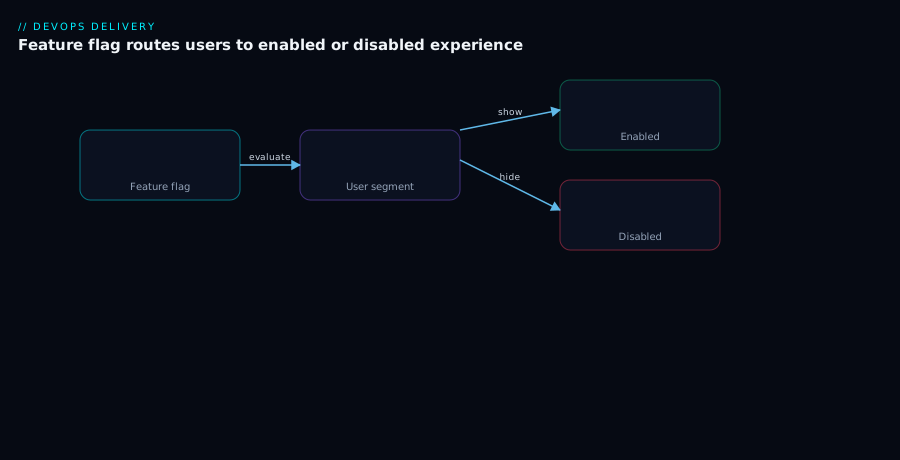
The first diagram traces the flag evaluation path for one request. A user request enters the application carrying its evaluation context (user key, plan, region). The code hits a decision point — flags.isEnabled("new-checkout", ctx) — and the SDK evaluates locally against the cached ruleset: it checks individual targets first, then segment rules, then the percentage bucket (a consistent hash of the user key), falling through to the default. The request is then routed to either the enabled experience (the new code path) or the disabled experience (the legacy path) based on that single boolean — same deployed artifact, two outcomes, decided per user in microseconds. Off to the side, a streaming connection to the flag service keeps the local ruleset fresh, so a flag flip propagates in seconds without redeploying.
The second diagram shows progressive delivery over time with a kill switch overlaid. The new version ships dark (0% exposure), then exposure steps up — internal users, then 1%, 10%, 50%, 100% — with automated canary analysis running at each step: a controller queries the error-rate, latency-p99 and saturation SLIs and computes promote-or-abort. As long as the metrics hold, the weight increases; the moment a threshold breaches, automated rollback snaps traffic back to the stable version. Spanning every stage is the kill switch — a separate, always-available lever that on-call can flip to instantly disable the feature regardless of which step the rollout is on, evaluated locally and failing safe to “off.” The reader follows the path left to right (rising exposure) and sees the two safety nets: the controller’s metric-gated auto-rollback during the ramp, and the operator’s instant kill switch at any point.
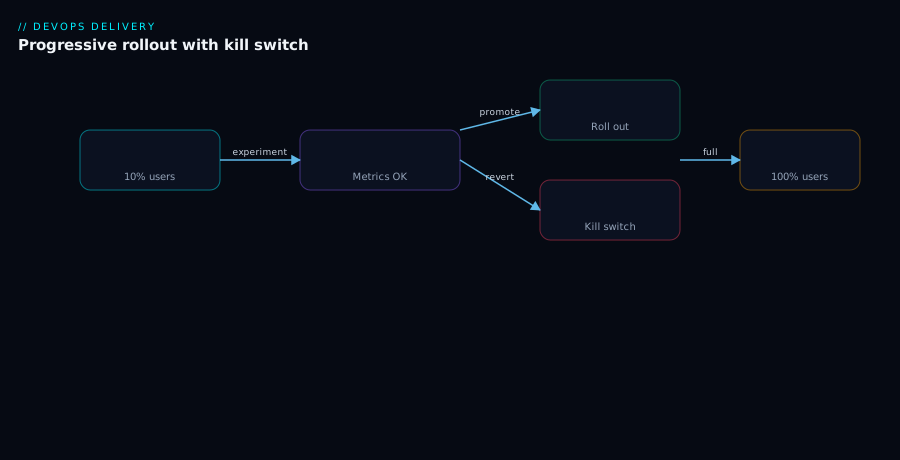
The unifying idea across both: a release is a runtime decision you can steer (the flag/weight), measure (canary analysis), and reverse two ways (auto-rollback by the controller, kill switch by the operator) — none of which requires a redeploy.
Real-world scenario
Northwind Commerce runs a multi-tenant B2B retail platform: a checkout API and a web frontend on Kubernetes (AKS), about 2,500 RPS at peak, ~40 enterprise tenants plus thousands of self-serve accounts. The platform team is six engineers. They practise trunk-based development, deploy ~15 times a day, and use Argo CD for GitOps. Their monthly spend on the flag platform (LaunchDarkly) is modest relative to a single hour of a botched-checkout incident.
The project: replace the 8-year-old checkout calculation engine (tax, shipping, promotions) with a rewrite. The old engine couldn’t be maintained safely; the rewrite touched money, so a 100%-blast-radius bug meant mischarging real customers. A big-bang cutover was unthinkable, and a six-month branch would have rotted against 15 daily merges to main. So they ran it as textbook progressive delivery with flags.
Phase 1 — dark. The new engine shipped to production behind a release flag checkout-engine-v2, defaulting false. It ran in shadow on a copy of each request (computing the new total but discarding it, logging any divergence from the old engine) for two weeks. Shadowing surfaced 31 discrepancies — rounding on multi-currency carts, a promotion-stacking edge case — all fixed while zero customers were exposed. Deploy had happened; release had not.
Phase 2 — internal and 1%. They added the whole company to the flag’s individual-target “on” list and dogfooded real purchases. Then a bucketBy: accountId percentage rollout to 1% of self-serve accounts (never enterprise yet — entitlement-style targeting kept paying customers out of the early ramp). Sticky bucketing meant a given account saw a consistent engine across sessions — essential, because a cart must compute the same total on every page.
Phase 3 — controller-gated ramp. For the service carrying the new engine they used Argo Rollouts with an AnalysisTemplate gating on (a) checkout 5xx ratio < 0.5%, (b) p99 latency < 600ms, and © a business KPI: checkout-completion rate within 2% of the concurrent baseline. The baseline was the stable engine running in parallel; analysis compared canary-vs-baseline so a slow payment-provider afternoon (which hit both) didn’t false-abort. They ramped 5% → 20% → 50% over three days, each step baking 30 minutes under load.
The incident that proved it. At 50%, the p99 latency check breached: 620ms, sustained over three intervals. The new engine made an N+1 call to the tax service under a specific cart shape. Argo Rollouts auto-aborted — traffic snapped back to the stable engine in seconds, the rollout went Degraded, and an alert paged the team. Blast radius: a latency bump for ≤50% of self-serve checkouts for under five minutes, zero failed payments, zero enterprise tenants affected. They fixed the N+1 (a missing batch fetch), re-ran the ramp, and it passed clean.
Phase 4 — enterprise and removal. Only after weeks of stable 100% on self-serve did they ramp enterprise tenants, one tenant at a time via individual targeting (each had a contractual SLA, so each got its own watched rollout). Once every tenant was on and stable for a month, they did the unglamorous-but-critical work: deleted the old engine, removed the checkout-engine-v2 flag, and archived its record. No flag debt left behind.
The whole programme as a timeline, because the order and blast radius are the lesson:
| Phase | Exposure | Mechanism | What it caught | Blast radius of a bug |
|---|---|---|---|---|
| Dark (shadow) | 0% (shadow traffic) | Release flag off + shadow compute | 31 calculation discrepancies | 0 customers |
| Internal | Staff only | Individual targeting | Real-purchase UX issues | Staff only |
| 1% self-serve | 1% of accounts | bucketBy: accountId % rollout |
Early real-money validation | ≤1% self-serve |
| Ramp 5→50% | up to 50% self-serve | Argo Rollouts + analysis | N+1 latency regression (auto-aborted) | ≤50% self-serve, <5 min |
| Enterprise | Per-tenant | Individual targeting per tenant | SLA-sensitive validation | One tenant at a time |
| Remove | 100%, flag deleted | Lifecycle hygiene | (prevented future flag debt) | — |
The lesson on the wall: “We never ‘released’ the new engine. We dialed it up, watched the numbers, and the controller was allowed to say no. The worst day was a five-minute latency bump for half our small accounts — not a mischarge for everyone.”
Advantages and disadvantages
The decouple-and-gate model is powerful, but it isn’t free — it adds a runtime dependency, more code paths, and operational discipline you must actually sustain. Weigh it honestly:
| Advantages | Disadvantages |
|---|---|
Deploy ≠ release — ship incomplete work to main safely; enables trunk-based development |
Multiple live code paths increase complexity and the testing surface |
| Bounded blast radius — a defect hits only the exposed %, not 100% | Flag debt if temporary flags aren’t removed — dead paths, combinatorial states |
| Instant rollback — flip a flag in ms; no redeploy, no lost batched work | A runtime dependency on the flag service (mitigated by local eval + fail-safe defaults) |
| Automated, signal-driven promotion — the controller promotes/aborts from real SLIs | Automated rollback is only as good as your SLIs and analysis — bad metrics, bad decisions |
| Test in production safely — internal users, 1%, shadow traffic | Easy to misuse flags as permanent config, or to ship a server SDK key to the browser |
| Per-user/tenant targeting — entitlements, staged B2B rollouts, experiments | Stateful features need sticky bucketing done right, or users flicker |
| Near-instant time-to-restore (a DORA elite signal) | Forward-only DB migrations break the “just roll back” promise — needs expand/contract discipline |
When each matters: the blast-radius and instant-rollback advantages dominate for consumer products and anything touching money, where a 100%-exposure bug is expensive. The trunk-based / ship-dark advantage dominates for fast-moving teams that would otherwise drown in long-lived branches. The disadvantages bite hardest on teams that adopt flags but skip the lifecycle — they get the staged-rollout upside for a year and then an outage from a forgotten flag, plus a codebase no one can reason about. The model is right when you’ll commit to the hygiene (TTLs, staleness scans, removal as tracked work) and you have the observability to make automated analysis trustworthy. It’s overkill for a tiny, low-traffic app deploying weekly with low risk — there, a plain deploy and a manual canary may be enough.
Hands-on lab
We’ll do the most instructive end-to-end loop on a local cluster: deploy a service, wrap a progressive rollout around it with Argo Rollouts, watch automated canary analysis gate the promotion, and watch an automatic rollback fire when we ship a bad version. Free-tier-friendly: everything runs in a local kind (or minikube) cluster; tear it down at the end. (You can do an analogous loop with Flagger; Argo Rollouts is shown because its CLI plugin makes the steps very visible.)
Step 1 — A local cluster and the Argo Rollouts controller + plugin.
kind create cluster --name pd-lab
kubectl create namespace argo-rollouts
kubectl apply -n argo-rollouts \
  -f https://github.com/argoproj/argo-rollouts/releases/latest/download/install.yaml
# kubectl plugin (macOS arm64 shown; pick your platform's asset)
curl -sSL -o kubectl-argo-rollouts \
  https://github.com/argoproj/argo-rollouts/releases/latest/download/kubectl-argo-rollouts-darwin-arm64
chmod +x kubectl-argo-rollouts && sudo mv kubectl-argo-rollouts /usr/local/bin/
kubectl argo rollouts version
Expected: the controller pods reach Running in the argo-rollouts namespace, and the plugin prints its version.
Step 2 — Create a Rollout with a canary strategy (no traffic-router needed for the basic-canary demo).
cat <<'EOF' | kubectl apply -f -
apiVersion: argoproj.io/v1alpha1
kind: Rollout
metadata:
  name: demo
spec:
  replicas: 5
  selector:
    matchLabels: { app: demo }
  template:
    metadata:
      labels: { app: demo }
    spec:
      containers:
        - name: demo
          image: argoproj/rollouts-demo:blue   # initial "good" version
          ports: [{ containerPort: 8080 }]
  strategy:
    canary:
      steps:
        - setWeight: 20
        - pause: { duration: 30s }
        - setWeight: 40
        - pause: { duration: 30s }
        - setWeight: 60
        - pause: { duration: 30s }
        - setWeight: 100
EOF
Step 3 — Watch the initial rollout settle to 100% stable.
kubectl argo rollouts get rollout demo --watch
# Press Ctrl-C once the rollout is Healthy and 100% on the blue (stable) version.
Expected: the dashboard view shows all 5 pods on blue, status Healthy.
Step 4 — Trigger a progressive update and watch it step through the canary.
# Ship a new version; Argo Rollouts starts the canary at 20% and steps up
kubectl argo rollouts set image demo demo=argoproj/rollouts-demo:yellow
kubectl argo rollouts get rollout demo --watch
Expected: you see the canary (yellow) take 20%, pause 30s, then 40%, 60%, 100% — a metric-free but visible staged rollout. This is the shape every progressive delivery follows.
Step 5 — Abort a rollout mid-flight (simulate an operator kill). Start another update, then abort it before it completes:
kubectl argo rollouts set image demo demo=argoproj/rollouts-demo:red
# While it's paused mid-canary, abort — traffic snaps back to the stable version
kubectl argo rollouts abort demo
kubectl argo rollouts get rollout demo
Expected: status shows the rollout Degraded/aborted and the stable version (yellow) serving 100% again — this is exactly what automated rollback does on a metric breach, here triggered manually so you can see it.
Step 6 — (Optional) Add real analysis. With a Prometheus in-cluster you’d attach the AnalysisTemplate from the Argo Rollouts section to the strategy.canary.analysis block; the controller then aborts automatically when failureLimit is hit instead of you running abort. The mechanism is identical — you’ve just handed the abort decision to the metrics.
Validation checklist. You stood up a controller, ran a staged rollout (not all-at-once), watched traffic shift in steps, and triggered a rollback that restored the stable version — the entire progressive-delivery loop minus the metrics plumbing. The steps mapped to the real-world acts:
| Step | What you did | What it proves | Real-world analogue |
|---|---|---|---|
| 2–3 | Rollout with canary steps |
Release is staged, not big-bang | Every progressive release |
| 4 | Image change → stepped canary | Exposure rises gradually, observably | The 5→20→50→100 ramp |
| 5 | abort mid-canary |
Reverting to stable is instant and safe | Automated rollback on a metric breach |
| 6 | Attach analysis (optional) | The machine can own the promote/abort call | Hands-off, signal-driven delivery |
Cleanup.
kind delete cluster --name pd-lab
Cost note. Everything ran locally in kind — zero cloud spend. A managed flag platform’s free tier (LaunchDarkly, Unleash OSS self-hosted, Flagsmith OSS, Azure App Configuration’s free flag store) covers a learning project; the cost only matters at production scale, where it’s trivial next to one prevented incident.
Common mistakes & troubleshooting
The failure modes here are specific and recurring. First as a scannable table, then the worst offenders expanded. The pattern is always symptom → root cause → confirm → fix.
| # | Symptom | Root cause | Confirm | Fix |
|---|---|---|---|---|
| 1 | A user flickers in/out of a feature on every request | Bucketing on a non-stable key (session id, IP, random) | Log the eval key per request; it changes | Bucket on a stable id (user/account); set bucketBy |
| 2 | Canary always aborts even on good builds | Thresholds too tight, or canary-vs-history on a noisy platform | Compare canary metrics to a concurrent baseline | Loosen; require N consecutive breaches; baseline-compare |
| 3 | Broken release gets promoted anyway | Analysis “failed open” — missing metric read as no-failure, or wrong metric | Check the query returns data; verify it targets the canary | Treat no-data as failure; gate on the metric that broke |
| 4 | Kill switch doesn’t take effect during an incident | SDK polling slowly, or evaluating via the down service | Check SDK mode (poll vs stream); check the dependency path | Use streaming; local eval; fail-safe default |
| 5 | Flag service down → app errors/crashes | No fail-safe default; code assumes a value | Kill the flag service in staging; app should degrade gracefully | Always pass an in-code fail-safe default |
| 6 | Targeting logic / other users’ data visible in browser | Server-side SDK key shipped to the client | Inspect the bundle for the secret key | Use a client-side ID; never the server key in the browser |
| 7 | Half a B2B customer sees new UI, half doesn’t | Bucketing by user when it should be by tenant | Two users of one account get different values | Set bucketBy: accountId (or segment by tenant) |
| 8 | Rollout “complete” but you can’t roll back cleanly | Forward-only DB migration; old version can’t read new data | Try the old version against the new schema | Expand/contract migrations; never break in the same release |
| 9 | Hundreds of flags, on-call can’t find the kill switch | No type tagging / naming; flag debt | List flags; most are stale temporaries | Tag types; prefix ops.kill.*; remove temporaries |
| 10 | Canary at 5% gives wildly noisy error ratios | Too little traffic to compute a stable ratio | RPS on the canary is tiny | Add a load-test webhook; require a min RPS before judging |
| 11 | Experiment results are statistical garbage | Non-sticky assignment; users switched variants | Same user logged with different variants | Sticky bucketing; log assignment once; don’t change mid-test |
| 12 | “We turned the flag on” but nothing changed | Wrong environment, wrong key, or rule order shadowing | Check env; check rule precedence (targets > segment > %) | Match env/key; understand first-match-wins ordering |
| 13 | Rollback reverts traffic but bugs persist | Side effects already written (events, emails, money) | Check for non-idempotent writes behind the flag | Make writes idempotent/reversible; version event schemas |
| 14 | Latency regression slips through green error rate | Single-metric gate (errors only) | Latency p99 climbed while 5xx stayed flat | Gate on errors and latency and saturation |
The expanded reasoning for the ones that bite hardest:
1. A user flickers in and out of a feature on every request.
Root cause: The percentage rollout is bucketing on something that changes per request — a session id, an IP, or (worst) a fresh random number — instead of a stable user/account id. Each request hashes to a different bucket, so the user crosses the percentage line constantly.
Confirm: Log the exact key the SDK buckets on for each request; you’ll see it varying for the same human.
Fix: Set the targetingKey/bucketing key to a stable identifier (user id, or account id for B2B), so the consistent hash returns the same side of the line every time.
2. The canary always aborts, even on builds you know are fine.
Root cause: Either the thresholds are too tight for normal variance, or you’re comparing the canary against historical values so any platform-wide blip (a slow dependency hitting everyone) makes the canary look bad.
Confirm: Plot the canary’s metric against a concurrent baseline (current stable getting comparable traffic); if they move together, the “regression” is environmental.
Fix: Compare canary-vs-baseline, loosen thresholds to realistic bounds, and require several consecutive failing intervals (failureLimit/threshold) rather than aborting on one noisy sample.
3. A clearly broken release gets promoted anyway. Root cause: The analysis failed open — the Prometheus query returned no data (wrong label, renamed metric, canary job not scraped) and the controller interpreted “no failures observed” as success; or you’re gating on a metric that didn’t capture the actual breakage. Confirm: Run the analysis query by hand against Prometheus for the canary’s time window — if it returns empty, that’s your bug. Fix: Make “no data” count as failure, fix the label selectors so the query actually targets the canary, and add the SLI that reflects the real failure (often a business KPI or a specific latency percentile).
4. The kill switch doesn’t take effect when you flip it during an incident. Root cause: The SDK is in polling mode with a long interval (so the flip takes minutes), or the evaluation path depends on the very service that’s down, so the new value can’t reach the app. Confirm: Check the SDK’s update mode and interval; trace the request path for the kill-switch evaluation and see whether it touches the failing component. Fix: Run the SDK in streaming mode and evaluate locally (cached rules), so a flip propagates in seconds without a network round-trip on the request; ensure the kill switch never depends on the subsystem it’s meant to disable.
6. Targeting rules or other users’ data are visible in the browser. Root cause: A server-side SDK key was used in a client-side (browser/mobile) context, so the client pulled the entire ruleset — including other users’ targeting — and anyone with dev tools can read it. Confirm: Inspect the JS bundle/network for the secret server key or a full flag-rules payload. Fix: Use the platform’s client-side ID in the browser (it returns only the current user’s results), keep the server key server-only, and enforce money/access flags server-side regardless.
8. The rollout finished but you discover you can’t actually roll back. Root cause: The release included a forward-only schema change — the new version wrote columns/shapes the old version can’t read — so reverting traffic to the old version corrupts or errors on the new data. Confirm: Run the previous version against the migrated schema in staging; it fails. Fix: Use expand/contract migrations — add new columns/tables in a backward-compatible release first, deploy code that writes both, migrate, and only remove the old shape in a later release — so every individual release is rollback-safe.
Best practices
- Make deploy and release separate, always. Risky behaviour ships dark behind a flag; the release is a later, reversible toggle — never weld them back together with a “just deploy it to everyone” exception.
- Tag every flag with a type, an owner, and (for temporary flags) a TTL at creation. Type tagging is what lets you nag temporary flags toward removal without touching permanent kill switches and entitlements.
- Always pass a fail-safe in-code default. The default is what you get when the flag service is unreachable; for kill switches it must mean “the safe behaviour” (usually off). An app that crashes when the flag store blinks is a self-inflicted outage.
- Bucket on a stable key, and
bucketBythe right entity. User id for consumer; account/tenant id for B2B so a customer flips as a unit. Non-stable keys cause flicker and invalid experiments. - Run kill switches with local evaluation + streaming. They must work during an incident — no slow poll, no dependency on the thing they disable.
- Gate canary analysis on multiple signals and compare to a concurrent baseline. Errors and latency and saturation (plus a business KPI where you have one), judged canary-vs-baseline so platform-wide noise cancels.
- Treat “no metric data” as analysis failure, not success. A missing query result must abort, never silently promote.
- Keep migrations rollback-safe with expand/contract. Never make a breaking schema change in the same release whose code you might need to roll back.
- Make flag removal tracked work, opened when the rollout starts. Delete the dead path, not just the flag, and verify with a code-reference scan in CI.
- Use OpenFeature (or an equivalent abstraction). Write checks against the standard API and inject the provider once, so the vendor choice stays swappable.
- Separate server-side and client-side SDK usage by security boundary. Full ruleset only in trusted backends; only per-user results in browsers/mobile; enforce access/money flags server-side.
- Audit and alert on flag flips and rollout aborts. A kill-switch flip or an auto-abort is an operational event your on-call should see, with who/when/why recorded.
Security notes
- Flag keys are secrets with blast radius. The server-side SDK key can read your entire targeting ruleset and every user’s segment membership — treat it like a database credential: store it in a secrets manager (see CI/CD Secrets and Credential Management: Secure Your Pipelines), never in client code, never in git.
- Never ship a server SDK key to the browser or a mobile app. Use the platform’s client-side ID, which exposes only the current user’s evaluated results. A leaked server key is a data-exposure incident, not just a bug.
- Enforce authorization server-side, not via client flags. A client-side entitlement flag is a UX hint, not a security control — a user can flip their own client state. Gate access to features, data, and money on the server, with the server-side evaluation.
- Audit every flag change. Flag flips are production changes with real impact; require the platform’s audit log (who, what, when), and treat changes to kill switches and entitlement flags as sensitive operations with approval where appropriate.
- Apply least privilege to who can change which flags. Not everyone should be able to flip a payments kill switch or a tenant entitlement; use the platform’s RBAC to scope flag-change permissions by team/environment.
- Don’t leak internals through flag context or names. Targeting context can carry PII (emails, ids) — minimise what you send, and don’t encode secrets in flag names or values that show up in client payloads or logs.
- Secure the flag service path and cache. If you self-host (Unleash/Flagsmith) or run a relay/proxy, protect it like any production dependency — TLS, network policy, and a cached/fail-safe local evaluation so an outage of the flag plane degrades safely rather than failing your app.
- Guard the canary controller’s metric source. Automated rollback trusts your metrics backend; if that can be spoofed or is unauthenticated, a bad actor (or a bad config) can force-promote a broken canary. Authenticate the analysis provider and treat its availability as part of the release path.
The security-and-resilience knobs that pull in the same direction:
| Control | Mechanism | Secures against | Also prevents |
|---|---|---|---|
| Client-side ID (not server key) | Separate browser credential | Leaking rules/other users | Accidental full-ruleset exposure |
| Server-side enforcement of access flags | Evaluate gates in trusted backend | Client tampering with entitlements | Bypassed paywalls/feature gates |
| Flag-change RBAC + audit | Platform RBAC + audit log | Unauthorised/blind flag flips | “Who flipped the kill switch?” mysteries |
| Fail-safe defaults + local eval | In-code default; cached rules | Flag-plane outage taking down the app | Slow propagation during incidents |
| Authenticated analysis provider | Auth to Prometheus/Datadog | Spoofed metrics force-promoting | False promotions/rollbacks from bad data |
| Expand/contract migrations | Backward-compatible schema | Lossy/unsafe rollbacks | Data corruption on revert |
Cost & sizing
The costs split into the flag platform, the infrastructure overhead of canarying, and the (negative) cost — the incidents you avoid.
- Flag platform. Managed SaaS (LaunchDarkly) typically prices on seats and/or monthly flag evaluations (MAUs/contexts); small teams fit a low tier, and cost scales with org size and traffic. Open-source self-hosted (Unleash, Flagsmith, GrowthBook) is “free” in licence but you pay in ops: a small service + database to run and patch. Azure App Configuration offers a cheap managed feature store native to Azure. The right framing is cost per prevented incident: one avoided 100%-blast-radius checkout bug pays for the platform many times over.
- Canary/progressive-delivery infra. Argo Rollouts and Flagger are open-source and free; the real cost is transient extra capacity during a rollout — a canary ReplicaSet runs alongside the stable one, and a baseline (for canary-vs-baseline analysis) is more replicas still. Budget for ~1.2–2× the service’s replicas during a rollout (not steady-state). A service mesh (Istio/Linkerd) for fine traffic-splitting adds its own control-plane and sidecar overhead.
- Observability. Automated analysis depends on metrics you’re (mostly) already collecting; the incremental cost is small if you have Prometheus/Datadog, larger if you must stand it up. It’s a prerequisite, not optional — without SLIs, automated rollback can’t function.
| Cost driver | What you pay for | Rough scale | What it buys | Watch-out |
|---|---|---|---|---|
| Managed flag SaaS | Seats + monthly contexts/evals | Low tier → enterprise as you grow | Targeting, experiments, governance, support | Eval/MAU-based pricing scales with traffic |
| Self-hosted flag service | Compute + DB + your ops time | A small service + database | Full control, no per-eval fee | You patch, scale, and back it up |
| Azure App Configuration | Managed store (cheap tier) | Minimal | Native Azure feature mgmt | Targeting less rich than dedicated tools |
| Canary controller | Free (Argo Rollouts / Flagger) | $0 licence | Automated rollout + rollback | Operational learning curve |
| Rollout-time capacity | Extra replicas during a rollout | ~1.2–2× transiently | Canary + baseline running in parallel | Don’t size steady-state for it |
| Service mesh (optional) | Control plane + sidecars | Per-pod overhead | Fine traffic-splitting, mTLS | Real complexity/resource cost |
| Metrics backend | Ingestion/retention | Already-paid mostly | The SLIs analysis reads | No metrics ⇒ no automated analysis |
A rough picture for Northwind-scale (mid-size B2B, ~2,500 RPS): a managed flag platform in the low-hundreds-USD/month range, Argo Rollouts/Flagger at $0, a few extra replicas during each rollout, and metrics they already ran. The dominant return is risk reduction — the model exists to make the expensive incidents cheap, and at money-touching scale a single prevented mass-mischarge dwarfs the annual platform bill.
Interview & exam questions
1. Why must “deploy” and “release” be separate, and how does a feature flag achieve it? A deploy puts the artifact on infrastructure; a release exposes new behaviour to users. Welding them means every push is a 100%-blast-radius event whose only undo is a redeploy. A flag splits them: you deploy code with the feature off (dark), then release later by flipping the flag — for whoever you choose, on your schedule, reversible in milliseconds. Staged rollout, instant rollback, and trunk-based development all follow from this split.
2. What is the difference between a canary and progressive delivery? A bare canary sends a small share of traffic to the new version and waits for a human to judge. Progressive delivery adds automated canary analysis (a controller queries SLIs at each step) and automated rollback (it aborts the instant a metric breaches threshold). The human writes the policy once; the machine executes the promote-or-abort decision every release.
3. Explain sticky bucketing and why a percentage rollout needs it. “10%” means: hash a stable key (user/account id) with the flag key into [0,100) and return true if < 10 — deterministically, so the same user always lands the same side of the line. Without it, a user would re-roll every request and flicker in and out of the feature (breaking stateful flows and poisoning experiments). Raising the percentage is monotonic — the original cohort stays in and new users join.
4. Name the five flag types and why their distinction matters. Release (temporary, dev-owned, remove after rollout), operational (long-lived, ops-owned, control system behaviour), kill switch (permanent, on-call-owned, instant disable, fail-safe), experiment (sticky, product/data-owned, statistical), and permission/entitlement (permanent, billing-owned, authorization). They differ in owner, lifetime, and evaluation path; conflating them — e.g. a kill switch named like a throwaway release flag — means on-call can’t find the right lever in an incident.
5. How does an Argo Rollouts AnalysisTemplate cause an automatic rollback? It defines metrics with a Prometheus (or other) query, a successCondition, and a failureLimit. The controller runs the query at each interval; if a metric fails successCondition more than failureLimit times, the rollout aborts — traffic shifts back to the stable ReplicaSet and the rollout is marked Degraded. No human action needed.
6. Why compare a canary to a concurrent baseline rather than to historical metrics? A platform-wide effect (a slow dependency hitting everyone) makes the canary look bad against history, causing a false abort — or a generally-degraded day makes a real regression look acceptable. Running a baseline of the current stable version alongside the canary with matched traffic and judging canary-vs-baseline cancels shared, environmental noise, so analysis reflects the change, not the weather.
7. What makes a kill switch actually work during an incident? Local evaluation (cached rules, no network round-trip on the request), streaming updates (a flip propagates in seconds, not a 5-minute poll), a fail-safe default (unreachable flag store ⇒ the safe value, usually off), and no dependency on the subsystem it disables. A kill switch that needs the very service that’s on fire is useless.
8. What is flag debt and how do you prevent it? It’s the accumulated cost of temporary flags left in code after their purpose ended — dead paths, up to 2ⁿ untested behaviour combinations, confusing reads, and outages from flipping a “long-done” flag. Prevent it by tagging temporary flags with a TTL, using staleness detection, opening the removal ticket when the rollout starts, deleting the dead branch (not just the flag), and verifying with a code-reference scan in CI.
9. Why are server-side and client-side flag SDKs different, and what’s the risk of mixing them? A server-side SDK runs in a trusted backend and pulls the full ruleset to evaluate locally; a client-side SDK runs in an untrusted browser/mobile and must receive only the current user’s results. Shipping a server SDK key to the browser leaks your entire targeting logic and other users’ segment data to anyone with dev tools — a data-exposure incident. Use the client-side ID in clients, and enforce money/access flags server-side.
10. What is OpenFeature and what problem does it solve? OpenFeature is a CNCF standard defining a vendor-neutral flag-evaluation API. You write checks against it and inject a provider (LaunchDarkly, Unleash, flagd, etc.) once at startup. Changing vendors means swapping the provider, not rewriting every call site — the same decoupling logic as a logging facade or the OpenTelemetry API.
11. Why can a forward-only database migration break automated rollback, and what’s the fix? Automated rollback reverts traffic to the old version — but if the new version wrote data the old version can’t read, the old version errors or corrupts on that data, so reverting isn’t actually safe. The fix is expand/contract: make schema changes backward-compatible (add first, write both, migrate, remove the old shape only in a later release) so every individual release is rollback-safe.
12. How do feature flags and progressive delivery improve DORA metrics? They lower change failure rate (defects are caught at small exposure and never reach 100%), drive time to restore toward instant (flip a flag or auto-rollback in seconds vs a minutes-long redeploy), and raise deployment frequency (you can ship dark continuously instead of batching into risky release days). That’s the mechanism behind elite-team delivery — see DORA Metrics and Platform Engineering.
These map to DevOps/SRE practice broadly and specifically to the CNCF/GitOps ecosystem (Argo Rollouts, Flagger, OpenFeature) and to release-engineering interview rounds. A compact mapping:
| Question theme | Where it’s tested | Related practice |
|---|---|---|
| Deploy vs release; flag types | SRE / release-eng interviews | Trunk-based development, CD |
| Sticky bucketing, targeting | Product-infra / experimentation | A/B testing, entitlements |
| Argo Rollouts / Flagger analysis | Platform / Kubernetes roles | GitOps, service mesh |
| Canary analysis methodology | SRE / observability | SLIs/SLOs, golden signals |
| Kill switches, fail-safe | Incident-response / on-call | Resilience engineering |
| Flag debt, lifecycle | Senior eng / tech-lead | Codebase health, governance |
Quick check
- Your service deploys the new checkout code to production but no customer sees it yet. Has a release happened? What single mechanism makes “deployed but invisible” possible?
- A user reports the new feature “keeps appearing and disappearing” as they click around. What is the most likely root cause and the fix?
- Your Argo Rollouts canary promoted a build that turned out to be broken. The Prometheus query returned no data the whole time. What went wrong, and what’s the rule that prevents it?
- You flip a kill switch during an incident and nothing changes for several minutes. Name two SDK-level causes.
- True or false: scaling out to more instances and rolling back traffic to the previous version always makes a release safe to undo. Explain.
Answers
- No — the code is deployed but not released; users experience no new behaviour. The mechanism is a feature flag: the code ships behind an off flag (dark), so it’s running and inert until you flip the flag to release it. Deploy and release are separate verbs.
- The percentage rollout is bucketing on a non-stable key (session id, IP, or a random value), so the user re-hashes to a different bucket on each request and crosses the percentage line constantly. Fix: bucket on a stable identifier (user id, or account id for B2B) so the consistent hash returns the same answer every time — sticky bucketing.
- The analysis failed open: a missing/empty metric result was treated as “no failures,” so the broken canary was promoted. The rule is treat “no data” as failure, not success — and fix the query’s label selectors so it actually targets the canary’s time series.
- (a) The SDK is in polling mode with a long interval, so the flip takes minutes — switch to streaming. (b) The evaluation depends on the very service that’s down (or does a network round-trip you can’t afford mid-incident) — use local evaluation with cached rules and a fail-safe default.
- False. Reverting traffic restores the old version, but if the release included a forward-only schema change, the old version can’t read the new data — so the undo is lossy or errors. Safe rollback requires backward-compatible (expand/contract) migrations so every release is independently revertible; scaling out does nothing for this.
Glossary
- Deploy — the act of putting an artifact onto production infrastructure so it’s running; distinct from release.
- Release — the act of making new behaviour visible to users; with flags, a separate, reversible decision from deploy.
- Feature flag (toggle) — a named, runtime-evaluated switch whose value is resolved per request against an evaluation context; changes behaviour without a deploy.
- Dark launch — deploying a feature in production with its flag off, so the code is live but invisible.
- Progressive delivery — staged exposure (flag % or traffic weight) combined with automated canary analysis and automated rollback.
- Canary (deployment) — sending a small share of traffic to a new version before full rollout.
- Canary analysis — automated evaluation of the canary’s SLIs (errors, latency, saturation, KPIs) to decide promote-or-abort, ideally against a concurrent baseline.
- Automated rollback — a controller automatically reverting traffic to the stable version when a metric breaches threshold.
- Kill switch — an operational flag whose job is to instantly disable a risky subsystem; must evaluate locally, stream updates, and fail safe.
- Targeting — the rules that resolve a flag’s value per caller: individual targets, then segments, then percentage, then default.
- Segment — a named, reusable cohort (a rule set or list) referenced by many flags.
- Percentage rollout — exposing a flag to a share of a cohort, computed by a consistent hash of a stable key.
- Sticky bucketing — the property that the same user (by a stable key) always lands in the same percentage bucket, so they don’t flicker.
bucketBy— the attribute the percentage hash uses (user id, or account/tenant id to flip whole customers together).- Prerequisite (dependent) flag — a flag whose value depends on another flag being on.
- Argo Rollouts — a Kubernetes controller providing a
RolloutCRD with canary/blue-green strategies andAnalysisTemplate-driven automated rollout/rollback. - Flagger — a progressive-delivery operator that wraps an existing
Deploymentwith aCanaryCRD, running metric checks and rolling back on breach. AnalysisTemplate— the Argo Rollouts resource defining metric queries,successCondition, andfailureLimitthat gate a rollout.- Flag debt — the accumulated cost of temporary flags left in code after their purpose ended (dead paths, combinatorial states, accidental flips).
- Expand/contract (migration) — making schema changes backward-compatible across releases so every release is independently rollback-safe.
- OpenFeature — a CNCF standard for a vendor-neutral flag-evaluation API with pluggable providers.
- Server-side / client-side SDK — server-side evaluates the full ruleset in a trusted backend; client-side returns only the current user’s results to an untrusted browser/mobile.
- Fail-safe default — the in-code value returned when the flag platform is unreachable; for kill switches it encodes the safe behaviour.
Next steps
You can now separate deploy from release and design a metric-gated, reversible rollout. Build outward:
- Next: Deployment Strategies: Blue-Green, Canary and Rolling Updates — the foundational strategies progressive delivery extends.
- Related: Progressive Delivery: Canary, Blue-Green and Automated Rollback with GitOps — the GitOps-centric view of the same discipline.
- Related: GitOps with Argo CD and Flux — Argo Rollouts is part of the Argo family and is driven declaratively from Git.
- Related: DevOps Observability: Logs, Metrics, Traces and SLOs — the SLIs without which automated canary analysis can’t function.
- Related: DORA Metrics and Platform Engineering — how flags and progressive delivery move change-failure-rate and time-to-restore to elite levels.
- Related: Canary Deployments on Azure Container Apps: Revision Traffic Splitting & Rollback — the same canary mechanics on a managed PaaS instead of raw Kubernetes.